Amazon Bedrock Agents represent AWS’s most powerful approach to building autonomous AI agents that can handle complex business tasks without constant human oversight. This deep dive is designed for DevOps engineers, AI/ML practitioners, and enterprise architects who need to deploy production-ready AI automation solutions that scale reliably.
You’ll master the core Bedrock Agent architecture and understand how these AWS machine learning agents orchestrate multi-step workflows. We’ll walk through hands-on AWS Bedrock Agent tutorial examples, covering everything from basic agent setup to advanced Bedrock Agent configuration for high-traffic production environments.
The guide covers robust error handling patterns that keep your autonomous AI agents running smoothly, plus proven scaling and cost optimization strategies that prevent budget overruns. You’ll also learn enterprise-grade security implementation and AI agent monitoring techniques that meet compliance requirements while maintaining peak performance.
By the end, you’ll have the practical knowledge to build, deploy, and maintain production AI agents that deliver consistent business value at enterprise scale.
Understanding Amazon Bedrock Agents Architecture
Core Components and Service Integration
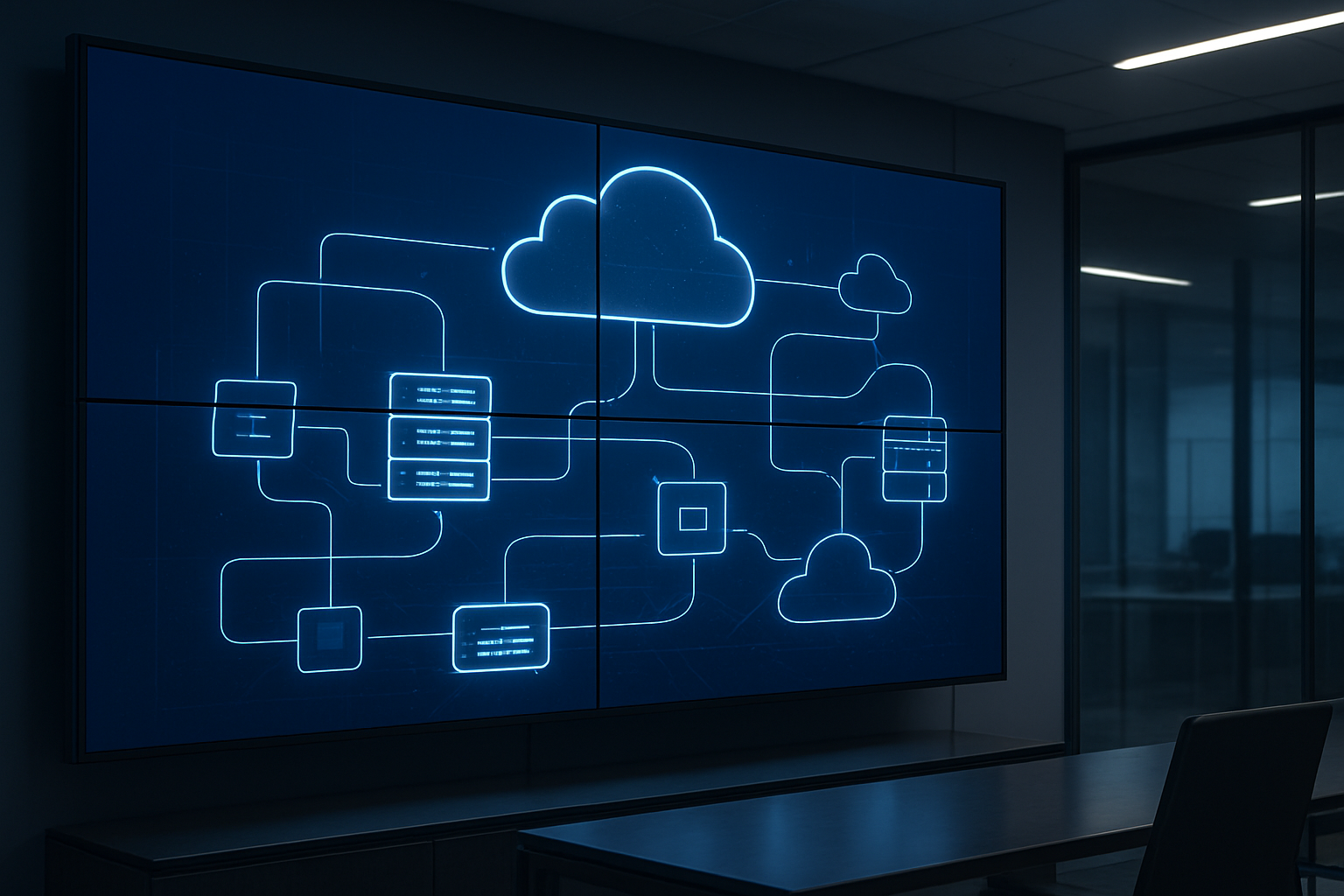
Amazon Bedrock Agents architecture revolves around several interconnected components that work together to create intelligent, autonomous AI systems. At the heart of this architecture lies the agent runtime environment, which orchestrates all interactions between your agent and external systems.
The primary components include the Agent Definition, which stores your agent’s configuration, instructions, and metadata. This acts as the blueprint for how your agent behaves and responds to user requests. The Knowledge Base component allows agents to access and reason over your proprietary data, enabling context-aware responses that go beyond the foundation model’s training data.
Action Groups represent another critical component, defining the specific tasks your agent can perform. These action groups connect to AWS Lambda functions, allowing your Bedrock Agent to interact with external APIs, databases, and services. Each action group contains an OpenAPI schema that describes the available functions and their parameters.
The Session Management component maintains conversation context and state across multiple interactions. This enables your agent to remember previous exchanges and maintain coherent, contextual conversations with users.
AWS service integration extends beyond basic functionality. Bedrock Agents seamlessly integrate with Amazon S3 for document storage, Amazon RDS for structured data access, AWS Secrets Manager for secure credential management, and Amazon CloudWatch for comprehensive monitoring and logging.
Agent Workflow and Execution Model
The Bedrock Agent execution model follows a sophisticated orchestration pattern that combines reasoning, planning, and action execution. When a user submits a request, the agent enters a multi-step workflow that determines the best approach to fulfill that request.
The process begins with Intent Recognition, where the foundation model analyzes the user’s input to understand the desired outcome. The agent then moves into the Planning Phase, breaking down complex requests into actionable steps. This planning capability allows agents to handle multi-part queries that require sequential actions or data gathering from multiple sources.
During Action Execution, the agent invokes the appropriate Lambda functions through predefined action groups. Each action execution includes input validation, error handling, and response processing. The agent can perform multiple actions in sequence, using the output from one action as input for the next.
Response Generation represents the final stage, where the agent synthesizes information from all executed actions into a coherent, natural language response. The foundation model ensures responses align with the agent’s defined personality and communication style.
The workflow includes built-in retry mechanisms and error recovery patterns. If an action fails, the agent can attempt alternative approaches or gracefully inform the user about limitations while suggesting possible solutions.
Streaming capabilities allow real-time response delivery, improving user experience during longer processing tasks. Users see intermediate results and progress updates rather than waiting for complete task completion.
Foundation Model Selection and Configuration
Choosing the right foundation model for your Bedrock Agent significantly impacts performance, cost, and capabilities. Amazon Bedrock offers multiple model options, each optimized for different use cases and performance requirements.
Claude models excel at complex reasoning tasks and provide excellent instruction-following capabilities. They’re particularly effective for agents that need to handle nuanced conversations or perform detailed analysis. Claude’s large context window makes it ideal for processing extensive documentation or maintaining longer conversation histories.
Titan models offer cost-effective solutions for straightforward tasks and provide reliable performance for standard business applications. They work well for agents focused on information retrieval, basic customer service, or document summarization tasks.
Model configuration involves several critical parameters. Temperature settings control response creativity and consistency. Lower temperatures (0.1-0.3) produce more predictable, factual responses, while higher values (0.7-0.9) generate more creative but potentially less accurate outputs.
Max token limits determine response length and processing capacity. Configure these based on your specific use case requirements and cost considerations. Longer responses consume more tokens and increase operational costs.
System prompts shape your agent’s personality, expertise level, and response style. Well-crafted system prompts include clear instructions about the agent’s role, expected behavior, and any constraints or guidelines it should follow.
Stop sequences help control response generation, ensuring agents don’t produce unwanted content or exceed intended response boundaries. These are particularly useful for structured output generation or when integrating with external systems that expect specific formats.
Security and Permission Framework
Security implementation for Bedrock Agents requires a multi-layered approach encompassing IAM policies, resource-level permissions, and data protection mechanisms. The security framework starts with Identity and Access Management (IAM) roles that define what resources your agent can access and what actions it can perform.
Execution roles control the agent’s runtime permissions, including access to Lambda functions, S3 buckets, and other AWS services. These roles should follow the principle of least privilege, granting only the minimum permissions necessary for intended functionality.
Resource-based policies provide granular control over specific resources. For example, S3 bucket policies can restrict agent access to specific prefixes or object types, ensuring sensitive data remains protected even if the agent is compromised.
Data encryption protects information both in transit and at rest. Bedrock Agents automatically encrypt communications with foundation models, but you must configure encryption for data stored in knowledge bases and action group responses.
VPC integration allows agents to operate within your private network infrastructure, accessing internal resources while maintaining network isolation. This is particularly important for enterprise deployments where agents need to interact with internal databases or APIs.
Audit logging through CloudTrail captures all agent activities, API calls, and access patterns. These logs are essential for compliance reporting, security monitoring, and troubleshooting agent behavior.
Content filtering mechanisms prevent agents from generating inappropriate or harmful content. Bedrock provides built-in guardrails, but you can implement additional filtering through Lambda functions in your action groups.
Session isolation ensures that different user sessions cannot access each other’s data or conversation history. Each session receives a unique identifier and isolated execution context.
Setting Up Your First Bedrock Agent

Prerequisites and AWS Account Configuration
Before diving into Amazon Bedrock Agents, you need to set up your AWS environment properly. Your AWS account needs specific permissions and configurations to work with Bedrock services effectively.
Start by enabling Amazon Bedrock in your target AWS region. Not all regions support Bedrock Agents yet, so check the current availability in the AWS documentation. Popular regions like us-east-1 and us-west-2 typically have full support for Bedrock Agent features.
Your IAM setup requires careful attention. Create a dedicated IAM role for your Bedrock Agent with the following permissions:
bedrock:*for full Bedrock accesslambda:InvokeFunctionif you plan to use Lambda functions as action groupss3:GetObjectands3:PutObjectfor knowledge base integration- CloudWatch permissions for logging and monitoring
Set up a dedicated S3 bucket for storing agent artifacts, including instruction templates, action group schemas, and knowledge base documents. Configure proper versioning and lifecycle policies to manage costs as your agent evolves.
You’ll also need to request access to foundation models through the Bedrock console. Claude, Titan, and other models require explicit access requests, which AWS typically approves within a few hours for most use cases.
Creating Agent Blueprints and Templates
Building reusable agent blueprints saves significant time when deploying multiple AWS Bedrock Agent instances across your organization. These templates establish consistent patterns for agent behavior, security policies, and integration points.
Create your first blueprint by defining a standard agent structure in JSON or YAML format. Include common elements like:
- Base instruction templates with placeholder variables
- Standard action group configurations
- Default knowledge base connections
- Consistent naming conventions and tagging strategies
Your blueprint should capture the core personality and behavior patterns you want across all agents. For example, a customer service blueprint might emphasize helpful, professional responses while a technical support blueprint focuses on detailed, step-by-step guidance.
Version control your blueprints using Git or AWS CodeCommit. This approach lets you track changes, roll back problematic updates, and maintain different versions for testing and production environments. Tag each version clearly with semantic versioning to avoid confusion during deployments.
Consider creating specialized blueprints for different business functions:
- Customer Support Template: Includes escalation paths, FAQ integrations, and sentiment analysis
- Technical Assistant Template: Features code analysis capabilities, documentation lookup, and troubleshooting workflows
- Sales Support Template: Incorporates CRM integration, product catalogs, and lead qualification logic
Defining Agent Instructions and Capabilities
The instruction set forms the brain of your Bedrock Agent configuration. These instructions determine how your agent interprets user requests, makes decisions, and responds to different scenarios. Writing effective instructions requires balancing specificity with flexibility.
Start with a clear persona definition. Your agent needs to understand its role, expertise level, and communication style. For instance: “You are a technical support specialist with expertise in cloud infrastructure. You provide detailed, actionable solutions while maintaining a friendly, professional tone.”
Structure your instructions hierarchically:
- Primary Role: Core function and expertise area
- Response Guidelines: How to format answers, handle uncertainty, escalation procedures
- Behavioral Rules: What to avoid, ethical guidelines, compliance requirements
- Context Awareness: How to use conversation history and external data sources
Define specific capabilities using action groups that connect to your backend systems. Each action group represents a skill your agent can perform:
- Database queries through Lambda functions
- API calls to external services
- Document retrieval from knowledge bases
- Workflow automation triggers
Test your instructions thoroughly with edge cases and ambiguous requests. Users rarely ask questions exactly as you expect, so your instructions need to handle variations gracefully. Include examples of how to respond when information is incomplete or when the agent needs to ask clarifying questions.
Build in safeguards and boundaries. Your agent should know when to escalate to human operators, how to handle sensitive information, and what topics are outside its scope. Clear boundaries prevent the agent from making assumptions or providing guidance beyond its intended capabilities.
Advanced Agent Configuration for Production Workloads

Custom Knowledge Base Integration
Setting up a custom knowledge base for your Amazon Bedrock Agent transforms it from a generic assistant into a domain-specific expert. The knowledge base serves as the agent’s long-term memory, storing and retrieving relevant information to enhance response accuracy.
Start by creating a knowledge base through the AWS console, linking it to an S3 bucket containing your documents. The system supports various formats including PDFs, Word documents, and text files. Amazon Bedrock automatically chunks and vectorizes your content using embeddings, making it searchable through semantic similarity rather than just keyword matching.
Configure the retrieval settings carefully for production workloads. Set the maximum number of retrieved chunks between 3-10 depending on your use case – more chunks provide better context but increase latency and token consumption. The similarity threshold determines how closely related retrieved content must be to the user’s query. A lower threshold (0.5-0.7) retrieves more diverse content, while higher values (0.8-0.9) ensure precision.
For multi-domain applications, create separate knowledge bases for different topics and configure the agent to select the appropriate one based on user intent. This approach prevents information bleed between domains and improves response relevance.
Action Groups and API Endpoint Management
Action groups enable your Bedrock Agent to interact with external systems and perform actions beyond text generation. Each action group represents a collection of related functions your agent can execute, from querying databases to triggering workflows.
Define your API schemas using OpenAPI specifications, clearly documenting input parameters, expected outputs, and error responses. The schema serves as the contract between your agent and external services, so accuracy is crucial. Include detailed descriptions for each parameter to help the agent understand when and how to use each function.
Configure authentication methods appropriate for your endpoints. AWS IAM roles provide the most secure approach for internal services, while API keys or OAuth tokens work well for third-party integrations. Store sensitive credentials in AWS Secrets Manager rather than hardcoding them in your configuration.
Implement proper error handling at the API level. Your endpoints should return structured error responses that help the agent understand what went wrong and potentially retry with different parameters. Design idempotent operations wherever possible to safely handle retries without causing duplicate actions.
Consider implementing rate limiting and request validation at your API endpoints to protect against unexpected usage patterns from the agent during testing or high-traffic scenarios.
Memory and Context Management Settings
Production Bedrock Agents require sophisticated memory management to maintain coherent conversations while avoiding context overflow. The agent’s memory consists of conversation history, retrieved knowledge, and working context from ongoing tasks.
Configure session timeout values based on your use case requirements. Customer service agents might need longer sessions (30-60 minutes) to handle complex issues, while task-oriented agents can use shorter timeouts (5-15 minutes) to conserve resources.
Set appropriate context window limits to balance performance and capability. Larger context windows allow for more comprehensive conversations but increase processing time and costs. Monitor token usage patterns to find the optimal balance for your specific workload.
Implement context pruning strategies for long-running sessions. Configure the agent to summarize or archive older conversation segments while preserving essential information. This approach maintains conversation continuity without hitting token limits.
Design your prompts to include clear context boundaries. Help the agent understand which information should persist across interactions and which can be discarded after task completion.
Performance Optimization Strategies
Optimizing Bedrock Agent performance requires attention to response time, throughput, and resource utilization. Start by selecting the appropriate foundation model for your workload. Claude models excel at complex reasoning tasks, while lighter models provide faster responses for straightforward queries.
Configure parallel processing for action groups when possible. If your agent needs to call multiple APIs, design workflows that execute independent operations concurrently rather than sequentially. This approach significantly reduces overall response time.
Implement caching strategies for frequently accessed knowledge base content and API responses. Cache embeddings for common queries and store API results that don’t change frequently. This reduces computation overhead and improves response times.
Monitor inference parameters carefully. Adjust temperature, top-p, and max tokens based on your specific requirements. Lower temperature values (0.1-0.3) provide more consistent outputs, while higher values (0.7-0.9) increase creativity but may reduce reliability.
Use streaming responses when building user interfaces to improve perceived performance. Users see partial responses immediately rather than waiting for complete generation, creating a more responsive experience.
Multi-Agent Orchestration Setup
Complex production workloads often require multiple specialized agents working together. Design your multi-agent architecture with clear role definitions and communication protocols.
Create specialized agents for different domains or tasks rather than building one super-agent. A customer service deployment might include separate agents for billing, technical support, and general inquiries, with a router agent directing conversations to the appropriate specialist.
Implement agent handoff mechanisms that preserve context during transfers. Design data structures that capture conversation state, user preferences, and task progress, passing this information seamlessly between agents.
Configure coordination patterns for collaborative tasks. Some scenarios require agents to work together on complex problems, sharing intermediate results and building on each other’s outputs. Define clear protocols for information sharing and task delegation.
Set up monitoring and logging for multi-agent interactions. Track conversation flows between agents, measure handoff success rates, and identify bottlenecks in your orchestration logic. This visibility helps optimize the overall system performance and user experience.
Consider implementing a central coordination service that manages agent selection, load balancing, and resource allocation across your agent fleet. This approach provides better control over system behavior and enables sophisticated routing strategies based on agent availability and specialization.
Implementing Robust Error Handling and Monitoring

Real-time Agent Performance Tracking
Monitoring your Amazon Bedrock Agents in real-time requires a comprehensive approach that goes beyond basic metrics collection. CloudWatch serves as your primary monitoring hub, but you’ll want to set up custom metrics that actually matter for your business use case. Response latency, token consumption rates, and successful task completion percentages should be your baseline measurements.
Create CloudWatch dashboards that display agent performance data across different time intervals. Focus on metrics like average response time per request, peak concurrent invocations, and error rates by agent action. For production AI agents, tracking token usage patterns helps predict costs and identify performance bottlenecks before they impact users.
Consider implementing custom CloudWatch alarms that trigger when performance drops below acceptable thresholds. A well-configured alarm might fire when response times exceed 30 seconds or when error rates climb above 5% over a 10-minute period. These proactive alerts prevent minor issues from becoming major problems.
Application Performance Monitoring (APM) tools like AWS X-Ray provide deeper insights into your agent’s execution flow. X-Ray traces show exactly where time gets spent during agent invocations, whether that’s in knowledge base queries, action group executions, or foundation model calls. This visibility proves invaluable when optimizing complex agent workflows.
Don’t forget about business-specific metrics. Track successful order completions, customer satisfaction scores, or whatever KPIs matter most for your agent’s purpose. These metrics help demonstrate ROI and guide future improvements to your autonomous AI implementation.
Error Recovery and Fallback Mechanisms
Building resilient Bedrock Agent systems means planning for failure scenarios before they happen. Start by identifying the most common failure points: knowledge base timeouts, action group execution errors, and foundation model throttling. Each failure type requires a different recovery strategy.
Implement exponential backoff for transient failures like API throttling or temporary service unavailability. Your agent should automatically retry failed operations with increasing delays between attempts. AWS SDKs provide built-in retry logic, but you can customize this behavior based on your specific needs.
Create graceful degradation paths for when primary systems become unavailable. If your agent can’t access its primary knowledge base, have it fall back to a cached version or redirect users to alternative resources. Design these fallback experiences to maintain user engagement rather than simply displaying error messages.
Circuit breaker patterns work exceptionally well with Bedrock Agent configurations. When downstream services consistently fail, the circuit breaker prevents further attempts for a specified time period, protecting both your agent and the failing service from additional load. Lambda functions can implement circuit breaker logic that monitors error rates and automatically triggers fallback modes.
Build retry logic with intelligent decision-making. Not every error deserves a retry – HTTP 404 errors won’t resolve themselves, but 503 service unavailable errors might. Configure your error handling to distinguish between retryable and non-retryable errors, saving both time and computational resources.
Consider implementing human handoff mechanisms for complex error scenarios. When your agent encounters situations it can’t resolve after multiple attempts, smoothly transition users to human support while preserving conversation context and attempted actions.
Logging and Debugging Best Practices
Effective logging for AWS Bedrock Agent monitoring requires structured approaches that balance detail with performance impact. CloudWatch Logs captures agent invocation details automatically, but you’ll need additional logging layers for comprehensive debugging capabilities.
Structure your log entries using JSON format with consistent field names across all components. Include essential context like session IDs, user identifiers, agent versions, and timestamp data in every log entry. This consistency makes searching and filtering logs much easier during troubleshooting sessions.
Implement log levels strategically throughout your agent architecture. DEBUG level logs should capture detailed execution flows, including knowledge base queries and action group parameters. INFO level logs track successful operations and major state changes. WARN logs highlight potential issues that don’t break functionality but might indicate problems. ERROR logs capture actual failures with full stack traces and recovery actions taken.
Configure log retention policies that align with your compliance requirements while managing costs. Production environments typically need 30-90 days of detailed logs, but you can archive older logs to S3 for long-term storage at reduced costs. CloudWatch Logs Insights provides powerful querying capabilities for analyzing log patterns and identifying recurring issues.
Set up automated log analysis using CloudWatch Logs subscriptions that feed into Lambda functions or Kinesis streams. These automated systems can detect error patterns, unusual usage spikes, or performance degradations without manual intervention. Automated alerts based on log patterns often catch problems faster than traditional metric-based monitoring.
Create debugging playbooks that leverage your logging infrastructure. When issues occur, your team should know exactly which logs to check, what search queries to run, and how to correlate events across different system components. Well-documented debugging procedures reduce mean time to resolution and help junior team members contribute effectively during incident response.
Scaling and Cost Optimization Strategies

Auto-scaling Configuration for Variable Workloads
Configuring auto-scaling for Amazon Bedrock Agents requires a strategic approach that balances performance with cost efficiency. The key is understanding your traffic patterns and setting up intelligent scaling policies that respond to actual demand.
Start by implementing CloudWatch metrics to monitor your agent’s invocation patterns, response times, and error rates. These metrics serve as triggers for scaling decisions. Set up scaling policies based on invocation count per minute rather than simple time-based scaling, as AI workloads can be highly unpredictable.
Configure multiple scaling thresholds to handle different traffic scenarios:
- Rapid scale-out: Triggers when invocations exceed 80% of current capacity
- Gradual scale-in: Reduces capacity when utilization drops below 30% for sustained periods
- Emergency scaling: Activates additional resources during traffic spikes exceeding 150% of normal load
Use Amazon EventBridge to create custom scaling events based on business logic. For example, if your agent handles customer support queries, you might scale up during business hours and scale down during off-peak times across different time zones.
Cost Management and Budget Controls
Effective cost management for Bedrock Agent deployments starts with setting up comprehensive budgets and alerts. Create separate budgets for development, staging, and production environments to track spending accurately across your deployment pipeline.
Implement cost allocation tags on all Bedrock resources to track expenses by project, team, or business unit. This granular tracking helps identify cost optimization opportunities and enables accurate chargeback accounting.
Key cost control strategies include:
- Request throttling: Implement rate limiting to prevent runaway costs from unexpected traffic spikes
- Model selection optimization: Use less expensive models for simple tasks and reserve powerful models for complex reasoning
- Caching strategies: Implement response caching for frequently asked questions to reduce API calls
- Batch processing: Group similar requests together when possible to improve efficiency
Set up automated cost anomaly detection using AWS Cost Explorer. Configure alerts when spending exceeds 120% of your baseline, giving you time to investigate and adjust before costs spiral out of control.
Resource Allocation and Capacity Planning
Smart resource allocation begins with understanding your agent’s computational requirements across different types of requests. Not all AI agent tasks require the same level of processing power, so implementing tiered resource allocation can significantly improve cost efficiency.
Create resource pools based on request complexity:
- Light processing pool: Handles simple queries, FAQ responses, and cached results
- Medium processing pool: Manages standard conversational interactions and basic reasoning tasks
- Heavy processing pool: Reserved for complex analysis, multi-step workflows, and intensive reasoning
Use AWS Auto Scaling groups with mixed instance types to optimize for both performance and cost. Combine on-demand instances for baseline capacity with spot instances for handling traffic bursts, potentially reducing costs by up to 70% for variable workloads.
Plan capacity based on historical data and business growth projections. Analyze usage patterns over different time periods – daily, weekly, and seasonal variations all impact resource needs. Build in buffer capacity for unexpected growth while avoiding over-provisioning that leads to wasted resources.
Performance Benchmarking and Optimization
Regular performance benchmarking ensures your Bedrock Agents maintain optimal response times while managing costs effectively. Establish baseline performance metrics during initial deployment and continuously monitor for degradation.
Key performance indicators to track include:
- Response latency: Target sub-2-second responses for most interactions
- Throughput capacity: Maximum concurrent requests your system can handle
- Error rates: Keep error rates below 0.1% for production workloads
- Token efficiency: Monitor prompt and response token usage to optimize costs
Implement load testing using tools like Apache JMeter or AWS Load Testing solution to simulate realistic traffic patterns. Test various scenarios including normal load, peak traffic, and stress conditions to understand breaking points.
Optimize performance through prompt engineering and model selection. Shorter, more focused prompts reduce processing time and token consumption. Regularly review and refine your prompts based on actual usage patterns and user feedback.
Use AWS X-Ray for distributed tracing to identify bottlenecks in your agent’s processing pipeline. This detailed visibility helps pinpoint where optimizations will have the greatest impact on both performance and cost efficiency.
Set up automated performance regression testing in your CI/CD pipeline. Any code changes that negatively impact performance metrics should trigger alerts and potentially block deployments until issues are resolved.
Enterprise Security and Compliance Implementation

Data Privacy and Encryption Standards
Amazon Bedrock Agents handle sensitive data in enterprise environments, making robust encryption a non-negotiable requirement. All data flows between your applications and Bedrock agents get encrypted using AES-256 encryption both in transit and at rest. This encryption happens automatically, but you’ll want to verify your specific compliance requirements.
The service integrates seamlessly with AWS Key Management Service (KMS) for advanced key management. You can create customer-managed keys (CMKs) to maintain full control over encryption keys, including rotation policies and access permissions. Set up separate keys for different environments—development, staging, and production—to maintain proper data isolation.
Regional data residency becomes critical when dealing with GDPR, HIPAA, or other regulatory frameworks. Bedrock agents process data within your selected AWS region, ensuring compliance with local data protection laws. Configure your agents to use specific regions that align with your organization’s data governance policies.
Consider implementing additional layers of data protection through field-level encryption for particularly sensitive information. This approach encrypts specific data fields before they reach the Bedrock agent, adding another security boundary that you control independently.
Access Control and Identity Management
Identity and Access Management (IAM) forms the backbone of secure Amazon Bedrock Agent deployments. Create dedicated service roles with minimal required permissions following the principle of least privilege. Your agent execution role should only access resources absolutely necessary for its functionality.
Fine-grained permissions control which users can create, modify, or invoke agents. Establish role-based access control (RBAC) patterns that map to your organization’s hierarchy. Data scientists might need agent creation permissions, while application developers only require invocation rights.
Multi-factor authentication (MFA) becomes mandatory for any user with administrative privileges over Bedrock agents. Combine this with conditional access policies that restrict agent management to specific networks or devices. AWS Identity Center integration streamlines user management across your entire AWS environment.
Session management requires careful attention in production environments. Configure session timeouts appropriately—short enough to minimize security risks but long enough to avoid disrupting legitimate workflows. Implement session recording for sensitive operations to maintain detailed audit trails.
Cross-account access patterns need explicit design when agents serve multiple business units. Use AWS Organizations to manage permissions centrally while maintaining appropriate boundaries between different parts of your organization.
Audit Trails and Compliance Reporting
Comprehensive logging transforms compliance from a burden into a competitive advantage. Amazon Bedrock Agents automatically generate detailed logs through AWS CloudTrail, capturing every API call and configuration change. These logs become your primary evidence for regulatory audits.
CloudWatch Logs receives detailed execution logs from your agents, including input prompts, model responses, and any errors. Configure log retention periods that meet your compliance requirements—some regulations require seven years of data retention. Set up automated log archiving to S3 Glacier for cost-effective long-term storage.
Real-time monitoring catches compliance violations before they become major incidents. Create CloudWatch alarms for unusual agent behavior, such as excessive API calls or error rates above normal thresholds. These early warning systems help maintain compliance posture continuously.
Custom metrics tracking becomes essential for demonstrating compliance effectiveness. Monitor data processing volumes, response times, and error patterns to show regulators that your systems operate within acceptable parameters. Build dashboards that executives can review during board meetings or regulatory discussions.
Automated compliance reporting reduces manual overhead while improving accuracy. Use AWS Config rules to monitor Bedrock agent configurations against your security policies. Generate periodic compliance reports that highlight any deviations and remediation actions taken.
Network Security and VPC Configuration
Network isolation protects your Amazon Bedrock Agents from unauthorized access and data exfiltration. Deploy agents within Virtual Private Clouds (VPCs) to create strong network boundaries around your AI workloads. Private subnets keep agent infrastructure away from direct internet access.
VPC endpoints enable secure communication between your agents and other AWS services without traversing the public internet. Create dedicated endpoints for services like S3, DynamoDB, and Lambda that your agents frequently access. This configuration reduces attack surface while improving performance through direct AWS backbone connectivity.
Security groups act as virtual firewalls controlling traffic flow to your agent infrastructure. Configure inbound rules that only allow necessary connections from your application infrastructure. Outbound rules should restrict agents to only the external services they legitimately need to access.
Network Access Control Lists (NACLs) provide subnet-level security as an additional defense layer. Use NACLs to implement broad security policies while relying on security groups for granular control. This defense-in-depth approach catches threats that might bypass other security measures.
Traffic monitoring through VPC Flow Logs reveals network communication patterns and potential security issues. Enable flow logs for all subnets containing agent infrastructure, then analyze these logs for unusual patterns. Automated analysis using services like Amazon GuardDuty can identify threats in real-time.
Web Application Firewalls (WAF) protect agent endpoints from common web exploits when agents serve external users. Configure WAF rules that block SQL injection attempts, cross-site scripting, and other application-layer attacks. Rate limiting prevents abuse while maintaining legitimate user access.

Amazon Bedrock Agents offer a powerful way to build AI systems that can work independently and handle real business tasks. From setting up your first agent to implementing advanced configurations, you now have the roadmap to create production-ready solutions that can scale with your needs. The key is starting with solid architecture, adding robust error handling, and keeping security at the forefront of your implementation.
Getting your agents running smoothly in production means paying attention to monitoring, cost optimization, and enterprise-grade security measures. Don’t try to build everything at once – start with a simple use case, nail the basics, and gradually add more sophisticated features. Your future self will thank you for taking the time to build these systems properly from the ground up. The investment in proper setup and monitoring will pay dividends as your AI agents become critical parts of your business operations.