


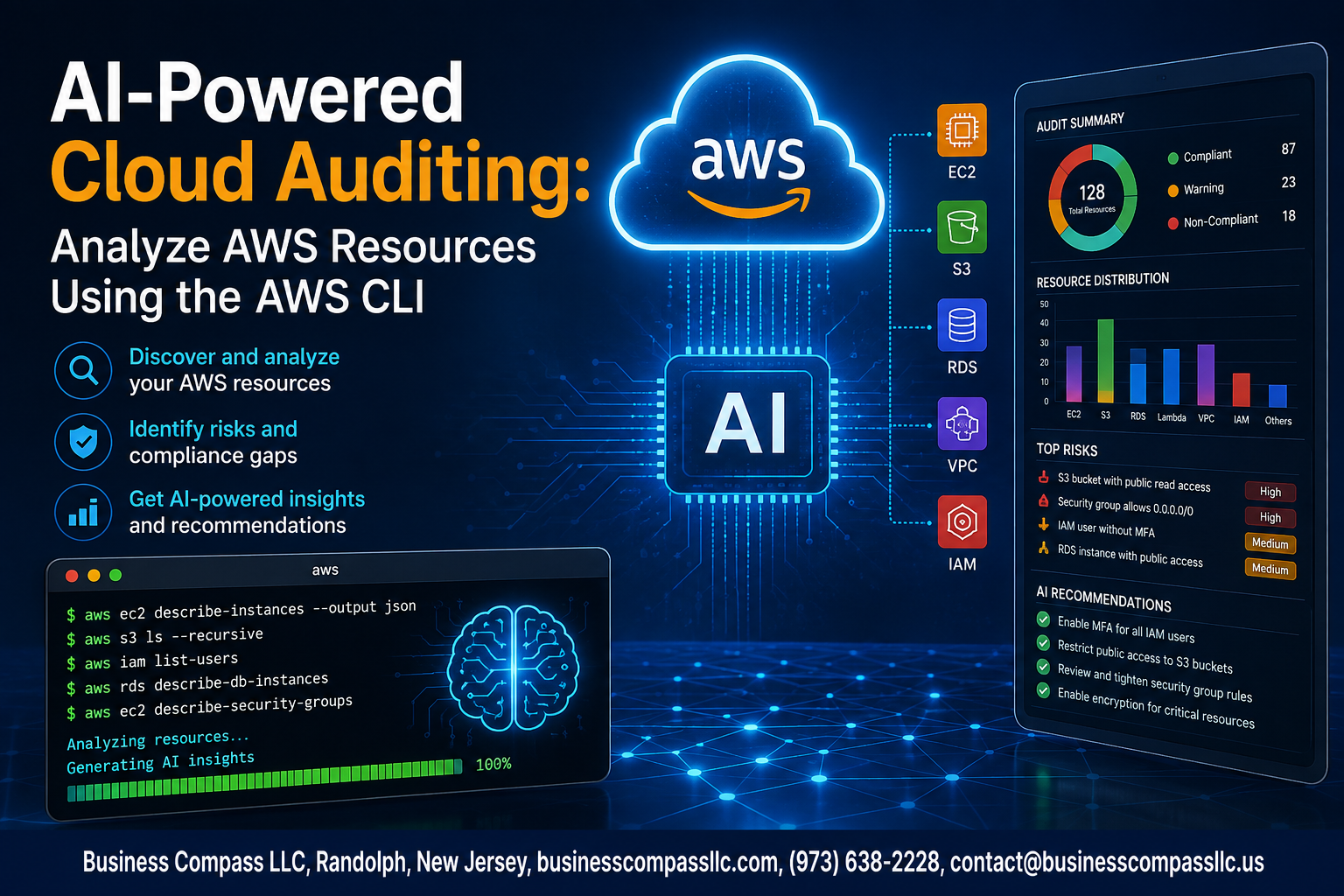
Stop Guessing What’s Wrong With Your AWS Environment
Manual cloud audits are slow, error-prone, and honestly kind of miserable. You run a few AWS CLI commands, stare at a wall of JSON output, and still aren’t sure if your S3 buckets are exposed or your IAM roles are too permissive.
AI-powered cloud auditing changes that. By combining AWS CLI audit commands with AI-driven analysis, you get clear, actionable insights about your AWS resources — without spending hours digging through raw data.
This guide is for cloud engineers, DevOps teams, and security-minded developers who already have some AWS experience and want a smarter, faster way to audit their cloud infrastructure.
Here’s what we’ll cover:
- The core AWS resources you can audit using the AWS CLI — from IAM and S3 to EC2 and security groups
- How to build AI-driven CLI commands that turn messy output into readable, prioritized findings
- How to interpret those AI insights so you can actually improve your AWS environment and keep it compliant over time
By the end, you’ll have a working automated AWS security audit workflow you can run on demand — or schedule to run on its own. No more guesswork, no more spreadsheet-based compliance tracking.
Let’s get into it.
Understanding AI-Powered Cloud Auditing and Why It Matters

Key Challenges of Managing AWS Resources at Scale
- Tracking hundreds of EC2 instances, S3 buckets, and IAM roles manually is exhausting and error-prone.
How AI Transforms Traditional Cloud Auditing
- AI-powered cloud auditing spots misconfigurations instantly, replacing slow manual reviews with smart, automated AWS resource analysis.
Business Benefits
- Faster audits, lower costs, stronger security.
Essential Prerequisites for Getting Started
Setting Up and Configuring the AWS CLI Correctly
Install AWS CLI v2, then run aws configure to input your access keys, region, and output format.
Required AWS Permissions and IAM Role Best Practices
- Attach read-only policies like
SecurityAuditorReadOnlyAccess - Avoid root credentials
Choosing the Right AI Tools
Use GPT-4 or Claude for AWS resource analysis AI tasks.
Core AWS Resources You Can Audit Using the AWS CLI

A. EC2, S3, IAM, RDS & Lambda Auditing
Run targeted AWS CLI commands across key resources to spot misconfigurations fast:
- EC2: flag open ports, idle instances
- S3: check public access, bucket policies
- IAM: review unused roles, overpermissioned users
- RDS: audit encryption, security groups
- Lambda: track cold starts, resource waste
Building AI-Driven CLI Commands for Smarter Auditing
Crafting Effective AWS CLI Queries to Extract Resource Data
Run targeted queries like aws ec2 describe-instances --query to pull clean, structured JSON. Pipe that output directly into an AI model — ChatGPT, Claude, or a local LLM — asking it to flag misconfigurations, unused resources, or security gaps. Shell scripts can bundle these AWS CLI audit commands, scheduling automated AWS security audit runs effortlessly.
Interpreting AI Insights to Improve Your AWS Environment

Identifying Security Vulnerabilities and Misconfigurations Quickly
AI-powered cloud auditing flags exposed S3 buckets, overpermissive IAM roles, and open security groups instantly.
Uncovering Cost Optimization Opportunities Across Resources
Spot idle EC2 instances and oversized RDS databases fast.
Prioritizing Remediation Actions Based on AI Recommendations
- Fix critical misconfigurations first
- Schedule cost cleanups weekly
Scaling and Maintaining Your AI-Powered Auditing Workflow

Scheduling Regular Automated Audits for Continuous Visibility
Use cron jobs or AWS EventBridge to run CLI audit scripts daily.
Storing and Comparing Audit Reports Over Time
Save JSON outputs to S3, then use AI to spot drift.
Integrating Auditing Workflows Into CI/CD Pipelines
- Trigger automated AWS security audits on every deployment
- Fail builds when critical misconfigurations are detected

AI-powered cloud auditing is no longer just a nice-to-have — it’s becoming a practical way to stay on top of your AWS environment without drowning in manual checks. From setting up the right prerequisites to running smart CLI commands and actually making sense of the insights you get back, the whole process is more approachable than it might seem at first. The key is starting with the right resources, building commands that work for your specific setup, and knowing how to act on what the AI surfaces.
The real payoff comes when you turn those insights into action and build a workflow you can repeat and scale over time. Start small, pick one or two AWS resource types to audit, get comfortable with the process, and then expand from there. The combination of the AWS CLI and AI gives you a genuinely powerful toolkit — so put it to work and make your cloud environment cleaner, safer, and easier to manage.









