


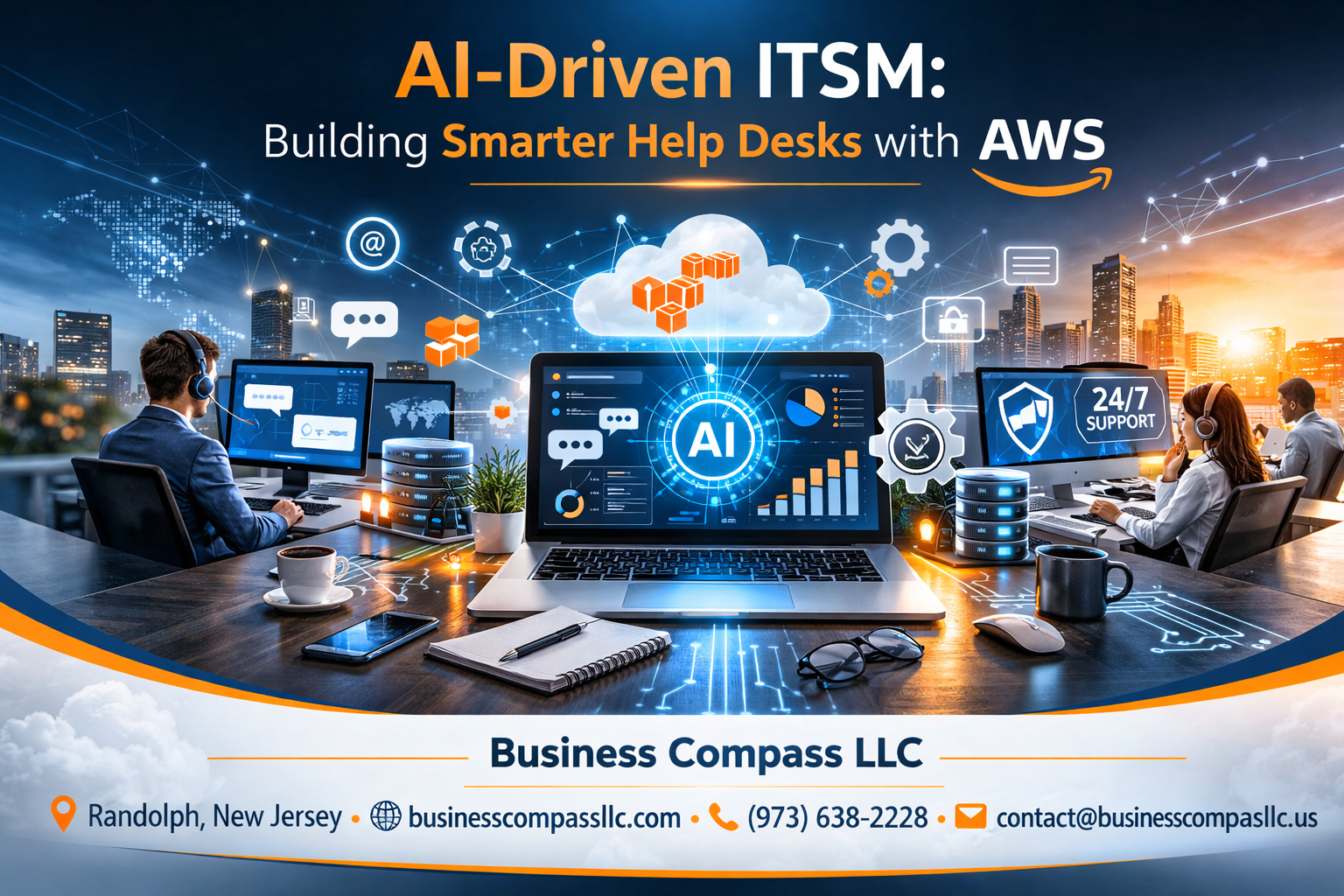
IT teams are drowning in support tickets while users demand instant resolutions. AI-driven ITSM transforms this chaos into streamlined operations that work smarter, not harder.
Who this guide helps: IT managers, system administrators, and technical leaders ready to modernize their help desk operations with AWS AI services for ITSM.
Traditional help desks can’t keep up with today’s demands. Smart ticket management systems powered by machine learning sort, prioritize, and even resolve common issues automatically. Conversational AI support handles routine questions 24/7, freeing your team for complex problems that actually need human expertise.
We’ll walk through the essential AWS services that power intelligent help desk software, from setting up automated IT service delivery to building AI chatbots for IT support. You’ll also discover how AWS machine learning ITSM capabilities can predict issues before they impact users and optimize your entire service delivery process.
Ready to build a help desk that actually helps? Let’s explore how AWS AI services can transform your IT service management automation from reactive firefighting into proactive problem-solving.
Understanding AI-Powered ITSM Transformation

Traditional Help Desk Limitations and Inefficiencies
Most organizations today still rely on outdated help desk systems that create more problems than they solve. These traditional approaches force IT teams to manually sort through hundreds of tickets daily, leading to delayed responses and frustrated users. Support agents spend countless hours on repetitive tasks like password resets, software installations, and basic troubleshooting – work that could easily be automated.
The biggest pain point? Ticket routing chaos. Without intelligent categorization, critical issues get buried under routine requests. A server outage affecting 200 employees might sit in the same queue as a printer jam, creating dangerous delays in incident response. Manual ticket assignment also means uneven workloads, where some technicians get overwhelmed while others have capacity to help.
Traditional systems also struggle with knowledge management. Information sits scattered across emails, documentation wikis, and individual team members’ heads. When experienced technicians leave, their expertise walks out the door. New hires face steep learning curves without proper knowledge transfer systems.
Customer experience suffers too. Users face long wait times, get bounced between departments, and often receive inconsistent solutions to similar problems. The lack of self-service options forces simple requests through the same bottleneck as complex technical issues.
How Artificial Intelligence Revolutionizes IT Service Management
AI-driven ITSM transforms these outdated processes into intelligent, adaptive systems that learn and improve over time. Machine learning algorithms analyze historical ticket data to identify patterns, predict issues before they occur, and automatically route requests to the right specialists.
Smart categorization becomes the foundation of this transformation. Natural language processing examines ticket content and automatically assigns appropriate priority levels, categories, and technician assignments. The system recognizes when a user describes “the screen is blue” as a potential hardware failure requiring immediate attention, while “forgot my password” gets routed to automated reset workflows.
Predictive analytics takes this further by identifying trends in your infrastructure. The system might notice increased memory errors across certain server models and proactively alert administrators before widespread failures occur. This shift from reactive to proactive support dramatically reduces downtime and user impact.
AWS AI services for ITSM enable sophisticated natural language understanding through Amazon Comprehend and Amazon Lex. These tools power conversational AI support that can understand context, maintain conversation history, and provide personalized responses. The AI doesn’t just match keywords – it comprehends user intent and provides relevant solutions.
Key Benefits of Smart Automation in Customer Support
Smart ticket management systems deliver measurable improvements across every support metric. Response times drop from hours to minutes as intelligent routing eliminates manual sorting bottlenecks. Automated resolution of common issues means users get instant help for routine problems, while complex cases reach specialists faster.
Cost efficiency improves dramatically when automation handles 60-70% of routine requests. Your support team can focus on high-value problem-solving instead of repetitive tasks. This shift increases job satisfaction and reduces turnover – skilled technicians want to solve interesting challenges, not reset passwords all day.
User satisfaction soars with 24/7 availability through conversational AI support. Employees no longer wait until business hours for simple requests. The AI provides consistent, accurate responses regardless of time or day, eliminating the frustration of conflicting information from different support agents.
Intelligent help desk software also improves compliance and audit trails. Every interaction gets logged with detailed context, making it easy to track resolution patterns and identify training opportunities. Automated workflows ensure consistent processes, reducing human error and improving service quality.
AWS machine learning ITSM solutions provide scalability that traditional systems can’t match. As your organization grows, the AI adapts to new patterns and requirements without requiring proportional increases in support staff. The system becomes more intelligent over time, learning from every interaction to provide better future responses.
Data-driven insights emerge naturally from automated IT service delivery. You can identify which applications generate the most support requests, which users need additional training, and where process improvements would have the biggest impact. These insights drive strategic decisions about technology investments and support resource allocation.
Essential AWS Services for Intelligent Help Desk Solutions
Amazon Connect for Omnichannel Customer Engagement
Amazon Connect transforms traditional help desk operations by creating unified customer experiences across phone, chat, and email channels. This cloud-based contact center service integrates seamlessly with existing ITSM workflows, allowing IT support teams to handle tickets through multiple touchpoints without switching between platforms.
The service provides real-time analytics and call recording capabilities that help identify common issues before they escalate. Queue management features automatically route tickets to agents with the right expertise, reducing resolution times by up to 40%. Contact flows can be customized to collect specific information upfront, pre-populating ticket fields and accelerating the troubleshooting process.
Integration with other AWS AI services creates intelligent routing based on customer sentiment and issue complexity. Historical interaction data helps predict customer needs, enabling proactive support strategies that prevent issues from reaching the help desk.
AWS Lex for Natural Language Processing and Chatbots
AWS Lex powers conversational AI support systems that understand user intent and extract relevant information from natural language queries. These AI chatbots for IT support handle routine requests like password resets, software installations, and system status inquiries without human intervention.
The service uses advanced machine learning to improve response accuracy over time, learning from successful interactions to better serve future requests. Built-in slot types capture common IT terminology, while custom slots can be configured for organization-specific systems and processes.
Multi-turn conversations allow users to provide additional context when needed, creating more natural support interactions. Voice and text capabilities mean users can interact through their preferred communication method, whether typing on a laptop or speaking through a mobile device.
Integration with backend ITSM systems enables Lex chatbots to create tickets, check status updates, and access knowledge base articles in real-time. This creates truly intelligent help desk software that can resolve many issues instantly while seamlessly escalating complex problems to human agents.
Amazon Comprehend for Sentiment Analysis and Text Understanding
Amazon Comprehend analyzes incoming support requests to determine urgency levels and emotional context before tickets reach human agents. This AWS machine learning ITSM capability identifies frustrated customers who need immediate attention, preventing small issues from becoming major escalations.
The service extracts key entities like system names, error codes, and affected users from unstructured text, automatically populating ticket fields with relevant information. Language detection ensures multilingual support teams can route requests to appropriate agents, improving first-contact resolution rates.
Topic modeling identifies trending issues across multiple tickets, enabling IT teams to address root causes before they affect more users. Custom classification models can be trained to recognize organization-specific issues, creating more accurate ticket categorization than generic rule-based systems.
Real-time sentiment scoring helps supervisors identify agents who might need additional support or training. Positive sentiment trends can highlight successful resolution patterns that can be shared across the team.
AWS Lambda for Serverless Automation Workflows
AWS Lambda creates automated IT service delivery workflows that respond to specific triggers without requiring dedicated server infrastructure. These serverless functions execute routine tasks like user provisioning, license management, and system health checks based on predetermined conditions.
Event-driven automation reduces manual effort while ensuring consistent process execution. When a new employee joins, Lambda functions can automatically create accounts, assign software licenses, and send welcome emails with login credentials. System monitoring triggers can automatically restart services or alert administrators when thresholds are exceeded.
Integration with smart ticket management systems enables automatic ticket creation, updates, and closure based on system events. Failed backup notifications automatically generate high-priority tickets with relevant system logs attached, speeding up diagnosis and resolution.
Cost optimization comes naturally with serverless architecture, as organizations only pay for actual execution time rather than maintaining always-on infrastructure. This makes advanced automation accessible to organizations of all sizes, democratizing intelligent help desk capabilities that were previously available only to large enterprises with significant IT budgets.
Implementing Smart Ticket Management Systems

Automated Ticket Classification and Prioritization
Smart ticket management systems transform how organizations handle incoming support requests through AI-driven ITSM automation. Amazon Comprehend serves as the foundation for intelligent ticket classification, analyzing support requests in real-time to automatically categorize incidents based on content, urgency, and business impact.
The system uses natural language processing to extract key information from ticket descriptions, emails, and chat conversations. Machine learning models trained on historical ticket data can identify patterns and classify requests into predefined categories like hardware failures, software bugs, access requests, or network issues. This automation eliminates manual sorting delays and ensures consistent categorization across all support channels.
Priority assignment becomes more accurate when combining Amazon SageMaker’s predictive capabilities with business rules. The system considers multiple factors:
- Business criticality based on affected services or user groups
- Historical resolution times for similar incident types
- Service level agreement requirements for specific customers
- Current system health metrics from monitoring tools
AWS machine learning ITSM solutions can process thousands of tickets daily, automatically tagging them with appropriate priority levels from P1 (critical) to P4 (low). This intelligent prioritization helps support teams focus on high-impact issues first while ensuring routine requests don’t get overlooked.
Intelligent Routing Based on Skills and Workload
Smart ticket management systems excel at matching support requests with the most qualified available technicians. Amazon Connect integrates with workforce management tools to create dynamic routing algorithms that consider both technical expertise and current workload distribution.
The routing engine maintains detailed profiles for each support agent, tracking their skills, certifications, recent training, and historical performance with specific issue types. When a classified ticket enters the system, the AI evaluates these factors against the ticket requirements to identify the best-matched agents.
Real-time workload balancing prevents bottlenecks by monitoring each technician’s current ticket count, average resolution times, and complexity scores of assigned tasks. The system automatically distributes new tickets to maintain optimal productivity across the team while respecting skill requirements.
Geographic and time zone considerations add another layer of intelligence to the routing process. AWS help desk solutions can route tickets to follow-the-sun support models, ensuring customers receive timely responses regardless of when they submit requests. The system tracks agent availability across different regions and automatically escalates tickets that approach SLA deadlines.
Machine learning algorithms continuously refine routing decisions based on outcomes. If certain agent-ticket combinations consistently result in faster resolution times or higher customer satisfaction scores, the system learns these preferences and incorporates them into future routing decisions.
Predictive Analytics for Proactive Issue Resolution
Predictive analytics transforms reactive support into proactive problem prevention through automated IT service delivery intelligence. Amazon CloudWatch and AWS X-Ray provide the telemetry data needed to identify patterns that precede system failures or performance degradation.
The analytics engine processes historical incident data alongside real-time system metrics to detect early warning signs of potential issues. Machine learning models trained on months or years of support data can predict when specific hardware components might fail, when software updates might cause compatibility issues, or when network traffic patterns indicate impending capacity problems.
Trend analysis helps support teams prepare for recurring issues. The system identifies seasonal patterns, such as increased password reset requests after holidays or higher network load during specific business periods. This insight allows teams to adjust staffing levels and prepare standard solutions before problems occur.
Intelligent help desk software leverages these predictions to automatically create proactive tickets for preventive maintenance, system updates, or capacity adjustments. The system can schedule maintenance windows, order replacement hardware, or deploy patches before users experience service disruptions.
Integration with AWS Config and Systems Manager enables automated remediation for predicted issues. When the analytics engine identifies a high probability of disk space exhaustion on a critical server, it can automatically trigger cleanup scripts or storage expansion procedures, often resolving potential problems before they impact users.
Customer communication improves through predictive insights. The system can proactively notify affected users about planned maintenance, expected service interruptions, or alternative workarounds before issues occur, significantly improving user satisfaction and reducing reactive support volume.
Building Conversational AI Support Assistants

Designing Effective Chatbot Interactions for IT Issues
Creating conversational AI support assistants that actually solve IT problems requires careful attention to user experience and technical accuracy. The key lies in building dialogue flows that mirror how real IT professionals think through problems. Start with common scenarios like password resets, software installation issues, and network connectivity problems, then design conversation trees that guide users through logical troubleshooting steps.
Your chatbot should ask the right questions upfront to gather essential information – operating system, error messages, recent changes, and affected applications. This prevents the frustrating back-and-forth that plagues many AI chatbots for IT support. Use conditional logic to branch conversations based on user responses, and always provide clear, actionable steps rather than generic advice.
The most effective AI-driven ITSM chatbots maintain context throughout conversations. When a user mentions they’re using Windows 11, the bot should remember this detail and tailor all subsequent recommendations accordingly. This contextual awareness transforms basic interactions into intelligent troubleshooting sessions that feel natural and productive.
Integrating Voice and Text-Based Support Channels
Modern users expect flexibility in how they access support, and AWS help desk solutions excel at providing omnichannel experiences. Amazon Connect integrates seamlessly with Amazon Lex to create voice-enabled support systems that understand natural language and respond appropriately to spoken requests.
Text-based channels remain crucial for detailed technical issues where users need to share screenshots, error codes, or configuration details. Your intelligent help desk software should maintain conversation history across all channels, allowing users to start a conversation via chat, continue over the phone, and receive follow-up information through email without losing context.
Voice integration proves particularly valuable for hands-free troubleshooting scenarios. Field technicians can describe problems verbally while working with equipment, and the AI assistant can provide step-by-step guidance without requiring them to type or read screens. This capability transforms how remote workers and mobile employees interact with IT support.
Training AI Models with Historical Support Data
Your organization’s support ticket history represents a goldmine of training data for conversational AI support systems. Historical tickets reveal common problem patterns, successful resolution paths, and the language your users actually employ when describing technical issues. This data becomes the foundation for building AI models that understand your specific environment and user base.
AWS machine learning ITSM services like Amazon SageMaker can process thousands of historical tickets to identify patterns in problem descriptions, solution effectiveness, and resolution timeframes. Clean your data by removing sensitive information and standardizing problem categories before feeding it into training algorithms.
The training process should focus on both problem identification and solution recommendation. Your AI models learn to recognize when a user description of “everything is slow” actually indicates a specific network issue, and can suggest targeted solutions based on what worked for similar problems in the past. Regular retraining with new ticket data keeps your models current with evolving technology and user needs.
Seamless Handoff Between Bots and Human Agents
The magic of effective IT service management automation happens when AI assistants know their limitations and gracefully transfer complex issues to human experts. Design handoff triggers based on conversation confidence scores, specific keywords indicating complex problems, and user frustration indicators like repeated negative responses.
When transferring conversations, your system should package all relevant context for human agents – conversation history, attempted solutions, user environment details, and any diagnostic information gathered by the bot. This eliminates the need for users to repeat their problems and allows agents to jump straight into advanced troubleshooting.
Smart ticket management systems can also use AI to match incoming handoffs with the most qualified available agents based on the problem type and agent expertise. A complex network security issue gets routed to a senior network administrator, while a software licensing question goes to someone with procurement knowledge.
The handoff experience should feel seamless to users. Rather than abruptly ending the bot conversation and starting fresh with a human, the transition should acknowledge what the bot attempted and explain why human expertise is needed. This maintains user confidence in the support process and sets appropriate expectations for the human interaction that follows.
Advanced Analytics and Performance Optimization

Real-Time Dashboard Creation with Amazon QuickSight
Amazon QuickSight transforms raw ITSM data into visual stories that drive better decisions. When building AI-driven ITSM solutions, creating dynamic dashboards helps teams spot problems before they become major headaches.
Setting up QuickSight for intelligent help desk software starts with connecting your data sources. Pull ticket information from Amazon RDS, performance metrics from CloudWatch, and customer satisfaction scores from your feedback systems. The beauty of QuickSight lies in its ability to refresh data automatically, giving your team real-time insights into ticket volumes, resolution patterns, and agent performance.
Key dashboard components include:
- Ticket Flow Visualization: Track incoming requests, queue depths, and resolution speeds across different categories
- Agent Performance Metrics: Monitor individual and team productivity, including first-call resolution rates
- Customer Satisfaction Heat Maps: Identify service areas needing attention through visual satisfaction scoring
- AI Performance Indicators: Track chatbot accuracy, escalation rates, and successful automated resolutions
Custom filters allow managers to drill down into specific time periods, departments, or issue types. Interactive charts enable users to click through data layers, revealing deeper insights about AWS AI services for ITSM performance and user behavior patterns.
Identifying Trends and Patterns in Support Requests
Pattern recognition transforms reactive support into proactive service delivery. AWS machine learning ITSM tools excel at uncovering hidden relationships within support data that human analysts might miss.
Amazon SageMaker’s built-in algorithms analyze historical ticket data to identify recurring themes. Common patterns include:
- Seasonal Spikes: Certain issues peak during specific months or days of the week
- System Dependencies: Problems that cluster around software updates or infrastructure changes
- User Behavior Trends: Request types that correlate with specific user groups or departments
- Geographic Variations: Support needs that vary by location or time zone
Time series analysis reveals when problems typically occur, helping teams prepare resources accordingly. For example, if password reset requests spike every Monday morning, you can schedule additional support staff or deploy targeted AI chatbots for IT support during those periods.
Text mining capabilities extract insights from ticket descriptions, identifying frequently mentioned error messages, application names, or user frustrations. This analysis helps prioritize knowledge base updates and training materials for both human agents and conversational AI systems.
Measuring AI Impact on Resolution Times and Customer Satisfaction
Tracking AI performance requires specific metrics that show how automated IT service delivery improves overall service quality. Traditional help desk metrics don’t capture the full picture of AI effectiveness.
Essential AI impact measurements include:
- First-Contact Resolution Rate: Compare tickets resolved by AI versus those requiring human intervention
- Average Handling Time: Measure reduction in time spent on routine requests
- Escalation Patterns: Track which types of issues AI handles successfully versus those needing human expertise
- Customer Effort Score: Assess how easy customers find AI-assisted support interactions
Amazon CloudWatch provides the foundation for collecting these metrics. Set up custom dashboards that compare pre-AI and post-AI performance across key indicators. Customer satisfaction surveys integrated with your ticketing system provide direct feedback on AI interaction quality.
Response time analysis shows dramatic improvements when AI handles routine requests. Password resets that previously took 15 minutes now complete in under 2 minutes. Software installation guides delivered instantly through conversational AI support eliminate wait times entirely.
Continuous Learning and Model Improvement Strategies
AI-driven ITSM systems improve through constant refinement of their underlying models. Success depends on establishing feedback loops that capture both successful interactions and failures.
Amazon SageMaker’s model training pipelines enable regular updates based on new data. Weekly retraining sessions incorporate recent tickets, customer feedback, and resolution outcomes. This approach ensures your smart ticket management systems evolve with changing user needs and technology landscapes.
Key improvement strategies include:
- Feedback Integration: Collect user ratings on AI responses and use negative feedback to retrain models
- A/B Testing: Deploy multiple model versions simultaneously to compare performance
- Human-in-the-Loop Validation: Have experienced agents review AI suggestions before deployment
- Cross-Validation: Test model performance against historical data to prevent overfitting
Regular model performance reviews identify when accuracy drops below acceptable thresholds. Automated alerts notify administrators when retraining becomes necessary, ensuring consistent service quality.
Ground truth labeling improves model accuracy by having subject matter experts classify edge cases and ambiguous requests. This human input helps AI systems learn nuanced distinctions between similar-sounding but fundamentally different problems.
Active learning techniques identify the most valuable training examples, focusing improvement efforts where they’ll have maximum impact on overall system performance.
Security and Compliance in AI-Driven ITSM

Data Protection and Privacy in Cloud-Based Support Systems
Protecting sensitive customer and organizational data sits at the heart of any AI-driven ITSM implementation. When building intelligent help desk solutions on AWS, you’re handling everything from personal user information to critical business data that flows through support tickets and conversations.
AWS provides multiple layers of data encryption to safeguard your information. Data gets encrypted both in transit and at rest using industry-standard AES-256 encryption. Services like AWS Key Management Service (KMS) give you complete control over encryption keys, while AWS Certificate Manager handles SSL/TLS certificates for secure communications between users and your AI chatbots for IT support.
Smart ticket management systems often process sensitive information automatically through machine learning models. AWS maintains strict data isolation practices, ensuring your training data and customer interactions remain completely separate from other tenants. The platform also offers data residency controls, letting you specify which geographic regions store your information to meet local privacy requirements.
Privacy by design becomes crucial when implementing conversational AI support. AWS AI services like Amazon Lex allow you to configure data retention policies, automatically deleting conversation logs after specified periods. You can also implement data masking techniques to hide sensitive information like social security numbers or credit card details before they reach your AI models.
Regular data auditing helps maintain privacy standards. AWS CloudTrail logs every API call and data access attempt, creating comprehensive audit trails for compliance teams. This visibility proves essential when investigating potential data breaches or demonstrating compliance during regulatory reviews.
Access Control and Identity Management for Support Teams
Managing who can access what within your AI-driven ITSM platform requires careful planning and robust identity controls. AWS Identity and Access Management (IAM) provides the foundation for securing your intelligent help desk software by defining precise permissions for different user roles.
Support agents typically need different access levels than administrators or data analysts. IAM roles let you create granular permissions that align with job functions. For example, tier-1 support agents might only view and update tickets, while senior technicians can access advanced analytics dashboards and modify AI model configurations.
Multi-factor authentication (MFA) adds an extra security layer that’s particularly important for support teams handling sensitive customer data. AWS supports various MFA methods, including hardware tokens, smartphone apps, and SMS verification. This protection becomes even more critical when support staff work remotely or access systems from various locations.
Single Sign-On (SSO) integration through AWS SSO streamlines user experience while maintaining security. Support teams can access all necessary tools and applications with one set of credentials, reducing password fatigue and the risk of weak authentication practices. The system also supports integration with existing Active Directory environments, making migration to cloud-based support systems smoother.
Role-based access control (RBAC) works hand-in-hand with your organizational structure. You can automatically assign permissions based on department membership, project involvement, or security clearance levels. This automation reduces administrative overhead while ensuring new team members receive appropriate access from day one.
Session management features help control how long support agents stay logged in and automatically terminate inactive sessions. This protection prevents unauthorized access when agents step away from their workstations or forget to log out properly.
Compliance with Industry Standards and Regulations
Meeting regulatory requirements becomes more complex when AI processes customer data and automates IT service delivery. AWS maintains compliance with major frameworks including SOC 2, ISO 27001, GDPR, HIPAA, and PCI DSS, providing a solid foundation for your AI-driven ITSM implementation.
GDPR compliance requires special attention to data subject rights, including the right to deletion and data portability. Your AWS machine learning ITSM solution must include mechanisms to locate and remove all customer data upon request. Amazon services provide APIs that help identify where specific customer information exists across different systems and databases.
Healthcare organizations implementing AI chatbots for IT support must follow HIPAA guidelines when handling protected health information (PHI). AWS offers HIPAA-eligible services and Business Associate Agreements (BAAs) that define responsibilities for protecting medical data. Your implementation should include audit logging, access controls, and encryption specifically designed for healthcare environments.
Financial services face PCI DSS requirements when processing payment-related support requests. AWS provides PCI-compliant infrastructure, but your application architecture must also follow security standards. This includes network segmentation, regular vulnerability scanning, and secure coding practices for any custom components.
Documentation plays a crucial role in demonstrating compliance. AWS Config helps track configuration changes across your infrastructure, while AWS Systems Manager provides patch management and compliance reporting. These tools generate the audit trails and security reports that compliance officers need during regulatory reviews.
Regular compliance assessments help identify gaps before they become violations. AWS Well-Architected Framework reviews examine your architecture against security best practices, while third-party security assessments provide independent validation of your controls. Many organizations schedule quarterly compliance reviews to stay ahead of changing requirements and maintain their security posture.

AI-powered ITSM represents a game-changing shift for modern help desks, and AWS provides the perfect foundation to make this transformation happen. By leveraging smart ticket management, conversational AI assistants, and advanced analytics, organizations can dramatically reduce response times while improving user satisfaction. The combination of AWS’s robust infrastructure with intelligent automation creates help desk solutions that learn, adapt, and get better over time.
Ready to revolutionize your IT support? Start small with one or two AWS AI services, measure the impact, and gradually expand your intelligent help desk capabilities. Your team will spend less time on routine tasks and more time solving complex problems that truly matter. The future of ITSM is here, and it’s powered by AI working seamlessly in the cloud.









