


Managing infrastructure across multiple environments manually is time-consuming and error-prone. Multi-Environment Terraform Automation with GitHub Actions streamlines your infrastructure as code automation by creating consistent, reliable deployment pipelines that handle everything from development to production.
This guide is designed for DevOps engineers, platform teams, and developers who want to build robust terraform ci cd pipelines without the complexity of managing multiple deployment scripts and manual processes.
You’ll learn how to create secure GitHub Actions workflows that protect sensitive credentials while automating your terraform workflow automation across different environments. We’ll also cover building automated infrastructure deployment pipelines that handle environment-specific configurations and promote changes safely from staging to production. Finally, you’ll discover proven environment promotion strategies that reduce deployment risks and keep your devops automation pipeline running smoothly.
By the end, you’ll have a complete github actions terraform setup that automates your multi environment deployment process and gives your team confidence in every infrastructure change.
Setting Up Your Multi-Environment Infrastructure Foundation

Configure Separate Workspaces for Development, Staging, and Production
Terraform workspaces provide clean isolation between your different environments without duplicating code. Each workspace maintains its own state file, preventing accidental cross-environment contamination that could bring down production systems.
Create workspaces for each environment using simple commands:
terraform workspace new developmentterraform workspace new stagingterraform workspace new production
Your terraform automation workflows can switch between workspaces dynamically based on the target environment. This approach keeps your infrastructure as code automation streamlined while maintaining strict environment boundaries.
Configure workspace-specific variables using the terraform.workspace interpolation. This allows the same configuration to deploy different resource sizes – small instances for development, medium for staging, and large for production.
Design Reusable Terraform Modules for Consistent Deployments
Building reusable modules forms the backbone of scalable terraform environment management. Modules eliminate code duplication and ensure consistent configurations across all environments, reducing the risk of configuration drift.
Structure your modules with clear inputs and outputs:
- Inputs: Environment-specific variables like instance sizes, scaling parameters, and resource naming conventions
- Outputs: Resource identifiers, endpoints, and connection strings needed by other modules
Create modules for common infrastructure patterns:
- Network module: VPC, subnets, security groups, and routing tables
- Compute module: Auto-scaling groups, load balancers, and instance configurations
- Database module: RDS instances, backup configurations, and monitoring setup
- Monitoring module: CloudWatch alarms, dashboards, and notification channels
Your github actions terraform pipeline can call these modules with environment-specific parameters, ensuring consistent deployments while allowing customization for each environment’s requirements.
Implement Proper State Management with Remote Backends
Remote state management prevents state file conflicts and enables collaboration across your devops automation pipeline. Store state files in cloud storage with proper versioning and locking mechanisms.
Configure your backend with these essential features:
- S3 bucket (AWS) or equivalent cloud storage for state persistence
- DynamoDB table for state locking to prevent concurrent modifications
- Versioning enabled to recover from accidental state corruption
- Encryption at rest to protect sensitive infrastructure data
Set up separate state files for each environment using key prefixes or different buckets. This isolation prevents accidental state mixing between environments during your terraform ci cd pipeline execution.
terraform {
  backend "s3" {
    bucket         = "my-terraform-state-bucket"
    key            = "${terraform.workspace}/terraform.tfstate"
    region         = "us-west-2"
    dynamodb_table = "terraform-state-lock"
    encrypt        = true
  }
}
Structure Your Repository for Optimal Environment Separation
Repository organization directly impacts your multi environment deployment success. A well-structured repository makes it easy for your github actions devops workflows to locate the right configurations and apply them to the correct environments.
Adopt this proven directory structure:
├── modules/
│   ├── network/
│   ├── compute/
│   └── database/
├── environments/
│   ├── development/
│   ├── staging/
│   └── production/
├── .github/
│   └── workflows/
└── scripts/
Place environment-specific variable files in their respective directories. This separation allows your automated infrastructure deployment workflows to pick up the correct configuration files based on the target environment.
Store shared configurations in the modules directory while keeping environment-specific overrides in their dedicated folders. This approach maximizes code reuse while maintaining the flexibility to customize each environment’s behavior.
Your terraform workflow automation becomes more predictable when the repository structure follows consistent patterns. Team members can quickly locate relevant files, and your CI/CD pipelines can programmatically determine which configurations to apply based on the directory structure.
Creating Secure GitHub Actions Workflows

Configure environment-specific secrets and variables
GitHub Actions provides robust secrets management that’s perfect for handling sensitive terraform automation data across different environments. Start by organizing your secrets with clear naming conventions that reflect your environment structure. For example, use prefixes like PROD_, STAGING_, and DEV_ to distinguish between environments.
Create environment-specific variable groups in your repository settings. Navigate to Settings > Secrets and variables > Actions, then set up both repository secrets for shared values and environment secrets for deployment-specific configurations. Store your Terraform backend configuration details, API keys, and database connection strings as encrypted secrets rather than hardcoding them in your github actions terraform workflows.
Variables work differently from secrets – they’re not encrypted but provide a clean way to manage non-sensitive configuration data. Use repository variables for values that remain constant across environments, like region names or resource naming conventions. Environment variables handle deployment-specific settings like instance sizes or feature flags that vary between your dev, staging, and production environments.
Your terraform workflow automation becomes more maintainable when you establish consistent patterns for secret naming. Consider grouping related secrets together – for instance, all Azure-related secrets might start with AZURE_ followed by the environment prefix. This approach makes it easier to manage your infrastructure as code automation as your project scales.
Set up service principal authentication for cloud providers
Service principal authentication forms the backbone of secure multi environment deployment workflows. Each major cloud provider offers service principals or similar identity mechanisms that allow your GitHub Actions to authenticate without storing long-lived credentials directly in your workflows.
For AWS, create IAM roles with specific permissions for each environment. Use OpenID Connect (OIDC) integration with GitHub Actions to eliminate the need for storing AWS access keys as secrets. Configure your role trust policy to accept tokens from your GitHub repository, then reference the role ARN in your workflow. This approach provides better security and audit trails compared to traditional access key authentication.
Azure service principals work similarly through Azure Active Directory. Create separate service principals for each environment with least-privilege access to the required resource groups. Store the client ID, client secret, subscription ID, and tenant ID as GitHub secrets. Your terraform ci cd pipeline can then authenticate using these credentials without exposing them in workflow logs.
Google Cloud Platform uses service accounts with JSON key files. While you can store the entire key file as a secret, consider using Workload Identity Federation for enhanced security. This method allows your GitHub Actions to authenticate directly with Google Cloud without storing service account keys.
Environment-specific service principals prevent accidental cross-environment deployments and provide clear audit trails. Each service principal should only have permissions for its designated environment, creating natural boundaries that protect your production infrastructure from development workflow mistakes.
Implement approval gates for production deployments
Production deployments require human oversight, even in automated devops automation pipeline scenarios. GitHub Environments provide built-in approval mechanisms that pause deployments until authorized team members review and approve the changes. This feature bridges the gap between automation efficiency and operational safety.
Set up environment protection rules in your repository settings. Navigate to Settings > Environments and create separate environments for each deployment target. Configure required reviewers for your production environment – GitHub allows up to six reviewers and supports both individual users and teams. You can require all reviewers to approve or set a minimum number of approvals based on your team’s needs.
Branch protection rules complement environment approvals by ensuring code quality before deployments reach the approval stage. Require pull request reviews, passing status checks, and up-to-date branches before allowing merges to your main branch. This creates a comprehensive gate system where code quality checks happen first, followed by deployment approvals.
Deployment timing controls add another layer of protection. Configure deployment windows to restrict when production deployments can occur – perhaps only during business hours or specific maintenance windows. This prevents automated deployments from running during critical business periods or when your team isn’t available to monitor the results.
Consider implementing progressive approval requirements based on the scope of changes. Minor updates might require one approval, while major infrastructure changes could require multiple reviewers from different teams. Use GitHub’s environment variables to communicate the change scope to reviewers, helping them make informed approval decisions.
Design workflow triggers for automated and manual deployments
Effective terraform environment management requires thoughtful trigger design that balances automation with control. Different environments often need different trigger strategies – development might deploy automatically on every commit, while production requires manual triggers or specific approval workflows.
Push triggers work well for development environments where rapid feedback loops are valuable. Configure your automated infrastructure deployment to trigger on pushes to specific branches like develop or feature/*. Use path filters to avoid unnecessary deployments when only documentation or non-infrastructure code changes. For example, trigger only when files in your terraform/ directory are modified.
Pull request triggers enable validation without deployment. Set up workflows that run terraform plan on pull requests, posting the planned changes as comments for reviewer visibility. This approach catches configuration issues early and helps reviewers understand the infrastructure impact of proposed changes before merging.
Manual workflow dispatch provides controlled deployment capabilities for production environments. Use the workflow_dispatch trigger with input parameters that let operators specify deployment targets, configuration overrides, or rollback options. This gives your team flexibility while maintaining audit trails through GitHub’s workflow run history.
Schedule-based triggers support maintenance operations and compliance requirements. Use cron expressions to trigger regular compliance checks, cost optimization reviews, or automated backups. These scheduled workflows can run alongside your standard deployment pipelines without interfering with development velocity.
Tag-based triggers create clean release workflows that align with your software versioning strategy. When you tag a release, trigger production deployments automatically or send notifications to start manual approval processes. This approach provides clear traceability between application releases and infrastructure changes, making rollbacks and troubleshooting more straightforward.
Building Automated Terraform Pipelines

Create Validation Workflows for Code Quality and Security Scanning
Setting up robust validation workflows forms the backbone of any reliable terraform ci cd pipeline. Your validation process should catch issues before they reach your infrastructure, preventing costly mistakes and security vulnerabilities.
Start by implementing Terraform formatting checks using terraform fmt -check to ensure consistent code style across your team. Add terraform validate to verify configuration syntax and internal consistency. These basic checks run quickly and catch common errors early in the development cycle.
Security scanning becomes critical when managing multi-environment deployments. Integrate tools like Checkov, TFLint, or Terrascan into your GitHub Actions workflows. These scanners identify security misconfigurations, compliance violations, and best practice deviations before code reaches production environments.
- name: Run Terraform Security Scan
  uses: bridgecrewio/checkov-action@master
  with:
    directory: .
    framework: terraform
    output_format: sarif
    output_file_path: reports/results.sarif
Configure your validation workflow to run on every pull request, ensuring code quality gates are enforced consistently. Set up branch protection rules requiring successful validation checks before merging, creating a safety net that prevents problematic code from entering your main branch.
Implement Plan Generation with Detailed Change Previews
Plan generation workflows provide visibility into infrastructure changes before applying them, giving teams confidence in their terraform automation processes. Create dedicated workflow steps that generate and format Terraform plans for easy review.
Your plan generation should run automatically on pull requests, showing exactly what resources will be created, modified, or destroyed. Use the terraform show command with JSON output to create machine-readable plans that can be processed by other tools or displayed in user-friendly formats.
Store generated plans as workflow artifacts, making them available for download and review by team members. This practice proves especially valuable for complex changes involving multiple resources or sensitive infrastructure components.
- name: Generate Terraform Plan
  run: |
    terraform plan -out=tfplan -input=false
    terraform show -json tfplan > plan.json

- name: Upload Plan Artifact
  uses: actions/upload-artifact@v3
  with:
    name: terraform-plan
    path: |
      tfplan
      plan.json
Enhance plan visibility by posting summaries directly to pull request comments using GitHub’s API. This automated feedback loop helps reviewers understand proposed changes without downloading artifacts or digging through workflow logs.
Configure Automatic Apply Processes with Rollback Capabilities
Automated infrastructure deployment requires careful orchestration to balance speed with safety. Design your apply processes with multiple approval gates and built-in rollback mechanisms to protect your environments from unintended changes.
Implement environment-specific apply triggers based on branch merges or manual approvals. Production environments should require explicit approval, while development environments might auto-apply after successful plan validation. Use GitHub Environment protection rules to enforce these policies consistently.
Create rollback workflows that can quickly revert changes using previous Terraform state backups. Store state snapshots before each apply operation, enabling rapid recovery if issues arise. Your rollback process should include automated health checks to verify the rollback completed successfully.
apply_job:
  environment: production
  needs: [plan, validate]
  steps:
    - name: Backup Current State
      run: |
        aws s3 cp terraform.tfstate s3://backup-bucket/$(date +%Y%m%d-%H%M%S)-terraform.tfstate

    - name: Apply Changes
      run: terraform apply -auto-approve tfplan

    - name: Verify Deployment
      run: ./scripts/health-check.sh
Build monitoring into your apply processes to detect failures early and trigger automatic rollbacks when predefined thresholds are exceeded. This automated recovery capability reduces the mean time to recovery for your automated infrastructure deployment.
Set Up Drift Detection and Remediation Workflows
Infrastructure drift occurs when manual changes or external processes modify resources outside of Terraform management. Regular drift detection prevents configuration divergence and maintains infrastructure consistency across environments.
Schedule drift detection workflows to run periodically using GitHub Actions cron triggers. These workflows compare your Terraform configuration against actual cloud resources, identifying discrepancies that need attention. Run drift checks more frequently in production environments where unauthorized changes pose greater risks.
Configure drift remediation workflows that can automatically correct minor deviations while alerting teams to significant changes. Simple drift like tag modifications can be auto-corrected, while major changes should trigger alerts and require manual review.
on:
  schedule:
    - cron: '0 6 * * *'  # Daily at 6 AM UTC

jobs:
  drift_detection:
    steps:
      - name: Check for Drift
        run: |
          terraform plan -detailed-exitcode
          echo "exit_code=$?" >> $GITHUB_OUTPUT

      - name: Alert on Drift
        if: steps.drift-check.outputs.exit_code == 2
        uses: 8398a7/action-slack@v3
        with:
          status: warning
          text: "Infrastructure drift detected in $ env.ENVIRONMENT }}"
Create drift reporting dashboards that track drift frequency and types across your environments. This visibility helps teams understand common drift patterns and improve their devops automation pipeline processes to prevent future occurrences.
Set up automated remediation for approved drift scenarios while maintaining audit trails of all corrections. This balanced approach keeps your infrastructure aligned with your Terraform configurations while providing visibility into changes made outside the normal workflow.
Managing Environment Promotion Strategies
Establish controlled promotion from development to staging
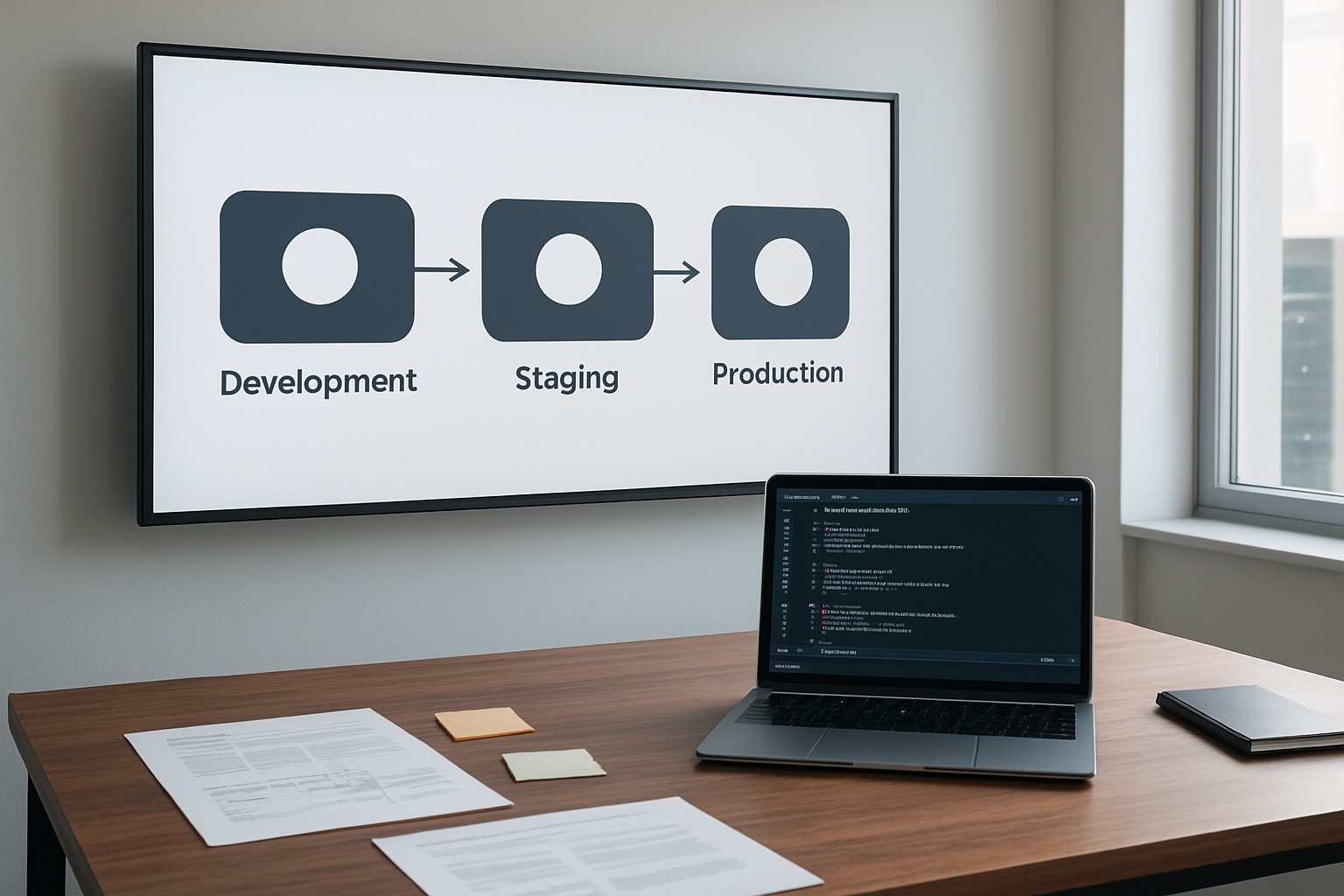
Creating a solid promotion strategy between environments means building gates that prevent broken changes from moving forward. Your terraform automation should include mandatory approval processes and validation checkpoints before any infrastructure changes reach production systems.
Start by implementing branch protection rules in your GitHub repository. Configure your main branches to require pull request reviews and successful status checks before merging. This creates a natural checkpoint where team members can review terraform plans and validate changes before they get applied to higher environments.
Set up environment-specific terraform workspaces that mirror your promotion flow. Development changes should trigger automatically, while staging and production deployments require manual approval through GitHub Actions environments. Configure these environments with protection rules that specify which users or teams can authorize promotions.
Build validation steps into your github actions terraform workflows that run terraform plan and output the changes for review. Include automated tests that verify your infrastructure code follows security policies and compliance requirements. Only after all validations pass should the workflow allow promotion to the next environment.
Implement blue-green deployment patterns across environments
Blue-green deployment patterns work exceptionally well with infrastructure as code automation, allowing you to maintain two identical production environments and switch traffic between them. This approach minimizes downtime and provides instant rollback capabilities for your multi environment deployment strategy.
Configure your terraform modules to support dual environment provisioning. Create separate terraform workspaces for blue and green environments, each containing identical infrastructure resources with different naming conventions. Use terraform variables to control which environment receives active traffic through load balancer configurations or DNS routing.
Design your devops automation pipeline to deploy changes to the inactive environment first. Run comprehensive testing against the new infrastructure before switching traffic. Your github actions workflow should include steps that validate the new environment meets all performance and functionality requirements.
Implement health checks and monitoring that automatically verify the new environment is ready to receive production traffic. Configure your terraform workflow automation to update routing rules only after all validation steps complete successfully. This ensures users never experience service disruptions during infrastructure updates.
Configure automatic testing and validation between stages
Automated testing forms the backbone of reliable infrastructure promotion. Your terraform ci cd pipeline should include multiple validation layers that catch issues before they impact production systems. Start with basic syntax validation and progress to complex integration tests that verify your infrastructure works as expected.
Integrate terraform validate and terraform plan into your GitHub Actions workflows as mandatory steps. These commands catch syntax errors and show exactly what changes will be applied to your infrastructure. Add custom validation scripts that check for security misconfigurations, resource naming conventions, and compliance with organizational policies.
Build integration tests that deploy temporary infrastructure and verify it functions correctly. Use tools like Terratest to create automated test suites that provision resources, run validation checks, and clean up afterward. Include these tests in your automated infrastructure deployment pipeline to catch configuration issues early.
Set up monitoring and alerting that tracks the health of promoted infrastructure. Configure automated rollback triggers that activate when key metrics fall outside acceptable ranges. This creates a safety net that protects production systems from problematic changes that pass initial validation but cause issues under real-world load.
Design rollback mechanisms for failed deployments
Quick rollback capabilities save time and reduce stress when deployments go wrong. Your infrastructure as code automation needs predefined rollback procedures that can restore previous working states without manual intervention. Plan for different failure scenarios and automate recovery processes wherever possible.
Implement terraform state management practices that support easy rollbacks. Use remote state backends with versioning enabled, allowing you to revert to previous known-good configurations. Tag your terraform state files with deployment metadata that helps identify stable rollback points.
Create rollback workflows in GitHub Actions that can quickly restore previous infrastructure configurations. These workflows should accept parameters specifying which version to restore and automatically apply the necessary terraform changes. Include validation steps that verify rollback completion and system health after restoration.
Design your terraform environment management to maintain previous resource versions during deployments. Keep old load balancers, auto-scaling groups, or container images available until new deployments prove stable. This approach enables instant traffic switching back to working infrastructure without waiting for new resource provisioning.
Build monitoring dashboards that provide clear visibility into deployment success and failure metrics. Include automated alerting that notifies team members when rollback procedures activate. Document rollback procedures and ensure team members understand how to trigger manual rollbacks when automated systems fail to respond appropriately.
Monitoring and Troubleshooting Your Automation

Set up comprehensive logging and audit trails
Your terraform automation pipeline needs visibility into every action, decision, and change. GitHub Actions provides built-in logging, but you’ll want to enhance this with structured logging that captures terraform-specific details. Configure your workflow to output detailed logs for each terraform command, including plan outputs, apply results, and state changes.
Create a centralized logging strategy that captures both GitHub Actions workflow logs and terraform operational logs. Use GitHub’s built-in artifact storage to preserve terraform plan files, state snapshots, and detailed output logs for each environment deployment. This creates an audit trail that helps with compliance requirements and troubleshooting complex multi-environment scenarios.
Set up log retention policies that balance storage costs with audit requirements. Critical logs like production deployments should be retained longer than development environment changes. Consider integrating with external log management systems like AWS CloudWatch, Azure Monitor, or third-party solutions for enhanced searchability and long-term storage.
Add custom logging to your terraform modules that captures business-relevant information. Log resource creation timestamps, configuration changes, and dependency relationships. This level of detail becomes invaluable when tracking down issues that span multiple environments or when demonstrating compliance during audits.
Implement real-time notifications for deployment status
Real-time notifications keep your team informed about infrastructure changes without constantly monitoring dashboards. Configure GitHub Actions to send notifications through multiple channels – Slack, Microsoft Teams, email, or webhook endpoints. Different notification levels help filter noise while ensuring critical issues get immediate attention.
Set up conditional notifications based on deployment outcomes and environments. Production deployments might trigger notifications to executive channels, while development changes only notify the immediate team. Failed deployments should always trigger immediate alerts with enough context to begin troubleshooting quickly.
Use GitHub’s built-in notification system alongside custom webhook integrations. Create notification templates that include relevant details like environment name, terraform workspace, resources affected, and direct links to logs and pull requests. This context helps responders understand the scope and urgency of each notification.
Consider implementing notification escalation policies for critical failures. If a production terraform workflow fails, initial notifications go to the development team, but if the issue isn’t acknowledged within a specific timeframe, escalate to operations or management teams.
Create dashboards for infrastructure health monitoring
Build comprehensive dashboards that visualize your terraform automation pipeline health alongside infrastructure metrics. Combine GitHub Actions workflow status with actual resource health to create a complete operational picture. Popular tools like Grafana, DataDog, or cloud-native solutions can aggregate this information effectively.
Track key metrics across your devops automation pipeline including deployment frequency, lead time for changes, mean time to recovery, and change failure rate. These DORA metrics help identify bottlenecks in your terraform ci cd pipeline and measure the effectiveness of your automation improvements.
Create environment-specific dashboards that show terraform state consistency, resource drift detection, and cost trends. Include alerts for unusual patterns like unexpected resource creation, state file inconsistencies, or failed terraform plan executions. This proactive monitoring catches issues before they impact users.
Design role-based dashboard views for different stakeholders. Developers need detailed workflow execution metrics, while executives want high-level deployment success rates and infrastructure cost trends. Operations teams require real-time alerts and detailed troubleshooting information when terraform workflows encounter issues.
Set up automated health checks that validate terraform state consistency across environments. These checks can detect configuration drift, unauthorized manual changes, or state corruption issues that might not be immediately obvious through standard monitoring. Regular validation ensures your infrastructure as code automation maintains the desired state across all environments.

Managing infrastructure across multiple environments doesn’t have to be a headache when you combine Terraform with GitHub Actions. We’ve covered everything from setting up your foundation and securing your workflows to building automated pipelines and creating smooth promotion strategies. The key is starting with a solid structure, keeping your secrets safe, and having a clear plan for moving changes from development to production.
Ready to transform your infrastructure management? Start by setting up a simple development environment workflow, then gradually add complexity as you get comfortable with the automation. Your future self will thank you for taking the time to build these automated pipelines properly. Remember to monitor your deployments closely at first and don’t be afraid to iterate on your approach as your team’s needs evolve.









