


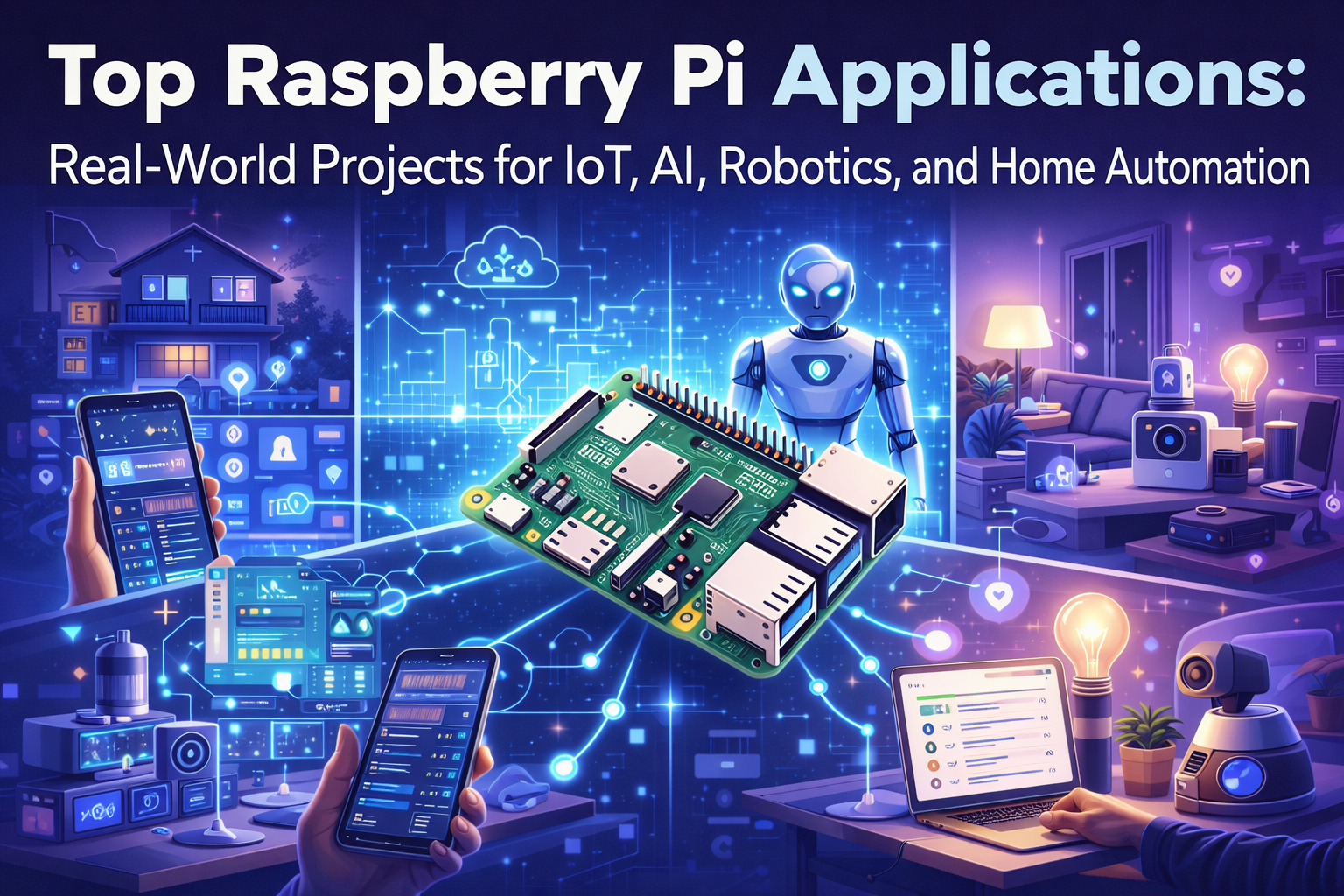
The Raspberry Pi has sparked a revolution in DIY electronics, transforming how makers, engineers, and tech enthusiasts approach real-world problem-solving. This comprehensive guide covers top Raspberry Pi applications across IoT, AI, robotics, and home automation – showing you exactly how to build projects that make a genuine impact.
This resource is designed for intermediate to advanced makers who want to move beyond basic tutorials and create professional-grade solutions. You’ll discover practical applications that solve real problems, from smart home automation systems that cut energy costs to AI Raspberry Pi projects that bring machine learning to edge devices.
We’ll explore essential setup techniques that form the foundation for advanced projects, including GPIO programming and hardware integration methods that ensure reliable operation. You’ll also dive into IoT applications Raspberry Pi excels at, learning how to deploy sensors and connectivity solutions that transform everyday operations. Finally, we’ll cover performance optimization strategies and troubleshooting techniques that separate hobby projects from production-ready systems.
Essential Raspberry Pi Setup and Configuration for Advanced Projects
Choosing the Right Raspberry Pi Model for Your Application Needs
Selecting the perfect Raspberry Pi model sets the foundation for successful Raspberry Pi projects. The Pi 4 Model B delivers exceptional performance with 4GB or 8GB RAM options, making it ideal for IoT applications Raspberry Pi and AI Raspberry Pi projects that require substantial processing power. Its dual 4K display support and Gigabit Ethernet make it perfect for home automation Raspberry Pi systems and industrial monitoring applications.
For projects demanding ultra-low power consumption, the Pi Zero 2 W offers wireless connectivity in a compact form factor. This model excels in battery-powered IoT sensors Raspberry Pi deployments and portable robotics applications where space and energy efficiency matter most.
The Pi Pico represents a different category altogether, featuring a custom RP2040 microcontroller chip. This board shines in real-time control applications, GPIO programming intensive tasks, and edge computing Raspberry Pi scenarios requiring microsecond-level precision.
| Model | RAM | Power Usage | Best For |
|---|---|---|---|
| Pi 4 Model B | 4GB/8GB | 3-5W | AI, Computer Vision, Server Applications |
| Pi Zero 2 W | 512MB | 1W | Battery Projects, Wearables, Small Sensors |
| Pi Pico | 264KB | 0.1W | Real-time Control, Embedded Systems |
Consider your project’s computational requirements, power constraints, and physical size limitations when making your selection.
Installing and Optimizing Operating Systems for Maximum Performance
The Raspberry Pi Imager tool simplifies OS installation while providing advanced customization options. Raspberry Pi OS Lite offers the leanest installation for headless IoT applications Raspberry Pi, consuming minimal system resources while maintaining compatibility with Python Raspberry Pi programming environments.
For machine learning Raspberry Pi projects, Ubuntu Server 64-bit provides better performance with AI frameworks like TensorFlow and PyTorch. The 64-bit architecture enables access to optimized libraries and supports larger memory spaces for complex datasets.
Performance optimization starts with proper SD card selection. Use Class 10 or better cards with A1/A2 application performance ratings. Enable memory split adjustments through raspi-config to allocate GPU memory based on your project needs – reserve 16MB for headless applications or 128MB for camera-intensive projects.
Essential optimization steps include:
- Disabling unnecessary services using
systemctl disable - Configuring swap file size for memory-intensive applications
- Setting up log rotation to prevent SD card wear
- Enabling SSH and configuring static IP addresses for consistent network access
Update the firmware regularly with sudo rpi-update and keep the system current with sudo apt update && sudo apt upgrade to maintain security and performance.
Setting Up Development Environments and Essential Programming Tools
Professional Raspberry Pi projects require well-configured development environments. Python comes pre-installed on Raspberry Pi OS, but creating virtual environments using python -m venv isolates project dependencies and prevents version conflicts across multiple projects.
Install essential development tools with a single command:
sudo apt install git vim python3-pip python3-venv build-essential
VS Code Remote Development transforms your Pi into a professional development platform. Install the Remote-SSH extension on your desktop and connect directly to your Pi for seamless coding experiences. This setup works exceptionally well for IoT sensors Raspberry Pi programming and smart home automation systems development.
GPIO programming requires the RPi.GPIO library for basic control or the more advanced gpiozero library for object-oriented hardware interaction. For industrial applications, consider installing CircuitPython for simplified sensor interfacing.
Docker containers provide isolated environments for complex applications. Install Docker CE for consistent deployment across multiple Pi devices:
curl -fsSL https://get.docker.com -o get-docker.sh
sudo sh get-docker.sh
Set up automated testing with pytest and continuous integration workflows using GitHub Actions to maintain code quality across your Raspberry Pi robotics and automation projects.
Configuring Network Connectivity and Remote Access Capabilities
Network configuration forms the backbone of modern IoT applications Raspberry Pi. Configure static IP addresses through /etc/dhcpcd.conf to ensure consistent device addressing in home automation Raspberry Pi networks. This prevents IP conflicts and simplifies device management across multiple Pi deployments.
WiFi networks require careful security configuration. Use WPA2-PSK or WPA3 encryption and consider setting up a dedicated IoT VLAN to isolate smart devices from your main network. Configure the WiFi settings in /etc/wpa_supplicant/wpa_supplicant.conf with proper encryption protocols.
SSH access enables remote management and programming. Generate SSH keys on your development machine and copy the public key to your Pi using ssh-copy-id. Disable password authentication in /etc/ssh/sshd_config and change the default SSH port for enhanced security.
VNC provides graphical remote access for projects requiring visual interfaces. Enable VNC through raspi-config and configure resolution settings for consistent display across different client devices. Real VNC Connect offers cloud-based access for managing devices outside your local network.
Network monitoring becomes critical for reliability. Install and configure tools like htop, iotop, and vnstat to track system performance and network usage. Set up automated monitoring scripts that alert you to connectivity issues or performance degradation in your smart home automation systems.
For industrial Raspberry Pi applications, consider setting up redundant network connections using both Ethernet and WiFi with automatic failover capabilities to maintain continuous operation.
IoT Applications That Transform Everyday Operations
Building Smart Environmental Monitoring Systems for Agriculture
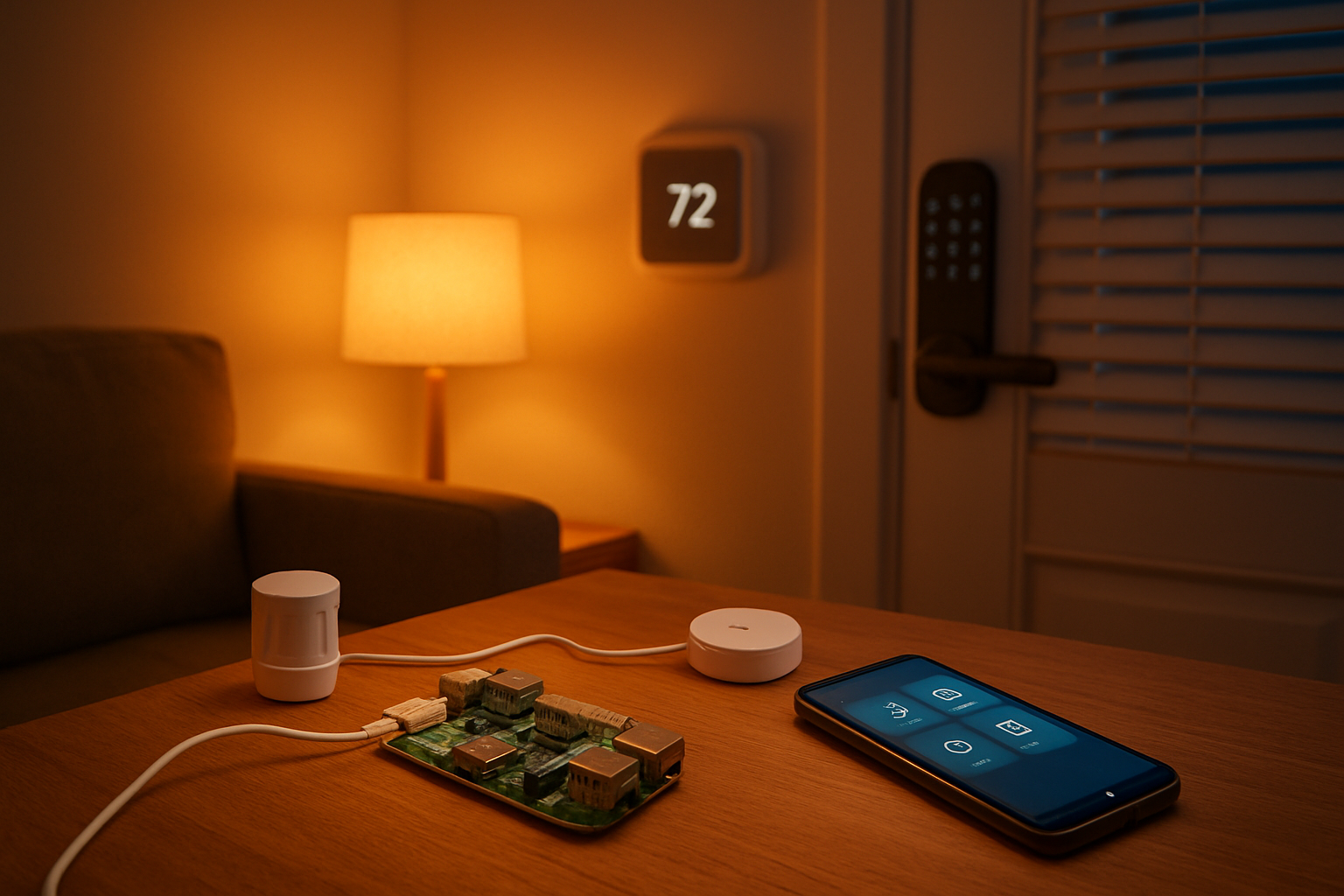
Smart farming gets a major boost with Raspberry Pi projects that track soil moisture, temperature, humidity, and light levels in real-time. These IoT applications Raspberry Pi can run 24/7, giving farmers precise data to make better crop decisions. Setting up a basic monitoring system requires sensors like the DHT22 for temperature and humidity, soil moisture probes, and light sensors connected through GPIO programming.
The beauty of these systems lies in their scalability. Start with a single field monitoring station, then expand to cover entire farms. Python Raspberry Pi programming makes it easy to collect sensor data and send it to cloud platforms like ThingSpeak or AWS IoT. Farmers can receive alerts when soil moisture drops below optimal levels or when temperature swings threaten crops.
Advanced setups include camera modules for visual crop monitoring and pest detection using basic machine learning Raspberry Pi algorithms. Edge computing Raspberry Pi capabilities mean the system processes data locally, reducing bandwidth costs and improving response times. Solar panels and weatherproof enclosures make these monitoring stations completely autonomous.
The cost savings are real – farmers report 20-30% reductions in water usage and improved crop yields through precise irrigation timing. Modern agricultural operations rely on data-driven decisions, and these DIY smart monitoring systems deliver professional-grade insights at a fraction of commercial solution costs.
Creating Industrial Asset Tracking and Management Solutions
Manufacturing facilities and warehouses benefit enormously from custom asset tracking systems built around Raspberry Pi industrial applications. These solutions monitor equipment health, track inventory movement, and prevent costly downtime through predictive maintenance alerts. RFID readers, barcode scanners, and vibration sensors connect easily to the Pi’s GPIO ports.
Building an effective tracking system starts with identifying critical assets and the data points that matter most. Motor vibration patterns, temperature readings from machinery, and location tracking for mobile equipment all provide valuable insights. The Raspberry Pi collects this information continuously and processes it locally before sending summaries to central management systems.
Integration with existing enterprise software happens through REST APIs and MQTT protocols. Python libraries make it straightforward to connect with inventory management systems, maintenance scheduling software, and business intelligence platforms. Real-time dashboards display asset status, utilization rates, and maintenance schedules.
Cost comparisons show dramatic savings versus commercial solutions. A complete asset tracking node costs under $150 to build, while enterprise-grade systems often run thousands per monitoring point. Small to medium manufacturers can deploy comprehensive tracking across their entire facility for the price of a single commercial unit.
The flexibility of custom solutions means adapting to specific industry needs. Food processing plants monitor temperature chains, automotive manufacturers track tool usage, and logistics companies follow package movements – all using the same core Raspberry Pi platform with different sensor configurations.
Developing Remote Weather Stations with Cloud Data Integration
Personal and community weather monitoring becomes accessible through Raspberry Pi weather stations that rival commercial meteorological equipment. These IoT sensors Raspberry Pi systems measure temperature, humidity, barometric pressure, wind speed, rainfall, and UV levels with remarkable accuracy. The data feeds directly into weather networks and personal tracking applications.
Building a complete weather station involves careful sensor selection and weatherproofing. The BME280 provides temperature, humidity, and pressure readings, while anemometers and rain gauges handle wind and precipitation measurements. Proper calibration ensures data accuracy that matches professional weather services.
Cloud data integration transforms local measurements into valuable community resources. Weather Underground, OpenWeatherMap, and other services accept real-time data from citizen weather stations. This contributes to hyperlocal weather forecasting while providing historical data for personal use. MQTT protocols and RESTful APIs handle the data transmission reliably.
Solar power systems keep remote stations running indefinitely. Battery management circuits prevent overcharging while ensuring continuous operation during cloudy periods. Cellular modems enable deployment in areas without Wi-Fi coverage, expanding monitoring capabilities to remote agricultural areas or research sites.
Data visualization through custom dashboards makes weather trends immediately apparent. Historical analysis reveals seasonal patterns, helps predict local weather events, and supports agricultural planning. Schools and research institutions often partner with citizen scientists running these stations to support climatology studies.
Implementing Smart Energy Monitoring for Cost Reduction
Energy costs drop significantly when businesses and homeowners implement detailed monitoring systems using Raspberry Pi projects. Current transformers and voltage sensors provide real-time power consumption data for individual circuits, appliances, and entire facilities. This granular visibility reveals wasteful energy patterns and opportunities for savings.
Smart home automation systems benefit from integrated energy monitoring that automatically adjusts device schedules based on electricity rates and usage patterns. Time-of-use billing becomes manageable when the system shifts heavy loads to cheaper rate periods. Smart outlets controlled through GPIO programming can cycle non-critical equipment during peak rate hours.
Commercial installations monitor three-phase power systems and track power factor corrections. Python scripts analyze consumption patterns and generate alerts for unusual usage spikes that might indicate equipment problems. Integration with building management systems enables automatic load shedding during demand response events.
Data logging capabilities store months of detailed consumption information locally before uploading summaries to cloud services. This approach reduces bandwidth costs while ensuring data availability even during internet outages. Export formats compatible with energy management software enable detailed analysis and reporting for regulatory compliance.
The return on investment often appears within the first billing cycle. Users typically see 15-25% reductions in energy costs through better awareness and automated optimization. Peak demand charges drop when the system automatically manages large load timing, providing additional savings for commercial users.
AI-Powered Projects That Deliver Intelligent Solutions
Computer Vision Applications for Object Detection and Recognition
The Raspberry Pi camera module opens up incredible possibilities for computer vision applications. Setting up object detection using OpenCV and TensorFlow Lite transforms your Pi into a smart surveillance system that can identify people, vehicles, or specific objects in real-time. Security cameras powered by Raspberry Pi can detect intruders, count visitors, or monitor restricted areas without relying on cloud services.
Face recognition systems work surprisingly well on Pi hardware when optimized properly. You can build access control systems for offices, smart doorbells that recognize family members, or attendance tracking systems for classrooms. The key lies in preprocessing images efficiently and using lightweight models that don’t overwhelm the Pi’s processing capabilities.
Quality control applications in manufacturing benefit from Raspberry Pi camera projects. These systems can inspect products on assembly lines, detect defects in printed circuit boards, or sort items based on visual characteristics. Edge computing with computer vision eliminates the latency issues that cloud-based solutions often face.
| Application Type | Processing Speed | Accuracy Level | Hardware Requirements |
|---|---|---|---|
| Face Recognition | 2-3 FPS | 85-95% | Pi 4 + Camera Module |
| Object Detection | 1-2 FPS | 75-90% | Pi 4 + USB3 Camera |
| Quality Control | 5-10 FPS | 90-99% | Pi 4 + Industrial Camera |
Voice Assistant Integration for Hands-Free Control Systems
Building custom voice assistants on Raspberry Pi gives you complete control over privacy and functionality. Unlike commercial solutions, your AI Raspberry Pi projects can operate entirely offline while still providing sophisticated voice recognition capabilities. The combination of speech-to-text engines like Vosk or PocketSphinx with Python programming creates powerful automation triggers.
Smart home integration becomes seamless when you connect voice commands to GPIO pins controlling lights, fans, or security systems. Your custom assistant can understand context-specific commands that commercial assistants might miss. For example, “movie mode” could dim lights, close blinds, and turn on entertainment systems simultaneously.
Industrial applications benefit from hands-free voice control in environments where workers wear gloves or handle hazardous materials. Voice-controlled inventory systems, machine operation commands, or safety protocol activation become possible with properly configured Raspberry Pi voice systems.
The audio processing pipeline requires careful optimization:
- Microphone Array Setup: Multiple microphones improve voice recognition accuracy in noisy environments
- Noise Cancellation: Digital signal processing filters background noise effectively
- Wake Word Detection: Local wake word detection prevents false activations
- Command Processing: Local natural language understanding reduces response times
Machine Learning Models for Predictive Analytics and Automation
Machine learning on Raspberry Pi focuses on inference rather than training, making it perfect for deploying pre-trained models that make intelligent decisions. Predictive maintenance systems can monitor equipment vibrations, temperatures, or power consumption patterns to predict failures before they occur. These IoT applications using Raspberry Pi save thousands in unexpected downtime costs.
Environmental monitoring projects benefit tremendously from ML algorithms that can predict weather patterns, air quality changes, or optimal growing conditions for plants. Your Raspberry Pi can analyze sensor data patterns and automatically adjust irrigation systems, greenhouse ventilation, or heating schedules based on predictive models.
Energy management systems use machine learning to optimize power consumption in smart buildings. The Pi analyzes usage patterns, weather forecasts, and occupancy data to predict optimal HVAC schedules or battery charging cycles for renewable energy systems. These predictions can reduce energy costs by 20-30% in typical installations.
Real-world deployment considerations include:
- Model Optimization: TensorFlow Lite and ONNX Runtime provide efficient inference engines
- Data Pipeline Management: Automated data collection and preprocessing workflows
- Model Updates: Over-the-air model updates without system downtime
- Backup Systems: Fallback mechanisms when predictions fall outside confidence thresholds
Natural Language Processing for Smart Communication Interfaces
Text processing capabilities on Raspberry Pi enable intelligent communication systems that understand context and intent. Customer service chatbots running locally can handle basic inquiries without internet connectivity, making them perfect for remote locations or privacy-sensitive applications. These systems process natural language queries and provide relevant responses using locally stored knowledge bases.
Document processing automation becomes powerful when combined with optical character recognition (OCR) and NLP. Your Pi can automatically categorize incoming documents, extract key information, and route them to appropriate departments. Legal firms, medical offices, and government agencies find these automated document handling systems invaluable.
Smart email filtering and response systems can pre-process communications, flag urgent messages, and even draft preliminary responses for human review. The Pi analyzes email content, sender patterns, and response histories to provide intelligent suggestions that save hours of manual processing time.
Language translation capabilities work well for specific domains when using focused models. Technical documentation translation, safety instruction processing, or customer communication translation can operate effectively on Pi hardware when optimized for specific vocabularies and use cases.
Edge Computing Solutions for Real-Time Decision Making
Edge computing with Raspberry Pi eliminates the latency and connectivity dependencies that plague cloud-based AI solutions. Manufacturing environments benefit from immediate decision-making capabilities that can stop production lines when defects are detected, adjust machine parameters based on real-time feedback, or coordinate multiple automated systems without network delays.
Autonomous vehicle components, drone navigation systems, and robotic control systems require split-second decision-making that only edge computing can provide. The Pi processes sensor data locally, applies decision algorithms, and executes control commands within milliseconds rather than the seconds required for cloud communication.
Smart city applications leverage distributed Raspberry Pi networks for traffic optimization, environmental monitoring, and emergency response coordination. Each node processes local data independently while contributing to larger network intelligence. Traffic lights can adjust timing based on real-time vehicle detection, air quality sensors can trigger immediate alerts, and emergency services can receive automated incident reports.
Financial trading systems, medical monitoring devices, and industrial safety systems all require the reliability and speed that edge computing provides. The Pi’s ability to operate independently while maintaining network connectivity when available makes it ideal for mission-critical applications where decisions cannot wait for cloud processing.
Performance optimization techniques include:
- Model Quantization: Reducing model precision to increase inference speed
- Hardware Acceleration: Leveraging GPU and NPU capabilities when available
- Caching Strategies: Storing frequently used data in fast-access memory
- Load Balancing: Distributing processing across multiple Pi units for scalability
Robotics Projects That Enhance Productivity and Entertainment
Autonomous Navigation Systems for Mobile Robot Platforms
Building autonomous navigation systems with Raspberry Pi robotics opens up incredible possibilities for creating intelligent mobile platforms. These systems combine multiple sensors and sophisticated algorithms to help robots understand their environment and move safely through complex spaces.
The core of any autonomous navigation system relies on simultaneous localization and mapping (SLAM) technology. Your Raspberry Pi can process data from ultrasonic sensors, LiDAR modules, and cameras to create real-time maps while tracking the robot’s position. Popular libraries like ROS (Robot Operating System) work seamlessly with Python Raspberry Pi programming to handle complex navigation tasks.
Camera-based navigation offers cost-effective solutions for indoor environments. Using OpenCV and machine learning algorithms, your robot can identify landmarks, avoid obstacles, and follow predetermined paths. The Raspberry Pi camera projects become particularly powerful when combined with depth sensors like the Intel RealSense or stereo camera setups.
GPS integration extends navigation capabilities to outdoor environments. When paired with IMU sensors and compass modules, your robot can navigate large areas with impressive accuracy. Many DIY enthusiasts have created lawn-mowing robots, security patrol units, and delivery vehicles using these techniques.
The beauty of Raspberry Pi-based navigation lies in its flexibility. You can start with basic obstacle avoidance using ultrasonic sensors and gradually add more sophisticated features like path planning, dynamic obstacle detection, and even swarm robotics capabilities.
Robotic Arm Control for Precision Manufacturing Tasks
Precision robotic arms powered by Raspberry Pi systems bring industrial-grade automation within reach of makers and small manufacturers. These projects demonstrate how edge computing Raspberry Pi applications can handle complex motion control and positioning tasks with remarkable accuracy.
Modern robotic arm projects typically use servo motors or stepper motors controlled through PWM signals via Raspberry Pi GPIO programming. The key to precision lies in implementing proper inverse kinematics algorithms that calculate exact joint angles needed to reach specific positions in 3D space. Python libraries like NumPy and SciPy make these calculations manageable even for complex multi-axis systems.
Computer vision integration transforms basic robotic arms into intelligent manufacturing tools. Using the Raspberry Pi camera module with OpenCV, your arm can identify objects, measure dimensions, and perform quality control inspections. Machine learning Raspberry Pi models can classify parts, detect defects, and make real-time decisions about handling procedures.
Force feedback systems add another layer of sophistication. By integrating load cells or current sensors, your robotic arm can detect when it encounters resistance, enabling delicate operations like assembly tasks or handling fragile materials. This feedback prevents damage and ensures consistent results across repeated operations.
Popular applications include PCB assembly, 3D printing support (removing prints, changing filaments), packaging operations, and educational demonstrations. Many makers have successfully implemented pick-and-place systems for electronics manufacturing, achieving positioning accuracy within millimeters.
The modular nature of Raspberry Pi systems means you can easily expand functionality by adding tool changers, conveyor belt integration, or multiple arm coordination for complex assembly lines.
Drone Automation for Surveillance and Delivery Applications
Drone automation represents one of the most exciting frontiers in Raspberry Pi robotics, combining flight control systems with advanced AI capabilities for practical surveillance and delivery applications. These projects push the boundaries of what’s possible with compact computing platforms.
Flight control systems built around Raspberry Pi typically interface with flight controller boards like Pixhawk or Navio2. The Raspberry Pi handles high-level mission planning, image processing, and communication tasks while dedicated flight controllers manage real-time stabilization and motor control. This division of labor ensures reliable flight performance while enabling sophisticated autonomous behaviors.
Surveillance applications leverage the Raspberry Pi’s processing power for real-time video analysis. Your drone can automatically track moving objects, recognize faces or license plates, and transmit alerts when detecting unusual activities. IoT sensors Raspberry Pi integration allows monitoring of environmental conditions, making these systems valuable for agricultural monitoring, wildlife research, and security applications.
Delivery automation requires precise navigation and payload management systems. GPS waypoint navigation combined with computer vision landing systems enables accurate package delivery to designated locations. Load sensors and servo-controlled release mechanisms ensure reliable payload deployment.
| Component | Function | Integration Method |
|---|---|---|
| Flight Controller | Real-time stabilization | UART/SPI communication |
| Raspberry Pi Camera | Computer vision tasks | CSI connector |
| GPS Module | Navigation and positioning | UART serial connection |
| Telemetry Radio | Ground station communication | USB or GPIO |
| Servo Motors | Payload release mechanism | PWM via GPIO |
Advanced features include obstacle avoidance using depth cameras, swarm coordination for multi-drone operations, and return-to-home functionality with automatic battery monitoring. Many successful projects have demonstrated package delivery over distances exceeding 10 kilometers with centimeter-level landing accuracy.
Safety considerations remain paramount in drone automation. Implementing geofencing, emergency landing protocols, and redundant communication systems ensures responsible operation while maximizing the potential of these powerful Raspberry Pi projects.
Home Automation Systems That Increase Comfort and Efficiency
Smart Lighting Control with Scheduling and Motion Detection
Creating a smart home automation system with Raspberry Pi transforms ordinary lighting into an intelligent network that responds to your needs. The foundation starts with connecting LED strips or smart bulbs through GPIO pins, paired with PIR motion sensors for automatic detection. This DIY smart home project allows you to program custom lighting schedules using Python scripts that automatically dim lights during evening hours or create wake-up sequences that gradually brighten rooms.
Motion detection adds another layer of sophistication. When someone enters a room, the PIR sensor triggers the Raspberry Pi to activate specific lighting zones. You can program different responses for various times of day – bright task lighting during work hours, soft ambient lighting in the evening, or gentle night lighting for midnight movements. The system can learn patterns too, adjusting brightness based on natural light levels detected through photoresistors.
Raspberry Pi GPIO programming enables integration with existing electrical systems through relay modules, making it possible to control traditional light switches remotely. Advanced setups include zone-based control where different areas of your home respond independently, color temperature adjustments that match circadian rhythms, and energy monitoring to track consumption patterns.
Advanced Security Systems with Camera Integration and Alerts
Building comprehensive security with Raspberry Pi camera projects creates professional-grade surveillance at a fraction of commercial costs. The Pi Camera module captures high-definition video streams while running motion detection algorithms in real-time. Python Raspberry Pi programming handles the heavy lifting, analyzing video frames to distinguish between normal activity and potential security concerns.
Multi-camera setups extend coverage throughout your property. Each Raspberry Pi can manage multiple USB cameras or connect to IP cameras over your network. The system stores footage locally on external drives or streams to cloud storage for remote access. Smart alerts differentiate between pets, delivery personnel, and unknown visitors using basic machine learning Raspberry Pi techniques.
Integration with other sensors enhances security capabilities. Door and window sensors connected through GPIO pins trigger immediate notifications when breached. Sound detection modules can identify breaking glass or unusual noise patterns. The system sends instant alerts through email, SMS, or push notifications to your smartphone, complete with captured images or video clips.
| Security Feature | Hardware Required | Key Benefits |
|---|---|---|
| Motion Detection | Pi Camera, PIR sensors | Automatic recording, smart alerts |
| Multi-zone Coverage | Multiple Pi units, network switches | Comprehensive monitoring |
| Smart Notifications | WiFi module, smartphone app | Instant security updates |
Climate Control Automation for Energy Savings
Temperature and humidity control through Raspberry Pi IoT applications creates comfortable living spaces while reducing energy costs. DHT22 sensors placed throughout your home feed real-time environmental data to the central Pi controller. This information drives smart decisions about heating, cooling, and ventilation systems through relay-controlled switches.
The system learns your preferences and daily patterns. If you typically lower temperatures at bedtime, the automation begins cooling 30 minutes earlier. When sensors detect rising humidity levels, exhaust fans activate automatically to prevent mold and maintain air quality. IoT sensors Raspberry Pi integration allows remote monitoring and control through web interfaces or mobile apps.
Energy optimization algorithms analyze utility rates and weather forecasts to make cost-effective decisions. During off-peak electricity hours, the system pre-cools or pre-heats your home. Integration with smart thermostats and HVAC systems provides precise temperature control while maintaining efficiency. Historical data tracking reveals usage patterns and suggests optimization opportunities.
Advanced climate control includes air quality monitoring through particulate matter sensors and automatic air purifier activation. Garden irrigation systems connect to weather APIs and soil moisture sensors, watering plants only when needed and avoiding rainy periods.
Smart Appliance Management Through Voice and Mobile Commands
Voice-controlled appliance management transforms your home automation Raspberry Pi setup into a responsive smart home ecosystem. Integration with speech recognition libraries enables natural language commands to control coffee makers, washing machines, and kitchen appliances. The system processes voice commands locally, ensuring privacy while providing instant responses.
Mobile app development creates intuitive control interfaces for remote appliance management. Custom Python scripts handle communication between your smartphone and connected devices through WiFi or Bluetooth connections. You can start the dishwasher from work, preheat the oven during your commute, or check if you left appliances running from anywhere.
Smart home automation systems excel at creating appliance schedules and routines. Program your coffee maker to start brewing when your morning alarm sounds, or automatically run the dishwasher during off-peak energy hours. Smart power outlets monitor energy consumption and can shut off standby devices to reduce phantom loads.
Device integration spans multiple protocols – WiFi for internet-connected appliances, Zigbee for low-power sensors, and infrared controllers for older devices without smart capabilities. The Raspberry Pi acts as a central hub, translating commands between different communication standards and maintaining consistent control across all connected devices.
Automation recipes create complex behaviors from simple triggers. When the security system detects you’re leaving home, it can automatically turn off non-essential appliances, adjust the thermostat, and activate energy-saving modes. Return home to find your space perfectly prepared, with lights on, climate adjusted, and your favorite playlist ready to start.
Hardware Integration Techniques for Professional Results
Sensor Selection and Calibration for Accurate Data Collection
Getting reliable data from your Raspberry Pi projects starts with picking the right sensors and calibrating them properly. Temperature sensors like the DS18B20 provide excellent accuracy for environmental monitoring, while DHT22 sensors handle both temperature and humidity measurements. For distance sensing, ultrasonic sensors like the HC-SR04 work great for most applications, but consider laser-based sensors for precision robotics projects.
Calibration makes the difference between amateur and professional results. Most sensors ship with default settings that work okay, but fine-tuning them for your specific environment dramatically improves accuracy. Create calibration scripts that compare sensor readings against known reference values. For temperature sensors, use an ice water bath (0°C) and boiling water (100°C) as calibration points. Store calibration coefficients in configuration files so your Raspberry Pi projects maintain accuracy over time.
Environmental factors affect sensor performance significantly. Temperature drift, electromagnetic interference, and power supply fluctuations can skew readings. Shield sensitive sensors from RF interference and use proper grounding techniques. Implement moving average filters in your Python code to smooth out noise while preserving genuine signal changes.
| Sensor Type | Accuracy | Interface | Best Use Case |
|---|---|---|---|
| DS18B20 | ±0.5°C | 1-Wire | Temperature logging |
| DHT22 | ±0.5°C, ±2-5% RH | GPIO | Weather stations |
| BME280 | ±1°C, ±3% RH | I2C/SPI | Environmental monitoring |
| HC-SR04 | ±3mm | GPIO | Distance measurement |
Motor Control and Servo Integration for Precise Movement
Controlling motors with your Raspberry Pi opens up endless possibilities for robotics and automation projects. DC motors need motor driver boards like the L298N to handle the current demands and provide direction control. The Raspberry Pi GPIO pins can’t supply enough current to drive motors directly, so always use proper driver circuits.
Servo motors offer precise position control perfect for camera gimbals, robotic arms, and steering mechanisms. Standard servos use PWM signals with specific pulse widths to control position. The Raspberry Pi’s hardware PWM channels provide smooth, jitter-free control. Use the RPi.GPIO library’s PWM functions or the more advanced pigpio library for better timing accuracy.
Stepper motors deliver the highest precision for applications requiring exact positioning. The A4988 stepper driver simplifies control while providing microstepping for smoother motion. Create acceleration and deceleration profiles in your code to prevent missed steps and reduce mechanical stress.
Here’s the basic approach for servo control:
- Initialize PWM on the control pin with 50Hz frequency
- Calculate duty cycle: (desired_angle / 180) * 10 + 5
- Update PWM duty cycle to move servo to target position
- Add delays between movements for mechanical settling time
Power management becomes critical with multiple motors. Use separate power supplies for motors and logic circuits to prevent voltage drops that reset your Raspberry Pi. Add flyback diodes across motor terminals to protect against back-EMF spikes.
Camera Module Setup for High-Quality Image Processing
The Raspberry Pi camera module transforms your projects into computer vision powerhouses. The latest HQ camera module captures 12-megapixel images and supports interchangeable lenses for different applications. Enable the camera interface through raspi-config and verify connection with vcgencmd get_camera.
Proper mounting and lens selection affect image quality dramatically. Use rigid mounts to prevent camera shake, especially for time-lapse photography or motion detection applications. The standard lens works well for general purposes, but wide-angle lenses capture more of the scene for security applications, while telephoto lenses work better for wildlife monitoring.
Lighting conditions make or break computer vision projects. The camera module’s automatic exposure works well in stable lighting, but manual control gives better results for machine learning applications. Set fixed exposure, white balance, and ISO values to ensure consistent image characteristics for AI training data.
OpenCV integration with the Raspberry Pi camera provides powerful image processing capabilities. Use the picamera library for basic capture operations and combine it with OpenCV for advanced processing:
# Basic camera setup for computer vision
camera.resolution = (640, 480)
camera.framerate = 30
camera.exposure_mode = 'off'
camera.awb_mode = 'off'
Consider image compression and storage requirements for long-running projects. Raw images consume significant storage space, but excessive compression artifacts interfere with computer vision algorithms. Find the right balance between file size and image quality for your specific application.
GPIO Programming for Custom Hardware Interfaces
GPIO programming transforms the Raspberry Pi into a versatile hardware controller. The 40-pin GPIO header provides digital I/O, PWM, I2C, SPI, and UART interfaces for connecting custom hardware. Understanding pin assignments and electrical characteristics prevents damage to both your Raspberry Pi and connected devices.
Use pull-up resistors for input pins to ensure clean digital signals. The Raspberry Pi includes internal pull-up and pull-down resistors that you can enable in software, but external resistors provide better noise immunity for critical applications. Button inputs benefit from both hardware debouncing (RC filter) and software debouncing (timing delays).
I2C communication connects multiple sensors and devices using just two wires. Enable I2C through raspi-config and use the smbus library for Python communication. Most sensors include example code, but understanding the communication protocol helps with troubleshooting. Use i2cdetect to scan for connected devices and verify addresses.
SPI provides faster communication for high-speed devices like ADCs and display controllers. The Raspberry Pi supports two SPI buses with multiple chip select lines. Configure SPI settings (clock speed, data bits, polarity) to match your connected devices. Start with slower clock speeds and increase once communication works reliably.
Create modular code structures for GPIO projects:
- Separate hardware initialization from main application logic
- Use configuration files for pin assignments and timing parameters
- Implement proper cleanup routines to reset GPIO states
- Add error handling for hardware communication failures
Level shifting becomes necessary when interfacing 3.3V Raspberry Pi pins with 5V devices. Bi-directional level shifters like the BSS138 protect both devices while maintaining signal integrity. Never connect 5V signals directly to Raspberry Pi GPIO pins without proper level shifting.
Performance Optimization and Troubleshooting for Reliable Operation
Memory Management Strategies for Resource-Intensive Applications
Smart memory management becomes critical when running complex Raspberry Pi projects that demand significant system resources. The limited RAM on most Pi models means every byte counts, especially for AI Raspberry Pi projects and machine learning Raspberry Pi applications that process large datasets.
Start by monitoring memory usage with tools like htop and free -h to identify memory-hungry processes. Configure your swap file appropriately – increase it to 2GB for memory-intensive tasks, but remember that excessive swapping to SD cards can slow performance and reduce card lifespan.
For Python Raspberry Pi programming, implement memory-efficient coding practices. Use generators instead of lists for large datasets, close file handles explicitly, and delete unused variables with del. When working with image processing or camera projects, resize images before processing rather than loading full-resolution files into memory.
GPU memory split configuration plays a crucial role in performance. Allocate more GPU memory (128MB or 256MB) for camera projects and video processing, but reduce it for headless IoT applications Raspberry Pi to free up system RAM. The raspi-config tool makes this adjustment straightforward.
Consider using lightweight alternatives for system services. Replace desktop environments with minimal window managers, use systemd instead of traditional init systems, and disable unnecessary services. Every freed megabyte improves your project’s stability and responsiveness.
Power Consumption Optimization for Battery-Powered Projects
Battery-powered Raspberry Pi projects require careful power management to achieve acceptable runtime. Modern IoT sensors Raspberry Pi setups can run for months on batteries when properly optimized, making them viable for remote monitoring applications.
Disable unused hardware interfaces through the boot configuration. Turn off HDMI output, Bluetooth, and WiFi when not needed. The HDMI port alone consumes around 25mA, which significantly impacts battery life. Use tvservice -o to disable HDMI programmatically and tvservice -p to re-enable it when needed.
CPU frequency scaling dramatically affects power consumption. The ondemand governor automatically adjusts CPU speed based on load, while the powersave governor maintains minimum frequency. For periodic sensor readings, consider using sleep modes between measurements rather than continuous polling.
| Power Optimization Technique | Power Savings | Use Case |
|---|---|---|
| Disable HDMI | ~25mA | Headless operations |
| WiFi power management | ~40mA | Intermittent connectivity |
| CPU underclocking | ~100mA | Low-performance tasks |
| Disable USB ports | ~15mA | GPIO-only projects |
Implement smart wake-up strategies using GPIO interrupts instead of continuous polling. This approach works excellently for motion sensors, door switches, and other event-driven applications. The Pi can sleep in low-power mode and wake up instantly when triggered.
Network Performance Tuning for IoT Connectivity
Network optimization ensures reliable communication for IoT applications Raspberry Pi deployments. Poor network performance can cause data loss, missed commands, and frustrated users in home automation Raspberry Pi systems.
WiFi performance often becomes the bottleneck in IoT projects. Position your Pi within strong signal range and use the 5GHz band when possible to avoid congestion. The iwconfig command shows signal strength and quality metrics. Values below -70dBm indicate weak signals that may cause intermittent connectivity issues.
Buffer size tuning improves network throughput for data-intensive applications. Increase TCP buffer sizes using sysctl parameters:
net.core.rmem_max = 16777216
net.core.wmem_max = 16777216
net.ipv4.tcp_rmem = 4096 16384 16777216
For edge computing Raspberry Pi applications handling multiple sensor streams, implement connection pooling and message queuing. MQTT brokers like Mosquitto excel at handling numerous small messages efficiently, while HTTP connection reuse reduces overhead for REST API communications.
Network interface bonding can provide redundancy for critical applications. Combine WiFi and Ethernet connections for automatic failover, ensuring your smart home automation systems remain operational even if one connection fails.
Common Hardware Issues and Professional Debugging Techniques
Hardware debugging requires systematic approaches to isolate and resolve issues quickly. Start with power supply verification – many mysterious problems stem from inadequate power. Use a multimeter to measure voltage at the GPIO pins; readings below 4.75V under load indicate power supply issues.
SD card corruption ranks among the most common Raspberry Pi problems. Implement regular filesystem checks using fsck and monitor for read/write errors in system logs. High-quality SD cards with wear leveling significantly reduce corruption rates, especially important for industrial applications.
GPIO programming issues often manifest as unexpected pin behavior or intermittent operation. Use a logic analyzer or oscilloscope to verify signal timing and levels. Pull-up and pull-down resistor configurations frequently cause confusion – document your circuit carefully and verify resistance values with a multimeter.
Temperature monitoring prevents thermal throttling that degrades performance unpredictably. The vcgencmd measure_temp command reports CPU temperature, while GPIO-connected sensors can monitor ambient conditions. Implement thermal protection in your code to gracefully handle overheating situations.
For systematic troubleshooting, maintain detailed logs of system events, error messages, and environmental conditions. Tools like journalctl provide comprehensive system logging, while custom logging in your applications helps track application-specific issues. Create reproducible test cases that isolate problems from complex project environments, making debugging more efficient and reliable.
Raspberry Pi has proven itself as more than just a hobbyist’s toy—it’s a powerful platform that can tackle everything from smart home systems to AI-driven automation. From setting up IoT sensors that monitor your garden to building robots that help with daily tasks, these tiny computers offer endless possibilities for creating practical solutions. The versatility shines through whether you’re developing intelligent systems that learn your preferences or integrating multiple hardware components for professional-grade projects.
The key to success lies in proper setup, smart hardware choices, and knowing how to optimize performance when things get challenging. Start with a project that excites you most, whether that’s automating your lighting or building a voice-controlled assistant. Remember to focus on solving real problems in your daily life—that’s where Raspberry Pi truly excels. With the right approach and a bit of patience, you’ll discover that these affordable devices can transform your ideas into working solutions that make life easier and more interesting.









