


Moving your business from Rackspace to AWS can dramatically boost your cloud performance while cutting costs and improving reliability. This comprehensive Rackspace to AWS migration guide is designed for IT leaders, cloud architects, and DevOps teams who want to execute a smooth transition that maximizes their return on investment.
Many organizations stick with legacy cloud providers out of habit, but AWS offers superior scalability, a broader service ecosystem, and more competitive pricing options. A well-planned cloud migration strategy can reduce infrastructure costs by 20-40% while providing access to cutting-edge services like machine learning, serverless computing, and advanced analytics tools.
We’ll walk you through the essential AWS migration best practices that ensure your transition goes smoothly. You’ll discover how to conduct a thorough pre-migration assessment that identifies potential roadblocks before they become expensive problems. We’ll also cover the different cloud migration frameworks available and help you choose the right approach for your specific workloads and business requirements.
From initial planning to post-migration optimization, this cloud infrastructure migration roadmap gives you the practical steps needed to upgrade your cloud environment successfully.
Understanding the Strategic Benefits of Migrating from Rackspace to AWS

Performance Improvements Through Advanced Infrastructure Capabilities
AWS delivers superior performance compared to traditional Rackspace hosting through its cutting-edge infrastructure and compute technologies. The platform offers next-generation processors, including Intel Xeon Platinum and AMD EPYC chips, alongside GPU-accelerated instances for specialized workloads. Companies migrating from Rackspace typically see 30-40% performance gains in compute-intensive applications.
AWS’s extensive instance family provides granular control over resource allocation. From burstable T4g instances for variable workloads to high-memory X1e instances for in-memory databases, organizations can match their exact performance requirements without over-provisioning. This precision targeting eliminates the performance bottlenecks common in traditional hosting environments where hardware flexibility is limited.
Storage performance receives a dramatic boost through AWS’s elastic block storage (EBS) options. Provisioned IOPS SSD volumes deliver up to 64,000 IOPS per volume, while io2 Block Express volumes can reach 256,000 IOPS. These capabilities far exceed typical Rackspace storage performance, enabling faster database operations and application response times.
Network optimization features like Enhanced Networking and SR-IOV provide up to 100 Gbps network performance on supported instances. AWS’s global backbone infrastructure ensures consistent, low-latency connections between services, reducing data transfer delays that often plague traditional hosting setups.
Enhanced Reliability With Global Availability Zones
AWS’s global infrastructure spans 102 Availability Zones across 32 regions worldwide, creating unmatched redundancy options for your Rackspace to AWS migration. Each Availability Zone operates as an isolated failure domain with independent power, cooling, and networking infrastructure, providing the foundation for highly available architectures.
Multi-AZ deployments automatically replicate your applications and data across geographically separated locations within the same region. This setup protects against datacenter-level failures while maintaining millisecond latency between zones. Rackspace’s traditional single-datacenter approach simply can’t match this level of built-in redundancy.
AWS’s Service Level Agreements reflect this enhanced reliability, offering 99.99% uptime guarantees for many services compared to typical 99.9% SLAs in traditional hosting. This improvement translates to less than 4.5 minutes of downtime per month versus 43 minutes, significantly reducing business disruption.
Automated disaster recovery becomes possible through AWS’s cross-region replication capabilities. Services like RDS automatically back up data across regions, while CloudFormation enables infrastructure-as-code deployments for rapid recovery. These features provide peace of mind that’s difficult to achieve with traditional hosting providers.
Cost Optimization Opportunities Through Pay-as-You-Scale Pricing
AWS’s consumption-based pricing model offers significant cost advantages over Rackspace’s fixed monthly hosting fees. Organizations typically reduce infrastructure costs by 20-50% after migrating to AWS by paying only for resources they actually consume rather than maintaining expensive dedicated servers with unused capacity.
Reserved Instances and Savings Plans provide additional cost reductions for predictable workloads. By committing to consistent usage patterns, companies can achieve up to 75% savings compared to on-demand pricing. These flexible commitment options weren’t available in traditional Rackspace hosting models.
Auto Scaling capabilities automatically adjust resource allocation based on demand patterns, eliminating waste from over-provisioned infrastructure. During low-traffic periods, instances automatically scale down to minimize costs, while peak times trigger immediate scaling up to maintain performance. This dynamic resource management is impossible with fixed Rackspace server configurations.
| Cost Factor | Rackspace Traditional | AWS Cloud |
|---|---|---|
| Infrastructure Model | Fixed monthly fees | Pay-per-use |
| Scaling Costs | Manual hardware upgrades | Automatic scaling |
| Commitment Options | Annual contracts | Flexible reservations |
| Waste Reduction | Limited optimization | Automatic rightsizing |
Spot Instances offer an additional layer of cost savings for fault-tolerant workloads, providing up to 90% discounts on compute costs. Development, testing, and batch processing environments can leverage these significantly cheaper resources while maintaining full AWS functionality.
Access to Cutting-Edge Cloud Services and Innovation
AWS provides access to over 200 fully managed services that accelerate development and enable new business capabilities impossible with traditional Rackspace hosting. Machine learning services like SageMaker democratize AI development, while serverless computing through Lambda eliminates infrastructure management overhead entirely.
Database modernization becomes straightforward with managed services like Aurora, DynamoDB, and Redshift. These purpose-built databases offer features like automatic scaling, point-in-time recovery, and global replication that would require significant custom development in traditional environments. Organizations can focus on application logic rather than database administration.
Container orchestration through Amazon EKS and ECS simplifies application deployment and scaling. These services provide enterprise-grade Kubernetes and container management without the complexity of self-managed orchestration platforms. Development teams can deploy applications faster while maintaining consistency across environments.
Analytics and business intelligence capabilities expand dramatically with services like QuickSight, Athena, and EMR. These tools enable real-time data processing and visualization that wasn’t feasible with traditional hosting infrastructure. Companies can make data-driven decisions faster and more accurately.
Security services like GuardDuty, CloudTrail, and Config provide advanced threat detection and compliance monitoring. These capabilities go far beyond basic firewall protection, offering machine learning-powered security analysis and automated compliance reporting that traditional hosting providers can’t match.
Pre-Migration Assessment and Planning Framework

Comprehensive inventory of current Rackspace infrastructure and applications
Creating a detailed snapshot of your existing Rackspace environment forms the foundation of any successful AWS migration strategy. Start by cataloging every server, database, network component, and application running in your current setup. Document server specifications including CPU cores, RAM, storage capacity, and operating system versions. Don’t overlook middleware, third-party software licenses, and custom applications that might need special attention during migration.
Map out your network architecture, including load balancers, firewalls, VPNs, and interconnections between services. Pay close attention to dependencies between applications – these relationships often determine your migration sequence. Document backup procedures, monitoring tools, and disaster recovery configurations currently in place.
Create a comprehensive application inventory that includes:
- Business-critical applications and their uptime requirements
- Database systems with current performance metrics
- Integration points between different services
- Security configurations and compliance requirements
- Monitoring and logging solutions currently deployed
This inventory process typically takes 2-4 weeks for medium-sized environments but saves countless hours during actual migration execution. Many organizations discover forgotten or redundant systems during this phase, presenting immediate cost-saving opportunities.
Performance baseline establishment and bottleneck identification
Before moving to AWS, you need clear metrics about how your Rackspace infrastructure currently performs. This baseline becomes your benchmark for measuring migration success and helps identify which workloads will benefit most from AWS’s enhanced capabilities.
Monitor key performance indicators across several weeks to capture usage patterns and peak load scenarios. Focus on these critical metrics:
| Performance Area | Key Metrics to Track |
|---|---|
| Server Performance | CPU utilization, memory usage, disk I/O, network throughput |
| Application Response | Page load times, API response times, transaction processing speeds |
| Database Performance | Query execution times, connection pools, replication lag |
| Network Performance | Bandwidth utilization, latency measurements, packet loss |
Identify performance bottlenecks that currently limit your operations. Common issues include storage I/O constraints, memory limitations, or network bandwidth restrictions. These pain points often guide your AWS service selection – for example, moving I/O-intensive databases to AWS’s high-performance storage options or leveraging CloudFront CDN to reduce latency.
Document seasonal traffic patterns and growth trends. Understanding when your infrastructure experiences peak loads helps right-size your AWS resources and configure auto-scaling policies effectively. This data proves invaluable when designing your target AWS architecture.
Cost analysis comparison between current and projected AWS expenses
Building an accurate cost comparison requires analyzing both your current Rackspace expenses and projected AWS costs under different usage scenarios. Start by gathering 12 months of Rackspace billing data to understand seasonal variations and growth trends in your infrastructure spending.
Break down your current costs into categories:
- Server hosting fees (dedicated, cloud, hybrid)
- Storage costs (primary, backup, archival)
- Network and bandwidth charges
- Support and managed services fees
- Software licensing costs
- Additional services (monitoring, security, backups)
Use AWS pricing calculators and cost estimation tools to model your workloads on AWS infrastructure. Consider multiple scenarios including on-demand pricing, reserved instances, and savings plans. Factor in AWS services that could replace or enhance your current capabilities:
- Replace traditional backup solutions with S3 and Glacier
- Leverage AWS managed databases instead of self-managed instances
- Use CloudWatch instead of third-party monitoring tools
- Implement AWS security services to reduce external tool dependencies
Account for potential cost optimizations available in AWS but not in your current Rackspace setup. These might include automatic scaling to handle traffic spikes efficiently, spot instances for non-critical workloads, and intelligent tiering for storage costs.
Create conservative, realistic, and optimistic cost projections based on different optimization levels. Most organizations see 20-30% cost reductions within the first year after implementing AWS migration best practices and cost optimization strategies. Include migration costs, training expenses, and temporary dual-environment running costs in your financial planning to present a complete picture to stakeholders.
Choosing the Right AWS Migration Strategy for Your Workloads
Lift-and-shift approach for rapid migration with minimal changes
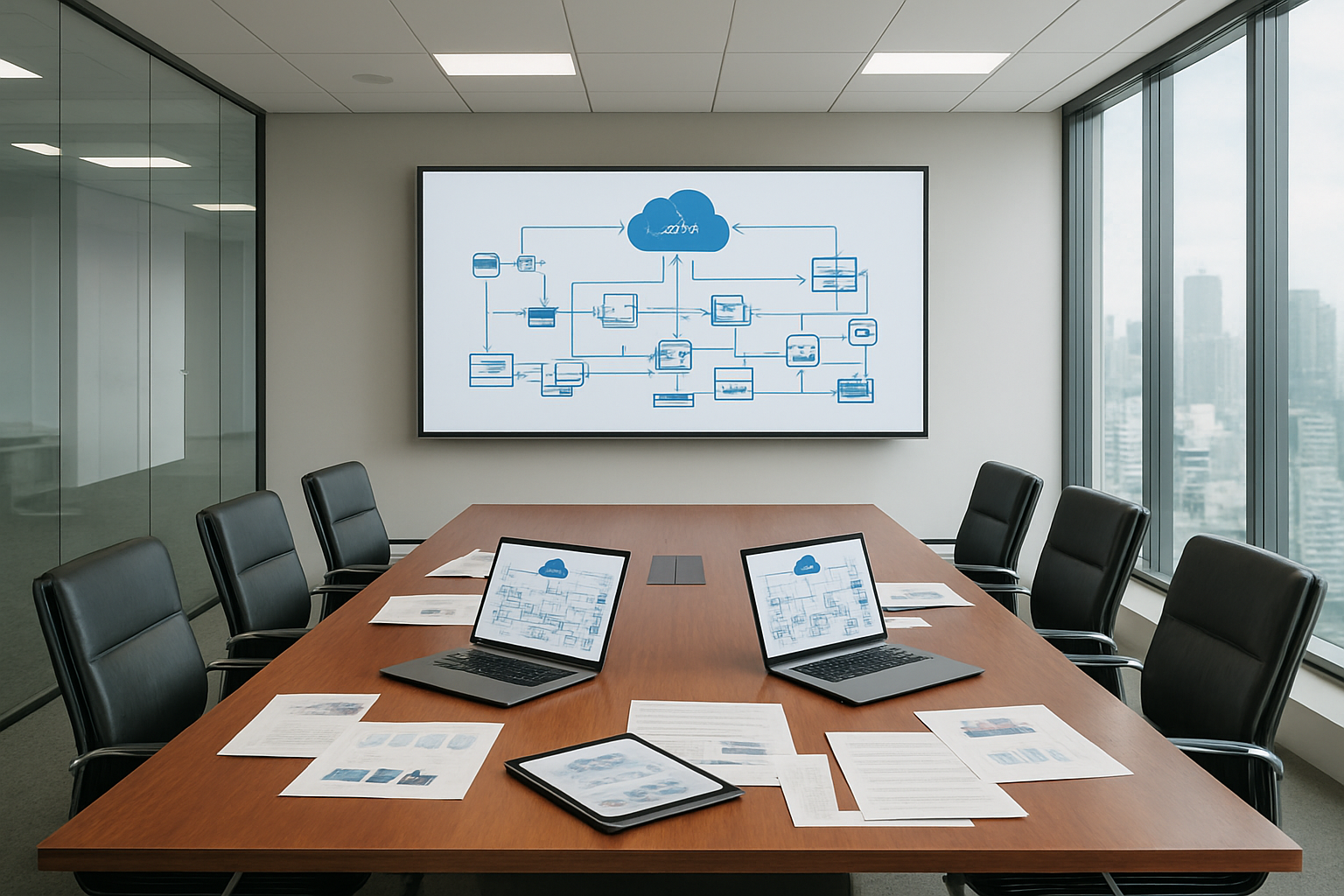
The lift-and-shift approach represents the fastest path from Rackspace to AWS migration, essentially moving your existing applications and infrastructure as-is to AWS cloud. This strategy copies your current virtual machines, configurations, and data directly to AWS EC2 instances without changing the underlying architecture or code.
This approach works particularly well for organizations with tight migration timelines or those wanting to realize immediate cost savings without extensive application modifications. You can migrate entire server environments within weeks rather than months, maintaining familiar operational processes while gaining access to AWS’s global infrastructure and enhanced reliability.
Key benefits include:
- Minimal downtime during migration
- Reduced risk of application compatibility issues
- Immediate access to AWS security features and compliance certifications
- Quick realization of cost savings from AWS’s flexible pricing models
Ideal scenarios for lift-and-shift:
- Legacy applications with complex dependencies
- Mission-critical systems requiring minimal disruption
- Organizations with limited cloud engineering resources
- Applications nearing end-of-life that don’t justify refactoring investment
While this AWS migration strategy provides immediate benefits, you won’t fully capitalize on cloud-native advantages like auto-scaling, serverless computing, or managed services. Consider this approach as a stepping stone for future optimization phases.
Re-platforming to optimize applications for cloud-native benefits
Re-platforming takes your Rackspace to AWS migration a step beyond simple lift-and-shift by making targeted optimizations to leverage AWS-specific services without fundamental architectural changes. This cloud migration strategy balances speed with meaningful improvements.
Common re-platforming activities include replacing on-premises databases with Amazon RDS, switching to Elastic Load Balancers, implementing Auto Scaling Groups, or migrating file systems to Amazon EFS. These changes require minimal code modifications while delivering substantial performance and operational benefits.
Strategic advantages:
- 20-30% performance improvements through AWS-optimized services
- Reduced operational overhead with managed services
- Enhanced scalability and availability
- Better cost optimization through right-sizing and reserved instances
Popular re-platforming scenarios:
| Original Infrastructure | AWS Replacement | Benefits |
|---|---|---|
| Physical load balancers | Application Load Balancer | Better traffic distribution, SSL termination |
| Traditional databases | Amazon RDS/Aurora | Automated backups, patching, scaling |
| File servers | Amazon EFS/S3 | Unlimited storage, built-in redundancy |
| Monitoring systems | CloudWatch | Integrated metrics, alerts, dashboards |
This AWS migration best practices approach typically requires 2-4 months for implementation but delivers measurable improvements in performance, reliability, and cost efficiency without the complexity of full refactoring.
Refactoring for maximum performance and cost efficiency gains
Refactoring represents the most comprehensive cloud migration strategy, involving significant architectural changes to fully embrace cloud-native principles. This approach redesigns applications to leverage microservices, containerization, serverless computing, and fully managed AWS services.
While refactoring requires the highest initial investment in time and resources, it delivers maximum long-term benefits including dramatic cost reductions, enhanced scalability, and improved fault tolerance. Organizations often see 40-60% cost savings and 10x improvement in deployment frequency.
Core refactoring strategies:
- Breaking monolithic applications into microservices
- Implementing containerization with Amazon ECS or EKS
- Adopting serverless computing with AWS Lambda
- Using managed databases like DynamoDB or Aurora Serverless
- Implementing Infrastructure as Code with CloudFormation or Terraform
When to choose refactoring:
- Applications with frequent feature updates
- Systems experiencing performance bottlenecks
- Organizations embracing DevOps practices
- Long-term strategic applications justifying investment
The refactoring process typically spans 6-18 months depending on application complexity. However, the resulting architecture provides unmatched agility, cost optimization, and performance that continues delivering value for years.
Hybrid migration strategy for complex enterprise environments
Complex enterprise environments often require a hybrid migration strategy that combines multiple approaches based on specific application requirements, business constraints, and technical dependencies. This cloud migration framework recognizes that different workloads have varying optimization potential and migration urgency.
A hybrid approach might lift-and-shift critical legacy systems for immediate risk reduction while simultaneously refactoring customer-facing applications for competitive advantage. Database systems might be re-platformed to Amazon RDS while analytics workloads move to serverless architectures.
Strategic considerations for hybrid migration:
- Application interdependencies and data flow requirements
- Compliance and regulatory constraints affecting certain systems
- Budget allocation across different workload categories
- Team expertise and capacity for different migration complexities
- Business priority and timeline requirements
Typical hybrid migration phases:
- Phase 1 (Months 1-3): Lift-and-shift critical systems for immediate risk reduction
- Phase 2 (Months 4-8): Re-platform databases and infrastructure services
- Phase 3 (Months 9-18): Refactor strategic applications for maximum cloud benefits
- Phase 4 (Ongoing): Continuous optimization and cloud-native feature adoption
This AWS workload migration approach requires sophisticated program management and clear success metrics for each workload category. However, it provides the flexibility to balance speed, risk, and optimization based on real business needs rather than forcing all applications into a single migration pattern.
Success depends on establishing clear migration criteria, maintaining consistent security and governance standards, and ensuring seamless integration between workloads using different migration strategies.
Technical Migration Execution Best Practices

Network Architecture Design and Security Configuration Setup
Building a robust network foundation on AWS requires careful planning that maps your existing Rackspace infrastructure to AWS services. Start by documenting your current network topology, including subnets, VLANs, firewall rules, and load balancers. This baseline helps you design an equivalent or improved AWS architecture using VPCs, subnets, security groups, and Network ACLs.
Create a multi-tier network architecture with separate subnets for web, application, and database layers. Place public subnets in multiple Availability Zones for high availability and private subnets for sensitive workloads. Configure NAT gateways or NAT instances to enable outbound internet access for private subnet resources while maintaining security.
Security groups act as virtual firewalls, controlling inbound and outbound traffic at the instance level. Unlike traditional firewall rules, security groups are stateful and automatically allow return traffic. Design security groups following the principle of least privilege, opening only necessary ports and restricting source IP ranges.
For hybrid connectivity during migration, establish VPN connections or AWS Direct Connect to maintain secure communication between your Rackspace environment and AWS. This enables gradual workload migration and data synchronization without exposing sensitive information over the public internet.
Data Transfer Methods and Minimizing Downtime Strategies
Choosing the right data transfer method significantly impacts migration timelines and downtime windows. AWS offers multiple options depending on your data volume, bandwidth, and downtime tolerance.
AWS DataSync works well for ongoing file system synchronization between Rackspace and AWS. It handles incremental transfers efficiently and provides detailed transfer logs. For initial bulk transfers, consider AWS Snow family devices (Snowball, Snowball Edge, or Snowmobile) when network bandwidth limitations make online transfers impractical.
Database migration strategies vary by type and size:
| Database Type | Recommended Method | Typical Downtime |
|---|---|---|
| MySQL/PostgreSQL | AWS DMS with CDC | 15-30 minutes |
| SQL Server | Native backup/restore | 2-4 hours |
| Oracle | AWS DMS or Data Pump | 1-6 hours |
| MongoDB | mongodump/mongorestore | 30 minutes – 2 hours |
Implement these downtime reduction techniques:
- Blue-green deployments: Run parallel environments and switch traffic atomically
- Database replication: Set up real-time sync before cutover
- Staged migrations: Move non-critical components first to validate processes
- Rollback procedures: Prepare detailed rollback plans with automated scripts
Application Testing and Validation Procedures
Testing validates that migrated applications function correctly in the AWS environment. Develop a comprehensive testing strategy covering functionality, performance, security, and integration aspects.
Pre-migration testing involves setting up test environments that mirror your production setup. Use AWS CloudFormation or Terraform to create consistent, repeatable infrastructure deployments. This approach catches configuration issues early and validates your infrastructure-as-code templates.
Functional testing verifies that all application features work as expected. Test user workflows, API endpoints, batch processes, and scheduled jobs. Pay special attention to components that rely on specific Rackspace services or configurations that might behave differently on AWS.
Performance testing compares application response times, throughput, and resource utilization between Rackspace and AWS environments. Use tools like Apache JMeter, LoadRunner, or AWS’s own testing services to simulate realistic user loads. Monitor key metrics including:
- Response times for critical user journeys
- Database query performance
- File upload/download speeds
- Memory and CPU utilization patterns
Security validation ensures that access controls, encryption, and compliance requirements remain intact. Verify SSL certificate installations, test authentication systems, and confirm that sensitive data remains properly protected.
DNS Cutover and Traffic Routing Optimization
DNS cutover represents the final step where user traffic switches from Rackspace to AWS. Plan this carefully to minimize user impact and enable quick rollback if issues arise.
Lower DNS TTL values to 300 seconds or less well before migration day. This reduces propagation delays when switching DNS records during cutover. Document all DNS records, including A records, CNAME records, MX records, and any specialized entries like SPF or DKIM for email services.
Gradual traffic shifting reduces risk compared to immediate full cutover. Use Route 53 weighted routing policies to gradually direct traffic to AWS:
- Start with 10% traffic to AWS, monitor for issues
- Increase to 25%, then 50%, then 75%
- Complete cutover to 100% AWS traffic
- Keep Rackspace environment running for 24-48 hours as backup
Health checks and monitoring catch problems quickly during cutover. Configure Route 53 health checks to monitor application endpoints and automatically route traffic away from unhealthy targets. Set up CloudWatch alarms for key metrics like error rates, response times, and resource utilization.
Prepare communication plans for stakeholders and end users. Schedule cutover during low-traffic periods and have technical teams standing by to address issues immediately. Create detailed runbooks with specific steps for cutover execution and rollback procedures.
Monitor application logs, error rates, and user feedback closely during the first few days post-cutover. This vigilance helps identify and resolve any remaining issues quickly, ensuring a successful Rackspace to AWS migration.
Post-Migration Optimization and Performance Enhancement

Right-sizing instances and implementing auto-scaling policies
AWS gives you incredible flexibility to match your compute resources exactly to what your applications actually need. After your Rackspace to AWS migration, many organizations discover they’ve been over-provisioned for years. Start by analyzing your CPU, memory, and storage utilization patterns over at least a 30-day period using CloudWatch metrics.
AWS Compute Optimizer becomes your best friend here. This service analyzes your historical usage and provides specific recommendations for instance types that could reduce costs while maintaining performance. Don’t just look at averages – pay attention to peak usage patterns and consider whether those peaks happen regularly or are rare spikes.
Auto-scaling policies transform how your infrastructure responds to demand. Set up CloudWatch alarms based on CPU utilization, memory usage, or custom application metrics. Create scaling policies that add instances when utilization exceeds 70% for five consecutive minutes, and remove instances when it drops below 30% for ten minutes. This prevents thrashing while ensuring responsiveness.
Consider predictive scaling for workloads with predictable patterns. If your application sees traffic spikes every weekday at 9 AM, AWS can pre-emptively scale up before the demand hits. This approach works particularly well for applications that were running on fixed Rackspace infrastructure.
Cost monitoring and resource optimization techniques
Cost transparency improves dramatically after migrating from Rackspace to AWS. Set up detailed cost allocation tags immediately – tag resources by environment, department, project, and owner. This granular tracking helps identify cost centers and optimization opportunities that weren’t visible with Rackspace’s bundled pricing.
AWS Cost Explorer and AWS Budgets become essential tools for ongoing cost management. Create budgets for different services and departments, with alerts when spending approaches thresholds. Set up daily cost anomaly detection to catch unexpected charges before they accumulate.
Reserved Instances and Savings Plans offer substantial discounts for predictable workloads. Analyze your steady-state usage patterns after the migration settles – typically after 60-90 days – and purchase Reserved Instances for baseline capacity. Start with one-year terms for flexibility, then move to three-year terms for maximum savings on proven stable workloads.
Storage optimization often yields quick wins. Implement lifecycle policies to automatically move infrequently accessed data to cheaper storage classes like S3 Infrequent Access or Glacier. Review EBS volumes for over-provisioned storage and consider switching from GP2 to GP3 volumes for better price-performance ratios.
Spot Instances can dramatically reduce costs for fault-tolerant workloads. Use them for development environments, batch processing, or stateless applications where interruptions are acceptable. AWS Spot Fleet can maintain desired capacity across multiple instance types and availability zones.
Security hardening and compliance implementation
Your security posture needs immediate attention after completing your AWS migration best practices implementation. AWS provides a shared responsibility model that differs significantly from Rackspace’s managed approach. You now control the guest operating system, applications, and data security.
Start with AWS Security Hub, which aggregates findings from multiple security services. Enable Amazon GuardDuty for threat detection, AWS Config for compliance monitoring, and AWS CloudTrail for comprehensive audit logging. These services provide visibility that often exceeds what was available in your Rackspace environment.
Implement the principle of least privilege across all resources. Review and tighten security groups, removing any overly permissive rules that might have been carried over from your Rackspace configuration. Replace broad IP ranges with specific security group references where possible.
AWS Systems Manager Patch Manager automates operating system and application patching across your fleet. This addresses one of the biggest operational challenges after leaving Rackspace’s managed environment. Create maintenance windows during low-traffic periods and test patches in development environments first.
Encrypt everything by default. Enable encryption at rest for EBS volumes, RDS databases, and S3 buckets. Use AWS KMS for key management, creating separate keys for different environments or data classifications. Enable encryption in transit using TLS for all communications.
Multi-factor authentication becomes critical for privileged access. Implement AWS IAM Identity Center (formerly AWS SSO) to centralize access management and enforce MFA for all administrative actions. Consider using AWS WorkSpaces or Session Manager for administrative access to reduce attack surfaces.
Regular compliance scanning using AWS Config Rules helps maintain security standards. Create custom rules for your specific compliance requirements, whether HIPAA, PCI DSS, or SOC 2. This automated approach often provides better compliance visibility than manual processes used with Rackspace infrastructure.

Moving from Rackspace to AWS opens up a world of possibilities for businesses ready to take their infrastructure to the next level. The migration brings together better performance through AWS’s global network, improved reliability with built-in redundancy, and significant cost savings through optimized resource allocation. When you combine a thorough assessment of your current setup with the right migration strategy and solid execution practices, you’re setting yourself up for success that goes far beyond just changing hosting providers.
The real magic happens after the migration is complete. That’s when you can start fine-tuning your AWS environment, taking advantage of automation tools, and watching your monthly bills shrink while your system performance improves. Don’t let the complexity of migration hold you back from these benefits. Start with a detailed assessment of your current Rackspace environment, choose the migration approach that fits your timeline and risk tolerance, and remember that the initial effort pays dividends in the long run. Your future self will thank you for making the move to a more flexible, cost-effective, and powerful cloud platform.









