


Organizations running VMware workloads face mounting pressure to modernize their infrastructure and reduce operational costs. This VMware to GCP migration guide helps IT leaders, cloud architects, and DevOps teams navigate the complexities of moving from on-premises VMware environments to Google Cloud Platform while maintaining security and performance standards.
Migrating VMware workloads to Google Cloud offers significant advantages, including reduced infrastructure costs, improved scalability, and access to advanced cloud-native services. However, successful VMware Google Cloud migration requires careful planning, the right migration strategy, and robust security measures to protect your data throughout the transition.
This guide walks you through the complete hybrid cloud modernization process, covering pre-migration assessment techniques that identify optimal workloads for migration and help you build a comprehensive GCP migration planning roadmap. You’ll also learn proven migration execution methods that minimize downtime and ensure business continuity, plus post-migration optimization strategies that maximize your return on Google Cloud investment while maintaining hybrid cloud flexibility.
Understanding VMware to GCP Migration Benefits
Cost reduction through pay-as-you-go cloud pricing models
VMware to GCP migration transforms your infrastructure spending from a capital expense nightmare into a predictable operational model. Traditional VMware environments require massive upfront investments in hardware, software licenses, and data center space. GCP’s pay-as-you-go pricing means you only pay for the compute, storage, and networking resources you actually use.
Google Cloud’s sustained use discounts automatically kick in when workloads run for extended periods, reducing costs by up to 30% without any long-term commitments. The platform offers committed use contracts for predictable workloads, delivering savings of up to 57% compared to on-demand pricing. This flexibility allows organizations to right-size their infrastructure based on actual demand rather than peak capacity planning.
VMware licensing costs often become prohibitive as organizations scale. GCP eliminates these licensing complexities while providing enterprise-grade features like live migration, automatic scaling, and high availability built into the platform. The migration also reduces operational overhead by eliminating hardware maintenance, data center cooling, and physical security costs.
Enhanced scalability and flexibility for growing workloads
Google Cloud Platform delivers elasticity that VMware environments simply can’t match. Your applications can scale from handling dozens of users to millions within minutes, automatically adjusting resources based on real-time demand. This dynamic scaling capability becomes crucial for businesses experiencing rapid growth or seasonal traffic patterns.
GCP’s global infrastructure spans 35+ regions and 100+ zones, enabling workload placement closer to end users for improved performance. VMware workload migration to Google Cloud provides access to multiple machine types, from general-purpose instances to high-memory and compute-optimized configurations tailored for specific application requirements.
Kubernetes Engine integration allows containerized workloads to scale seamlessly across multiple zones and regions. This hybrid cloud modernization approach enables organizations to maintain existing VMware workloads while gradually transitioning to cloud-native architectures. The platform supports both lift-and-shift migrations and application modernization strategies.
Auto-scaling policies ensure optimal resource allocation without manual intervention. Traffic spikes trigger automatic instance provisioning, while low-demand periods scale down resources to minimize costs. This flexibility proves particularly valuable for development and testing environments that require resources only during business hours.
Access to advanced GCP services and AI/ML capabilities
Migrating VMware workloads to GCP opens doors to cutting-edge services that can transform business operations. Google Cloud’s AI and machine learning portfolio includes pre-trained models for vision, language processing, and translation that integrate directly with existing applications.
BigQuery provides serverless data warehousing capabilities that can analyze petabytes of information in seconds. Organizations can leverage their migrated data alongside Google’s analytics tools to gain insights previously impossible with on-premises infrastructure. Cloud Pub/Sub enables real-time data streaming and event-driven architectures that scale automatically.
Google Kubernetes Engine simplifies container orchestration and microservices deployment. Cloud SQL offers fully managed relational databases with automatic backups, patches, and high availability. These managed services reduce operational complexity while providing enterprise-grade reliability and security.
The integration between GCP services creates powerful workflows. For example, migrated applications can trigger Cloud Functions for serverless processing, store results in Cloud Storage, and analyze data patterns using AutoML. This ecosystem approach accelerates digital transformation initiatives and enables innovative solutions.
Improved disaster recovery and business continuity
GCP migration planning dramatically enhances disaster recovery capabilities through geographically distributed infrastructure and automated backup services. Google Cloud’s multi-region architecture ensures business continuity even during major outages or natural disasters affecting entire geographical areas.
Cloud Storage provides 11 9’s of durability with automatic replication across multiple zones. Critical data remains protected and accessible even if individual data centers experience failures. Cross-region replication creates additional protection layers for mission-critical workloads requiring maximum availability.
VMware Google Cloud migration guide implementations benefit from Google’s global network backbone that automatically routes traffic around network issues. Load balancers distribute traffic across healthy instances while unhealthy resources are automatically replaced. This self-healing infrastructure reduces downtime and eliminates many manual recovery procedures.
Backup and snapshot services operate independently from primary workloads, creating point-in-time recovery options without impacting production performance. Cloud migration security includes encryption at rest and in transit, ensuring data protection during disaster recovery scenarios. Recovery time objectives improve significantly compared to traditional tape backup systems or single-site redundancy approaches.
Pre-Migration Assessment and Planning

Inventory Analysis of Current VMware Infrastructure and Dependencies
Start your VMware to GCP migration planning by creating a complete picture of your existing environment. This means documenting every virtual machine, cluster, and data store across your infrastructure. You’ll want to capture critical details like CPU and memory allocation, storage requirements, network configurations, and operating system versions.
Pay special attention to interdependencies between applications and services. Map out how your workloads communicate with each other, including database connections, API calls, and shared storage volumes. This dependency mapping becomes your roadmap for determining migration order and identifying potential bottlenecks.
Document your current licensing agreements, maintenance contracts, and support arrangements. These details directly impact your migration timeline and budget planning. Also catalog any custom integrations, third-party tools, and legacy applications that might require special handling during the transition.
Application Compatibility Evaluation for GCP Environment
Assess each application’s readiness for Google Cloud Platform by examining technical requirements and architectural patterns. Some legacy applications might need refactoring to take advantage of cloud-native services, while others can migrate with minimal changes.
Test critical applications in GCP’s sandbox environment to identify compatibility issues early. Focus on applications that rely heavily on specific hardware configurations, proprietary drivers, or VMware-specific features that don’t translate directly to Google Cloud.
Create compatibility scorecards for each application, rating them as cloud-ready, needs modification, or requires complete redesign. This scoring system helps prioritize migration waves and allocate development resources effectively.
Network Architecture Design and Security Requirements Mapping
Design your Google Cloud network topology to match or improve upon your current VMware setup. Plan your Virtual Private Cloud (VPC) structure, subnet allocation, and firewall rules to maintain security boundaries while enabling efficient communication between migrated workloads.
Map existing security policies to GCP’s security model, identifying where VMware-specific controls need cloud equivalents. Consider how Identity and Access Management (IAM) roles will replace your current permission structures.
Plan your hybrid connectivity strategy, whether through Cloud VPN, Dedicated Interconnect, or Partner Interconnect. Your network design should support both the migration process and your long-term hybrid cloud modernization goals.
Timeline and Resource Allocation for Migration Phases
Break your VMware cloud migration strategy into manageable phases based on application criticality and complexity. Start with non-critical workloads to gain experience and confidence before tackling mission-critical systems.
Allocate dedicated team members for each migration phase, including cloud architects, systems administrators, and application developers. Plan for skill development and training to ensure your team can effectively manage the new Google Cloud environment.
Build buffer time into your schedule for testing, troubleshooting, and rollback procedures. Real-world migrations rarely go exactly according to plan, so realistic timelines with contingency periods keep your project on track without compromising quality or security.
Migration Strategy Selection
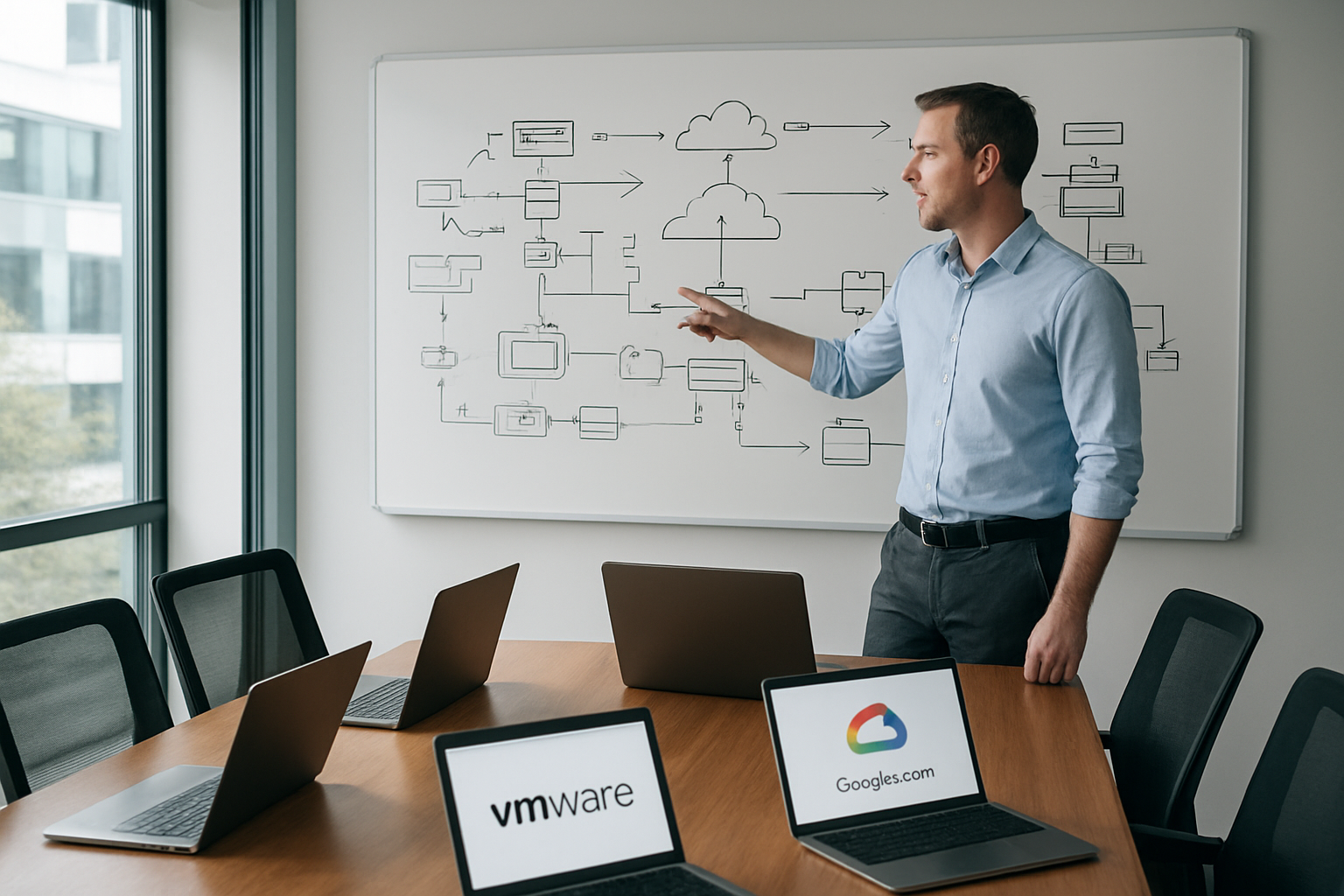
Lift-and-shift approach using Google Cloud VMware Engine
Google Cloud VMware Engine delivers the fastest path for VMware to GCP migration by running your existing VMware workloads natively on Google Cloud infrastructure. This approach preserves your current VMware environment while moving operations to Google’s global network, eliminating the need for application refactoring or architectural changes.
The platform provides:
- Native VMware vSphere environment with full compatibility for existing tools and processes
- Dedicated bare-metal infrastructure ensuring consistent performance and isolation
- Live migration capabilities with minimal downtime using vMotion across hybrid environments
- Integrated networking connecting seamlessly to other Google Cloud services
Organizations choose this VMware cloud migration strategy when time-to-market is critical or when dealing with complex legacy applications that resist modernization. The approach reduces migration risk while providing immediate access to Google Cloud’s security, compliance, and global reach.
Hybrid cloud deployment maintaining on-premises connectivity
Creating a hybrid cloud modernization strategy allows organizations to maintain critical workloads on-premises while leveraging Google Cloud’s capabilities for specific use cases. This approach works particularly well for businesses with regulatory requirements, data sovereignty concerns, or significant on-premises investments.
Key implementation components include:
- Google Cloud Interconnect for high-bandwidth, low-latency connections between environments
- Cloud VPN for secure encrypted tunnels across public internet infrastructure
- Shared VPC networks enabling consistent networking policies across hybrid environments
- Identity and Access Management (IAM) integration for unified authentication and authorization
This hybrid cloud migration model supports gradual modernization, allowing teams to migrate workloads at their own pace while maintaining operational continuity. Applications can communicate seamlessly across environments, data can be synchronized in real-time, and disaster recovery scenarios become more robust with geographic distribution.
Modernization through containerization with Google Kubernetes Engine
Converting VMware workloads to containerized applications represents the most transformative VMware Google Cloud migration guide approach. Google Kubernetes Engine (GKE) provides enterprise-grade container orchestration that dramatically improves application scalability, resource efficiency, and deployment velocity.
The containerization process involves:
- Application assessment to identify microservices opportunities and dependencies
- Container image creation using Docker or similar containerization technologies
- Kubernetes manifest development defining deployment, service, and ingress configurations
- CI/CD pipeline integration automating build, test, and deployment workflows
Benefits of this GCP migration planning approach include:
- Auto-scaling capabilities adjusting resources based on actual demand
- Improved resource utilization through efficient container scheduling
- Enhanced deployment flexibility with rolling updates and blue-green deployments
- Multi-cloud portability reducing vendor lock-in risks
While requiring more upfront investment in re-architecting applications, containerization delivers long-term operational advantages and positions organizations for cloud-native innovation. The approach works best for stateless applications or those that can be decomposed into microservices architectures.
Security Framework Implementation

Identity and Access Management Integration with Google Cloud IAM
Your VMware to GCP migration security starts with a rock-solid identity foundation. Google Cloud IAM becomes your new control center for who accesses what and when. The beauty of this migration lies in how seamlessly you can map your existing VMware user roles to Google Cloud’s permission structure.
Start by auditing your current VMware vCenter users and their privilege levels. VMware administrators typically become GCP project owners or editors, while read-only users map to viewer roles. Create custom IAM roles that mirror your VMware security groups – this keeps your team’s workflow intact while boosting security through Google’s fine-grained permissions.
Service accounts replace your VMware service credentials. Each migrated workload gets its own service account with minimal required permissions. This principle of least privilege dramatically reduces your attack surface compared to traditional VMware environments where service accounts often have broader access than necessary.
Implement Identity Federation to connect your existing Active Directory or LDAP systems directly to Google Cloud. Your team keeps using their familiar login credentials while gaining access to cloud resources. Multi-factor authentication becomes mandatory for admin accounts, adding an extra security layer that many on-premises VMware environments lack.
Network Security Configuration with VPC and Firewall Rules
VPC networks replace your VMware vSphere networking with enhanced security and flexibility. Design your VPC architecture to mirror your current VMware network segmentation – production, development, and testing environments each get their own VPC or subnets within a shared VPC.
Firewall rules in GCP work differently from VMware’s distributed firewall. They’re tags-based rather than IP-based, which means you can secure workloads by their function rather than their location. Tag your web servers as “web-tier” and database servers as “db-tier,” then create firewall rules allowing only web-tier instances to communicate with db-tier instances.
Shared VPC configurations work perfectly for organizations with multiple teams or departments. Your network team maintains centralized control over IP addressing and connectivity while application teams manage their own instances within assigned subnets. This setup replicates the security boundaries you had in VMware while adding cloud-native benefits.
Private Google Access ensures your migrated workloads can reach Google Cloud services without internet connectivity. Your databases and application servers stay completely private while still accessing Cloud Storage, BigQuery, or other GCP services through Google’s backbone network.
Data Encryption Protocols for Transit and At-Rest Protection
Google Cloud Platform encrypts all data at rest by default using AES-256 encryption. Your migrated VMware workloads automatically gain this protection without any configuration changes. Customer-Managed Encryption Keys (CMEK) give you control over encryption keys through Cloud Key Management Service, essential for highly regulated environments.
Encryption in transit happens automatically between Google Cloud services, but your application traffic needs attention during migration. Configure SSL/TLS termination at load balancers for web applications. Database connections require SSL certificates – Google Cloud SQL provides managed certificates that eliminate the certificate management overhead you probably dealt with in VMware environments.
Application-layer encryption adds another security layer for sensitive data. Google Cloud KMS integrates directly with your applications, letting them encrypt specific data fields before storage. This approach works particularly well for personally identifiable information or financial data that needs extra protection.
Persistent disk encryption keys can be customer-managed or Google-managed. Most organizations start with Google-managed keys for simplicity, then move to customer-managed keys for compliance requirements. Regional persistent disks provide built-in replication with consistent encryption across all replicas.
Compliance Verification for Industry-Specific Regulations
Google Cloud Platform holds certifications for major compliance frameworks including SOC 2, ISO 27001, PCI DSS, and HIPAA. Your VMware to GCP migration can actually improve your compliance posture through Google’s continuous monitoring and automated compliance reporting.
Cloud Security Command Center provides unified visibility across your migrated infrastructure. Set up automated scans for misconfigurations, vulnerable software, and policy violations. This centralized monitoring often surpasses what organizations had in their VMware environments, especially smaller teams without dedicated security tools.
Audit logging captures every action across your cloud infrastructure. Cloud Audit Logs track who did what and when, creating an immutable record for compliance audits. Export these logs to BigQuery for long-term retention and advanced analysis. Many organizations find GCP’s audit capabilities more comprehensive than their previous VMware logging setup.
Data residency requirements get handled through region selection and organizational policies. Restrict resource creation to specific regions that meet your regulatory requirements. Google Cloud’s global infrastructure lets you keep data in required jurisdictions while maintaining performance through regional deployments.
Compliance monitoring becomes proactive rather than reactive. Security Health Analytics continuously scans your infrastructure against compliance benchmarks. Forseti Security (now part of Security Command Center) automates policy enforcement and remediation, catching compliance issues before they become audit findings.
Migration Execution and Testing
Pilot Migration with Non-Critical Workloads
Starting your VMware to Google Cloud Platform migration with non-critical workloads gives you the perfect testing ground without risking business operations. Choose development environments, test servers, or backup systems as your first candidates. These workloads provide valuable learning opportunities while maintaining your production stability.
Select workloads that represent different application types and complexity levels. This approach helps identify potential issues across various scenarios before touching mission-critical systems. Document every step of the pilot migration process, including configuration changes, network adjustments, and performance metrics.
The pilot phase typically reveals unexpected dependencies, compatibility issues, or performance variations that weren’t obvious during planning. Use Google Cloud’s migration tools like Migrate for Compute Engine to streamline the initial workload transfers. Monitor resource consumption patterns and adjust GCP configurations based on actual usage data rather than theoretical estimates.
Data Synchronization and Backup Verification Processes
Maintaining data integrity throughout your VMware Google Cloud migration requires robust synchronization and verification protocols. Implement continuous data replication between your VMware environment and GCP to minimize downtime and ensure consistency.
Establish checkpoint procedures that verify data completeness at regular intervals:
- Database integrity checks using checksums and row counts
- File system verification through hash comparisons
- Application data validation via automated testing scripts
- Incremental backup testing to confirm recovery capabilities
Google Cloud Storage Transfer Service provides reliable mechanisms for large-scale data movement with built-in verification features. Set up automated backup routines that run parallel to your migration process, creating multiple recovery points throughout the transition.
Test your backup restoration procedures before going live. Schedule regular verification runs to catch any synchronization drift early. Document all data validation steps and maintain detailed logs of sync operations for troubleshooting purposes.
Performance Monitoring and Optimization During Transition
Real-time performance monitoring becomes critical during your hybrid cloud migration execution phase. Google Cloud Monitoring provides comprehensive visibility into your migrated workloads, but you’ll want to establish baseline metrics from your VMware environment first.
Key performance indicators to track include:
- CPU and memory utilization patterns
- Network latency between on-premises and cloud resources
- Storage IOPS and throughput metrics
- Application response times and error rates
- Database query performance and connection pooling
Configure alerting thresholds that account for the transition period’s expected performance variations. Some applications may initially run slower in the cloud due to different hardware characteristics or network paths.
Optimize GCP instance types based on actual performance data rather than direct VMware specifications. Google Cloud’s rightsizing recommendations help identify cost-effective configurations that meet your performance requirements. Adjust network configurations, implement content delivery networks, and fine-tune database settings as needed.
User Acceptance Testing and Rollback Procedures
User acceptance testing validates that migrated applications function correctly from an end-user perspective. Create comprehensive test scenarios that cover typical user workflows, edge cases, and integration points with other systems.
Develop a structured testing approach:
- Functional testing to verify core application features
- Integration testing for system-to-system communications
- Load testing to confirm performance under normal usage
- Security testing to validate access controls and data protection
Prepare detailed rollback procedures before each migration wave. Document the exact steps needed to restore services to the VMware environment if issues arise. Test these rollback procedures during pilot migrations to ensure they work smoothly under pressure.
Maintain communication channels with user groups throughout testing phases. Collect feedback systematically and address concerns before declaring migration phases complete. Keep rollback windows realistic – typically 24-48 hours for most workloads – to balance user confidence with project momentum.
Your rollback strategy should include automated scripts where possible, pre-configured DNS changes, and clear decision criteria for when to execute the rollback plan.
Post-Migration Optimization

Cost Monitoring and Resource Right-sizing Recommendations
Your VMware to GCP migration journey doesn’t end when workloads are successfully running in Google Cloud. The real magic happens during ongoing cost optimization, where organizations typically see 30-50% savings beyond initial migration benefits.
Start with GCP’s native cost management tools like Cloud Billing reports and Recommender. These tools provide granular visibility into spending patterns and automatically suggest rightsizing opportunities. Set up budget alerts at project and organization levels to catch cost spikes before they become budget disasters.
Resource rightsizing deserves immediate attention after migration. Many migrated VMs carry over their on-premises sizing, which often includes significant overprovisioning. Use GCP’s rightsizing recommendations to identify underutilized instances and resize them accordingly. Pay special attention to:
- Compute instances running below 50% CPU utilization consistently
- Storage volumes with excessive unused capacity
- Network resources configured for peak loads but running at average utilization
- Database instances with oversized memory or CPU allocations
Implement automated scaling policies using Cloud Functions or third-party tools like ParkMyCloud for non-production environments. This simple step can reduce costs by 60-70% for development and testing workloads.
Consider committed use discounts for predictable workloads and sustained use discounts for consistent compute usage. These pricing models can deliver additional 20-30% savings on top of rightsizing efforts.
Performance Tuning for Cloud-native Operations
Moving from VMware infrastructure to GCP requires a fundamental shift in performance optimization strategies. Cloud-native operations demand different approaches compared to traditional virtualized environments.
Network performance optimization starts with proper subnet design and regional placement. Position compute resources close to data sources and end users. Use Premium Network Service Tier for applications requiring consistent low latency, while Standard Tier works well for batch processing and backup workloads.
Storage performance tuning becomes critical for database and high-IOPS applications. Migrate from VMware VMFS to appropriate GCP storage options:
- Persistent SSDs for high-performance databases and transactional applications
- Balanced persistent disks for general-purpose workloads with moderate performance requirements
- Standard persistent disks for backup and archival data with infrequent access patterns
Database performance requires special attention during Google Cloud migration. Enable automatic storage increases, configure connection pooling, and implement read replicas for read-heavy workloads. Use Cloud SQL Insights or third-party monitoring tools to identify slow queries and optimization opportunities.
Application-level performance tuning involves leveraging GCP’s managed services. Replace traditional load balancers with Cloud Load Balancing for better traffic distribution and health checking. Implement Cloud CDN for static content delivery and API caching.
Monitor performance metrics using Cloud Monitoring dashboards customized for your specific workload patterns. Create alerting policies for key performance indicators like response time, error rates, and resource utilization thresholds.
Automation Setup for Ongoing Management and Scaling
Automation transforms your post-migration environment from reactive maintenance to proactive optimization. Building robust automation frameworks ensures consistent operations and reduces manual overhead significantly.
Infrastructure as Code (IaC) becomes your foundation for automation. Use Terraform or Google Cloud Deployment Manager to manage infrastructure changes through version-controlled templates. This approach eliminates configuration drift and enables rapid environment provisioning for development, testing, and disaster recovery scenarios.
Implement automated backup and disaster recovery procedures using Cloud Scheduler and Cloud Functions. Create policies for different data retention requirements and test restore procedures regularly. Automated backup validation catches corruption issues before they become critical problems.
Configuration management automation using tools like Ansible, Puppet, or Chef ensures consistent server configurations across your hybrid cloud environment. Integrate these tools with Cloud Build for continuous configuration deployment and compliance checking.
Auto-scaling setup requires careful planning based on application behavior patterns. Configure Compute Engine autoscaling groups with custom metrics beyond basic CPU utilization. Consider memory usage, queue lengths, or application-specific metrics for more accurate scaling decisions.
Monitoring and alerting automation prevents small issues from becoming major incidents. Use Cloud Monitoring API to create dynamic alerting policies that adjust thresholds based on historical patterns. Integrate with incident management systems like PagerDuty or Slack for immediate notification and response coordination.
Security automation maintains your VMware Google Cloud migration security posture through continuous compliance checking. Implement automated security scanning using Cloud Security Command Center and third-party tools. Create automated responses for common security events like suspicious login attempts or configuration changes that violate security policies.
Cost optimization automation runs continuously in the background, identifying new optimization opportunities as usage patterns evolve. Schedule weekly rightsizing analysis and automated shutdown policies for non-production resources during off-hours.

Moving your VMware workloads to Google Cloud Platform doesn’t have to be overwhelming when you break it down into clear steps. The key is starting with a solid assessment of what you currently have, picking the right migration strategy for your specific needs, and making security a priority from day one. With proper planning and execution, you can modernize your infrastructure while keeping everything running smoothly.
The real value comes after your migration is complete. Take time to optimize your new GCP environment, monitor performance closely, and train your team on the new tools and processes. This isn’t just about moving servers – it’s about setting your organization up for future growth with better scalability, cost management, and innovation capabilities. Start small with a pilot project, learn from the experience, and scale up your migration efforts with confidence.









