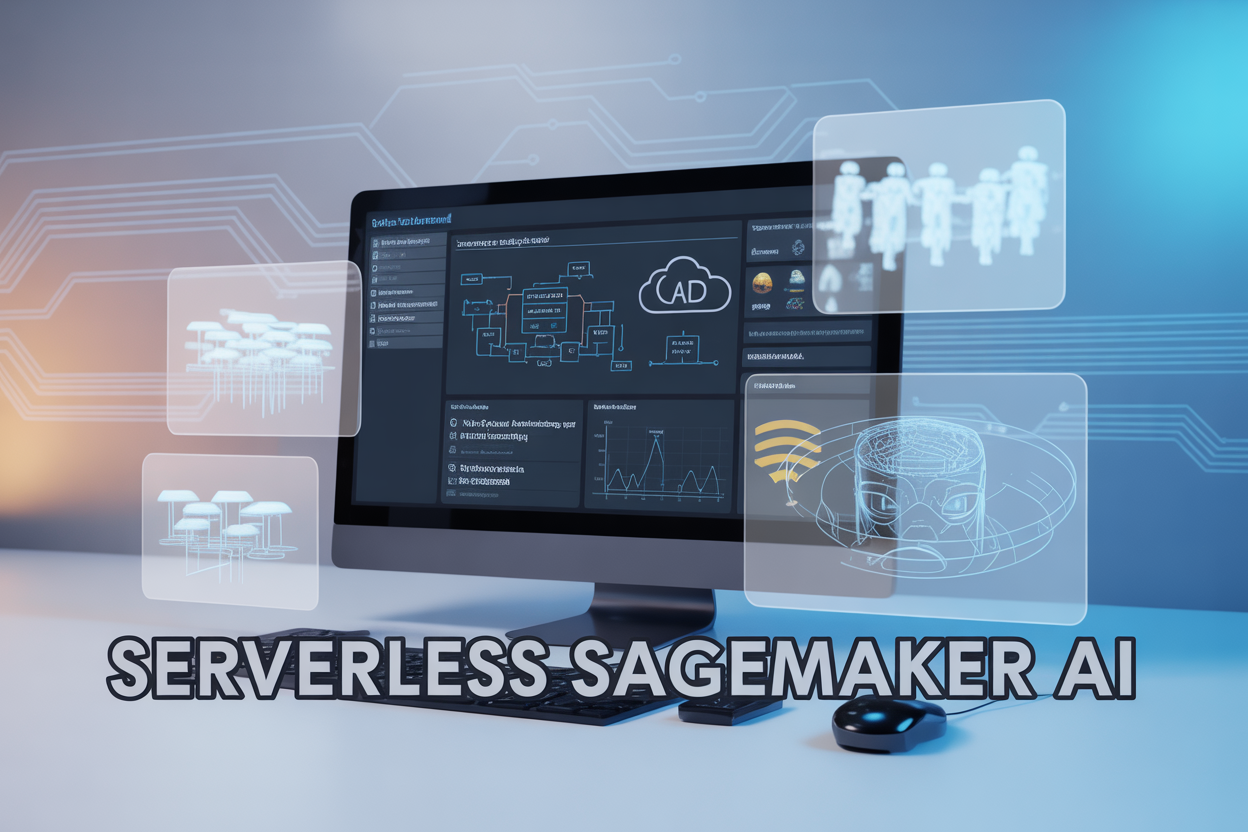
Amazon’s SageMaker serverless customization transforms how data scientists and ML engineers build and deploy machine learning models without managing infrastructure. This serverless SageMaker approach automatically scales compute resources based on demand, eliminating the need for manual capacity planning while reducing operational overhead.
Who this guide serves: Data scientists, ML engineers, cloud architects, and DevOps teams looking to streamline their AWS SageMaker serverless deployment process and optimize costs.
What we’ll cover: You’ll discover the significant cost benefits of moving to a serverless machine learning architecture, including how pay-per-use pricing can reduce expenses by up to 70% compared to traditional always-on instances. We’ll walk through a practical serverless machine learning deployment guide with real code examples and configuration steps. Finally, we’ll explore proven serverless SageMaker use cases across industries like e-commerce, healthcare, and fintech that demonstrate measurable ROI and performance improvements.
This comprehensive overview gives you everything needed to understand, implement, and maximize value from AWS serverless ML solutions in your organization.
Understanding Serverless Customization in SageMaker AI

Core Principles of Serverless Computing in Machine Learning
Serverless computing transforms how we approach machine learning infrastructure by eliminating the need to manage servers directly. When you deploy a serverless SageMaker solution, AWS handles all the underlying infrastructure provisioning, scaling, and maintenance automatically. Your ML models run on-demand, spinning up resources only when predictions are needed and shutting down during idle periods.
The pay-per-use model represents the heart of serverless architecture. Traditional ML deployments require constant server provisioning regardless of actual usage, but serverless machine learning charges you only for the compute time your models actually consume. This creates significant cost advantages, especially for applications with variable or unpredictable traffic patterns.
Automatic scaling stands as another fundamental principle. AWS serverless ML solutions can handle sudden spikes in inference requests without any manual intervention. Whether you receive 10 requests per day or 10,000, the infrastructure adapts instantly to meet demand without performance degradation or resource waste.
How SageMaker AI Enables Serverless Model Deployment
SageMaker serverless customization provides multiple deployment options that abstract away infrastructure complexity. The platform supports serverless inference endpoints that automatically scale from zero to thousands of concurrent requests based on real-time demand patterns.
SageMaker’s serverless inference feature allows you to deploy trained models without specifying instance types or managing capacity planning. The service automatically provisions compute resources when inference requests arrive and releases them when traffic subsides. This serverless SageMaker architecture supports both real-time and batch prediction workloads.
The platform integrates seamlessly with other AWS services through serverless functions. You can trigger model predictions using Lambda functions, process results through Step Functions, or store outputs in S3 buckets. This creates end-to-end AWS SageMaker serverless deployment pipelines that require minimal operational overhead.
Key Differences from Traditional Server-Based ML Solutions
Traditional ML deployments require dedicated EC2 instances that run continuously, consuming resources and generating costs even during periods of zero traffic. Serverless machine learning deployment eliminates this waste by providing true pay-per-request pricing models.
Server-based solutions demand extensive capacity planning to handle peak loads, often resulting in over-provisioned resources that remain underutilized most of the time. Serverless approaches automatically handle scaling decisions, removing the guesswork from infrastructure sizing and eliminating the risk of service degradation during traffic spikes.
Maintenance overhead differs dramatically between approaches. Traditional deployments require ongoing server patching, monitoring, and performance optimization. Serverless SageMaker transfers these responsibilities to AWS, allowing your team to focus entirely on model development and business logic rather than infrastructure management.
Cold start considerations represent the primary trade-off. While traditional deployments maintain warm instances for immediate response, serverless endpoints may experience brief delays when scaling from zero. However, SageMaker’s intelligent caching and pre-warming capabilities minimize these latencies for most production workloads.
Significant Cost Benefits of Serverless SageMaker Implementation

Pay-Per-Use Pricing Model Eliminates Infrastructure Waste
Serverless SageMaker transforms how organizations approach machine learning costs by charging only for actual compute time used during model training and inference. Traditional ML infrastructure requires provisioning servers that run 24/7, even during idle periods, creating substantial waste in cloud spending.
With SageMaker serverless customization, you pay exclusively for:
- Processing time during model training sessions
- Inference requests when serving predictions
- Storage for models and datasets
This pricing structure eliminates the common scenario where data science teams over-provision resources to handle peak workloads, leaving expensive GPU instances running unused. Organizations typically see 40-60% cost reductions compared to dedicated instance deployments, especially for intermittent or unpredictable ML workloads.
Automatic Scaling Reduces Operational Overhead Costs
AWS SageMaker serverless deployment automatically adjusts computational resources based on real-time demand, removing the need for manual capacity planning and scaling decisions. This intelligent scaling capability delivers multiple cost advantages:
- Dynamic resource allocation: Scales from zero to thousands of concurrent requests without manual intervention
- Optimal resource sizing: Automatically selects appropriate instance types for specific workloads
- Zero idle costs: Resources spin down completely during periods of inactivity
Teams no longer need dedicated DevOps engineers monitoring and adjusting cluster sizes, reducing operational staffing costs by an average of 2-3 full-time positions for mid-sized ML operations.
No Server Management Requirements Lower IT Expenses
Serverless machine learning cost benefits extend beyond compute pricing to eliminate entire categories of IT overhead. Organizations save significantly on:
- Infrastructure maintenance: No patching, updating, or security hardening of underlying servers
- Monitoring and alerting: AWS handles system-level monitoring and automatic failover
- Backup and disaster recovery: Built-in redundancy across multiple availability zones
Traditional ML infrastructure requires specialized expertise in Kubernetes, container orchestration, and distributed systems management. Serverless SageMaker abstracts these complexities, allowing data scientists to focus purely on model development rather than infrastructure concerns.
Reduced Time-to-Market Accelerates Revenue Generation
Serverless AI implementation AWS dramatically shortens the path from model development to production deployment. Development teams can deploy models in minutes rather than weeks, creating faster revenue opportunities:
- Instant provisioning: No waiting for hardware procurement or setup
- Pre-configured environments: Ready-to-use ML frameworks and libraries
- Simplified CI/CD: Built-in deployment pipelines reduce integration complexity
Companies report 3-5x faster model deployment cycles, enabling rapid experimentation and quicker responses to market opportunities. This acceleration often translates to millions in additional revenue for time-sensitive ML applications like fraud detection or dynamic pricing systems.
Step-by-Step Deployment Process for Serverless SageMaker Solutions

Setting Up Your AWS Environment and Permissions
Before diving into serverless SageMaker deployment, you’ll need to configure your AWS environment with the right permissions and access controls. Start by creating an IAM role specifically for your SageMaker serverless inference endpoints. This role should include policies like AmazonSageMakerFullAccess and AWSLambdaExecute for basic functionality.
Your IAM role must also have permissions to access S3 buckets where your model artifacts are stored, plus CloudWatch for logging and monitoring. Create a custom policy that grants s3:GetObject and s3:ListBucket permissions for your specific bucket paths. Don’t forget to add execution roles for any Lambda functions that might trigger your inference endpoints.
Set up your AWS CLI and configure your credentials using aws configure or through environment variables. Make sure your region is set correctly – serverless SageMaker availability varies by region, so check AWS documentation for supported zones.
Create a dedicated S3 bucket for your model artifacts and organize it with clear folder structures. Your bucket should have versioning enabled to track model iterations and maintain deployment history.
Creating and Configuring Serverless Inference Endpoints
The heart of your AWS SageMaker serverless deployment lies in properly configuring your inference endpoints. Unlike traditional hosted endpoints that run continuously, serverless endpoints scale automatically based on incoming requests, making them perfect for irregular traffic patterns.
Start by selecting your model from the SageMaker Model Registry or upload a new model artifact to S3. When creating your endpoint configuration, choose “Serverless” as your deployment type. You’ll need to specify memory allocation between 1024 MB and 6144 MB – this directly impacts both performance and cost.
Configure your endpoint’s concurrency settings carefully. The maximum concurrent invocations determine how many requests your endpoint can handle simultaneously. Start with a conservative number and increase based on your traffic patterns. Remember that serverless machine learning cost benefits come from paying only for actual usage, so right-sizing these settings is crucial.
Set up your endpoint with appropriate timeout values. Serverless endpoints have a maximum timeout of 60 seconds, which works well for most inference tasks but might require optimization for complex models.
Implementing Custom Model Packaging and Deployment
Custom model packaging requires specific attention to your inference code structure and dependencies. Your model package should include your trained model artifacts, inference script, and a requirements.txt file listing all Python dependencies.
Create an inference script that implements the required handler functions: model_fn() for loading your model, input_fn() for preprocessing requests, predict_fn() for running inference, and output_fn() for formatting responses. These functions form the backbone of your serverless AI implementation AWS.
Package your model using Docker containers or SageMaker’s built-in frameworks. For custom containers, your Dockerfile should install dependencies efficiently and optimize the image size to reduce cold start times – a critical factor in serverless performance.
Deploy using either the AWS Console, CLI, or SDK. The deployment process creates your model, endpoint configuration, and endpoint in sequence. Monitor the deployment status through CloudWatch or the SageMaker console. Typical deployment times range from 5-15 minutes depending on model size and complexity.
Test your deployment with sample data before moving to production. Use the invoke_endpoint() API call to send test requests and verify response formats and latency.
Testing and Validating Your Serverless ML Pipeline
Comprehensive testing ensures your serverless SageMaker deployment performs reliably under various conditions. Start with unit testing your inference code locally using SageMaker’s local mode capabilities. This catches basic errors before cloud deployment.
Run load testing to understand your endpoint’s behavior under different traffic patterns. Use tools like Apache Bench or custom Python scripts to simulate concurrent requests. Pay attention to cold start times – the delay when your endpoint scales from zero to handle requests.
Validate your model’s predictions against known test datasets. Compare outputs between your serverless endpoint and local model runs to ensure consistency. Check for any data preprocessing differences that might affect results.
Test edge cases like malformed inputs, oversized payloads, and timeout scenarios. Your error handling should gracefully manage these situations and return meaningful error messages.
Set up automated testing pipelines using AWS Lambda functions or Step Functions. These can run periodic health checks and alert you to any performance degradation or failures.
Monitoring and Troubleshooting Common Deployment Issues
Effective monitoring starts with CloudWatch metrics and logs. Key metrics include invocation count, model latency, and error rates. Set up alarms for unusual patterns like increased error rates or extended response times.
Common deployment issues include cold start latency, memory allocation problems, and dependency conflicts. Cold starts happen when your endpoint scales up from zero instances. Minimize this by optimizing your model size and using techniques like model compression.
Memory allocation errors typically manifest as out-of-memory exceptions during inference. Monitor CloudWatch memory utilization metrics and adjust your endpoint configuration accordingly. Remember that larger memory allocations cost more but can significantly improve performance.
Dependency conflicts often occur when your model requires specific package versions. Use virtual environments during development and carefully manage your requirements.txt file. Consider using Docker containers for complex dependency scenarios.
Network timeout issues can arise from slow model loading or complex inference operations. Optimize your model loading process and consider caching strategies for frequently accessed data.
Debug authentication and permission errors by checking CloudTrail logs and verifying IAM policies. Ensure your execution role has all necessary permissions for S3, CloudWatch, and SageMaker operations.
Real-World Use Cases Maximizing Serverless SageMaker Value

On-Demand Image Recognition for E-commerce Platforms
E-commerce companies dealing with millions of product images can leverage serverless SageMaker to build cost-effective visual search and product categorization systems. Unlike traditional always-on infrastructure, SageMaker serverless customization allows retailers to process image recognition tasks only when customers upload photos or browse specific product categories.
Consider a fashion retailer where customers can upload photos to find similar items. The serverless machine learning deployment guide approach means the image recognition model activates only during actual searches, eliminating idle computing costs. This AWS serverless ML solutions architecture automatically scales from zero to thousands of concurrent requests during peak shopping periods like Black Friday.
Key benefits include:
- Automatic scaling based on actual usage patterns
- Zero costs during low-traffic periods
- Sub-second response times for image processing
- Built-in model versioning for A/B testing different recognition algorithms
Real-Time Fraud Detection for Financial Services
Financial institutions require instant fraud detection capabilities that can handle unpredictable transaction volumes. Serverless AI implementation AWS provides the perfect solution for these sporadic but critical workloads.
A credit card company using AWS SageMaker serverless deployment can analyze transaction patterns in real-time without maintaining expensive dedicated servers. The system processes legitimate transactions quickly while flagging suspicious activities using machine learning models trained on historical fraud data.
The serverless machine learning cost benefits become apparent during:
- Off-peak hours when transaction volumes drop significantly
- Seasonal variations in spending patterns
- Geographic differences in transaction timing
- Emergency scaling during cyber attack attempts
This approach reduces operational costs by 60-80% compared to traditional infrastructure while maintaining millisecond response times for transaction approvals.
Dynamic Pricing Optimization for Retail Applications
Retail chains can implement sophisticated pricing strategies using SageMaker serverless use cases for demand forecasting and competitor price monitoring. The serverless SageMaker pricing model aligns perfectly with retailers who need pricing updates only when market conditions change.
A grocery chain might analyze competitor prices, inventory levels, and local demand patterns to adjust prices dynamically. The serverless SageMaker architecture processes these calculations only when triggered by:
- Competitor price changes detected through web scraping
- Inventory threshold alerts requiring markdown strategies
- Seasonal demand shifts affecting product categories
- Regional market variations requiring localized pricing
This targeted approach to serverless machine learning deployment guide ensures retailers pay only for actual price optimization computations rather than maintaining constant monitoring infrastructure, reducing ML infrastructure costs by up to 70% while improving profit margins through smarter pricing decisions.

Serverless customization in SageMaker AI offers a game-changing approach to machine learning deployment that can dramatically reduce your infrastructure costs while boosting efficiency. You only pay for what you actually use, eliminate the need for constant server management, and get automatic scaling that adapts to your workload demands. The deployment process is straightforward – from setting up your environment to configuring functions and monitoring performance – making advanced AI capabilities accessible even if you don’t have a large DevOps team.
The real magic happens when you see serverless SageMaker in action across different industries. Companies are using it for everything from real-time fraud detection in banking to personalized recommendations in e-commerce, all while keeping costs predictable and performance optimized. If you’re tired of overpaying for idle servers or struggling with unpredictable AI workloads, it’s time to explore how serverless SageMaker can transform your machine learning operations and give you the flexibility to scale your AI initiatives without breaking the budget.