


Semantic PDF Search Without the Cloud: A Local RAG Implementation Guide
Building a semantic PDF search system doesn’t require expensive cloud services or sending your sensitive documents to third-party servers. This guide shows developers and data engineers how to create a powerful local RAG implementation that processes PDFs and delivers intelligent search results entirely on your own hardware.
You’ll learn to build an offline document search system that understands context and meaning, not just keywords. We’ll walk through setting up your local development environment with the right tools and libraries, then dive into PDF content extraction techniques that preserve document structure and metadata. The guide covers implementing semantic search with vector embeddings using a local vector database, plus building a complete RAG pipeline that connects all these components.
By the end, you’ll have a fully functional local AI document processing system that keeps your data private while delivering search results that actually understand what you’re looking for.
Understanding Local RAG Architecture for PDF Processing

Core components of Retrieval-Augmented Generation systems
A local RAG implementation combines several essential building blocks to create an intelligent document search system. The foundation starts with a robust PDF content extraction engine that transforms your documents into structured, searchable text. This feeds into an embedding model that converts text chunks into numerical representations, capturing semantic meaning beyond simple keyword matching.
The heart of the system is your local vector database, which stores these embeddings and enables lightning-fast similarity searches. Popular options include Chroma, FAISS, or Qdrant running entirely on your machine. When you ask a question, the system generates an embedding for your query, finds the most relevant document chunks, and feeds this context to a language model for final answer generation.
Key components include:
- Document ingestion pipeline for PDF processing and chunking
- Embedding models like SentenceTransformers or OpenAI’s text-embedding models
- Vector storage for efficient similarity search
- Retrieval mechanisms to find relevant context
- Language models for response generation (local options like Llama or cloud APIs)
Benefits of keeping your data offline and secure
Running your semantic PDF search locally provides unmatched data privacy and control. Your sensitive documents never leave your premises, eliminating concerns about third-party access, data breaches, or compliance violations. This becomes crucial when working with confidential business documents, legal papers, or personal information.
Cost predictability represents another major advantage. Cloud-based solutions charge per API call, which can escalate quickly with frequent searches. Local systems have upfront hardware costs but zero ongoing usage fees. You also gain complete customization control – fine-tune embedding models for your specific domain, adjust chunking strategies, or modify retrieval algorithms without platform restrictions.
Performance consistency is guaranteed since you’re not dependent on internet connectivity or cloud service availability. Your PDF processing pipeline runs at full speed even during network outages. Plus, you can optimize hardware specifically for your workload rather than sharing resources with other cloud users.
Hardware requirements for optimal performance
Modern local AI document processing demands thoughtful hardware planning. A minimum of 16GB RAM handles basic operations, but 32GB or more provides smoother performance when processing large PDF collections. Your CPU should have at least 8 cores for efficient parallel processing during document ingestion and embedding generation.
GPU acceleration dramatically improves embedding generation speed. An NVIDIA RTX 4070 or better can process embeddings 10-20x faster than CPU-only setups. For budget-conscious implementations, even older GPUs like GTX 1080 provide meaningful speedups over pure CPU processing.
Storage requirements vary based on your document collection size. SSDs are essential for responsive vector database operations – plan for at least 500GB to accommodate documents, embeddings, and system overhead. For large collections exceeding 100,000 documents, consider NVMe drives for maximum I/O performance.
Comparison with cloud-based alternatives
Cloud RAG services like Pinecone or Weaviate offer quick setup and managed infrastructure but come with trade-offs. Monthly costs range from $70-500+ based on usage, while local systems have one-time hardware investments typically under $2000 for professional-grade setups.
Local vector database implementations provide superior data privacy but require technical expertise for setup and maintenance. Cloud services handle infrastructure management automatically but limit customization options and create vendor lock-in scenarios.
Latency differences vary significantly. Local systems can respond in milliseconds for cached queries, while cloud services add network roundtrip time. However, cloud platforms offer global scalability and professional support that local implementations can’t match.
The choice depends on your priorities: choose local for maximum privacy, control, and long-term cost efficiency, or cloud for convenience, scalability, and professional support.
Setting Up Your Local Development Environment

Installing Python Dependencies and Vector Databases
Getting your local RAG implementation up and running starts with the right foundation. You’ll need Python 3.8 or higher, and we recommend using a virtual environment to keep everything organized and avoid dependency conflicts.
Start by creating a fresh virtual environment:
python -m venv rag_env
source rag_env/bin/activate  # On Windows: rag_env\Scripts\activate
For PDF processing pipeline components, install these essential packages:
pip install PyPDF2 pdfplumber langchain sentence-transformers faiss-cpu torch transformers
The vector database choice makes a big difference for your local RAG implementation. FAISS (Facebook AI Similarity Search) works excellently for offline document search without requiring external services. Chroma is another solid option that provides persistent storage:
pip install chromadb
For more advanced setups, consider Weaviate’s embedded version or Qdrant’s local mode. These provide additional features like metadata filtering and better scalability as your document collection grows.
Don’t forget the supporting libraries for robust PDF content extraction:
pip install numpy pandas matplotlib tqdm python-dotenv
Configuring GPU acceleration for Faster Processing
GPU acceleration dramatically speeds up vector embeddings generation and semantic search operations. If you have an NVIDIA GPU, install CUDA support for PyTorch:
# For CUDA 11.8
pip install torch torchvision torchaudio --index-url https://download.pytorch.org/whl/cu118
Check your CUDA installation with:
import torch
print(torch.cuda.is_available())
print(torch.cuda.device_count())
For sentence transformers (crucial for semantic PDF search), GPU acceleration reduces embedding generation time from minutes to seconds:
from sentence_transformers import SentenceTransformer
model = SentenceTransformer('all-MiniLM-L6-v2', device='cuda')
Apple Silicon Mac users can leverage MPS acceleration:
device = torch.device('mps' if torch.backends.mps.is_available() else 'cpu')
Memory management becomes critical with GPU acceleration. Monitor VRAM usage and batch your PDF processing appropriately:
# Process documents in smaller batches to avoid OOM errors
batch_size = 32 if torch.cuda.is_available() else 8
Setting Up Document Storage and Indexing Systems
Your local vector database needs a solid storage strategy for efficient retrieval. Create a dedicated directory structure:
rag_project/
├── documents/
│   ├── raw_pdfs/
│   └── processed/
├── embeddings/
├── indexes/
└── config/
For document storage and indexing systems, implement a hybrid approach combining file-based storage with vector indexing:
import os
from pathlib import Path

class DocumentManager:
    def __init__(self, base_path="./rag_data"):
        self.base_path = Path(base_path)
        self.docs_path = self.base_path / "documents"
        self.index_path = self.base_path / "indexes"
        self._create_directories()

    def _create_directories(self):
        self.docs_path.mkdir(parents=True, exist_ok=True)
        self.index_path.mkdir(parents=True, exist_ok=True)
FAISS indexes should be saved regularly for persistence:
import faiss
import pickle

# Save index and metadata
faiss.write_index(vector_index, "indexes/document_vectors.faiss")
with open("indexes/metadata.pkl", "wb") as f:
    pickle.dump(document_metadata, f)
Set up automatic indexing for new documents using file system watchers. This keeps your semantic search implementation current without manual intervention:
from watchdog.observers import Observer
from watchdog.events import FileSystemEventHandler

class PDFHandler(FileSystemEventHandler):
    def on_created(self, event):
        if event.src_path.endswith('.pdf'):
            self.process_new_pdf(event.src_path)
Configure your indexing system to handle different document types and maintain version control for your vector embeddings. This setup creates a robust foundation for your local AI document processing workflow.
Extracting and Processing PDF Content Effectively
Converting PDFs to searchable text formats
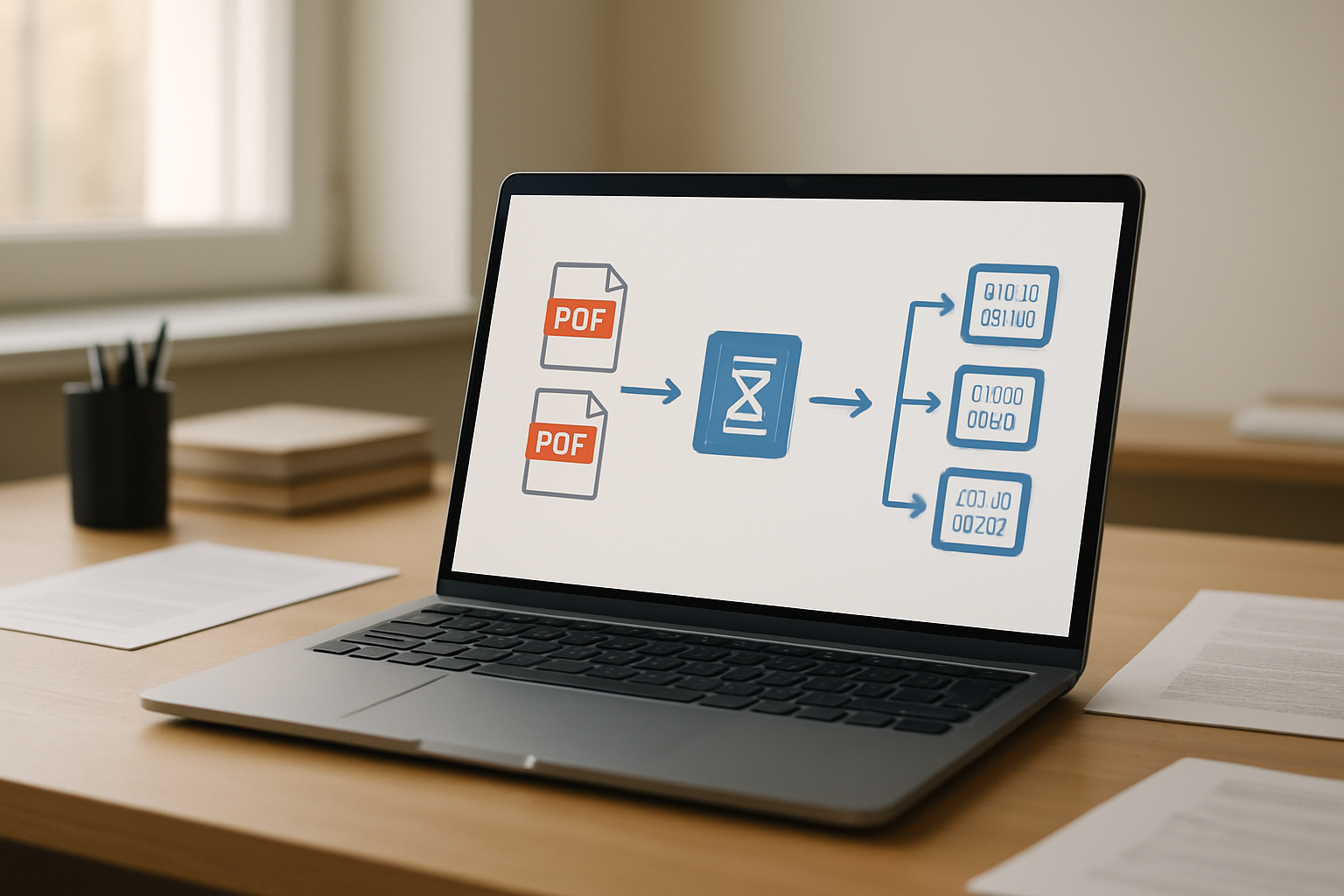
When building your local RAG implementation, the first challenge you’ll face is extracting readable text from PDFs. Not all PDFs are created equal – some contain searchable text layers while others are essentially image files that need optical character recognition (OCR).
For text-based PDFs, libraries like PyMuPDF (fitz), pdfplumber, and PyPDF2 work well for basic extraction. PyMuPDF stands out for its speed and ability to preserve formatting information, making it ideal for PDF processing pipelines. Here’s what makes it particularly useful:
- Fast text extraction with minimal memory overhead
- Supports both text and image extraction in one library
- Maintains character-level positioning data
- Works reliably with password-protected documents
For image-based PDFs or scanned documents, you’ll need OCR capabilities. Tesseract, combined with libraries like pdf2image, provides excellent results for offline document processing. The key is preprocessing images properly – adjusting contrast, removing noise, and ensuring appropriate resolution before feeding them to the OCR engine.
Consider implementing a hybrid approach that first attempts text extraction and falls back to OCR when needed. This optimization saves processing time and improves accuracy for your semantic PDF search system.
Handling complex document layouts and embedded images
Real-world PDFs rarely follow simple, linear text flows. Academic papers have multi-column layouts, financial reports contain tables and charts, and technical manuals mix text with diagrams. Your PDF content extraction strategy needs to handle these complexities without losing important information.
Multi-column documents require special attention to reading order. Tools like pdfplumber excel here because they can analyze text positioning and reconstruct logical reading sequences. When processing academic papers or newspapers, configure your extraction to:
- Detect column boundaries automatically
- Maintain proper text flow between columns
- Preserve paragraph breaks and section divisions
- Handle footnotes and captions appropriately
Tables present another challenge for vector embeddings. Raw table extraction often produces jumbled text that loses semantic meaning. Consider these approaches:
- Extract tables as structured data using pandas integration
- Convert tables to markdown format for better readability
- Create separate embeddings for table content with descriptive context
- Use specialized table extraction libraries like camelot-py for complex layouts
Images and diagrams contain valuable information but can’t be directly processed by text-based semantic search. Implement image description workflows using local vision models or extract alt-text and captions when available. This ensures your RAG without cloud setup captures all document information.
Preserving document structure and metadata
Document structure provides crucial context for semantic search. A sentence about “quarterly profits” means different things in an executive summary versus a detailed financial breakdown. Your local RAG implementation should capture and preserve this hierarchical information.
Extract and maintain these structural elements:
- Document titles and section headings
- Page numbers and chapter divisions
- Author information and creation dates
- Paragraph and section boundaries
- List structures and bullet points
Metadata enrichment significantly improves search relevance. Beyond basic file information, consider extracting:
- Document type classification (report, manual, research paper)
- Topic categories based on content analysis
- Key entities like dates, locations, and organization names
- Document quality metrics (text clarity, completeness)
Store this metadata alongside your vector embeddings in your local vector database. When users search for information, you can use metadata filtering to narrow results before semantic matching, improving both speed and accuracy.
Managing large document collections efficiently
As your PDF collection grows, processing efficiency becomes critical for maintaining responsive search performance. Implement these strategies to handle large-scale local AI document processing:
Batch Processing Architecture: Design your pipeline to handle documents in configurable batches. This approach prevents memory overflow while allowing parallel processing of multiple PDFs simultaneously.
Incremental Updates: Track document modification dates and only reprocess changed files. This dramatically reduces processing time for large collections where most documents remain static.
Storage Optimization: Compress extracted text and implement deduplication for repeated content. Many document collections contain similar templates or boilerplate text that doesn’t need multiple embeddings.
Memory Management: Large PDFs can consume significant memory during processing. Implement streaming extraction for oversized documents, processing them page-by-page rather than loading everything into memory.
Error Recovery: Build robust error handling that logs problematic documents without stopping the entire pipeline. Some PDFs have corrupted structures or unusual encodings that will cause extraction failures.
Consider implementing a document processing queue with priority levels. Critical documents get immediate processing while background collections can be handled during off-peak hours. This ensures your semantic search implementation remains responsive even during large-scale document ingestion.
Implementing Semantic Search with Vector Embeddings

Choosing the Right Embedding Model for Your Use Case
Your choice of embedding model directly impacts the quality of your semantic PDF search results. For local RAG implementation, you’ll want to balance accuracy with computational requirements since everything runs on your hardware.
Sentence-BERT models work exceptionally well for document chunks and PDF content. The all-MiniLM-L6-v2 model offers excellent performance with relatively low memory requirements, making it perfect for local setups. If you need higher accuracy and have sufficient resources, consider all-mpnet-base-v2, which provides better semantic understanding at the cost of increased processing time.
Multi-language support becomes crucial when working with diverse PDF collections. Models like paraphrase-multilingual-MiniLM-L12-v2 handle multiple languages effectively, though they require more computational power.
For domain-specific content, fine-tuned models often outperform general-purpose ones. Legal documents benefit from legal-specific embeddings, while scientific papers work better with models trained on academic content.
Creating and Storing Vector Representations of Content
Efficient vector storage forms the backbone of your local vector database. Start by chunking your PDF content into meaningful segments – typically 200-500 tokens work well for most documents. Each chunk gets converted into a dense vector representation using your chosen embedding model.
Storage options for local implementations include:
- Chroma DB: Lightweight and easy to set up, perfect for smaller collections
- Faiss: Meta’s library excels with large datasets and offers various indexing options
- Qdrant: Provides excellent filtering capabilities and scales well locally
When storing vectors, maintain metadata alongside embeddings. Include source PDF information, page numbers, chunk positions, and document timestamps. This metadata proves invaluable for result filtering and source attribution.
Batch processing speeds up vector creation significantly. Process multiple chunks simultaneously rather than one at a time. Most embedding models support batch inference, reducing the overall processing time for large PDF collections.
Building Efficient Similarity Search Algorithms
Cosine similarity remains the gold standard for semantic search implementation. Your search algorithm needs to quickly compare query vectors against your stored document vectors while maintaining accuracy.
Indexing strategies dramatically improve search performance:
- Flat indexing: Simple but becomes slow with large collections
- IVF (Inverted File) indexing: Groups similar vectors together for faster searches
- HNSW (Hierarchical Navigable Small World): Excellent for real-time queries with good accuracy
Implement approximate nearest neighbor search for collections exceeding 10,000 documents. While you sacrifice minimal accuracy, the speed improvements make real-time search possible.
Query expansion enhances search results by generating multiple query variations. Use techniques like synonym expansion or query reformulation to capture different ways users might phrase their questions.
Optimizing Query Processing for Real-Time Results
Real-time performance requires careful optimization of your entire search pipeline. Start by implementing query caching – store results for common queries to avoid repeated vector calculations.
Pre-filtering reduces the search space before vector similarity calculations. Filter by document types, date ranges, or other metadata first, then perform semantic search on the reduced dataset.
Parallel processing accelerates similarity calculations. Split your vector database into segments and search them concurrently, combining results afterward. Most modern CPUs handle this efficiently with proper thread management.
Consider incremental indexing for dynamic collections. Instead of rebuilding the entire index when adding new PDFs, update only the affected portions. This approach maintains search speed while keeping your database current.
Memory management becomes critical with large document collections. Load frequently accessed vectors into memory while keeping others on disk. Implement an LRU cache to automatically manage this balance based on usage patterns.
Monitor query latency and adjust your similarity thresholds accordingly. Higher thresholds return fewer results but process faster, while lower thresholds provide comprehensive results at the cost of speed.
Building the Complete RAG Pipeline

Integrating document ingestion with vector storage
Your local RAG implementation needs a solid foundation where PDF processing meets vector storage. The key is creating a seamless pipeline that transforms your documents into searchable embeddings while maintaining metadata relationships.
Start by establishing a document ingestion workflow that handles multiple PDF formats efficiently. Your pipeline should automatically detect when new PDFs are added to your designated folders and trigger the processing sequence. During ingestion, extract text content while preserving document structure, including headers, paragraphs, and page numbers – this metadata proves crucial for providing context in your search results.
The chunking strategy makes or break your vector storage effectiveness. Split documents into meaningful segments of 200-500 tokens, ensuring chunks overlap by 50-100 tokens to prevent losing context at boundaries. Store each chunk with its source document, page number, and position metadata in your local vector database.
Vector storage configuration directly impacts your semantic PDF search performance. Choose between persistent storage options like Chroma, Weaviate, or FAISS based on your document volume and query speed requirements. Configure your embeddings to use models like sentence-transformers that work well offline, ensuring your RAG without cloud dependency remains intact.
Implement batch processing for large PDF collections to prevent memory overflow. Process documents in groups of 10-20 files, allowing your system to handle extensive document libraries without performance degradation.
Implementing context-aware query processing
Context-aware processing transforms basic keyword searches into intelligent document conversations. Your query processing module should understand user intent and retrieve relevant information while maintaining conversation context across multiple interactions.
Build a query enhancement layer that expands user questions before vector similarity searches. When users ask “What are the safety requirements?”, your system should recognize this requires broader context and potentially search for related terms like “regulations,” “compliance,” or “standards” depending on your document domain.
Implement conversation memory to track previous queries and responses. Store recent interactions in a session context that influences current searches. If a user previously asked about “project timelines” and now asks “What about the budget?”, your system should understand the budget question relates to the same project context.
Design your retrieval mechanism to fetch multiple relevant chunks per query, typically 3-5 segments that provide comprehensive coverage of the topic. Rank these chunks not just by similarity scores but by relevance to the conversation context and document authority.
Create a re-ranking system that evaluates retrieved chunks against the specific query context. Use techniques like cross-encoder models or simple heuristics based on document recency, chunk position, and metadata relevance to improve result quality.
Fine-tuning retrieval accuracy and relevance scoring
Retrieval accuracy determines whether your local AI document processing delivers useful results or frustrating mismatches. Start by establishing baseline metrics using a test set of queries with known correct answers from your document collection.
Adjust your similarity thresholds based on query complexity and document types. Technical documents might require higher similarity scores (0.8+) for precise matches, while general content can work with lower thresholds (0.6+). Implement dynamic threshold adjustment based on the number of results returned – if too few results appear, gradually lower the threshold until you get useful responses.
Relevance scoring goes beyond simple cosine similarity between query and document embeddings. Weight your scoring algorithm to consider multiple factors: semantic similarity (40%), document authority based on source credibility (25%), recency if applicable (20%), and user interaction patterns (15%).
Monitor query performance through logging and analytics. Track which queries return empty results, low-confidence matches, or require multiple refinements. Use this data to identify gaps in your document coverage or embedding model limitations.
Implement feedback loops where users can rate search results. Store these ratings alongside query-result pairs to train a simple learning system that improves future recommendations. Even basic thumbs up/down feedback significantly enhances your local RAG implementation over time.
Test your pipeline with diverse query types: factual questions, conceptual searches, and multi-part queries. Adjust your processing algorithms based on performance patterns you observe across different query categories.
Optimizing Performance and Troubleshooting Common Issues

Memory Management for Large Document Sets
Running a local RAG implementation with extensive PDF collections quickly becomes a memory bottleneck. Your system needs smart strategies to handle hundreds or thousands of documents without grinding to a halt.
Implement lazy loading for document embeddings. Instead of keeping all vector embeddings in memory simultaneously, store them on disk and load chunks as needed. Libraries like Faiss support memory mapping, allowing you to work with indexes larger than your available RAM.
Document chunking strategies make a huge difference:
- Split large PDFs into smaller segments (500-1000 tokens each)
- Use sliding window overlap (50-100 tokens) to preserve context
- Store chunks separately with metadata linking back to source documents
- Implement garbage collection for unused chunks after queries
Consider using batch processing for embedding generation. Process documents in groups of 10-50 rather than individually to maximize GPU utilization while managing memory consumption. Set up a simple queue system that processes new documents during off-peak hours.
Monitor your memory usage patterns. Tools like memory_profiler for Python help identify which components consume the most resources. Often, the PDF parsing stage creates temporary objects that aren’t properly cleaned up.
Improving Search Speed Through Indexing Strategies
Search performance determines whether users stick with your semantic PDF search system or abandon it for faster alternatives. The right indexing approach can reduce query times from seconds to milliseconds.
Vector database selection impacts everything:
- Chroma: Great for prototypes, handles up to 100K documents well
- Faiss: Excellent for larger collections, supports GPU acceleration
- Qdrant: Balanced performance with advanced filtering capabilities
- Weaviate: Strong for complex metadata queries
Approximate Nearest Neighbor (ANN) algorithms trade slight accuracy for massive speed improvements. Configure your index with appropriate parameters:
# Faiss IVF example for speed optimization
index = faiss.IndexIVFFlat(quantizer, dimension, nlist=100)
index.train(training_vectors)
index.nprobe = 10  # Adjust for speed/accuracy balance
Pre-compute embeddings for common queries. If your users frequently search for similar topics, cache those embedding vectors and their results. This creates a two-tier system where popular queries return instantly while novel searches use the full pipeline.
Implement smart filtering before vector search. Use traditional text indexing (like Elasticsearch) to narrow down candidate documents based on metadata, then apply semantic search only to that subset. This hybrid approach often delivers the best of both worlds.
Handling Edge Cases and Error Recovery
Real-world PDF processing throws curveballs that can crash your local RAG implementation. Building robust error handling keeps your system running when documents don’t behave as expected.
Common PDF parsing failures include:
- Scanned images masquerading as text PDFs
- Corrupted files with missing metadata
- Password-protected documents
- Non-standard encoding that breaks text extraction
Set up graceful degradation for problematic files. When text extraction fails, log the error with document details but continue processing other files. Implement retry logic with exponential backoff for temporary failures like network timeouts during model loading.
Create validation pipelines for extracted content. Check for minimum text length, character encoding issues, and malformed sentences. Documents that fail validation should trigger alternative processing methods or manual review queues.
Embedding generation can fail unexpectedly:
- Token limits exceeded for long documents
- Model service unavailable
- Memory allocation errors during batch processing
Implement circuit breakers that detect repeated failures and temporarily disable problematic components. This prevents cascade failures where one broken document processing loop brings down the entire system.
Store processing metadata alongside documents. Track extraction timestamps, error counts, and processing versions. This data helps identify patterns in failures and enables targeted reprocessing of specific document subsets.
Monitoring System Performance and Bottlenecks
Effective monitoring transforms your local RAG implementation from a black box into a transparent, optimizable system. Real-time insights help you spot problems before users notice degraded performance.
Key metrics to track continuously:
- Query response times (percentiles, not just averages)
- Memory usage patterns during peak loads
- Document processing throughput
- Vector search accuracy scores
- Error rates by component
Use lightweight monitoring tools that don’t impact your system’s performance. Prometheus with Grafana provides excellent dashboards for tracking metrics over time. Set up alerts for concerning trends like increasing query latency or rising memory consumption.
Profile your embedding pipeline regularly. The bottleneck often shifts as your document collection grows. Initially, PDF parsing might be the slowest step, but as your vector index expands, similarity search could become the limiting factor.
Create performance benchmarks for your specific use case:
- Test query performance with different document set sizes
- Measure embedding generation speed for various PDF types
- Track memory usage patterns during concurrent queries
- Monitor disk I/O during index updates
Document your system’s performance characteristics under different loads. This baseline data becomes invaluable when diagnosing performance regressions or planning capacity upgrades. Regular performance testing catches issues before they impact your users’ search experience.
Set up automated health checks that validate core functionality. These should test the complete pipeline from PDF ingestion through query response, ensuring all components work together correctly even after system updates or configuration changes.

Local RAG systems give you complete control over your PDF search capabilities while keeping your sensitive documents secure on your own infrastructure. By setting up your development environment, mastering PDF content extraction, and implementing vector embeddings, you’ve built a powerful semantic search system that understands context and meaning rather than just matching keywords. The complete pipeline you’ve created can handle complex queries and deliver relevant results without ever sending your data to external servers.
Start building your local RAG system today and experience the freedom of cloud-independent PDF search. Your documents stay private, your search results get better over time, and you have the flexibility to customize every aspect of the system to meet your specific needs. The investment in setting up this local infrastructure pays off through enhanced security, reduced costs, and the peace of mind that comes with maintaining full control over your data.









