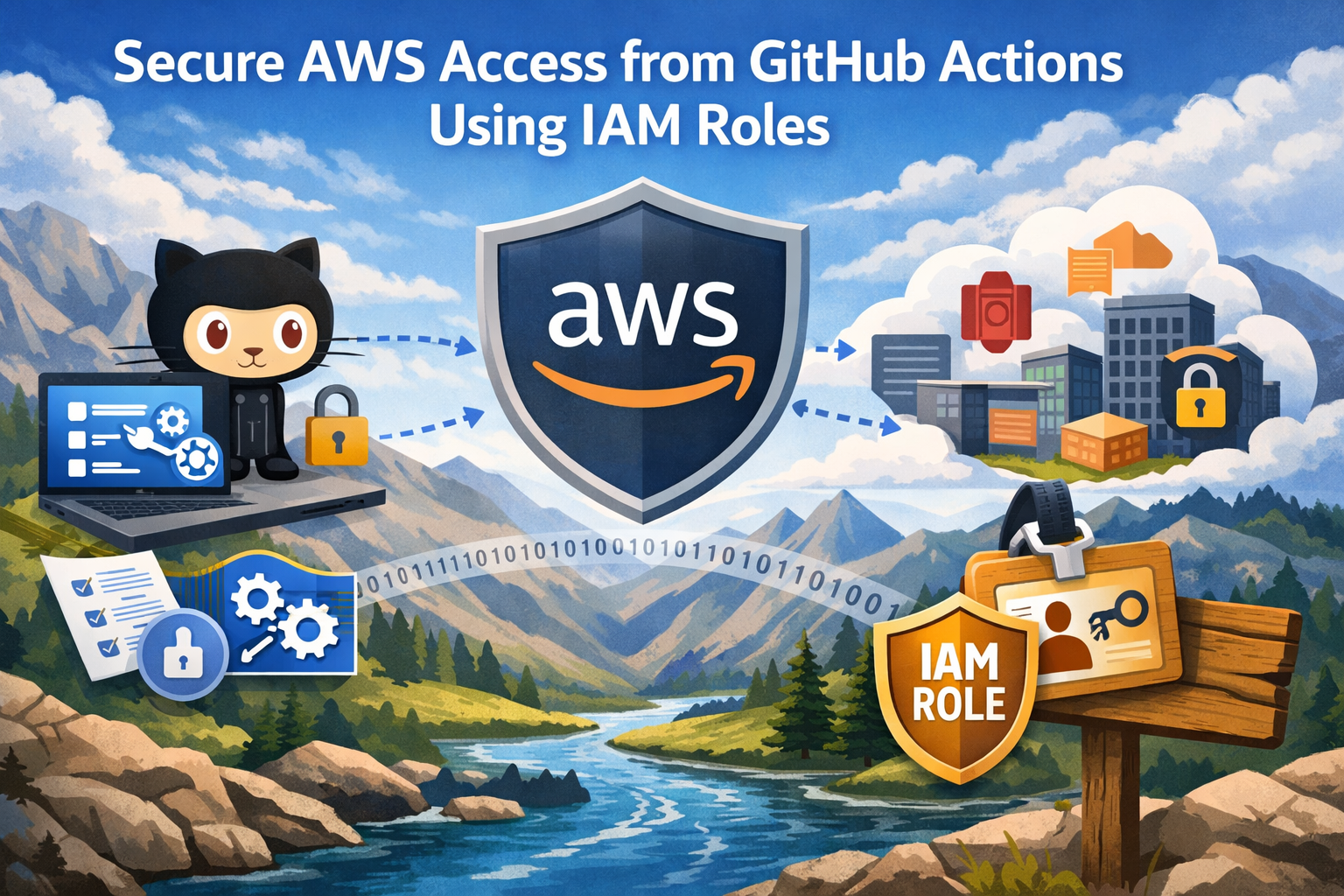
Deploying to AWS from GitHub Actions while keeping your credentials secure can be tricky. Traditional methods like storing AWS access keys as secrets create security risks that could expose your entire infrastructure if compromised.
This guide is for DevOps engineers, developers, and security teams who want to implement secure AWS access GitHub Actions without sacrificing deployment speed or convenience. You’ll learn how to replace risky credential storage with modern IAM roles GitHub Actions authentication that follows security best practices.
We’ll walk through setting up OpenID Connect GitHub AWS integration to create a trustless authentication system. You’ll also discover how to configure least privilege IAM roles that give your workflows exactly the permissions they need—nothing more, nothing less. Finally, we’ll cover implementing these secure authentication patterns in your actual GitHub Actions workflows so you can deploy with confidence.
Understanding the Security Risks of Traditional AWS Access Methods

Exposing Long-Term Access Keys in Repository Secrets
GitHub Actions AWS authentication has traditionally relied on storing AWS access keys and secret keys directly in repository secrets. This approach creates significant security vulnerabilities that can compromise your entire AWS infrastructure. When developers store these credentials in GitHub repository secrets, they essentially create a permanent backdoor that remains active until manually revoked.
The biggest risk comes from the long-lived nature of these credentials. Unlike temporary tokens that expire automatically, AWS access keys remain valid indefinitely unless explicitly deactivated. If a repository gets compromised or a team member’s GitHub account is breached, attackers gain persistent access to your AWS resources with the same permissions granted to those keys.
Repository secrets also face the challenge of broad accessibility. Any workflow file in the repository can potentially access these secrets, making it difficult to implement granular access controls. This means that even legitimate workflow changes could accidentally expose sensitive credentials through logging or error messages.
The proliferation of these credentials across multiple repositories multiplies the attack surface. Organizations often find themselves with dozens or hundreds of repositories, each containing their own set of AWS credentials, creating a management nightmare and increasing the likelihood of security incidents.
Managing Key Rotation and Lifecycle Challenges
AWS IAM role configuration becomes critical when dealing with the operational overhead of managing static credentials. Key rotation, which security best practices recommend performing regularly, becomes a complex orchestration challenge across multiple GitHub repositories and workflows.
Traditional key rotation requires coordinating updates across every repository that uses specific credentials. Teams must simultaneously update GitHub repository secrets, test workflows, and ensure zero downtime deployments. This coordination often leads to delayed rotations or, worse, teams avoiding rotation altogether due to operational complexity.
The lifecycle management of these credentials creates additional administrative burden. Teams need to track which keys belong to which services, when they were last rotated, and which repositories depend on them. Without proper documentation and tooling, organizations often discover orphaned credentials that have been active for months or years without oversight.
Emergency revocation scenarios highlight another weakness in traditional approaches. When security incidents require immediate credential revocation, teams must rapidly identify and update all affected repositories while simultaneously ensuring business continuity. This pressure-filled environment often leads to mistakes or incomplete updates.
Audit Trail Limitations with Static Credentials
Secure AWS access GitHub Actions workflows require comprehensive audit capabilities, but static credentials provide limited visibility into actual usage patterns. AWS CloudTrail logs show actions performed by specific access keys, but connecting those actions to specific GitHub workflows, commits, or developers proves challenging.
The shared nature of repository secrets means multiple workflows and potentially multiple developers can use the same credentials simultaneously. This makes it nearly impossible to trace specific actions back to their source when investigating security incidents or compliance requirements.
Static credentials also lack contextual information about the requesting environment. Unlike GitHub Actions AWS security implementations using OIDC, traditional credentials don’t provide information about which repository, branch, or specific workflow triggered the AWS API calls.
Compliance frameworks often require detailed audit trails that include not just what actions were performed, but also the context of those actions. Traditional credential-based approaches make it difficult to demonstrate that access controls are working correctly or that sensitive operations are properly authorized and tracked.
The absence of automatic credential expiration means that audit logs may contain activities from credentials that should have been revoked but remained active due to poor lifecycle management. This creates confusion during security reviews and makes it harder to identify legitimate versus potentially malicious activities.
Leveraging AWS IAM Roles for Enhanced GitHub Actions Security

Implementing Short-Lived Temporary Credentials
IAM roles transform GitHub Actions AWS authentication by generating temporary credentials that expire automatically. When your workflow assumes an IAM role, AWS Security Token Service (STS) creates credentials with a limited lifespan, typically ranging from 15 minutes to several hours. This approach dramatically reduces the window of opportunity for credential compromise.
These temporary credentials contain three components: an access key ID, secret access key, and session token. The session token proves the credentials were obtained through role assumption, not static key generation. GitHub Actions workflows receive fresh credentials each time they run, ensuring expired tokens can’t be reused by malicious actors.
The automatic expiration mechanism means stolen credentials become worthless quickly. Even if someone intercepts your workflow’s credentials through logs or network monitoring, they face a rapidly closing window to exploit them. This creates a significant security advantage over long-lived access keys that remain valid until manually rotated.
Eliminating Secret Storage Requirements
Traditional AWS access relies on storing access keys as repository secrets, creating multiple security vulnerabilities. Repository administrators, collaborators with write access, and potentially compromised accounts can view these secrets. GitHub Actions AWS security improves dramatically when you remove this dependency.
IAM roles eliminate secret storage by using OpenID Connect (OIDC) tokens for authentication. Your workflow requests an OIDC token from GitHub’s token service, which contains claims about the repository, branch, and workflow context. AWS validates this token against your configured trust policy without requiring stored credentials.
This approach removes several attack vectors:
- Repository compromise: Attackers can’t steal AWS credentials from repository settings
- Secret sprawl: No need to manage and rotate static keys across multiple repositories
- Human error: Developers can’t accidentally commit AWS credentials to version control
- Insider threats: Reduced access to long-lived credentials limits potential misuse
Enabling Fine-Grained Permission Controls
IAM roles provide precise control over what actions your GitHub Actions workflows can perform in AWS. You can create role policies that grant exactly the permissions needed for specific tasks, following the principle of least privilege. This granular approach prevents workflows from accessing resources or performing actions beyond their intended scope.
Role-based access control allows you to create different IAM roles for various workflow types. Your deployment workflows might assume a role with EC2 and S3 permissions, while testing workflows use a role limited to reading test data from specific S3 buckets. This separation ensures each workflow operates within appropriate boundaries.
AWS IAM role configuration supports conditional permissions based on workflow context. You can restrict role assumption to specific repositories, branches, or even individual workflow files. For example, production deployments might only run from the main branch, while development roles work with feature branches. These conditions appear in your trust policy, creating an additional security layer.
Permission boundaries add another control layer by defining the maximum permissions a role can have, regardless of attached policies. This prevents privilege escalation and ensures roles can’t exceed predetermined limits.
Achieving Automatic Credential Rotation
IAM roles deliver automatic credential rotation without manual intervention or complex automation scripts. Each workflow run receives fresh temporary credentials, eliminating the operational overhead of rotating static access keys. This seamless rotation happens behind the scenes, requiring no changes to your workflow code.
AWS OIDC GitHub Actions integration ensures credentials refresh automatically when workflows run. The rotation frequency depends on your configured session duration, but credentials typically refresh every hour or less. This frequent rotation creates a moving target that’s extremely difficult for attackers to exploit.
The automatic nature of this rotation eliminates human error from the credential management process. Teams no longer need to remember rotation schedules, update stored secrets, or coordinate key changes across multiple repositories. This reliability improvement reduces the risk of service disruptions caused by expired credentials.
Centralized role management through AWS IAM provides visibility into all credential usage patterns. CloudTrail logs capture every role assumption event, creating an audit trail that shows when, where, and how your GitHub Actions workflows accessed AWS resources. This visibility supports compliance requirements and helps identify unusual access patterns that might indicate security issues.
Setting Up OpenID Connect Trust Relationship Between GitHub and AWS

Creating IAM Identity Provider for GitHub Actions
Setting up OpenID Connect GitHub AWS authentication starts with creating an IAM Identity Provider in your AWS account. This provider acts as a trusted bridge between GitHub Actions and your AWS resources, eliminating the need to store long-lived AWS credentials in your repository secrets.
Navigate to the IAM console and select “Identity providers” from the left sidebar. Click “Add provider” and choose “OpenID Connect” as the provider type. For the Provider URL, enter https://token.actions.githubusercontent.com – this is GitHub’s OIDC endpoint that AWS will use to validate tokens.
The thumbprint configuration requires special attention. AWS needs this to verify the SSL certificate of GitHub’s OIDC provider. Use the thumbprint 6938fd4d98bab03faadb97b34396831e3780aea1 for GitHub Actions. This thumbprint corresponds to GitHub’s current certificate authority and ensures secure communication between the services.
After creating the provider, you’ll see it listed in your IAM Identity providers. This provider will handle all OIDC GitHub Actions authentication requests for your AWS account, making it a central component of your secure AWS access GitHub Actions setup.
Configuring Trust Policy with Repository Conditions
The trust policy defines which GitHub repositories can assume your IAM roles GitHub Actions. This granular control prevents unauthorized access from other repositories or malicious actors who might try to impersonate your workflows.
Create a trust policy that includes specific repository conditions. The most secure approach restricts access to your exact repository path using the StringEquals condition:
{
  "Version": "2012-10-17",
  "Statement": [
    {
      "Effect": "Allow",
      "Principal": {
        "Federated": "arn:aws:iam::ACCOUNT-ID:oidc-provider/token.actions.githubusercontent.com"
      },
      "Action": "sts:AssumeRoleWithWebIdentity",
      "Condition": {
        "StringEquals": {
          "token.actions.githubusercontent.com:aud": "sts.amazonaws.com",
          "token.actions.githubusercontent.com:sub": "repo:your-org/your-repo:ref:refs/heads/main"
        }
      }
    }
  ]
}
For more flexibility across branches or environments, use wildcard patterns with StringLike conditions. You can restrict access to specific branches, pull request events, or deployment environments. This AWS OIDC GitHub Actions configuration ensures that only authorized workflows can access your AWS resources.
Defining Audience and Subject Claim Validation
Audience and subject claims provide additional security layers for your AWS IAM role configuration. The audience claim (aud) should always be set to sts.amazonaws.com when using AWS Security Token Service for role assumption.
Subject claims (sub) offer granular control over which specific workflow contexts can assume roles. GitHub provides several subject claim formats:
- Repository-level:
repo:owner/repository - Branch-specific:
repo:owner/repository:ref:refs/heads/branch-name - Environment-specific:
repo:owner/repository:environment:production - Pull request:
repo:owner/repository:pull_request
Choose the most restrictive subject claim that meets your needs. For production deployments, use environment-specific claims to ensure only workflows running in designated environments can access critical AWS resources. This approach supports least privilege IAM roles by limiting access to the minimum necessary scope.
Additional claims like actor (the user who triggered the workflow) and workflow (the specific workflow file) can provide even more granular control for sensitive operations.
Testing OIDC Connection Verification
Before deploying your GitHub Actions CI/CD security setup to production, verify the OIDC connection works correctly. Create a simple test workflow that attempts to assume your configured role and perform a basic AWS operation like listing S3 buckets or checking IAM permissions.
Start with a minimal test workflow:
name: Test OIDC Connection
on: workflow_dispatch

permissions:
  id-token: write
  contents: read

jobs:
  test-connection:
    runs-on: ubuntu-latest
    steps:
      - name: Configure AWS credentials
        uses: aws-actions/configure-aws-credentials@v2
        with:
          role-to-assume: arn:aws:iam::ACCOUNT-ID:role/your-github-actions-role
          role-session-name: GitHubActions
          aws-region: us-east-1

      - name: Test AWS access
        run: aws sts get-caller-identity
Monitor CloudTrail logs during testing to verify the role assumption events appear correctly. Check that the assumed role session includes the expected GitHub context information in the session name and tags.
If connection failures occur, verify your trust policy conditions match exactly with the claims GitHub sends. Common issues include mismatched repository names, incorrect branch references, or missing audience validation. Use AWS CloudTrail’s detailed error messages to troubleshoot specific authentication failures.
Test different workflow triggers and branches to ensure your trust policy conditions work across your intended use cases. This secure cloud deployment GitHub verification step prevents deployment failures and security gaps in production environments.
Configuring IAM Roles with Least Privilege Access

Designing Role-Specific Permission Policies
Creating role-specific permission policies forms the backbone of secure AWS IAM role configuration for GitHub Actions. Each role should serve a specific purpose, whether it’s deploying applications, managing infrastructure, or accessing particular AWS services. Start by identifying the exact AWS actions your GitHub workflow needs to perform, then craft policies that grant only those permissions.
When designing these policies, focus on the principle of least privilege. Instead of using broad managed policies like PowerUserAccess, create custom policies that specify individual actions. For example, if your workflow deploys Lambda functions, your policy should include lambda:CreateFunction, lambda:UpdateFunctionCode, and iam:PassRole for the specific Lambda execution role, rather than blanket Lambda permissions.
Version control your IAM policies alongside your application code. This practice ensures that permission changes go through the same review process as code changes. Use AWS Policy Generator or the AWS CLI to validate policy syntax before deployment. Consider implementing policy templates for common deployment scenarios to maintain consistency across different projects while avoiding permission creep.
Document each policy’s purpose and the specific GitHub workflows that use it. This documentation becomes invaluable when troubleshooting access issues or conducting security audits. Regular policy reviews help identify unused permissions that can be removed, keeping your security posture tight.
Implementing Resource-Level Access Controls
Resource-level access controls add an extra security layer by restricting IAM roles to specific AWS resources rather than entire services. This approach significantly reduces the blast radius if credentials become compromised. Use AWS resource ARNs (Amazon Resource Names) to specify exactly which resources your GitHub Actions workflows can access.
For S3 operations, instead of granting access to all buckets, specify the exact bucket ARNs in your policy conditions. A deployment workflow might only need access to arn:aws:s3:::my-app-deployment-bucket/* rather than all S3 resources. Similarly, for EC2 instances, limit access to specific instance IDs or instances with particular tags.
Implement tag-based access controls for dynamic resource management. Tag your AWS resources with project names, environments, or team identifiers, then create IAM policies that reference these tags. This method scales better than hardcoding resource ARNs and provides flexibility for managing resources that change frequently.
Use condition keys in your policies to add context-based restrictions. The aws:RequestedRegion condition key ensures your GitHub Actions can only operate in specific AWS regions, preventing accidental resource creation in unexpected locations. Time-based conditions can restrict access to business hours if your deployment schedule permits.
Resource-level controls work particularly well with AWS CloudFormation and Terraform. Create stack-specific roles that can only modify resources within their designated CloudFormation stacks, preventing cross-stack interference during deployments.
Setting Up Environment-Based Role Segregation
Environment-based role segregation creates clear boundaries between development, staging, and production environments, preventing accidental cross-environment deployments. Create separate IAM roles for each environment, each with distinct permission policies tailored to that environment’s requirements.
Production roles should have the most restrictive policies, often requiring additional approval workflows or manual intervention for sensitive operations. Development roles can be more permissive to enable rapid iteration, but should still exclude access to production resources. Staging environments typically mirror production permissions while maintaining separation through resource-level controls.
Use GitHub repository environments to map different IAM roles to deployment targets. Configure your GitHub Actions workflows to assume the appropriate role based on the target environment. This mapping can be achieved through environment-specific secrets that store the role ARNs, or by using conditional logic in your workflow files.
Implement role naming conventions that clearly indicate the environment and purpose. Names like github-actions-prod-deployer or github-actions-dev-s3-access immediately convey the role’s scope and intended use. This clarity helps during incident response and security audits.
Consider implementing approval gates for production deployments. GitHub’s environment protection rules can require manual approval before assuming production IAM roles, adding human oversight to critical deployments. Combine this with AWS IAM role session names that include the GitHub workflow information for complete audit trails.
Cross-account role assumption adds another layer of environment segregation. Deploy each environment in separate AWS accounts, then configure cross-account trust relationships that allow your GitHub Actions to assume roles in the appropriate account based on the deployment target.
Implementing Secure Authentication in GitHub Actions Workflows

Installing and Configuring AWS Credentials Action
The aws-actions/configure-aws-credentials action serves as the foundation for secure AWS access in your GitHub workflows. This official action handles the heavy lifting of assuming IAM roles using OpenID Connect tokens, eliminating the need for hardcoded credentials.
Start by adding the action to your workflow with the essential parameters:
- name: Configure AWS credentials
  uses: aws-actions/configure-aws-credentials@v4
  with:
    role-to-assume: arn:aws:iam::123456789012:role/GitHubActionsRole
    role-session-name: GitHubActions-$_id }}
    aws-region: us-east-1
The role-session-name parameter helps track sessions in AWS CloudTrail logs by incorporating the GitHub run ID. This makes debugging and auditing much easier when multiple workflows run simultaneously.
For enhanced security, pin the action to a specific commit hash rather than using tags:
uses: aws-actions/configure-aws-credentials@e3dd6a429d7300a6a4c196c26e071d42e0343502
This practice prevents potential supply chain attacks while ensuring reproducible builds across your CI/CD pipeline.
Assuming Roles with Web Identity Federation
Web identity federation transforms how GitHub Actions authenticate with AWS by replacing long-lived credentials with short-lived tokens. The GitHub Actions runner automatically generates an OIDC token containing claims about the repository, branch, and workflow context.
AWS validates this token against the trust policy configured in your IAM role. The trust relationship verifies specific claims to prevent unauthorized access:
{
  "Version": "2012-10-17",
  "Statement": [
    {
      "Effect": "Allow",
      "Principal": {
        "Federated": "arn:aws:iam::123456789012:oidc-provider/token.actions.githubusercontent.com"
      },
      "Action": "sts:AssumeRoleWithWebIdentity",
      "Condition": {
        "StringEquals": {
          "token.actions.githubusercontent.com:aud": "sts.amazonaws.com",
          "token.actions.githubusercontent.com:sub": "repo:your-org/your-repo:ref:refs/heads/main"
        }
      }
    }
  ]
}
The subject (sub) claim restricts role assumption to specific repositories and branches, while the audience (aud) claim ensures tokens are intended for AWS STS.
Handling Multi-Account Access Scenarios
Organizations often deploy applications across development, staging, and production environments in separate AWS accounts. GitHub Actions can assume roles across multiple accounts using a hub-and-spoke model or direct cross-account access.
For cross-account scenarios, create environment-specific roles in each target account:
jobs:
  deploy:
    runs-on: ubuntu-latest
    strategy:
      matrix:
        environment: [dev, staging, prod]
    steps:
      - name: Configure AWS credentials for ${{ matrix.environment }}
        uses: aws-actions/configure-aws-credentials@v4
        with:
          role-to-assume: $[format('AWS_ROLE_{0}', matrix.environment)] }}
          aws-region: $REGION_{0}', matrix.environment)] }}
          role-session-name: Deploy-${{ matrix.environment }}-${{ github.run_id }}
Store account-specific role ARNs as repository variables to maintain flexibility while keeping sensitive information organized. Each target account’s IAM role should have its own trust policy restricting access to appropriate branches or environments.
Managing Session Duration and Token Refresh
AWS STS tokens have a default duration of one hour, which works well for most CI/CD workflows. However, long-running jobs may require extended session durations or token refresh mechanisms.
Configure custom session duration in your IAM role’s maximum session duration setting:
- name: Configure AWS credentials with extended session
  uses: aws-actions/configure-aws-credentials@v4
  with:
    role-to-assume: arn:aws:iam::123456789012:role/GitHubActionsRole
    role-duration-seconds: 3600  # 1 hour (maximum for web identity)
    aws-region: us-east-1
Web identity federation limits maximum session duration to 12 hours, but shorter durations follow security best practices. For workflows exceeding token lifetime, implement credential refresh by re-running the configure action:
- name: Long running deployment
  run: |
    # Initial deployment steps
    sleep 3000  # Simulate long process

- name: Refresh AWS credentials
  uses: aws-actions/configure-aws-credentials@v4
  with:
    role-to-assume: arn:aws:iam::123456789012:role/GitHubActionsRole
    aws-region: us-east-1

- name: Continue deployment
  run: |
    # Additional deployment steps with refreshed credentials
Monitor session expiration through AWS SDK error handling to implement automatic refresh logic when needed. This approach ensures uninterrupted access during extended deployment processes while maintaining the security benefits of short-lived credentials.
Monitoring and Auditing AWS Access from GitHub Actions

Tracking Authentication Events in CloudTrail
CloudTrail serves as your comprehensive audit log for GitHub Actions AWS authentication events. When GitHub Actions assumes IAM roles through OIDC, CloudTrail captures every authentication attempt, successful or failed, providing detailed information about the source IP, user agent, and timestamp.
The AssumeRoleWithWebIdentity API call generates specific CloudTrail events that contain valuable security information. These events include the GitHub repository, workflow name, and the specific commit SHA that triggered the authentication. You can filter CloudTrail logs using these parameters:
- Event Name:
AssumeRoleWithWebIdentity - Source IP Address: GitHub Actions IP ranges
- User Identity Type:
SAMLUserorWebIdentityUser - Resources: Specific IAM role ARNs used by your workflows
Enable CloudTrail data events for your S3 buckets and other AWS resources to track what actions GitHub Actions performs after successful authentication. This creates a complete audit trail from authentication through resource access.
Setting Up Alerts for Unauthorized Access Attempts
Real-time monitoring prevents security incidents before they escalate. CloudWatch alarms combined with CloudTrail logs create an effective early warning system for suspicious GitHub Actions AWS security activities.
Create CloudWatch alarms for these critical scenarios:
- Failed authentication attempts exceeding normal thresholds
- Successful logins from unexpected IP ranges outside GitHub’s documented ranges
- Role assumptions during non-business hours when deployments shouldn’t occur
- Multiple rapid authentication attempts indicating potential brute force attacks
Configure SNS topics to send immediate notifications to your security team when these alarms trigger. Include relevant context like the repository name, commit SHA, and workflow details in your alert messages.
Use AWS Config rules to monitor IAM role configuration changes. If someone modifies the trust policy or permissions of roles used by GitHub Actions, you’ll receive immediate notifications about these potentially dangerous changes.
Implementing Compliance Reporting and Documentation
Compliance requirements demand systematic documentation of access patterns and security controls. Build automated reporting that demonstrates your GitHub Actions CI/CD security posture meets organizational standards.
Generate weekly reports showing:
- Authentication success rates by repository and workflow
- Peak usage times for capacity planning and anomaly detection
- Privilege escalation attempts or policy violations
- Geographic distribution of authentication requests
Create compliance dashboards using CloudWatch Insights queries that automatically pull authentication metrics. These dashboards help security teams quickly assess the health of your secure cloud deployment GitHub infrastructure.
Document your least privilege IAM roles configuration and maintain an inventory of which repositories can assume which roles. Regular access reviews ensure that GitHub Actions AWS authentication permissions align with current project needs and remove stale access that could create security vulnerabilities.
Implement automated compliance checks that verify OIDC trust policies haven’t been modified to allow broader access than intended. These checks should run daily and alert administrators to any unauthorized changes that could compromise your AWS OIDC GitHub Actions security model.

Setting up secure AWS access through IAM roles transforms your GitHub Actions from a security liability into a robust, well-protected deployment pipeline. By ditching long-lived access keys and embracing OpenID Connect with least privilege principles, you’re not just following best practices—you’re building a foundation that scales safely with your team and projects. The combination of proper role configuration, workflow implementation, and ongoing monitoring creates multiple layers of protection that traditional methods simply can’t match.
Take the time to audit your current GitHub Actions setup and make the switch to IAM roles if you haven’t already. Your future self will thank you when you’re not scrambling to rotate compromised keys or dealing with overprivileged access gone wrong. Start small with one workflow, get comfortable with the process, and gradually migrate your entire deployment pipeline. The initial setup investment pays dividends in security, compliance, and peace of mind.