Modern web applications demand infrastructure that can handle traffic spikes, maintain uptime, and adapt quickly to changing requirements. Modern web app deployment using AWS scalability solutions gives developers and DevOps teams the tools to build applications that grow with their business needs.
This guide is designed for developers, DevOps engineers, and technical teams who want to move beyond basic hosting and create robust, production-ready web applications. You’ll learn practical approaches to AWS web app deployment that real teams use to serve millions of users reliably.
We’ll walk through building scalable architecture with AWS load balancing to distribute traffic effectively across your application instances. You’ll discover web app security AWS best practices that protect your users and data without slowing down development. Finally, we’ll cover AWS monitoring tools and CI/CD pipeline AWS strategies that keep your applications running smoothly and deployments flowing seamlessly.
By the end, you’ll have a clear roadmap for deploying scalable web applications AWS that can handle real-world demands while maintaining the flexibility to evolve with your project.
Understanding AWS Core Services for Web App Deployment

Compute Options: EC2, Lambda, and Container Services
Amazon EC2 provides virtual servers with full control over your computing environment, making it perfect for traditional web applications requiring consistent resources. For modern web app deployment, Lambda offers serverless computing that automatically scales based on demand, eliminating server management overhead. Container services like ECS and EKS enable microservices architectures, allowing developers to package applications with their dependencies for consistent deployment across environments.
Storage Solutions: S3, EBS, and EFS for Different Use Cases
S3 serves as the backbone for static asset storage, offering unlimited scalability for images, videos, and backup files with built-in versioning and lifecycle management. EBS provides high-performance block storage that attaches directly to EC2 instances, ideal for database storage and file systems requiring low latency. EFS delivers shared file storage across multiple instances, enabling distributed applications to access common data stores seamlessly.
Database Services: RDS, DynamoDB, and ElastiCache
RDS simplifies relational database management with automated backups, patching, and multi-AZ deployments for MySQL, PostgreSQL, and other popular engines. DynamoDB offers NoSQL capabilities with single-digit millisecond performance at any scale, perfect for applications requiring fast, predictable response times. ElastiCache accelerates application performance by providing in-memory caching with Redis or Memcached, reducing database load and improving user experience.
Content Delivery Networks with CloudFront
CloudFront distributes your web application content across global edge locations, dramatically reducing latency for users worldwide while providing DDoS protection and SSL termination. This AWS scalability solution integrates seamlessly with S3, EC2, and other services, automatically caching static and dynamic content based on your configuration. The service supports real-time metrics and custom caching behaviors, enabling fine-tuned performance optimization for different content types and user segments.
Building Scalable Architecture with AWS Load Balancing

Application Load Balancer Configuration for High Traffic
AWS Application Load Balancer (ALB) serves as the foundation for modern web application architecture, intelligently distributing incoming traffic across multiple targets. Configure ALB with target groups containing your EC2 instances or containers, enabling health checks to automatically route traffic away from unhealthy resources. The load balancer supports advanced routing rules based on URL paths, hostnames, and HTTP headers, making it perfect for microservices architectures where different services handle specific application functions.
Auto Scaling Groups for Dynamic Resource Management
Auto Scaling Groups work seamlessly with your load balancer to maintain optimal performance during traffic spikes. Set up scaling policies that automatically add or remove instances based on CPU usage, memory consumption, or custom CloudWatch metrics. This AWS scalability solution ensures your application handles sudden traffic increases while minimizing costs during low-usage periods, creating truly elastic infrastructure that responds to real-world demands.
Multi-AZ Deployment Strategies for Geographic Distribution
Deploy your web application across multiple Availability Zones to achieve maximum reliability and performance. Configure your Auto Scaling Groups to launch instances in different AZs, while your Application Load Balancer automatically distributes traffic across these geographically separated resources. This multi-AZ strategy protects against data center failures and reduces latency for users in different regions, creating a robust foundation for scalable web applications AWS deployment that maintains 99.99% uptime even during infrastructure issues.
Implementing Robust Security and Access Management

IAM Roles and Policies for Secure Resource Access
Creating granular IAM policies ensures your AWS web app deployment follows the principle of least privilege. Instead of granting broad permissions, define specific roles for different components like EC2 instances, Lambda functions, and RDS databases. Use service-linked roles when possible and implement cross-account access through role assumptions rather than sharing credentials directly.
VPC Configuration for Network Isolation and Protection
Your VPC acts as a virtual fortress around your web application infrastructure. Configure private subnets for databases and application servers while keeping only load balancers in public subnets. Set up Network ACLs and security groups to create multiple layers of traffic filtering, and implement VPC Flow Logs to monitor network traffic patterns for security analysis.
SSL/TLS Certificates with AWS Certificate Manager
AWS Certificate Manager simplifies SSL/TLS certificate management by automatically provisioning and renewing certificates for your domain. Integrate ACM certificates directly with CloudFront distributions and Application Load Balancers to encrypt data in transit. The service handles certificate validation through DNS or email verification, eliminating manual certificate renewal headaches.
WAF Integration for Application Layer Security
AWS WAF protects your web applications from common attacks like SQL injection and cross-site scripting. Create custom rules to block malicious requests based on IP addresses, request headers, or body content. Deploy managed rule sets for immediate protection against OWASP Top 10 vulnerabilities, and use rate limiting to prevent DDoS attacks at the application layer.
Monitoring and Performance Optimization Techniques

CloudWatch Metrics for Real-time Application Insights
CloudWatch provides comprehensive monitoring for your AWS web app deployment through customizable dashboards and real-time metrics. Set up custom alarms for CPU utilization, memory usage, and application-specific metrics to catch performance issues before they impact users. The service automatically tracks key infrastructure metrics while allowing you to push custom business metrics for complete visibility into your application’s health.
Performance Tuning with AWS X-Ray Distributed Tracing
AWS X-Ray traces requests across your entire application stack, revealing bottlenecks in microservices architectures and database queries. The service maps out request flows and identifies slow components, making it easier to optimize performance hotspots. Integration with popular frameworks means minimal code changes while providing detailed insights into response times and error rates across your distributed system.
Cost Optimization Through Resource Right-sizing
Regular analysis of CloudWatch metrics helps identify over-provisioned resources that drain your budget unnecessarily. AWS Trusted Advisor and Cost Explorer provide recommendations for right-sizing EC2 instances, optimizing storage classes, and eliminating unused resources. Implementing auto-scaling policies based on actual usage patterns ensures you pay only for the resources your application truly needs while maintaining performance standards.
Automated Deployment Pipelines for Continuous Integration

CodePipeline Setup for Streamlined Development Workflow
AWS CodePipeline creates automated workflows that trigger builds, tests, and deployments whenever developers commit code changes. Setting up pipelines with source control integration through GitHub or CodeCommit ensures every code push flows through standardized quality gates. Teams can configure parallel testing environments and approval stages to catch issues early while maintaining rapid deployment cycles for modern web applications.
Blue-Green Deployment Strategies for Zero-Downtime Updates
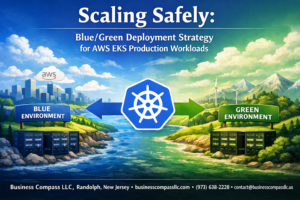
Blue-green deployments run two identical production environments simultaneously, switching traffic instantly between versions during updates. AWS Application Load Balancer enables seamless traffic routing between environments, eliminating downtime risks. This AWS DevOps deployment strategy allows teams to validate new releases in production conditions before committing fully, providing immediate rollback capabilities if issues arise.
Infrastructure as Code with CloudFormation Templates
CloudFormation templates define entire AWS infrastructure configurations as version-controlled code, ensuring consistent deployments across environments. Template stacks can provision EC2 instances, RDS databases, security groups, and networking components with predictable results. Teams can parameterize templates for different environments while maintaining identical architectures, reducing configuration drift and deployment errors.
Container Orchestration with ECS and EKS
Amazon ECS simplifies Docker container management with built-in load balancing and auto-scaling capabilities for containerized web applications. EKS provides managed Kubernetes clusters that handle complex orchestration tasks while integrating seamlessly with other AWS services. Both platforms support rolling updates, health checks, and service discovery, enabling robust container-based AWS web app deployment strategies.
Rollback Mechanisms for Quick Recovery from Failed Deployments
Automated rollback triggers activate when deployment health checks fail or performance metrics drop below thresholds. CodeDeploy integrates with CloudWatch alarms to detect application issues and automatically revert to previous stable versions. Teams can configure custom rollback conditions based on error rates, response times, or business-specific metrics, ensuring failed deployments don’t impact user experience for extended periods.

Deploying modern web applications through AWS gives you access to powerful tools that can transform how your apps perform and scale. From core services like EC2 and S3 to sophisticated load balancing and security features, AWS provides everything you need to build rock-solid applications that can handle whatever traffic comes your way. The monitoring tools and automated deployment pipelines we’ve covered take the guesswork out of maintaining peak performance while keeping your development workflow smooth and efficient.
Ready to take your web app to the next level? Start small by experimenting with one or two AWS services that directly address your current pain points, whether that’s handling traffic spikes or streamlining your deployment process. The beauty of AWS lies in its flexibility – you can gradually expand your infrastructure as your needs grow, all while maintaining the reliability and security your users expect.