


Machine learning models that sit unused in notebooks don’t solve business problems. MLOps bridges the gap between data science experiments and production systems that deliver real value. This guide walks through how Azure’s machine learning platform transforms your ML workflows from development to deployment and beyond.
Who this is for: Data scientists, ML engineers, DevOps professionals, and technical leaders ready to move beyond proof-of-concepts and build scalable ML operations that work in the real world.
We’ll start by breaking down MLOps fundamentals and why Azure machine learning gives you the tools to build robust ML pipeline deployment processes. You’ll learn how to design MLOps architecture that supports your team’s workflow, from automated training pipelines to production ML models that scale with demand. Finally, we’ll cover practical strategies for deploying models at scale with Azure while keeping operations smooth and costs manageable.
By the end, you’ll have a clear roadmap for implementing scalable ML operations that turn your machine learning investments into business results.
Understanding MLOps Fundamentals and Business Value

Define MLOps and its core principles for enterprise success
MLOps, short for machine learning operations, represents the intersection of machine learning, data engineering, and DevOps practices designed to streamline the deployment and maintenance of ML models in production environments. Think of it as the bridge that connects data science experimentation with real-world business applications.
The core principles of MLOps center around automation, collaboration, and continuous improvement. Automation eliminates manual bottlenecks in model training, testing, and deployment processes. Collaboration breaks down silos between data scientists, ML engineers, and operations teams. Continuous improvement ensures models remain accurate and relevant through ongoing monitoring and retraining.
Version control extends beyond code to include data, model artifacts, and experiment configurations. This comprehensive tracking enables teams to reproduce results, roll back problematic deployments, and maintain audit trails for compliance requirements.
Continuous integration and deployment (CI/CD) for machine learning adds complexity beyond traditional software development. ML pipelines must validate data quality, test model performance, and ensure reproducibility across different environments.
Monitoring and observability become critical as models can degrade silently over time due to data drift or changing business conditions. Effective MLOps implementations track model accuracy, feature importance, and prediction latency in real-time.
Identify key differences between traditional DevOps and MLOps workflows
Traditional DevOps focuses on deploying deterministic software applications where the same input consistently produces the same output. MLOps deals with probabilistic models where outputs represent predictions with varying degrees of confidence.
| Aspect | Traditional DevOps | MLOps |
|---|---|---|
| Code Management | Application code only | Code, data, models, and experiments |
| Testing | Unit, integration, performance tests | Data validation, model accuracy, bias detection |
| Deployment | Binary success/failure | Gradual rollout with A/B testing |
| Monitoring | System metrics, logs | Model drift, data quality, prediction accuracy |
| Rollbacks | Code version reversion | Model version switching with data considerations |
Data dependencies create unique challenges in MLOps workflows. While traditional applications rely on relatively stable APIs and databases, machine learning models depend on training data that constantly evolves. Schema changes, missing features, or unexpected data distributions can break ML pipelines in ways that don’t affect conventional applications.
Experimentation tracking distinguishes MLOps from standard DevOps practices. Data scientists need to compare hundreds of model variations, hyperparameter combinations, and feature engineering approaches. This experimental nature requires specialized tools and workflows that traditional DevOps pipelines weren’t designed to handle.
Resource management differs significantly between the two approaches. ML training workloads often require GPU clusters, distributed computing frameworks, and elastic scaling capabilities that exceed typical web application requirements.
Discover measurable benefits of implementing MLOps in your organization
Organizations implementing robust MLOps practices report 60-80% reduction in time-to-market for new ML models. This acceleration stems from automated testing, standardized deployment processes, and reusable pipeline components that eliminate repetitive manual work.
Model accuracy improvements range from 15-25% when teams adopt systematic experimentation tracking and automated retraining workflows. Continuous monitoring identifies performance degradation early, triggering retraining before business impact occurs.
Cost optimization becomes achievable through automated resource scaling and model optimization techniques. Companies typically see 30-50% reduction in cloud computing costs by implementing efficient MLOps practices that spin down unused resources and optimize model inference endpoints.
Risk mitigation provides immense value through comprehensive model governance and audit trails. Regulated industries particularly benefit from automated compliance reporting and bias detection capabilities built into modern MLOps platforms.
Team productivity increases substantially when data scientists spend less time on deployment logistics and more time on model innovation. Organizations report 40% improvement in data science team output after implementing mature MLOps workflows.
Recognize common MLOps challenges and how to overcome them
Model drift represents the most pervasive challenge in production ML systems. Input data characteristics change over time, causing model performance to degrade silently. Implement automated drift detection by monitoring feature distributions and prediction confidence scores. Set up alerts when statistical properties deviate beyond acceptable thresholds.
Data quality issues plague ML pipelines more than traditional applications. Missing values, schema changes, and inconsistent formatting break models in production. Address this by implementing data validation checkpoints throughout your pipeline and maintaining comprehensive data quality metrics.
Reproducibility problems occur when experiments can’t be recreated due to missing dependencies, data versions, or environment configurations. Solve this through containerization, comprehensive version control of all artifacts, and standardized experiment tracking practices.
Scaling bottlenecks emerge when successful models need to handle increased traffic or larger datasets. Design your MLOps architecture on Azure with auto-scaling capabilities and consider model optimization techniques like quantization and pruning for better performance.
Cross-team collaboration friction develops when data scientists, engineers, and operations teams use different tools and processes. Establish shared platforms like Azure Machine Learning that provide unified interfaces for all stakeholders while maintaining role-specific functionality.
Security and compliance gaps become critical when ML models process sensitive data or make decisions affecting customers. Implement proper access controls, audit logging, and model explainability features to meet regulatory requirements and maintain customer trust.
Essential Components of MLOps Architecture
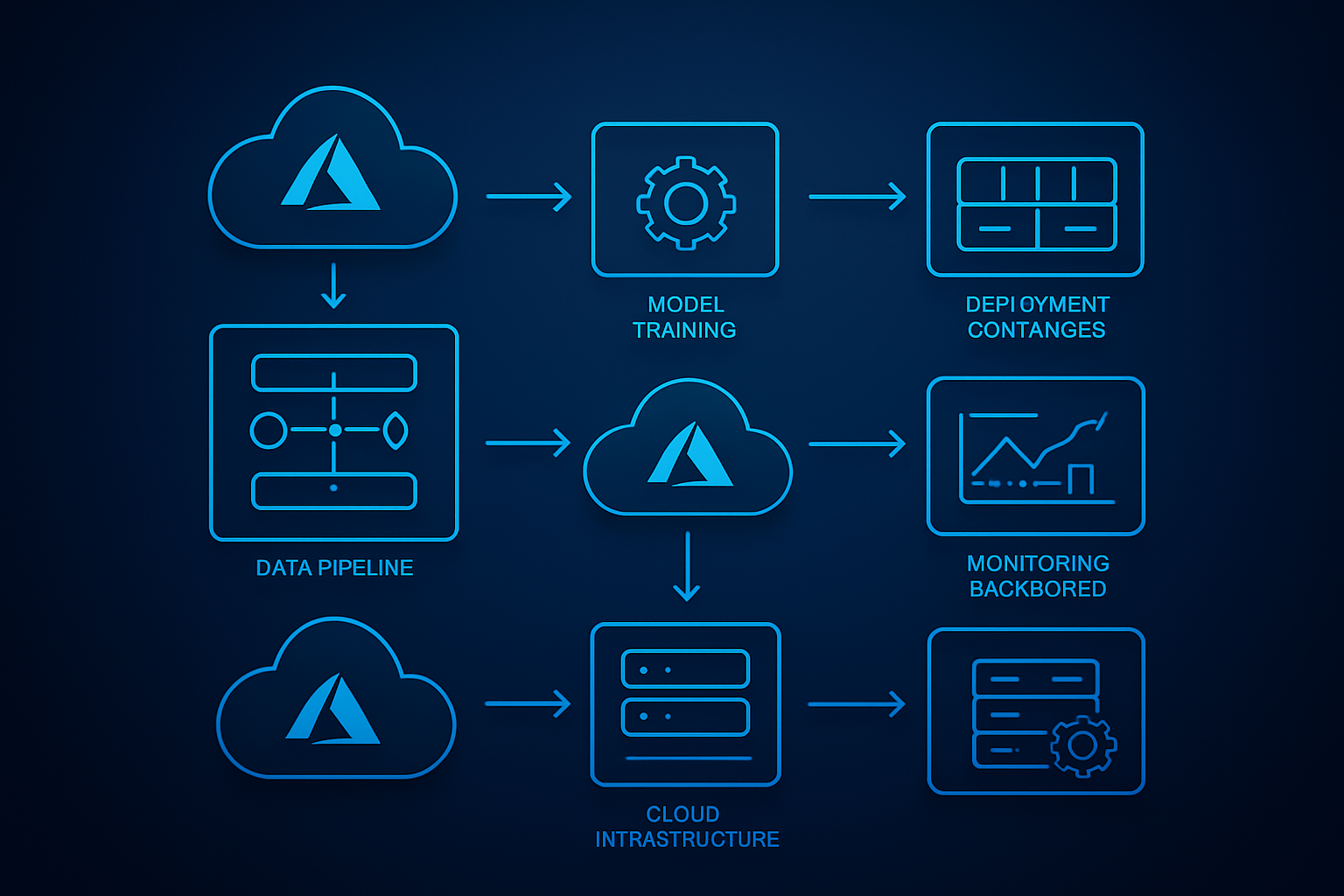
Master Data Management and Version Control for ML Projects
Data lineage and versioning form the backbone of any successful MLOps architecture. Unlike traditional software development, machine learning projects deal with constantly evolving datasets, model parameters, and experimental configurations that require sophisticated tracking mechanisms.
Git-based version control systems work well for code, but machine learning assets demand specialized tools. DVC (Data Version Control) integrates seamlessly with Git to track large datasets and model artifacts without bloating your repositories. This combination enables teams to reproduce exact experimental conditions months later.
Key versioning strategies include:
- Dataset versioning: Track data splits, feature engineering transformations, and data quality metrics
- Model versioning: Maintain complete model lineage including hyperparameters, training code, and performance metrics
- Experiment tracking: Log every training run with associated metadata for easy comparison and rollback
Azure Machine Learning workspace provides built-in versioning capabilities that automatically track datasets, models, and experiments. The platform maintains immutable snapshots of your training data and can recreate any model version with its exact training environment.
Consider implementing semantic versioning for your ML models (e.g., v1.2.3) where major versions indicate significant architecture changes, minor versions represent feature updates, and patch versions handle bug fixes. This approach helps downstream consumers understand the impact of model updates.
Implement Automated Model Training and Validation Pipelines
Automated ML pipelines eliminate manual bottlenecks and ensure consistent model quality across your organization. These pipelines orchestrate data ingestion, feature engineering, model training, validation, and deployment steps into reproducible workflows.
Azure Machine Learning pipelines support both code-first and designer-based approaches. The pipeline architecture should include distinct stages for data validation, feature preprocessing, model training, and performance evaluation. Each stage can run independently and cache results to optimize execution time.
Pipeline components typically include:
| Stage | Purpose | Key Outputs |
|---|---|---|
| Data Ingestion | Pull fresh data from sources | Raw datasets, data quality reports |
| Feature Engineering | Transform raw data into ML features | Feature store updates, transformation logs |
| Model Training | Train models using processed features | Model artifacts, training metrics |
| Model Validation | Evaluate model performance | Validation reports, approval decisions |
Trigger mechanisms vary based on business needs. Schedule-based triggers work for batch scenarios, while event-driven triggers respond to new data arrivals or model performance degradation. Azure Logic Apps can orchestrate complex trigger conditions that combine multiple signals.
Validation pipelines should include holdout datasets that never touch the training process. Cross-validation techniques help assess model generalization, while A/B testing frameworks enable safe production rollouts. Automated quality gates prevent poorly performing models from reaching production environments.
Establish Robust Model Monitoring and Performance Tracking Systems
Production machine learning models require continuous monitoring to detect data drift, concept drift, and performance degradation. Unlike traditional applications where functionality either works or breaks, ML models degrade gradually as real-world conditions change.
Azure Machine Learning’s model monitoring capabilities track key metrics including prediction accuracy, input data distribution, and model latency. Custom monitoring solutions can extend these capabilities to track business-specific metrics like conversion rates or customer satisfaction scores.
Essential monitoring dimensions:
- Data drift detection: Compare incoming data distributions against training data baselines
- Model performance tracking: Monitor accuracy, precision, recall, and custom business metrics
- Infrastructure monitoring: Track prediction latency, throughput, and resource utilization
- Bias detection: Identify fairness issues across different demographic groups
Real-time alerting systems notify teams when metrics exceed predetermined thresholds. Azure Monitor integrates with popular notification channels including Slack, PagerDuty, and Microsoft Teams. Alert fatigue can be minimized by implementing intelligent escalation policies that group related alerts.
Model performance dashboards provide stakeholders with visibility into ML system health. Interactive visualizations help data scientists identify patterns in model behavior and make informed decisions about retraining schedules. Azure Power BI can consume model metrics to create executive-level reporting dashboards.
Automated retraining triggers activate when performance drops below acceptable levels. This creates a self-healing MLOps architecture that maintains model quality without manual intervention.
Leveraging Azure’s MLOps Ecosystem
Navigate Azure Machine Learning workspace for streamlined development
Azure Machine Learning workspace serves as the central hub for your MLOps journey, bringing together all the tools and resources needed to build, train, and deploy machine learning models. Think of it as your command center where data scientists, ML engineers, and DevOps teams can collaborate seamlessly.
The workspace provides a unified environment that eliminates the traditional silos between development and operations. You can manage datasets, track experiments, register models, and monitor deployments all from a single interface. The built-in Jupyter notebooks and AutoML capabilities accelerate the development process, while the experiment tracking automatically logs metrics, parameters, and artifacts for every model run.
What makes Azure ML workspace particularly powerful is its integration with popular ML frameworks like PyTorch, TensorFlow, and Scikit-learn. You can bring your existing code and models without major modifications. The workspace also supports both code-first and low-code approaches, making it accessible to teams with varying technical expertise.
The compute management features allow you to scale resources dynamically based on workload demands. You can start with small compute instances for experimentation and automatically scale up for training large models or processing massive datasets.
Utilize Azure DevOps for seamless CI/CD integration
Azure DevOps transforms your machine learning workflow into a robust, automated pipeline that follows software engineering best practices. The platform bridges the gap between ML development and production deployment through its comprehensive suite of tools.
Setting up CI/CD pipelines for MLOps involves creating automated workflows that trigger when code or data changes. Azure Repos provides version control for both code and model artifacts, while Azure Pipelines automate the build, test, and deployment processes. You can configure pipelines to automatically retrain models when new data arrives or deploy updated models to staging environments for testing.
The integration between Azure DevOps and Azure Machine Learning is particularly smooth. You can trigger ML pipelines directly from DevOps builds, pass parameters between systems, and track deployments across environments. Azure Boards help manage the entire ML lifecycle by tracking feature requests, bug fixes, and model performance issues in a centralized backlog.
Branch policies ensure code quality by requiring pull request reviews and automated testing before merging changes. This approach prevents poorly tested models from reaching production and maintains the integrity of your ML systems. The built-in testing frameworks support both unit tests for code and validation tests for model performance.
Harness Azure Container Registry for scalable model packaging
Azure Container Registry provides the foundation for packaging and distributing machine learning models in a consistent, scalable manner. Containerization has become the standard for deploying ML models because it ensures consistency across different environments and simplifies dependency management.
When you containerize your ML models, you package not just the model artifacts but also the entire runtime environment, including specific versions of Python, libraries, and system dependencies. This approach eliminates the “it works on my machine” problem that often plagues ML deployments.
Azure Container Registry integrates directly with Azure Machine Learning, automatically building container images when you register new models. The registry supports both Windows and Linux containers and provides geo-replication for faster image pulls across different regions. Security scanning features automatically check for vulnerabilities in your container images before deployment.
The webhook functionality enables automated deployments when new model versions are pushed to the registry. You can set up continuous deployment pipelines that automatically update production services when new, validated model containers become available. The registry also supports Helm charts for orchestrating complex multi-container ML applications.
| Feature | Benefit |
|---|---|
| Geo-replication | Faster deployments across regions |
| Security scanning | Vulnerability detection before deployment |
| Webhook integration | Automated deployment triggers |
| Multi-architecture support | Deploy to different compute platforms |
Optimize costs with Azure’s compute and storage solutions
Cost optimization in Azure MLOps requires strategic planning around compute resources, storage patterns, and data processing workflows. Azure provides multiple pricing models and resource types that can significantly reduce your ML infrastructure costs when used effectively.
Spot instances offer up to 90% cost savings for non-critical workloads like model training and batch inference. These instances work well for experimental work and can be automatically managed through Azure Machine Learning’s compute clusters. For predictable workloads, reserved instances provide substantial discounts when you commit to longer-term usage.
Storage costs can be optimized by implementing intelligent tiering strategies. Hot storage serves frequently accessed training data, while cool and archive tiers handle historical datasets and model artifacts. Azure Data Lake Storage Gen2 provides cost-effective storage for large datasets with built-in lifecycle management policies that automatically move data between tiers based on access patterns.
Serverless computing options like Azure Functions and Container Instances provide cost-effective solutions for infrequent model inference scenarios. You only pay for actual usage rather than maintaining always-on infrastructure. For high-throughput scenarios, Azure Kubernetes Service with horizontal pod autoscaling ensures you scale resources based on actual demand.
Monitoring tools like Azure Cost Management provide detailed insights into resource usage patterns, helping identify optimization opportunities. Setting up budget alerts and automated resource shutdown policies prevents unexpected cost overruns during development and experimentation phases.
Building Production-Ready ML Pipelines

Design automated data preprocessing and feature engineering workflows
Creating robust data preprocessing workflows forms the backbone of any successful MLOps implementation. Azure Machine Learning provides powerful tools to automate these critical steps, ensuring consistency and reliability across your ML pipeline deployment.
Start by designing modular preprocessing components that can handle different data sources and formats. Azure ML’s data preparation capabilities allow you to create reusable data transformation scripts that automatically clean, validate, and transform incoming data. Set up automated data quality checks that flag anomalies, missing values, or schema changes before they impact your models.
Feature engineering automation becomes crucial when dealing with large-scale production ML models. Build feature stores using Azure ML that can serve both training and inference pipelines. This approach guarantees feature consistency and reduces the risk of training-serving skew. Configure automated feature generation pipelines that can adapt to new data patterns while maintaining backward compatibility.
Data lineage tracking plays a vital role in production environments. Azure MLOps architecture supports comprehensive data versioning, allowing you to trace every data transformation step. This capability proves invaluable when debugging model performance issues or ensuring regulatory compliance.
Create reproducible model training environments with Azure ML
Reproducibility stands as a cornerstone of professional machine learning operations. Azure ML compute instances and clusters provide the foundation for creating consistent training environments that eliminate the “it works on my machine” problem.
Container-based training environments ensure that your models train identically across development, staging, and production phases. Azure ML’s built-in Docker support lets you package all dependencies, libraries, and configurations into portable containers. This approach guarantees that your team members can reproduce training results regardless of their local setup.
Environment versioning becomes essential when managing multiple model versions simultaneously. Create base environments for different model types and maintain strict version controls. Azure machine learning workspace features enable you to snapshot entire training environments, making it easy to roll back to previous configurations when needed.
Implement automated environment testing to catch dependency conflicts before they reach production. Set up validation pipelines that verify environment compatibility across different compute targets. This proactive approach prevents costly debugging sessions and deployment failures.
Implement comprehensive testing strategies for ML models
Testing machine learning models requires a different approach than traditional software testing. Your testing strategy should cover data quality, model performance, and behavioral consistency across various scenarios.
Data validation testing should run automatically whenever new data enters your pipeline. Create tests that verify data schema compliance, check for data drift, and validate feature distributions. Azure MLOps tools provide built-in capabilities for statistical testing and anomaly detection that can catch data quality issues early.
Model performance testing goes beyond simple accuracy metrics. Implement tests for model fairness, robustness, and interpretability. Create adversarial test cases that challenge your model’s decision boundaries and expose potential blind spots. Use Azure ML’s responsible AI features to automate bias detection and model explanations.
Integration testing ensures your models work correctly within the broader system architecture. Test API endpoints, response times, and error handling mechanisms. Set up load testing scenarios that simulate real-world traffic patterns to identify performance bottlenecks before they affect users.
A/B testing frameworks help validate model improvements in production environments. Design experiments that can safely compare new model versions against existing ones while minimizing risk to business operations.
Establish automated model validation and approval processes
Automated validation creates a safety net that prevents problematic models from reaching production. Design multi-stage validation gates that evaluate models against predefined criteria before advancing through your deployment pipeline.
Performance thresholds should be automatically enforced at each stage. Set up validation rules that check accuracy, precision, recall, and business-specific metrics. Models that fail to meet these standards should be automatically rejected or flagged for manual review.
Champion-challenger frameworks provide a systematic approach to model comparison. Configure automated systems that continuously evaluate new model candidates against current production models using live data streams. This approach ensures that only genuinely improved models make it to production.
Approval workflows should balance automation with human oversight. Create role-based approval processes where data scientists, MLOps engineers, and business stakeholders can review model changes. Azure DevOps machine learning integrations enable seamless collaboration across these different roles.
Model governance tracking becomes critical for audit trails and regulatory compliance. Implement automated documentation that captures model lineage, approval decisions, and deployment history. This information proves invaluable during model reviews or incident investigations.
Rollback mechanisms should be built into every approval process. Design systems that can quickly revert to previous model versions if performance degrades after deployment. Automated monitoring should trigger these rollbacks when predefined performance thresholds are breached.
Deploying Models at Scale with Azure

Choose optimal deployment strategies for different use cases
Azure machine learning offers several deployment patterns that match specific business requirements. Real-time endpoints serve applications needing instant predictions, like fraud detection systems or recommendation engines. These endpoints typically handle individual requests with low latency requirements under 100 milliseconds.
Batch inference works best for processing large datasets on scheduled intervals. Think monthly customer segmentation, daily sales forecasting, or weekly inventory optimization. This approach maximizes resource efficiency by processing thousands or millions of records in single operations.
Containerized deployments using Azure Container Instances provide flexibility for custom environments and dependencies. For high-traffic scenarios, Azure Kubernetes Service (AKS) delivers enterprise-grade scaling and orchestration capabilities.
| Deployment Strategy | Best For | Latency | Cost Efficiency |
|---|---|---|---|
| Real-time endpoints | Interactive apps, APIs | <100ms | Medium |
| Batch inference | Bulk processing | Hours/Days | High |
| AKS clusters | High-volume production | <200ms | Variable |
| Container instances | Testing, small scale | <500ms | Low |
Configure real-time inference endpoints for immediate predictions
Azure Machine Learning workspace simplifies real-time endpoint creation through managed infrastructure. Start by registering your trained model in the workspace model registry. The platform automatically handles scaling, load balancing, and health monitoring.
Configure compute resources based on expected traffic patterns. Azure offers CPU and GPU instances with different memory configurations. For most ML model deployment scenarios, Standard_DS3_v2 instances provide balanced performance and cost.
Enable auto-scaling to handle traffic spikes without manual intervention. Set minimum and maximum instance counts, plus scaling metrics like CPU utilization or request rate. The platform automatically adds or removes compute resources based on demand.
# Example endpoint configuration
endpoint_config = {
    "compute_type": "managed",
    "instance_type": "Standard_DS3_v2",
    "instance_count": 2,
    "max_instances": 10,
    "scaling_target_utilization": 70
}
Authentication options include key-based and token-based security. Azure Active Directory integration provides enterprise-grade access control with role-based permissions.
Set up batch inference pipelines for large-scale processing
Azure ML pipelines excel at processing massive datasets through parallel compute clusters. Design pipelines with distinct steps for data preparation, model inference, and result storage. This modular approach enables debugging and optimization of individual components.
Configure compute clusters with appropriate VM sizes and node counts. For batch processing, use memory-optimized instances like Standard_E series when working with large datasets. Enable auto-scaling to optimize costs by scaling down during idle periods.
ParallelRunStep component distributes inference tasks across multiple nodes simultaneously. Configure batch size, error threshold, and retry policies to balance throughput with reliability. Typical batch sizes range from 100 to 1000 records per mini-batch.
Schedule pipeline runs using triggers or cron expressions. Daily, weekly, or monthly schedules align with business reporting cycles. Pipeline outputs integrate with Azure Data Factory for downstream analytics workflows.
Implement blue-green deployments for zero-downtime updates
Blue-green deployment strategy maintains two identical production environments. The “blue” environment serves live traffic while “green” hosts the new model version. This approach eliminates downtime during MLOps deployment cycles.
Azure Traffic Manager or Application Gateway routes traffic between environments. Start by directing small percentages of requests to the green environment for canary testing. Monitor key metrics like prediction accuracy, latency, and error rates.
Gradually increase traffic to the new model version while monitoring performance. If issues arise, instantly switch back to the blue environment with zero user impact. This rollback capability provides confidence for frequent model updates.
Database synchronization ensures both environments access consistent training data and feature stores. Azure Cosmos DB or SQL Database replication maintains data consistency across blue and green deployments.
Secure your model endpoints with authentication and monitoring
Azure machine learning provides multiple security layers for production ML model deployment. Network isolation using Virtual Networks (VNets) restricts endpoint access to authorized networks only. Private endpoints eliminate internet exposure entirely.
API key rotation schedules maintain security without service interruption. Generate new keys monthly and update client applications before expiring old credentials. Azure Key Vault stores sensitive authentication tokens securely.
Application Insights captures detailed telemetry for scalable ML operations monitoring. Track request volumes, response times, error rates, and prediction distributions. Set up alerts for anomalous patterns or performance degradation.
Model drift detection compares incoming data against training distributions. Configure drift thresholds and automatic retraining triggers when data characteristics change significantly. This proactive approach maintains model accuracy over time.
Audit logs record all endpoint access attempts, including successful predictions and failed authentication. Integrate with Azure Security Center for centralized security monitoring across your MLOps architecture.
Scaling and Optimizing ML Operations

Monitor model performance and detect drift in production
Model performance monitoring forms the backbone of scalable ML operations on Azure. Once your models are deployed, tracking key metrics like accuracy, precision, recall, and latency becomes critical for maintaining production quality. Azure Machine Learning provides built-in monitoring capabilities that automatically capture model inputs, outputs, and performance metrics in real-time.
Data drift detection catches when your input data starts looking different from what the model was trained on. This happens more often than you’d think – customer behavior changes, market conditions shift, or new data sources get integrated. Azure ML’s data drift monitoring uses statistical methods to compare current data distributions with baseline training data, sending alerts when significant changes occur.
Model drift is equally important but focuses on prediction quality degradation over time. Setting up automated monitoring dashboards in Azure helps you spot performance drops before they impact business outcomes. You can configure custom metrics specific to your use case and set up automated alerts when thresholds are breached.
Automate model retraining based on performance thresholds
Smart retraining automation prevents manual intervention and keeps your models fresh. Azure MLOps pipelines can trigger retraining workflows when performance metrics drop below predefined thresholds or when drift detection alerts fire. This approach balances model freshness with computational costs.
Setting up trigger-based retraining involves defining clear performance boundaries. For example, if your model’s accuracy drops below 85% for three consecutive days, an automated pipeline can pull fresh training data, retrain the model, and validate performance before deployment. Azure DevOps integration makes these workflows seamless.
Time-based retraining schedules also work well for predictable data patterns. Monthly or weekly retraining cycles ensure models stay current with evolving trends. Combine both approaches for robust automation that responds to actual performance needs rather than arbitrary schedules.
Implement A/B testing frameworks for model comparison
A/B testing lets you compare model versions safely in production without risking business impact. Azure ML endpoints support traffic splitting, allowing you to route a percentage of requests to different model versions simultaneously. This capability proves invaluable when deploying updated models or testing entirely new approaches.
Champion-challenger frameworks work particularly well for MLOps scenarios. Your current production model serves as the champion, while new versions act as challengers receiving a small portion of live traffic. You can gradually increase traffic to better-performing challengers or roll back quickly if issues arise.
Statistical significance testing ensures your A/B results are meaningful. Azure’s built-in analytics help determine when you have enough data to make confident decisions about model promotion. Setting up proper control groups and randomization prevents bias from skewing results.
Optimize resource allocation for cost-effective scaling
Resource optimization directly impacts your MLOps budget and scalability. Azure’s auto-scaling features automatically adjust compute resources based on request volume, preventing over-provisioning during low-traffic periods. This elastic scaling approach can reduce costs by 40-60% compared to static resource allocation.
Container-based deployments using Azure Kubernetes Service provide granular control over resource allocation. You can set CPU and memory limits per model instance, ensuring efficient resource utilization across multiple models. Spot instances offer additional cost savings for batch processing and retraining workloads.
Monitoring resource utilization patterns helps identify optimization opportunities. Azure Cost Management provides detailed insights into spending patterns, helping you right-size instances and identify underutilized resources. Regular cost reviews and automated budget alerts prevent unexpected spending spikes while maintaining performance standards.

MLOps transforms how teams handle machine learning projects, turning chaotic experiments into smooth, repeatable processes. By understanding the core components – from automated pipelines and model monitoring to version control and continuous deployment – you can build systems that actually work in the real world. Azure’s comprehensive MLOps ecosystem gives you all the tools you need, whether you’re just getting started with Azure Machine Learning Studio or scaling up with advanced orchestration services.
The key is starting small and building momentum. Pick one part of your ML workflow that causes the most headaches, automate it using Azure’s tools, and gradually expand from there. Your future self will thank you when model updates happen seamlessly, monitoring catches issues before they impact users, and your team can focus on solving business problems instead of wrestling with deployment headaches. The investment in proper MLOps practices pays off quickly – better models, happier stakeholders, and a lot less stress for everyone involved.









