Multimodal AI on AWS lets you build smart applications that understand text, images, audio, and video all in one place. Instead of juggling different platforms, you can use AWS AI services integration to create richer user experiences that process multiple types of data together.
This guide is for developers, solution architects, and business leaders who want to implement multimodal artificial intelligence AWS solutions without getting lost in technical complexity. You’ll learn practical approaches to combine different AI capabilities and see real business value from your investments.
We’ll walk through setting up your AWS environment for seamless AI integration and show you how to build text intelligence solutions using services like Amazon Comprehend and Textract. You’ll also discover how to develop robust image recognition and computer vision capabilities with Amazon Rekognition, plus implement audio processing and speech intelligence using Amazon Transcribe and Polly.
Finally, we’ll cover deploying video intelligence and analytics solutions, then tie everything together by integrating multiple AI modalities for enhanced user experiences that give your applications a competitive edge.
Understanding AWS Multimodal AI Services and Their Business Value

Overview of Amazon Rekognition for Image and Video Analysis
Amazon Rekognition serves as AWS’s powerhouse for visual content analysis, delivering robust computer vision capabilities that transform how businesses process images and videos. This fully managed service eliminates the complexity of building machine learning models from scratch, offering pre-trained algorithms that recognize objects, faces, text, scenes, and activities with impressive accuracy.
The service excels at real-time image analysis, identifying thousands of objects and scenes including vehicles, pets, furniture, and outdoor landscapes. For facial recognition, Rekognition can detect facial features, emotions, and even estimate age ranges, making it invaluable for customer experience applications and security systems. The celebrity recognition feature adds another dimension for media and entertainment companies looking to automate content tagging.
Video analysis capabilities extend beyond static images, providing temporal understanding of content. The service can track people throughout video sequences, detect inappropriate content, and identify custom labels specific to your business needs. This makes it perfect for content moderation, surveillance applications, and automated video categorization.
Key Business Applications:
- Retail: Automate product catalog management and visual search functionality
- Security: Implement access control systems and surveillance monitoring
- Media: Streamline content moderation and automatic video highlights generation
- Healthcare: Analyze medical images for preliminary screening and documentation
The pay-per-use pricing model means you only pay for the images and videos you analyze, making it cost-effective for businesses of all sizes. Integration happens through simple API calls, allowing developers to add sophisticated visual intelligence to applications without deep machine learning expertise.
Leveraging Amazon Textract for Document Intelligence
Amazon Textract revolutionizes document processing by automatically extracting text, handwriting, and structured data from scanned documents, forms, and tables. Unlike traditional OCR solutions that simply convert images to text, Textract understands document layout and relationships between data elements, preserving context and meaning.
The service handles diverse document types including invoices, receipts, forms, contracts, and financial statements. What sets Textract apart is its ability to identify key-value pairs, table structures, and form fields without requiring document templates or configuration. This means you can process documents with varying layouts and formats using the same API endpoint.
For forms processing, Textract automatically identifies field labels and their corresponding values, even when they’re positioned in different areas of the document. Table extraction maintains row and column relationships, preserving the tabular structure that’s crucial for financial reports and data analysis. The handwriting recognition capability extends functionality to handwritten forms and notes, broadening the scope of document automation.
Core Features and Benefits:
- Template-free processing: Works with any document layout without pre-configuration
- Multi-format support: Handles PDFs, images (JPEG, PNG), and TIFF files
- Confidence scoring: Provides accuracy metrics for extracted data validation
- Query-based extraction: Use natural language queries to find specific information
The service integrates seamlessly with other AWS AI services, enabling workflows where extracted text feeds into Amazon Comprehend for sentiment analysis or Amazon Translate for multilingual processing. This creates powerful document processing pipelines that can transform unstructured documents into actionable business insights.
Implementing Amazon Transcribe for Audio Processing
Amazon Transcribe converts speech to text with high accuracy, supporting real-time streaming and batch processing for various audio formats. The service goes beyond basic transcription, offering speaker identification, custom vocabulary, and automatic punctuation that creates professional-quality transcripts suitable for business applications.
The real-time streaming capability enables live transcription for meetings, customer service calls, and live events. This opens up possibilities for real-time captioning, voice-controlled applications, and immediate analysis of spoken content. Batch processing handles larger audio files efficiently, making it perfect for transcribing recorded meetings, podcasts, or interview sessions.
Custom vocabulary features allow you to train the service on industry-specific terminology, proper nouns, and brand names that might not be in standard dictionaries. This customization significantly improves accuracy for specialized domains like medical, legal, or technical fields where precise terminology matters.
Advanced Capabilities:
- Speaker diarization: Identifies different speakers in multi-person conversations
- Channel identification: Separates stereo audio channels for call center applications
- Content redaction: Automatically removes sensitive information like social security numbers
- Language detection: Automatically identifies the spoken language in audio files
The service supports over 30 languages and variants, making it suitable for global applications. Confidence scores for each transcribed word help you identify sections that might need human review, enabling hybrid automation workflows that balance efficiency with accuracy.
Integration with Amazon Connect creates powerful customer service solutions where call transcripts automatically feed into sentiment analysis and quality monitoring systems. This transforms customer interactions into valuable business intelligence.
Utilizing Amazon Comprehend for Natural Language Understanding
Amazon Comprehend brings sophisticated text analytics to your applications, extracting insights and relationships from unstructured text data. The service performs sentiment analysis, entity recognition, key phrase extraction, and language detection, turning raw text into structured business intelligence.
Sentiment analysis goes beyond simple positive/negative classification, providing confidence scores and mixed sentiment detection that captures nuanced opinions. This granular understanding helps businesses gauge customer satisfaction, monitor brand perception, and identify emerging issues in social media feeds or customer reviews.
Entity recognition identifies people, places, organizations, dates, and other important elements within text, creating structured data from unstructured content. Custom entity recognition allows you to train models on your specific domain, identifying industry-specific terms, product names, or internal classification systems.
Text Analytics Features:
| Feature | Application | Business Value |
|---|---|---|
| Sentiment Analysis | Customer feedback monitoring | Proactive customer service |
| Entity Recognition | Document categorization | Automated content organization |
| Key Phrase Extraction | Content summarization | Efficient information processing |
| Topic Modeling | Content discovery | Strategic content planning |
The topic modeling capability clusters similar documents and identifies themes across large document collections. This proves invaluable for content management, research analysis, and discovering trends in customer communications or support tickets.
Custom classification models let you categorize documents according to your business logic, whether that’s routing support tickets, organizing legal documents, or filtering content by relevance. The service learns from your labeled examples to create models that understand your specific categorization needs.
Comprehend Medical extends these capabilities to healthcare texts, extracting medical entities, protected health information, and medication details from clinical notes and research papers. This specialized version understands medical terminology and relationships, enabling healthcare organizations to unlock insights from their unstructured clinical data while maintaining compliance requirements.
Setting Up Your AWS Environment for Multimodal AI Integration

Configuring IAM Roles and Permissions for AI Services
Creating the right IAM setup forms the foundation of your AWS multimodal AI implementation. Start by establishing service roles that allow your applications to access specific AI services without exposing sensitive credentials. Create a dedicated IAM role for each AI service you plan to use – Amazon Rekognition for image analysis, Amazon Transcribe for audio processing, and Amazon Textract for document intelligence.
Your IAM policy should include permissions for the core AWS AI services integration you’ll need:
rekognition:DetectLabelsandrekognition:RecognizeTextfor computer vision taskstranscribe:StartTranscriptionJobandtranscribe:GetTranscriptionJobfor audio processingtextract:AnalyzeDocumentfor document analysiscomprehend:DetectSentimentfor text intelligence
Create cross-service roles that enable seamless data flow between services. Your Lambda functions need permissions to read from S3, invoke AI services, and write results back to storage or databases. Implement the principle of least privilege by granting only the minimum permissions required for each component to function.
Consider using AWS IAM Identity Center for centralized access management when working with multiple team members. This approach simplifies permission management and provides better security oversight across your multimodal AI implementation.
Establishing S3 Storage Architecture for Media Files
Design your S3 bucket structure to support efficient multimodal AI processing workflows. Create separate folders for different media types: /raw-images/, /audio-files/, /video-content/, and /processed-results/. This organization makes it easier to apply lifecycle policies and manage data retention across different AI modalities.
Configure S3 event notifications to trigger processing workflows automatically when new files arrive. Set up Lambda triggers that detect uploaded media and route files to appropriate AI services based on file type and metadata. This automation reduces manual intervention and speeds up your multimodal artificial intelligence AWS pipeline.
Implement intelligent tiering to optimize storage costs. Raw media files can be moved to S3 Intelligent-Tiering after initial processing, while frequently accessed results stay in standard storage. Use S3 Transfer Acceleration for faster uploads of large video files from global locations.
| Storage Class | Use Case | Cost Benefits |
|---|---|---|
| S3 Standard | Active processing files | Immediate access |
| S3 IA | Archived results | 40% cost reduction |
| S3 Glacier | Long-term backup | 68% cost reduction |
Enable versioning on buckets containing training data or model artifacts to track changes and enable rollback capabilities. Set up cross-region replication for critical datasets to ensure disaster recovery and compliance requirements.
Setting Up API Gateway for Seamless Service Communication
API Gateway acts as the central hub for your multimodal AI services, providing a unified interface for client applications. Create REST APIs with specific endpoints for each AI modality: /analyze-image, /process-audio, /extract-text, and /analyze-video. This structure allows clients to interact with different AI capabilities through consistent interfaces.
Configure request validation to ensure incoming media meets your processing requirements. Set file size limits, validate content types, and implement rate limiting to protect your backend services from overload. Use API Gateway’s built-in caching to store frequently requested analysis results and reduce processing costs.
Implement authentication using API keys or AWS Cognito integration to secure your endpoints. This prevents unauthorized access to your AI services and helps track usage patterns across different client applications. Set up usage plans with quotas and throttling to manage API consumption effectively.
Enable CORS (Cross-Origin Resource Sharing) for web applications that need to upload media directly from browsers. Configure appropriate headers to allow file uploads while maintaining security boundaries. Use API Gateway’s integration with CloudWatch to monitor request patterns, error rates, and performance metrics.
Create custom error responses that provide meaningful feedback when AI processing fails or when requests don’t meet validation criteria. This improves the developer experience and makes troubleshooting easier during integration phases.
Building Text Intelligence Solutions with AWS AI Services

Extracting Insights from Documents Using Amazon Textract
Amazon Textract revolutionizes document processing by automatically extracting text, handwriting, and structured data from virtually any document format. Unlike traditional OCR solutions that simply convert images to text, Textract understands document layouts and can identify forms, tables, and key-value pairs with remarkable accuracy.
When implementing Textract in your AWS multimodal AI pipeline, you’ll work with several key APIs. The DetectDocumentText API handles basic text extraction, while AnalyzeDocument provides advanced features like form and table analysis. For processing invoices, receipts, and identity documents, the AnalyzeExpense and AnalyzeID APIs offer specialized functionality.
The service excels at processing various document types including PDFs, images, and scanned documents. You can upload files directly to S3 and trigger Textract processing through Lambda functions, creating automated workflows that scale seamlessly. The extracted data comes back in JSON format, making it easy to integrate with downstream processing systems.
Key implementation considerations:
- Batch vs Real-time Processing: Use synchronous calls for documents under 5MB, asynchronous processing for larger files
- Data Extraction Patterns: Implement confidence score filtering to ensure data quality
- Cost Optimization: Leverage S3 intelligent tiering for document storage and process documents during off-peak hours
Real-world applications include automated invoice processing, contract analysis, and customer onboarding workflows where document verification is critical.
Performing Sentiment Analysis with Amazon Comprehend
Amazon Comprehend brings powerful natural language processing capabilities to your text intelligence solutions, offering sentiment analysis that goes far beyond simple positive/negative classifications. The service provides nuanced emotional insights including mixed sentiment detection and confidence scores for each classification.
Comprehend’s sentiment analysis API returns four primary sentiment categories: positive, negative, neutral, and mixed. Each response includes confidence scores that help you make informed decisions about how to handle the analyzed text. The service performs exceptionally well across different languages and text formats, from social media posts to customer reviews and support tickets.
For production implementations, you can process text in real-time through direct API calls or batch process large volumes using S3 integration. The service handles multiple languages automatically, detecting the language and applying appropriate sentiment models without additional configuration.
Advanced features for enterprise use:
- Custom Classification: Train models on your specific domain data for improved accuracy
- Entity Recognition: Extract people, places, organizations, and custom entities from text
- Key Phrase Extraction: Identify important concepts and topics within documents
- Syntax Analysis: Parse grammatical structure for deeper text understanding
Popular use cases include customer feedback analysis, social media monitoring, and content moderation systems. Many organizations integrate Comprehend with Amazon Connect for real-time call center sentiment tracking.
Implementing Real-time Language Translation
Amazon Translate enables seamless multilingual experiences within your multimodal AI applications, supporting over 75 languages with neural machine translation technology. The service integrates smoothly with other AWS AI services, creating powerful workflows that can process content across language barriers.
Real-time translation works through simple API calls that can handle individual text strings or batch operations for larger content volumes. The service automatically detects source languages, though specifying the source language explicitly often improves translation quality and reduces latency.
Implementation strategies for optimal performance:
- Caching Strategies: Store frequently translated content in ElastiCache to reduce API calls and improve response times
- Content Preprocessing: Clean and format text before translation to improve accuracy
- Custom Terminology: Upload domain-specific glossaries to ensure consistent translation of technical terms
- Parallel Processing: Use asynchronous translation for large documents while maintaining real-time capabilities for user interactions
The service shines in customer support applications where agents need instant translation of customer messages, content localization workflows, and real-time chat applications serving global audiences. Integration with other AWS AI services creates powerful scenarios like translating sentiment analysis results or processing multilingual document extraction.
Creating Custom Text Classification Models
Amazon Comprehend’s custom classification capabilities allow you to build domain-specific models that understand your unique business context and terminology. These models can classify text into categories that matter to your organization, whether that’s routing customer inquiries, categorizing legal documents, or organizing product reviews.
Building custom models requires training data consisting of text examples labeled with their appropriate categories. You’ll need at least 50 examples per category, though 1,000+ examples typically yield better results. The training process happens entirely within AWS, with no need to manage infrastructure or complex machine learning pipelines.
The custom model training workflow involves several steps: data preparation, model training, evaluation, and deployment. Comprehend automatically splits your data into training and test sets, then provides detailed metrics about model performance including precision, recall, and F1 scores for each category.
Best practices for model development:
| Aspect | Recommendation | Impact |
|---|---|---|
| Data Quality | Use diverse, representative examples | Improves generalization |
| Label Balance | Aim for similar numbers of examples per category | Reduces bias |
| Text Length | Include varied length examples | Handles different content types |
| Regular Updates | Retrain models with new data quarterly | Maintains accuracy over time |
Once deployed, custom models integrate seamlessly with your existing applications through the same APIs used for pre-built models. You can process text in real-time or batch mode, and the custom models work alongside Comprehend’s other features like entity recognition and sentiment analysis.
Production deployments often combine multiple custom models with AWS AI services integration to create sophisticated text processing pipelines that understand both general language patterns and specific business requirements.
Developing Image Recognition and Computer Vision Capabilities

Implementing Object Detection and Scene Analysis
Amazon Rekognition stands out as the go-to service for building powerful object detection systems. You can detect and classify thousands of objects and scenes in images with just a few API calls. The service identifies common objects like vehicles, animals, furniture, and landmarks while providing confidence scores for each detection.
Setting up basic object detection requires minimal code. Create a Rekognition client, upload your image to S3, and call the detect_labels function. The response includes bounding boxes showing exactly where objects appear in your image, along with hierarchical labels that group related items together.
For scene analysis, Rekognition automatically categorizes environments like beaches, forests, cityscapes, and indoor spaces. This capability proves invaluable for content organization, automated tagging, and contextual advertising applications.
Custom object detection becomes possible through Rekognition Custom Labels, where you can train models to recognize your specific products, logos, or unique objects. Upload training images with bounding box annotations, and AWS handles the complex model training process behind the scenes.
Real-time processing works through streaming video analysis, perfect for security cameras, retail analytics, or live content moderation. The service processes video frames and tracks object movement across time, enabling sophisticated monitoring applications.
Building Facial Recognition and Biometric Systems
AWS Rekognition provides enterprise-grade facial recognition capabilities that can identify, verify, and analyze faces with remarkable accuracy. The service detects facial landmarks, estimates age ranges, identifies gender, and recognizes emotions like happiness, sadness, or surprise.
Face comparison functionality lets you verify if two images contain the same person. This works great for user authentication systems where customers can log in using their face instead of passwords. The service returns a similarity score that you can use to set your own confidence thresholds.
Creating face collections allows you to build searchable databases of known individuals. Add reference photos to collections, then search new images against these collections to identify specific people. This approach works well for employee access systems, customer recognition programs, or security applications.
Privacy and compliance considerations require careful handling of biometric data. Store face vectors rather than original images when possible, implement proper consent mechanisms, and ensure your system meets regional privacy regulations like GDPR or CCPA.
Celebrity recognition comes built-in, identifying thousands of public figures automatically. While fun for social media applications, this feature also helps content creators understand which personalities appear in their media assets.
Creating Custom Image Classification Models with SageMaker
Amazon SageMaker extends your AWS computer vision capabilities beyond pre-trained models by enabling custom image classification solutions tailored to your specific needs. Built-in algorithms like Image Classification and Object Detection provide solid starting points for most use cases.
Data preparation starts with organizing your images into labeled folders or creating manifest files that map images to their categories. SageMaker supports various formats including RecordIO, which optimizes training performance for large datasets.
Training jobs can use powerful GPU instances that dramatically reduce model training time. The service automatically handles infrastructure provisioning, so you focus on hyperparameter tuning rather than server management. Experiment with different architectures like ResNet, VGG, or MobileNet depending on your accuracy and speed requirements.
Transfer learning accelerates development by starting with pre-trained models and fine-tuning them for your specific domain. This approach requires fewer training images and reduces training time while maintaining high accuracy levels.
| Model Type | Use Case | Training Time | Accuracy |
|---|---|---|---|
| ResNet-50 | General classification | Medium | High |
| MobileNet | Mobile deployment | Fast | Medium-High |
| VGG-16 | Feature extraction | Slow | High |
| Custom CNN | Specialized tasks | Variable | Variable |
Model deployment options include real-time endpoints for immediate predictions and batch transform jobs for processing large image collections. SageMaker handles automatic scaling, so your endpoints adapt to traffic patterns without manual intervention.
Integrating OCR for Text Extraction from Images
Amazon Textract revolutionizes document processing by extracting text, forms, and tables from scanned documents and images with superior accuracy compared to traditional OCR solutions. The service handles complex layouts, handwritten text, and various document formats seamlessly.
Simple text extraction works through the detect_document_text API, which returns all readable text along with confidence scores and geometric information showing where each word appears on the page. This basic functionality covers most straightforward text extraction needs.
Form processing becomes more sophisticated with the analyze_document API using the FORMS feature. Textract identifies key-value pairs, understanding relationships between labels and their corresponding values. This capability transforms invoice processing, application forms, and survey analysis workflows.
Table extraction automatically detects table structures and preserves cell relationships, making it perfect for processing financial statements, reports, or any structured data trapped in document formats. The service maintains row and column associations, enabling direct import into databases or spreadsheets.
Multi-page document processing handles complete documents through asynchronous operations. Submit entire PDFs or document collections to S3, and Textract processes them in the background, sending completion notifications through SNS when finished.
Integration patterns commonly combine Textract with other AWS services. Lambda functions can trigger automatic processing when documents arrive in S3, while Step Functions orchestrate complex document workflows that might include validation, approval, and data storage steps.
Setting Up Content Moderation for Image Safety
Amazon Rekognition’s content moderation capabilities help maintain safe, appropriate content across your platforms by automatically detecting potentially unsafe images. The service identifies explicit content, suggestive material, violence, drugs, tobacco, and other concerning categories.
Moderation labels come with detailed hierarchical classifications and confidence scores. For example, explicit content might include subcategories like nudity, graphic violence, or sexual activity, each with specific confidence levels that help you make informed moderation decisions.
Custom moderation thresholds let you adjust sensitivity based on your platform’s needs. Family-friendly applications might use very low confidence thresholds to err on the side of caution, while adult-oriented platforms might require higher confidence scores before flagging content.
Workflow integration typically involves processing images through Rekognition before publishing them to your platform. Rejected images can be quarantined for human review, while approved content flows through to publication. This creates efficient content pipelines that maintain safety standards without excessive manual oversight.
Human review loops become essential for borderline cases where automated systems aren’t completely confident. Set up review queues where human moderators can make final decisions on flagged content, continuously improving your moderation accuracy through feedback loops.
Real-time moderation works for live streaming or user-generated content scenarios where immediate response times matter. The service processes images quickly enough to support interactive applications while maintaining thorough safety analysis.
Implementing Audio Processing and Speech Intelligence
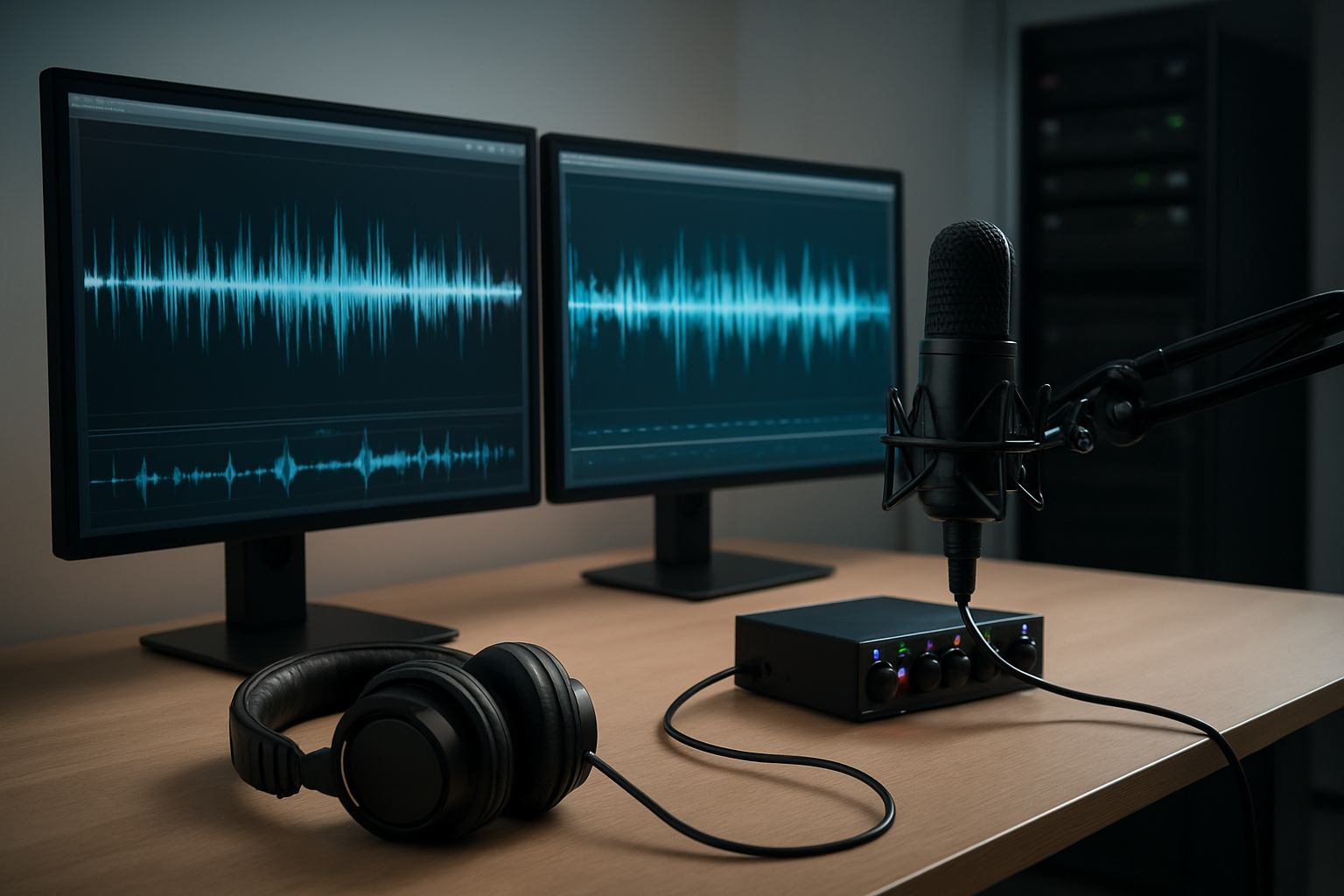
Converting Speech to Text with Amazon Transcribe
Amazon Transcribe transforms audio files and real-time speech into accurate text, making it a cornerstone for AWS speech recognition implementations. The service supports over 100 languages and automatically identifies speakers, timestamps, and punctuation. You can process audio formats including MP3, MP4, WAV, and FLAC files up to 4 hours long.
Setting up Transcribe starts with creating a transcription job through the AWS console or SDK. Here’s a basic Python implementation:
import boto3

transcribe = boto3.client('transcribe')

response = transcribe.start_transcription_job(
    TranscriptionJobName='my-transcription',
    Media={'MediaFileUri': 's3://my-bucket/audio-file.wav'},
    MediaFormat='wav',
    LanguageCode='en-US',
    Settings={
        'ShowSpeakerLabels': True,
        'MaxSpeakerLabels': 2
    }
)
For enhanced accuracy, enable custom vocabulary to handle industry-specific terms, proper nouns, or technical jargon. Create vocabulary files containing words, phrases, and their phonetic spellings. This dramatically improves transcription quality for specialized content.
Transcribe Medical offers HIPAA-compliant speech-to-text specifically trained on medical terminology. It recognizes medical specialties like cardiology, neurology, and oncology, making it perfect for healthcare applications.
Real-time streaming capabilities allow live transcription of audio feeds. WebSocket connections enable bidirectional communication, perfect for live captioning, voice assistants, or customer service applications.
Building Voice-enabled Applications with Amazon Polly
Amazon Polly converts text into lifelike speech using advanced deep learning technologies. With over 60 voices across 29 languages, Polly creates natural-sounding audio for applications ranging from accessibility features to interactive voice responses.
Polly offers two types of voices: Standard voices provide high-quality speech synthesis, while Neural voices deliver more natural, human-like intonation and breathing patterns. Neural voices excel in conversational applications where emotional context matters.
Basic text-to-speech implementation looks like this:
import boto3
import pygame

polly = boto3.client('polly')

response = polly.synthesize_speech(
    Text='Welcome to our multimodal AI application',
    OutputFormat='mp3',
    VoiceId='Joanna',
    Engine='neural'
)

# Save audio stream
with open('speech.mp3', 'wb') as file:
    file.write(response['AudioStream'].read())
Speech Synthesis Markup Language (SSML) gives you fine-grained control over pronunciation, emphasis, pauses, and prosody. You can adjust speaking rate, pitch, and volume to match your application’s personality:
<speak>
    <prosody rate="slow" pitch="low">
        This is important information.
    </prosody>
    <break time="1s"/>
    Please <emphasis level="strong">remember</emphasis> these details.
</speak>
Lexicons allow custom pronunciations for brand names, acronyms, or technical terms. Upload pronunciation rules that Polly applies automatically across all synthesis requests, ensuring consistent audio output.
Implementing Real-time Audio Streaming Solutions
Real-time audio processing requires careful architecture planning to handle latency, buffering, and connection management. AWS provides several approaches for streaming audio data between clients and AI services.
Amazon Kinesis Video Streams excels at ingesting live audio feeds from multiple sources. Configure streams to accept audio data and trigger Lambda functions for processing:
import boto3
from botocore.exceptions import ClientError

kinesis_video = boto3.client('kinesisvideo')

# Create stream for audio data
try:
    stream_info = kinesis_video.create_stream(
        StreamName='audio-processing-stream',
        DataRetentionInHours=24,
        MediaType='audio/wav'
    )
except ClientError as e:
    print(f"Stream creation failed: {e}")
WebRTC integration enables browser-based audio streaming without plugins. Use Amazon Kinesis Video Streams WebRTC capabilities to establish peer-to-peer connections for real-time audio exchange.
API Gateway WebSocket APIs handle bidirectional communication for live audio processing. Configure Lambda functions to process incoming audio chunks and return transcription or analysis results instantly:
def lambda_handler(event, context):
    connection_id = event['requestContext']['connectionId']

    # Process audio data
    audio_data = event['body']
    result = process_audio_stream(audio_data)

    # Send response back through WebSocket
    api_gateway = boto3.client('apigatewaymanagementapi')
    api_gateway.post_to_connection(
        ConnectionId=connection_id,
        Data=json.dumps(result)
    )
Creating Speaker Identification and Audio Analysis Features
AWS multimodal AI services provide sophisticated audio analysis capabilities beyond basic transcription. Amazon Transcribe’s speaker diarization identifies individual speakers in multi-person conversations, while custom models enable voice biometrics and acoustic analysis.
Speaker identification works by analyzing vocal characteristics like pitch, tone, and speech patterns. Configure Transcribe to separate speakers automatically:
transcribe_job = {
    'TranscriptionJobName': 'speaker-analysis',
    'Media': {'MediaFileUri': 's3://audio-bucket/meeting.wav'},
    'MediaFormat': 'wav',
    'LanguageCode': 'en-US',
    'Settings': {
        'ShowSpeakerLabels': True,
        'MaxSpeakerLabels': 5,
        'ChannelIdentification': True
    }
}
Amazon Comprehend analyzes transcribed text for sentiment, entities, and key phrases. Combine speech-to-text with natural language processing for comprehensive audio intelligence:
comprehend = boto3.client('comprehend')

# Analyze sentiment from transcribed audio
sentiment_response = comprehend.detect_sentiment(
    Text=transcribed_text,
    LanguageCode='en'
)

# Extract entities and key phrases
entities = comprehend.detect_entities(
    Text=transcribed_text,
    LanguageCode='en'
)
Audio feature extraction using Amazon SageMaker enables custom machine learning models for specialized analysis. Build models to detect emotions, stress levels, or audio quality metrics. Train on spectrograms, MFCCs, or raw waveform data for domain-specific requirements.
Noise reduction and audio enhancement preprocessing improve analysis accuracy. Use AWS Lambda with audio processing libraries to clean audio before sending to AI services, ensuring optimal results from speech recognition and analysis workflows.
Deploying Video Intelligence and Analytics Solutions

Implementing Real-time Video Analysis with Amazon Kinesis
Amazon Kinesis Video Streams serves as the backbone for processing live video feeds at scale. This service ingests video data from various sources like security cameras, mobile devices, and IoT sensors, making it instantly available for real-time analysis. The integration with AWS multimodal AI services creates powerful video intelligence pipelines that can detect objects, recognize faces, and analyze behavior patterns as events unfold.
Setting up real-time video analysis starts with creating a Kinesis Video Stream that accepts your video input. You can configure multiple producers to send data simultaneously, allowing for multi-camera setups or distributed video sources. The stream automatically handles the complexity of buffering, scaling, and delivering video data to downstream consumers.
Amazon Rekognition Video connects seamlessly with Kinesis Video Streams to provide real-time computer vision capabilities. This combination enables immediate detection of people, vehicles, activities, and custom objects within live video feeds. The system can trigger alerts, update databases, or initiate automated responses based on what it observes in real-time.
For advanced use cases, you can integrate Amazon SageMaker models with your Kinesis streams to run custom machine learning algorithms on video frames. This approach works particularly well for specialized detection scenarios like equipment monitoring, quality control, or unique behavioral analysis that requires domain-specific training.
Building Automated Video Content Moderation Systems
Content moderation for video requires sophisticated AI that can understand context, detect inappropriate material, and make decisions at the speed of content creation. AWS video analytics provides the tools to build robust moderation systems that protect platforms while maintaining user experience quality.
Amazon Rekognition’s content moderation capabilities automatically identify explicit or suggestive content, violence, and other inappropriate material within video streams. The service assigns confidence scores to detected content, allowing you to set custom thresholds based on your platform’s policies. This flexibility ensures you can balance strict moderation with avoiding false positives that might frustrate legitimate users.
Building an effective moderation workflow involves multiple detection layers working together. Audio analysis through Amazon Transcribe can identify inappropriate language, while visual analysis catches problematic imagery. The system can also detect text overlays in videos that might contain harmful content, creating comprehensive coverage across all content types.
| Moderation Feature | Capability | Use Case |
|---|---|---|
| Explicit Content Detection | Identifies adult content | Social media platforms |
| Violence Detection | Spots violent imagery | Gaming platforms |
| Text in Video Analysis | Reads overlay text | User-generated content |
| Audio Content Scanning | Transcribes and analyzes speech | Live streaming platforms |
Automated workflows can quarantine flagged content for human review while allowing clearly acceptable material to proceed immediately. This hybrid approach maintains platform safety while ensuring legitimate content reaches audiences without delay.
Creating Video Indexing and Search Capabilities
Video content becomes truly valuable when users can find specific moments within vast libraries. AWS AI services transform raw video into searchable, indexed content that enables precise discovery and navigation. This capability revolutionizes how organizations manage and utilize their video assets.
Amazon Rekognition Video automatically extracts metadata from videos, identifying people, objects, activities, and scenes throughout the content. This metadata becomes the foundation for powerful search functionality that goes far beyond simple filename or description searches. Users can find videos containing specific objects, activities, or even emotional expressions captured in the footage.
The indexing process creates detailed timelines of video content, marking when different elements appear and disappear. This temporal indexing allows for precise navigation to specific moments within long-form content. Educational platforms can help students jump to relevant sections, while security teams can quickly locate specific incidents within hours of surveillance footage.
Integration with Amazon Elasticsearch Service enables complex search queries that combine multiple criteria. Users might search for “videos containing dogs and children in outdoor settings” and receive results with precise timestamps for each matching segment. This level of granular search capability transforms how organizations interact with their video archives.
Custom vocabulary and entity recognition enhance search accuracy for specialized domains. Medical institutions can train systems to recognize specific procedures or anatomical references, while manufacturing companies can index videos based on equipment types or process stages.
Setting Up Live Stream Processing and Analytics
Live video processing requires infrastructure that can handle unpredictable traffic spikes while maintaining consistent performance. AWS provides the scalable architecture needed to process multiple simultaneous streams while extracting meaningful analytics in real-time.
Amazon Kinesis Data Analytics processes streaming video metadata to generate immediate insights about viewer behavior, content performance, and system health. The service can identify trending content, monitor stream quality, and detect anomalies that might indicate technical issues or unusual usage patterns.
Real-time analytics dashboards built with Amazon QuickSight provide immediate visibility into streaming performance. These dashboards can track concurrent viewers, geographic distribution, device types, and engagement metrics across multiple streams simultaneously. Operations teams get the information they need to optimize delivery and respond to issues before they impact viewer experience.
The combination of Amazon CloudFront for content delivery and AWS Lambda for edge processing creates low-latency analytics collection. Custom Lambda functions can process viewer interactions, content preferences, and quality metrics at edge locations, reducing the load on central systems while providing faster response times.
Stream processing workflows can automatically adjust video quality, trigger content recommendations, or activate targeted advertising based on real-time analysis. Machine learning models running on streaming data can predict viewer behavior and preemptively optimize content delivery for individual users or demographic segments.
Monitoring and alerting systems built around Amazon CloudWatch ensure streaming services maintain high availability. Automated scaling policies can provision additional resources during peak demand periods while cost optimization features reduce infrastructure expenses during low-traffic periods.
Integrating Multiple AI Modalities for Enhanced User Experiences

Creating Cross-modal Search and Discovery Features
Building effective cross-modal search capabilities transforms how users interact with diverse content types. AWS multimodal AI services enable powerful search experiences where users can find videos using text descriptions, locate similar images through audio cues, or discover documents using visual elements. This approach leverages Amazon Rekognition for image analysis, Amazon Textract for document processing, Amazon Transcribe for audio-to-text conversion, and Amazon Comprehend for semantic understanding.
The implementation starts with creating unified metadata structures that capture semantic meaning across all media types. When users upload content, the system automatically extracts features from each modality – identifying objects and scenes from images, transcribing spoken words from audio files, and analyzing sentiment from text documents. These features get stored in Amazon OpenSearch Service, creating a searchable index that connects related content regardless of format.
Real-world applications include e-learning platforms where students search for “photosynthesis” and receive videos, diagrams, audio lectures, and written materials. E-commerce sites benefit when customers upload photos of desired items and receive product matches along with related reviews and demonstration videos.
Key technical considerations include feature extraction pipelines, similarity scoring algorithms, and result ranking mechanisms. The system must handle different confidence levels across modalities and provide meaningful relevance scores that combine insights from multiple AI services.
Building Unified Data Pipelines for Multiple Media Types
Successful multimodal AI implementation requires robust data pipelines that process different content types efficiently while maintaining consistency and quality. AWS offers several services that work together to create these unified workflows, including AWS Step Functions for orchestration, Amazon S3 for storage, and AWS Lambda for processing triggers.
The pipeline architecture typically follows a hub-and-spoke model where incoming media files trigger specialized processing chains. Video files get routed through Amazon Transcribe for audio extraction, Amazon Rekognition Video for visual analysis, and custom processing for frame extraction. Audio files pass through speech recognition and audio classification services, while images undergo object detection, text extraction, and scene analysis.
Data transformation becomes critical at this stage. Raw outputs from different AWS AI services need normalization into consistent formats. For example, Amazon Rekognition returns bounding boxes for detected objects, while Amazon Textract provides document structure information. The pipeline must convert these diverse outputs into standardized schemas that downstream applications can consume easily.
| Media Type | Primary Services | Processing Time | Output Format |
|---|---|---|---|
| Video | Rekognition Video, Transcribe | 5-15 minutes | JSON metadata |
| Audio | Transcribe, Comprehend | 2-5 minutes | Text + sentiment |
| Images | Rekognition, Textract | 30-60 seconds | Objects + text |
| Documents | Textract, Comprehend | 1-3 minutes | Structure + entities |
Error handling and retry mechanisms ensure robust processing even when individual services experience temporary issues. The pipeline includes quality checks that validate AI service outputs and flag potential problems for human review.
Implementing Real-time Multi-input Processing Systems
Real-time processing of multiple input modalities demands careful architecture planning to handle varying processing speeds and resource requirements. AWS Kinesis Data Streams serves as the backbone for ingesting streaming data, while AWS Lambda functions provide the compute layer for immediate processing of lightweight tasks.
The challenge lies in synchronizing different modalities that arrive at different rates and require different processing times. Live video streams generate frames continuously, audio streams provide chunks every few seconds, and text inputs arrive sporadically based on user interactions. Amazon Kinesis Data Analytics helps correlate these streams using time windows and event patterns.
Processing priorities become essential when dealing with resource constraints. Critical real-time features like live transcription or immediate object detection get priority processing, while non-urgent tasks like detailed sentiment analysis can be queued for batch processing. Amazon SQS provides the queuing mechanism, while AWS Auto Scaling ensures compute resources scale based on demand.
Caching strategies using Amazon ElastiCache reduce redundant processing for similar inputs. When the system processes a video frame and detects specific objects, those results get cached so similar frames can reuse the analysis. This optimization significantly improves response times and reduces costs.
Monitoring becomes complex with multiple processing streams running simultaneously. Amazon CloudWatch provides metrics for each modality, while custom dashboards track cross-modal correlations and system health. Alert systems notify administrators when processing delays exceed acceptable thresholds or when error rates spike across any modality.
Designing Scalable Event-driven Architectures
Event-driven architectures provide the flexibility needed for complex multimodal AI workflows. Amazon EventBridge serves as the central nervous system, routing events between different AWS AI services based on content type, processing requirements, and business logic. This approach decouples individual processing components, making the system more maintainable and scalable.
Events flow through the system carrying metadata about content type, processing status, and required actions. When a video upload completes, the system generates events for audio extraction, visual analysis, and metadata generation. Each event gets routed to appropriate services without creating tight coupling between components. Amazon SNS facilitates fan-out patterns where single events trigger multiple parallel processing workflows.
State management becomes crucial in distributed processing scenarios. AWS Step Functions manages long-running workflows that span multiple AI services and may take several minutes to complete. The state machine tracks processing progress, handles failures gracefully, and coordinates dependencies between different modalities.
Auto-scaling strategies adapt to workload patterns specific to multimodal AI implementation. Image processing typically requires burst capacity during business hours, while video processing often runs continuously with steady resource requirements. AWS Auto Scaling Groups and Application Load Balancers distribute workloads efficiently across available compute resources.
Cost optimization in event-driven architectures focuses on right-sizing compute resources and minimizing data transfer between services. Amazon VPC endpoints reduce network costs for service communications, while intelligent routing sends processing tasks to the most cost-effective compute options based on urgency and resource requirements.
The architecture supports easy addition of new AI capabilities or modalities without disrupting existing workflows. New services integrate through the event system, subscribing to relevant event types and publishing their own results for downstream consumption.
Optimizing Performance and Managing Costs for Production Deployment

Implementing Efficient Data Processing Pipelines
Streamlining your data processing pipelines makes all the difference when running multimodal AI services at scale. Start by using AWS Lambda for lightweight preprocessing tasks like image resizing or audio format conversion. For heavier workloads, Amazon EC2 instances with GPU support handle complex transformations efficiently.
Amazon S3 serves as your central data lake, but organizing files properly saves both time and money. Create separate buckets for raw inputs, processed data, and results. Use S3 lifecycle policies to automatically move older data to cheaper storage classes like Glacier or Intelligent Tiering.
AWS Batch works great for processing large volumes of multimedia content. Set up job queues that automatically scale based on workload demands. Combine this with Amazon SQS to create reliable message queues that handle spikes in processing requests without losing data.
Consider using Amazon Kinesis Data Streams for real-time processing scenarios. When users upload videos or audio files, Kinesis can trigger immediate processing while maintaining smooth user experiences. AWS Step Functions orchestrate complex workflows that involve multiple AI modalities, ensuring each step completes successfully before moving to the next.
Setting Up Monitoring and Alerting for AI Services
Monitoring your AWS multimodal AI deployment prevents small issues from becoming expensive problems. Amazon CloudWatch provides comprehensive visibility into your AI services performance. Create custom dashboards that track key metrics like API response times, error rates, and processing volumes across different modalities.
Set up CloudWatch alarms for critical thresholds. Monitor Amazon Rekognition processing times, Amazon Transcribe job completion rates, and Amazon Textract error percentages. When response times exceed acceptable limits, automated alerts notify your team immediately.
AWS X-Ray traces requests across multiple services, helping identify bottlenecks in your multimodal AI pipeline. Track how long each processing step takes and spot opportunities for optimization.
Amazon CloudTrail logs all API calls, providing audit trails for compliance and debugging. Filter logs by service type to analyze usage patterns for specific AI modalities.
| Monitoring Focus | Key Metrics | Alert Thresholds |
|---|---|---|
| API Performance | Response time, throughput | >5 seconds response |
| Cost Management | Daily spend, API calls | >110% of budget |
| Error Tracking | Failure rates, timeouts | >5% error rate |
| Resource Usage | CPU, memory, storage | >80% utilization |
Optimizing API Call Patterns for Cost Reduction
Smart API usage patterns dramatically reduce costs across AWS AI services integration. Batch processing saves money compared to individual API calls. Instead of calling Amazon Rekognition for each image separately, group multiple images into single batch operations whenever possible.
Implement intelligent caching strategies. Store results from expensive operations like video analysis in Amazon DynamoDB or ElastiCache. Check cache first before making new API calls to avoid duplicate processing costs.
Choose the right service tier for your needs. Amazon Transcribe offers standard and medical transcription – only use medical transcription when necessary since it costs more. Similarly, Amazon Rekognition’s celebrity recognition feature costs extra, so enable it only when needed.
Use asynchronous processing for non-urgent tasks. Amazon Textract’s asynchronous document analysis costs less than synchronous calls and handles larger files. Queue these jobs during off-peak hours when compute resources are cheaper.
Request only the features you need. When calling Amazon Comprehend for sentiment analysis, don’t request entity detection if you won’t use those results. Each additional feature adds to your bill.
Consider AWS AI service quotas and plan accordingly. Staying within default limits avoids throttling and reduces the need for expensive provisioned capacity.
Scaling Solutions Based on Demand and Usage Patterns
Building scalable multimodal AI solutions requires understanding your usage patterns and designing for flexibility. Amazon Auto Scaling Groups automatically adjust EC2 instances based on demand, ensuring you have enough processing power during peak times without paying for idle resources.
Application Load Balancers distribute traffic across multiple instances running your AI processing services. This prevents any single server from becoming overwhelmed and maintains consistent response times.
Use Amazon ECS or EKS for containerized AI workloads. These services automatically scale containers based on CPU and memory usage. Docker containers package your custom AI processing code alongside dependencies, making deployment consistent across environments.
Serverless architectures shine for variable workloads. AWS Lambda scales from zero to thousands of concurrent executions automatically. Combine Lambda with Amazon API Gateway for REST endpoints that trigger AI processing workflows.
Monitor usage patterns to predict scaling needs. If video uploads spike every Monday morning, pre-scale your infrastructure accordingly. Amazon CloudWatch metrics reveal these patterns over time.
Consider geographic distribution with Amazon CloudFront. Cache processed results closer to users and reduce latency for repeated requests. Edge locations speed up content delivery for image and video AI applications.
Database scaling matters too. Amazon DynamoDB on-demand pricing adjusts capacity automatically, while Aurora Serverless handles variable database workloads cost-effectively.
Reserve capacity for predictable workloads. AWS Savings Plans offer significant discounts when you commit to consistent usage levels across your multimodal AI implementation.

AWS has opened up incredible opportunities for businesses to harness the power of multiple AI modalities in one unified platform. By combining text analysis, image recognition, audio processing, and video intelligence, you can create applications that understand and respond to users in ways that feel natural and intuitive. The key is starting with a solid foundation—setting up your AWS environment properly and choosing the right services for your specific use case.
The real magic happens when you bring these different AI capabilities together. Your chatbot can process voice commands, analyze uploaded images, and respond with contextually relevant information. Your content management system can automatically tag videos, transcribe audio, and extract insights from documents. Remember to keep an eye on costs as you scale—AWS offers plenty of tools to help you optimize performance without breaking the budget. Start small with one or two modalities, learn what works best for your users, then gradually expand your AI capabilities as your confidence and expertise grow.