From Setup to Scale: Preparing AWS for Infrastructure as Code
Managing AWS infrastructure manually becomes a nightmare as your applications grow. AWS Infrastructure as Code solves this by letting you define, deploy, and manage your cloud resources through code instead of clicking through the console.
This guide is for DevOps engineers, cloud architects, and development teams ready to automate their AWS infrastructure and scale operations efficiently.
We’ll walk through essential AWS account configuration that sets you up for IaC success, including proper IAM roles, organizational units, and security baselines. You’ll also learn how to build your foundation with CloudFormation templates and establish reusable patterns for consistent deployments. Finally, we’ll cover scaling across multiple environments using AWS DevOps tools and CI/CD pipelines that automate everything from development to production.
By the end, you’ll have a complete Infrastructure automation AWS strategy that grows with your team and eliminates manual deployment headaches.
Essential AWS Account Configuration for Infrastructure as Code Success

Configure AWS Identity and Access Management policies for automated deployments
Setting up proper IAM policies forms the backbone of secure AWS Infrastructure as Code deployments. Start by creating dedicated service accounts for your automation tools rather than using personal credentials. These service accounts need specific permissions to create, modify, and delete AWS resources without compromising security.
Create custom IAM policies that follow the principle of least privilege. Your CloudFormation service roles should only access resources they actually need to manage. For example, if your infrastructure templates only deploy EC2 instances and S3 buckets, don’t grant RDS or Lambda permissions.
Set up cross-account roles when working across multiple AWS accounts. This approach allows your CI/CD pipelines to assume roles in target environments without storing long-term credentials. Use AWS STS (Security Token Service) to generate temporary credentials that automatically expire.
Consider implementing permission boundaries to prevent privilege escalation. These act as guardrails, ensuring that even if someone gains access to your automation credentials, they can’t exceed predefined limits.
Set up AWS Organizations for multi-account infrastructure management
AWS Organizations provides centralized management for multiple AWS accounts, which becomes essential when scaling Infrastructure as Code across different environments. Create separate accounts for development, staging, and production to maintain proper isolation and blast radius control.
Implement organizational units (OUs) to group accounts logically. You might have OUs for different teams, applications, or environments. This structure makes it easier to apply consistent policies across similar account types.
Set up service control policies (SCPs) at the organization level to enforce security guardrails across all accounts. These policies can prevent certain actions like deleting CloudTrail logs or launching expensive instance types in development accounts.
Use AWS Organizations’ consolidated billing feature to track costs across all accounts from a single payer account. This setup simplifies cost allocation and budget management for your infrastructure operations.
Enable AWS CloudTrail for comprehensive audit logging and compliance
CloudTrail captures every API call made in your AWS account, creating an essential audit trail for Infrastructure as Code operations. Enable CloudTrail across all regions and configure it to log both management events and data events relevant to your infrastructure.
Store CloudTrail logs in a dedicated S3 bucket with proper versioning and lifecycle policies. Consider using S3 Cross-Region Replication for additional durability and compliance requirements. Encrypt these logs using AWS KMS to protect sensitive information.
Set up CloudWatch integration to monitor CloudTrail logs in real-time. Create alerts for suspicious activities like unauthorized IAM changes or resource deletions outside your normal deployment windows.
Configure log file validation to detect tampering. CloudTrail can digitally sign log files, allowing you to verify their integrity later. This feature proves crucial for compliance audits and security investigations.
Establish billing alerts and cost monitoring for budget control
Cost control becomes critical as your Infrastructure as Code deployments scale. Set up AWS Budgets to track spending across different dimensions like services, accounts, or cost allocation tags. Create both actual and forecasted budgets to catch cost overruns early.
Configure billing alerts that trigger when spending approaches predefined thresholds. Set multiple alert levels – perhaps at 50%, 80%, and 100% of your budget. This graduated approach gives you time to investigate and react before costs spiral out of control.
Use AWS Cost Explorer to analyze spending patterns and identify optimization opportunities. Tag your CloudFormation stacks consistently so you can track costs by application, environment, or team. This visibility helps you make informed decisions about resource sizing and usage.
Implement automated cost optimization through AWS Trusted Advisor and Cost Anomaly Detection. These services can identify unused resources, recommend instance rightsizing, and alert you to unusual spending patterns that might indicate misconfigurations in your infrastructure templates.
Building Your Infrastructure as Code Foundation with AWS CloudFormation

Design Reusable CloudFormation Templates for Consistent Deployments
Creating reusable CloudFormation templates forms the backbone of effective AWS Infrastructure as Code implementation. Start by developing modular templates that focus on specific resource types or application layers. A well-designed template should be environment-agnostic, accepting parameters for region-specific settings, instance sizes, and security configurations.
Structure your templates with clear logical sections: Parameters, Mappings, Conditions, Resources, and Outputs. Use descriptive parameter names with validation constraints to prevent deployment errors. For example, create templates for common patterns like VPC networks, application load balancers, or RDS databases that can be reused across multiple projects.
Version control your CloudFormation templates alongside your application code. This ensures template changes go through the same review process and maintain traceability. Store templates in a centralized repository where teams can discover and reuse proven infrastructure patterns.
Implement Parameter Files for Environment-Specific Configurations
Parameter files separate configuration from infrastructure code, enabling the same template to deploy across development, staging, and production environments. Create JSON or YAML parameter files for each environment containing specific values like instance types, database configurations, and security group rules.
Name your parameter files consistently: dev-parameters.json, staging-parameters.json, prod-parameters.json. This naming convention makes it easy to identify which configuration applies to each environment. Store sensitive values like database passwords in AWS Systems Manager Parameter Store or AWS Secrets Manager, referencing them in your parameter files rather than hardcoding secrets.
Implement parameter validation within your templates to catch configuration errors before deployment. Use allowed values, minimum/maximum constraints, and pattern matching to ensure parameters meet your requirements.
Create Nested Stacks for Modular Infrastructure Components
Nested stacks break complex infrastructure into manageable, reusable components. Design parent stacks that orchestrate child stacks for networking, security, compute, and database layers. This approach simplifies troubleshooting and enables teams to update specific infrastructure components without affecting the entire stack.
Structure nested stacks hierarchically. A parent stack might create the VPC and security groups, then invoke child stacks for application servers and databases. Pass outputs from parent stacks as parameters to child stacks to maintain proper dependencies.
Use cross-stack references sparingly and prefer passing values through parameters. This reduces tight coupling between stacks and makes them more portable across environments.
Establish Stack Naming Conventions and Resource Tagging Strategies
Consistent naming conventions prevent confusion and support automated operations. Develop a naming scheme that includes environment, application name, and component type: prod-webapp-frontend or dev-api-database. This makes it easy to identify resources and their purpose at a glance.
Implement comprehensive resource tagging strategies using both required and optional tags. Required tags might include Environment, Project, Owner, and CostCenter. Optional tags can capture technical details like Version, BackupSchedule, or MaintenanceWindow.
Use CloudFormation’s automatic tagging feature to apply stack-level tags to all resources. This ensures consistent tagging without manual intervention. Create tag policies to enforce tagging standards across your organization.
Configure Stack Policies to Prevent Accidental Resource Deletion
Stack policies protect critical resources from accidental deletion or modification during stack updates. Create policies that deny destructive actions on stateful resources like databases, S3 buckets, or IAM roles while allowing updates to stateless components.
Define granular stack policies based on resource criticality. Production databases might have policies preventing any modifications, while development resources allow more flexibility. Use logical resource IDs in policies rather than physical resource names to maintain policy effectiveness across stack updates.
Test stack policies in development environments before applying them to production. Verify that legitimate updates work correctly while destructive operations are properly blocked. Document your stack policies and include them in your infrastructure code repository for version control and team visibility.
Streamlining Development Workflows with AWS Developer Tools

Set up AWS CodeCommit repositories for version-controlled infrastructure code
Version control forms the backbone of any successful Infrastructure as Code implementation. AWS CodeCommit provides a fully managed Git service that integrates seamlessly with your AWS Infrastructure as Code workflow. Creating dedicated repositories for your CloudFormation templates and infrastructure code ensures proper change tracking, collaboration, and deployment consistency across your development teams.
Start by creating separate repositories for different infrastructure components – one for core networking resources, another for application infrastructure, and perhaps a dedicated repository for security configurations. This separation allows teams to work independently while maintaining clear ownership boundaries. When organizing your repository structure, create folders for different environments (dev, staging, production) and use consistent naming conventions for your CloudFormation templates.
Configure branch protection rules to prevent direct commits to your main branch, requiring pull requests for all changes. This practice enforces code review processes and prevents accidental infrastructure modifications. Set up repository triggers that automatically notify team members when changes occur, ensuring everyone stays informed about infrastructure updates.
Consider implementing semantic versioning for your infrastructure code releases. Tag significant changes and maintain a changelog that documents modifications, making it easier to track infrastructure evolution over time. AWS CodeCommit’s integration with IAM allows you to control access at the repository level, ensuring only authorized team members can modify critical infrastructure code.
Configure AWS CodeBuild for automated template validation and testing
Automated validation catches infrastructure errors before they impact your environments. AWS CodeBuild provides the perfect platform for implementing comprehensive testing pipelines that validate CloudFormation templates, check for security compliance, and run custom infrastructure tests. This automation significantly reduces deployment failures and maintains infrastructure quality standards.
Create build projects that perform multiple validation layers on your infrastructure code. Start with basic syntax validation using the AWS CLI’s validate-template command, which catches formatting errors and parameter inconsistencies. Add cfn-lint for deeper template analysis, identifying potential issues with resource configurations and CloudFormation best practices violations.
Implement security scanning as part of your build process using tools like cfn_nag or Checkov. These tools analyze your templates for security misconfigurations, such as overly permissive security groups, unencrypted storage resources, or missing backup configurations. Configure your build to fail when security violations exceed acceptable thresholds.
Set up cost estimation analysis using AWS Cost Explorer APIs or third-party tools that predict infrastructure costs based on your templates. This proactive approach helps prevent unexpected billing surprises and enables better budget planning. Create custom build phases that generate infrastructure documentation automatically, keeping your team informed about resource dependencies and configurations.
Configure parallel testing environments where your build process can deploy templates to isolated test accounts, run integration tests, and tear down resources automatically. This approach validates not just template syntax but actual deployment behavior, catching issues that static analysis might miss.
Implement AWS CodePipeline for continuous infrastructure delivery
AWS CodePipeline orchestrates your entire infrastructure deployment workflow, connecting source control, build validation, and deployment stages into a seamless automation chain. A well-designed pipeline ensures consistent deployments while providing the flexibility to handle different environments and approval processes.
Design your pipeline with clear stages that reflect your deployment strategy. Start with a source stage connected to your CodeCommit repository, triggering automatically when changes are pushed to specific branches. Follow with your CodeBuild validation stage, ensuring all templates pass quality checks before proceeding to deployment phases.
Create environment-specific deployment stages that deploy to development environments first, allowing for integration testing before promoting changes to staging and production. Implement manual approval actions between critical stages, giving stakeholders the opportunity to review changes and approve production deployments. This balance of automation and control maintains deployment speed while preserving safety.
Configure parallel deployment capabilities for independent infrastructure components. When your networking changes don’t affect application infrastructure, both can deploy simultaneously, reducing overall deployment time. Use CloudFormation change sets in your pipeline stages to preview infrastructure modifications before applying them, providing clear visibility into what changes will occur.
Implement rollback mechanisms that can quickly revert infrastructure changes if issues arise. Store previous template versions and maintain deployment artifacts that enable rapid recovery. Set up monitoring integrations that automatically trigger rollbacks when deployment health checks fail, minimizing the impact of problematic infrastructure changes.
Configure cross-region pipeline replication for disaster recovery scenarios, ensuring your infrastructure deployment capabilities remain available even during regional outages. This redundancy proves critical for organizations with strict availability requirements and global infrastructure footprints.
Advanced Infrastructure Management and Monitoring Capabilities

Deploy AWS Config for Real-Time Infrastructure Compliance Monitoring
AWS Config acts as your infrastructure watchdog, continuously monitoring and recording configuration changes across your AWS resources. When implementing Infrastructure as Code with CloudFormation templates, Config ensures your deployed resources stay compliant with organizational policies and industry standards.
Setting up Config starts with enabling it in your primary AWS region and selecting the resource types you want to monitor. For IaC environments, focus on EC2 instances, security groups, IAM roles, and S3 buckets as these represent the most critical components of your infrastructure automation.
Create custom Config rules that align with your infrastructure policies. For example, establish rules that flag EC2 instances without proper tags, security groups with overly permissive access, or S3 buckets without encryption. These rules automatically evaluate your Infrastructure as Code deployments and alert you when configurations drift from approved standards.
Config’s timeline feature becomes invaluable when troubleshooting infrastructure issues. When a CloudFormation stack deployment causes problems, you can trace exactly what changed and when, making rollback decisions faster and more informed.
Integrate AWS Systems Manager for Centralized Parameter and Secret Management
Systems Manager Parameter Store centralizes configuration data and secrets across your Infrastructure as Code deployments. Instead of hardcoding sensitive values in your CloudFormation templates, reference parameters that Systems Manager securely stores and manages.
Create a hierarchical parameter structure that mirrors your environment organization. Use paths like /prod/database/password and /dev/api/key to maintain clear separation between environments while keeping related parameters grouped together. This approach makes your IaC templates more portable and secure.
Parameter Store integrates seamlessly with CloudFormation through dynamic references. Your templates can pull parameter values at deployment time without exposing sensitive data in template files or version control systems. This integration supports both String and SecureString parameter types, with automatic encryption for sensitive values.
Systems Manager also provides patch management and maintenance windows for your infrastructure. Schedule automated patching for your EC2 instances and coordinate maintenance activities across multiple resources, ensuring your Infrastructure as Code environments stay current and secure without manual intervention.
Configure Amazon CloudWatch for Infrastructure Performance Tracking
CloudWatch serves as the central nervous system for monitoring your Infrastructure as Code deployments. Custom metrics, logs, and alarms provide real-time visibility into how your automated infrastructure performs under various conditions.
Create CloudWatch dashboards specific to each environment managed by your IaC processes. Include metrics for resource utilization, application performance, and cost tracking. These dashboards help you understand the impact of infrastructure changes deployed through CloudFormation and identify optimization opportunities.
Log aggregation becomes crucial when managing infrastructure at scale. Configure CloudWatch Logs to collect application logs, system logs, and AWS service logs from all resources in your infrastructure stack. Use log insights to query across multiple log streams and identify patterns that indicate infrastructure issues or performance bottlenecks.
Set up intelligent alerting using CloudWatch Alarms that trigger based on metric thresholds, anomaly detection, or composite conditions. Connect these alarms to SNS topics that notify your DevOps team when infrastructure performance degrades or when specific events occur across your automated environments.
Set Up AWS Service Catalog for Standardized Infrastructure Provisioning
AWS Service Catalog transforms your tested CloudFormation templates into a self-service catalog that development teams can use without deep Infrastructure as Code expertise. This approach maintains governance while enabling faster deployment cycles.
Design product portfolios that reflect your organization’s infrastructure patterns. Create products for common scenarios like web applications, databases, or analytics workloads. Each product bundles proven CloudFormation templates with appropriate IAM policies and deployment constraints.
Implement launch constraints that control how teams can deploy catalog products. Set parameter restrictions, specify allowed instance types, and define mandatory tags that align with your infrastructure standards. These constraints ensure consistency across deployments while giving teams flexibility within approved boundaries.
Version control becomes automatic with Service Catalog products. When you update underlying CloudFormation templates, create new product versions that teams can test and adopt gradually. This versioning approach reduces risk while enabling continuous improvement of your infrastructure patterns.
Service Catalog’s portfolio sharing enables cross-account infrastructure standardization. Share proven infrastructure patterns across multiple AWS accounts, ensuring consistent deployment practices whether teams work in development, staging, or production environments.
Scaling Infrastructure Operations Across Multiple Environments
Implement cross-region deployment strategies for disaster recovery
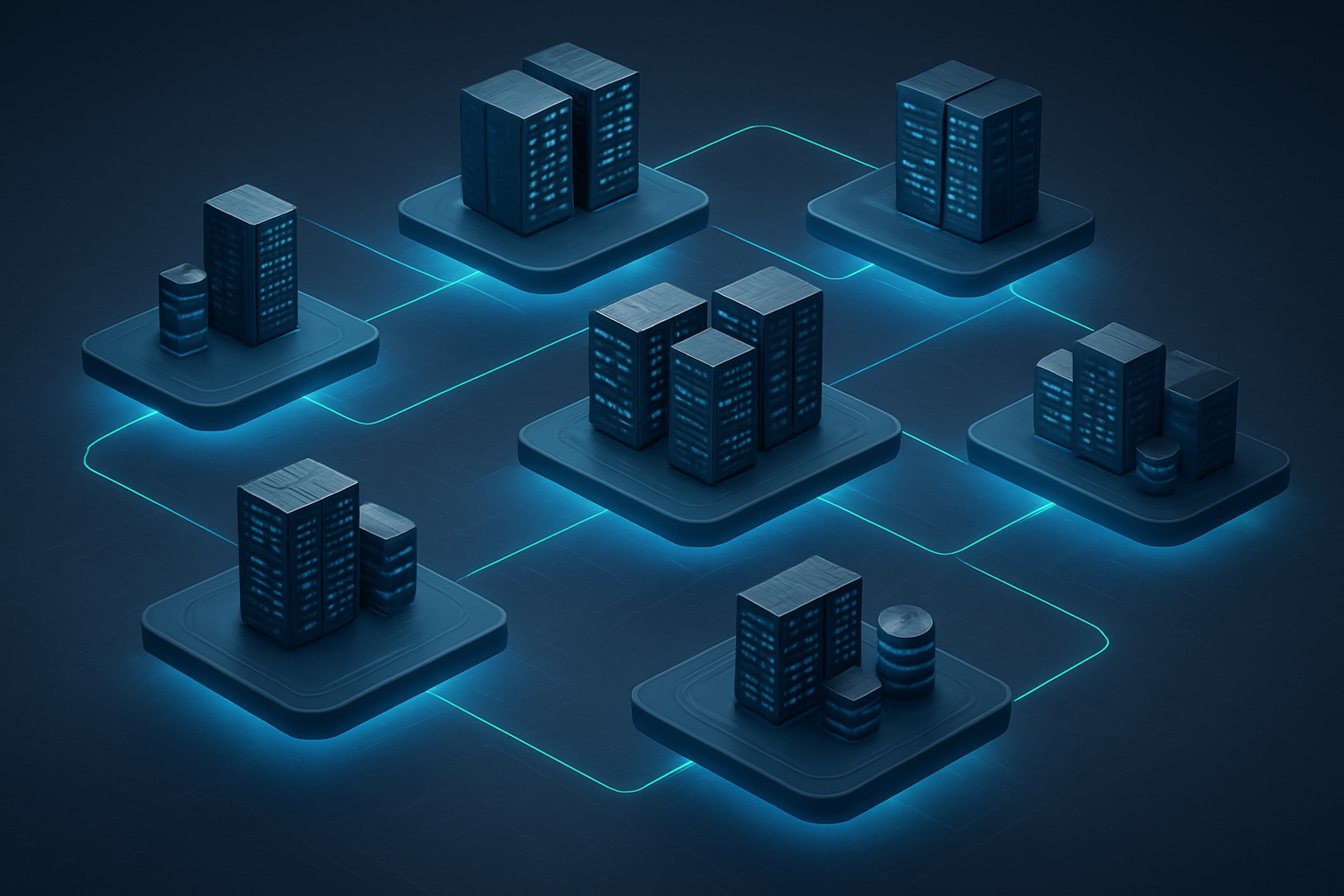
Cross-region deployments form the backbone of robust disaster recovery in AWS Infrastructure as Code. Setting up your CloudFormation templates to deploy across multiple regions protects your applications from regional outages and ensures business continuity. Start by creating region-agnostic templates that use parameters and mappings instead of hardcoded values. Your AMI IDs, availability zones, and service endpoints should adapt automatically to different regions.
Use CloudFormation StackSets to orchestrate deployments across multiple AWS regions simultaneously. StackSets manage the complexity of cross-region operations by handling IAM permissions, stack dependencies, and rollback procedures automatically. Create a master template that defines your core infrastructure, then deploy instances of this stack to your primary and secondary regions.
Data replication strategies vary based on your storage needs. For RDS databases, enable cross-region automated backups and read replicas. S3 buckets should have cross-region replication configured for critical data. DynamoDB Global Tables provide automatic multi-region replication for NoSQL workloads. Plan your RPO (Recovery Point Objective) and RTO (Recovery Time Objective) requirements carefully, as they directly influence your replication frequency and failover automation.
Automate environment promotion workflows from development to production
Multi-environment deployment AWS strategies eliminate manual errors and speed up releases. Build your AWS CI/CD pipeline to automatically promote Infrastructure as Code changes through development, staging, and production environments. Use AWS CodePipeline to create promotion workflows that validate infrastructure changes at each stage.
CodeCommit stores your CloudFormation templates and configuration files. When developers push changes, CodeBuild runs validation tests, security scans, and template linting. Successful builds trigger deployments to the development environment first. After automated testing passes, the pipeline promotes changes to staging for integration testing.
Environment-specific parameter files keep your templates flexible while maintaining configuration control. Store these parameters in AWS Systems Manager Parameter Store or AWS Secrets Manager. Your pipeline retrieves the correct parameters for each environment, ensuring consistent deployments without template modifications.
Gate mechanisms add human approval steps for production deployments. Configure manual approval actions in CodePipeline for sensitive environment promotions. This approach balances automation speed with change control requirements.
Establish infrastructure drift detection and remediation processes
Infrastructure drift occurs when actual resources differ from your CloudFormation templates. Regular drift detection prevents configuration inconsistencies that can lead to security vulnerabilities and operational issues. CloudFormation’s built-in drift detection compares your stack resources against their template definitions.
Schedule automated drift detection using Lambda functions triggered by CloudWatch Events. Set up daily or weekly scans depending on your change frequency. When drift is detected, send notifications through SNS to alert your operations team immediately. Create detailed reports showing exactly which resources have drifted and how they differ from expected configurations.
AWS Config provides continuous monitoring of resource configurations. Set up Config rules that align with your CloudFormation templates. When resources drift from approved configurations, Config triggers automatic remediation actions through Systems Manager Automation documents. This creates a self-healing infrastructure that maintains compliance automatically.
Implement drift remediation strategies based on resource criticality. High-priority resources might trigger automatic rollback to template specifications. Lower-priority changes could generate tickets for manual review. Document your drift policies clearly so teams understand when manual intervention is required versus automatic remediation.
Configure blue-green deployment patterns for zero-downtime updates
Blue-green deployments eliminate downtime during infrastructure updates by maintaining two identical production environments. While the “blue” environment serves live traffic, deploy updates to the “green” environment. After validation, switch traffic from blue to green instantly.
Application Load Balancers make traffic switching seamless. Create two target groups pointing to your blue and green environments. Route 53 weighted routing policies can gradually shift traffic percentages during testing phases. Start with 10% traffic to the green environment, monitor performance metrics, then increase gradually until full cutover.
CloudFormation supports blue-green patterns through stack sets and deployment configurations. Create separate stacks for blue and green environments, each with identical resource configurations. Use parameter files to differentiate environment-specific settings like instance counts or database endpoints. Deploy green stack updates while blue handles production traffic.
Automate the entire blue-green process using CodeDeploy. Configure deployment groups for both environments and define rollback triggers based on CloudWatch alarms. If error rates spike or response times increase after switching to green, automatic rollback returns traffic to the blue environment within minutes. This Infrastructure automation AWS approach reduces deployment risk while maintaining rapid release cycles.
Monitor both environments continuously during deployments. CloudWatch dashboards should track key metrics across blue and green stacks. Set up alerts for performance degradation, error rate increases, or resource utilization spikes. Quick detection and response capabilities make blue-green deployments reliable for mission-critical applications.

Setting up AWS for Infrastructure as Code isn’t just about deploying resources faster—it’s about creating a reliable, repeatable foundation that grows with your business. The key pieces we’ve covered, from proper account configuration and CloudFormation templates to developer tools and monitoring, work together to eliminate the guesswork from infrastructure management. When you get these fundamentals right, your team can focus on building great products instead of fighting infrastructure fires.
The real magic happens when you start scaling these practices across multiple environments. Your staging setup becomes identical to production, your deployments become predictable, and your infrastructure documentation lives in code that everyone can read and contribute to. Start small with a single service or environment, get comfortable with the tools, and then expand your Infrastructure as Code approach. Your future self will thank you when you can spin up a complete environment with a single command, and your entire infrastructure is just a git repository away.