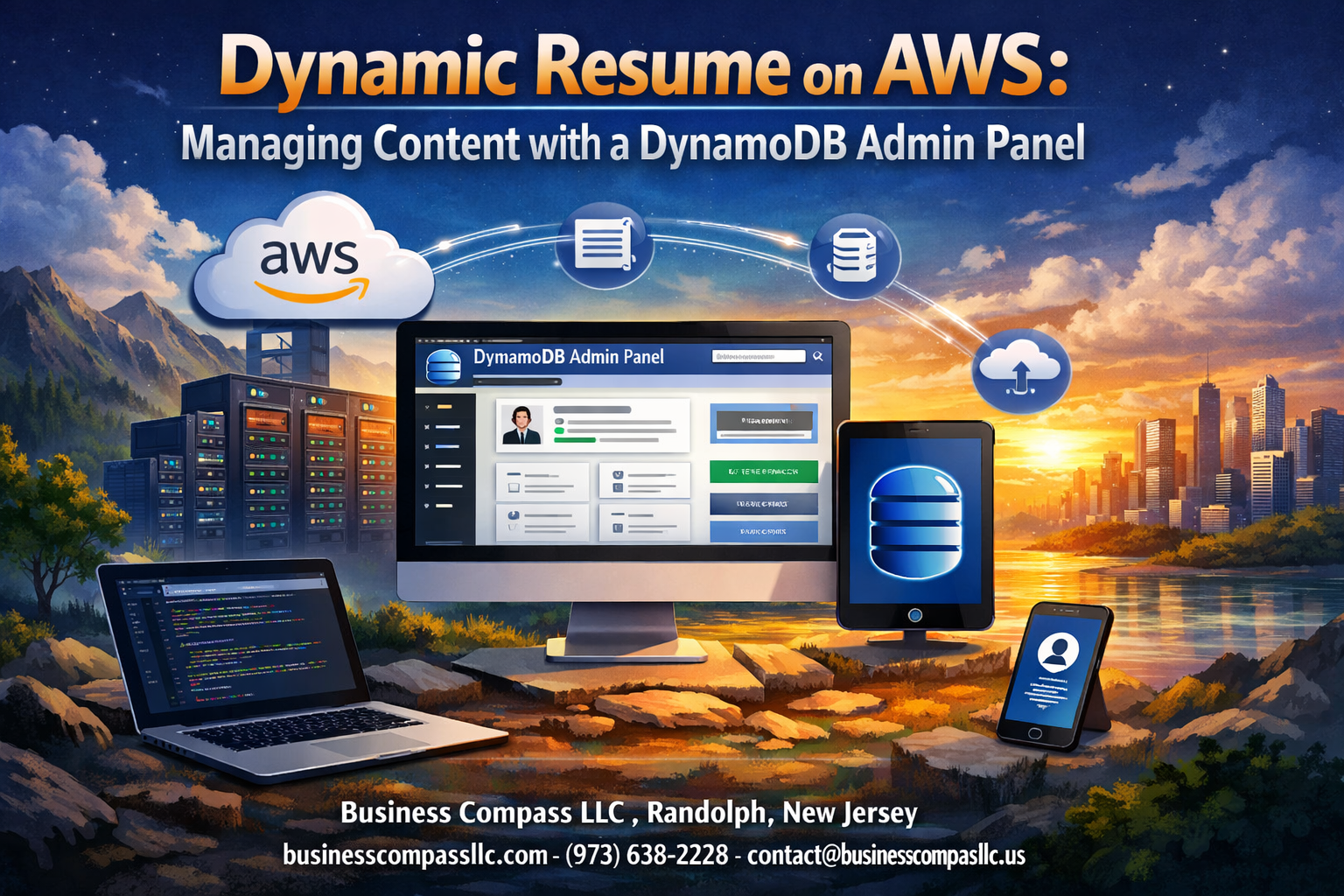
Building a dynamic resume management system on AWS gives developers and job seekers complete control over their online presence without constantly updating static files. This guide walks you through creating a cloud-based resume platform using AWS DynamoDB as your content backbone and a custom DynamoDB admin panel for easy updates.
Perfect for developers, recent graduates, and career changers who want a professional resume website that adapts as their experience grows. Instead of editing HTML files every time you land a new job or learn a skill, you’ll manage everything through a simple web interface.
We’ll start by setting up your AWS infrastructure and designing a DynamoDB database schema that handles all your resume sections—from work experience to skills and projects. Then we’ll build the admin panel interface where you can add, edit, and organize your content with DynamoDB CRUD operations. Finally, you’ll learn to connect your frontend resume display to the database backend, creating a seamless AWS resume website that updates instantly when you make changes.
Setting Up Your AWS Infrastructure for Dynamic Resume Management

Configuring DynamoDB tables for resume data storage
Creating your AWS DynamoDB resume tables requires careful planning for optimal performance. Design separate tables for personal information, work experience, skills, and education sections. Use composite primary keys combining section type and timestamp for efficient querying. Enable point-in-time recovery and configure auto-scaling to handle traffic spikes. Set up Global Secondary Indexes (GSI) for quick searches across different resume sections. This dynamic resume management approach allows real-time content updates without database restructuring.
Setting up IAM roles and permissions for secure access
Security forms the backbone of your cloud-based resume platform. Create specific IAM roles for your admin panel, Lambda functions, and API Gateway services. Grant minimal required permissions following the principle of least privilege. Set up separate roles for read and write operations to prevent unauthorized modifications. Configure resource-based policies restricting access to specific DynamoDB tables and operations. Enable CloudTrail logging to monitor all access attempts and maintain audit trails for compliance purposes.
Creating Lambda functions for backend operations
Lambda functions power your AWS serverless resume backend operations efficiently. Develop separate functions for CRUD operations including creating, reading, updating, and deleting resume sections. Implement data validation and sanitization within each function to maintain data integrity. Use environment variables to store configuration settings and enable proper error handling with CloudWatch logging. Optimize function memory allocation and timeout settings based on expected workloads. These DynamoDB CRUD operations ensure smooth content management through your admin interface.
Establishing API Gateway for seamless data communication
API Gateway connects your DynamoDB admin panel with backend Lambda functions seamlessly. Configure RESTful endpoints for each resume section with appropriate HTTP methods. Implement request/response transformations to maintain consistent data formats. Enable CORS headers for cross-origin requests from your admin panel. Set up throttling limits and usage plans to prevent abuse. Configure API keys for additional security layers. Add request validation to ensure incoming data meets required schemas before processing through your AWS infrastructure setup.
Building the DynamoDB Database Schema for Resume Content

Designing table structure for personal information and skills
Creating an effective DynamoDB database schema for your AWS resume platform requires careful consideration of NoSQL design patterns. Start with a single table approach using composite primary keys where the partition key represents data categories (PERSONAL, SKILLS, EXPERIENCE) and the sort key provides unique identifiers. Store personal information like name, contact details, and professional summary as individual items with structured attributes. For skills data, organize technical competencies, certifications, and proficiency levels using nested attributes or separate items grouped by skill categories. This flexible structure supports efficient CRUD operations while maintaining scalability for your DynamoDB admin panel.
Organizing work experience and education data efficiently
Structure work experience records using hierarchical data patterns where each position becomes a separate item containing company details, role descriptions, achievements, and date ranges. Design your sort keys chronologically (WORK#2024-01, WORK#2023-06) to enable easy retrieval and display ordering. Education data follows similar principles with degree information, institutions, and academic achievements stored as individual items. Consider using Global Secondary Indexes (GSI) for alternative access patterns like filtering by company or degree type. This organization method ensures your dynamic resume management system can handle complex queries while maintaining optimal read performance for frontend display components.
Implementing flexible schema for project and achievement storage
Build adaptable schema structures for projects and achievements using document-style attributes that accommodate varying data types and structures. Store project details including descriptions, technologies used, team size, and outcomes as JSON-like nested objects within DynamoDB items. Achievement records can contain awards, recognitions, publications, or certifications with flexible attribute sets. Use conditional expressions and atomic counters for real-time updates through your admin interface. Implement tag-based categorization using string sets for easy filtering and search capabilities. This approach allows your cloud-based resume platform to evolve with changing content requirements without schema migrations, supporting diverse portfolio presentations across different industries and career stages.
Developing the Admin Panel Interface for Content Management

Creating user-friendly forms for data entry and editing
Your DynamoDB admin panel needs intuitive forms that make updating resume content effortless. Design modular input sections for work experience, skills, and education that mirror your database schema. Use dynamic form fields that expand as needed – when adding multiple positions at one company, users should simply click “Add Another Role” rather than wrestling with rigid layouts. Include rich text editors for job descriptions and auto-complete functionality for common skills and technologies. Smart form validation prevents empty submissions while helpful tooltips guide users through required fields.
Implementing real-time preview functionality
Real-time preview transforms your admin panel from a basic CRUD interface into a professional content management system. As users type in the admin forms, JavaScript updates a live preview pane showing exactly how changes will appear on the public resume. This immediate feedback loop catches formatting issues before they reach your DynamoDB database. Use WebSocket connections or frequent AJAX calls to sync form data with the preview display. Consider implementing a split-screen layout where the editing interface sits alongside the rendered resume view, making it easy to see how bullet points, dates, and descriptions will look to visitors.
Adding bulk import capabilities for existing resume data
Many professionals already have resume content in Word documents, PDFs, or LinkedIn profiles. Your AWS DynamoDB resume system should include bulk import functionality to migrate this existing data efficiently. Build parsers for common formats like JSON, CSV, or even basic text parsing for copy-pasted content. Create mapping interfaces where users can match their existing data fields to your DynamoDB table attributes. Include data transformation tools that standardize date formats, clean up inconsistent spacing, and organize imported content into your structured schema before writing to the database.
Building validation systems to ensure data quality
Data validation protects your resume website from broken displays and improper formatting. Implement client-side validation for immediate user feedback and server-side checks before DynamoDB writes. Validate date ranges to ensure start dates come before end dates, check that URLs are properly formatted, and enforce character limits for different content sections. Create custom validation rules specific to resume data – job titles shouldn’t contain special characters, phone numbers should follow standard formats, and email addresses must pass regex validation. Build error handling that clearly explains what needs fixing rather than showing cryptic database errors.
Integrating Frontend Resume Display with DynamoDB Backend

Fetching and rendering dynamic content from database
Your AWS DynamoDB resume needs seamless data retrieval to display real-time content updates. Connect your frontend application using AWS SDK or API Gateway to fetch resume sections, skills, and experience data. Implement JavaScript functions that parse JSON responses and dynamically populate DOM elements. Use React hooks or Vue.js reactive properties to manage state changes when content updates. Structure your DynamoDB queries with efficient partition keys to minimize read costs while ensuring fast data retrieval for your cloud-based resume platform.
Implementing responsive design for multiple device compatibility
Modern resume websites must adapt flawlessly across desktop, tablet, and mobile devices. Build your DynamoDB-powered resume using CSS Grid and Flexbox for flexible layouts that scale automatically. Implement media queries targeting common breakpoints at 768px, 1024px, and 1200px widths. Test your dynamic resume management system across various screen sizes to ensure text remains readable and navigation stays intuitive. Consider touch-friendly button sizes and optimized font scaling for mobile users accessing your AWS resume website.
Optimizing loading performance with caching strategies
Speed optimization becomes critical when fetching resume data from DynamoDB on every page load. Implement browser-side caching using localStorage or sessionStorage to store frequently accessed resume content. Configure CloudFront distribution with appropriate TTL settings to cache static assets and API responses. Use lazy loading techniques for images and non-critical content sections. Consider implementing service workers for offline capability and background data synchronization. Monitor your DynamoDB CRUD operations performance using CloudWatch metrics to identify bottlenecks in your serverless resume architecture.
Implementing Security and Access Control Features

Setting up authentication for admin panel access
Your DynamoDB admin panel needs rock-solid authentication to protect your resume data. AWS Cognito provides the perfect solution, offering user pools with multi-factor authentication and password policies. Set up OAuth 2.0 flows with JWT tokens for secure session management. Configure role-based access control through IAM policies, ensuring only authorized users can modify your resume content. Enable API Gateway authorizers to validate tokens before allowing database operations.
Creating backup and recovery procedures for resume data
DynamoDB point-in-time recovery keeps your resume data safe with automated backups spanning 35 days. Enable continuous backups in your DynamoDB table settings to capture every change automatically. Create scheduled Lambda functions for cross-region data replication, protecting against regional failures. Set up CloudFormation templates to recreate your entire infrastructure quickly. Document restoration procedures and test recovery scenarios regularly to ensure your dynamic resume management system stays resilient during emergencies.
Implementing data encryption for sensitive information
Protect your resume data with DynamoDB encryption at rest using AWS KMS customer-managed keys. Enable encryption in transit by configuring SSL/TLS connections for all API calls. Store sensitive information like contact details using client-side encryption before writing to the database. Implement field-level encryption for personal data, ensuring your AWS resume website maintains privacy compliance. Use AWS Secrets Manager for API keys and database credentials, rotating them automatically for enhanced security.
Establishing audit trails for content changes
Track every modification to your resume content with DynamoDB Streams and CloudTrail integration. Configure Lambda triggers to log data changes, capturing user identity, timestamps, and modified fields. Store audit logs in CloudWatch for real-time monitoring and alerting. Create detailed change histories showing who updated which resume sections and when. Set up automated notifications for unauthorized access attempts, keeping your cloud-based resume platform secure and compliant with data governance requirements.
Optimizing Performance and Cost Management

Implementing DynamoDB read/write capacity optimization
DynamoDB offers two capacity modes that directly impact your AWS infrastructure setup costs and performance. On-demand capacity works best for unpredictable traffic patterns where your resume website experiences sporadic visits, while provisioned capacity provides cost savings for consistent traffic. Monitor your DynamoDB CRUD operations through AWS console metrics to identify optimal read/write units. Enable DynamoDB auto-scaling to automatically adjust provisioned capacity based on actual usage patterns. Set target utilization between 70-80% to balance cost efficiency with performance headroom for your cloud-based resume platform.
Setting up CloudWatch monitoring for system health
CloudWatch provides comprehensive monitoring for your DynamoDB admin panel and serverless resume infrastructure. Create custom dashboards tracking key metrics like consumed read/write capacity, throttled requests, and user errors across your resume content management system. Set up alarms for critical thresholds such as high latency or capacity exhaustion that could affect user experience. Enable detailed monitoring on Lambda functions powering your dynamic resume management to track execution duration and error rates. Configure log aggregation from all components to troubleshoot issues quickly and maintain optimal system performance.
Configuring automated scaling for traffic fluctuations
Automated scaling ensures your AWS DynamoDB resume handles traffic spikes without manual intervention or service degradation. Configure target tracking scaling policies that adjust read/write capacity based on consumption metrics, typically maintaining 70% utilization. Set minimum and maximum capacity limits to control costs while ensuring availability during peak traffic periods. Enable contributor insights to identify hot partition keys that might cause throttling in your resume database schema. Use Application Auto Scaling to coordinate scaling across multiple DynamoDB tables supporting your resume website, ensuring consistent performance across all components of your dynamic content management system.

Building a dynamic resume system on AWS opens up exciting possibilities for professionals who want complete control over their online presence. You’ve learned how to set up the core infrastructure, design a flexible database schema, and create an intuitive admin panel that makes updating your resume as simple as editing a document. The integration between your frontend display and DynamoDB backend ensures your visitors always see the most current version of your professional story.
The security measures and performance optimizations you’ve implemented create a robust system that won’t break the bank or compromise your data. This isn’t just about having a fancy resume – it’s about demonstrating your technical skills while creating something genuinely useful. Take the next step and start building your own dynamic resume system. Your future self will thank you for having a professional showcase that’s both impressive and completely under your control.