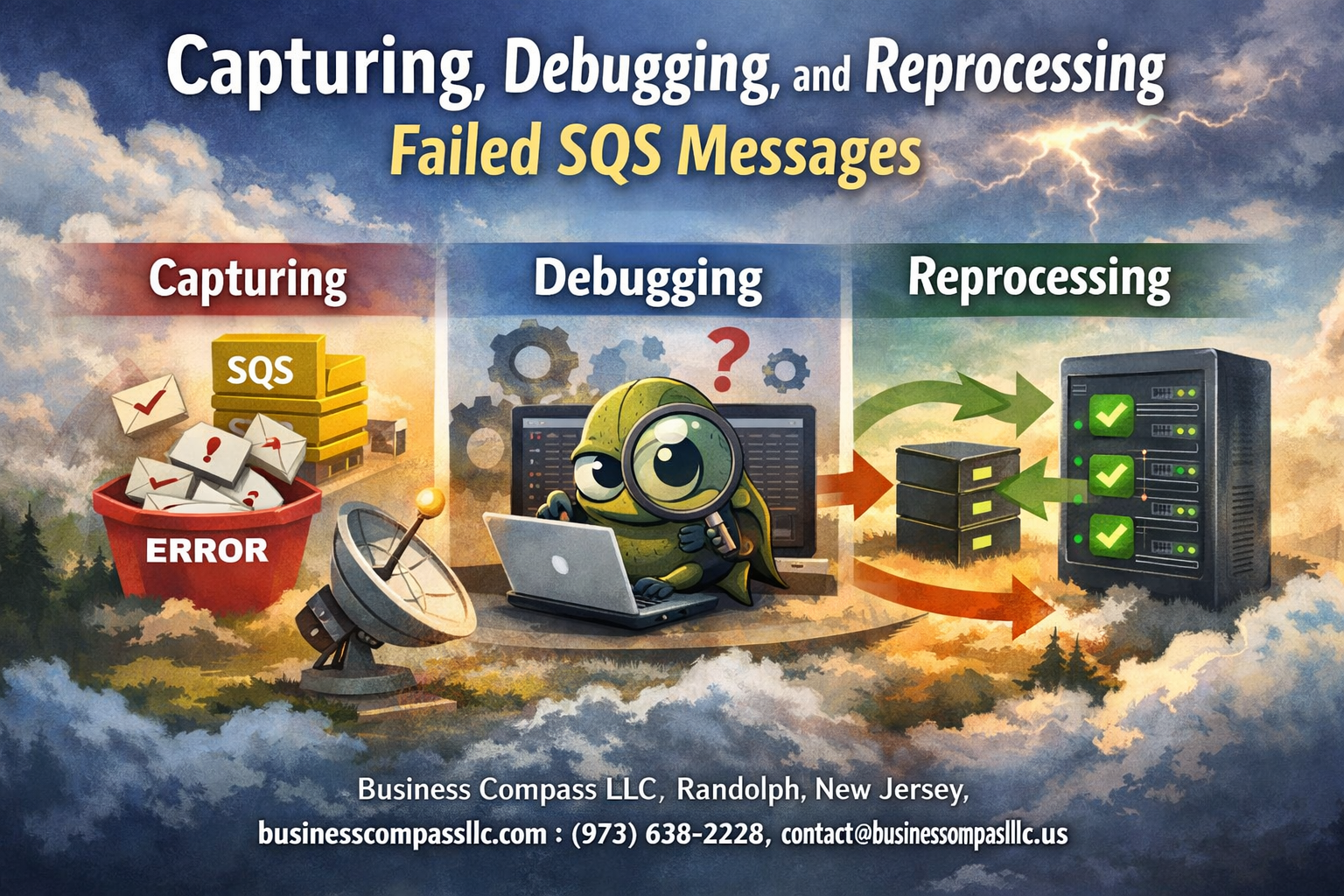
Failed SQS messages can bring your application to a halt, leaving you scrambling to understand what went wrong and how to fix it. This guide is designed for AWS developers, DevOps engineers, and system administrators who need practical solutions for handling SQS message failures without losing critical data or disrupting user experience.
When SQS messages fail, you need a clear plan to capture, debug, and recover from these failures quickly. We’ll walk through setting up robust message capture mechanisms that catch failures before they disappear into the void, and show you effective debugging strategies for failed messages that help you identify root causes fast.
You’ll also learn how to build automated reprocessing workflows that handle failed messages intelligently, plus monitoring techniques that help you spot patterns and prevent future SQS message failures. By the end, you’ll have a complete toolkit for Amazon SQS troubleshooting that keeps your message queues running smoothly and your applications resilient.
Understanding SQS Message Failures and Their Impact

Identifying common causes of message processing failures
SQS message failures happen for various reasons, and understanding these root causes helps you build more resilient systems. Application logic errors top the list – when your code throws unhandled exceptions or encounters unexpected data formats, messages bounce back to the queue or disappear entirely. Database connection timeouts create another frequent failure point, especially during high-traffic periods when connection pools get exhausted.
External service dependencies often become bottlenecks. When third-party APIs go down or respond slowly, your message processing grinds to a halt. Network issues between your application and AWS services can also interrupt message processing mid-stream. Resource constraints play a significant role too – insufficient memory, CPU spikes, or disk space limitations can cause processing failures.
Message formatting issues create subtle but persistent problems. Malformed JSON, missing required fields, or encoding problems can make messages unprocessable. Version mismatches between message producers and consumers frequently cause compatibility issues that result in failed SQS message processing.
Configuration problems add another layer of complexity. Incorrect IAM permissions, misconfigured visibility timeouts, or wrong queue settings can prevent successful message handling. Sometimes the issue isn’t technical at all – business logic changes without corresponding updates to message handlers create processing gaps.
Recognizing the cost of lost messages in production systems
Lost messages carry real business consequences that extend far beyond technical metrics. Customer orders that vanish from your queue mean lost revenue and frustrated buyers who may never return. User notifications that fail to deliver create poor experiences – password reset emails, order confirmations, or security alerts that never reach their destination damage trust and engagement.
Financial transactions present the highest stakes. Payment processing messages that disappear can leave accounts in inconsistent states, requiring manual reconciliation and potentially creating compliance issues. Inventory updates that get lost lead to overselling or underselling situations, affecting both customer satisfaction and operational efficiency.
The cascading effects multiply the initial impact. When upstream messages fail, downstream systems wait indefinitely for data that never arrives. This creates bottlenecks throughout your architecture, slowing entire workflows and reducing system throughput. Debugging SQS messages becomes critical when these failures start affecting multiple services.
Operational costs mount quickly when message failures require manual intervention. Support teams spend hours investigating missing data, engineers get pulled into emergency debugging sessions, and business stakeholders lose confidence in automated processes. The hidden cost of reduced system reliability often exceeds the direct impact of individual lost messages.
Data integrity suffers when messages disappear without proper handling. Audit trails become incomplete, reporting systems show gaps, and compliance requirements become harder to meet. These issues compound over time, making SQS error handling a crucial investment rather than optional overhead.
Understanding Dead Letter Queue fundamentals
Dead Letter Queues serve as safety nets for messages that repeatedly fail processing. When a message exceeds the maximum receive count – the number of times it can be delivered before giving up – SQS automatically moves it to the configured DLQ. This prevents poison messages from blocking healthy message processing while preserving failed messages for analysis.
DLQ configuration requires careful planning around your application’s retry behavior. Setting the maximum receive count too low sends recoverable messages to the DLQ prematurely. Too high, and genuinely problematic messages consume processing resources longer than necessary. Most applications benefit from 3-5 retry attempts before moving messages to the DLQ.
Message retention in DLQs follows the same rules as regular queues – up to 14 days by default. This retention window gives you time to investigate failures and implement fixes, but messages will eventually disappear if left unprocessed. Amazon SQS troubleshooting often involves racing against this retention clock to recover valuable data.
DLQ analysis reveals patterns in your system failures. Messages with similar structures, timing, or source applications often point to specific bugs or configuration issues. Regular DLQ monitoring becomes part of effective SQS monitoring and debugging practices, helping you spot trends before they become widespread problems.
Reprocessing messages from DLQs requires careful consideration. Simply moving them back to the original queue might recreate the same failures. Successful AWS SQS message recovery often involves fixing the underlying issue first, then selectively reprocessing messages with proper validation and monitoring.
Setting Up Robust Message Capture Mechanisms

Configuring Dead Letter Queues for automatic failure collection
Dead Letter Queues (DLQs) serve as your first line of defense against SQS message failures. When messages can’t be processed successfully after a specified number of attempts, DLQs automatically capture these problematic messages instead of losing them forever.
Setting up a DLQ requires configuring a redrive policy on your main queue. The policy specifies two key parameters: the target DLQ ARN and the maximum receive count. Choose your maximum receive count carefully – too low and temporary issues might send messages to the DLQ prematurely, while too high could delay failure detection.
{
  "deadLetterTargetArn": "arn:aws:sqs:region:account:my-dlq",
  "maxReceiveCount": 3
}
Create your DLQ with the same configuration as your source queue, including message retention period and visibility timeout. Standard queues should use standard DLQs, while FIFO queues require FIFO DLQs. Remember that DLQ messages retain their original attributes and body, making debugging easier later.
Monitor your DLQ depth regularly using CloudWatch metrics. A sudden spike in DLQ messages often indicates system issues or code problems that need immediate attention.
Implementing custom error handling with message preservation
Beyond basic DLQ setup, implement custom error handling that captures detailed failure context before messages reach the DLQ. This approach gives you granular control over which failures should trigger immediate reprocessing versus those requiring manual investigation.
Build a message wrapper that catches exceptions during processing and enriches the original message with error details:
import json
import boto3
from datetime import datetime

def process_with_error_handling(message, context):
    try:
        # Your message processing logic here
        process_message(message)
        return True
    except Exception as e:
        # Preserve original message with error context
        error_details = {
            'original_message': message,
            'error_type': type(e).__name__,
            'error_message': str(e),
            'timestamp': datetime.utcnow().isoformat(),
            'processing_context': context,
            'retry_count': get_retry_count(message)
        }

        # Send to error handling queue for analysis
        send_to_error_queue(error_details)
        return False
Create separate queues for different error types. Transient errors like network timeouts might go to a retry queue, while data validation errors could route to a manual review queue. This classification helps prioritize debugging efforts and automate appropriate responses.
Implement exponential backoff for retry attempts. Start with short delays for the first few retries, then increase the interval to avoid overwhelming downstream services during outages.
Adding comprehensive logging for failure tracking
Effective SQS debugging requires structured logging that captures the complete message lifecycle. Standard application logs often miss crucial details needed for troubleshooting failed SQS message processing.
Implement correlation IDs that track messages from initial receipt through final processing or failure. Include these IDs in all related log entries:
import logging
import uuid

logger = logging.getLogger(__name__)

def handle_sqs_message(record):
    correlation_id = str(uuid.uuid4())
    message_id = record.get('messageId')

    logger.info(f"Processing SQS message", extra={
        'correlation_id': correlation_id,
        'message_id': message_id,
        'queue_name': get_queue_name(record),
        'approximate_receive_count': record.get('attributes', {}).get('ApproximateReceiveCount'),
        'message_attributes': record.get('messageAttributes', {}),
        'processing_stage': 'started'
    })
Log key processing milestones including message validation, business logic execution, external service calls, and final outcomes. Capture timing information to identify performance bottlenecks that might contribute to timeout-related failures.
Structure your logs in JSON format for easier parsing and analysis. Include standardized fields like timestamp, log level, service name, and custom fields specific to SQS processing. This consistency enables powerful log aggregation and filtering.
Store logs in centralized systems like CloudWatch Logs, ELK stack, or Splunk. Create dashboards that visualize failure patterns, processing times, and error distributions across different message types and time periods.
Establishing retention policies for failed messages
Failed message retention requires balancing storage costs with debugging needs and compliance requirements. Design policies that keep messages accessible for troubleshooting while preventing unbounded growth of your error storage.
Set different retention periods based on message types and business criticality. Financial transactions might need longer retention than routine status updates. Consider regulatory requirements that mandate specific retention periods for certain data types.
Implement tiered storage strategies where recent failures stay in fast-access storage while older failures move to cheaper archival storage:
- Hot storage (0-7 days): Keep in SQS DLQ for immediate debugging
- Warm storage (7-30 days): Move to S3 Standard for occasional access
- Cold storage (30+ days): Archive to S3 Glacier for compliance
Create automated workflows that transition messages between storage tiers:
def archive_old_dlq_messages():
    # Get messages older than 7 days from DLQ
    old_messages = get_dlq_messages(age_threshold=7)

    for message in old_messages:
        # Archive to S3 with metadata
        s3_key = f"failed-messages/{datetime.now().year}/{message_id}"
        s3_client.put_object(
            Bucket='message-archive',
            Key=s3_key,
            Body=json.dumps(message),
            Metadata={
                'failure_date': message['failure_timestamp'],
                'error_type': message['error_type'],
                'queue_name': message['source_queue']
            }
        )

        # Remove from DLQ after successful archival
        sqs_client.delete_message(QueueUrl=dlq_url, ReceiptHandle=message['receipt_handle'])
Tag archived messages with searchable metadata including error types, source queues, and failure dates. This tagging enables efficient retrieval when investigating patterns or conducting forensic analysis of past failures.
Effective Debugging Strategies for Failed Messages

Analyzing message content and attributes for root causes
When debugging SQS messages that keep failing, start by examining the message payload itself. Look for malformed JSON, unexpected data types, or missing required fields that could cause your processing logic to crash. Message attributes often hold critical metadata like timestamps, source systems, or processing flags that reveal why a message went sideways.
Download failed messages from your dead letter queue and inspect them locally. Check for encoding issues, especially with special characters or binary data that might have been corrupted during transmission. Sometimes the problem isn’t obvious – a date field in an unexpected format or a null value where your code expects a string can trigger cascading failures.
Pay special attention to message size limits and attribute counts. SQS has strict boundaries, and messages that push these limits might behave unpredictably. Use tools like jq for JSON messages or custom scripts to validate message structure against your expected schema.
Tracing message flow through your application architecture
Map out exactly how your SQS messages travel through your system. Start from the producer that sends the message, follow it through any intermediate processing steps, and track it all the way to the final consumer. This end-to-end visibility helps you pinpoint where things go wrong.
Add correlation IDs to your messages if you haven’t already. These unique identifiers let you track a single message across multiple services, databases, and log files. When debugging SQS message failures, you can search for the correlation ID across all your systems to build a complete timeline.
Document your message routing rules, especially if you’re using multiple queues or have conditional processing logic. Failed messages often reveal gaps in your routing logic or race conditions between different processing paths. Create diagrams showing how messages flow between services – visual representations make it easier to spot potential failure points.
Correlating failures with application logs and metrics
Cross-reference failed message timestamps with your application logs to understand what was happening in your system when messages started failing. Look for error spikes, resource constraints, or deployment events that coincide with message processing failures.
Set up structured logging that includes message IDs, processing stages, and error details. When analyzing SQS message failures, you want to quickly find all log entries related to a specific message without digging through massive log files. Use log aggregation tools like ELK stack or CloudWatch Logs Insights to query across multiple services simultaneously.
Monitor key metrics like processing duration, memory usage, and database connection pools during failure periods. Often, SQS message failures stem from resource exhaustion or external service timeouts rather than actual message problems. Correlating these metrics with failure patterns helps you identify the real root cause.
Using AWS CloudWatch for failure pattern identification
CloudWatch provides powerful tools for identifying patterns in SQS message failures. Set up custom metrics that track failure rates, processing times, and error types. These metrics help you spot trends that might not be obvious when looking at individual failed messages.
Create CloudWatch dashboards that visualize SQS failure patterns over time. Plot failure rates against deployment timestamps, traffic volumes, and external service availability. This visual approach often reveals correlations that lead to breakthrough insights about recurring issues.
Use CloudWatch Alarms to catch failure spikes before they become major problems. Set thresholds based on your normal failure rates and configure alerts that trigger when patterns deviate significantly. The key is catching issues early when you can still trace them back to specific changes or events in your system.
Building Automated Reprocessing Workflows

Creating intelligent retry mechanisms with exponential backoff
Smart retry mechanisms form the backbone of any reliable SQS message reprocessing system. When dealing with failed SQS message processing, implementing exponential backoff prevents overwhelming your downstream services while giving temporary issues time to resolve.
Start by configuring your retry logic with progressively increasing delays. Begin with a base delay of 2-5 seconds, then double the wait time with each subsequent retry attempt. This approach works particularly well for transient network issues or temporary service unavailability that often causes SQS message failures.
import time
import random

def exponential_backoff_retry(func, max_retries=5, base_delay=2):
    for attempt in range(max_retries):
        try:
            return func()
        except Exception as e:
            if attempt == max_retries - 1:
                raise e

            delay = base_delay * (2 ** attempt)
            jitter = random.uniform(0.1, 0.3) * delay
            time.sleep(delay + jitter)
Add jitter to your backoff calculations to prevent the “thundering herd” problem where multiple failed messages retry simultaneously. Random jitter spreads out retry attempts across time, reducing load spikes on your infrastructure.
Set maximum retry limits based on message criticality and processing windows. Critical business messages might warrant 10+ retry attempts, while less important notifications could stop after 3-5 attempts before moving to your dead letter queue.
Implementing conditional reprocessing based on failure types
Different types of failures require different reprocessing strategies. Analyzing error patterns helps you build intelligent routing logic that handles each failure type appropriately, improving your overall SQS error handling effectiveness.
Create error categorization logic that examines exception types, error codes, and message content to determine the best reprocessing approach:
Temporary failures like network timeouts or rate limiting should trigger immediate retries with backoff. These errors typically resolve themselves given enough time and proper spacing between attempts.
Data validation errors need message transformation or enrichment before reprocessing. Route these messages to a separate queue where you can fix formatting issues, add missing fields, or correct invalid data before attempting processing again.
Dependency failures occur when external services are unavailable. Implement circuit breaker patterns that temporarily halt reprocessing for specific failure types, then resume once health checks pass.
Configuration errors require human intervention. Send these messages directly to an investigation queue where your team can examine the root cause and implement fixes before manual reprocessing.
Build conditional routing based on error metadata:
def route_failed_message(message, error_info):
    error_type = classify_error(error_info)

    if error_type == 'TEMPORARY':
        send_to_retry_queue(message, delay=calculate_backoff())
    elif error_type == 'DATA_VALIDATION':
        send_to_transformation_queue(message)
    elif error_type == 'DEPENDENCY_FAILURE':
        check_circuit_breaker_status(error_info.service)
    else:
        send_to_manual_review_queue(message, error_info)
Track failure patterns over time to refine your classification rules. Messages that consistently fail with the same error type might need permanent fixes rather than continued reprocessing attempts.
Setting up monitoring for reprocessing success rates
Comprehensive monitoring gives you visibility into your reprocessing workflow performance and helps identify areas needing optimization. Track key metrics that reveal both immediate issues and longer-term trends in your SQS message reprocessing system.
Monitor reprocessing success rates by failure type to understand which error categories resolve successfully through automated workflows. Calculate percentages of messages that succeed after 1, 2, 3+ retry attempts to optimize your retry limits and backoff strategies.
Set up alerts for concerning patterns:
- Low success rates (below 85%) indicate systematic issues requiring investigation
- High retry volumes suggest upstream problems causing excessive failures
- Long reprocessing times point to inefficient retry strategies or overwhelmed systems
- Circuit breaker activation signals dependency issues needing attention
Create dashboards showing reprocessing metrics over different time windows. Daily views help spot immediate issues, while weekly and monthly trends reveal seasonal patterns or degrading system performance.
Implement detailed logging for failed reprocessing attempts. Capture message content, error details, retry attempt numbers, and processing timestamps. This data becomes invaluable when debugging complex failure scenarios or tuning your reprocessing logic.
Use CloudWatch metrics to track queue depths across your retry queues. Sudden increases in message volume or processing delays indicate problems requiring immediate attention. Set up automatic scaling triggers based on queue depth to handle traffic spikes gracefully.
Track the financial impact of reprocessing workflows by monitoring compute costs, queue charges, and infrastructure utilization. This data helps justify investments in failure prevention and guides resource allocation decisions for your SQS troubleshooting efforts.
Monitoring and Preventing Future Message Failures

Establishing comprehensive alerting for message processing issues
Smart alerting forms the backbone of effective SQS message failure prevention. Setting up alerts for key metrics like message age, dead letter queue depth, and processing latency helps catch problems before they spiral out of control. Amazon CloudWatch provides native integration with SQS, making it straightforward to monitor essential metrics like ApproximateAgeOfOldestMessage and ApproximateNumberOfMessages.
Configure alerts for multiple severity levels – critical alerts for immediate issues like processing failures exceeding 50%, warning alerts for increasing queue depths, and informational alerts for performance degradation. Use SNS topics to route alerts to different teams based on severity and time of day. During business hours, send critical alerts to Slack channels, while after-hours alerts should trigger PagerDuty notifications.
Consider implementing composite alarms that evaluate multiple metrics simultaneously. For example, combine high message age with increasing queue depth to identify processing bottlenecks more accurately than single-metric alerts. Custom CloudWatch logs can capture application-specific errors that standard SQS metrics might miss, providing deeper insight into failed SQS message processing patterns.
Creating dashboards for real-time failure visibility
Real-time visibility into SQS monitoring and debugging activities requires well-designed dashboards that surface critical information at a glance. CloudWatch dashboards should display key metrics including message throughput, error rates, queue depths, and processing latency across different time ranges. Create separate dashboard views for operational teams, developers, and management, each tailored to their specific needs.
Operational dashboards focus on immediate health indicators – current queue depths, recent error spikes, and dead letter queue activity. Developer dashboards drill deeper into error types, message content patterns, and processing performance metrics. Include heat maps showing error distribution across different message types or processing stages to quickly identify problematic areas.
Third-party tools like Grafana or DataDog can provide enhanced visualization capabilities and cross-service correlation. These platforms excel at combining SQS metrics with application logs, database performance, and infrastructure metrics to create comprehensive views of system health. Custom widgets displaying recent error samples, top failure reasons, and recovery trends help teams respond faster to Amazon SQS troubleshooting situations.
Implementing proactive health checks for message processors
Proactive health checks prevent small issues from becoming major SQS error handling incidents. Implement synthetic transactions that periodically send test messages through your processing pipeline to verify end-to-end functionality. These health checks should cover both happy path scenarios and edge cases that historically caused failures.
Create dedicated health check queues that mirror your production setup but process lightweight test messages. Monitor the complete journey – message publication, processing time, successful completion, and proper cleanup. Set up automated responses when health checks fail, such as scaling processing capacity or routing traffic to backup systems.
Application-level health checks should verify database connectivity, external API availability, and resource utilization before attempting message processing. Implement circuit breaker patterns that temporarily pause message consumption when downstream dependencies become unhealthy. This prevents message accumulation and potential data loss during service outages.
Developing automated testing for message handling scenarios
Comprehensive automated testing catches potential SQS message failures before they reach production. Build test suites that cover various failure scenarios – malformed messages, duplicate processing, timeout conditions, and dependency failures. Use tools like LocalStack or ElasticMQ to create isolated testing environments that replicate production SQS behavior.
Test data should include edge cases that mirror real-world complexity – extremely large payloads, special characters in message attributes, and concurrent processing scenarios. Create parameterized tests that verify behavior across different message volumes and processing speeds. Include negative testing that intentionally triggers error conditions to validate your error handling and recovery mechanisms.
Integration tests should verify the complete message lifecycle, including dead letter queue handling and SQS message reprocessing workflows. Mock external dependencies to test isolated failure scenarios and validate that your application gracefully handles various error conditions. Automated performance testing helps identify processing bottlenecks before they impact production throughput, ensuring your SQS failure analysis processes remain effective as message volumes grow.

Handling failed SQS messages doesn’t have to be a nightmare if you have the right systems in place. By setting up proper capture mechanisms, you can catch those problematic messages before they disappear into the void. Smart debugging helps you figure out exactly what went wrong, while automated reprocessing workflows save you from manually babysitting every failed message.
The real game-changer comes from building monitoring systems that spot patterns and prevent failures before they happen. Start by implementing dead letter queues and message capture today, then gradually add debugging tools and automation. Your future self will thank you when you can quickly identify and fix message processing issues instead of scrambling to figure out what broke at 2 AM.