Building enterprise-grade web applications requires a solid foundation that can handle massive traffic spikes while keeping your data secure and your users happy. If you’re a cloud architect, DevOps engineer, or development team lead tasked with creating robust, scalable systems, this comprehensive guide to AWS 3-tier architecture will give you the blueprint you need.
This tutorial walks you through creating an enterprise web application AWS solution that scales automatically with demand. You’ll learn how to design each layer for maximum performance, from the user-facing presentation tier all the way down to your high-availability database backend.
We’ll start by breaking down the core principles of scalable web application architecture and show you exactly how to map these concepts to AWS services. Then we’ll dive deep into building the AWS presentation layer with auto-scaling capabilities that can handle traffic surges without breaking a sweat. Finally, you’ll master the AWS application tier design patterns that keep your business logic running smoothly while maintaining enterprise AWS security standards throughout your entire stack.
By the end of this guide, you’ll have a production-ready 3-tier architecture tutorial that demonstrates real-world AWS infrastructure design principles used by companies serving millions of users daily.
Understanding the 3-Tier Architecture for Maximum Scalability
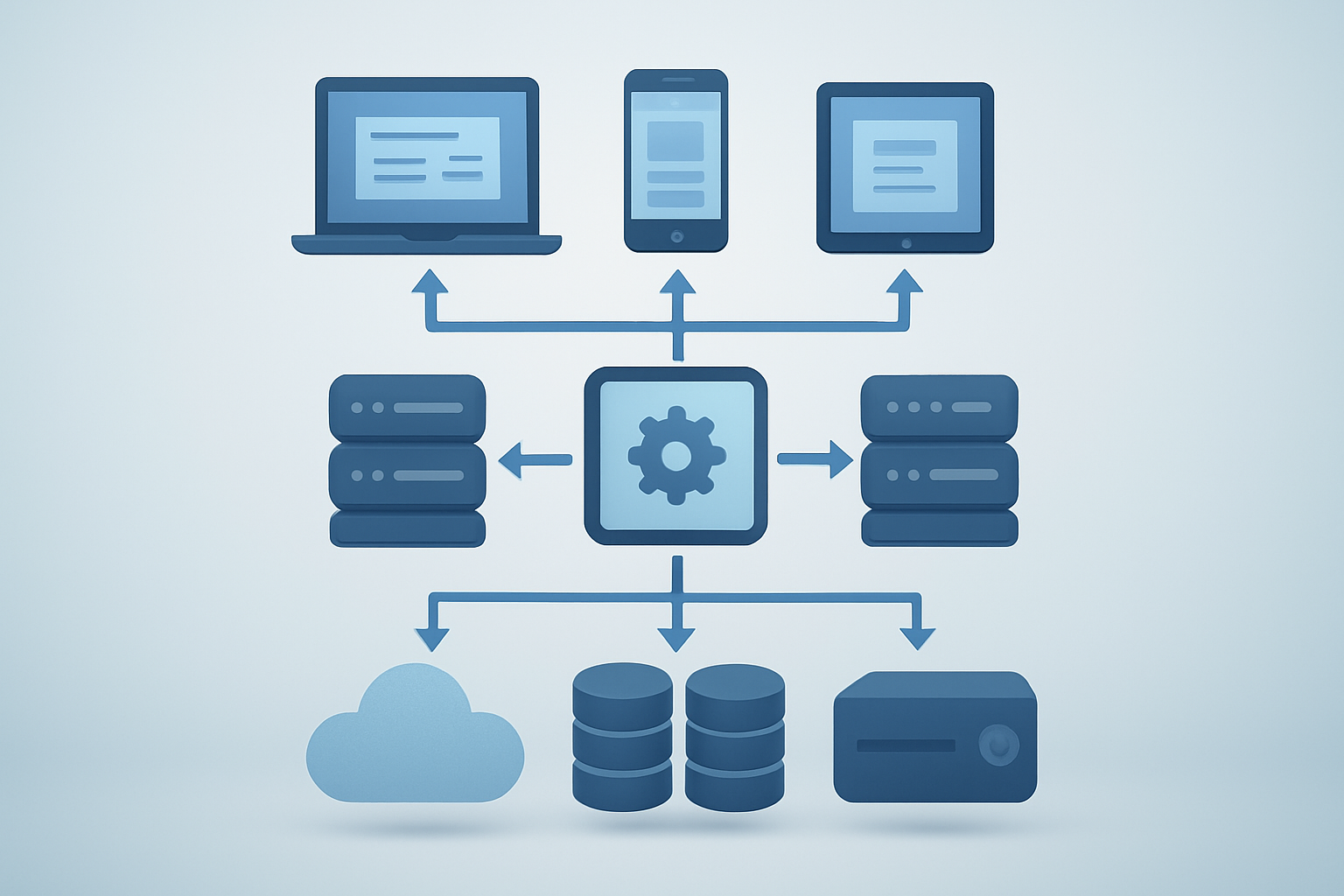
Separating Presentation, Application, and Data Layers for Enhanced Performance
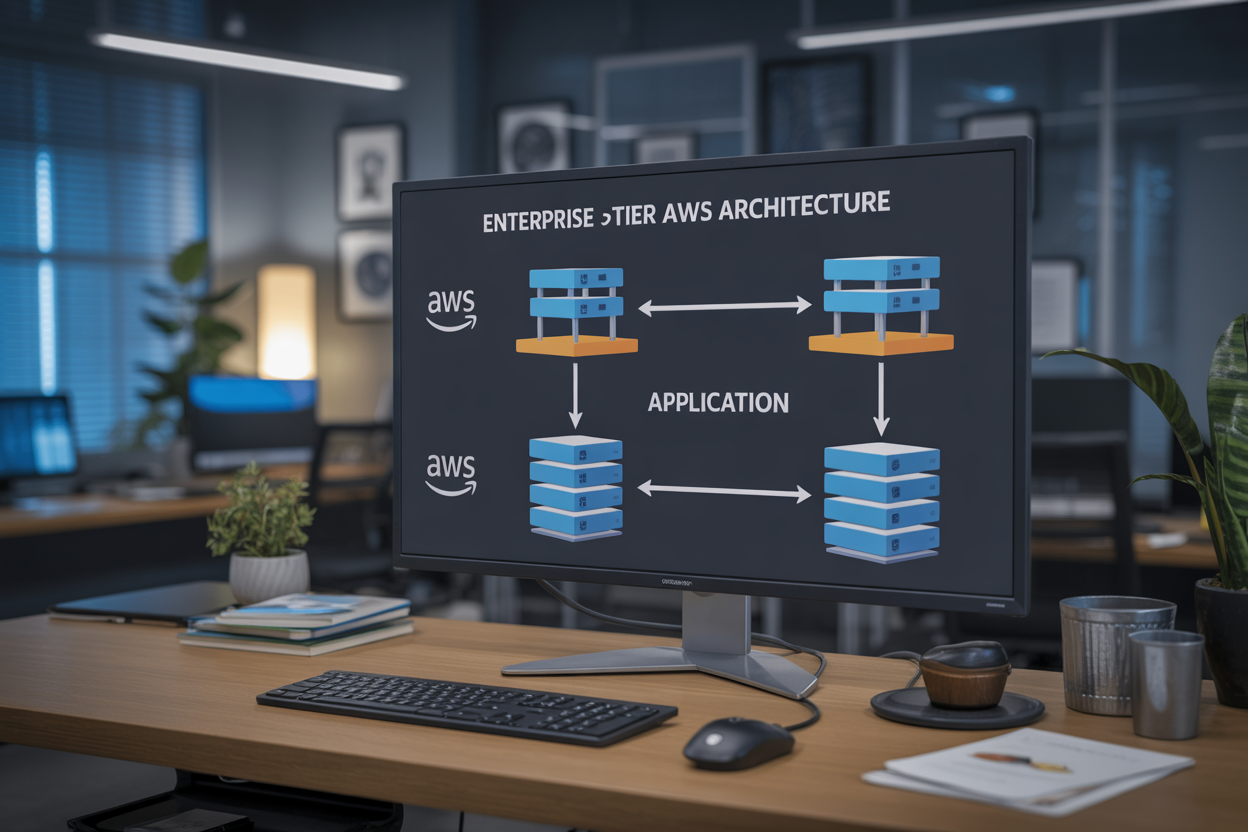
The AWS 3-tier architecture divides your enterprise web application into three distinct layers: the presentation tier handles user interfaces and web servers, the application tier processes business logic and API requests, while the data tier manages database operations and storage. This separation creates clear boundaries between components, allowing each tier to scale independently based on demand patterns. When traffic spikes hit your presentation layer, you can add more web servers without affecting database performance.
Achieving High Availability Through Distributed Component Design
Distributed design across multiple AWS Availability Zones ensures your scalable web application architecture remains operational even during infrastructure failures. Each tier deploys across different zones, creating redundancy that prevents single points of failure. Load balancers automatically route traffic away from unhealthy instances, while Auto Scaling groups replace failed components within minutes. This approach delivers the 99.9% uptime that enterprise applications require.
Implementing Load Balancing Across Multiple Tiers
Application Load Balancers distribute incoming requests across multiple instances in each tier, preventing bottlenecks and optimizing resource usage. The presentation tier uses ALBs to route HTTP/HTTPS traffic, while internal load balancers manage communication between application and data tiers. Health checks continuously monitor instance status, automatically removing failed servers from rotation. This multi-tier load balancing strategy ensures consistent performance during peak usage periods.
Ensuring Security Isolation Between Application Components
Security groups and NACLs create isolated network segments for each tier, restricting communication to necessary ports and protocols only. The presentation tier accepts public internet traffic, the application tier communicates only with authorized front-end servers, and the data tier remains completely private. VPC subnets further isolate components, while IAM roles limit each tier’s AWS service permissions. This layered security approach protects sensitive data from unauthorized access attempts.
Designing the AWS Infrastructure Foundation

Selecting Optimal EC2 Instance Types for Each Tier
Choosing the right EC2 instance types forms the backbone of your AWS 3-tier architecture success. The presentation tier benefits from compute-optimized instances like C5 or C6i, which handle high traffic loads efficiently while maintaining low latency for user interactions. Application tier workloads thrive on general-purpose M5 or M6i instances that balance CPU, memory, and networking resources perfectly for business logic processing.
Memory-optimized R5 or R6i instances excel in the data tier, providing the RAM capacity needed for database caching and query optimization. Consider using T3 or T4g instances for development environments to control costs while maintaining performance flexibility through burstable CPU credits.
Configuring Virtual Private Cloud for Secure Network Isolation
Your VPC configuration creates secure boundaries that protect your enterprise web application from external threats. Design separate subnets for each tier – public subnets for load balancers, private subnets for application servers, and isolated database subnets with no internet access. This segmentation ensures your AWS infrastructure design follows security best practices while maintaining proper network flow.
Route tables, security groups, and NACLs work together to control traffic flow between tiers. Configure security groups to allow only necessary ports – HTTP/HTTPS for web servers, application-specific ports between tiers, and database ports restricted to application servers only.
Setting Up Multi-Availability Zone Architecture for Disaster Recovery
Multi-AZ deployment across at least two availability zones protects your scalable web application architecture from single points of failure. Distribute your EC2 instances, RDS databases, and load balancers across multiple zones to ensure continuous operation during hardware failures or maintenance events.
Auto Scaling Groups automatically replace failed instances across availability zones, while RDS Multi-AZ provides synchronous replication for database failover. This setup delivers the high availability that enterprise applications demand, with automatic recovery capabilities that minimize downtime and maintain business continuity.
Building the Presentation Tier with Auto-Scaling Capabilities

Deploying Web Servers Using Application Load Balancer
Application Load Balancer (ALB) forms the cornerstone of a robust AWS presentation layer, intelligently distributing incoming traffic across multiple EC2 instances. This enterprise-grade solution operates at the application layer (Layer 7), enabling advanced routing based on content, host headers, and URL paths while providing health checks to automatically remove unhealthy instances from rotation.
The ALB seamlessly integrates with Auto Scaling Groups, automatically registering new instances and deregistering terminated ones without manual intervention. This dynamic scaling capability ensures your enterprise web application maintains optimal performance during traffic spikes while minimizing costs during low-demand periods.
Implementing CloudFront CDN for Global Content Delivery
CloudFront CDN dramatically improves your scalable web application architecture by caching static content at edge locations worldwide. This global network reduces latency for users regardless of their geographic location, while simultaneously reducing the load on your origin servers and decreasing bandwidth costs.
Configure CloudFront with custom cache behaviors to optimize different content types – static assets like images and CSS files can have longer cache durations, while dynamic content maintains shorter TTLs. Integration with AWS Certificate Manager provides seamless SSL/TLS termination at the edge.
Configuring Auto Scaling Groups for Dynamic Traffic Management
Auto Scaling Groups automatically adjust your web server capacity based on predefined metrics like CPU utilization, memory usage, or custom CloudWatch metrics. This AWS auto scaling web app functionality ensures consistent performance during traffic fluctuations while optimizing operational costs through intelligent resource provisioning.
Configure scaling policies with both scale-out and scale-in triggers, setting appropriate cooldown periods to prevent rapid scaling oscillations. Use target tracking scaling policies for predictable workloads and step scaling for applications with sudden traffic bursts requiring immediate response.
Securing Web Traffic with SSL/TLS Certificates
AWS Certificate Manager simplifies SSL/TLS certificate provisioning and renewal for your enterprise AWS security requirements. These certificates encrypt data in transit between users and your application, meeting compliance standards while building user trust through visible security indicators in browsers.
Implement HTTP to HTTPS redirection at the load balancer level, configure strong cipher suites, and enable HTTP Strict Transport Security (HSTS) headers. Regular certificate rotation through ACM automation ensures continuous protection without manual intervention or service disruptions.
Developing the Application Tier for Business Logic Processing

Creating Scalable Application Server Clusters
The AWS application tier forms the backbone of your enterprise web application, handling all business logic processing and API requests. Deploy EC2 instances across multiple availability zones using Auto Scaling Groups to ensure high availability and automatic capacity management based on traffic demands.
Configure Application Load Balancers to distribute incoming requests evenly across your server cluster, preventing any single instance from becoming overwhelmed. Use Launch Templates to standardize your server configurations, making scaling operations seamless and consistent across your entire infrastructure.
Implementing Connection Pooling for Database Efficiency
Connection pooling dramatically reduces database overhead by maintaining a pool of reusable database connections rather than creating new ones for each request. Configure your application servers with connection pool libraries like HikariCP or c3p0 to optimize database interactions and reduce latency.
Set appropriate pool sizes based on your expected concurrent user load and database capacity. Monitor connection pool metrics through CloudWatch to identify bottlenecks and adjust pool configurations as your application scales.
Setting Up API Gateway for Microservices Integration
Amazon API Gateway serves as the central hub for managing all API calls between your presentation and application tiers. Create RESTful endpoints that route requests to appropriate backend services while providing built-in throttling, caching, and authentication capabilities.
Enable API versioning to support backward compatibility as your application evolves. Configure custom domain names and SSL certificates for professional API endpoints that integrate seamlessly with your brand identity.
Configuring Health Checks and Monitoring Systems
Implement comprehensive health monitoring using AWS Application Load Balancer health checks combined with CloudWatch custom metrics. Configure health check endpoints in your application that verify database connectivity, external service availability, and critical business logic functionality.
Set up CloudWatch alarms for key performance indicators like response times, error rates, and resource utilization. Use AWS Systems Manager for automated remediation actions when health checks fail, ensuring minimal downtime and rapid recovery from issues.
Establishing the Data Tier with High Performance Database Solutions

Deploying RDS with Multi-AZ Configuration for Reliability
Amazon RDS Multi-AZ deployment creates a standby database instance in a different Availability Zone, providing automatic failover capability for your AWS database tier design. This configuration ensures your enterprise web application AWS maintains high availability even during planned maintenance or unexpected outages. The synchronous replication between primary and standby instances guarantees data consistency and minimizes downtime to typically under 60 seconds during failover events.
Implementing Read Replicas for Query Performance Optimization
Read replicas distribute database read traffic across multiple instances, dramatically improving query performance for your 3-tier architecture tutorial implementation. You can create up to 15 read replicas per source database, strategically placing them in different regions to reduce latency for global users. These replicas handle reporting queries, analytics workloads, and read-heavy operations while keeping your primary database focused on write operations.
Setting Up Database Backup and Point-in-Time Recovery
Automated backups in RDS capture daily snapshots and transaction logs, enabling point-in-time recovery within your specified retention period of up to 35 days. Manual snapshots provide long-term backup solutions that persist beyond database deletion, perfect for compliance requirements in enterprise environments. The backup process runs during your defined maintenance window, minimizing impact on production workloads.
Configuring Database Security Groups and Access Controls
Database security groups act as virtual firewalls, controlling inbound and outbound traffic to your RDS instances through port-level and protocol-specific rules. Create separate security groups for different application tiers, allowing only your application servers to connect to the database while blocking direct internet access. Implement least privilege principles by restricting access to specific IP ranges and using IAM database authentication for enhanced security.
Optimizing Database Performance with Parameter Groups
Parameter groups customize database engine settings to match your specific workload requirements and performance goals. Key parameters include buffer pool sizes, connection limits, query cache settings, and timeout values that directly impact your scalable web application architecture performance. Create custom parameter groups for different environments (development, staging, production) to maintain consistent configurations and optimize resource utilization across your AWS infrastructure design.
Implementing Enterprise Security and Compliance Measures

Setting Up IAM Roles and Policies for Least Privilege Access
Create dedicated IAM roles for each component of your AWS 3-tier architecture, granting only the minimum permissions needed for operation. Web servers should access only application-specific S3 buckets and parameter store values, while application servers require database connectivity and specific API permissions. Database administrators need read-write access to RDS instances but shouldn’t manage EC2 resources.
- Web tier roles: EC2 instances with CloudWatch logging and S3 read access
- Application tier roles: Database connections, Lambda invoke permissions, and service-specific APIs
- Database tier roles: RDS management, backup creation, and snapshot permissions
- Cross-service policies: Enable secure communication between tiers without overprivileged access
Configuring VPC Security Groups and Network ACLs
Security groups act as virtual firewalls controlling traffic flow between your enterprise AWS security layers. Configure inbound rules allowing HTTPS traffic on port 443 for web servers, restrict application tier access to database ports 3306 or 5432 from application servers only, and block all unnecessary outbound connections.
Network ACLs provide subnet-level protection as an additional security layer. Create custom ACLs allowing specific port ranges for each tier while denying default traffic. Web subnets should permit HTTP/HTTPS from internet gateways, application subnets allow connections only from web tier security groups, and database subnets restrict access exclusively to application servers.
Implementing Encryption at Rest and in Transit
Enable AES-256 encryption for all RDS database instances and S3 buckets storing application data. Use AWS Key Management Service (KMS) with customer-managed keys for enhanced control over encryption operations. EBS volumes attached to EC2 instances must have encryption enabled during launch, preventing data exposure if storage media is compromised.
Configure SSL/TLS certificates through AWS Certificate Manager for secure data transmission between all tiers. Application Load Balancers should terminate SSL connections and forward traffic using HTTPS protocols. Database connections require encrypted channels using RDS force SSL parameters, while inter-service communication leverages VPC endpoints with encryption enabled.
Establishing Audit Logging with CloudTrail
CloudTrail captures all API calls across your AWS 3-tier architecture, creating comprehensive audit trails for compliance requirements. Configure multi-region trails storing logs in dedicated S3 buckets with versioning and lifecycle policies. Enable log file validation to detect tampering attempts and set up real-time monitoring for suspicious activities.
Integrate CloudTrail with CloudWatch Events to trigger automated responses for security violations. Create custom metrics tracking failed login attempts, privilege escalation events, and unauthorized resource modifications. Export logs to external SIEM systems for advanced threat detection and maintain retention policies meeting industry compliance standards like SOC 2 or PCI DSS.
Monitoring and Performance Optimization Strategies

Setting Up CloudWatch Metrics and Custom Dashboards
CloudWatch serves as the primary monitoring backbone for your AWS 3-tier architecture, collecting performance metrics from EC2 instances, RDS databases, and load balancers. Configure custom metrics for application-specific data like user login rates, transaction volumes, and API response times. Create comprehensive dashboards that visualize CPU utilization, memory consumption, database connections, and network throughput across all three tiers.
- Key metrics to monitor: Application latency, error rates, database query performance
- Custom dashboard widgets: Real-time graphs, alarm status indicators, resource utilization heatmaps
- Metric retention: Configure appropriate retention periods for historical analysis
Implementing Automated Alerting for System Health
Automated alerting prevents minor issues from becoming major outages in your enterprise web application AWS infrastructure. Set up CloudWatch alarms for critical thresholds like database connection pool exhaustion, high CPU usage on application servers, and unusual traffic spikes. Configure SNS topics to send notifications via email, SMS, or integrate with PagerDuty for 24/7 monitoring.
- Critical alert triggers: Memory usage above 85%, response time exceeding 2 seconds, failed health checks
- Escalation policies: Progressive notification levels based on severity and duration
- Integration options: Slack webhooks, ticketing systems, automated remediation workflows
Analyzing Application Performance with X-Ray Tracing
X-Ray provides deep visibility into your scalable web application architecture by tracing requests across all three tiers. Enable X-Ray SDK in your application code to track database queries, external API calls, and service-to-service communication. Use service maps to identify bottlenecks, analyze error patterns, and optimize code paths that impact user experience.
- Trace analysis features: Request timeline visualization, service dependency mapping, error root cause identification
- Performance insights: Slow query detection, latency distribution analysis, throughput optimization opportunities
- Debugging capabilities: Exception tracking, annotation-based filtering, segment-level performance breakdown

Creating a robust 3-tier web application on AWS involves carefully orchestrating your presentation, application, and data layers to work seamlessly together. From setting up auto-scaling web servers to implementing high-performance databases and comprehensive security measures, each component plays a critical role in delivering an enterprise-ready solution. The monitoring and optimization strategies we covered help ensure your application continues to perform well as it grows and evolves.
The beauty of AWS’s cloud infrastructure lies in its ability to scale with your business needs while maintaining the security and compliance standards that enterprises demand. Start by building a solid foundation with proper network design and security groups, then gradually implement each tier with attention to performance and reliability. Remember that monitoring isn’t just an afterthought – it’s your early warning system that keeps everything running smoothly and helps you make data-driven decisions about scaling and optimization.