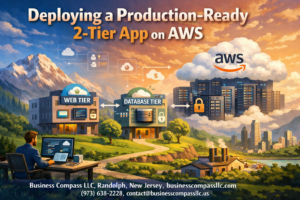
Building a scalable AWS architecture that can handle growing traffic while staying resilient isn’t just nice to have—it’s essential for modern applications. A 3-tier architecture AWS setup gives you the flexibility to scale each component independently while keeping your infrastructure secure and maintainable.
This guide is for developers, system administrators, and cloud architects who want to create a production-ready three-tier design pattern that won’t break under pressure. You’ll learn how to build applications that can grow with your business while maintaining top-notch performance.
We’ll walk through designing an effective AWS presentation tier that delivers smooth user experiences, even during traffic spikes. You’ll also discover how to create a robust application tier AWS setup that handles your business logic efficiently while keeping everything secure. Finally, we’ll cover AWS architecture best practices for monitoring and maintaining your entire system so you can catch issues before they impact users.
Understanding 3-Tier Architecture Benefits for Modern Applications
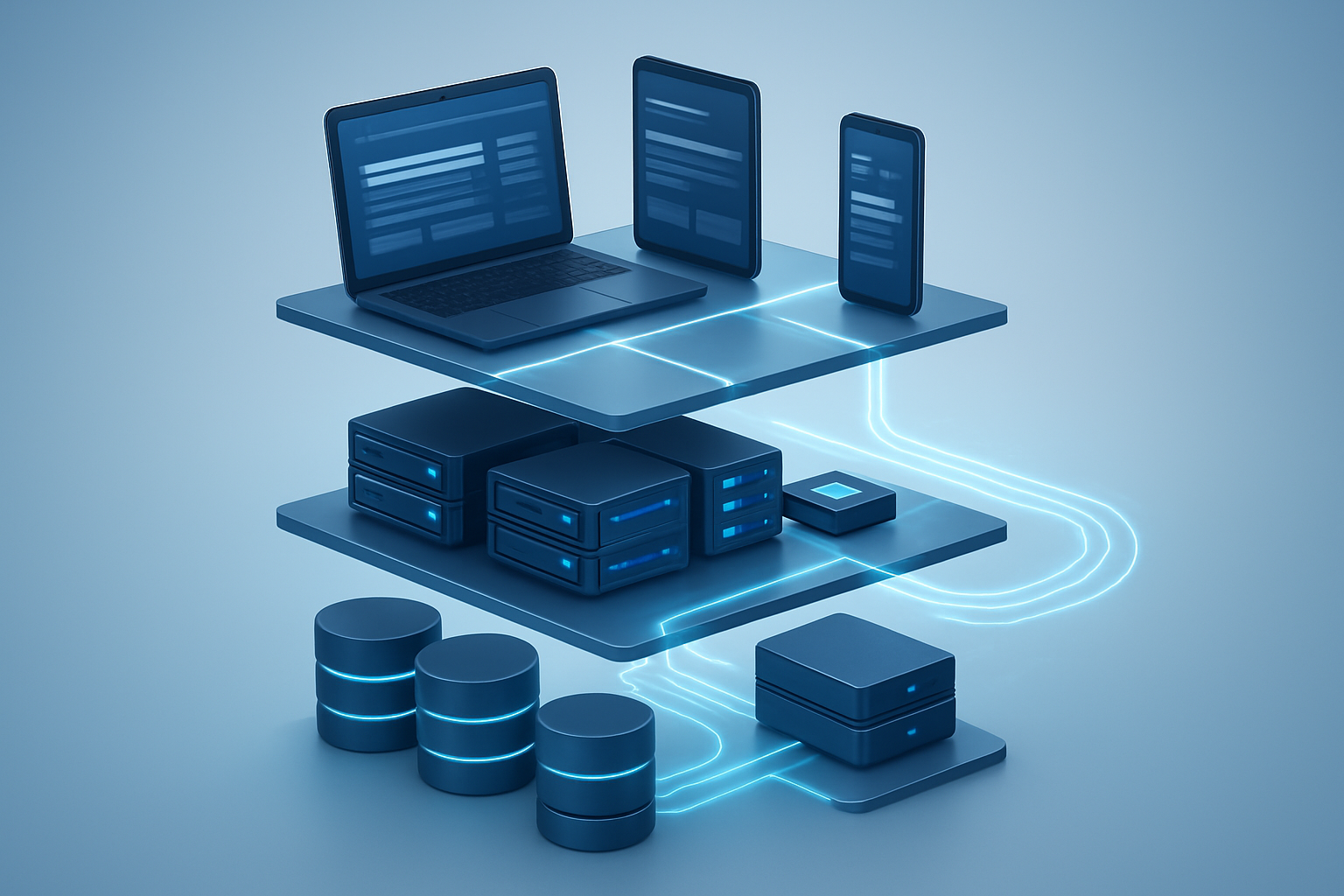
Separate presentation, application, and data layers for better organization
A 3-tier architecture AWS implementation divides your application into three distinct layers that work independently. The presentation tier handles user interfaces and client interactions, while the application tier manages business logic and processing. The data tier stores and retrieves information securely. This separation creates clean boundaries between components, making your system easier to understand and manage.
Enhanced security through layer isolation and controlled access
Layer isolation provides multiple security checkpoints that protect your scalable AWS architecture from threats. Each tier can implement specific security measures – firewalls at the presentation layer, authentication middleware in the application tier, and encrypted storage in the data layer. This defense-in-depth approach means attackers must breach multiple barriers, significantly reducing your risk exposure.
Improved scalability by scaling each tier independently
Independent scaling represents the biggest advantage of three-tier design patterns. When user traffic spikes, you can scale just the presentation tier without touching your database. During heavy processing periods, add more application servers while keeping other tiers unchanged. This targeted scaling approach optimizes costs and performance simultaneously.
Simplified maintenance and updates without affecting other layers
Maintenance becomes straightforward when each tier operates independently. Database updates don’t require application server restarts. UI changes deploy without affecting backend processing. Bug fixes target specific layers without system-wide downtime. This isolation accelerates development cycles and reduces the risk of cascading failures across your resilient cloud infrastructure.
Designing Your Presentation Tier for Optimal User Experience

Configure CloudFront CDN for global content delivery
CloudFront serves as your AWS presentation tier’s global distribution network, dramatically reducing latency for users worldwide. This CDN caches static content like images, CSS, and JavaScript files at edge locations closest to your users. Configure CloudFront with origin failover to automatically redirect traffic to backup origins during outages, and enable compression to reduce bandwidth costs and improve load times.
Set up Application Load Balancer for traffic distribution
Application Load Balancer intelligently distributes incoming requests across multiple web servers, preventing any single instance from becoming overwhelmed. Configure path-based routing to direct specific URL patterns to appropriate target groups, and enable sticky sessions when your application requires user session persistence. Health checks automatically remove unhealthy instances from rotation.
Deploy web servers across multiple Availability Zones
Distributing web servers across multiple Availability Zones creates a resilient AWS architecture that survives individual zone failures. Launch EC2 instances or containerized applications in at least two AZs, with Auto Scaling groups automatically replacing failed instances. This multi-AZ deployment pattern forms the foundation of scalable AWS architecture, enabling your presentation tier to handle traffic spikes while maintaining high availability for your three-tier design patterns.
Building a Robust Application Tier That Handles Business Logic

Launch EC2 instances with Auto Scaling groups for demand management
Auto Scaling groups automatically adjust your application tier AWS capacity based on real-time demand. Configure launch templates with optimized instance types, define scaling policies using CPU utilization or custom metrics, and set minimum/maximum capacity limits. This ensures your scalable AWS architecture handles traffic spikes seamlessly while controlling costs during low-demand periods.
Implement container orchestration using ECS or EKS for flexibility
ECS provides managed Docker container orchestration with seamless AWS service integration, while EKS offers Kubernetes compatibility for complex workloads. Both services enable microservices deployment, automatic failover, and resource optimization. Choose ECS for AWS-native applications or EKS when Kubernetes expertise and portability matter most.
Configure internal load balancing between application components
Application Load Balancers distribute traffic across multiple application instances within private subnets. Configure health checks, sticky sessions for stateful applications, and path-based routing for microservices. Internal load balancers ensure high availability while keeping application traffic secure within your VPC boundaries.
Set up secure communication channels between tiers
Establish secure connections using VPC security groups, NACLs, and encrypted communication protocols. Configure IAM roles for service-to-service authentication, implement SSL/TLS certificates for data in transit, and use AWS Systems Manager Parameter Store for sensitive configuration data. These measures protect your resilient cloud infrastructure from unauthorized access and data breaches.
Establishing a Secure and Performant Data Tier

Deploy RDS with Multi-AZ configuration for high availability
Amazon RDS Multi-AZ deployments provide automatic failover capabilities by maintaining a standby database instance in a separate availability zone. When your primary database experiences issues, RDS automatically switches to the standby instance within minutes, ensuring minimal downtime for your secure data tier. This configuration creates a resilient cloud infrastructure foundation that can handle unexpected failures without impacting your users.
Implement read replicas for improved database performance
Read replicas distribute database load by creating read-only copies of your primary database across multiple regions or availability zones. Your application can route read queries to these replicas while write operations remain on the primary instance, significantly improving overall database performance. This scalable AWS architecture pattern reduces latency for users accessing your application from different geographic locations.
Configure automated backups and point-in-time recovery
RDS automated backups create daily snapshots and capture transaction logs, allowing you to restore your database to any point within your retention period. Set your backup retention between 7-35 days based on your recovery requirements, and enable backup encryption for additional security. Point-in-time recovery protects against data corruption or accidental deletions by letting you roll back to specific timestamps.
Set up database security groups for restricted access
Database security groups act as virtual firewalls controlling inbound and outbound traffic to your RDS instances. Create dedicated security groups that only allow connections from your application tier servers on the required database ports. Never expose database instances directly to the internet – instead, restrict access to specific subnet ranges where your application servers reside, following AWS architecture best practices for network isolation.
Enable encryption at rest and in transit for data protection
Enable RDS encryption at rest using AWS KMS keys to protect stored data, automated backups, and read replicas. All connections between your application and database should use SSL/TLS encryption in transit to prevent data interception. When creating encrypted RDS instances, remember that you cannot modify encryption settings after launch, so plan your encryption strategy during the initial setup phase of your three-tier design patterns implementation.
Implementing Essential Security Measures Across All Tiers

Create isolated VPC with public and private subnets
Your VPC acts as your private network fortress in the cloud, completely isolated from other AWS accounts. Design public subnets for your presentation tier components like load balancers and NAT gateways, while placing your application and data tiers in private subnets. This segmentation creates multiple layers of protection, preventing direct internet access to sensitive business logic and databases. Configure route tables to control traffic flow between subnets, allowing only necessary communication paths while blocking unauthorized access attempts.
Configure security groups and NACLs for network protection
Security groups function as virtual firewalls at the instance level, controlling inbound and outbound traffic with stateful rules that automatically handle return traffic. Create specific security groups for each tier – web servers only accept HTTP/HTTPS from the load balancer, application servers only receive requests from web tier, and databases exclusively communicate with application instances. Network ACLs provide subnet-level protection with stateless rules, creating redundant security barriers that complement your security group configurations.
Implement IAM roles and policies for service authentication
IAM roles replace hardcoded credentials with temporary, automatically rotating tokens that AWS services use to authenticate with each other. Assign minimal permissions following the principle of least privilege – your EC2 instances should only access the specific S3 buckets, RDS databases, or other AWS services they actually need. Create separate roles for each tier with precisely defined policies, enabling secure communication between components while preventing lateral movement if one service becomes compromised.
Monitoring and Maintaining Your Architecture for Peak Performance

Set up CloudWatch metrics and alarms for proactive monitoring
CloudWatch serves as your central monitoring hub for your scalable AWS architecture. Configure custom metrics for each tier including CPU utilization, memory usage, database connections, and response times. Set up intelligent alarms that trigger before issues escalate – aim for 70% CPU thresholds rather than waiting for 90%. Create dashboard views that show real-time performance across all tiers, making it easy to spot bottlenecks in your three-tier design patterns.
- Monitor application-specific metrics like user session counts and transaction volumes
- Set up composite alarms that consider multiple metrics before alerting
- Configure SNS notifications to alert your team via email or Slack
- Use CloudWatch Insights to analyze log patterns and identify trending issues
Configure logging across all tiers for troubleshooting
Centralized logging transforms chaotic troubleshooting into systematic problem-solving. Deploy CloudWatch Logs agents on your EC2 instances and configure application logs to stream directly to CloudWatch. Structure your log entries with consistent formatting and include correlation IDs that track requests across all three tiers. This approach makes debugging distributed applications much more manageable when issues span multiple components.
- Implement structured JSON logging for easier parsing and filtering
- Set up log retention policies to manage storage costs effectively
- Create log groups for each environment (dev, staging, production)
- Use X-Ray tracing to visualize request flows through your resilient cloud infrastructure
Implement automated scaling policies based on performance metrics
Auto Scaling Groups respond to real-world traffic patterns better than manual intervention. Create scaling policies that react to both CPU metrics and application-specific indicators like queue depth or response latency. Configure predictive scaling for known traffic patterns and step scaling for unexpected spikes. Your AWS application architecture should handle traffic surges gracefully without over-provisioning resources during quiet periods.
- Set minimum and maximum instance limits based on cost and performance requirements
- Use target tracking policies for steady-state scaling decisions
- Implement cool-down periods to prevent scaling thrashing
- Test scaling policies during off-peak hours to validate behavior
Establish disaster recovery procedures and testing schedules
Regular disaster recovery testing separates reliable architectures from paper plans. Document RTO and RPO requirements for each tier and design recovery procedures accordingly. Create automated backup schedules for your databases and configure cross-region replication where needed. Schedule monthly disaster recovery drills that simulate real failure scenarios – database corruption, entire availability zone failures, or security breaches.
- Automate database backups with point-in-time recovery capabilities
- Test application tier recovery using AMI snapshots and launch templates
- Document step-by-step recovery procedures for different failure scenarios
- Maintain updated contact lists and escalation procedures for emergency situations

Building a scalable 3-tier architecture on AWS gives you the foundation to handle growing user demands while keeping your application secure and reliable. By separating your presentation, application, and data layers, you create a system that’s easier to maintain, update, and scale independently. This approach lets you optimize each tier for its specific purpose – whether that’s delivering a smooth user experience, processing complex business logic, or managing your data efficiently.
The real power comes from combining proper tier separation with AWS’s built-in security features and monitoring tools. Regular monitoring helps you spot issues before they become problems, while implementing security best practices across all three tiers protects your application and user data. Start by designing your architecture with scalability in mind from day one, and don’t skip the monitoring setup – it’s your early warning system that keeps everything running smoothly as your application grows.