


Healthcare organizations need secure, automated solutions to protect patient privacy in medical imaging workflows. Azure medical image de-identification offers a powerful approach through containerized processing that handles both DICOM files and whole-slide images at scale.
This guide is designed for healthcare IT professionals, medical imaging technicians, and cloud engineers who want to implement robust privacy protection for medical images. You’ll learn how to build and deploy a Docker DICOM redaction pipeline that meets compliance requirements while maintaining efficient processing speeds.
We’ll walk through the DICOM anonymization techniques that effectively remove sensitive patient data from medical images. You’ll also discover how whole-slide image processing works within Azure’s cloud infrastructure, giving you the tools to handle even the largest pathology files. Finally, we’ll cover the architecture design and automation strategies that make this healthcare data de-identification system both reliable and scalable for real-world medical environments.
Understanding Medical Image De-Identification Requirements

HIPAA Compliance Standards for Medical Imaging
Healthcare organizations handling medical images must meet stringent HIPAA compliance requirements that extend far beyond basic patient data protection. Medical imaging systems store vast amounts of protected health information (PHI) embedded within DICOM files, including patient names, dates of birth, medical record numbers, and detailed treatment histories. Azure medical image de-identification solutions must address these compliance challenges by implementing comprehensive redaction strategies that preserve diagnostic value while eliminating identifiable information.
HIPAA’s Privacy Rule specifically requires covered entities to remove 18 categories of identifiers from medical records, including direct identifiers like names and addresses, as well as quasi-identifiers such as admission dates and device serial numbers. For medical imaging workflows, this means every DICOM tag containing PHI must be systematically identified and either removed or anonymized through automated processing pipelines.
The Security Rule complements these privacy requirements by mandating technical safeguards for electronic PHI transmission and storage. Docker DICOM redaction pipelines must incorporate encryption, access controls, and audit logging capabilities to demonstrate compliance during regulatory reviews. Organizations deploying these solutions on Azure cloud infrastructure benefit from built-in compliance certifications and security frameworks that support HIPAA requirements.
Privacy Risks in DICOM Metadata and Pixel Data
DICOM files present unique privacy challenges due to their complex structure containing both metadata headers and pixel data arrays. Standard DICOM headers include over 4,000 possible data elements, many containing sensitive patient information that automated systems might overlook. Patient names often appear in multiple locations within a single file, including primary tags, private vendor tags, and embedded sequence items that require recursive parsing for complete removal.
Pixel data poses additional risks through burned-in annotations containing patient identifiers, acquisition parameters displaying patient information, and overlay planes with embedded text. Traditional metadata anonymization approaches fail to address these pixel-level privacy risks, requiring sophisticated image analysis techniques to detect and redact textual information within medical images.
| Risk Category | Example Elements | Detection Method |
|---|---|---|
| Metadata Tags | Patient Name, ID, DOB | DICOM parser analysis |
| Burned-in Text | Patient labels, dates | OCR and pattern matching |
| Overlay Data | Annotations, measurements | Overlay plane extraction |
| Private Tags | Vendor-specific identifiers | Comprehensive tag enumeration |
Healthcare data de-identification pipelines must implement multi-layered scanning approaches that combine automated tag removal with intelligent pixel analysis to ensure comprehensive privacy protection across all DICOM file components.
Whole-Slide Image Specific De-Identification Challenges
Whole-slide imaging presents amplified privacy risks due to their massive file sizes, proprietary formats, and complex multi-resolution structures. These digital pathology images can exceed several gigabytes per file and contain hundreds of resolution levels, each potentially harboring patient identifiers in different locations. Unlike standard DICOM files, whole-slide images often use vendor-specific formats that require specialized parsing libraries and custom anonymization approaches.
Label regions within whole-slide images frequently contain handwritten patient information, specimen identifiers, and institutional markings that standard DICOM anonymization tools cannot detect. These microscopic details become visible only at high magnification levels, requiring comprehensive scanning across all resolution pyramids to identify potential privacy violations.
Processing workflows for whole-slide image processing must account for the computational intensity of analyzing multi-gigabyte files while maintaining reasonable processing times. Medical imaging containerization strategies using Docker enable distributed processing approaches that can handle these large files efficiently while preserving image quality and diagnostic accuracy.
Legal and Regulatory Frameworks for Medical Data Protection
Medical image de-identification operates within a complex landscape of federal regulations, state privacy laws, and international data protection standards. Beyond HIPAA compliance, organizations must navigate FDA regulations for medical device software, state-specific privacy requirements, and emerging biometric privacy laws that may classify certain medical images as biometric identifiers requiring additional protection measures.
The 21st Century Cures Act introduces specific provisions for healthcare data interoperability that affect how de-identified medical images can be shared between institutions. These regulations require careful balance between privacy protection and maintaining clinical utility, particularly when images will be used for research purposes or shared with external collaborators.
International considerations become crucial when deploying Azure healthcare workflows across multiple jurisdictions. European GDPR requirements impose additional constraints on medical data processing, including explicit consent requirements and data subject rights that may conflict with traditional de-identification approaches. Organizations must implement flexible anonymization strategies that can adapt to varying regulatory requirements while maintaining consistent privacy protection standards across different deployment regions.
Azure Cloud Infrastructure for Medical Image Processing

Scalable Compute Resources for Large Image Datasets
Azure medical image processing demands robust computational power to handle massive datasets efficiently. Medical facilities generate terabytes of imaging data daily, including high-resolution DICOM files and whole-slide pathology images that can exceed several gigabytes per file. Azure’s virtual machine families, particularly the HB and HC series, provide specialized configurations optimized for compute-intensive workloads.
The F-series VMs excel at CPU-intensive tasks like image analysis algorithms, while the N-series offers GPU acceleration for deep learning-based de-identification workflows. Azure Batch services automatically scale compute resources based on queue depth, enabling efficient processing of varying workloads without manual intervention.
Virtual Machine Scale Sets dynamically adjust capacity during peak processing periods, ensuring consistent performance while optimizing costs. Memory-optimized E-series VMs handle large image datasets in memory, reducing I/O bottlenecks that typically slow down medical image processing pipelines.
| VM Series | Use Case | Memory | GPU Support |
|---|---|---|---|
| F-series | CPU-intensive processing | 2GB-32GB | No |
| N-series | GPU-accelerated workflows | 56GB-448GB | Yes |
| E-series | Memory-optimized operations | 32GB-672GB | Optional |
Secure Storage Solutions for Sensitive Medical Data
Medical imaging data requires specialized storage solutions that meet HIPAA compliance standards and maintain data integrity throughout the de-identification process. Azure Blob Storage with hierarchical namespace provides scalable object storage specifically designed for unstructured medical data. The hot, cool, and archive tiers optimize costs based on access patterns, with frequently accessed DICOM files residing in hot storage while archived studies move to cost-effective archive tiers.
Azure Files enables shared storage accessible across multiple containers in the Docker DICOM redaction pipeline, facilitating seamless data exchange between processing stages. Premium SSD storage delivers ultra-low latency for real-time image processing applications, while Standard HDD storage accommodates large-scale archival requirements.
Encryption at rest protects sensitive medical data using Azure Storage Service Encryption with customer-managed keys. Azure Key Vault integration ensures cryptographic keys remain secure and compliant with healthcare regulations. Zone-redundant storage replicates data across availability zones, providing 99.9999999999% durability for critical medical imaging archives.
Access policies and role-based authentication control data visibility, ensuring only authorized personnel can access specific image datasets. Soft delete functionality protects against accidental data loss during automated processing workflows.
Azure Container Services for Deployment Flexibility
Azure Container Instances provide serverless Docker deployment for lightweight medical image processing tasks without managing underlying infrastructure. This approach works perfectly for small-scale DICOM anonymization jobs or prototype development environments where quick deployment takes priority over complex orchestration.
Azure Kubernetes Service offers enterprise-grade container orchestration for production healthcare workflows. AKS clusters automatically scale Docker containers based on CPU utilization or custom metrics like image processing queue length. The service mesh capabilities enable secure communication between microservices handling different aspects of the de-identification pipeline.
Azure Container Apps bridges the gap between simple container hosting and full Kubernetes complexity. This managed service automatically handles scaling, load balancing, and rolling updates for containerized medical imaging applications. Built-in integration with Azure Monitor provides detailed insights into container performance and resource utilization.
Container Registry securely stores and manages Docker images for DICOM processing pipelines. Vulnerability scanning ensures medical image processing containers remain free from security threats that could compromise patient data. Geo-replication distributes container images across regions, reducing deployment latency for global healthcare networks.
The platform supports both Windows and Linux containers, accommodating existing medical imaging software that may require specific operating system dependencies. Spot pricing options reduce compute costs for non-critical batch processing workloads by up to 90%.
Docker Containerization Benefits for Medical Workflows

Consistent Environment Across Development and Production
Medical imaging applications face unique challenges when moving from development to production environments. Docker containerization solves the “it works on my machine” problem that plagues medical image processing workflows. When working with Azure medical image de-identification systems, Docker ensures that the exact same runtime environment, libraries, and dependencies run consistently across local development machines, staging servers, and production Azure cloud infrastructure.
Medical imaging containerization packages everything needed to run DICOM processing applications into portable containers. This means Python libraries for medical image manipulation, specific versions of imaging codecs, and custom algorithms all travel together as a single unit. Development teams can test their DICOM anonymization techniques locally using the same container that will process thousands of images in production.
The consistency extends to operating system level dependencies and environment variables. Azure Container Instances and Azure Kubernetes Service can spin up identical environments on demand, eliminating configuration drift that could compromise medical image processing accuracy or introduce security vulnerabilities.
Simplified Deployment and Version Management
Container-based deployment transforms how medical organizations manage their Docker DICOM redaction pipeline updates. Instead of complex server configurations and manual software installations, teams deploy new versions by simply pulling updated container images from Azure Container Registry.
Version management becomes straightforward with container tags and image versioning. Medical facilities can maintain multiple versions of their de-identification pipeline simultaneously, allowing for gradual rollouts and quick rollbacks if issues arise. This capability proves essential when processing critical healthcare data de-identification workloads that cannot tolerate extended downtime.
Blue-green deployments become practical with containers, enabling zero-downtime updates to medical image processing systems. Organizations can route traffic between different container versions, ensuring continuous availability of their medical image processing Azure cloud services while updating underlying algorithms or security patches.
Isolated Processing for Enhanced Security
Healthcare organizations face strict regulatory requirements around patient data protection. Docker containers provide process-level isolation that creates security boundaries around sensitive medical image processing operations. Each whole-slide image processing job runs in its own isolated environment, preventing data leakage between different patient cases or concurrent processing tasks.
Container isolation helps satisfy HIPAA compliance requirements by ensuring that patient data remains contained within specific processing boundaries. Memory, file systems, and network access can be strictly controlled at the container level, creating audit trails and limiting potential attack surfaces.
Security scanning becomes more manageable with containerized Azure healthcare workflows. Organizations can scan container images for known vulnerabilities before deployment, ensuring that medical image processing environments meet security standards. Container registries provide additional layers of access control and image signing capabilities.
Resource Optimization for High-Volume Image Processing
Medical imaging workloads vary dramatically in resource requirements. Processing small DICOM files requires different compute resources than handling gigabyte-sized whole-slide pathology images. Docker containers enable precise resource allocation and scaling strategies that optimize costs while maintaining performance.
DICOM privacy compliance processing can be resource-intensive, especially when applying complex redaction algorithms to large image datasets. Containers allow organizations to package different processing algorithms with specific resource requirements, enabling Azure Kubernetes Service to schedule workloads efficiently across available compute nodes.
Auto-scaling becomes practical with containerized medical imaging pipelines. Azure Container Instances can automatically spawn additional processing containers during peak workloads, then scale down during quiet periods. This elasticity reduces infrastructure costs while ensuring that urgent medical image de-identification requests receive prompt processing.
Memory and CPU limits prevent runaway processes from impacting other concurrent medical imaging tasks. Container orchestration platforms can automatically restart failed containers and redistribute workloads, maintaining system reliability for critical medical image redaction automation operations.
DICOM Image Redaction Techniques and Implementation
Metadata Scrubbing and Tag Removal Methods
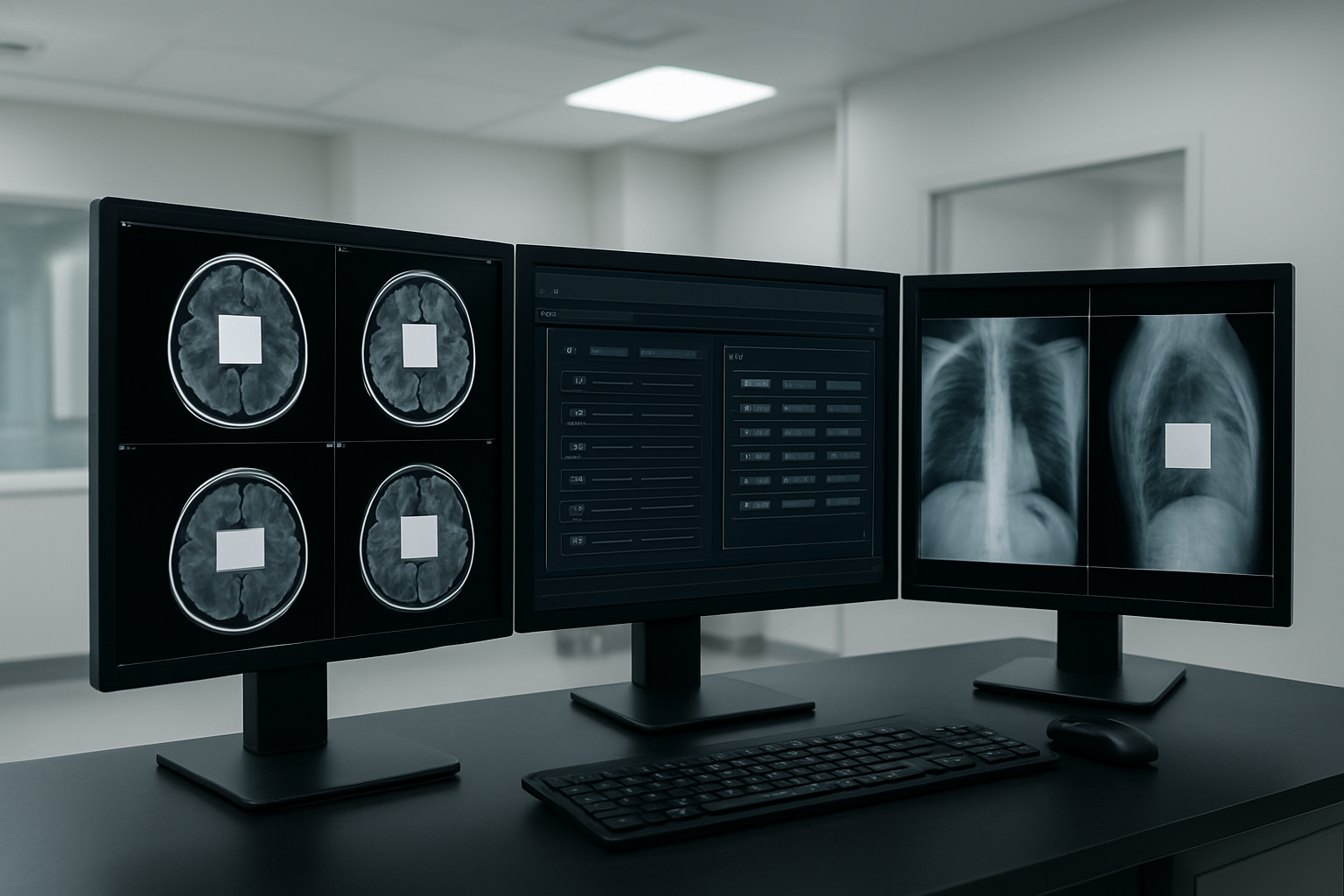
DICOM files contain extensive metadata stored in standardized tags that often include patient identifiers, study dates, and institutional information. Azure medical image de-identification workflows target specific DICOM tags for systematic removal or replacement. Primary identification tags include Patient Name (0010,0010), Patient ID (0010,0020), Patient Birth Date (0010,0030), and Accession Number (0008,0050).
The Docker DICOM redaction pipeline implements automated tag processing through configurable rule sets. Protected Health Information (PHI) tags get replaced with anonymized values or completely removed based on compliance requirements. Date shifting techniques maintain temporal relationships between studies while obscuring actual dates. Institution-specific tags like Referring Physician’s Name (0008,0090) and Institution Name (0008,0080) receive special handling to prevent facility identification.
Advanced metadata processing handles nested sequences and private tags that manufacturers often use for proprietary information. The pipeline validates tag removal completeness through recursive parsing of all DICOM elements, ensuring no residual identifiers remain in multi-level data structures.
Pixel Data Anonymization for Burned-in Text
Burned-in annotations present unique challenges since patient information gets embedded directly into pixel data rather than metadata tags. These annotations commonly include patient names, medical record numbers, birthdates, and study identifiers overlaid on medical images during acquisition or post-processing.
Computer vision algorithms detect text regions within DICOM images using optical character recognition (OCR) and pattern matching techniques. The Azure healthcare workflows leverage machine learning models trained specifically on medical imaging fonts and annotation styles. Text detection accuracy improves through preprocessing steps that enhance contrast and normalize image brightness across different modalities.
Once identified, burned-in text areas undergo selective pixel replacement or inpainting algorithms that preserve underlying anatomical structures. Black box replacement offers the simplest approach, while sophisticated inpainting techniques use surrounding pixel patterns to reconstruct plausible image content. The pipeline maintains separate processing paths for different imaging modalities since X-rays, CT scans, and MRI images exhibit distinct characteristics requiring tailored approaches.
Automated Detection of Patient Identifiers
Machine learning models enhance traditional rule-based detection by identifying patient identifiers that don’t follow standard formats. Named Entity Recognition (NER) algorithms scan both metadata and extracted text for person names, dates, addresses, and numerical identifiers that could compromise patient privacy.
The detection system employs multiple validation layers including regex patterns for common identifier formats, statistical analysis of numerical sequences, and contextual analysis of text positioning within images. Custom trained models recognize healthcare-specific terminology and distinguish between clinical terms and potential identifiers.
Real-time processing capabilities enable the pipeline to flag suspicious content for manual review when automated detection confidence falls below predetermined thresholds. Integration with Azure healthcare data services provides additional validation against known patient databases while maintaining strict access controls and audit trails.
Quality Assurance for Complete De-Identification
Comprehensive quality assurance validates de-identification completeness through automated verification processes and statistical sampling methods. The pipeline generates detailed reports documenting all modifications made to original files, including metadata tag changes, pixel region alterations, and confidence scores for automated detections.
Multi-stage verification includes hash comparison of processed files, random sampling for manual review, and compliance checking against healthcare regulations like HIPAA and GDPR. The system maintains audit logs tracking all processing steps and user interactions for regulatory compliance documentation.
Post-processing validation runs additional detection algorithms on de-identified images to catch any missed identifiers. Statistical analysis compares processed image characteristics against expected parameters to identify potential processing errors or incomplete anonymization. The Docker containerization ensures consistent quality assurance processes across different deployment environments and scaling scenarios.
Whole-Slide Image Processing Capabilities
Handling Large File Formats and Pyramid Structures
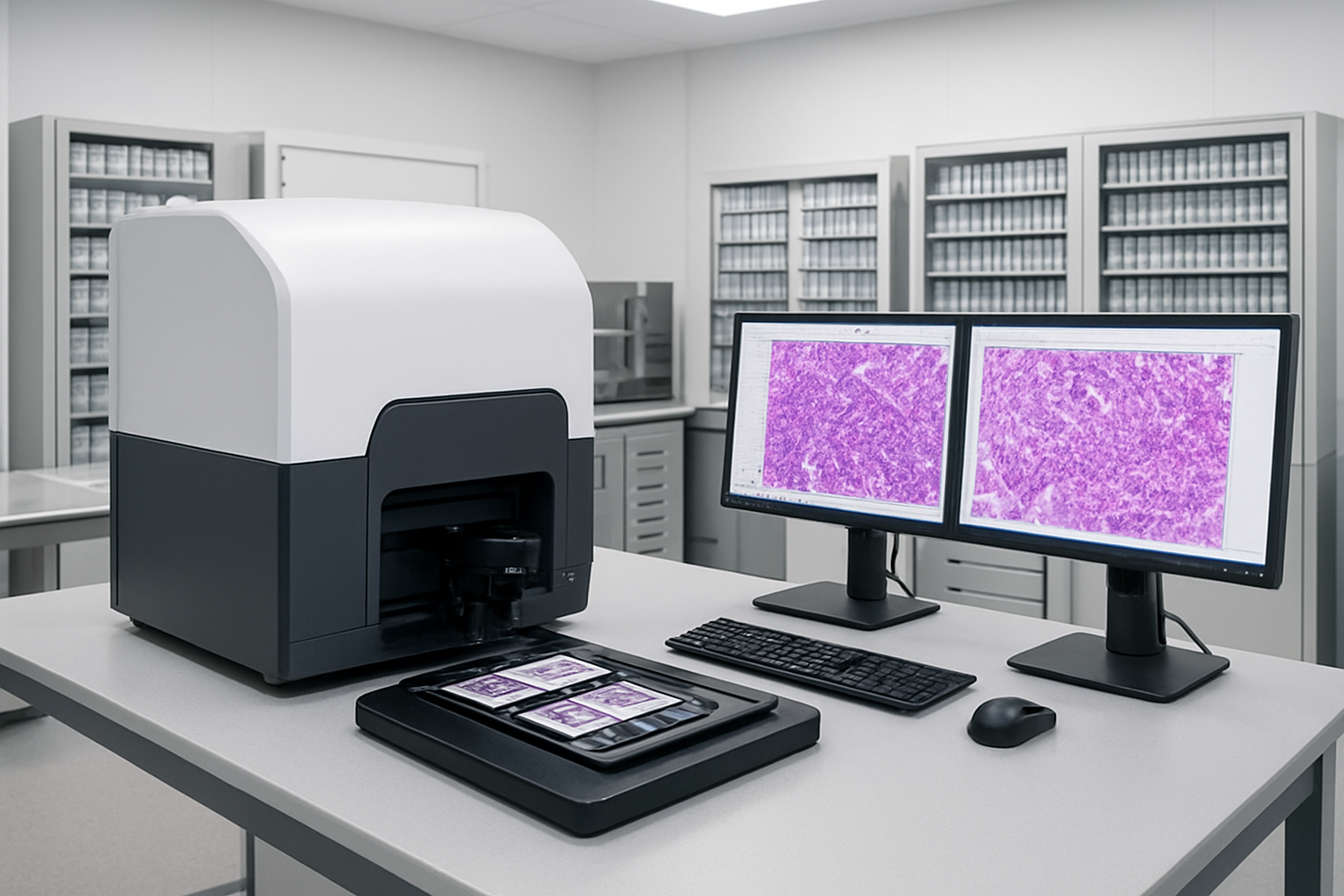
Whole-slide images present unique challenges that traditional medical imaging workflows simply can’t handle. These massive files, often exceeding several gigabytes each, contain multi-resolution pyramid structures that store image data at various zoom levels. When building an Azure medical image de-identification pipeline, your Docker containers must be equipped with specialized libraries like OpenSlide or VIPS to navigate these complex formats efficiently.
The pyramid architecture stores the same tissue sample at multiple resolutions – from a thumbnail overview down to cellular-level detail. Your containerized solution needs to process each resolution layer independently while maintaining the hierarchical relationship between them. This means parsing formats like Aperio SVS, Leica SCN, and Hamamatsu NDPI files requires specific handling strategies within your Docker environment.
Memory management becomes critical when dealing with files that can reach 50GB or more. Your Azure-deployed containers should implement streaming techniques, processing image tiles in chunks rather than loading entire files into memory. This approach prevents system crashes and allows for horizontal scaling across multiple container instances when processing large batches of whole-slide images.
Label and Annotation Redaction Strategies
Whole-slide images contain embedded metadata and visual annotations that can reveal patient identities or sensitive clinical information. Your Docker DICOM redaction pipeline must extend beyond traditional DICOM tags to address these unique elements found in digital pathology files.
Text annotations embedded directly in the image require optical character recognition (OCR) capabilities within your containers. These annotations might include patient names, medical record numbers, or clinical observations that pathologists added during initial review. Your automated redaction system should scan for text regions using computer vision algorithms and replace identified sensitive content with anonymized placeholders.
Barcode labels and specimen identifiers pose another challenge. Many whole-slide images contain physical labels captured during the scanning process. Your Azure healthcare workflows need specialized image processing algorithms to detect these regions and apply appropriate masking techniques. Consider implementing pattern recognition for common barcode formats and hospital labeling systems.
The redaction process should also handle metadata embedded in proprietary file formats. Each manufacturer stores annotation data differently – some use XML structures while others embed information in binary headers. Your containerized solution needs format-specific parsers to locate and sanitize this hidden data effectively.
Preserving Image Quality During De-Identification
Quality preservation during medical image redaction automation requires balancing privacy protection with diagnostic utility. When removing sensitive information from whole-slide images, your processing pipeline must maintain the integrity of tissue morphology and cellular details that pathologists rely on for accurate diagnosis.
Inpainting algorithms work better than simple black boxes for masking sensitive regions. Your Docker containers should implement advanced reconstruction techniques that fill redacted areas with contextually appropriate tissue patterns. This approach maintains visual continuity while effectively removing identifying information.
Color space considerations become important when processing stained tissue samples. Hematoxylin and eosin (H&E) stains create specific color profiles that your redaction algorithms must respect. Simple overlay techniques can create color shifts that affect diagnostic interpretation. Your Azure cloud infrastructure should support color-aware processing that maintains the original staining characteristics.
Compression settings require careful attention during the de-identification process. Whole-slide images use lossy compression to manage file sizes, and additional processing can introduce artifacts. Your pipeline should minimize recompression cycles and use lossless operations wherever possible. When compression becomes necessary, implement quality metrics to ensure the processed images meet clinical standards for diagnostic review.
Multi-resolution consistency ensures that redacted areas appear correctly at all zoom levels. Your processing workflow must synchronize changes across the entire pyramid structure, preventing situations where sensitive information remains visible at certain magnifications while being redacted at others.
Pipeline Architecture and Workflow Automation

Input Validation and File Format Detection
The foundation of any robust Azure medical image de-identification system starts with comprehensive input validation and intelligent file format detection. Modern medical imaging environments generate diverse file types, from standard DICOM files to proprietary whole-slide imaging formats like NDPI, SVS, and CZI. Your Docker DICOM redaction pipeline needs to handle this complexity seamlessly.
Implementing a smart detection system begins with examining file headers and metadata signatures. DICOM files contain specific preambles and data dictionaries that can be programmatically identified. For whole-slide images, each vendor format has unique characteristics – Aperio SVS files use TIFF-based structures with specialized tags, while Hamamatsu NDPI files have distinct binary signatures.
Your validation layer should perform multiple checks:
- File integrity verification using checksums and structural analysis
- Format-specific header validation to ensure files aren’t corrupted
- Size and dimension constraints to prevent processing of malformed images
- Metadata completeness checks for required DICOM tags
Building this validation into your containerized workflow means creating lightweight microservices that can quickly assess incoming files before expensive processing begins. This approach saves computational resources and provides early feedback on problematic uploads.
Multi-Stage Processing for Different Image Types
Azure healthcare workflows demand flexible processing pipelines that adapt to various medical image types. A well-designed Docker containerization strategy separates processing stages based on image characteristics and de-identification requirements.
DICOM images follow standardized processing paths where patient identifiers live in predictable locations within the data dictionary. Your pipeline can extract and redact tags like Patient Name (0010,0010), Patient ID (0010,0020), and Study Instance UID (0020,000D) using established libraries like PyDICOM or DCMTK.
Whole-slide images present unique challenges since patient information might be embedded in:
| Location Type | Examples | Processing Approach |
|---|---|---|
| Image metadata | EXIF data, custom tags | Metadata parsing and sanitization |
| Burned-in text | Slide labels, annotations | OCR detection and pixel-level redaction |
| Filename patterns | Patient codes in filenames | Regex-based identification and renaming |
Your multi-stage architecture should include:
- Format-specific preprocessing containers that normalize inputs
- Specialized redaction engines tailored for each image type
- Quality assurance containers that verify redaction completeness
- Format reconstruction services that maintain image usability
This modular approach lets you scale different processing stages independently based on workload demands and update individual components without affecting the entire pipeline.
Error Handling and Recovery Mechanisms
Medical image processing in Azure cloud environments requires robust error handling since processing failures can impact critical healthcare workflows. Your Docker-based pipeline needs sophisticated recovery mechanisms that maintain data integrity while minimizing downtime.
Implement circuit breaker patterns for external dependencies like Azure Storage or Azure Key Vault connections. When services become unavailable, your containers should gracefully degrade rather than crash entirely. This means implementing local caching for configuration data and maintaining processing queues that can survive temporary outages.
Create comprehensive logging strategies that capture processing context without exposing sensitive medical data. Your logs should include:
- Processing stage identifiers and timestamps
- File hash signatures for tracking without revealing content
- Error codes and recovery actions taken
- Performance metrics for optimization insights
For handling corrupted or problematic files, implement dead letter queues where failed processing attempts are stored for manual review. Your containers should automatically retry transient failures with exponential backoff while permanently quarantining files that consistently fail validation.
Container orchestration in Azure Kubernetes Service (AKS) provides built-in health checks and restart capabilities. Configure your pods with appropriate resource limits and health endpoints so the orchestrator can detect and recover from container failures automatically.
Output Verification and Quality Control
The final stage of your medical image redaction automation requires thorough verification that de-identification was successful and complete. Quality control becomes especially critical when dealing with diverse image formats and varying redaction requirements across different healthcare organizations.
Implement multi-layered verification approaches:
Automated scanning using computer vision models trained to detect potential PHI (Protected Health Information) remnants in processed images. These models can identify text regions, facial features in clinical photography, or unexpected data patterns that might indicate incomplete redaction.
Metadata validation ensures all sensitive DICOM tags have been properly anonymized or removed. Your verification containers should cross-reference processed files against comprehensive PHI tag lists, including vendor-specific private tags that might contain identifying information.
Statistical analysis of processed images helps detect anomalies that might indicate processing errors. Sudden changes in image dimensions, color profiles, or file sizes could signal problems with your redaction algorithms.
Your Azure medical image de-identification pipeline should generate detailed processing reports that include:
- Complete audit trails of all redaction actions
- Before/after metadata comparisons (without exposing sensitive content)
- Quality metrics and confidence scores
- Compliance attestations for regulatory requirements
Implementing these verification steps in separate Docker containers allows for independent scaling and updates to quality control processes as regulations evolve and new threats to patient privacy emerge.
Performance Optimization and Scaling Strategies

Parallel Processing for Batch Operations
When dealing with large volumes of medical images in your Azure medical image de-identification pipeline, parallel processing becomes essential for maintaining reasonable processing times. Docker containers excel at this by allowing you to spin up multiple instances of your DICOM redaction pipeline simultaneously across different CPU cores or even separate Azure Container Instances.
The key to effective parallel processing lies in properly partitioning your workload. Split large DICOM studies into smaller batches that can be processed concurrently. For whole-slide image processing, consider dividing images into tiles or regions that can be handled independently. Azure Batch provides excellent orchestration capabilities for managing these parallel workflows.
| Processing Approach | Throughput Gain | Resource Usage | Best For |
|---|---|---|---|
| Sequential Processing | 1x baseline | Low memory | Small datasets |
| Multi-threaded | 2-4x baseline | Medium memory | Medium datasets |
| Multi-container | 5-10x baseline | High memory | Large datasets |
| Azure Batch | 10-100x baseline | Scalable | Enterprise workloads |
Container orchestration tools like Azure Kubernetes Service (AKS) can automatically scale your Docker DICOM redaction pipeline based on queue depth or processing demand. This ensures optimal resource usage while maintaining consistent performance for your healthcare data de-identification workflows.
Memory Management for Large Image Files
Whole-slide images and high-resolution DICOM files can easily consume gigabytes of memory per image. Effective memory management prevents pipeline crashes and ensures stable processing performance. Implement streaming techniques that process images in chunks rather than loading entire files into memory at once.
Docker containers provide memory limits that help prevent resource contention. Set appropriate memory constraints for your medical image processing containers – typically 4-8GB for standard DICOM processing and 16-32GB for whole-slide image processing. Use memory mapping techniques to handle files larger than available RAM.
Consider implementing lazy loading strategies where image data is only loaded when needed for specific redaction operations. This approach significantly reduces memory footprint while maintaining processing accuracy for your Azure healthcare workflows.
Memory Optimization Techniques:
- Stream processing for large files
- Garbage collection tuning for .NET/Java applications
- Temporary file cleanup after processing
- Memory pooling for frequently accessed objects
- Progressive image loading for whole-slide images
Cost-Effective Resource Allocation
Azure offers multiple compute options for your medical imaging containerization needs, each with different cost structures. Spot instances can reduce costs by up to 90% for batch processing workloads that can tolerate interruptions. Reserved instances provide predictable costs for steady-state processing requirements.
Implement auto-scaling policies that scale down resources during low-demand periods. Azure Container Instances charge only for actual compute time, making them ideal for sporadic DICOM anonymization tasks. For continuous processing, Azure Kubernetes Service provides better cost efficiency through resource sharing and optimization.
Cost Optimization Strategies:
- Use Azure Spot VMs for non-critical batch jobs
- Implement container resource limits to prevent over-allocation
- Schedule intensive processing during off-peak hours
- Archive processed images to cheaper storage tiers
- Monitor and eliminate idle resources
Storage costs can be significant when dealing with large medical image datasets. Implement automated lifecycle policies that move older images to cooler storage tiers. Use Azure Blob Storage’s hot, cool, and archive tiers strategically based on access patterns.
Monitoring and Performance Metrics
Comprehensive monitoring ensures your DICOM privacy compliance pipeline operates efficiently and meets performance requirements. Azure Monitor provides deep insights into container performance, resource usage, and processing throughput. Set up custom metrics that track images processed per hour, error rates, and processing latency.
Key performance indicators for medical image de-identification workflows include processing throughput (images per minute), memory utilization patterns, and error rates by image type. Application Insights can track detailed performance metrics for your Docker containers, including processing times for different redaction techniques.
Essential Monitoring Metrics:
- Container CPU and memory utilization
- Processing queue depth and wait times
- Image processing success/failure rates
- Network I/O for image transfers
- Storage read/write performance
- Cost per image processed
Implement alerting for critical thresholds like processing queue backlog, high error rates, or resource exhaustion. Azure Log Analytics can correlate performance data across your entire medical image processing infrastructure, helping identify bottlenecks and optimization opportunities.
Create performance dashboards that provide real-time visibility into your pipeline’s health. Track trends in processing times to identify performance degradation before it impacts your healthcare data de-identification workflows. Regular performance reviews help optimize resource allocation and maintain cost-effectiveness as your processing volumes grow.
Integration and Deployment Best Practices

API Endpoints for Seamless System Integration
Building robust API endpoints forms the backbone of any successful Azure medical image de-identification system. Your pipeline needs REST endpoints that handle authentication, image upload, processing status checks, and result retrieval. Start with OAuth 2.0 or Azure Active Directory integration to secure access, ensuring only authorized healthcare applications can interact with your redaction pipeline.
Design your endpoints around specific workflows. Create /api/v1/dicom/upload for DICOM file submissions and /api/v1/wsi/process for whole-slide image processing. Include batch processing capabilities through /api/v1/batch/submit endpoints that accept multiple files simultaneously. Each endpoint should return detailed status information, processing timestamps, and unique job identifiers for tracking.
Error handling becomes critical when dealing with medical data. Implement comprehensive response codes that differentiate between authentication failures, file format issues, and processing errors. Your API should gracefully handle corrupted DICOM files, oversized whole-slide images, and network interruptions without losing data or leaving processes in uncertain states.
Rate limiting protects your Docker DICOM redaction pipeline from overload. Configure throttling based on user roles—research institutions might need higher limits than individual practitioners. Include request queuing mechanisms that prioritize urgent de-identification tasks while maintaining fair resource allocation across multiple clients.
Configuration Management for Different Use Cases
Healthcare organizations operate under varying regulatory requirements and technical constraints. Your configuration management system needs flexibility to adapt to different scenarios while maintaining compliance standards. Create environment-specific configurations that separate development, staging, and production deployments.
DICOM anonymization techniques require different approaches based on use cases. Research environments might need complete identifier removal, while clinical workflows may require pseudonymization that preserves patient linkability within secure boundaries. Store these configurations in Azure Key Vault, allowing secure access to sensitive redaction rules and processing parameters.
Container orchestration settings vary significantly between small clinics and large hospital systems. Small deployments might run single Docker containers with basic resource limits, while enterprise installations require multi-node clusters with automatic scaling. Create configuration templates that define resource allocation, storage requirements, and network policies for different organizational sizes.
Database connection strings, API keys, and processing thresholds need environment-specific values. Use Azure App Configuration service to manage these settings centrally, enabling real-time updates without container restarts. This approach allows quick adjustments to processing parameters based on workload patterns or regulatory changes.
Backup and Disaster Recovery Procedures
Medical imaging data represents irreplaceable patient information that demands bulletproof backup strategies. Your Azure healthcare workflows must include automated backup procedures that protect both original images and de-identified outputs. Implement geo-redundant storage across multiple Azure regions to guard against regional outages or data center failures.
Create backup schedules that align with processing volumes and regulatory requirements. Daily incremental backups capture new de-identification jobs, while weekly full backups provide comprehensive restoration points. Store backup metadata separately from image data, including processing logs, configuration snapshots, and audit trails required for compliance documentation.
Docker container state management requires special attention during disaster scenarios. Your containerization strategy should include image versioning and configuration backups that enable rapid deployment reconstruction. Store container images in Azure Container Registry with replication across regions, ensuring quick recovery even if primary infrastructure becomes unavailable.
Testing recovery procedures validates your disaster preparedness. Schedule quarterly recovery drills that simulate different failure scenarios—database corruption, storage system failures, and complete regional outages. Document recovery time objectives and ensure your team can restore full processing capabilities within acceptable timeframes. Monitor backup integrity continuously, verifying that stored data remains accessible and uncorrupted.

Medical image de-identification has become a game-changer for healthcare organizations looking to protect patient privacy while enabling valuable research and collaboration. The combination of Azure’s robust cloud infrastructure with Docker’s containerization creates a powerful, scalable solution that handles both DICOM and whole-slide images with impressive efficiency. The automated pipeline approach removes the complexity and human error from what used to be a time-consuming manual process.
Setting up this Docker-based redaction pipeline on Azure gives you the flexibility to scale up or down based on your workload needs while keeping costs manageable. The automated workflow handles everything from initial image processing to final de-identified output, making it perfect for research institutions, hospitals, and healthcare networks that need to share medical imaging data safely. If you’re dealing with large volumes of medical images and need a reliable way to strip out sensitive information, this Azure-Docker combination offers the performance and security features that make it worth implementing in your organization.









