


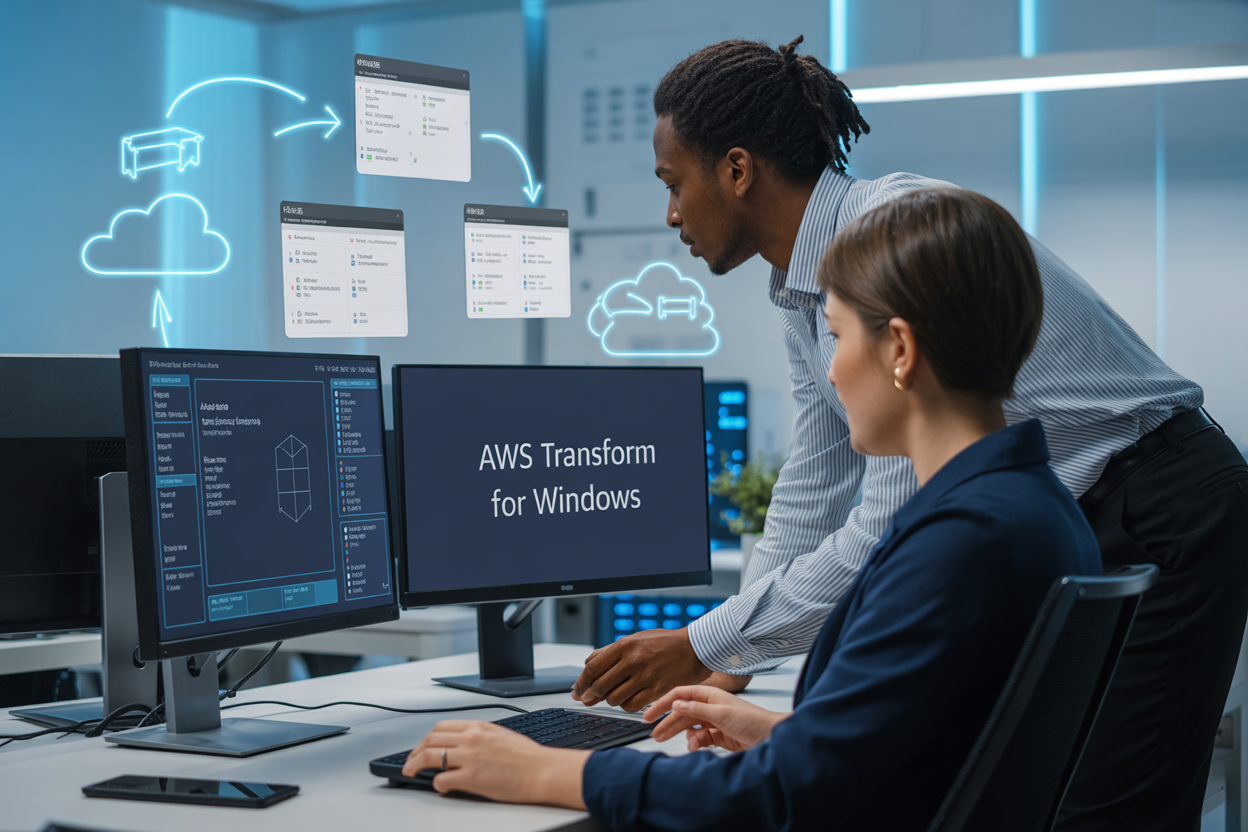
AWS Transform for Windows is a powerful service that helps businesses move their Windows applications to the cloud without the headaches of traditional migration. This comprehensive guide is designed for IT professionals, cloud architects, and business leaders who want to understand how AWS can streamline their Windows application migration and modernize their enterprise infrastructure.
Moving Windows workloads to AWS isn’t just about lifting and shifting—it’s about transforming how your applications perform, scale, and deliver value. Modern Windows app deployment through AWS offers significant cost savings, improved security, and enhanced performance that can give your organization a competitive edge.
We’ll walk you through the essential AWS Windows migration benefits that make this transition worthwhile, including reduced infrastructure costs and increased operational flexibility. You’ll also discover practical pre-deployment planning strategies that help you avoid common pitfalls and ensure a smooth migration process. Finally, we’ll cover the step-by-step deployment process that transforms your traditional Windows applications into cloud-native solutions that scale with your business needs.
Understanding AWS Transform for Windows and Its Core Capabilities

Streamlined Legacy Application Modernization Process
AWS Transform for Windows takes the complexity out of moving your old Windows applications to the cloud. The service automatically analyzes your existing applications and creates a modernization roadmap that fits your specific needs. You don’t have to guess which applications will work best in the cloud or worry about compatibility issues.
The platform scans your current Windows environment and identifies opportunities for improvement. This includes spotting applications that can benefit from containerization, those ready for serverless architectures, or systems that need minimal changes to run efficiently in AWS. The assessment process happens without disrupting your daily operations.
What makes this particularly valuable is the automated code analysis feature. AWS Transform for Windows examines your application dependencies, database connections, and third-party integrations to predict potential migration challenges before they become problems. This proactive approach saves countless hours of troubleshooting during the actual migration.
Native Integration with AWS Cloud Infrastructure
The beauty of AWS Transform for Windows lies in how seamlessly it connects with existing AWS services. Your Windows applications can immediately tap into services like Amazon RDS for database management, Amazon S3 for storage, and AWS Lambda for serverless computing without extensive reconfiguration.
The integration extends to monitoring and management tools as well. CloudWatch automatically starts tracking your Windows application performance metrics, while AWS Systems Manager provides centralized patch management across your entire Windows fleet. This native connectivity means you’re not managing separate systems for cloud infrastructure and Windows workloads.
Security groups, IAM roles, and VPC configurations work together to create a cohesive environment where your Windows applications operate as first-class citizens in the AWS ecosystem. The result is better performance, simplified management, and reduced operational overhead.
Enhanced Security and Compliance Features
Security improvements come built into every AWS Windows migration. The platform automatically applies AWS security best practices to your Windows applications, including encrypted data transmission, secure storage configurations, and network isolation through VPCs.
Compliance becomes much easier to manage with automated reporting and audit trails. AWS Transform for Windows tracks all changes, access attempts, and configuration modifications, creating detailed logs that satisfy most regulatory requirements. Whether you’re dealing with HIPAA, SOX, or industry-specific regulations, the platform provides the documentation and controls you need.
Windows workload migration strategies benefit from AWS’s shared responsibility model, where AWS handles infrastructure security while you maintain control over application-level security. This division of responsibility often results in better overall security posture than traditional on-premises deployments.
Cost-Effective Migration Solutions
The economics of AWS Windows migration benefits become clear when you factor in reduced hardware costs, eliminated data center expenses, and optimized resource utilization. AWS Transform for Windows helps identify right-sizing opportunities, ensuring you’re not paying for unused capacity.
The pay-as-you-go model means you only pay for what you actually use. During peak business periods, your applications automatically scale up, and during quiet times, they scale down. This elasticity is particularly beneficial for Windows applications with variable workloads.
Licensing optimization features help reduce Windows Server and SQL Server costs by identifying opportunities to use existing licenses or switch to more cost-effective licensing models. The platform also recommends when to use Reserved Instances or Savings Plans to maximize your cloud migration Windows applications investment.
Key Migration Benefits for Enterprise Windows Applications

Reduced Infrastructure Maintenance Costs
Moving enterprise Windows applications to AWS Transform dramatically cuts down on infrastructure expenses that traditionally drain IT budgets. Organizations save significant money by eliminating the need for physical servers, storage arrays, and networking equipment. The cloud model removes upfront capital expenditures and replaces them with predictable operational costs.
Maintenance headaches disappear when you shift to AWS Windows migration. Your IT team no longer spends weekends applying security patches to physical servers or replacing failed hardware components. AWS handles all the underlying infrastructure management, freeing up your staff to focus on strategic initiatives that drive business value.
The pay-as-you-use pricing model means you only spend money on resources your applications actually consume. During quiet periods, your costs automatically scale down. This flexibility proves especially valuable for seasonal businesses or applications with variable workloads.
Improved Application Performance and Scalability
AWS Transform for Windows unlocks performance capabilities that on-premises infrastructure simply can’t match. Applications benefit from AWS’s global network of data centers, reducing latency for users regardless of their geographic location. The cloud platform’s high-performance computing resources deliver faster processing speeds and improved response times.
Scalability becomes effortless with modern Windows app deployment on AWS. Applications automatically adjust to handle traffic spikes without manual intervention. During peak demand periods, additional resources spin up instantly. When demand subsides, the system scales back down, optimizing both performance and costs.
The elastic nature of AWS infrastructure means your Windows applications can grow with your business. Whether you’re expanding into new markets or experiencing rapid user growth, the platform accommodates increased demands without requiring lengthy procurement cycles or infrastructure planning sessions.
Enhanced Business Continuity and Disaster Recovery
AWS Windows transformation provides enterprise-grade disaster recovery capabilities that exceed what most organizations can achieve internally. Built-in redundancy across multiple availability zones protects against localized outages or hardware failures. Your applications continue running even when individual components experience issues.
Backup and recovery processes become automated and reliable through AWS’s comprehensive disaster recovery services. Data replication happens continuously across geographically separated locations, ensuring business operations can resume quickly after any disruption. Recovery time objectives that once required expensive secondary data centers now become achievable through cloud-native solutions.
Compliance requirements become easier to meet with AWS’s extensive security certifications and built-in monitoring capabilities. The platform maintains detailed audit trails and provides tools for demonstrating regulatory compliance, reducing the administrative burden on your organization while improving overall security posture.
Pre-Deployment Planning and Assessment Strategies

Application Compatibility Analysis and Testing
Before diving into AWS Transform for Windows migration, you need to understand which applications will make the transition smoothly and which might need extra attention. Start by creating a comprehensive inventory of your Windows applications, including legacy software, custom-built solutions, and third-party tools.
Run compatibility assessments using automated scanning tools that can identify potential issues with older .NET frameworks, COM components, and hardware dependencies. These tools reveal application dependencies, registry requirements, and file system configurations that could impact your migration success.
Set up dedicated testing environments that mirror your production setup. Test each application thoroughly, paying special attention to database connections, network configurations, and user authentication systems. Document any compatibility issues you discover and create remediation plans for applications that need modifications.
Don’t forget to test application performance under cloud conditions. Network latency, storage performance, and compute resources can behave differently in AWS environments compared to on-premises infrastructure.
Resource Requirements and Sizing Optimization
Getting the sizing right from the start saves money and prevents performance headaches later. Begin by analyzing your current Windows workload patterns over several months to understand peak usage times, memory consumption, and CPU utilization trends.
AWS provides sizing tools that help translate on-premises specifications into appropriate EC2 instance types. Consider these key factors when planning your Windows app modernization AWS strategy:
- Memory requirements: Windows applications often need more RAM in virtualized environments
- Storage IOPS: Database-heavy applications require careful storage planning
- Network bandwidth: Applications with heavy file transfers need adequate network capacity
- CPU architecture: Some applications perform better on specific processor types
Start with conservative sizing estimates, then use AWS monitoring tools to optimize based on actual usage. Auto-scaling groups can handle variable workloads automatically, which works particularly well for Windows applications with predictable usage patterns.
Security Configuration and Access Management Setup
Security planning forms the backbone of successful Windows application migration AWS projects. Start by mapping your current Active Directory structure and user access patterns to understand how authentication and authorization will work in the cloud.
Configure AWS Directory Service to integrate with your existing Active Directory or set up a new managed directory service. Plan how you’ll handle service accounts, group policies, and security certificates that your Windows applications depend on.
Establish these security foundations before migration:
- Network segmentation: Design VPC subnets that isolate different application tiers
- Encryption strategies: Plan encryption for data at rest and in transit
- Access controls: Set up IAM roles and policies for administrative access
- Monitoring and logging: Configure CloudTrail and CloudWatch for security monitoring
- Backup security: Ensure backup data maintains appropriate encryption and access controls
Test your security configurations extensively in development environments. Verify that applications can authenticate users, access required resources, and maintain compliance with your security policies.
Timeline Planning and Risk Mitigation Approaches
Creating realistic timelines prevents rushed deployments that lead to problems. Break your AWS Windows migration benefits realization into phases, starting with less critical applications to build experience and confidence.
Develop a detailed project timeline that includes:
- Discovery and assessment phase: 2-4 weeks for thorough application analysis
- Environment preparation: 1-2 weeks for AWS infrastructure setup
- Pilot migrations: 2-3 weeks for testing with non-critical applications
- Production migrations: Variable timing based on application complexity
- Post-migration optimization: Ongoing process for performance tuning
Risk mitigation requires planning for multiple scenarios. Create detailed rollback procedures for each application migration. Establish clear success criteria and testing checkpoints that must pass before proceeding to the next migration phase.
Communication plans keep stakeholders informed and engaged throughout the process. Regular status updates, clear escalation procedures, and defined roles prevent confusion during critical migration windows. Plan for extended support coverage during migration weekends to address issues quickly.
Step-by-Step Modern Windows App Deployment Process

Setting Up AWS Transform Environment
Creating the foundation for your AWS Transform for Windows deployment starts with establishing the right cloud infrastructure. Begin by setting up your VPC with appropriate subnets, security groups, and network configurations that match your organization’s compliance requirements. Configure AWS Directory Service to integrate with your existing Active Directory, enabling seamless authentication for migrated applications.
Install and configure AWS Systems Manager on your target instances to enable remote management and monitoring capabilities. Set up CloudWatch logging and monitoring to track application performance metrics from day one. Create IAM roles and policies that follow the principle of least privilege, ensuring your Windows applications have exactly the permissions they need without compromising security.
Application Package Preparation and Configuration
Transform your Windows applications into cloud-ready packages by first conducting a thorough dependency analysis. Document all required libraries, registry entries, and system configurations your applications need to function properly. Create standardized deployment packages using tools like AWS Application Migration Service to capture application states and configurations.
Package your applications using containerization technologies like Amazon ECS for Windows containers or traditional VM-based approaches depending on your modernization goals. Update configuration files to use AWS parameter stores and secrets managers instead of hardcoded values. This preparation phase ensures your AWS Windows migration benefits include improved security and easier configuration management across environments.
Automated Deployment Pipeline Implementation
Build a robust CI/CD pipeline using AWS CodePipeline and CodeDeploy specifically designed for modern Windows app deployment. Configure automated testing stages that validate application functionality, security compliance, and performance benchmarks before promoting builds to production environments.
Implement Infrastructure as Code using AWS CloudFormation or Terraform to ensure consistent environment provisioning. Set up automated rollback mechanisms that can quickly revert to previous application versions if issues arise during deployment. Include automated security scanning and compliance checks within your pipeline to catch potential vulnerabilities before they reach production environments.
Performance Testing and Optimization
Execute comprehensive load testing using tools like AWS Load Testing solution to validate your applications can handle expected user volumes. Monitor key performance indicators including response times, memory usage, and CPU utilization across different usage scenarios. Use AWS CloudWatch Insights to analyze application logs and identify performance bottlenecks.
Optimize your Windows workload migration strategies by right-sizing EC2 instances based on actual usage patterns rather than on-premises specifications. Configure auto-scaling groups to handle traffic spikes automatically, reducing both costs and manual intervention requirements. Test disaster recovery scenarios to ensure your applications can recover quickly from unexpected outages.
Go-Live Strategy and User Training
Develop a phased rollout plan that gradually migrates users to the new cloud-based applications, starting with pilot groups before full deployment. Create detailed runbooks for common troubleshooting scenarios and establish clear escalation procedures for technical issues. Set up monitoring dashboards that provide real-time visibility into application health and user experience metrics.
Train end users on any interface changes or new features introduced during the migration process. Provide administrators with comprehensive documentation covering new cloud-based management procedures, monitoring tools, and maintenance workflows. Establish regular review cycles to gather user feedback and identify areas for continuous improvement in your AWS Windows transformation guide implementation.
Post-Deployment Optimization and Management Best Practices

Monitoring and Performance Analytics Implementation
Setting up comprehensive monitoring for your AWS Windows migration creates the foundation for long-term success. CloudWatch serves as your primary dashboard, tracking key performance indicators like CPU usage, memory consumption, and network throughput across your Windows workloads. Configure custom metrics that align with your application’s specific needs – database response times for SQL Server instances or transaction processing rates for enterprise applications.
Application Insights provides deeper visibility into your Windows applications, offering real-time performance data and user experience metrics. This tool becomes particularly valuable when monitoring modernized applications that span multiple AWS services. Set up automated alerts that trigger when performance degrades beyond acceptable thresholds, enabling proactive issue resolution before users notice problems.
Log aggregation through CloudWatch Logs centralizes data from all your Windows instances, making troubleshooting faster and more efficient. Create custom log groups for different application tiers and implement log retention policies that balance storage costs with compliance requirements. Consider implementing structured logging practices that make searching and filtering more effective.
Performance baselines established during the initial deployment phase serve as benchmarks for ongoing optimization efforts. Regular performance reviews help identify trends and potential bottlenecks before they impact business operations. Dashboard creation tools within CloudWatch enable stakeholders to visualize system health without diving into technical details.
Cost Management and Resource Optimization Techniques
Right-sizing your Windows instances after migration often reveals significant cost savings opportunities. AWS Compute Optimizer analyzes historical usage patterns and recommends optimal instance types for your specific workloads. Many organizations discover they can downsize instances while maintaining performance, especially when applications were initially over-provisioned for on-premises hardware limitations.
Reserved Instance purchasing strategies can reduce compute costs by up to 75% compared to on-demand pricing. Analyze your steady-state workloads and commit to one or three-year terms for predictable savings. Spot Instances work well for development environments and batch processing workloads that can tolerate interruptions.
Storage optimization requires ongoing attention as data grows over time. Implement lifecycle policies that automatically transition older data to lower-cost storage tiers like S3 Intelligent-Tiering or Glacier. Regular storage audits identify unused EBS volumes and snapshots that accumulate costs without providing value.
Tagging strategies enable granular cost tracking across departments, projects, or environments. Implement consistent tagging policies that make cost allocation reports meaningful for budget management. AWS Cost Explorer provides detailed insights into spending patterns and helps identify unexpected cost increases before they become problematic.
Ongoing Security Updates and Compliance Maintenance
Automated patch management through AWS Systems Manager ensures your Windows instances stay current with security updates without manual intervention. Schedule patching windows during low-usage periods and implement rollback procedures for patches that cause compatibility issues. Patch groups allow different update schedules for production and development environments.
Security baseline configurations need regular validation to maintain compliance standards. AWS Config rules monitor configuration drift and alert administrators when settings deviate from approved baselines. This becomes especially important for regulated industries where compliance violations carry significant penalties.
Access management reviews should occur quarterly to ensure users maintain appropriate permissions as roles change within the organization. AWS IAM Access Analyzer identifies overprivileged accounts and unused permissions that create unnecessary security risks. Regular access certification processes help maintain the principle of least privilege.
Backup and disaster recovery testing validates your business continuity plans work as expected. Automated backup schedules through AWS Backup provide consistent data protection, while periodic recovery drills ensure procedures remain current and staff understand their responsibilities. Document recovery time objectives and regularly assess whether your current architecture meets business requirements for availability and data protection.

AWS Transform for Windows offers a clear path for organizations ready to modernize their Windows applications in the cloud. The platform simplifies what used to be a complex migration process, delivering cost savings, better scalability, and improved performance for enterprise applications. With proper planning and assessment, companies can move their Windows workloads smoothly while taking advantage of AWS’s robust infrastructure and security features.
Getting started doesn’t have to feel overwhelming. Focus on thoroughly assessing your current applications, follow the structured deployment process, and don’t skip the optimization phase once you’re live. The benefits of reduced infrastructure costs, automatic scaling, and enhanced reliability make this migration worthwhile for most organizations. Start small with a pilot application, learn from the experience, and gradually expand your cloud footprint as your team becomes more comfortable with the platform.









