



AWS Lambda alone can’t handle long-running processes that need to survive failures and restarts. That’s where AWS Lambda Durable Functions come in—a powerful pattern that transforms how you build reliable, stateful workflows in the cloud.
This guide is for developers, DevOps engineers, and architects who need to build robust serverless applications that can handle complex business processes, coordinate multiple services, and recover gracefully from failures. If you’re tired of losing workflow progress when something goes wrong, or struggling to manage state across distributed Lambda functions, durable functions offer a proven solution.
We’ll start by breaking down what durable functions AWS actually provides and how they solve the fundamental challenges of serverless workflow management. Then we’ll explore the critical reliability benefits that make these patterns essential for production workloads, including automatic state persistence, failure recovery, and seamless restarts. Finally, we’ll walk through practical deployment strategies and architecture patterns you can use to build long-running workflows Lambda that scale with your business needs.
By the end, you’ll understand exactly when and how to implement AWS workflow orchestration that keeps running no matter what—turning fragile, stateless functions into bulletproof distributed systems.
Understanding AWS Lambda Durable Functions and Their Core Purpose

Key differences between standard Lambda functions and durable functions
Standard AWS Lambda functions work like single-use tools – they execute once, return a result, and disappear. When your function completes or times out after 15 minutes, everything in memory vanishes. AWS Lambda Durable Functions change this game entirely by persisting their execution state across multiple invocations.
Traditional Lambda functions can’t remember what happened in previous executions. If you need to process data over several hours or days, you’d have to build complex workarounds using external storage like DynamoDB or S3. Durable functions eliminate this complexity by automatically saving checkpoints of your workflow’s progress.
The execution model differs dramatically too. Standard functions run linearly from start to finish, while durable functions AWS can pause, wait for external events, and resume exactly where they left off. This makes them perfect for long-running workflows Lambda scenarios that would otherwise require expensive always-on infrastructure.
How durable functions maintain state across executions
Durable functions use an event sourcing pattern to track every step of your workflow. Each function call, timer, and external interaction gets logged as an event in a persistent store. When the function needs to resume, it replays these events to reconstruct its exact state.
The magic happens through function checkpointing. Your code can explicitly save its progress at key points, creating restore points that survive Lambda’s execution limits. When the runtime detects a long-running operation, it automatically persists the current state and schedules the next execution.
This Lambda function state management system handles complex scenarios like:
- Waiting for human approval that might take days
- Coordinating multiple parallel tasks across different services
- Retrying failed operations with exponential backoff
- Managing timeouts and cancellations gracefully
The state persistence works transparently – your code looks almost identical to regular Lambda functions, but gains the superpower of surviving restarts and timeouts.
Essential components that make workflows persistent
Three core components work together to enable serverless workflow management with durable functions:
Orchestrator Functions act as the workflow coordinator. They define the sequence of activities, handle branching logic, and manage the overall execution flow. These functions are deterministic and replay-safe, meaning they produce the same result when replayed with the same inputs.
Activity Functions perform the actual work – calling APIs, processing data, or interacting with external systems. Unlike orchestrators, activities can have side effects and don’t need to be deterministic. They receive input from the orchestrator and return results.
Entity Functions manage stateful objects that persist across workflow executions. Think of them as actors that encapsulate both data and behavior. Entities can receive signals, maintain counters, and coordinate between different workflow instances.
The durability runtime automatically handles serialization, scheduling, and error recovery for all these components. It ensures your workflow can survive infrastructure failures, timeout limits, and service restarts without losing progress.
When to choose durable functions over traditional serverless approaches
Durable functions excel in scenarios where AWS step functions vs durable functions comparisons reveal specific advantages. Choose durable functions when you need fine-grained control over execution logic that’s difficult to express in Step Functions’ visual workflow language.
Consider durable functions for these use cases:
- Human-in-the-loop processes where workflows wait for approvals or manual interventions
- Complex retry logic that requires custom backoff strategies or conditional retry policies
- Dynamic workflows where the execution path depends on runtime data
- Cost-sensitive applications where you want to avoid Step Functions’ per-state-transition pricing
Traditional serverless approaches work better for simple, predictable workflows with clear start and end points. But when you’re building AWS workflow orchestration systems that need to handle uncertainty, long delays, or complex branching logic, durable functions provide the reliability and flexibility you need without the overhead of managing persistent infrastructure.
Critical Reliability Benefits That Transform Your Workflow Management

Automatic Error Handling and Retry Mechanisms for Failed Executions
AWS Lambda Durable Functions bring a game-changing approach to error management that developers have been waiting for. When your workflow hits a snag – whether it’s a network timeout, a temporary service outage, or an unexpected API response – the system doesn’t just crash and burn. Instead, it implements intelligent retry policies that automatically kick in based on the type of error encountered.
The retry mechanisms work on multiple levels. For transient errors like network glitches or temporary service unavailability, durable functions AWS automatically retries the failed activity with exponential backoff. This means your first retry happens quickly, but subsequent attempts wait progressively longer periods, giving external services time to recover without overwhelming them.
What makes this particularly powerful is the configurability. You can define custom retry policies for different types of operations. Database connection failures might get five retries with a 2-second initial delay, while external API calls could have different parameters entirely. The system tracks each retry attempt and maintains detailed logs, giving you complete visibility into what went wrong and how the recovery process unfolded.
Dead letter queues integrate seamlessly with this error handling, capturing activities that exceed their retry limits for manual inspection. This prevents lost work while maintaining system stability.
Built-in Checkpointing That Prevents Data Loss During Interruptions
Checkpointing represents one of the most valuable reliability features in serverless workflow management. Every time your workflow completes a significant step, the system automatically saves its current state to persistent storage. This isn’t just about remembering where you left off – it’s about preserving all the context, variables, and intermediate results that your workflow has accumulated.
Think of checkpointing as creating automatic save points in a video game, but for your business processes. When a Lambda function times out after its maximum 15-minute execution window, or when AWS needs to perform maintenance on the underlying infrastructure, your workflow doesn’t start over from scratch. Instead, it picks up exactly where it stopped, with all your data intact.
The checkpointing mechanism captures several critical pieces of information:
- Activity results: Outputs from completed function calls
- Variable state: All workflow variables and their current values
- Timer information: Details about scheduled delays or timeouts
- External calls: Results from API calls or database operations
- Decision history: Tracks which code paths have been executed
This comprehensive state management eliminates the need for developers to manually implement complex state persistence logic. Your long-running workflows Lambda can span hours, days, or even weeks without losing progress due to infrastructure changes or temporary failures.
Guaranteed Execution Completion Even During System Failures
The guarantee of execution completion sets AWS Lambda reliability patterns apart from traditional serverless approaches. Even when facing significant system disruptions, your workflows continue running until they reach their intended completion state or encounter an unrecoverable error that you’ve explicitly defined.
This guarantee works through a combination of distributed system design principles and AWS’s infrastructure resilience. When a workflow instance encounters a system failure – whether it’s a hardware issue, network partition, or service degradation – the durable functions runtime automatically migrates the execution to healthy infrastructure components.
The system maintains multiple copies of your workflow state across different availability zones, ensuring that even regional failures don’t terminate your processes. If one execution environment becomes unavailable, another picks up the workload seamlessly. Your business logic continues executing as if nothing happened, while the underlying infrastructure handles all the complexity of failure detection and recovery.
Recovery happens transparently without requiring any intervention from your code. The workflow orchestration engine continuously monitors execution health and proactively moves workloads away from degraded components before failures occur. When recovery does happen, it leverages the checkpointing system to restore exact execution state, maintaining data consistency throughout the process.
This level of reliability transforms how you can architect long-running business processes, enabling workflows that previously required complex manual oversight and recovery procedures to run autonomously with enterprise-grade reliability guarantees.
Architecture Patterns for Building Robust Long-Running Workflows
Function chaining patterns for sequential task execution
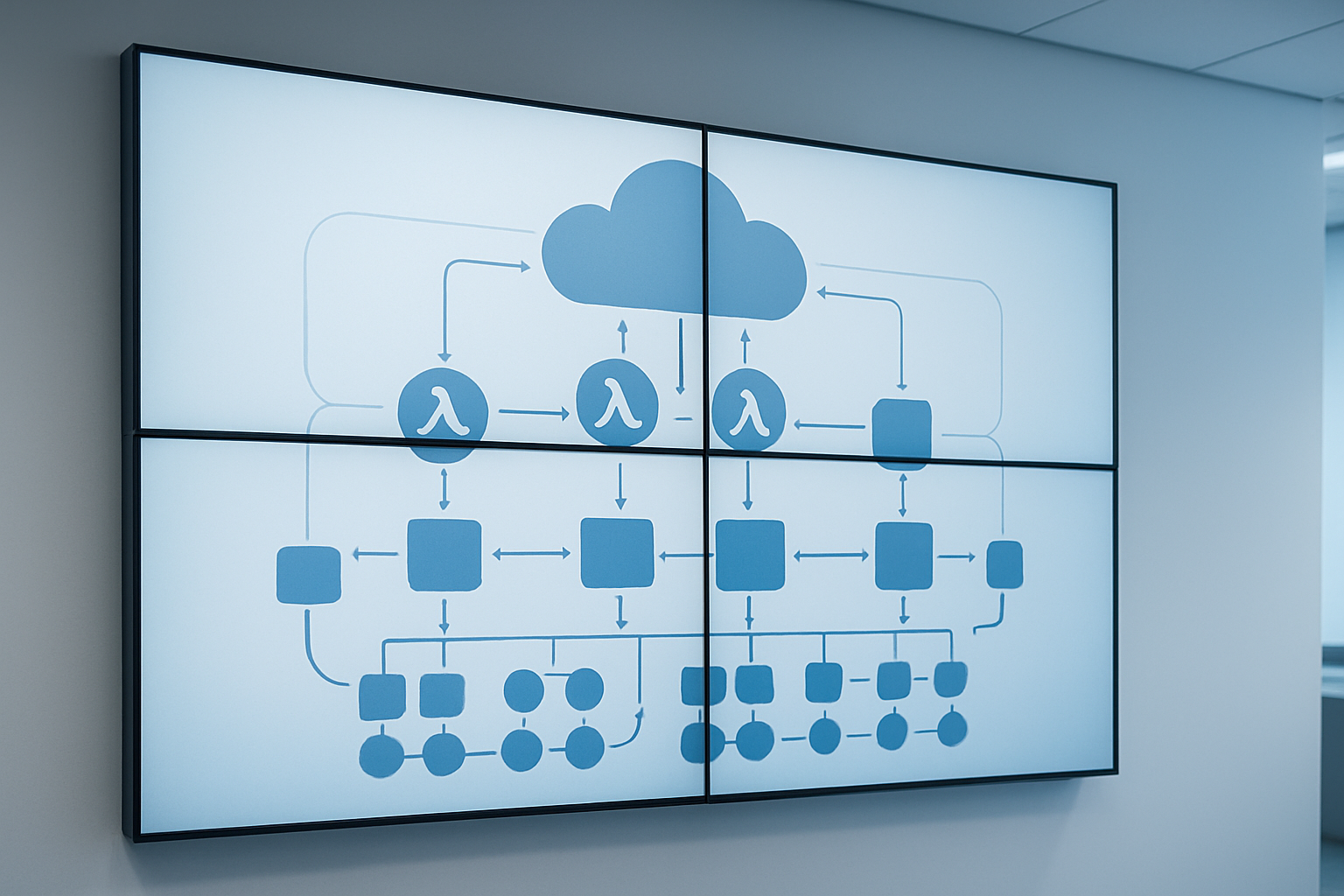
Function chaining creates a powerful backbone for AWS Lambda Durable Functions by connecting individual processing steps into reliable sequences. Each function in the chain handles a specific task while maintaining state information across the entire workflow. When one function completes successfully, it automatically triggers the next step with the processed data.
The classic example involves order processing workflows where payment validation leads to inventory checking, followed by shipping calculations, and finally order confirmation. Each function focuses on its core responsibility while the orchestrator manages the overall flow. If any step fails, the pattern supports automatic retries with exponential backoff or redirects to error handling functions.
State persistence becomes critical in these chains since workflows might span hours or days. The durable function framework automatically checkpoints progress after each successful step, enabling seamless recovery from infrastructure failures. This eliminates the need for custom state management code that developers traditionally had to build themselves.
Advanced chaining patterns include conditional branching where different function paths execute based on data conditions. Premium customers might flow through express processing functions while standard orders follow regular validation chains. Error compensation also works elegantly here – failed steps can trigger rollback functions that undo previous operations in reverse order.
Fan-out and fan-in patterns for parallel processing optimization
Fan-out patterns unleash the true power of serverless workflow management by distributing work across multiple Lambda functions simultaneously. Instead of processing items sequentially, workflows can spawn dozens or hundreds of parallel functions to handle large datasets efficiently. Each spawned function operates independently while the orchestrator tracks completion status.
Consider document processing scenarios where incoming files need OCR analysis, virus scanning, metadata extraction, and thumbnail generation. A fan-out pattern launches separate functions for each task simultaneously, reducing total processing time from minutes to seconds. The orchestrator collects results as functions complete and manages partial failures gracefully.
Fan-in operations gather results from parallel executions and combine them into final outputs. Smart aggregation patterns can start processing partial results as they arrive rather than waiting for all functions to complete. This approach works particularly well for analytics workflows that process large datasets across multiple partitions.
AWS step functions vs durable functions differs significantly in fan-out scenarios. Step Functions charge per state transition, making high-volume parallel processing expensive. Durable functions handle fan-out operations more cost-effectively since the orchestrator manages parallel execution without additional state machine costs.
Resource throttling becomes important with fan-out patterns. Lambda concurrency limits and downstream service quotas need careful consideration. Implementing batch processing with configurable parallelism prevents overwhelming target systems while maintaining performance benefits.
Human interaction patterns for approval-based workflows
Human interaction patterns bridge automated processing with manual decision-making through sophisticated approval mechanisms. These patterns pause workflow execution at designated checkpoints, notify human reviewers, and wait for approval responses before continuing. The durable function framework maintains workflow state during potentially long approval delays.
Document approval workflows showcase this pattern effectively. After automated validation passes, the system notifies designated approvers via email, Slack, or custom dashboards. Approvers can review content, add comments, and submit decisions through web interfaces. The workflow resumes automatically once approval arrives or times out based on business rules.
Multi-stage approval chains handle complex organizational hierarchies where different approval levels require different authorities. Budget requests might need manager approval for amounts under $1000 but require director approval above that threshold. The pattern dynamically routes requests based on data values and organizational rules.
Lambda function state management shines in approval scenarios since workflows might pause for days or weeks. Traditional serverless functions would timeout, but durable functions persist state and resume exactly where they left off. This capability eliminates complex polling mechanisms or database-based state tracking.
Timeout handling and escalation policies prevent workflows from stalling indefinitely. Approval requests can escalate to backup approvers or auto-approve based on business policies. Rich notification systems keep stakeholders informed about pending approvals and workflow progress.
Monitor patterns for long-running external process tracking
Monitor patterns enable long-running workflows Lambda to track external systems and respond to status changes over extended periods. Instead of constantly polling external services, these patterns establish event-driven monitoring that activates when external processes complete or encounter issues.
Third-party API integration demonstrates monitor pattern effectiveness. When initiating file processing with external services, workflows register callback endpoints and enter monitoring mode. The external service notifies the workflow when processing completes, automatically resuming the next steps. This approach eliminates wasteful polling while maintaining responsiveness.
Database change monitoring represents another powerful use case. Workflows can monitor specific database records or tables for status updates, new data arrival, or threshold breaches. When monitored conditions trigger, the pattern activates appropriate response functions without continuous resource consumption.
AWS workflow orchestration benefits significantly from monitor patterns since they decouple workflow timing from external system performance. Slow external APIs won’t cause function timeouts since workflows simply wait for notifications. This resilience makes monitor patterns essential for integration-heavy workflows.
Health checking and heartbeat monitoring ensure external systems remain responsive during long operations. If external systems stop sending expected status updates, workflows can implement fallback strategies, send alerts, or attempt alternative processing paths. This defensive approach prevents workflows from waiting indefinitely for unresponsive systems.
Complex monitor patterns can track multiple external processes simultaneously, coordinating responses when all monitored systems reach desired states. Manufacturing workflows might monitor equipment status, material availability, and quality checkpoints before triggering production sequences.
Step-by-Step Deployment Guide for Production-Ready Workflows

Setting up your development environment and required AWS services
Getting your development environment ready for AWS Lambda Durable Functions deployment requires several key AWS services working together. Start by installing the AWS CLI and configuring your credentials with appropriate permissions for Lambda, DynamoDB, and CloudWatch services.
Your development setup needs the AWS SDK for your preferred programming language. Python developers should install boto3, while Node.js developers need the aws-sdk package. Create a dedicated IAM role for your durable function execution with policies allowing DynamoDB read/write access, CloudWatch logging, and Lambda invocation permissions.
DynamoDB serves as the backbone for serverless workflow management, storing your function’s state data. Create a table with a partition key named “PartitionKey” and sort key called “SortKey” to support the durable function framework. Enable point-in-time recovery for production workloads.
Set up CloudWatch Log Groups for monitoring your long-running workflows Lambda functions. Create separate log groups for different workflow types to simplify debugging and performance analysis.
Install the Durable Functions extension for your chosen runtime. For Python, use the azure-functions-durable package, while .NET developers can leverage Microsoft.Azure.WebJobs.Extensions.DurableTask. Configure your local development environment with the Azure Functions Core Tools for testing workflows locally before deployment.
Creating and configuring your first durable function workflow
Building your first durable functions AWS workflow starts with defining three core function types: orchestrator, activity, and client functions. The orchestrator function coordinates the workflow execution, while activity functions perform individual tasks, and client functions trigger the workflow.
Create your orchestrator function by importing the durable functions binding and defining your workflow logic. This function should be deterministic, avoiding direct I/O operations or random number generation. Use the context object to call activity functions and manage workflow state.
import azure.functions as func
import azure.durable_functions as df

def orchestrator_function(context: df.DurableOrchestrationContext):
    task1 = yield context.call_activity("ProcessData", input_data)
    task2 = yield context.call_activity("ValidateResults", task1)
    return task2
Configure your function.json files to specify the correct bindings for each function type. The orchestrator needs an orchestrationTrigger binding, while activity functions use activityTrigger bindings. Client functions typically use HTTP triggers to start workflows.
Set up your workflow’s input and output schemas to ensure consistent data flow between activities. Design your activity functions to be idempotent since the durable functions framework may replay them during execution. Each activity should handle a single, well-defined task to maintain workflow clarity and debugging simplicity.
Configure retry policies for critical activities using the built-in retry options. Define maximum retry attempts and backoff intervals based on your specific business requirements and SLA constraints.
Implementing proper error handling and monitoring solutions
Robust error handling transforms unreliable AWS workflow orchestration into production-ready systems. Implement try-catch blocks around activity function calls within your orchestrator, allowing graceful handling of specific error types without terminating the entire workflow.
Create custom exception classes for different error scenarios – transient network issues, business logic violations, and external service failures. Each exception type should trigger appropriate retry behavior or compensation actions.
Set up dead letter queues for workflows that exhaust retry attempts. Configure these queues to capture failed workflow instances for manual review and potential replay after addressing underlying issues.
CloudWatch integration provides comprehensive monitoring for your Lambda function state management. Create custom metrics tracking workflow success rates, execution duration, and error frequencies. Set up CloudWatch alarms for critical thresholds like error rates exceeding 5% or average execution times surpassing expected baselines.
Implement structured logging throughout your workflow functions using JSON format for easier parsing and analysis. Include correlation IDs, workflow instance IDs, and activity names in every log entry to enable effective troubleshooting.
Configure distributed tracing using AWS X-Ray to visualize workflow execution paths and identify performance bottlenecks. X-Ray traces show the complete journey of requests through your durable function components, highlighting slow activities and error patterns.
Create dashboards displaying key workflow metrics including active instances, completed workflows per hour, and average processing times. These dashboards help operations teams monitor system health and identify trends requiring attention.
Testing strategies to ensure workflow reliability before deployment
Comprehensive testing ensures your serverless durable computing workflows perform reliably under various conditions. Start with unit tests for individual activity functions, mocking external dependencies to verify business logic correctness without network calls or database operations.
Create integration tests that exercise complete workflow paths using test data. These tests should run against a dedicated testing environment with isolated DynamoDB tables and Lambda functions. Design test scenarios covering both happy path execution and various error conditions.
Implement chaos engineering practices by intentionally introducing failures during testing. Simulate network timeouts, external service outages, and Lambda function cold starts to verify your error handling and retry mechanisms work correctly.
Load testing reveals how your AWS Lambda reliability patterns perform under realistic workload conditions. Use tools like Artillery or Apache JMeter to generate concurrent workflow executions, monitoring memory usage, execution duration, and error rates during peak loads.
Set up automated testing pipelines using AWS CodePipeline or GitHub Actions. These pipelines should run your test suites automatically on code changes, deploy to staging environments, and execute smoke tests before promoting to production.
Create test data sets representing various workflow scenarios – small payloads, large data sets, long-running activities, and complex branching logic. Your test coverage should include edge cases like workflows with thousands of activities or deeply nested sub-orchestrations.
Validate your workflow’s state persistence by intentionally stopping and restarting workflow instances during execution. Durable functions should resume from their last checkpoint without losing progress or corrupting data. Test this behavior with workflows at different execution stages to ensure consistent recovery behavior.
Performance Optimization and Cost Management Best Practices

Memory and Timeout Configuration for Optimal Resource Utilization
Getting your AWS Lambda Durable Functions memory and timeout settings right can make or break your cost optimization strategy. Unlike traditional Lambda functions that run for seconds, durable workflows might span hours or even days, making resource allocation decisions critical.
Start with a conservative approach: allocate 256MB of memory for orchestrator functions that primarily handle coordination logic. These functions spend most of their time waiting for activities to complete, so they don’t need massive compute power. For activity functions that process actual workloads, benchmark different memory configurations using Lambda’s built-in monitoring.
The timeout configuration requires special attention. Orchestrator functions should have timeouts that account for the longest possible activity chain plus buffer time. Set activity function timeouts based on their specific workloads – a data processing task might need 15 minutes, while an API call might only need 30 seconds.
Here’s a practical memory allocation strategy:
- Orchestrator functions: 256MB – 512MB
- Light activity functions (API calls, simple transformations): 128MB – 256MB
- Heavy activity functions (data processing, file manipulation): 1GB – 3GB
- CPU-intensive activities: Match memory to vCPU requirements (1,769MB = 1 vCPU)
Monitor your functions using CloudWatch metrics, particularly duration and memory utilization. If memory usage consistently stays below 50% of allocated capacity, scale down. If you’re hitting timeout limits or seeing performance degradation, scale up incrementally.
State Management Techniques to Minimize Execution Costs
Smart state management directly impacts your serverless workflow management costs. Every state transition in durable functions creates billable events, so minimizing unnecessary state persistence saves money.
Implement batching strategies where possible. Instead of processing items one by one through separate activities, group related operations into batches. This reduces the number of state transitions and cuts down on orchestration overhead. For example, instead of processing 100 files individually, batch them into groups of 10.
Use local variables within orchestrator functions for temporary data that doesn’t need persistence. Only store data in durable state when you actually need it to survive function restarts. This approach reduces the payload size for each state checkpoint.
Consider these state optimization patterns:
- Aggregate before persist: Combine multiple small state updates into single larger ones
- Lazy loading: Only load state data when actually needed for processing
- State compression: Serialize complex objects efficiently to reduce storage costs
- Selective persistence: Mark only critical data for durable storage
Design your workflows to minimize cross-activity data passing. Large payloads between activities increase costs and can hit Lambda’s 6MB payload limits. Instead, use external storage like S3 for large data sets and pass references between activities.
Implement state cleanup routines that remove obsolete workflow data after completion. AWS workflow orchestration can accumulate significant storage costs if old workflow states aren’t properly managed.
Monitoring and Debugging Tools for Ongoing Workflow Maintenance
Effective monitoring keeps your long-running workflows Lambda functions healthy and cost-effective. Start with CloudWatch dashboards that track key metrics across your entire workflow ecosystem.
Set up custom metrics for business-specific indicators:
- Workflow completion rates by type
- Average execution time per workflow stage
- Cost per successful workflow completion
- Error rates by activity function
- State transition frequency patterns
Use CloudWatch Logs Insights for deep-dive analysis. Create queries that correlate workflow execution patterns with cost spikes. This helps identify expensive workflow paths that might need optimization.
AWS X-Ray provides distributed tracing that’s invaluable for debugging complex workflows. Enable X-Ray tracing on both orchestrator and activity functions to visualize the complete execution flow. This helps identify bottlenecks and unnecessary delays that drive up costs.
Configure alerting for critical thresholds:
- Cost alerts: Trigger when daily workflow costs exceed budget thresholds
- Performance alerts: Notify when average execution times increase significantly
- Error rate alerts: Flag when workflow failure rates spike above normal levels
- Timeout alerts: Catch functions approaching their timeout limits
Implement workflow-level logging that captures business context alongside technical metrics. This makes troubleshooting production issues much faster and helps correlate technical performance with business outcomes.
Use AWS CloudFormation or AWS CDK for infrastructure monitoring. Track changes to your Lambda function state management configuration and correlate infrastructure changes with performance impacts. This historical view helps optimize future deployments and prevents cost regression.

AWS Lambda Durable Functions offer a game-changing approach to handling complex, long-running workflows in the cloud. These functions solve the traditional challenges of stateful processing by providing built-in reliability features like automatic retries, checkpointing, and seamless recovery from failures. By implementing proper architecture patterns and following deployment best practices, you can create robust workflows that maintain state across multiple executions while keeping costs under control.
The real power lies in their ability to handle everything from simple task orchestration to complex business processes that span hours or even days. Start by identifying workflows in your current systems that could benefit from better reliability and state management. Then, use the deployment strategies and optimization techniques covered here to build production-ready solutions. Your applications will become more resilient, your operational overhead will decrease, and you’ll gain the confidence that comes with knowing your critical workflows can handle any disruption.