AWS DevOps automation has become essential for teams managing cloud infrastructure and streamlining deployment processes. The AWS DevOps Agent serves as a critical component that connects your local development environment with AWS services, enabling seamless CI/CD pipeline integration and automated deployments.
This guide is designed for DevOps engineers, cloud architects, and development teams who want to understand how AWS automation tools can enhance their workflow efficiency. Whether you’re new to cloud DevOps solutions or looking to optimize existing processes, you’ll discover practical insights for implementing and managing DevOps agent deployment in your organization.
We’ll explore the operational benefits that make AWS DevOps Agent a game-changer for development teams, including reduced manual overhead and improved deployment reliability. You’ll also get a comprehensive look at the technical mechanics behind AWS agent configuration and how it integrates with your DevOps infrastructure automation. Finally, we’ll walk through a detailed deployment guide that gets you up and running with AWS deployment automation quickly and effectively.
Understanding AWS DevOps Agent Fundamentals
Core Definition and Purpose of AWS DevOps Agent
An AWS DevOps Agent serves as a specialized software component that automates and orchestrates continuous integration and continuous deployment (CI/CD) processes within Amazon’s cloud infrastructure. Think of it as your dedicated automation assistant that handles repetitive tasks, monitors system health, and executes deployment workflows without human intervention.
The primary purpose of an AWS DevOps Agent centers on bridging the gap between development and operations teams by providing automated pathways for code deployment, infrastructure management, and monitoring. These agents operate as lightweight services that can run on EC2 instances, containers, or serverless environments, constantly listening for triggers and executing predefined workflows.
AWS DevOps automation through these agents eliminates manual bottlenecks that typically slow down software delivery cycles. They handle everything from pulling code from repositories to running tests, building applications, and deploying them across multiple environments. The agents also collect metrics and logs, providing real-time feedback on deployment success or failure.
What sets AWS DevOps Agents apart is their native integration with AWS services like CodePipeline, CodeBuild, CodeDeploy, and CloudFormation. This deep integration allows for seamless DevOps infrastructure automation that scales automatically based on workload demands while maintaining security and compliance standards.
Key Components and Architecture Overview
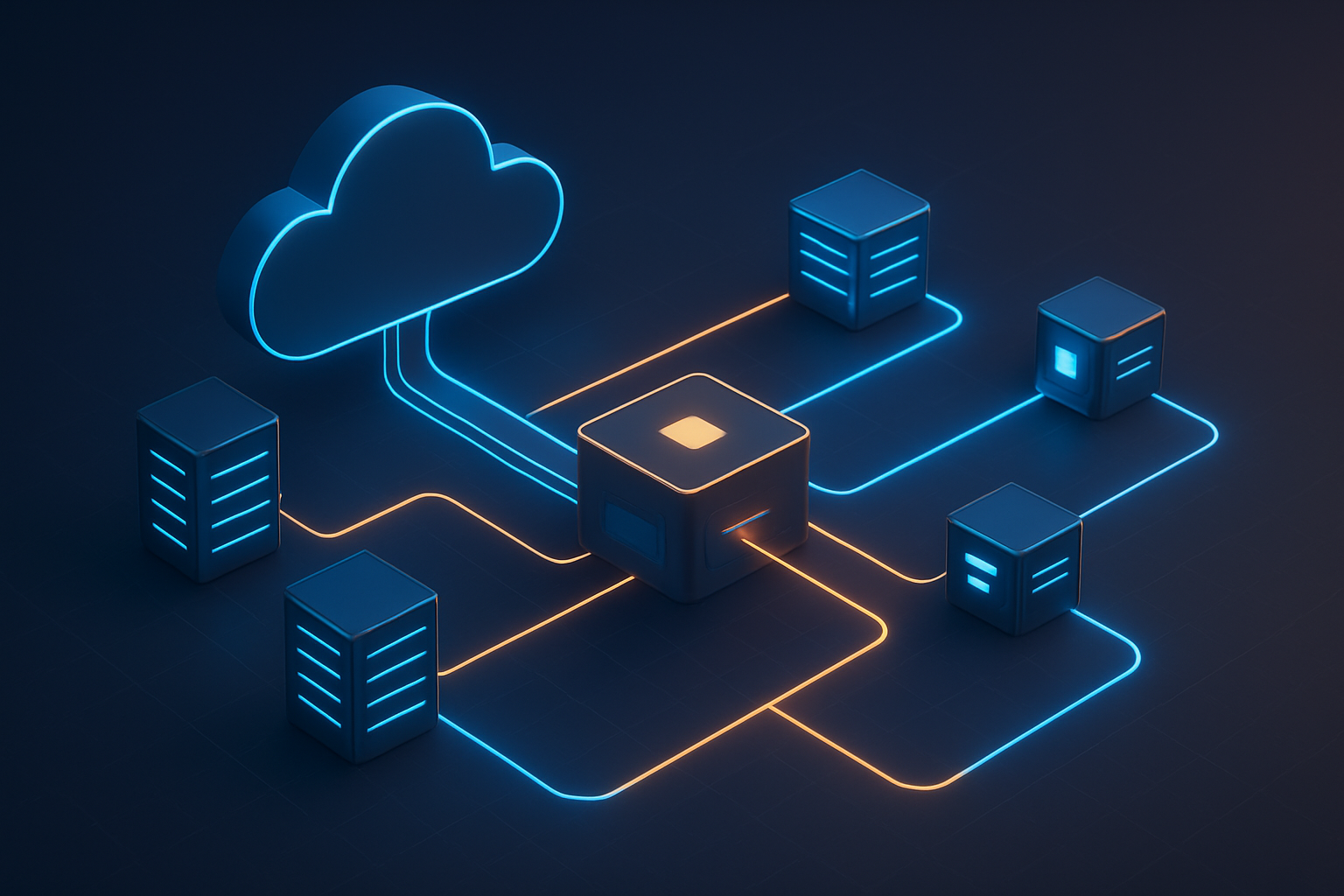
AWS DevOps Agents operate through a multi-layered architecture designed for scalability and reliability. At the core sits the agent runtime environment, which can be deployed as a daemon process on virtual machines or as containerized workloads in EKS clusters.
The agent configuration includes several critical components:
- Execution Engine: Processes workflow definitions and manages task scheduling
- Communication Layer: Handles secure connections to AWS services and external systems
- Artifact Manager: Manages build outputs, dependencies, and deployment packages
- Monitoring Module: Tracks performance metrics and health status
- Security Controller: Enforces IAM policies and encryption requirements
The architecture follows a hub-and-spoke model where agents communicate with central AWS services through secure API calls. Each agent maintains its own local cache for artifacts and configurations, reducing network overhead and improving response times during high-volume operations.
AWS automation tools leverage this distributed architecture to support horizontal scaling. When workload increases, additional agents can be spawned automatically using Auto Scaling Groups or Kubernetes deployments. The agents coordinate through AWS Systems Manager or custom orchestration services to avoid conflicts and ensure consistent state across the deployment pipeline.
Storage components include local temporary directories for build artifacts, encrypted storage for sensitive data, and integration with S3 buckets for long-term artifact retention. The agents also maintain connection pools to various AWS services, optimizing resource usage and reducing latency.
Integration with AWS DevOps Ecosystem
AWS DevOps Agents seamlessly integrate with the broader AWS ecosystem, creating a unified platform for DevOps CI/CD pipeline management. The integration starts with AWS CodeCommit for source control, where agents automatically detect code changes and trigger build processes.
CodePipeline serves as the orchestration layer, defining multi-stage workflows that agents execute in sequence. Each stage can involve different agents specialized for specific tasks like testing, security scanning, or deployment to different environments. The agents communicate pipeline status back to CodePipeline, enabling visual monitoring and automated decision-making.
AWS DevOps implementation benefits from tight integration with:
- CodeBuild: Agents trigger and monitor build jobs, handling artifact generation and test execution
- CodeDeploy: Manages application deployments across EC2, ECS, and Lambda environments
- CloudFormation: Enables infrastructure-as-code deployments with automated rollback capabilities
- Systems Manager: Provides centralized configuration management and patch automation
- CloudWatch: Collects logs and metrics for comprehensive monitoring and alerting
The agents also integrate with third-party tools through APIs and webhooks. Popular integrations include Slack for notifications, Jira for issue tracking, and various testing frameworks for quality assurance. This flexibility allows teams to maintain their existing toolchains while gaining the benefits of AWS deployment automation.
Security integration happens through IAM roles and policies, ensuring agents operate with minimal required permissions. AWS Secrets Manager integration allows secure handling of API keys, database credentials, and other sensitive information needed during deployment processes.
Comparison with Traditional DevOps Tools
Traditional DevOps tools often require significant infrastructure investment and ongoing maintenance overhead. Jenkins, for example, needs dedicated servers, plugin management, and manual scaling configuration. In contrast, cloud DevOps solutions like AWS DevOps Agents operate as managed services with built-in scalability and security.
Cost models differ significantly between traditional and AWS-based approaches. Traditional tools involve upfront hardware costs, licensing fees, and ongoing maintenance expenses. AWS DevOps Agents follow a pay-as-you-use model, charging only for actual compute time and resource consumption during pipeline execution.
Setup complexity represents another key difference. Traditional tools require extensive configuration for high availability, backup strategies, and disaster recovery. AWS DevOps Agents inherit these capabilities automatically through AWS’s infrastructure, reducing setup time from weeks to hours.
DevOps agent deployment on AWS provides several advantages over traditional alternatives:
- Automatic scaling: Agents scale up or down based on workload without manual intervention
- Built-in security: Leverages AWS security services for encryption, access control, and compliance
- Integration depth: Native connections to AWS services eliminate custom integration work
- Maintenance reduction: AWS handles underlying infrastructure updates and security patches
- Global availability: Deploy agents across multiple regions for distributed teams and disaster recovery
Traditional tools excel in certain scenarios, particularly for organizations with strict on-premises requirements or heavy investments in existing toolchains. However, AWS DevOps Agents provide superior flexibility for cloud-native applications and hybrid environments, offering faster time-to-market and reduced operational complexity.
The learning curve also differs significantly. Traditional tools often require specialized knowledge of specific technologies and configurations. AWS DevOps Agents leverage familiar AWS concepts and documentation, making them more accessible to teams already working in AWS environments.
Operational Benefits of Implementing AWS DevOps Agent

Automated Deployment and Configuration Management
AWS DevOps automation transforms how teams handle deployments and system configurations. The agent eliminates the need for manual server setups and application deployments by creating repeatable, standardized processes. Teams can define their infrastructure as code, allowing the AWS DevOps Agent to automatically provision resources, install dependencies, and configure environments consistently across development, staging, and production.
The automation extends beyond initial deployments. Configuration drift becomes a thing of the past as the agent continuously monitors system states and automatically corrects any deviations from the desired configuration. This means servers maintain their intended settings without human intervention, reducing the risk of environment-specific bugs and compatibility issues.
Enhanced Monitoring and Real-Time Visibility
Real-time insights into your DevOps CI/CD pipeline become accessible through comprehensive monitoring capabilities. The AWS DevOps Agent collects metrics, logs, and performance data from every stage of your deployment process. Teams gain visibility into build times, deployment success rates, and system health metrics without switching between multiple tools.
Custom dashboards display critical information about pipeline performance, allowing teams to spot bottlenecks quickly. Alert systems notify relevant team members when deployments fail or when performance metrics exceed predefined thresholds. This immediate feedback loop helps teams respond to issues before they impact end users.
Reduced Manual Errors and Increased Reliability
Human errors in deployment processes drop significantly when AWS automation tools handle routine tasks. Manual configurations often introduce inconsistencies between environments, leading to the classic “it works on my machine” problem. The agent standardizes these processes, ensuring every deployment follows identical steps.
Version control integration means every configuration change gets tracked and can be rolled back if needed. Teams can test deployment scripts in lower environments before pushing changes to production. This systematic approach reduces the fear of breaking production systems and builds confidence in the deployment process.
Cost Optimization Through Resource Efficiency
AWS DevOps implementation drives down operational costs through intelligent resource management. The agent automatically scales infrastructure based on actual demand, spinning up resources during peak usage and shutting them down when they’re no longer needed. This dynamic scaling prevents over-provisioning while ensuring performance requirements are met.
Resource tagging and usage monitoring help teams identify underutilized services and optimize their AWS spending. The agent can schedule non-production environments to shut down outside business hours, leading to substantial cost savings. Automated cleanup processes remove orphaned resources that would otherwise accumulate charges.
Scalability and Performance Improvements
Cloud DevOps solutions excel at handling growth without manual intervention. The AWS DevOps Agent monitors application performance and automatically adjusts resources to maintain optimal response times. Load balancers distribute traffic efficiently, while auto-scaling groups ensure adequate capacity during traffic spikes.
Performance improvements come from optimized deployment strategies like blue-green deployments and canary releases. These techniques minimize downtime while providing safe rollback options. The agent coordinates these complex deployment patterns automatically, making advanced deployment strategies accessible to teams without deep DevOps expertise.
Database scaling, cache management, and content delivery network optimization happen seamlessly through automated policies. Teams can focus on developing features rather than managing infrastructure scaling decisions. This automation creates a foundation for sustainable growth without proportional increases in operational complexity.
Technical Mechanics of AWS DevOps Agent Operations

Agent Installation and Registration Process
AWS DevOps Agent deployment begins with downloading the agent software from the AWS Developer Tools Console or through AWS CLI commands. The installation process varies depending on your operating system, with support for Windows, Linux, and macOS environments. Once downloaded, administrators execute the installation package with elevated privileges to ensure proper system integration.
The registration phase connects your agent to your AWS account through a secure authentication process. You’ll need to configure the agent with your AWS credentials, typically using IAM roles or access keys. The agent establishes its identity by registering with AWS CodeDeploy or AWS Systems Manager, depending on your specific use case. During registration, the agent receives a unique identifier and encryption keys for secure communication.
Configuration files specify which AWS services the agent can interact with and define deployment parameters. These files contain critical settings like:
- Service endpoints and regions
- Deployment group associations
- Polling intervals for new deployment instructions
- Local directory paths for application artifacts
- Logging and monitoring preferences
The agent validates its configuration against AWS service requirements and performs connectivity tests to ensure proper setup before becoming active in your AWS DevOps automation workflow.
Communication Protocols with AWS Services
AWS DevOps Agent uses HTTPS-based REST API calls to communicate with AWS services, ensuring encrypted data transmission across all interactions. The agent maintains persistent connections with services like AWS CodeDeploy, AWS Systems Manager, and Amazon S3 to receive deployment instructions and upload status reports.
Authentication happens through AWS Signature Version 4, which signs every API request with your credentials. This process guarantees that only authorized agents can access your AWS resources and prevents unauthorized deployment activities. The agent refreshes its authentication tokens automatically to maintain secure connections without manual intervention.
The communication workflow follows a polling pattern where the agent regularly checks for new deployment jobs. When AWS CodeDeploy triggers a deployment, the agent:
- Receives deployment instructions containing application revision details
- Downloads application bundles from S3 or other configured repositories
- Reports deployment progress through status updates
- Uploads deployment logs and error messages for monitoring
Heartbeat signals maintain the connection between your agent and AWS services. These periodic signals confirm that the agent remains operational and ready to execute new deployments. If communication fails, the agent implements retry logic with exponential backoff to handle temporary network issues gracefully.
Task Execution and Resource Management
The AWS DevOps Agent orchestrates deployment tasks through a well-defined execution pipeline that manages application lifecycle events. When receiving deployment instructions, the agent validates the deployment package integrity using checksums and digital signatures before beginning the installation process.
Resource allocation happens dynamically based on deployment requirements and available system capacity. The agent monitors CPU usage, memory consumption, and disk space to ensure deployment operations don’t overwhelm the target system. Resource management includes:
- Process isolation: Each deployment runs in separate execution contexts
- Temporary file management: Automatic cleanup of deployment artifacts after completion
- Concurrent deployment handling: Queue management for multiple simultaneous deployments
- Rollback capabilities: Preservation of previous application versions for quick recovery
Task execution follows predefined deployment hooks that allow custom scripts to run at specific stages. These hooks include ApplicationStart, ApplicationStop, BeforeInstall, AfterInstall, and ValidateService events. The agent executes these scripts with appropriate permissions and captures their output for logging purposes.
Error handling mechanisms provide robust recovery options when deployments encounter issues. The agent can automatically retry failed operations, execute rollback procedures, or halt deployments based on configured failure policies. Real-time monitoring ensures that deployment progress gets reported to CloudWatch and other AWS monitoring services for comprehensive visibility into your DevOps CI/CD pipeline performance.
Step-by-Step Deployment Guide for AWS DevOps Agent

Prerequisites and Environment Setup Requirements
Before diving into AWS DevOps Agent deployment, you’ll need several components in place to ensure a smooth installation process. Your AWS account must have the appropriate permissions configured, specifically IAM roles that allow EC2 instance management, CodeDeploy service access, and S3 bucket operations for artifact storage.
The target environment requires a supported operating system – Amazon Linux 2, Ubuntu Server 18.04 or later, Windows Server 2016 or newer, or Red Hat Enterprise Linux 7+. Your instances need at least 1 GB of RAM and 2 GB of available disk space for the AWS DevOps automation components to function properly.
Network connectivity plays a crucial role in the setup. Ensure your instances can reach AWS endpoints on port 443 for HTTPS communication. Security groups must allow outbound traffic to AWS services, and if using private subnets, configure NAT gateways or VPC endpoints for AWS CodeDeploy and S3 access.
Install the AWS CLI version 2.0 or higher on your deployment machine and configure it with appropriate credentials. You’ll also need Ruby 2.0+ or Python 3.6+ depending on your chosen installation method. The AWS Systems Manager Agent (SSM Agent) should be installed and running on target instances, as it provides the communication channel for remote management.
Installation Methods and Configuration Options
The AWS DevOps Agent offers multiple installation approaches to fit different infrastructure patterns. The most straightforward method uses the AWS Systems Manager Run Command, which remotely installs the CodeDeploy agent across multiple instances simultaneously.
For individual instance installation, connect via SSH or RDP and run the installation script directly. On Amazon Linux, execute:
wget https://aws-codedeploy-us-west-2.s3.us-west-2.amazonaws.com/latest/install
chmod +x ./install
sudo ./install auto
Windows environments require PowerShell execution with the corresponding Windows installer package. The installation script automatically detects the operating system and configures the appropriate service settings.
Auto Scaling Groups benefit from Launch Template integration, where you embed the agent installation commands in user data scripts. This approach ensures every new instance automatically receives the DevOps agent during the boot process, maintaining consistency across your DevOps CI/CD pipeline infrastructure.
Container-based deployments use Docker images with pre-installed agents, while Infrastructure as Code enthusiasts can leverage CloudFormation templates or Terraform modules that include agent provisioning. The configuration file located at /opt/codedeploy-agent/conf/codedeployagent.yml allows customization of logging levels, polling intervals, and regional endpoints to optimize performance for your specific AWS DevOps implementation.
Security Configuration and Access Management
Security forms the backbone of any robust AWS DevOps automation setup. Create a dedicated IAM service role for your CodeDeploy applications with minimal required permissions. The role needs access to EC2 instances, Auto Scaling groups, and Load Balancers depending on your deployment targets.
Instance profiles attached to your EC2 instances require specific permissions for the DevOps agent deployment to succeed. Grant access to S3 buckets containing your application artifacts, CloudWatch Logs for monitoring, and EC2 tags for deployment group identification. Avoid using broad wildcard permissions – instead, scope access to specific resources and actions.
Enable AWS CloudTrail logging to monitor all API calls made by the DevOps infrastructure automation components. This provides an audit trail for compliance and security investigations. Configure CloudWatch alarms to alert on suspicious activities or deployment failures.
Implement encryption at rest for your deployment artifacts stored in S3 buckets using AWS KMS keys. Enable encryption in transit by ensuring all communications between agents and AWS services use HTTPS endpoints. For sensitive applications, consider using AWS Secrets Manager or Parameter Store to manage credentials and configuration values securely.
Network security groups should follow the principle of least privilege, allowing only necessary inbound and outbound traffic. Consider using AWS PrivateLink endpoints for CodeDeploy and S3 communication to keep traffic within your VPC boundary and reduce exposure to the public internet.
Testing and Validation Procedures
Validate your AWS agent configuration through a systematic testing approach. Start with a simple “Hello World” application deployment to verify basic connectivity and permissions. Create a minimal CodeDeploy application with a single deployment group targeting one test instance.
Monitor the agent status using the service command: sudo service codedeploy-agent status on Linux or check the Windows service console. The agent logs located in /var/log/aws/codedeploy-agent/ provide detailed information about deployment activities and any configuration issues.
Execute a test deployment using the AWS CLI or console to confirm end-to-end functionality. Watch for successful artifact download from S3, proper script execution, and correct application lifecycle event handling. Validate that your cloud DevOps solutions can handle both successful deployments and rollback scenarios.
Performance testing should include deployment timing under various load conditions and network latency scenarios. Test failover capabilities by simulating instance failures during active deployments. Verify that Auto Scaling events integrate properly with ongoing deployments and don’t cause conflicts.
Create monitoring dashboards using CloudWatch metrics to track deployment success rates, duration, and error patterns. Set up SNS notifications for deployment events to maintain visibility into your AWS deployment automation processes. Document all test scenarios and results to establish baseline performance metrics for future optimization efforts.
Best Practices for Maximizing AWS DevOps Agent Effectiveness

Optimization Strategies for Performance Tuning
Maximizing your AWS DevOps Agent performance starts with proper resource allocation. Configure CPU and memory limits based on your pipeline complexity – heavy CI/CD workloads need more resources, while simple deployments can run on minimal specs. Monitor agent metrics through CloudWatch to identify bottlenecks before they impact your DevOps CI/CD pipeline.
Implement connection pooling and keep-alive settings to reduce API call overhead. Your AWS DevOps automation processes will run smoother when agents maintain persistent connections to AWS services. Set appropriate timeout values – too short causes failures, too long wastes resources waiting for unresponsive operations.
Cache frequently used artifacts and dependencies locally to avoid repeated downloads. This dramatically speeds up build times, especially for large projects with heavy dependencies. Configure your AWS agent configuration to use regional S3 buckets for artifact storage, reducing latency and transfer costs.
Fine-tune polling intervals for source code changes. Frequent polling catches changes quickly but consumes resources, while infrequent polling delays deployments. Strike a balance based on your team’s commit frequency and deployment urgency requirements.
Use parallel execution where possible. Modern DevOps infrastructure automation benefits from concurrent task processing. Configure your agents to run multiple jobs simultaneously when hardware resources allow, but avoid overloading the system.
Security Hardening and Compliance Considerations
Implement least privilege access principles for your AWS DevOps Agent deployments. Create IAM roles with minimal required permissions and avoid using root credentials or overly broad policies. Regular audit of permissions ensures your cloud DevOps solutions maintain security integrity.
Enable encryption for all data in transit and at rest. Configure SSL/TLS for agent communications and encrypt stored artifacts in S3. Your AWS deployment automation should never expose sensitive data through unencrypted channels.
Set up proper logging and monitoring for security events. CloudTrail integration helps track all agent activities, while CloudWatch alarms alert you to suspicious behavior patterns. Configure log retention policies that meet your compliance requirements without creating unnecessary storage costs.
Implement secret management using AWS Systems Manager Parameter Store or Secrets Manager. Never hardcode credentials in your DevOps agent deployment configurations. Rotate secrets regularly and use temporary credentials where possible.
Network security matters too. Place agents in private subnets with proper security groups that restrict inbound access. Use VPC endpoints for AWS service communications to keep traffic within your network perimeter.
Regular security updates keep your agents protected against vulnerabilities. Establish automated patching schedules and maintain an inventory of all deployed agents for consistent security posture across your infrastructure.
Troubleshooting Common Issues and Solutions
Connection timeouts rank among the most frequent issues with AWS DevOps Agent deployments. Check network connectivity between agents and AWS services first. Verify security group rules, NACLs, and route tables. Test connectivity using AWS CLI from the agent host to isolate network versus configuration problems.
Memory and disk space issues often cause deployment failures. Monitor agent resource usage patterns and set up CloudWatch alarms for critical thresholds. Clean up old build artifacts and logs regularly to prevent disk space exhaustion. Configure log rotation to maintain historical data while managing storage consumption.
Permission-related errors typically stem from misconfigured IAM policies. Use AWS Policy Simulator to test role permissions before deployment. Enable detailed logging to identify exactly which permissions are missing when operations fail.
Agent registration problems usually indicate certificate or timing issues. Verify system clock synchronization using NTP, as AWS API calls require accurate timestamps. Check SSL certificate validity and trusted certificate authorities on agent hosts.
Build failures often result from missing dependencies or environment configuration problems. Standardize build environments using container images or AMIs with pre-installed dependencies. Document all required packages and versions to ensure consistent deployments across different environments.
Performance degradation can indicate resource constraints or inefficient pipeline configurations. Profile your AWS automation tools usage patterns and optimize resource allocation accordingly. Consider scaling horizontally with additional agents rather than vertically scaling single instances when handling increased workloads.

AWS DevOps Agent transforms how development teams handle automation and deployment processes across cloud environments. This powerful tool streamlines operations by automating routine tasks, reducing manual errors, and enabling faster delivery cycles. The agent’s ability to integrate seamlessly with existing AWS services while providing real-time monitoring and feedback makes it an essential component for modern DevOps workflows.
Getting started with AWS DevOps Agent doesn’t have to be complicated when you follow the right deployment strategy and stick to proven best practices. Focus on proper configuration, regular monitoring, and team training to unlock the agent’s full potential. Start small with a pilot project, measure the results, and gradually expand its use across your organization. Your development team will thank you for the increased efficiency and reduced stress that comes with automated, reliable deployments.