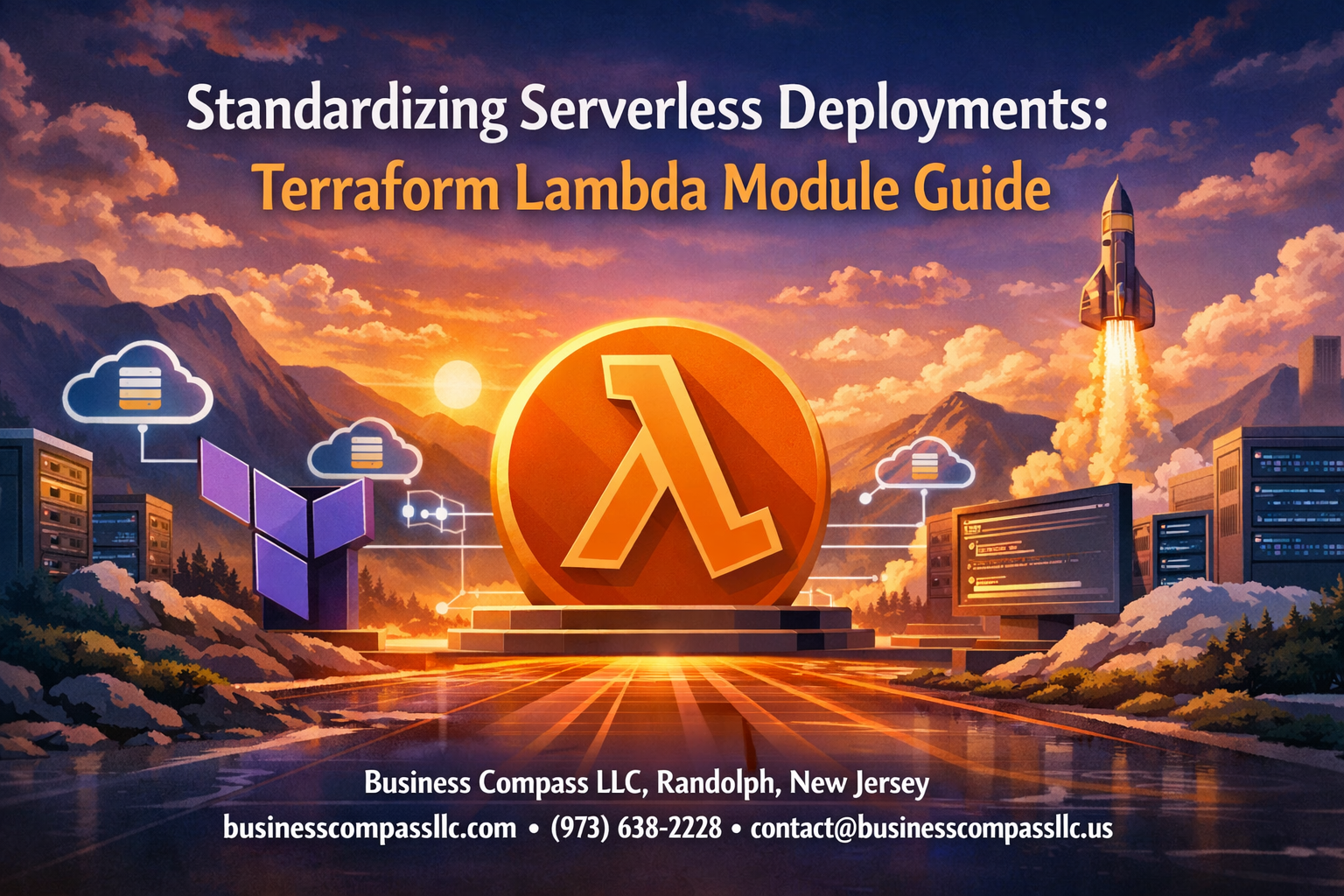
Deploying AWS Lambda functions manually gets messy fast. You’re copying configuration files, forgetting environment variables, and spending hours troubleshooting deployment issues that could be avoided. A well-designed terraform lambda module solves these headaches by creating repeatable, standardized lambda deployment processes that work the same way every time.
This guide is for DevOps engineers, cloud architects, and developers who want to streamline their serverless deployment workflows using terraform aws lambda modules. You’ll learn how to build infrastructure as code that scales without the usual deployment chaos.
We’ll walk through building your first standardized lambda module from scratch, showing you how to package all the configuration, IAM roles, and dependencies into a reusable component. Then we’ll cover advanced module features for production deployments, including how to handle multiple environments, automated testing, and scaling your serverless infrastructure as code with module libraries that your entire team can use.
Understanding Terraform Lambda Modules for Serverless Architecture

Core benefits of modular serverless infrastructure
Building serverless applications with terraform lambda modules delivers transformative advantages over scattered, one-off deployments. When you package your Lambda function configurations into reusable modules, you create consistency across your entire serverless ecosystem. Teams can deploy identical function architectures across development, staging, and production environments with zero configuration drift.
Maintenance becomes remarkably simpler. Instead of updating dozens of individual Lambda functions scattered across multiple Terraform configurations, you update your terraform aws lambda module once and propagate changes everywhere it’s used. This approach eliminates the nightmare of tracking down every instance where you need to apply security patches or performance optimizations.
Cost optimization happens naturally through standardization. Your terraform lambda module can embed best practices like appropriate memory allocation, timeout settings, and dead letter queue configurations. When every Lambda function follows these optimized patterns, you avoid the common pitfall of over-provisioned functions burning through your AWS budget.
Development velocity increases dramatically. New team members can spin up production-ready Lambda functions in minutes rather than days. They don’t need deep AWS expertise to deploy secure, well-architected serverless functions because your module encapsulates all the complexity.
Key components of Lambda modules in Terraform
A robust terraform lambda module contains several essential building blocks that work together to create production-ready serverless functions. The core Lambda resource definition forms the foundation, specifying runtime, handler, and source code location. This resource connects to an IAM role that defines exactly what AWS services your function can access.
Environment variable management becomes standardized through module variables. Your serverless infrastructure as code approach should handle sensitive data through AWS Systems Manager Parameter Store or Secrets Manager integration, never hardcoded values. The module can automatically create these resources and wire them to your Lambda function.
Logging and monitoring components are non-negotiable for production deployments. CloudWatch log groups with appropriate retention periods, custom metrics, and alarms should be built into every lambda module terraform configuration. This ensures consistent observability across all your serverless functions.
API Gateway integration often sits within the module scope, especially for HTTP-triggered functions. Your module can create the REST API, deployment stages, and method configurations alongside the Lambda function. This coupling ensures your API and function versions stay synchronized during deployments.
VPC configuration deserves special attention in enterprise environments. Your terraform serverless architecture module should handle subnet selection, security group creation, and ENI management when Lambda functions need private network access.
Comparison with traditional deployment methods
Traditional Lambda deployment workflows typically involve manual AWS console clicks or basic CLI scripts. Developers create functions individually, configure triggers separately, and manage permissions through trial and error. This approach creates snowflake infrastructure where no two functions share identical configurations, even when they serve similar purposes.
Standardized lambda deployment through Terraform modules eliminates this chaos. Instead of remembering dozens of AWS CLI commands or navigating complex console workflows, teams use simple terraform apply commands. The module handles all the intricate resource relationships and dependency management automatically.
Version control becomes meaningful with modular approaches. Traditional methods often lose track of what changed when, making rollbacks nearly impossible. Terraform lambda best practices embedded in modules ensure every change is tracked, peer-reviewed, and safely deployable through your CI/CD pipeline.
Error recovery dramatically improves with modular infrastructure. When something breaks in a traditionally deployed environment, you’re often recreating configurations from memory or incomplete documentation. Terraform modules serve as living documentation that can recreate your entire serverless stack from scratch.
Serverless deployment automation reaches its full potential only through modular approaches. Traditional deployment methods require significant custom scripting to achieve basic automation tasks like blue-green deployments or canary releases. Well-designed Terraform modules can include these deployment patterns as configurable options, making advanced deployment strategies accessible to any team member.
Setting Up Your Terraform Environment for Lambda Development

Installing and Configuring Terraform for AWS Lambda
Getting your terraform lambda module setup right starts with a proper Terraform installation. Download the latest Terraform binary from HashiCorp’s official site and add it to your system PATH. For Windows users, consider using Chocolatey with choco install terraform, while macOS users can leverage Homebrew with brew install terraform.
After installation, verify everything works by running terraform --version. You’ll want version 1.0 or higher for the best serverless deployment experience. Create a dedicated directory for your terraform aws lambda projects to keep things organized.
Next, configure the AWS provider in your main configuration file:
terraform {
  required_version = ">= 1.0"
  required_providers {
    aws = {
      source  = "hashicorp/aws"
      version = "~> 5.0"
    }
  }
}

provider "aws" {
  region = var.aws_region
}
This setup ensures your terraform lambda best practices include version pinning and provider specifications, which prevents unexpected breaking changes during deployments.
Establishing Proper AWS Credentials and Permissions
AWS credentials management makes or breaks your serverless infrastructure as code workflow. Never hardcode credentials directly in your Terraform files. Instead, use the AWS CLI configuration or environment variables.
Install the AWS CLI and run aws configure to set up your default profile with access keys. For production environments, use IAM roles with temporary credentials through AWS STS.
Your IAM user or role needs specific permissions for lambda module terraform operations:
lambda:*for function managementiam:PassRolefor execution roless3:*for deployment packageslogs:*for CloudWatch integrationapigateway:*if using API Gateway triggers
Create a custom IAM policy that grants only necessary permissions rather than using broad administrative access. This follows security best practices and reduces the risk of accidental resource modifications.
For team environments, consider using AWS profiles with different permission levels. Development profiles can have broader permissions, while production profiles should be more restrictive.
Creating Workspace Structure for Reusable Modules
A well-organized workspace structure accelerates your standardized lambda deployment process. Create a root directory that separates modules from implementations:
terraform-lambda-infrastructure/
├── modules/
│   ├── lambda-function/
│   │   ├── main.tf
│   │   ├── variables.tf
│   │   ├── outputs.tf
│   │   └── versions.tf
│   └── lambda-api/
├── environments/
│   ├── dev/
│   ├── staging/
│   └── prod/
├── examples/
└── docs/
Each module directory should contain standardized files: main.tf for resources, variables.tf for inputs, outputs.tf for return values, and versions.tf for provider requirements.
The environments folder houses different deployment configurations, allowing you to test your terraform lambda module across multiple stages before production deployment. This separation ensures your serverless deployment automation remains consistent regardless of the target environment.
Include an examples directory with working implementations of your modules. This helps team members understand proper usage patterns and reduces onboarding time for new developers working with your serverless architecture.
Version Control Best Practices for Infrastructure Code
Version control transforms your terraform serverless architecture from a collection of files into a managed, auditable system. Initialize Git in your project root and create a comprehensive .gitignore file:
# Terraform
*.tfstate
*.tfstate.*
.terraform/
.terraform.lock.hcl
override.tf
override.tf.json

# AWS
*.pem
*.key

# IDE
.vscode/
.idea/
Never commit state files or sensitive credentials to version control. Use Terraform backends like S3 with DynamoDB for state management instead.
Implement a branching strategy that supports your deployment workflow. Feature branches for development, a staging branch for testing, and main/master for production deployments work well for most teams.
Tag your releases using semantic versioning (v1.0.0, v1.1.0) to track module versions. This enables teams to pin specific module versions in their implementations, preventing unexpected changes from breaking existing deployments.
Write meaningful commit messages that describe what infrastructure changes each commit introduces. Include the affected resources and the reason for changes. This documentation becomes invaluable when troubleshooting deployment issues or conducting security audits.
Set up pre-commit hooks to run terraform fmt and terraform validate automatically. This ensures code consistency and catches syntax errors before they reach your repository.
Building Your First Standardized Lambda Module

Defining Input Variables for Maximum Flexibility
Creating a robust terraform lambda module starts with well-defined input variables that accommodate different use cases. Your variables should cover the core Lambda configuration while providing sensible defaults for common scenarios.
Essential variables include the function name, runtime, handler, and source code path. Add variables for memory allocation, timeout duration, and environment variables to handle performance tuning. Include optional variables for VPC configuration, enabling your module to deploy Lambda functions both inside and outside VPC environments.
variable "function_name" {
  description = "Name of the Lambda function"
  type        = string
}

variable "runtime" {
  description = "Runtime for the Lambda function"
  type        = string
  default     = "python3.9"
}

variable "memory_size" {
  description = "Memory allocation for Lambda function"
  type        = number
  default     = 128
}

variable "environment_variables" {
  description = "Environment variables for the Lambda function"
  type        = map(string)
  default     = {}
}
Configuring Lambda Function Resources and Settings
The core aws_lambda_function resource forms the backbone of your terraform aws lambda module. Configure the resource to reference your input variables, making the module reusable across different projects and environments.
Set up the deployment package using either inline code or S3 bucket references. For production deployments, S3-based deployment packages provide better version control and faster deployment times. Include reserved concurrency settings to prevent runaway functions from consuming all available Lambda capacity.
resource "aws_lambda_function" "main" {
  function_name = var.function_name
  role         = aws_iam_role.lambda_role.arn
  handler      = var.handler
  runtime      = var.runtime
  memory_size  = var.memory_size
  timeout      = var.timeout

  filename         = var.source_path
  source_code_hash = filebase64sha256(var.source_path)

  environment {
    variables = var.environment_variables
  }

  dynamic "vpc_config" {
    for_each = var.vpc_config != null ? [var.vpc_config] : []
    content {
      subnet_ids         = vpc_config.value.subnet_ids
      security_group_ids = vpc_config.value.security_group_ids
    }
  }
}
Implementing IAM Roles and Security Policies
Security represents a critical aspect of any serverless infrastructure as code implementation. Create dedicated IAM roles with minimal required permissions for your Lambda functions. Start with the basic Lambda execution role and add specific permissions based on the function’s requirements.
Design your IAM policies to be modular and extensible. Include variables for additional policy ARNs, allowing users to attach custom policies without modifying the core module. This approach supports the principle of least privilege while maintaining flexibility for diverse use cases.
resource "aws_iam_role" "lambda_role" {
  name = "${var.function_name}-role"

  assume_role_policy = jsonencode({
    Version = "2012-10-17"
    Statement = [
      :AssumeRole"
        Effect = "Allow"
        Principal = {
          Service = "lambda.amazonaws.com"
        }
      }
    ]
  })
}

resource "aws_iam_role_policy_attachment" "lambda_basic_execution" {
  policy_arn = "arn:aws:iam::aws:policy/service-role/AWSLambdaBasicExecutionRole"
  role       = aws_iam_role.lambda_role.name
}

resource "aws_iam_role_policy_attachment" "custom_policies" {
  for_each   = toset(var.additional_policy_arns)
  policy_arn = each.value
  role       = aws_iam_role.lambda_role.name
}
Adding CloudWatch Logging and Monitoring Capabilities
Observability becomes essential for production serverless deployment automation. Configure CloudWatch log groups with appropriate retention policies to manage costs while maintaining debugging capabilities. Set up log group names that follow consistent naming conventions across your infrastructure.
Add CloudWatch alarms for key metrics like error rates, duration, and throttles. Include variables for alarm thresholds and notification topics, allowing teams to customize monitoring based on their specific requirements. Consider adding custom metrics for business logic monitoring.
resource "aws_cloudwatch_log_group" "lambda_logs" {
  name              = "/aws/lambda/${var.function_name}"
  retention_in_days = var.log_retention_days

  tags = var.tags
}

resource "aws_cloudwatch_metric_alarm" "error_rate" {
  count               = var.enable_error_alarm ? 1 : 0
  alarm_name          = "${var.function_name}-error-rate"
  comparison_operator = "GreaterThanThreshold"
  evaluation_periods  = "2"
  metric_name         = "Errors"
  namespace           = "AWS/Lambda"
  period              = "120"
  statistic           = "Sum"
  threshold           = var.error_threshold
  alarm_description   = "Lambda function error rate"

  dimensions = {
    FunctionName = aws_lambda_function.main.function_name
  }

  alarm_actions = var.alarm_notification_arns
}
Creating Output Values for Module Integration
Well-designed outputs enable seamless module composition and integration with other infrastructure components. Expose the Lambda function ARN, name, and invoke ARN as primary outputs. Include the IAM role ARN and CloudWatch log group name for downstream integrations.
Add conditional outputs based on the module configuration. For example, output VPC configuration details only when VPC deployment is enabled. This approach keeps outputs clean while providing necessary information for complex integrations.
output "function_name" {
  description = "Name of the Lambda function"
  value       = aws_lambda_function.main.function_name
}

output "function_arn" {
  description = "ARN of the Lambda function"
  value       = aws_lambda_function.main.arn
}

output "invoke_arn" {
  description = "Invoke ARN of the Lambda function"
  value       = aws_lambda_function.main.invoke_arn
}

output "role_arn" {
  description = "ARN of the Lambda execution role"
  value       = aws_iam_role.lambda_role.arn
}

output "log_group_name" {
  description = "CloudWatch log group name"
  value       = aws_cloudwatch_log_group.lambda_logs.name
}

output "security_group_ids" {
  description = "Security group IDs for VPC-enabled functions"
  value       = var.vpc_config != null ? var.vpc_config.security_group_ids : []
}
Your standardized lambda deployment module should balance flexibility with opinionated defaults, making it easy for teams to deploy Lambda functions consistently while accommodating special requirements through configurable variables.
Advanced Module Features for Production Deployments

Implementing environment-specific configurations
Environment-specific configurations form the backbone of production-ready terraform lambda modules. Creating distinct settings for development, staging, and production environments prevents configuration drift and reduces deployment errors. Your terraform aws lambda module should accept environment variables through input parameters, allowing teams to deploy the same infrastructure code across multiple environments with different settings.
Start by defining variable blocks that capture environment-specific values like memory allocation, timeout settings, and environment variables. Use conditional expressions and local values to adjust resource configurations based on the target environment. For instance, development environments might use smaller memory allocations and shorter retention periods, while production deployments require enhanced monitoring and larger resource allocations.
variable "environment" {
  description = "Target environment"
  type        = string
  validation {
    condition     = contains(["dev", "staging", "prod"], var.environment)
    error_message = "Environment must be dev, staging, or prod."
  }
}

locals {
  memory_size = var.environment == "prod" ? 1024 : 512
  timeout     = var.environment == "prod" ? 30 : 15
}
Implement workspace-specific configurations using Terraform workspaces or separate variable files. This approach enables your serverless deployment automation to maintain consistency while accommodating environment-specific requirements.
Adding VPC integration and networking controls
VPC integration becomes critical when your Lambda functions need to access private resources like RDS databases or internal APIs. Your standardized lambda deployment module should include optional VPC configuration that teams can enable when required. VPC-enabled Lambda functions require specific IAM permissions and subnet configurations to function properly.
Configure your terraform lambda module to accept VPC parameters including subnet IDs, security group IDs, and availability zones. The module should create appropriate security groups with minimal required permissions, following the principle of least privilege. Include parameters for both public and private subnet deployments, allowing flexibility based on specific use cases.
variable "vpc_config" {
  description = "VPC configuration for Lambda function"
  type = object({
    subnet_ids         = list(string)
    security_group_ids = list(string)
  })
  default = null
}

resource "aws_lambda_function" "this" {
  # ... other configuration

  dynamic "vpc_config" {
    for_each = var.vpc_config != null ? [var.vpc_config] : []
    content {
      subnet_ids         = vpc_config.value.subnet_ids
      security_group_ids = vpc_config.value.security_group_ids
    }
  }
}
Consider network ACLs and route table configurations when designing VPC integration. Your module should provide guidance on networking best practices and include examples for common scenarios like accessing RDS instances or connecting to internal services.
Incorporating dead letter queues and error handling
Robust error handling separates production-ready serverless infrastructure as code from basic deployments. Dead Letter Queues (DLQs) capture failed function invocations, enabling teams to debug issues and implement retry logic. Your aws lambda terraform module should include optional DLQ configuration with sensible defaults.
Create SQS queues or SNS topics as dead letter destinations, configuring them with appropriate retention policies and access controls. The module should support both SQS and SNS destinations, allowing teams to choose based on their error handling requirements. Include CloudWatch alarms that trigger when messages appear in the DLQ, enabling proactive incident response.
resource "aws_sqs_queue" "dlq" {
  count = var.enable_dlq ? 1 : 0
  name  = "${var.function_name}-dlq"

  message_retention_seconds = var.dlq_retention_seconds

  tags = var.tags
}

resource "aws_lambda_function" "this" {
  # ... other configuration

  dynamic "dead_letter_config" {
    for_each = var.enable_dlq ? [1] : []
    content {
      target_arn = aws_sqs_queue.dlq[0].arn
    }
  }
}
Implement CloudWatch log group configuration with appropriate retention periods. Production deployments should include structured logging and correlation IDs for distributed tracing. Your terraform lambda best practices should include examples of error handling patterns and monitoring configurations.
Setting up automated scaling and performance optimization
Performance optimization ensures your serverless deployment meets production requirements while controlling costs. Configure reserved concurrency limits to prevent function scaling from impacting other services. Your module should include parameters for memory allocation, timeout settings, and concurrency controls based on expected workload patterns.
Implement CloudWatch metrics and alarms for key performance indicators like duration, error rates, and throttles. Create dashboards that provide visibility into function performance across environments. Include cost optimization features like provisioned concurrency for functions with predictable traffic patterns.
resource "aws_lambda_function" "this" {
  # ... other configuration

  memory_size                    = var.memory_size
  timeout                       = var.timeout
  reserved_concurrent_executions = var.reserved_concurrency
}

resource "aws_lambda_provisioned_concurrency_config" "this" {
  count = var.provisioned_concurrency > 0 ? 1 : 0

  function_name                     = aws_lambda_function.this.function_name
  provisioned_concurrent_executions = var.provisioned_concurrency
  qualifier                        = aws_lambda_function.this.version
}
Configure X-Ray tracing for distributed observability and include performance testing recommendations. Your terraform serverless architecture should provide guidance on rightsizing functions and implementing auto-scaling strategies based on CloudWatch metrics.
Managing Multiple Lambda Functions with Module Composition

Creating parent modules for complex applications
When you’re building complex serverless applications with multiple Lambda functions, creating parent modules becomes essential for maintaining organization and consistency. A parent module acts as a wrapper that combines several child Lambda modules, defining how they work together as a cohesive system.
Start by structuring your parent module with a clear directory layout. Create separate folders for each service component, such as api-gateway, lambda-functions, and shared-resources. This terraform lambda module approach makes your codebase easier to navigate and maintain.
Your parent module should define the core infrastructure components that multiple Lambda functions share:
- VPC configuration and security groups
- IAM roles and policies with appropriate permissions
- CloudWatch log groups and monitoring setup
- Environment variables that apply across functions
- DynamoDB tables or RDS instances used by multiple functions
Use variables extensively in your parent module to make it flexible and reusable. Define input variables for environment-specific values like region, stage, and resource naming prefixes. This allows you to deploy the same parent module across development, staging, and production environments with different configurations.
Create output values that expose important resource identifiers, such as security group IDs, subnet IDs, and shared IAM role ARNs. Child modules can reference these outputs to maintain consistency and avoid duplicating resource definitions.
Establishing naming conventions and tagging strategies
Consistent naming conventions are crucial when managing multiple Lambda functions through terraform serverless architecture. Establish a clear naming pattern that includes the application name, environment, and function purpose. For example: myapp-prod-user-authentication or ecommerce-dev-order-processing.
Create a standardized tagging strategy that applies to all resources within your terraform aws lambda module deployment. Essential tags should include:
Environment(dev, staging, prod)Application(your app name)Component(lambda, api-gateway, database)Owner(team or individual responsible)CostCenter(for billing allocation)Version(deployment version)
Implement these tags using Terraform’s local values and variable interpolation:
locals {
  common_tags = {
    Environment   = var.environment
    Application   = var.application_name
    ManagedBy     = "terraform"
    DeployedAt    = timestamp()
  }
}
Apply these tags consistently across all resources using the tags argument or default_tags provider configuration. This ensures proper cost tracking, resource management, and compliance with organizational policies.
Consider implementing a naming validation system using Terraform’s validation blocks to enforce your naming conventions automatically. This prevents deployment of resources that don’t follow your established patterns.
Implementing cross-function communication patterns
Lambda functions in complex applications often need to communicate with each other. Your terraform lambda module should support various communication patterns based on your application’s requirements.
Event-driven communication works well for asynchronous processing. Use Amazon SNS topics or SQS queues to decouple functions. Configure your parent module to create shared SNS topics that multiple functions can publish to or subscribe to. This pattern works great for order processing systems where one function handles payment while another manages inventory.
Direct invocation suits scenarios requiring immediate responses. Set up IAM permissions that allow specific Lambda functions to invoke others directly. Your module should define these permissions clearly, specifying which functions can invoke which others to maintain security boundaries.
API Gateway integration enables HTTP-based communication between functions. Configure API Gateway resources in your parent module to route requests between different Lambda functions based on paths or HTTP methods. This pattern works well for microservices architectures where each function handles specific business domains.
Shared data stores provide another communication method. Configure DynamoDB streams or RDS event notifications to trigger Lambda functions when data changes occur. Your serverless deployment automation should include the necessary permissions for functions to read from and write to shared databases.
Design your modules to support these patterns through configuration variables. Allow users to enable or disable specific communication methods based on their application requirements. This flexibility makes your terraform lambda best practices more adaptable to different use cases while maintaining standardization.
Testing and Validation Strategies for Lambda Modules

Writing unit tests for Terraform configurations
Testing your terraform lambda module configurations helps catch issues before they reach production. Terratest provides a robust Go-based framework for writing automated tests that actually deploy and verify your infrastructure components.
Start by creating test files that validate your module’s core functionality. Your tests should verify that Lambda functions deploy correctly with the expected configurations, including runtime settings, environment variables, and IAM permissions. Here’s what effective unit testing looks like:
- Resource validation: Test that your module creates the correct AWS resources with proper naming conventions
- Input parameter testing: Verify your module handles various input combinations gracefully
- Output verification: Check that module outputs return expected values like function ARNs and role names
- Error handling: Test edge cases and invalid configurations to ensure your module fails gracefully
Structure your test suites around specific scenarios. Create separate tests for different deployment patterns – basic Lambda functions, functions with VPC configurations, and functions requiring custom IAM policies. Each test should deploy the infrastructure, run validation checks, then clean up resources automatically.
Use Go’s testing package alongside Terratest’s AWS helpers to interact with deployed resources. Your tests can invoke Lambda functions directly, check CloudWatch logs, and verify security group rules. This approach gives you confidence that your terraform aws lambda module works correctly in real AWS environments.
Implementing integration testing workflows
Integration testing takes your terraform lambda module validation to the next level by testing how your modules work together as complete systems. While unit tests focus on individual module behavior, integration tests verify that multiple modules interact correctly within your serverless infrastructure as code setup.
Design integration test scenarios that mirror your actual deployment patterns. Create test environments that combine your Lambda modules with other infrastructure components like API Gateway, DynamoDB tables, and S3 buckets. Your integration tests should verify end-to-end functionality:
- Cross-service communication: Test that Lambda functions can access required AWS services
- Event-driven workflows: Verify that triggers from S3, DynamoDB, or API Gateway invoke functions correctly
- Data flow validation: Check that information passes correctly between different Lambda functions
- Performance benchmarks: Measure response times and resource consumption under realistic loads
Implement your integration testing using tools like GitHub Actions or Jenkins pipelines. Create dedicated test AWS accounts or use localstack for cost-effective testing. Your workflow should provision test infrastructure, run comprehensive validation checks, collect performance metrics, and tear down resources cleanly.
Consider using blue-green deployment strategies in your integration tests. Deploy your lambda module terraform configurations to parallel environments, run traffic against both versions, and validate that new deployments maintain functional parity with existing systems.
Setting up continuous validation pipelines
Continuous validation ensures your terraform lambda module remains reliable as your codebase evolves. Automated pipelines catch regressions early and maintain deployment quality across your serverless deployment automation workflows.
Build validation pipelines that run multiple types of checks automatically. Your pipeline should trigger on every pull request and main branch update, running a comprehensive suite of validation steps:
- Static analysis: Use tools like tflint and checkov to scan for security issues and best practices
- Plan validation: Run
terraform planagainst multiple environments to catch configuration errors - Automated testing: Execute your unit and integration test suites automatically
- Security scanning: Check for hardcoded secrets, overly permissive IAM policies, and compliance violations
Structure your pipeline stages to fail fast and provide clear feedback. Start with quick static analysis checks before moving to more expensive deployment tests. Use parallel execution where possible to reduce overall pipeline duration while maintaining thorough validation coverage.
Implement approval gates for production deployments. Require manual review for changes affecting critical Lambda functions or security policies. Your pipeline should automatically promote changes through development and staging environments before requiring approval for production releases.
Store pipeline artifacts including test reports, terraform plans, and deployment logs. This documentation helps troubleshoot issues and provides audit trails for compliance requirements.
Monitoring deployment health and performance metrics
Effective monitoring transforms your standardized lambda deployment from a black box into an observable system. Implement comprehensive monitoring that tracks both infrastructure health and application performance across your terraform serverless architecture.
Set up CloudWatch dashboards that provide real-time visibility into your Lambda functions. Monitor key metrics including invocation counts, error rates, duration, and throttles. Create custom metrics that track business-specific KPIs relevant to your serverless applications.
Configure automated alerting for critical issues. Set up notifications for:
- Function errors: Alert when error rates exceed acceptable thresholds
- Performance degradation: Notify when function duration increases significantly
- Capacity issues: Warn about throttling or concurrent execution limits
- Cost anomalies: Flag unexpected increases in Lambda costs or invocation volumes
Use AWS X-Ray for distributed tracing across your serverless components. Tracing helps identify performance bottlenecks and understand request flows through complex serverless architectures. Integrate X-Ray with your terraform aws lambda module to enable tracing automatically for new deployments.
Implement log aggregation using CloudWatch Logs or external services like Datadog or New Relic. Structured logging helps with debugging and provides insights into application behavior. Configure your terraform lambda best practices to include standardized logging configurations across all function deployments.
Create regular health checks that validate your Lambda functions beyond basic AWS monitoring. Use synthetic tests that exercise critical code paths and verify external dependencies. Schedule these checks to run continuously and alert when they detect issues that AWS metrics might miss.
Scaling Your Serverless Infrastructure with Module Libraries

Building Internal Module Registries for Team Collaboration
Creating a centralized terraform lambda module registry transforms how teams share and reuse serverless infrastructure code. Organizations typically start with a simple Git-based approach, where modules live in dedicated repositories with standardized naming conventions like terraform-aws-lambda-*. This pattern makes modules discoverable and maintains consistency across teams.
Private module registries offer more sophisticated features than basic Git repositories. Terraform Cloud and Terraform Enterprise provide built-in registries that integrate seamlessly with version control systems. These platforms automatically generate documentation from module code and track usage metrics across your organization.
For teams preferring self-hosted solutions, tools like Artifactory or custom S3-based registries work well. The key is implementing proper access controls and ensuring modules are tagged with semantic versioning. Team members can then reference modules using clean syntax like source = "app.terraform.io/company/lambda-api/aws" rather than lengthy Git URLs.
Module discovery becomes easier when you establish clear categorization. Group modules by purpose (API handlers, data processors, schedulers) or by architectural patterns (event-driven, REST APIs, batch jobs). This organization helps developers quickly find the right terraform aws lambda module for their use case.
Implementing Version Management for Module Updates
Semantic versioning forms the backbone of effective module version management. Lambda modules should follow the MAJOR.MINOR.PATCH format where major versions introduce breaking changes, minor versions add backward-compatible features, and patches fix bugs without changing functionality.
Automated testing pipelines validate each module version before release. Set up GitHub Actions or similar CI/CD tools to run terraform plan against example configurations, execute unit tests for any custom scripts, and validate module outputs. This prevents broken versions from reaching your registry.
Version pinning strategies vary based on your team’s risk tolerance. Conservative teams pin to specific patch versions (version = "1.2.3"), while others allow automatic minor updates (version = "~> 1.2"). Document these guidelines clearly so teams understand the trade-offs between stability and getting latest features.
Consider implementing a gradual rollout process for major version updates. Release alpha versions to a small group of early adopters, gather feedback, then promote stable versions through beta to general availability. This approach catches issues early and gives teams time to plan migration strategies.
Migration guides become essential when introducing breaking changes. Document what changed, provide before/after code examples, and offer automated migration scripts where possible. Teams adopting your standardized lambda deployment patterns appreciate clear upgrade paths.
Creating Documentation and Usage Guidelines
Comprehensive documentation accelerates module adoption across development teams. Start with a clear README that explains the module’s purpose, required inputs, and expected outputs. Include practical examples showing common use cases rather than just listing parameter definitions.
Interactive examples work better than static documentation. Create working Terraform configurations that demonstrate real-world scenarios like API Gateway integration, database connectivity, and monitoring setup. Host these examples in a separate repository or documentation site where developers can copy and customize them.
Module documentation should cover both the “what” and the “why” behind design decisions. Explain why certain defaults were chosen, when to override specific parameters, and how the module fits into broader serverless infrastructure as code patterns. This context helps teams use modules effectively rather than just following copy-paste examples.
Architecture decision records (ADRs) document significant choices made during module development. Record decisions about IAM role structures, environment variable handling, or deployment strategies. Future maintainers and users benefit from understanding the reasoning behind current implementations.
Maintain a changelog alongside your documentation. Track what changed between versions, highlight deprecations, and provide migration instructions. Tools like conventional commits can automate changelog generation, making it easier to keep documentation current.
Establishing Governance Policies for Module Adoption
Governance policies balance consistency with flexibility in terraform serverless architecture implementations. Start by defining which modules are approved for production use and which are still experimental. This classification helps teams make informed decisions about stability and support expectations.
Security standards should be baked into your governance framework. Require security reviews for new modules, mandate specific IAM configurations, and enforce encryption requirements. Create security-focused modules that handle sensitive workloads like payment processing or customer data management with appropriate safeguards.
Code review processes ensure module quality and knowledge sharing. Establish requirements for peer reviews, security team sign-offs for sensitive modules, and architectural review for modules that establish new patterns. These processes catch issues early and spread best practices across your organization.
Module retirement policies prevent technical debt accumulation. Set deprecation timelines for outdated modules, provide clear migration paths, and eventually remove unsupported versions from your registry. This lifecycle management keeps your module library healthy and focused on current best practices.
Adoption metrics help measure governance effectiveness. Track which modules see heavy usage, identify modules that never get adopted (they might be solving the wrong problem), and monitor migration progress during major updates. This data informs decisions about where to invest development effort and which patterns are working well for your teams.

Terraform Lambda modules transform chaotic serverless deployments into predictable, maintainable infrastructure. By creating standardized modules, you eliminate configuration drift, reduce deployment errors, and make your Lambda functions easier to manage across different environments. The ability to compose multiple functions through module libraries means your team can scale serverless applications without reinventing the wheel every time.
Start small by converting one Lambda function into a reusable module, then gradually build your module library as your serverless footprint grows. Focus on testing and validation from the beginning – your future self will thank you when deployments work consistently across development, staging, and production. The time invested in standardizing your serverless infrastructure pays dividends as your applications mature and your team expands.