AWS Lambda vs Containers: Which Cloud Deployment Model Fits Your Business?
Choosing between AWS Lambda vs containers can make or break your application’s performance and budget. This comparison is designed for engineering teams, DevOps professionals, and technical decision-makers who need to understand serverless vs containerization trade-offs before committing to a deployment strategy.
Many companies start with one approach only to discover critical limitations later. Lambda’s serverless computing costs can spiral unexpectedly, while container orchestration benefits come with their own operational complexity. The key is matching your specific use case to the right technology.
We’ll break down AWS Lambda limitations that catch teams off guard, including cold starts and execution timeouts that impact real-world performance. You’ll also learn about container migration strategies that help businesses transition smoothly when their current setup no longer meets their needs. Finally, we’ll explore practical migration scenarios where switching from Lambda to containers (or vice versa) delivers measurable business value.
By the end, you’ll have a clear framework for evaluating both options and avoiding costly architectural mistakes.
Understanding AWS Lambda and Its Core Benefits
Serverless execution eliminates infrastructure management overhead
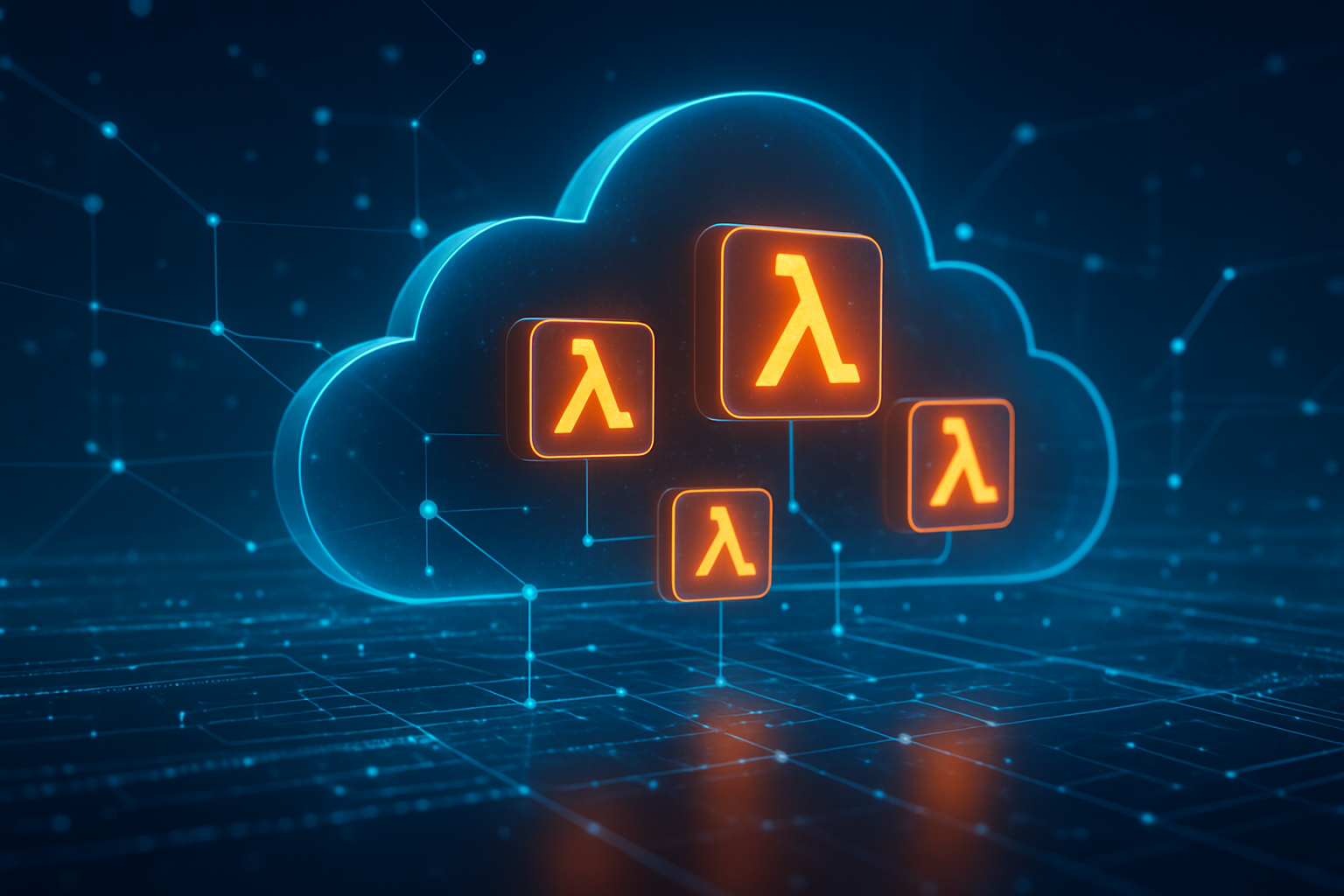
AWS Lambda transforms how developers think about application deployment by completely removing the need to manage servers, operating systems, or runtime environments. When you deploy code to Lambda, AWS handles all the underlying infrastructure automatically. This means no more worrying about server provisioning, security patches, capacity planning, or system maintenance.
Developers can focus purely on writing business logic instead of spending time on infrastructure tasks like configuring load balancers, setting up monitoring systems, or managing server clusters. The serverless computing model abstracts away these operational complexities, allowing teams to ship features faster and reduce the technical debt associated with infrastructure management.
This approach particularly benefits small development teams or startups that lack dedicated DevOps resources. Instead of hiring infrastructure specialists or spending weeks learning container orchestration platforms, teams can deploy production-ready applications with just a few lines of configuration code.
Pay-per-request pricing model reduces operational costs
Lambda’s pricing structure aligns costs directly with actual usage, charging only for the compute time your code consumes. Unlike traditional servers that run 24/7 regardless of traffic, Lambda functions execute on-demand and you pay only for the milliseconds your code runs.
This pricing model creates significant cost savings for applications with variable or unpredictable traffic patterns. Applications that experience sporadic usage, seasonal spikes, or have quiet periods benefit tremendously from this approach. For example, a weekend batch processing job might run for 30 minutes once per week, resulting in minimal charges compared to maintaining dedicated infrastructure.
The cost structure includes:
- No charges during idle time
- Granular billing down to 1ms increments
- Free tier offering 1 million requests monthly
- Automatic resource optimization without manual tuning
Automatic scaling handles traffic spikes without configuration
Lambda automatically scales your application from zero to thousands of concurrent executions without any manual intervention or pre-configuration. When traffic increases, AWS provisions additional function instances behind the scenes, ensuring your application can handle demand spikes seamlessly.
This automatic scaling capability eliminates the guesswork involved in capacity planning. Traditional infrastructure requires predicting peak loads, provisioning resources accordingly, and implementing complex auto-scaling rules. Lambda removes these complexities by scaling instantaneously based on incoming requests.
The scaling behavior includes:
- Immediate response to traffic increases
- Concurrent execution limits that can be adjusted based on needs
- No cold start delays after initial warm-up
- Automatic scale-down during low traffic periods
This serverless vs containerization advantage becomes particularly evident during unexpected traffic surges, where Lambda can handle thousands of simultaneous requests without performance degradation.
Built-in high availability ensures reliable service delivery
AWS Lambda runs across multiple Availability Zones automatically, providing built-in redundancy and fault tolerance without additional configuration. If one zone experiences issues, your functions continue executing in other zones transparently, ensuring consistent service availability.
This distributed architecture eliminates single points of failure that plague traditional server-based deployments. Developers don’t need to architect complex failover systems or manage database replication across regions – Lambda handles these reliability concerns at the platform level.
The high availability features include:
- Automatic multi-zone deployment
- Built-in retry mechanisms for failed executions
- Dead letter queue support for error handling
- Integration with AWS monitoring and alerting services
These reliability guarantees make Lambda particularly attractive for mission-critical applications that require consistent uptime without the operational overhead of managing distributed systems manually.
Container Technology Advantages and Use Cases
Consistent runtime environments across development and production
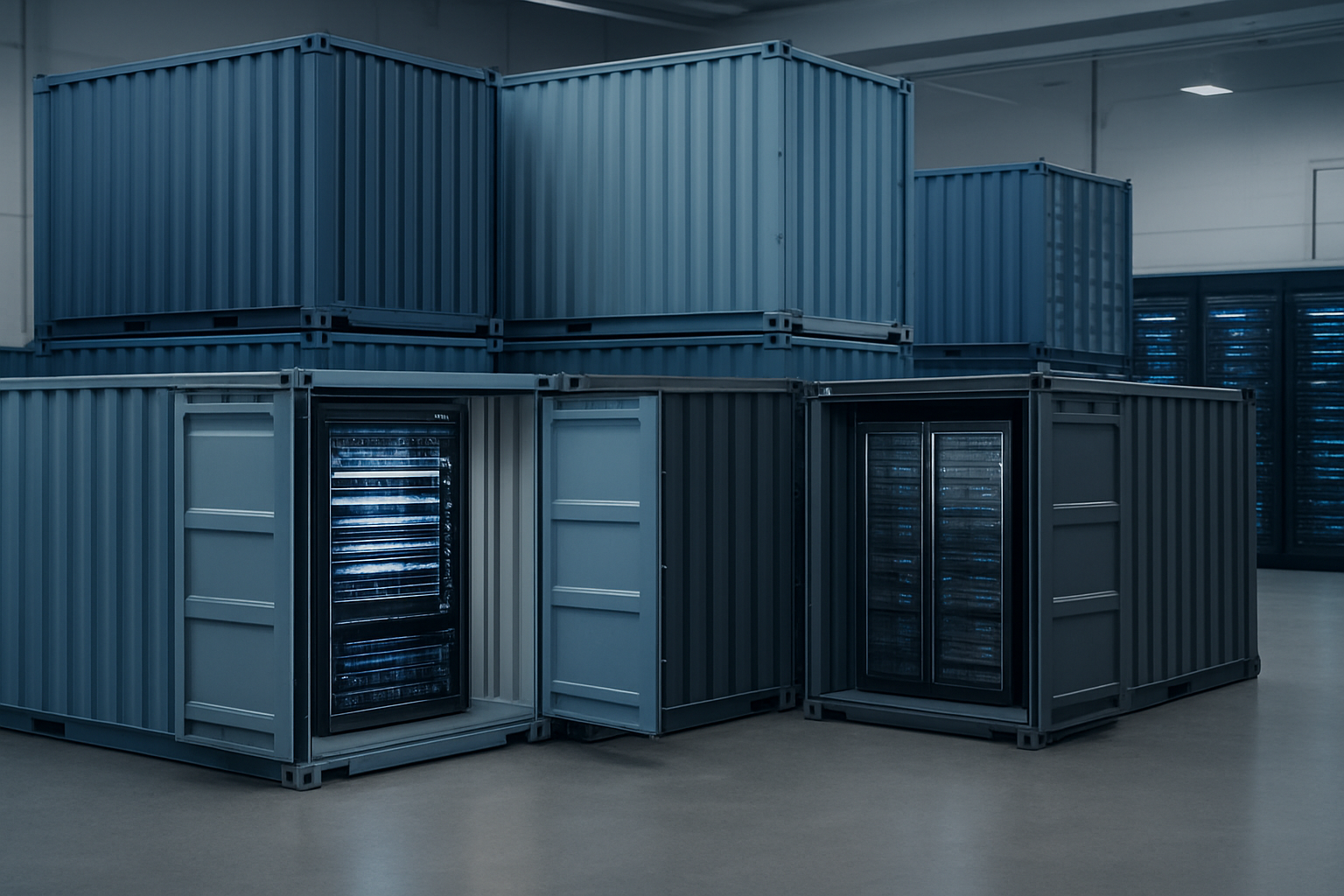
Container technology solves one of the most persistent headaches in software development: the dreaded “it works on my machine” problem. When you package your application inside a container, you’re essentially creating a standardized environment that includes everything your code needs to run – the operating system, runtime, libraries, dependencies, and configuration files.
This consistency means your application behaves identically whether it’s running on a developer’s laptop, in staging, or in production. Your development team can spin up the exact same environment locally that will run in production, eliminating those frustrating bugs that only appear after deployment. This predictability becomes especially valuable when dealing with complex microservices architectures where multiple services need to work together seamlessly.
The containerized approach also streamlines CI/CD pipelines significantly. Since the same container image moves through your entire deployment pipeline, you eliminate environment-specific configuration issues that often cause builds to fail or behave unexpectedly in different stages. Teams report faster development cycles and fewer production incidents when using containers compared to traditional deployment methods.
Granular resource control optimizes performance and costs
Containers give you precise control over how much CPU, memory, and storage each application component consumes. Unlike serverless computing where resource allocation happens automatically, containerization lets you fine-tune these settings based on your application’s specific needs and usage patterns.
This granular control translates directly into cost savings. You can allocate exactly the resources your application needs without paying for unused capacity. For applications with predictable workloads, this often results in lower costs compared to serverless alternatives where you pay per invocation without control over the underlying infrastructure.
Container orchestration platforms like Kubernetes take this optimization further by automatically scaling containers based on real-time demand while respecting the resource limits you’ve defined. You can set up sophisticated scaling rules that consider multiple metrics – CPU usage, memory consumption, queue length, or custom application metrics. This level of control allows you to optimize both performance and costs simultaneously.
The ability to run multiple containers on the same host also improves resource utilization. You can pack different services onto the same machines, maximizing hardware efficiency while maintaining isolation between applications.
Portable applications run seamlessly across different platforms
One of the strongest advantages of containerization is true application portability. Once you containerize an application, it can run on any system that supports your container runtime – whether that’s your local development machine, on-premises servers, or any cloud provider.
This portability protects you from vendor lock-in and gives you flexibility in your infrastructure choices. You can start development on your laptop, test in a staging environment on AWS, and deploy to production on Google Cloud or Azure without changing your application code or container configuration. The same container image works everywhere.
Multi-cloud strategies become much more feasible with containers. Many organizations use containers to distribute workloads across different cloud providers for better reliability, cost optimization, or compliance requirements. You can easily migrate workloads between providers or run the same application in multiple locations for disaster recovery purposes.
The standardization that containers provide also simplifies team collaboration. When new developers join your team, they can get the entire development environment running locally with just a few commands, regardless of their operating system or existing software installations. This consistency reduces onboarding time and eliminates the complexity of maintaining different development setups across team members.
AWS Lambda Limitations That Impact Business Operations

Cold start latency affects user experience and performance
When AWS Lambda functions sit idle, they need a few seconds to “warm up” before handling requests. This cold start delay can range from 100 milliseconds to several seconds, depending on your runtime and package size. For user-facing applications, these delays create noticeable hiccups that frustrate customers and hurt conversion rates.
E-commerce sites suffer particularly when checkout processes or search functions experience these delays. Users expect instant responses, and even a two-second delay can cause 40% of visitors to abandon the page. While provisioned concurrency helps maintain warm functions, it adds significant costs and defeats some of serverless computing’s economic advantages.
The unpredictable nature of cold starts makes performance optimization challenging. Your Lambda limitations become especially apparent during traffic spikes when multiple functions need simultaneous initialization. Containers, while requiring more management overhead, provide consistent startup times and predictable performance characteristics.
Execution time limits restrict long-running processes
AWS Lambda enforces a maximum execution time of 15 minutes per function invocation. This hard limit blocks many legitimate business processes like data migrations, complex analytics jobs, batch processing, and machine learning model training. Companies often find themselves artificially breaking down workflows that would naturally run longer.
Data processing pipelines frequently hit this wall. Video encoding, large dataset transformations, and comprehensive report generation all struggle within these constraints. The workaround of splitting tasks across multiple function calls introduces complexity, potential failure points, and coordination challenges.
Long-running APIs also face limitations. WebSocket connections, real-time data streaming, and persistent database operations don’t fit Lambda’s request-response model. These serverless drawbacks force architectural compromises that can increase development time and system complexity compared to container-based solutions.
Memory and storage constraints limit application complexity
Lambda functions max out at 10,240 MB of memory and 512 MB of ephemeral storage in the /tmp directory. These constraints severely limit application complexity and force developers to architect around artificial boundaries rather than business requirements.
Applications handling large files, maintaining extensive caches, or processing high-resolution media quickly exceed these limits. Machine learning models, particularly deep learning applications, often require gigabytes of memory that Lambda simply can’t provide.
The temporary storage limitation creates particular challenges for file processing workflows. Applications can’t temporarily store large datasets, intermediate processing results, or substantial log files. This forces expensive workarounds using S3 or other external storage services, adding latency and complexity to simple operations that containers handle effortlessly.
Vendor lock-in reduces flexibility and increases switching costs
Lambda’s proprietary event model, specific API Gateway integrations, and AWS-specific triggers create deep dependencies that make migration extremely expensive. Your codebase becomes tightly coupled with AWS services, making multi-cloud strategies nearly impossible without significant refactoring.
The event-driven architecture that makes Lambda powerful also locks you into AWS patterns. CloudWatch Events, S3 triggers, and DynamoDB streams don’t have direct equivalents in other cloud providers. Moving to Google Cloud or Azure requires rebuilding these integrations from scratch.
Container orchestration benefits include true portability between cloud providers and on-premises infrastructure. Kubernetes clusters can run anywhere, giving you negotiating power and exit strategies that Lambda simply doesn’t offer. When AWS pricing changes or service terms shift, Lambda users have limited alternatives compared to containerized applications that can move between providers with minimal changes.
Container Drawbacks and Operational Challenges

Infrastructure management requires dedicated DevOps resources
Containers demand significant expertise to set up and maintain properly. Unlike serverless computing where AWS handles the underlying infrastructure, containerization puts the burden of infrastructure management squarely on your team’s shoulders. You need skilled DevOps engineers who understand Kubernetes, Docker networking, persistent storage management, and cluster orchestration.
The learning curve is steep. Your team must master container orchestration platforms like Amazon EKS or ECS, configure networking policies, manage load balancing, and handle service discovery. These skills don’t develop overnight, and hiring experienced container specialists commands premium salaries in today’s competitive market.
Container infrastructure also requires constant attention. Nodes need patching, cluster configurations require updates, and monitoring systems demand ongoing tuning. When comparing serverless vs containerization, the operational overhead becomes a major consideration for smaller teams or organizations without dedicated platform engineering resources.
Resource allocation becomes another headache. You need to plan for peak capacity, manage cluster autoscaling, and optimize node utilization. Poor planning leads to either wasted resources during low traffic periods or performance issues during traffic spikes.
Security vulnerabilities demand continuous monitoring and updates
Container security presents multiple attack surfaces that require vigilant monitoring. Base images often contain vulnerabilities that security teams must track and remediate continuously. Unlike AWS Lambda where security patches happen transparently, containers expose you to the responsibility of maintaining secure base images, runtime environments, and all dependencies.
Image scanning becomes a critical workflow. You need tools to scan for Common Vulnerabilities and Exposures (CVE) in your container images, but scanning is just the beginning. When vulnerabilities are discovered, teams must rebuild images, test thoroughly, and deploy updates across all environments without breaking existing functionality.
Runtime security adds another layer of complexity. Container escapes, privilege escalation attacks, and network-based threats require specialized monitoring tools and expertise. Your security team needs to understand container-specific attack vectors and implement appropriate controls like pod security policies, network segmentation, and runtime protection.
Secrets management becomes more challenging with containers. API keys, database passwords, and certificates need secure storage and rotation mechanisms. While cloud platforms provide secrets management services, integrating them properly with container workloads requires careful configuration and ongoing maintenance.
Scaling complexity increases with traffic variations
Container scaling involves multiple moving parts that can create bottlenecks and unexpected costs. While auto-scaling sounds simple in theory, configuring it properly requires deep understanding of your application’s resource consumption patterns and traffic characteristics.
Horizontal pod autoscaling depends on metrics like CPU utilization or custom metrics, but tuning these thresholds takes time and experimentation. Set them too low, and you waste money on unnecessary resources. Set them too high, and users experience slow response times during traffic spikes. The sweet spot varies by application and requires ongoing adjustment.
Cluster-level scaling adds another dimension of complexity. When pod demand exceeds available node capacity, new nodes must provision automatically. This process takes several minutes, during which your application might struggle with resource constraints. Pre-scaling helps but increases baseline costs.
Traffic patterns in real-world applications rarely match textbook examples. Sudden viral content, marketing campaigns, or seasonal events can overwhelm even well-configured autoscaling systems. Container orchestration benefits include powerful scaling capabilities, but achieving reliable performance under varying loads requires extensive testing and fine-tuning that many teams underestimate.
Cold start times for new containers, while faster than AWS Lambda in some cases, still create latency during rapid scaling events. Your users might experience degraded performance while the system adapts to changing demand patterns.
Cost Analysis and Financial Impact Comparison

Lambda usage patterns determine cost effectiveness over time
Lambda pricing follows a pay-per-request model where you’re charged for the number of invocations, execution duration, and memory allocated. This makes serverless computing costs highly dependent on your application’s usage patterns. Applications with sporadic traffic or infrequent batch processing jobs benefit most from Lambda’s cost structure since you only pay when functions execute.
Consider a monthly reporting service that runs for 30 minutes once per month. With Lambda, you’d pay pennies for those 30 minutes of execution time. The same workload on containers would require maintaining infrastructure 24/7, resulting in significantly higher costs. However, applications with consistent high-volume traffic or long-running processes can quickly rack up Lambda bills that exceed traditional hosting costs.
Lambda’s free tier provides 1 million requests and 400,000 GB-seconds of compute time monthly. Beyond this threshold, costs accumulate rapidly for memory-intensive operations or functions with extended execution times. The AWS Lambda vs containers decision often hinges on whether your traffic patterns align with Lambda’s billing model.
Container hosting expenses include compute, storage, and networking
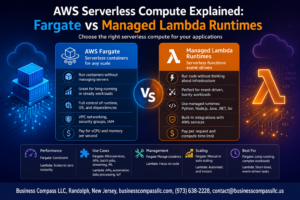
Container deployments involve multiple cost components that create a more predictable but potentially higher baseline expense. EC2 instances, EKS clusters, or managed container services like Fargate charge for underlying compute resources regardless of actual usage levels.
Container orchestration benefits come with infrastructure overhead costs:
- EC2 instances running 24/7 even during low traffic periods
- Load balancers for traffic distribution ($18+ monthly per Application Load Balancer)
- Storage costs for container images and persistent volumes
- Data transfer charges for inter-service communication
- Management tools and monitoring solutions
Fargate pricing eliminates server management but charges per vCPU and memory allocated to containers. A single container with 1 vCPU and 2GB RAM costs approximately $35 monthly when running continuously. Multiple containers across different environments quickly multiply these expenses.
Hidden operational costs affect total ownership calculations
Beyond direct compute charges, both Lambda and containers generate operational expenses that significantly impact total cost of ownership. Lambda’s serverless drawbacks include vendor lock-in costs, cold start mitigation strategies, and potential over-provisioning of memory to reduce execution time.
Lambda hidden costs include:
- CloudWatch logs storage and monitoring charges
- VPC configuration fees when Lambda functions need private resource access
- Additional services like API Gateway, S3, or DynamoDB that support serverless architectures
- Development time spent optimizing for Lambda’s execution environment
Container operational costs encompass:
- DevOps engineering time for cluster management and scaling configuration
- Security patching and updates for underlying operating systems
- Backup and disaster recovery infrastructure
- Container registry storage fees
- Network security tools and compliance monitoring
Professional services or dedicated platform teams often represent the largest hidden cost for container deployments. Organizations frequently underestimate the expertise required for production-ready microservices architecture comparison implementations.
Break-even points vary based on application workload patterns
The financial crossover between Lambda and containers depends entirely on your application’s specific usage characteristics. Low-frequency workloads typically favor Lambda until reaching approximately 1-2 million requests monthly with moderate execution times.
Consistent high-traffic applications often reach break-even points around 500-1,000 concurrent executions where container costs become more attractive. Long-running processes that exceed Lambda’s 15-minute timeout automatically require container solutions regardless of cost considerations.
Cloud deployment models selection should consider:
- Traffic predictability and seasonal variations
- Average execution duration and memory requirements
- Required uptime and availability guarantees
- Integration complexity with existing systems
- Team expertise and operational capabilities
Organizations with unpredictable workloads benefit from Lambda’s automatic scaling without pre-provisioned capacity costs. Startups often prefer serverless models to minimize upfront infrastructure investments, while enterprises with stable traffic patterns may find containers more cost-effective for high-volume applications.
The break-even calculation becomes more complex when factoring in development velocity, operational overhead, and the business value of faster time-to-market that serverless architectures often provide.
Performance Benchmarks and Technical Trade-offs

Lambda Cold Starts Versus Container Warm-Up Times
Cold starts represent one of the most significant performance challenges when comparing AWS Lambda vs containers. Lambda functions experience initialization delays ranging from 100ms to several seconds, depending on runtime, memory allocation, and package size. Python and Node.js functions typically start faster than Java or .NET applications, which can take 2-5 seconds for initial execution.
Containers offer more predictable startup behavior. While initial container creation might take 10-30 seconds, running containers maintain persistent processes that respond immediately to requests. Container orchestration platforms like Kubernetes can pre-warm instances, eliminating startup delays entirely for critical applications.
AWS Lambda performance suffers most during traffic spikes when multiple cold starts occur simultaneously. Applications requiring sub-100ms response times often struggle with Lambda’s unpredictable initialization overhead, making containers the preferred choice for latency-sensitive workloads.
Memory Utilization Efficiency Impacts Application Responsiveness
Memory allocation strategies differ dramatically between Lambda and containers, directly affecting application performance. Lambda functions must declare memory requirements upfront, allocating CPU power proportionally. Over-provisioning wastes resources, while under-provisioning throttles performance.
Containers provide dynamic memory management, allowing applications to consume resources as needed within defined limits. This flexibility proves crucial for applications with variable memory requirements or complex initialization processes that need temporary memory bursts.
Lambda’s memory model creates performance bottlenecks for data-processing workloads. A function allocated 512MB receives significantly less CPU power than one with 3008MB, regardless of actual memory usage. Containers distribute resources more efficiently, letting applications optimize performance based on real-time requirements rather than predetermined allocations.
Network Latency Differences Affect User Experience
Network architecture choices between serverless vs containerization create distinct latency profiles. Lambda functions execute within AWS’s managed infrastructure, adding network hops between invocation and execution. VPC-enabled Lambda functions experience additional delays of 100-200ms during cold starts while establishing network connections.
Containers deployed on dedicated infrastructure maintain persistent network connections, reducing per-request overhead. Applications requiring frequent database connections or external API calls benefit from connection pooling and persistent sessions that containers naturally support.
Regional deployment strategies also impact latency differently. Lambda functions automatically deploy across availability zones but lack control over specific placement. Container deployments allow precise geographic positioning, enabling edge computing scenarios and reducing round-trip times for geographically distributed users.
Concurrent Execution Limits Influence Scalability Decisions
AWS Lambda performance faces hard concurrency limits that can impact microservices architecture comparison decisions. Default regional limits of 1,000 concurrent executions may seem generous but quickly become restrictive for high-traffic applications. Requesting limit increases involves AWS support tickets and approval delays.
Containers scale based on available infrastructure resources rather than service-imposed limits. Auto-scaling groups can spin up hundreds or thousands of container instances limited only by account quotas and available capacity. This architectural difference makes containers more suitable for applications expecting rapid traffic growth or viral content scenarios.
Scaling behavior also differs significantly. Lambda’s automatic scaling creates new function instances within seconds but struggles with sustained high-volume workloads that exceed concurrent limits. Container orchestration systems provide more granular scaling controls, including predictive scaling based on metrics and scheduled scaling for known traffic patterns.
The choice between Lambda and containers often comes down to whether applications can tolerate the performance trade-offs inherent in serverless architectures or require the consistent, predictable performance that containers deliver.
Strategic Migration Scenarios and Business Drivers

Cost Optimization Goals Justify Architecture Changes
Organizations often face mounting cloud bills that force them to evaluate their AWS Lambda vs containers strategy. When Lambda functions run frequently or process large workloads, costs can spiral beyond expectations. The pay-per-invocation model becomes expensive when dealing with predictable, steady traffic patterns that would benefit from reserved capacity.
Consider a data processing pipeline that runs continuously throughout business hours. Lambda charges for every execution, while containerized solutions on EC2 or ECS can handle the same workload at a fraction of the cost using reserved instances. Companies processing millions of requests daily often discover that container migration strategies deliver 40-60% cost reductions.
Serverless computing costs also include hidden expenses like data transfer fees, API Gateway charges, and memory allocation overhead. Container deployments provide more granular control over resource allocation, allowing teams to right-size their infrastructure and eliminate waste. This becomes especially relevant for workloads with predictable usage patterns where the serverless premium doesn’t justify the convenience.
Financial optimization drives many enterprises to adopt hybrid approaches, keeping Lambda for event-driven tasks while moving steady-state workloads to containers. This strategic shift requires careful analysis of usage patterns, peak load requirements, and long-term growth projections to maximize savings.
Scalability Requirements Exceed Current Platform Capabilities
AWS Lambda performance hits hard limits that can’t be overcome with configuration changes. The 15-minute execution timeout forces architects to redesign long-running processes into smaller chunks, creating complexity that containers handle naturally. Memory caps at 10GB and temporary storage limits at 10GB create bottlenecks for data-intensive applications.
Container orchestration platforms like Kubernetes offer virtually unlimited horizontal scaling without the architectural constraints of serverless. Applications requiring persistent connections, large memory footprints, or extended processing times find containers more suitable. GPU-intensive workloads, machine learning training jobs, and video processing pipelines often outgrow serverless vs containerization trade-offs quickly.
Container orchestration benefits include advanced scheduling, resource affinity, and multi-container coordination that Lambda simply can’t provide. Teams building complex microservices architecture comparison scenarios need service mesh capabilities, inter-service communication patterns, and deployment strategies that containers support natively.
Scaling beyond Lambda’s regional limits becomes another driver. Organizations with global user bases need multi-region deployments with sophisticated traffic routing, which container platforms handle more effectively than managing Lambda functions across multiple AWS regions.
Development Velocity Improvements Accelerate Time-to-Market
Development teams often hit productivity walls with Lambda limitations that slow down feature delivery. Local development environments for serverless applications require complex tooling and simulation frameworks that never quite match production behavior. Container-based development offers consistent environments from laptop to production, reducing debugging time and deployment surprises.
Cloud deployment models using containers provide faster iteration cycles for teams building complex applications. Developers can test multi-service interactions locally, debug with familiar tools, and deploy the same artifact across environments. This consistency eliminates the “works on my machine” problem that plagues serverless development.
Container platforms support advanced deployment patterns like blue-green deployments, canary releases, and rolling updates that give teams confidence in production changes. These patterns are harder to implement with Lambda, where version management and traffic splitting require additional AWS services and complexity.
Modern development workflows benefit from container registries, CI/CD integration, and infrastructure-as-code practices that mature container ecosystems provide. Teams can leverage existing Docker expertise, reuse container images across projects, and maintain consistent dependency management. These advantages compound over time, creating significant productivity gains that justify migration efforts.
The ability to use any runtime, library, or system dependency gives development teams more flexibility than Lambda’s limited runtime environment. This freedom accelerates innovation and reduces time spent working around platform limitations.
Both AWS Lambda and containers offer unique strengths that can transform how you run applications in the cloud. Lambda shines when you need instant scaling, minimal maintenance, and cost-effective solutions for unpredictable workloads. Containers excel when you require full control over your environment, consistent performance across different platforms, and the ability to handle complex, long-running processes. The choice isn’t always black and white – many successful companies use both technologies strategically across different parts of their infrastructure.
The decision to migrate between these technologies should align with your specific business needs, technical requirements, and budget constraints. Start by evaluating your current workload patterns, operational capabilities, and long-term goals. Consider running pilot projects to test how each approach performs with your actual use cases. Remember that the “best” choice is the one that helps your team deliver reliable, scalable applications while staying within your operational and financial boundaries.