


Building secure data pipelines in AWS requires careful attention to S3 bucket permissions and access controls. This guide is designed for DevOps engineers, cloud architects, and security professionals who need to implement AWS S3 least privilege principles while maintaining operational efficiency.
Poor S3 pipeline security exposes your organization to data breaches, compliance violations, and unauthorized access. Many teams struggle with balancing security and functionality when designing IAM policies for S3, often defaulting to overly permissive configurations that create unnecessary risk.
We’ll walk through the core concepts of least privilege principle AWS implementation, starting with essential IAM components for secure S3 data pipeline architecture. You’ll learn how to design granular S3 IAM best practices that give users and services only the minimum access they need. We’ll also cover advanced monitoring techniques to track S3 pipeline access patterns and catch potential security issues before they become problems.
By the end of this guide, you’ll have practical knowledge to build secure cloud storage pipelines that protect your data without slowing down your development teams.
Understanding Least-Privilege Principles for S3 Operations
Define minimum permissions required for data pipeline functionality
Building secure S3 data pipelines starts with understanding exactly what your pipeline needs to do – nothing more, nothing less. AWS S3 least privilege means granting only the specific permissions required for each component of your data processing workflow.
Your data ingestion layer typically needs s3:PutObject and s3:PutObjectAcl permissions for specific bucket paths where raw data lands. Processing components require s3:GetObject to read source files and s3:PutObject for transformed outputs. Archive operations need s3:PutObjectTagging for lifecycle management and s3:GetObjectVersion for version control.
The key is mapping permissions to actual business functions. A data transformation Lambda function processing customer data doesn’t need s3:DeleteBucket or s3:ListAllMyBuckets – those permissions create unnecessary risk. Instead, scope permissions to specific prefixes like arn:aws:s3:::my-data-bucket/processed/* rather than entire buckets.
Cross-account access patterns require even more precision. External analytics teams might need s3:GetObject on specific data sets, but shouldn’t access raw customer information. Use resource-based policies combined with IAM policies for S3 to create these granular controls.
Identify common over-privileged access patterns that create security risks
Most organizations accidentally grant excessive S3 permissions through common patterns that seem convenient but create serious security vulnerabilities. The biggest culprit is the wildcard permission – using s3:* actions or arn:aws:s3:::* resources in IAM policies for S3.
Development teams often request broad S3 bucket permissions to “make things work quickly,” but this approach backfires during security reviews. A single compromised service with s3:DeleteObject across all buckets can wipe out critical business data. Similarly, granting s3:GetBucketAcl and s3:PutBucketAcl allows attackers to modify bucket policies and grant themselves additional access.
Another dangerous pattern is using shared service accounts across multiple pipeline stages. When your ingestion service, transformation service, and analytics service all use the same IAM role, a vulnerability in any component compromises the entire secure S3 data pipeline. Each service should have its own role with tailored permissions.
Cross-region replication often introduces over-privileged access because teams grant source bucket permissions to destination regions without considering the security implications. Attackers who compromise destination accounts can potentially access source data they shouldn’t reach.
Map S3 actions to specific business requirements and use cases
Effective AWS S3 access control requires translating business workflows into precise permission sets. Start by documenting your data pipeline’s actual operations, then match each step to specific S3 actions.
Data ingestion workflows typically need:
s3:PutObjectfor uploading filess3:PutObjectTaggingfor metadata managements3:AbortMultipartUploadfor large file uploadss3:ListMultipartUploadPartsfor upload monitoring
Data processing stages require:
s3:GetObjectfor reading source filess3:GetObjectVersionfor accessing specific file versionss3:ListBucketwith prefix constraints for discovering new filess3:PutObjectfor writing processed outputs
Analytics and reporting layers need:
s3:GetObjecton aggregated data setss3:GetObjectTaggingfor metadata-driven queriess3:ListBucketwith date-based prefixes for time-series analysis
Backup and archival processes use:
s3:PutObjectLegalHoldfor compliance requirementss3:PutObjectRetentionfor data governances3:RestoreObjectfor Glacier retrievals
Each business function maps to a specific permission boundary. Customer service teams analyzing support tickets don’t need the same S3 IAM best practices as data engineers building ETL pipelines. Create role-based permission sets that reflect these real-world boundaries rather than granting broad access across your AWS data pipeline security architecture.
Essential IAM Components for Secure S3 Pipeline Architecture
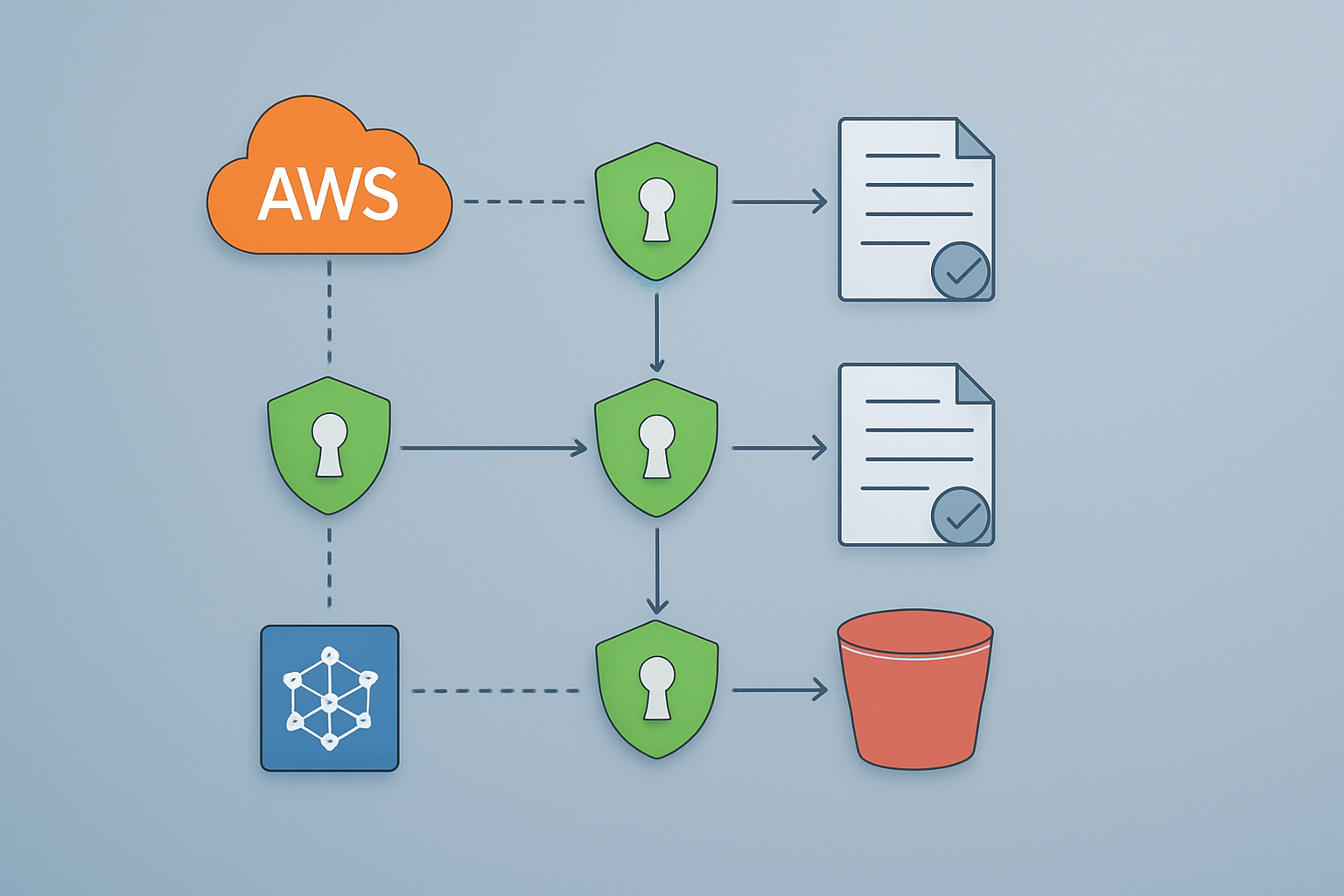
Create targeted IAM roles with granular S3 permissions
Building secure S3 pipelines starts with crafting IAM roles that follow the principle of minimum access. Rather than granting broad S3 permissions, you need to design roles that match specific pipeline functions. For example, a data ingestion role should only write to designated landing buckets, while a processing role needs read access from source buckets and write access to transformation buckets.
When defining S3 permissions, specify exact actions rather than using wildcards. Instead of s3:*, grant specific permissions like s3:GetObject for read operations or s3:PutObject for write operations. Always include resource ARNs that limit access to specific buckets and object prefixes:
{
  "Effect": "Allow",
  "Action": ["s3:GetObject", "s3:ListBucket"],
  "Resource": [
    "arn:aws:s3:::data-pipeline-source/*",
    "arn:aws:s3:::data-pipeline-source"
  ]
}
Time-based conditions add another security layer. Use DateGreaterThan and DateLessThan conditions for temporary access patterns, and implement IP address restrictions using IpAddress conditions when pipeline components run from known network ranges.
Implement resource-based policies for bucket-level access control
S3 bucket policies work alongside IAM policies to create defense-in-depth security. These policies attach directly to buckets and define who can access objects, regardless of IAM permissions. This dual-control approach ensures that even if IAM roles are compromised, bucket-level restrictions still apply.
Start with explicit deny statements for unauthorized access patterns. Block public access unless specifically required, and deny access from unexpected AWS accounts or services. Use condition keys like aws:RequestedRegion to prevent data exfiltration to unauthorized regions:
{
  "Effect": "Deny",
  "Principal": "*",
  "Action": "s3:*",
  "Resource": [
    "arn:aws:s3:::secure-pipeline-data",
    "arn:aws:s3:::secure-pipeline-data/*"
  ],
  "Condition": {
    "StringNotEquals": {
      "aws:RequestedRegion": ["us-east-1", "us-west-2"]
    }
  }
}
Bucket policies excel at enforcing encryption requirements. Add conditions that deny uploads unless objects use server-side encryption with specific KMS keys. This prevents accidental storage of unencrypted sensitive data.
Configure cross-account access using secure assume role patterns
Multi-account architectures require careful role assumption patterns to maintain security while enabling data flow. The AWS S3 least privilege approach demands that cross-account roles have minimal permissions and time-limited access patterns.
Design assume role policies with specific external IDs and condition statements. External IDs act as shared secrets between accounts, preventing unauthorized role assumption even if account IDs are known. Always include sts:ExternalId conditions and consider adding time-based restrictions:
{
  "Version": "2012-10-17",
  "Statement": [
    {
      "Effect": "Allow",
      "Principal": {
        "AWS": "arn:aws:iam::123456789012:root"
      },
      "Action": "sts:AssumeRole",
      "Condition": {
        "StringEquals": {
          "sts:ExternalId": "unique-external-id-123"
        },
        "IpAddress": {
          "aws:SourceIp": "203.0.113.0/24"
        }
      }
    }
  ]
}
Session tags provide additional control over cross-account access. Tag assume role sessions with pipeline identifiers, environment names, or data classification levels. These tags can trigger conditional policies that further restrict S3 access based on session context.
Design service-specific permissions for Lambda, Glue, and EMR integration
Each AWS service interacting with S3 requires tailored permission sets that match its operational patterns. Lambda functions typically need focused access to specific bucket prefixes, while EMR clusters might require broader read access across multiple data sources but restricted write access to output locations.
For Lambda-based S3 pipeline security, create execution roles with path-based restrictions. A Lambda function processing customer data should only access objects under specific prefixes like /customer-data/ or /processed/customer/. Use dynamic policy variables like ${aws:userid} or custom tags to create self-limiting permissions:
{
  "Effect": "Allow",
  "Action": ["s3:GetObject", "s3:PutObject"],
  "Resource": "arn:aws:s3:::pipeline-bucket/lambda/${aws:userid}/*"
}
Glue jobs often require different permission patterns for crawler discovery versus ETL execution. Crawlers need ListBucket and GetObject permissions across data sources, while ETL jobs need focused read/write access to specific datasets. Create separate roles or use resource tags to differentiate access patterns.
EMR clusters present unique challenges because they run long-lived processes with varying access needs. Design EMR service roles with time-based conditions and use EMR security configurations to enforce additional access controls. Consider using EMR Steps with separate roles for different processing phases rather than granting broad permissions to the entire cluster.
Advanced S3 Security Controls for Data Pipeline Protection
Enforce encryption requirements through bucket policies and IAM conditions
Encryption stands as your first line of defense when building secure S3 data pipelines. Instead of hoping developers remember to enable encryption, you can bake these requirements directly into your AWS S3 access control policies. S3 bucket policies offer a powerful mechanism to reject any object uploads that don’t meet your encryption standards.
Setting up encryption enforcement requires crafting bucket policies that deny s3:PutObject actions unless specific encryption headers are present. For server-side encryption with S3-managed keys (SSE-S3), you’ll want to deny requests where s3:x-amz-server-side-encryption doesn’t equal “AES256”. When working with AWS KMS encryption, the condition becomes s3:x-amz-server-side-encryption must equal “aws:kms” and s3:x-amz-server-side-encryption-aws-kms-key-id must match your designated KMS key ARN.
IAM policies complement bucket policies by adding user-level encryption requirements. You can create conditions that force specific IAM roles or users to include encryption parameters in their S3 requests. This dual-layer approach ensures encryption happens regardless of which access path someone takes to your S3 buckets.
Consider implementing different encryption requirements based on data sensitivity. Production data pipelines might require customer-managed KMS keys, while development environments could use S3-managed encryption. This tiered approach balances security with operational complexity.
Implement IP address and VPC endpoint restrictions for network isolation
Network-level controls add another security layer to your secure S3 data pipeline by limiting where requests can originate. IP address restrictions work particularly well for on-premises data processing systems that connect to S3 from known locations. You can specify allowed IP ranges in bucket policies using the aws:SourceIp condition key.
VPC endpoint restrictions offer more granular control for AWS-based pipelines. By configuring S3 bucket policies to only accept requests from specific VPC endpoints, you create a private network tunnel for your data flows. This setup prevents data from traveling over the public internet and reduces exposure to external threats.
The aws:SourceVpce condition key lets you specify which VPC endpoints can access your buckets. Combine this with aws:SourceVpc conditions to create multi-layered network isolation. Your data pipeline can only access S3 resources from designated VPCs through approved endpoints.
Route table configurations play a crucial role here too. Configure your VPC route tables to direct S3 traffic through the VPC endpoint rather than the internet gateway. This ensures all S3 communication stays within AWS’s private network infrastructure.
For hybrid environments, consider using AWS Direct Connect alongside VPC endpoints. This combination provides consistent network performance and enhanced security for data pipelines that span on-premises and cloud infrastructure.
Configure multi-factor authentication requirements for sensitive operations
Multi-factor authentication (MFA) requirements add human verification to automated processes, which might seem counterintuitive for data pipelines. However, certain pipeline operations benefit from MFA protection, especially administrative tasks like deleting entire datasets or modifying pipeline configurations.
The aws:MultiFactorAuthPresent and aws:MultiFactorAuthAge condition keys control MFA requirements in IAM policies. You can require MFA for destructive operations like s3:DeleteBucket or s3:DeleteObject while allowing normal read/write operations to proceed without additional authentication.
MFA works particularly well for emergency access scenarios. Create break-glass IAM roles that bypass normal least privilege principle AWS restrictions but require MFA authentication. These roles let authorized personnel quickly resolve pipeline issues without waiting for policy modifications.
Time-sensitive MFA policies prevent replay attacks and limit the window of vulnerability. Set aws:MultiFactorAuthAge conditions to require fresh MFA tokens for sensitive operations. A common pattern restricts critical actions to MFA tokens less than one hour old.
Consider virtual MFA devices for service accounts that need occasional MFA access. While you can’t fully automate MFA-protected operations, you can create controlled processes where human operators provide MFA authentication for scheduled maintenance tasks.
Set up time-based and request condition limitations
Time-based restrictions help align your S3 pipeline security with business hours and operational patterns. The aws:CurrentTime condition key allows you to restrict access to specific time windows, preventing unauthorized after-hours data access.
Combine date and time restrictions with AWS S3 least privilege practices to create dynamic access patterns. Development pipelines might only run during business hours, while production systems operate 24/7 with different access patterns for different time periods.
Request rate limiting prevents both accidental and malicious resource exhaustion. While S3 doesn’t offer built-in rate limiting, you can implement request patterns through Lambda functions that validate request frequency before granting access.
The aws:RequestedRegion condition ensures data pipeline operations only occur in approved AWS regions. This geographic restriction helps with compliance requirements and prevents data from inadvertently moving to regions with different regulatory frameworks.
Temporary access patterns work well for batch processing pipelines. Create IAM roles with time-bounded permissions that automatically expire after processing windows close. This approach minimizes the attack surface by ensuring elevated permissions exist only when needed.
User agent restrictions help identify legitimate pipeline requests. The aws:RequestTag and custom condition keys can validate that requests come from approved automation tools rather than manual access attempts.
Monitoring and Auditing S3 Pipeline Access Patterns

Enable CloudTrail logging for comprehensive S3 API activity tracking
CloudTrail acts as your security audit trail, capturing every API call made to your S3 resources. When implementing AWS S3 least privilege controls, you need complete visibility into who’s accessing what, when, and from where. Configure CloudTrail to log all S3 data events, not just management events, to capture object-level operations like GetObject, PutObject, and DeleteObject.
Set up a dedicated S3 bucket for CloudTrail logs with proper encryption and access restrictions. Enable log file validation to detect tampering, and configure the trail to capture events from all regions where your S3 pipeline security operates. Multi-region trails provide comprehensive coverage for distributed data pipelines.
Consider enabling CloudTrail Insights to automatically detect unusual activity patterns in your S3 API calls. This machine learning-powered feature identifies spikes in activity that might indicate security incidents or misconfigured applications trying to access restricted resources.
Configure CloudWatch metrics and alarms for unusual access patterns
CloudWatch metrics give you real-time insights into your secure S3 data pipeline behavior. Create custom metrics that track failed authentication attempts, unauthorized access attempts to specific buckets, and unusual data transfer volumes. These metrics help identify potential security breaches before they escalate.
Set up alarms for critical thresholds like:
- Repeated 403 (Forbidden) errors indicating permission issues
- Large numbers of HEAD requests that might signal reconnaissance activities
- Cross-account access attempts to sensitive buckets
- API calls from unexpected IP addresses or regions
Use CloudWatch Anomaly Detection to establish baselines for normal S3 access patterns. The service learns your typical usage and alerts you when access patterns deviate significantly from established norms. This approach proves particularly valuable for detecting insider threats or compromised credentials.
Implement automated compliance checks using AWS Config rules
AWS Config continuously monitors your S3 IAM best practices implementation and flags deviations from your security standards. Deploy managed Config rules specifically designed for S3 security, such as checking for public read/write access, SSL-only policies, and proper encryption settings.
Create custom Config rules to enforce your organization’s specific least privilege principle AWS requirements. These rules can verify that bucket policies don’t grant overly broad permissions, cross-account access follows approved patterns, and temporary credentials expire within acceptable timeframes.
Config rules trigger automatic remediation actions through Lambda functions. When a rule violation occurs, Lambda can automatically revoke excessive permissions, notify security teams, or temporarily restrict access until manual review occurs.
Create dashboards for real-time visibility into permission usage
Build comprehensive dashboards that display your AWS S3 access control posture at a glance. Combine CloudWatch metrics, CloudTrail logs, and Config compliance data into unified views that security teams can monitor continuously.
Design role-specific dashboards tailored to different stakeholders:
- Security teams need violation summaries and threat indicators
- Operations teams require performance metrics and error rates
- Compliance teams want policy adherence statistics and audit trails
Use CloudWatch dashboard widgets to visualize access patterns, permission usage frequency, and compliance scores. Include geographic maps showing access origins, timeline graphs displaying usage trends, and heat maps highlighting high-risk resources.
Implement alert integration that automatically updates dashboard status when security events occur. This real-time feedback loop ensures teams can respond quickly to potential security incidents while maintaining operational visibility into their secure cloud storage pipeline infrastructure.
Testing and Validating Least-Privilege Implementation

Perform systematic permission testing using AWS IAM Policy Simulator
The AWS IAM Policy Simulator acts as your safety net when implementing least privilege principle AWS controls for S3 pipelines. This powerful tool lets you test policy configurations before deploying them to production, preventing the costly mistakes that come from overly restrictive or permissive access controls.
Start by creating test scenarios that mirror your actual pipeline workflows. For example, if your data pipeline needs to read from one S3 bucket and write to another, simulate these exact operations using the Policy Simulator. Test different user roles, service accounts, and cross-account access patterns to ensure your IAM policies for S3 work correctly across all scenarios.
The simulator reveals hidden permission gaps that manual reviews often miss. When testing S3 bucket permissions, include edge cases like accessing objects with specific prefixes, handling encrypted data, or performing batch operations. Pay special attention to deny statements in your policies – these can block legitimate operations in unexpected ways.
Document your test cases and results to build a comprehensive validation framework. This documentation becomes invaluable when onboarding new team members or troubleshooting access issues later. The Policy Simulator also helps you understand the effective permissions when multiple policies apply, which is crucial for complex AWS S3 access control scenarios.
Conduct regular access reviews and permission cleanup processes
Access creep happens gradually, making regular permission audits essential for maintaining secure S3 data pipeline integrity. Schedule quarterly reviews to examine who has access to what resources and whether those permissions still align with current job responsibilities and business needs.
Create a standardized review process that includes:
- User Access Inventory: Document all users, roles, and service accounts with S3 access
- Permission Mapping: Match current permissions to specific business functions
- Unused Permission Identification: Flag permissions that haven’t been used in the past 90 days
- Cross-Account Access Review: Verify external access still serves legitimate purposes
Use AWS Access Analyzer to identify unused access automatically. This service analyzes your access patterns and highlights permissions that haven’t been exercised, making cleanup decisions easier and more data-driven. Access Analyzer also detects when S3 buckets are accessible from outside your AWS account, helping maintain tight security boundaries.
During cleanup, remove permissions incrementally rather than in bulk. Test each change in a staging environment first, and maintain rollback procedures in case legitimate workflows break. Keep detailed logs of all permission changes, including the business justification for each modification.
Set up alerts for new permission grants that bypass your standard approval process. This prevents shadow IT scenarios where developers grant themselves elevated access to meet tight deadlines, potentially compromising your secure cloud storage pipeline.
Implement automated testing pipelines to verify security controls
Manual security testing doesn’t scale with growing infrastructure, making automation critical for maintaining AWS S3 least privilege compliance. Build continuous testing into your CI/CD pipelines to catch permission drift before it reaches production.
Develop automated test suites that validate your security posture:
- Permission Boundary Tests: Verify users can’t exceed their intended access scope
- Cross-Service Integration Tests: Ensure S3 interactions with Lambda, EMR, and other services work correctly
- Encryption Validation: Confirm all data transfers use appropriate encryption methods
- Logging Verification: Check that all access attempts generate proper audit trails
Use infrastructure as code tools like Terraform or CloudFormation to define your security controls. This approach makes your S3 IAM best practices reproducible and version-controlled. Include security tests in your infrastructure deployment pipeline to prevent misconfigurations from reaching production.
Implement synthetic monitoring that continuously exercises your pipeline permissions. These automated workflows simulate real user activities, detecting permission problems before actual users encounter them. For example, create scheduled Lambda functions that attempt various S3 operations and alert you when permissions fail unexpectedly.
Set up automated compliance checks using AWS Config rules. These rules continuously monitor your S3 configuration and flag deviations from your security standards. Custom Config rules can enforce organization-specific requirements that aren’t covered by standard compliance frameworks.
Build alerting systems that notify security teams immediately when permission changes occur outside normal business processes. This real-time monitoring helps detect potential security incidents and ensures all changes go through proper approval channels.

Building secure S3 pipelines with least-privilege access isn’t just about following best practices—it’s about protecting your organization’s most valuable asset: data. The combination of proper IAM policies, advanced S3 security controls, and continuous monitoring creates a robust defense system that keeps your data pipelines running smoothly while maintaining tight security boundaries. Remember that effective least-privilege implementation starts with understanding exactly what permissions your pipeline components actually need, not what might be convenient to grant.
The real success of your security strategy lies in ongoing validation and monitoring. Regular audits of access patterns help you spot potential issues before they become problems, while automated testing ensures your security controls work as intended. Start small with one pipeline, get the security model right, then scale those lessons across your entire infrastructure. Your future self will thank you for taking the time to build these foundations properly from the start.









