


Standardizing AWS Cleanup Across Accounts: A Complete Guide for Cloud Teams
Managing AWS multi-account cleanup becomes a nightmare when each account follows different rules and processes. Cloud engineers, DevOps teams, and AWS administrators know the pain of discovering forgotten resources draining budgets across dozens of accounts.
This guide targets cloud operations teams and engineering managers who need to implement standardized AWS resource management across their organization. You’ll learn how to build automated AWS cleanup workflows that work consistently, no matter how many accounts you’re managing.
We’ll walk through the core challenges of multi-account AWS management that make cleanup so difficult in the first place. Then we’ll dive into creating a standardized cleanup framework with the essential components every organization needs. Finally, you’ll discover how to implement cross-account AWS governance that keeps cleanup operations running smoothly while optimizing costs.
By the end, you’ll have a clear roadmap for transforming chaotic, manual cleanup processes into automated AWS cleanup workflows that save time and money across your entire AWS environment.
Challenges of Managing Multi-Account AWS Environments
Resource Sprawl Across Development, Staging, and Production Accounts
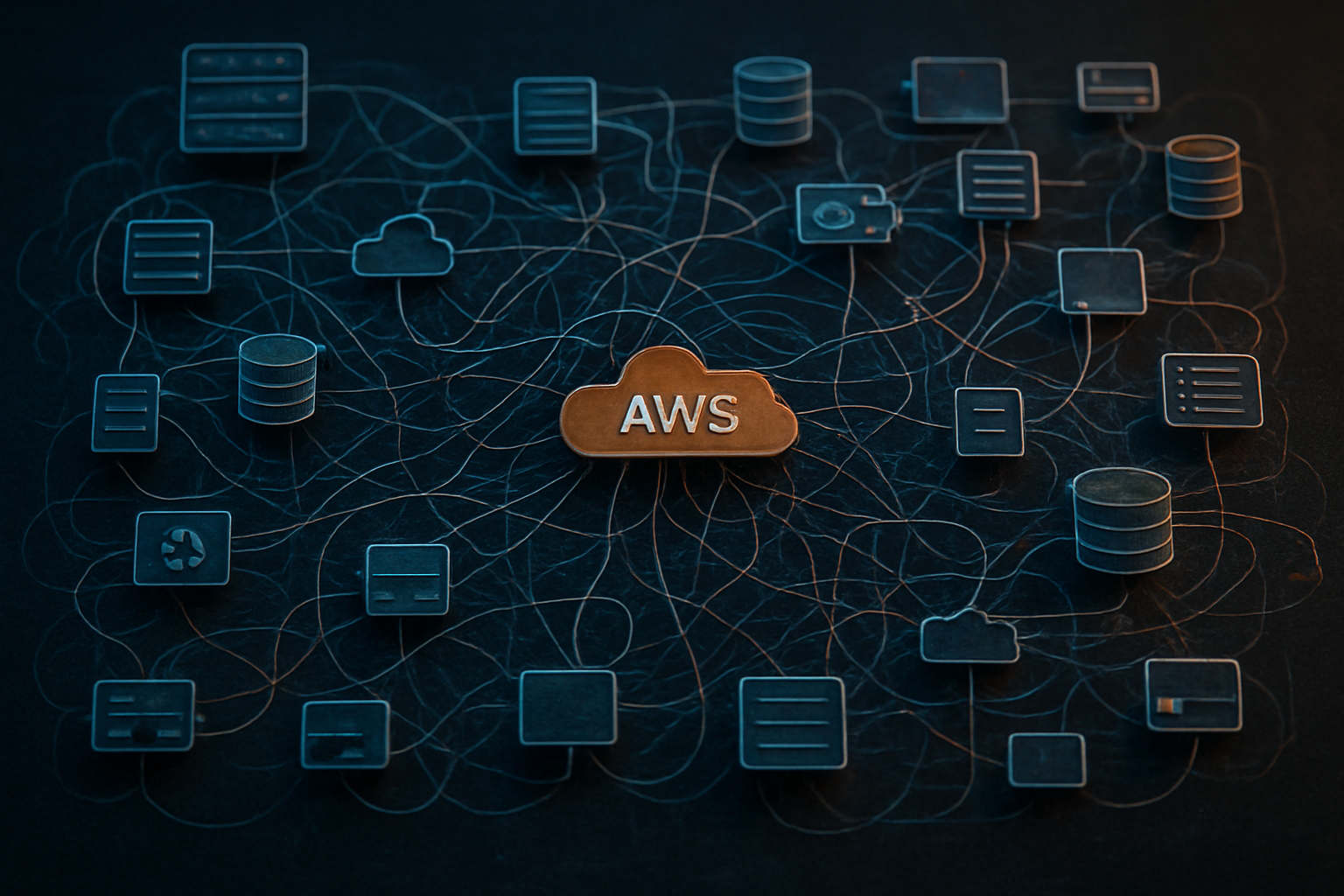
Organizations managing AWS multi-account environments quickly discover that resources multiply exponentially across their development, staging, and production accounts. What starts as a clean, well-organized cloud architecture transforms into a complex web of EC2 instances, RDS databases, S3 buckets, Lambda functions, and countless other services scattered throughout multiple accounts.
Development teams spin up resources for testing, proof-of-concepts, and experimentation, often forgetting to clean up after project completion. Staging environments accumulate duplicate resources as different teams create their own testing sandboxes. Production accounts grow organically as new features launch, leaving behind deprecated infrastructure that continues consuming resources.
This AWS resource sprawl creates a snowball effect where each account becomes increasingly difficult to audit and manage. Teams lose track of what resources belong to which projects, making it nearly impossible to identify safe candidates for cleanup without risking business-critical services.
Inconsistent Cleanup Processes Leading to Cost Overruns
Without standardized AWS cleanup workflows, different teams develop their own approaches to resource management. Some teams implement automated cleanup scripts, while others rely on manual reviews. This inconsistency creates gaps where resources slip through the cracks, continuing to generate costs long after their useful life expires.
The financial impact compounds monthly as idle EC2 instances, unused EBS volumes, and forgotten load balancers accumulate charges. Organizations often discover they’re spending thousands of dollars on resources that serve no active purpose, representing pure waste that could have been avoided with proper AWS cost optimization cleanup procedures.
Manual cleanup efforts consume engineering time that could be better spent on innovation and development. Without automated AWS cleanup workflows, teams dedicate hours each month to identifying and removing unused resources instead of focusing on core business objectives.
Lack of Visibility Into Orphaned Resources and Unused Services
Multi-account AWS management becomes particularly challenging when organizations lack comprehensive visibility into their resource inventory. Orphaned resources—those created during development or testing but never properly decommissioned—lurk in accounts without clear ownership or purpose.
Load balancers pointing to terminated instances, security groups with no attached resources, and EBS snapshots from long-deleted volumes represent common examples of orphaned infrastructure. These resources often escape detection during routine audits because they don’t appear in application monitoring or cause immediate operational issues.
Cloud sprawl makes it difficult to establish clear relationships between resources and their business purposes. Teams struggle to answer basic questions: Which S3 buckets contain production data? Are these Lambda functions still being invoked? Is this RDS instance supporting active applications?
Manual Cleanup Efforts Consuming Valuable Engineering Time
Engineering teams spend countless hours on repetitive cleanup tasks that could be automated through proper AWS account standardization. Senior developers find themselves manually reviewing resource lists, checking dependencies, and carefully decommissioning infrastructure instead of building new features.
The cognitive overhead of manual cleanup extends beyond time investment. Engineers must constantly context-switch between development work and infrastructure housekeeping, reducing overall productivity and job satisfaction. Teams often postpone cleanup activities until costs become problematic, creating larger, more complex cleanup projects that require even more manual effort.
Cross-account AWS governance becomes exponentially more difficult when cleanup processes remain manual. Scaling manual approaches across dozens or hundreds of AWS accounts quickly becomes unmanageable, leading to inconsistent application of cleanup policies and mounting technical debt across the organization’s cloud infrastructure.
Essential Components of a Standardized Cleanup Framework

Automated Resource Discovery and Inventory Management
Building a solid AWS multi-account cleanup foundation starts with knowing exactly what resources exist across your entire infrastructure. Manual discovery becomes impossible when you’re managing dozens or hundreds of accounts, each potentially containing thousands of resources across multiple regions.
Smart discovery systems continuously scan your AWS environment using APIs like AWS Config, AWS Resource Groups, and Cost Explorer to maintain real-time inventories. These automated processes should capture essential metadata including resource creation dates, last access times, associated costs, and current utilization metrics.
Consider implementing resource discovery agents that run on scheduled intervals, collecting data from services like EC2, RDS, S3, Lambda functions, and EBS volumes. The key is creating a centralized inventory database that aggregates information from all accounts, giving you a bird’s-eye view of your entire AWS footprint.
Modern discovery tools can identify orphaned resources, unused security groups, unattached EBS volumes, and idle compute instances that traditional monitoring might miss. This automated AWS cleanup workflow foundation ensures your standardized AWS resource management strategy operates on complete, accurate data rather than guesswork.
Policy-Driven Cleanup Rules Based on Resource Age and Usage Patterns
Effective cleanup policies blend resource age with actual usage patterns to avoid accidentally terminating active resources. Simple time-based rules like “delete resources older than 30 days” often cause more problems than they solve.
Smart policies analyze metrics like CPU utilization, network traffic, and access patterns over defined periods. For example, an EC2 instance might be 60 days old but still serving critical functions, while another instance created yesterday could already be abandoned.
Create tiered cleanup policies that escalate actions based on multiple criteria:
- Warning phase: Tag resources showing low utilization for 7-14 days
- Notification phase: Send alerts to resource owners after 21 days of inactivity
- Action phase: Automatic termination or archival after 30-45 days with no response
Different resource types need specialized policies. S3 buckets might transition to cheaper storage classes before deletion, while databases require backup verification before cleanup. RDS instances showing zero connections for extended periods become candidates for termination, but Lambda functions need usage pattern analysis across longer timeframes.
These AWS cleanup best practices help balance cost optimization with operational safety.
Cross-Account Tagging Strategies for Resource Identification
Consistent tagging across multiple AWS accounts transforms chaos into manageable order. Without standardized tags, your cleanup automation becomes blind to resource ownership, purpose, and lifecycle requirements.
Develop mandatory tagging policies that every account must follow. Essential tags include:
- Owner/Team: Identifies responsible parties for cleanup decisions
- Environment: Production, staging, development, or testing classifications
- Project: Links resources to specific business initiatives
- CostCenter: Enables accurate billing and budget tracking
- Lifecycle: Permanent, temporary, or experimental resource classifications
- AutoCleanup: Opt-in or opt-out flags for automated processes
Implement tag enforcement through AWS Organizations Service Control Policies (SCPs) that prevent resource creation without required tags. This AWS cross-account controls approach ensures compliance from day one rather than trying to fix tagging retroactively.
Use AWS Resource Groups to create dynamic collections based on tag combinations, making it easier to apply bulk cleanup actions. Tag-based resource identification also enables sophisticated cleanup rules that respect business requirements while maintaining aggressive cost optimization.
Centralized Logging and Reporting Mechanisms
Comprehensive logging transforms cleanup operations from black boxes into transparent, auditable processes. Every cleanup action needs detailed logging that captures what happened, when, why, and who was affected.
Centralized logging systems should aggregate data from all AWS accounts into a single location, typically using CloudWatch Logs, S3, or specialized logging platforms. This multi-account AWS management approach provides unified visibility across your entire infrastructure.
Key logging elements include:
- Pre-cleanup snapshots: Resource configurations before any changes
- Decision rationale: Why specific resources were targeted for cleanup
- Action results: Success or failure status for each operation
- Cost impact: Estimated savings from cleanup actions
- Owner notifications: Communication trails and response tracking
Automated reporting dashboards help stakeholders understand cleanup impact without diving into raw logs. Weekly reports showing cost savings, resource counts, and trend analysis keep management informed while detailed technical logs satisfy audit requirements.
Real-time alerting for cleanup failures or unexpected resource deletions enables rapid response to issues. This monitoring foundation supports continuous improvement of your AWS account standardization efforts while maintaining operational confidence.
Building Automated Cleanup Workflows

Scheduled Lambda Functions for Routine Maintenance Tasks
Creating scheduled Lambda functions forms the backbone of any robust AWS cleanup automation strategy. These serverless functions excel at handling repetitive maintenance tasks across your multi-account environment without requiring dedicated infrastructure management.
Start by building Lambda functions that target specific resource types based on your organization’s cleanup requirements. For instance, create functions that identify and remove unattached EBS volumes older than 30 days, delete unused security groups, or clean up abandoned CloudWatch log groups. Each function should focus on a single responsibility to maintain clarity and debugging simplicity.
Key scheduling patterns for maximum effectiveness:
- Daily cleanup tasks: Remove temporary resources, clean up development environments, and purge expired snapshots
- Weekly maintenance windows: Perform deeper analysis of resource usage patterns and remove orphaned resources
- Monthly reviews: Conduct comprehensive audits of resource allocation and update cleanup policies
Configure your Lambda functions with appropriate IAM roles that follow the principle of least privilege. Cross-account roles become essential when implementing automated AWS cleanup workflows across multiple accounts, allowing centralized execution while maintaining security boundaries.
Monitor Lambda execution metrics closely to identify potential issues before they impact your cleanup operations. Set up CloudWatch alarms for function failures, timeouts, and unusual execution patterns to maintain reliability in your AWS resource cleanup automation.
CloudFormation Templates for Consistent Deployment Across Accounts
CloudFormation templates ensure your cleanup infrastructure remains consistent across every AWS account in your organization. This approach eliminates configuration drift and guarantees that each account follows identical cleanup procedures.
Design your templates with parameterization in mind. Create parameters for resource retention periods, cleanup schedules, notification endpoints, and account-specific configurations. This flexibility allows you to adapt the same template across development, staging, and production environments while maintaining standardized AWS resource management practices.
Essential components to include in your templates:
- Lambda functions with proper IAM roles and policies
- EventBridge rules and schedules for triggering cleanup operations
- SNS topics for notifications and alerting
- CloudWatch log groups for monitoring and troubleshooting
- Parameter Store entries for configuration management
Leverage CloudFormation StackSets to deploy your cleanup infrastructure across multiple accounts simultaneously. This approach dramatically reduces deployment time and ensures version consistency across your entire AWS organization.
Include rollback capabilities in your templates by implementing proper resource dependencies and update policies. When cleanup processes need modifications, you can confidently update your infrastructure knowing that failed deployments won’t leave accounts in inconsistent states.
Version control your templates and implement a proper CI/CD pipeline for updates. This practice ensures that changes to your AWS multi-account cleanup processes undergo proper review and testing before reaching production accounts.
EventBridge Rules for Triggered Cleanup Based on Specific Conditions
EventBridge rules enable real-time cleanup responses to specific AWS events, creating a reactive cleanup system that complements your scheduled maintenance tasks. This event-driven approach catches resource waste as it happens rather than waiting for the next scheduled cleanup cycle.
Configure rules that respond to common resource lifecycle events. When EC2 instances terminate, trigger cleanup of associated resources like security groups, key pairs, or custom AMIs. Set up rules that monitor CloudFormation stack deletions to ensure all related resources get properly cleaned up.
High-impact EventBridge patterns for cleanup automation:
- Resource state changes: Respond to instances stopping, volumes becoming available, or load balancers becoming idle
- Cost threshold breaches: Trigger immediate cleanup when spending exceeds predefined limits
- Security events: Clean up resources flagged by security scanning tools
- Custom application events: React to application-specific cleanup triggers from your own services
Pattern matching in EventBridge rules allows for sophisticated filtering based on resource tags, account IDs, or specific resource attributes. Create rules that only target resources tagged for automatic cleanup or those belonging to specific projects or teams.
Implement proper error handling and retry logic in your EventBridge-triggered cleanup functions. Failed cleanup operations should retry with exponential backoff and eventually route to dead letter queues for manual investigation.
Cross-account EventBridge rules enable centralized cleanup orchestration across your AWS organization. Configure a central account to receive cleanup events from all member accounts, allowing for coordinated cleanup decisions while maintaining account isolation for security and compliance requirements.
Monitor EventBridge rule execution metrics to identify patterns in resource creation and cleanup across your accounts. This data helps optimize your cleanup strategies and identify accounts or teams that might need additional training on AWS cost optimization cleanup practices.
Implementing Cross-Account Governance and Controls

IAM roles and policies for secure cleanup operations
Creating the right IAM structure forms the backbone of secure AWS multi-account cleanup operations. Start by establishing dedicated cleanup roles in each account that follow the principle of least privilege. These roles should only have permissions for the specific resources your cleanup automation needs to manage.
Build a central cleanup role in your management account that can assume cleanup roles across all member accounts. This approach maintains security boundaries while enabling centralized orchestration. The cross-account role assumption should use external IDs and condition keys to prevent confused deputy attacks.
Your IAM policies need granular resource-level permissions rather than broad wildcards. For example, instead of granting ec2:* permissions, specify exactly which EC2 actions your cleanup processes require, such as ec2:DescribeInstances, ec2:TerminateInstances, and ec2:DeleteVolume. Include resource conditions that prevent deletion of tagged production resources.
Session policies provide an additional security layer by restricting permissions further when the cleanup role is assumed. These temporary constraints can limit operations to specific resource types or regions during each cleanup session.
Consider implementing time-based access controls where cleanup roles are only assumable during designated maintenance windows. This prevents unauthorized cleanup operations outside approved timeframes.
AWS Organizations SCPs to enforce cleanup standards
Service Control Policies act as guardrails for your AWS cross-account controls, preventing actions that could compromise your standardized cleanup processes. Create SCPs that enforce mandatory tagging requirements across all accounts, ensuring every resource includes tags like Environment, Owner, and ExpirationDate.
Design preventive SCPs that block the creation of resources without proper cost allocation tags. This upstream control reduces the number of orphaned resources that cleanup processes need to handle later. Your SCPs should deny resource creation attempts that lack standardized metadata.
Implement SCPs that prevent users from removing or modifying cleanup-related tags once applied. This protects your resource classification system from accidental or intentional tampering that could interfere with automated cleanup workflows.
Create account-type specific SCPs that align with your cleanup requirements. Development accounts might allow more aggressive cleanup policies, while production accounts require stricter controls and longer retention periods.
Use condition keys in your SCPs to enforce cleanup standards based on resource attributes. For example, require that Lambda functions in non-production accounts include automatic deletion dates, while exempting production functions from this requirement.
Approval workflows for high-impact resource deletions
High-value resources require human oversight before deletion, regardless of how sophisticated your automation becomes. Define clear criteria for what constitutes a high-impact resource – typically anything with significant cost implications, production data, or cross-system dependencies.
Implement automated approval requests that route to appropriate stakeholders based on resource characteristics. A database in the production account should trigger approval workflows involving both the database administrator and the application team lead. Cost thresholds can trigger additional approvals from finance teams.
Build approval workflows that include resource impact analysis. Before requesting approval, your system should identify dependent resources, estimate cost savings, and flag any potential service disruptions. This context helps approvers make informed decisions quickly.
Create escalation paths for time-sensitive approvals. If primary approvers don’t respond within defined timeframes, the request should automatically escalate to backup approvers or team leads. This prevents cleanup delays due to unavailable personnel.
Your approval system should maintain detailed audit logs showing who approved what deletions and when. These logs become crucial for compliance requirements and post-deletion investigations if issues arise.
Exception handling for critical production resources
Production environments need robust exception mechanisms that prevent accidental deletion of critical infrastructure. Start by maintaining exception lists at multiple levels – global exceptions that apply across all accounts, account-specific exceptions, and temporary exceptions for special circumstances.
Implement tag-based protection systems where resources marked with specific tags like Protection:Critical or AutoCleanup:Exempt are automatically excluded from all cleanup operations. These tags should require elevated permissions to modify, preventing accidental removal of protection.
Create resource pattern exceptions that protect entire categories of critical infrastructure. For example, all RDS instances containing “prod” in their names, or all IAM roles used by your CI/CD pipeline should be permanently exempted from automated cleanup.
Design temporary exception workflows for planned maintenance or migrations. Team members should be able to request temporary cleanup holds on specific resources while they complete critical work. These exceptions should have automatic expiration dates to prevent permanent drift.
Your exception handling should include monitoring and alerting for when protected resources accumulate costs beyond expected thresholds. This helps identify when exceptions might be outdated or when protected resources need optimization.
Establish regular reviews of exception lists to ensure they remain current and necessary. Quarterly reviews help identify resources that no longer need protection and prevent exception lists from growing uncontrollably over time.
Monitoring and Optimization of Cleanup Operations

CloudWatch dashboards for tracking cleanup effectiveness
Setting up comprehensive CloudWatch dashboards gives you real-time visibility into your AWS multi-account cleanup operations. Create custom dashboards that track resource deletion rates, success percentages, and cleanup frequency across all accounts. Include widgets showing orphaned resources discovered, storage space reclaimed, and EC2 instances terminated over time. Track cleanup workflow execution times to identify bottlenecks and optimize your automated AWS cleanup workflows.
Configure region-specific views to monitor cleanup activities across different geographic locations. Display cleanup trends using time-series graphs that show daily, weekly, and monthly patterns. Add custom metrics that track specific resource types like unattached EBS volumes, unused security groups, and idle load balancers. Set up drill-down capabilities so teams can investigate specific cleanup events or failed operations without switching between multiple tools.
Cost savings metrics and ROI measurement
Measuring the financial impact of your standardized AWS resource management requires tracking both direct cost reductions and operational savings. Calculate monthly savings by comparing costs before and after implementing cleanup processes. Track metrics like storage costs eliminated, compute hours saved, and data transfer fees reduced. Document the total cost of running your cleanup infrastructure against the savings generated to establish clear ROI calculations.
Build reports showing cost savings per account, service type, and resource category. Track cumulative savings over time to demonstrate the long-term value of your AWS cost optimization cleanup efforts. Include operational cost reductions such as reduced manual intervention time, fewer support tickets, and decreased security risks from abandoned resources. Create executive dashboards that translate technical cleanup metrics into business value, showing how standardized cleanup processes contribute to overall cloud cost management goals.
Alert systems for failed or incomplete cleanup processes
Robust alerting ensures your AWS cleanup best practices remain effective without requiring constant manual oversight. Configure CloudWatch alarms that trigger when cleanup jobs fail, timeout, or skip expected resources. Set up SNS notifications that alert operations teams when cleanup workflows encounter permission errors or API throttling issues. Create escalation paths that automatically retry failed cleanup tasks and notify senior engineers when automated recovery fails.
Implement anomaly detection alerts that flag unusual patterns in resource creation or cleanup rates across accounts. Set up alerts for compliance violations when resources remain past their scheduled cleanup dates. Configure cross-account alert aggregation to provide centralized visibility into cleanup health across your entire AWS organization. Include contextual information in alerts such as affected account IDs, resource types, and recommended remediation steps to speed up resolution times.
Design alert severity levels that distinguish between informational events, warnings requiring attention, and critical failures needing immediate response. Integrate alerts with your existing incident management systems and create automated tickets for tracking cleanup issues to completion. Set up regular alert summary reports that help teams identify recurring problems and improve cleanup automation reliability over time.

Managing multiple AWS accounts can quickly become overwhelming without the right cleanup strategy in place. The key lies in establishing a standardized framework that automates resource cleanup, implements strong governance controls, and provides clear visibility across all your accounts. When you build automated workflows and set up proper monitoring, you’re not just cleaning up resources – you’re creating a sustainable system that prevents waste and keeps costs under control.
Take action on your multi-account cleanup strategy now rather than waiting for costs to spiral out of control. Start by identifying your most resource-heavy accounts, then gradually roll out automated cleanup policies and cross-account governance rules. Your finance team will thank you, your developers will work more efficiently, and you’ll sleep better knowing your AWS environment is running clean and optimized.









