Notebook LLM Explained: How AI Notebooks Transform Research, Learning, and Work
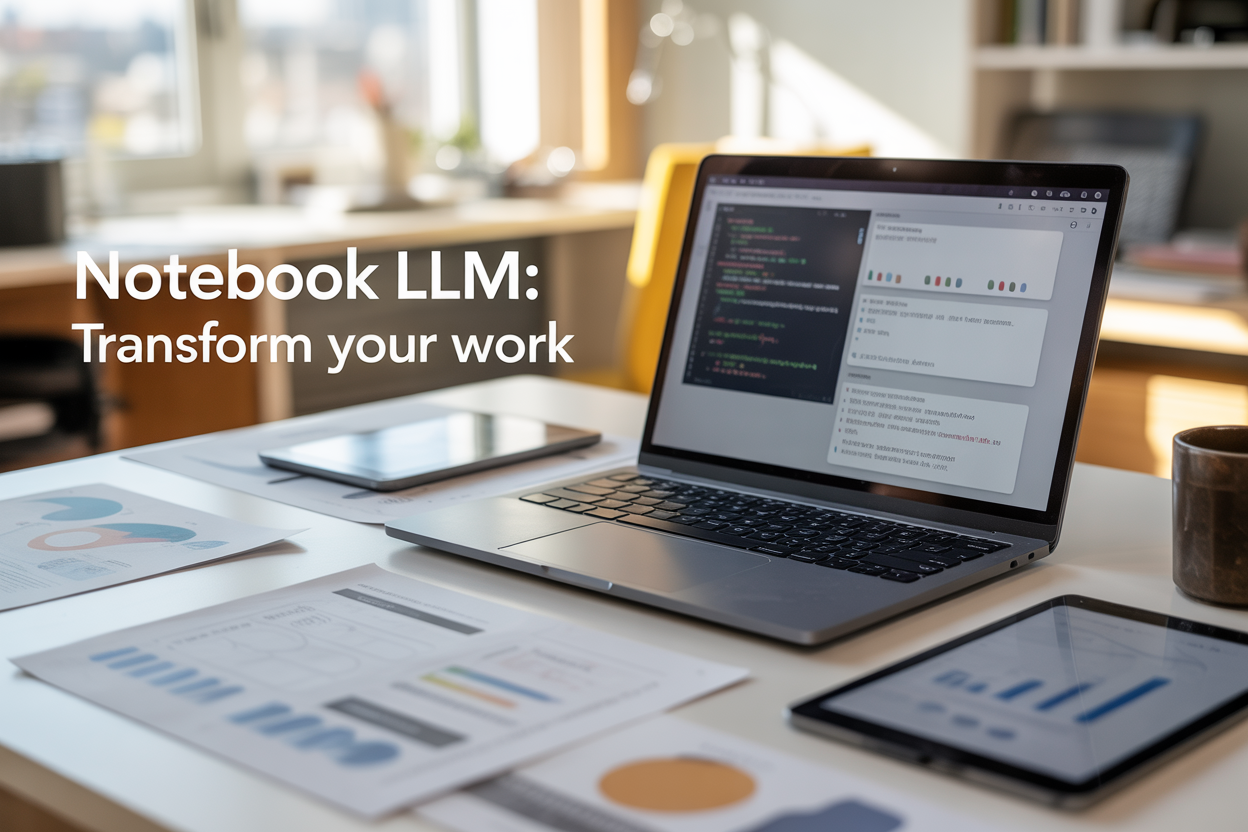
AI notebooks are changing how we approach complex projects and data analysis. These intelligent notebooks combine the familiar interface of traditional coding environments with powerful large language models that can understand, generate, and explain code in plain English.
This guide is for researchers, students, data scientists, and professionals who want to understand how Notebook LLM technology can streamline their work. You don’t need advanced technical skills to benefit from AI-powered research platforms – these tools are designed to make complex tasks more accessible.
We’ll explore how AI notebooks revolutionize research workflows by automating repetitive tasks and suggesting optimizations you might miss. You’ll also discover how these AI productivity tools transform educational experiences, turning dense technical concepts into interactive learning sessions. Finally, we’ll cover real-world applications across different industries and show you practical ways to get started with machine learning notebooks today.
The shift from traditional coding environments to intelligent notebooks represents more than just a tech upgrade – it’s about making powerful AI research tools available to anyone who needs to analyze data, conduct research, or solve complex problems.
Understanding Notebook LLM Technology

Core components and architecture of AI notebooks
Notebook LLM technology combines the familiar interface of interactive notebooks with powerful artificial intelligence capabilities. At its foundation, these AI notebooks consist of three primary components: the computational engine, the large language model integration layer, and the interactive user interface.
The computational engine serves as the backbone, handling code execution, data processing, and resource management. Unlike traditional notebooks that rely solely on programming languages like Python or R, AI notebooks incorporate specialized inference engines that can process natural language queries and convert them into executable code or analytical insights.
The LLM integration layer acts as the bridge between human intent and machine execution. This component houses pre-trained language models that understand context, interpret user requests, and generate appropriate responses. These models are fine-tuned for specific domains like data science, research analysis, or business intelligence, enabling them to provide more accurate and relevant assistance.
The user interface maintains the cell-based structure familiar to notebook users while adding AI-enhanced features. Smart autocomplete, natural language querying, and automated documentation generation are seamlessly woven into the traditional notebook experience. Users can switch between writing code manually and describing their intentions in plain English.
How machine learning models integrate with interactive environments
Machine learning models in AI notebooks operate through a sophisticated integration framework that allows real-time interaction between users and AI systems. The integration happens at multiple levels, creating a seamless collaborative environment where human creativity meets artificial intelligence capabilities.
At the data layer, ML models automatically analyze uploaded datasets, identifying patterns, suggesting visualizations, and recommending appropriate analytical approaches. When users upload a CSV file, for example, the integrated models immediately assess data types, detect potential quality issues, and propose cleaning strategies without requiring explicit programming.
The code generation layer represents where AI research tools truly shine. Users can describe their analytical goals in conversational language, and the integrated models translate these descriptions into working code. The system maintains awareness of the current notebook context, including previously defined variables, imported libraries, and executed cells, ensuring generated code integrates smoothly with existing work.
Real-time collaboration between human and AI occurs through the feedback loop mechanism. As users execute generated code, the models learn from the results, refining their suggestions and adapting to user preferences. This creates a personalized analytical assistant that becomes more effective over time.
Key differences from traditional coding notebooks
Traditional coding notebooks require users to write every line of code manually, while AI notebooks can generate, modify, and debug code based on natural language instructions. This fundamental shift reduces the barrier to entry for complex analytical tasks and accelerates the development process for experienced users.
| Feature | Traditional Notebooks | AI Notebooks |
|---|---|---|
| Code Generation | Manual typing only | Natural language to code |
| Error Handling | Manual debugging | AI-assisted troubleshooting |
| Documentation | User-written | Auto-generated explanations |
| Data Exploration | Requires coding knowledge | Conversational querying |
| Learning Curve | Steep for beginners | Accessible to all skill levels |
The collaborative aspect differs significantly as well. Traditional notebooks are essentially solo environments where users work independently. AI-powered research platforms transform this into a collaborative space where AI acts as an intelligent partner, offering suggestions, catching errors, and providing explanations in real-time.
Context awareness represents another major distinction. While traditional notebooks treat each cell as an isolated unit, AI notebooks understand the relationships between cells, variables, and analytical objectives. This awareness enables more sophisticated assistance and prevents common errors that occur when notebook state becomes complex.
Technical requirements and accessibility features
Machine learning notebooks with AI capabilities require more substantial technical infrastructure compared to traditional alternatives. The minimum hardware specifications typically include 8GB of RAM, though 16GB or more provides optimal performance for complex analytical tasks. GPU acceleration, while not mandatory, significantly enhances the speed of AI-assisted operations.
Cloud-based AI productivity tools have democratized access to these powerful capabilities. Platforms like Google Colab, Amazon SageMaker Studio, and Microsoft Azure Notebooks offer AI-enhanced features without requiring local hardware investments. These cloud solutions handle the computational heavy lifting while providing familiar notebook interfaces.
Internet connectivity requirements vary by implementation. Cloud-based solutions need consistent internet access for AI features, while some hybrid approaches allow offline work with limited AI assistance. Local installations of AI notebooks require initial model downloads but can operate with reduced functionality when offline.
Accessibility features in modern intelligent notebooks include:
- Voice-to-text integration for hands-free coding and querying
- Screen reader compatibility with proper markup for visually impaired users
- Customizable font sizes and color schemes for users with visual difficulties
- Keyboard shortcuts for all AI-assisted functions
- Multi-language support for international research collaboration
Browser compatibility spans all major platforms, with Chrome, Firefox, Safari, and Edge providing full functionality. Mobile responsiveness allows basic notebook access from tablets and smartphones, though complex analytical work remains optimized for desktop environments.
The learning curve for transitioning from traditional notebooks to AI-enhanced versions is surprisingly gentle. Most users can begin leveraging AI assistance within hours, while advanced features become accessible through gradual exploration rather than extensive training.
Revolutionary Impact on Research Workflows

Accelerated data analysis and pattern recognition
Notebook LLM platforms have completely changed how researchers handle massive datasets. Instead of spending weeks writing custom scripts or wrestling with complex statistical software, researchers can now describe their analytical needs in plain English. The AI understands the request and generates the appropriate code, whether it’s for cleaning messy data, running regression analyses, or creating sophisticated visualizations.
The pattern recognition capabilities are particularly impressive. Traditional methods might miss subtle correlations buried in thousands of data points, but AI notebooks can spot these relationships instantly. Researchers studying climate patterns, for example, can upload decades of temperature and precipitation data and watch as the system identifies trends that would take months to discover manually. The AI doesn’t just find patterns – it explains them in accessible language and suggests potential implications.
What makes this even more powerful is the speed. Tasks that previously required specialized knowledge of programming languages like R or Python now happen in minutes. A biology researcher can analyze gene expression data without knowing a single line of code, while a social scientist can process survey responses from thousands of participants with simple conversational prompts.
Automated literature reviews and citation management
The research world has always struggled with information overload. Academic databases contain millions of papers, and keeping up with new publications feels impossible. AI notebooks solve this by automatically scanning relevant literature based on research topics and questions.
These intelligent systems don’t just search for keywords – they understand context and meaning. When a researcher inputs their hypothesis or research question, the AI identifies papers that are truly relevant, even if they use different terminology. It can summarize key findings, extract methodology details, and highlight conflicting results across studies.
Citation management becomes effortless too. The AI automatically formats references according to any style guide, checks for accuracy, and even flags potential citation errors. Some platforms can generate entire bibliography sections and suggest additional sources that strengthen the research foundation. This automation frees researchers to focus on analysis and insight generation rather than tedious administrative tasks.
Enhanced collaboration between research teams
Research teams spread across different institutions and time zones face constant communication challenges. Notebook LLM applications create shared digital workspaces where every team member can contribute regardless of their technical background. The AI acts as a translator between different expertise levels, explaining complex analyses to non-specialists and helping novice researchers contribute meaningfully.
Version control becomes seamless. The system tracks every change, experiment, and iteration while maintaining a clear record of who contributed what. Team members can ask the AI to explain previous work, understand methodology choices, or catch up on progress made while they were away. This creates unprecedented transparency in collaborative research.
The AI also facilitates knowledge transfer. When a team member leaves or a new researcher joins, the system can provide comprehensive briefings on project status, methodology decisions, and preliminary findings. This reduces the typical learning curve and keeps projects moving forward without losing momentum.
Real-time hypothesis testing and validation
Traditional research workflows involve long delays between forming hypotheses and testing them. Researchers had to design experiments, collect data, run analyses, and interpret results – a process that could take months. AI-powered research platforms compress this timeline dramatically.
Researchers can now test preliminary hypotheses against existing datasets instantly. The AI suggests appropriate statistical tests, runs the analyses, and presents results with clear interpretations. If initial results look promising, the system can recommend next steps or identify potential confounding variables that need consideration.
The feedback loop becomes incredibly tight. Instead of waiting weeks for results, researchers get immediate insights that inform their next questions. This rapid iteration leads to more refined hypotheses and stronger research designs. The AI can even simulate different experimental conditions or sample sizes to help researchers optimize their study design before investing time and resources in data collection.
This real-time validation capability transforms how researchers think about their work. They can explore multiple angles quickly, identify dead ends early, and pivot their approach based on preliminary evidence. The result is more efficient research that produces higher-quality insights in less time.
Transforming Educational Experiences

Personalized Learning Paths for Individual Students
AI notebooks create tailored learning experiences that adapt to each student’s unique strengths, weaknesses, and interests. The system analyzes how students interact with different types of content – whether they’re visual learners who prefer diagrams, analytical thinkers who need step-by-step breakdowns, or hands-on learners who learn best through experimentation. Based on this data, the AI automatically adjusts difficulty levels, suggests relevant examples, and recommends additional resources that match their learning profile.
Students struggling with calculus concepts might receive extra practice problems with detailed explanations, while those who grasp concepts quickly get advanced challenges to keep them engaged. The AI tracks progress across multiple subjects, identifying patterns in learning behavior and suggesting optimal study schedules based on when students perform best.
Interactive Tutorials That Adapt to Learning Pace
Traditional tutorials follow a fixed structure, but AI-powered notebooks respond dynamically to student performance. If someone breezes through basic concepts, the system accelerates the pace and introduces more complex material. Conversely, when students need more time to understand fundamental principles, the AI automatically provides additional examples and alternative explanations.
These interactive sessions include real-time adjustments to content delivery. Students working through coding exercises get immediate hints when stuck, while those excelling receive bonus challenges. The AI monitors engagement levels and adjusts the tutorial format – switching from text-heavy explanations to visual demonstrations or interactive simulations when attention wanes.
Instant Feedback and Error Correction Capabilities
Gone are the days of waiting for graded papers to understand mistakes. Notebook LLM platforms provide immediate, constructive feedback that helps students learn from errors in real-time. The system doesn’t just mark answers as correct or incorrect – it explains why mistakes occurred and guides students toward the right solution.
For math problems, the AI identifies exactly where calculations went wrong and suggests alternative approaches. In writing assignments, it highlights unclear passages and recommends improvements while maintaining the student’s unique voice. This immediate feedback loop accelerates learning by preventing students from repeating the same errors.
Seamless Integration with Curriculum Standards
AI notebooks align automatically with educational standards like Common Core, ensuring students meet required learning objectives while exploring topics at their own pace. Teachers can upload curriculum requirements, and the system maps activities to specific standards, tracking which objectives students have mastered and which need additional attention.
The integration goes beyond simple alignment – the AI suggests creative ways to meet standards through engaging projects and activities. Instead of dry worksheets, students might explore statistical concepts through sports analytics or learn about chemical reactions by designing virtual experiments.
Multi-Language Support for Global Accessibility
Language barriers disappear with AI notebooks that support dozens of languages and can translate content instantly while maintaining educational context. Students learning English can access complex scientific concepts in their native language first, then gradually transition to English-language materials as their confidence grows.
The system recognizes cultural differences in learning approaches and adapts explanations accordingly. Mathematical concepts might be explained through familiar cultural references, making abstract ideas more relatable and easier to understand for diverse student populations.
Boosting Professional Productivity

Streamlined Report Generation and Documentation
AI notebooks have completely changed how professionals handle report generation and documentation tasks. Instead of spending hours manually compiling data, formatting charts, and writing summaries, Notebook LLM platforms can analyze raw datasets and automatically generate comprehensive reports in minutes. These intelligent notebooks pull insights from multiple data sources, create visualizations, and structure findings into professional-grade documents.
The real magic happens when AI-powered research platforms learn your organization’s specific reporting standards and terminology. Machine learning notebooks can maintain consistent formatting, apply your company’s style guide, and even suggest improvements based on previous successful reports. This consistency saves teams countless hours of revision cycles and ensures all documentation meets professional standards.
Project managers particularly benefit from automated documentation features that track project milestones, generate status updates, and create detailed progress reports. The AI productivity tools can scan through meeting notes, emails, and project files to extract key information and present it in digestible formats for stakeholders.
Automated Code Optimization and Debugging
Developers working with AI workflow automation tools experience dramatic improvements in code quality and debugging speed. Notebook LLM applications can analyze existing codebases, identify inefficiencies, and suggest optimizations that improve performance by 20-40% in many cases. These intelligent notebooks don’t just spot obvious errors – they understand code patterns and can recommend architectural improvements.
The debugging capabilities go beyond traditional error detection. AI notebooks can predict potential failure points, suggest preventive measures, and even automatically fix common coding issues. When bugs do occur, the system provides contextual explanations and multiple solution approaches, turning debugging from a frustrating process into a learning opportunity.
Code review processes become more efficient when AI-powered research platforms can automatically check for security vulnerabilities, coding standard compliance, and performance bottlenecks. Teams report spending 60% less time on routine code reviews while maintaining higher code quality standards.
Enhanced Project Management and Task Tracking
Modern project management gets a serious upgrade with Notebook LLM technology integrated into workflow systems. These platforms automatically track task dependencies, predict project timeline risks, and suggest resource reallocation before problems become critical. The AI can analyze team performance patterns and recommend optimal task assignments based on individual strengths and workload capacity.
Smart task tracking goes beyond simple to-do lists. AI productivity tools can break down complex projects into manageable subtasks, estimate completion times based on historical data, and automatically adjust schedules when priorities change. Team members receive personalized recommendations for task sequencing that maximize their productivity during peak performance hours.
Resource allocation becomes more strategic when AI workflow automation analyzes project requirements against available team skills and schedules. The system can flag potential bottlenecks weeks in advance and suggest training opportunities or external resources to keep projects on track. This proactive approach reduces project delays by an average of 35% across most organizations that implement these intelligent notebooks effectively.
Real-World Applications Across Industries

Healthcare research and medical diagnosis support
Notebook LLM platforms are changing how healthcare professionals approach research and patient care. Medical researchers now use AI notebooks to analyze vast datasets from clinical trials, patient records, and genomic studies. These intelligent notebooks can process thousands of medical papers, extract relevant findings, and identify patterns that might take human researchers months to discover.
Diagnostic support has become particularly powerful with notebook LLM applications. Radiologists upload medical imaging data and receive AI-generated insights that highlight potential anomalies. The system can cross-reference symptoms, lab results, and imaging data to suggest differential diagnoses, helping doctors make more informed decisions faster.
Drug discovery teams leverage AI research tools to accelerate compound identification and testing protocols. Instead of manually reviewing literature for drug interactions and molecular properties, researchers can query their notebooks with specific parameters and receive comprehensive analyses within minutes.
Financial modeling and risk assessment tools
Investment firms and financial institutions are transforming their analytical capabilities through AI-powered research platforms. Portfolio managers now feed market data, economic indicators, and company financials into notebook systems that generate predictive models and risk assessments automatically.
Credit scoring has evolved beyond traditional metrics. Banks use machine learning notebooks to analyze alternative data sources like social media activity, spending patterns, and employment history. These models identify creditworthy individuals who might be overlooked by conventional scoring methods.
Trading algorithms benefit from real-time market analysis where AI workflow automation processes news feeds, earnings reports, and technical indicators simultaneously. The notebooks can detect market sentiment shifts and recommend position adjustments based on historical performance patterns.
Marketing analytics and customer behavior insights
Marketing teams are discovering customer patterns they never knew existed. Notebook LLM systems analyze customer journey data, purchase history, and engagement metrics to create detailed behavioral profiles. These insights drive personalized campaign strategies that increase conversion rates significantly.
Social media listening has reached new depths with AI notebooks processing millions of posts, comments, and reviews. Brands can track sentiment changes in real-time and identify emerging trends before competitors notice them. The system automatically categorizes feedback and suggests response strategies.
A/B testing scenarios that once required weeks of analysis now happen in hours. Marketing professionals upload campaign data and receive detailed performance breakdowns with recommendations for optimization across different audience segments.
Scientific discovery and experimental design
Research laboratories are accelerating discovery timelines through AI research tools that design experiments and predict outcomes. Scientists input research objectives and constraints, then receive optimized experimental protocols with statistical power calculations and resource requirements.
Climate researchers process satellite data, weather patterns, and environmental measurements through notebook systems that identify climate change indicators and predict future scenarios. These AI productivity tools handle complex modeling tasks that would require entire research teams.
Pharmaceutical researchers use notebooks to analyze molecular structures and predict drug efficacy before expensive lab testing begins. The AI systems can simulate thousands of compound variations and rank them by likelihood of success, saving millions in development costs.
Getting Started with Notebook LLM Platforms

Popular platforms and their unique features
Google Colab stands out as the most accessible entry point for newcomers to Notebook LLM platforms. Its browser-based interface requires zero installation, and the free tier includes GPU access for basic AI model training. Colab excels at collaborative work, allowing multiple users to edit notebooks simultaneously while maintaining version control through Google Drive integration.
Jupyter Notebook remains the gold standard for data scientists and researchers. Its modular architecture supports over 40 programming languages, making it incredibly versatile for cross-platform AI development. The extensive ecosystem of extensions and kernels allows users to customize their workspace for specific machine learning workflows.
Amazon SageMaker Studio targets enterprise users with its comprehensive MLOps capabilities. Built-in model deployment, automatic scaling, and seamless AWS integration make it perfect for production-ready AI notebooks. The platform’s strength lies in its ability to handle large datasets and complex model training pipelines.
Azure Machine Learning Studio offers similar enterprise features with strong Microsoft ecosystem integration. Its AutoML capabilities and drag-and-drop interface appeal to business analysts who need AI-powered research tools without extensive coding knowledge.
| Platform | Best For | Pricing | Key Strength |
|---|---|---|---|
| Google Colab | Beginners/Students | Free tier available | Easy sharing |
| Jupyter | Researchers | Open source | Flexibility |
| SageMaker | Enterprises | Pay-per-use | Scalability |
| Azure ML | Microsoft shops | Subscription-based | Integration |
Essential setup requirements and configurations
Starting with Notebook LLM platforms requires careful attention to your computing environment. Most cloud-based platforms handle the heavy lifting, but local installations need Python 3.8 or newer, at least 8GB of RAM, and preferably a dedicated GPU for model training tasks.
Environment management becomes critical when working with multiple AI projects. Tools like Conda or virtualenv prevent package conflicts between different notebook projects. Create separate environments for each major project to avoid dependency issues that can break your AI workflow automation.
API key configuration unlocks the full potential of intelligent notebooks. Services like OpenAI, Hugging Face, and Google AI require proper authentication setup. Store these keys as environment variables rather than hardcoding them in notebooks to maintain security best practices.
Data storage optimization significantly impacts performance. Configure your platform to use high-speed storage for frequently accessed datasets. Cloud platforms offer various storage tiers – use premium storage for active projects and archive older datasets to cost-effective cold storage.
Memory allocation settings deserve special attention for AI-powered research platforms. Most platforms allow custom resource allocation, but default settings often limit memory usage. Adjust these limits based on your model size and dataset requirements to prevent out-of-memory errors during training.
Best practices for maximizing efficiency
Modular notebook design transforms chaotic research into organized, reusable workflows. Break complex analyses into logical sections using markdown headers, and create separate cells for data loading, preprocessing, model training, and evaluation. This approach makes debugging easier and enables code reuse across projects.
Version control integration saves countless hours of lost work. Connect your notebooks to Git repositories, but avoid committing large datasets or model files. Use .gitignore files to exclude outputs and checkpoints while preserving your code logic and analysis structure.
Automated checkpointing prevents data loss during long-running experiments. Configure your platform to save notebook states regularly, and manually create checkpoints before major changes. This practice becomes essential when training large language models that might run for hours or days.
Resource monitoring helps optimize costs and performance. Most AI notebook platforms provide resource usage dashboards showing CPU, memory, and GPU utilization. Monitor these metrics to right-size your instances and avoid paying for unused capacity.
Documentation habits separate professional notebooks from experimental scratchpads. Write clear markdown explanations for each analysis step, document parameter choices, and include reasoning behind model selection decisions. Future you will appreciate these notes when revisiting projects months later.
Common pitfalls to avoid for beginners
Over-provisioning resources drains budgets quickly on cloud platforms. New users often select the most powerful instances available, thinking more power equals better results. Start with basic configurations and scale up only when you hit actual performance bottlenecks. A standard CPU instance handles most data analysis tasks perfectly well.
Ignoring data preprocessing leads to poor model performance regardless of your chosen algorithm. Many beginners rush to implement complex AI models without properly cleaning, normalizing, or exploring their datasets. Spend time understanding your data distribution, handling missing values, and identifying outliers before training any models.
Mixing environments creates dependency nightmares that can take hours to resolve. Avoid installing packages globally or mixing conda and pip installations within the same environment. Stick to one package manager per project and maintain separate environments for different notebook projects.
Forgetting to stop instances results in unexpected bills on cloud platforms. Unlike local installations, cloud notebooks continue consuming resources even when idle. Develop the habit of stopping or shutting down instances when stepping away from work, especially GPU-enabled instances that charge premium rates.
Hardcoding file paths makes notebooks impossible to share or reproduce. Use relative paths and environment variables for data locations, model outputs, and configuration files. This practice ensures your notebooks work across different systems and team members can easily reproduce your results.
Skipping backup strategies puts research work at risk. Cloud platforms offer various backup options, but many users rely solely on the platform’s default saving mechanisms. Implement multiple backup layers including local downloads, Git repositories, and cloud storage synchronization to protect against data loss.

Notebook LLM technology is changing the game for how we handle research, learning, and work. These AI-powered tools make complex data analysis accessible to everyone, speed up research processes that used to take weeks, and create personalized learning experiences that adapt to individual needs. From students tackling tough assignments to professionals managing massive datasets, notebook LLMs are breaking down barriers and making advanced AI capabilities available to anyone with a computer.
The best part? You don’t need a computer science degree to get started. Most platforms offer user-friendly interfaces that let you jump right in and start experimenting. Whether you’re a researcher looking to streamline your workflow, an educator wanting to enhance student engagement, or a business professional seeking to boost productivity, now is the perfect time to explore what notebook LLMs can do for you. Pick a platform that matches your needs, start with simple projects, and watch how these tools can transform the way you work and learn.