



Modern web applications need smarter API strategies that go beyond traditional backend services. Backend for Frontend (BFF) architecture solves the growing complexity of serving different frontend frameworks with tailored API responses, reducing over-fetching and improving performance.
This guide is for frontend developers working with React or Angular, backend engineers building API services, and full-stack developers who want to optimize their application architecture. You’ll learn practical approaches to BFF implementation that streamline data flow and reduce unnecessary network requests.
We’ll explore React API design patterns that leverage component-specific data fetching, including how to structure endpoints that match your component hierarchy. You’ll also discover Angular API design strategies that work seamlessly with Angular’s service layer and dependency injection system.
Finally, we’ll cover authentication flows and security considerations that protect your BFF layer while maintaining smooth user experiences across different frontend applications.
Understanding Backend for Frontend Architecture

Defining BFF and Its Core Purpose
Backend for Frontend architecture serves as a specialized intermediary layer between frontend applications and backend services. Think of BFF as a custom-tailored API gateway designed specifically for your React or Angular application’s unique needs. Unlike generic API solutions, BFF creates dedicated backend services that speak the exact language your frontend requires.
The core purpose revolves around solving the common mismatch between what backend APIs provide and what frontend applications actually need. Your React app might need user profile data combined with notification counts and recent activity feeds, while your mobile app requires a completely different data structure for the same user. BFF architecture creates separate backend services for each frontend, eliminating the need to make multiple API calls or manipulate data on the client side.
This approach reduces the complexity that frontends traditionally handle when dealing with multiple microservices. Instead of your React application orchestrating calls to five different services and combining the results, the BFF does this heavy lifting server-side and delivers exactly what your UI components expect.
How BFF Differs from Traditional API Approaches
Traditional API design follows a one-size-fits-all philosophy where backend services expose generic endpoints that multiple clients consume. This creates several challenges for modern frontend applications that need specific data structures and response formats.
In conventional setups, your Angular application might call a /users/{id} endpoint that returns extensive user data, but your component only displays the username and avatar. You’re transferring unnecessary data and potentially making additional calls for related information like user permissions or preferences.
BFF flips this approach by creating frontend-specific backends. Your React BFF might expose /react/dashboard/user-summary that returns precisely the data your dashboard component needs, pre-formatted and ready for consumption. Meanwhile, your mobile BFF provides /mobile/profile/user-data with a completely different structure optimized for mobile screens.
This targeted approach eliminates the common problems of over-fetching, under-fetching, and complex client-side data manipulation. Your frontend code becomes cleaner because it doesn’t need to transform server responses into usable formats.
Key Benefits for Modern Web Applications
BFF architecture delivers significant performance improvements for React and Angular applications. By customizing API responses for specific frontend needs, you reduce payload sizes and minimize the number of HTTP requests. Your React components receive exactly the data they need in the format they expect, leading to faster rendering and improved user experience.
Development velocity increases dramatically when frontend and backend teams can work independently. Your React developers can define their ideal API contracts while backend teams implement BFF services that fulfill those contracts. This parallel development reduces bottlenecks and dependencies between teams.
Maintenance becomes more manageable because changes to one frontend’s BFF don’t impact other applications. When your Angular app needs a new data field, you modify only the Angular BFF without affecting mobile or desktop applications that share the same underlying microservices.
Security benefits emerge through reduced surface area exposure. Instead of exposing all backend capabilities to every client, each BFF presents only the functionality its specific frontend requires. This principle of least privilege helps protect sensitive operations and data.
When to Implement BFF in Your Tech Stack
BFF makes the most sense when you’re building multiple frontend applications that consume the same backend services. If you have a React web app, Angular admin panel, and mobile application all hitting the same microservices, BFF can eliminate the complexity each frontend faces.
Consider BFF implementation when your frontend applications frequently make multiple API calls to render single views. If your React dashboard components require data from user services, notification services, and analytics services, a BFF can aggregate this information server-side and provide a single, optimized endpoint.
Teams dealing with complex data transformation logic on the frontend benefit greatly from BFF patterns. When your Angular components spend significant time reshaping API responses, moving this logic to dedicated BFF services improves performance and reduces client-side complexity.
BFF becomes essential when different frontends have conflicting data requirements. Your mobile app might need paginated user lists while your React admin panel requires full datasets with different sorting options. Creating separate BFF services allows each frontend to get exactly what it needs without compromise.
Organizations with separate frontend and backend teams find BFF particularly valuable because it establishes clear boundaries and contracts between teams while enabling independent development cycles.
Identifying Frontend-Specific API Requirements

React Application Data Flow Patterns
React applications follow distinct data flow patterns that directly impact BFF architecture design. The unidirectional data flow in React creates specific API requirements where data moves from parent to child components through props. BFF APIs must accommodate React’s component lifecycle methods and state updates by providing granular endpoints that align with component hierarchies.
React’s virtual DOM reconciliation process benefits from APIs that return minimal data sets. Instead of large payload responses, BFF endpoints should offer focused data that matches specific component needs. For instance, a user dashboard component might need separate endpoints for profile data, activity feeds, and notifications rather than one massive user data endpoint.
Hook-based data fetching patterns in modern React applications require APIs that support suspense and concurrent features. BFF layers should design endpoints that work seamlessly with libraries like React Query or SWR, providing proper loading states and error boundaries. The API structure should align with React’s component-based architecture, where each major component or page can have dedicated endpoints optimized for its specific data requirements.
Angular Service Architecture Needs
Angular’s service-oriented architecture demands BFF APIs that integrate smoothly with dependency injection and RxJS observables. Angular services act as intermediaries between components and backend systems, requiring APIs that can support reactive programming patterns inherent in Angular applications.
The hierarchical nature of Angular’s dependency injection system means BFF APIs should provide different levels of data access. Root-level services might need broad application data, while feature-specific services require focused endpoints. BFF implementation should consider Angular’s lazy loading capabilities, providing APIs that support on-demand module loading without performance penalties.
Angular’s two-way data binding requires APIs that can handle frequent updates efficiently. BFF endpoints should support real-time data synchronization through WebSocket connections or server-sent events. The API design must accommodate Angular’s change detection cycles, providing optimized responses that minimize unnecessary component updates and maintain smooth user experiences.
Mobile vs Desktop API Optimization
Mobile applications require different API optimization strategies compared to desktop applications due to network constraints and device limitations. BFF architecture should implement adaptive payload sizes based on device type detection. Mobile endpoints typically need compressed responses, reduced image sizes, and simplified data structures that consume less bandwidth.
Desktop applications can handle larger payloads and more complex data structures. BFF APIs for desktop clients can include rich metadata, detailed object relationships, and comprehensive datasets that would overwhelm mobile connections. The key lies in implementing intelligent content negotiation where the BFF layer adapts responses based on client capabilities.
Network reliability varies significantly between mobile and desktop environments. Mobile-optimized BFF endpoints should include retry mechanisms, offline-first capabilities, and progressive data loading. Desktop APIs can focus on real-time updates and richer interactive features that leverage stable network connections and higher processing power.
State Management Integration Points
Modern frontend applications rely heavily on state management solutions like Redux, Zustand, or NgRx. BFF APIs must align with these state management patterns, providing data structures that integrate seamlessly with application stores. API responses should match the expected state shape, reducing transformation overhead in frontend applications.
State normalization requires BFF endpoints that support entity-relationship patterns. Instead of nested objects, APIs should provide flat, normalized data structures that state management libraries can efficiently process. This approach reduces memory usage and improves update performance when managing large datasets.
BFF architecture should support optimistic updates and conflict resolution for state management systems. APIs need to provide versioning or timestamp information that enables frontend applications to handle concurrent updates gracefully. The design should accommodate both pessimistic and optimistic update patterns, giving frontend developers flexibility in managing user interactions and data consistency.
Designing BFF APIs for React Applications

Component-Based Data Structure Design
React’s component architecture demands a thoughtful approach to BFF API design. Each component should receive exactly the data it needs, avoiding over-fetching and under-fetching scenarios that plague traditional REST APIs. When designing your Backend for Frontend responses, map data structures to match component hierarchies.
Consider a user dashboard component that displays profile information, notifications, and recent activity. Instead of forcing the frontend to make three separate API calls, your BFF should aggregate this data into a single response structure:
{
  "userDashboard": {
    "profile": { "name": "John", "avatar": "/path/to/image" },
    "notifications": [{ "id": 1, "message": "New message" }],
    "recentActivity": [{ "action": "login", "timestamp": "2024-01-15" }]
  }
}
This component-centric approach reduces network requests and provides exactly what React components need for rendering. Design your API responses to mirror the component tree structure, making data consumption more intuitive and performant.
Optimizing API Responses for React Hooks
React hooks, particularly useState and useEffect, work best with predictable data shapes. Your BFF architecture should return data in formats that align with common React patterns. For hooks that manage loading states, design responses that include metadata alongside actual data.
Custom hooks like useUserData or useProductList benefit from standardized response patterns:
// Optimized BFF response structure for React hooks
{
  "data": { /* actual payload */ },
  "meta": {
    "loading": false,
    "error": null,
    "lastUpdated": "2024-01-15T10:30:00Z",
    "hasMore": true,
    "total": 150
  }
}
This structure allows React components to easily destructure responses and manage UI states. Design your BFF APIs to include pagination metadata, error details, and loading indicators that React hooks can consume directly without additional processing.
Implementing Real-Time Data Updates
Modern React applications often require real-time updates through WebSocket connections or Server-Sent Events. Your BFF layer should handle the complexity of maintaining persistent connections while providing simple interfaces for React components.
Design real-time endpoints that work seamlessly with React’s state management:
- Event-driven updates: Push only changed data to minimize re-renders
- Connection management: Handle reconnection logic within the BFF
- State synchronization: Ensure real-time updates don’t conflict with user actions
Implement subscription patterns that React components can easily consume:
// BFF WebSocket message format for React
{
  "type": "USER_UPDATE",
  "payload": { "userId": 123, "status": "online" },
  "timestamp": "2024-01-15T10:30:00Z"
}
This approach lets React components subscribe to specific data changes without managing complex WebSocket logic themselves.
Error Handling Strategies for React Components
React error boundaries work best with structured error responses from your BFF APIs. Design error formats that provide enough context for proper error handling while remaining simple enough for component consumption.
Create standardized error response structures:
{
  "error": {
    "code": "VALIDATION_FAILED",
    "message": "User-friendly error message",
    "details": [
      { "field": "email", "message": "Invalid email format" }
    ],
    "timestamp": "2024-01-15T10:30:00Z"
  }
}
Your BFF should transform backend errors into formats that React components can handle gracefully. Include field-level validation errors for forms, user-friendly messages for display, and error codes that components can use for conditional rendering. This structured approach enables React applications to provide better user experiences when things go wrong.
Tailoring BFF Solutions for Angular Applications

Service-Oriented API Design Patterns
Angular applications thrive on service injection and dependency management, making service-oriented API design patterns a natural fit for BFF architecture. When designing Backend for Frontend solutions for Angular applications, structure your APIs around specific business domains that mirror Angular’s service-based architecture.
Create dedicated service endpoints that encapsulate related functionality rather than exposing generic CRUD operations. For example, instead of generic user endpoints, design specialized services like UserProfileService, UserPreferencesService, and UserNotificationService. This approach aligns with Angular’s dependency injection system and makes the codebase more maintainable.
Consider implementing resource-specific patterns that match Angular’s component hierarchy:
- Feature-based grouping: Organize API endpoints around feature modules
- Hierarchical data structures: Design nested resources that mirror component relationships
- Command-query separation: Separate read and write operations to optimize for different use cases
- Event-driven patterns: Support reactive updates through WebSocket connections or Server-Sent Events
Angular’s built-in HTTP client works exceptionally well with RESTful patterns, but don’t limit yourself to pure REST. GraphQL integration through Apollo Angular or custom query builders can provide more flexible data fetching patterns that reduce over-fetching and improve application performance.
RxJS Observable Integration Techniques
RxJS observables form the backbone of Angular’s reactive programming model, and your BFF should embrace this paradigm fully. Design API responses that naturally flow into observable streams, enabling powerful data transformation and error handling capabilities.
Structure your BFF endpoints to return data formats that work seamlessly with RxJS operators:
- Consistent response envelopes: Standardize API responses with predictable structures that observables can process
- Stream-friendly data formats: Design paginated responses that can be easily merged using operators like
scan()andreduce() - Real-time update support: Implement WebSocket or SSE endpoints that integrate with observables for live data updates
- Error response standardization: Create consistent error formats that work with
catchError()and retry operators
Build your BFF to support observable patterns like:
// Example pattern for real-time updates
const liveData$ = this.websocketService.connect()
  .pipe(
    filter(event => event.type === 'USER_UPDATE'),
    map(event => event.payload),
    retry(3),
    share()
  );
Consider implementing server-side filtering and sorting that aligns with observable operators. When Angular components use operators like debounceTime() for search functionality, your BFF should handle the resulting delayed requests efficiently and cancel previous requests when new ones arrive.
Angular HTTP Interceptor Compatibility
Angular HTTP interceptors provide powerful middleware capabilities for handling cross-cutting concerns. Design your BFF with interceptor patterns in mind to maximize their effectiveness and maintain clean separation of concerns.
Authentication flows work particularly well with interceptors when your BFF implements standard token-based patterns:
- Bearer token handling: Design endpoints that consistently expect authorization headers
- Token refresh workflows: Create refresh endpoints that interceptors can call automatically
- Request retry logic: Build BFF responses that work with interceptor retry mechanisms
- Error response codes: Use HTTP status codes that interceptors can handle predictably
Structure your BFF to support common interceptor use cases:
- Request transformation: Accept standard request formats that interceptors can easily modify
- Response caching: Design cacheable responses with appropriate headers for interceptor-based caching
- Logging and monitoring: Include correlation IDs and request tracking that interceptors can leverage
- Content negotiation: Support multiple response formats based on Accept headers
Your BFF should handle concurrent requests gracefully since interceptors might batch or queue requests. Implement proper request correlation and avoid shared mutable state that could cause race conditions when multiple interceptors process requests simultaneously.
Design your error responses to include enough context for interceptors to make intelligent decisions about retries, user notifications, and fallback behaviors. Include machine-readable error codes alongside human-readable messages to enable sophisticated error handling strategies in your Angular application.
Authentication and Security Best Practices

Token Management Across Different Frontends
Token management becomes complex when your BFF architecture serves multiple frontend applications. Each frontend might handle authentication differently – React apps often use JWT tokens in localStorage or secure cookies, while Angular applications might prefer HTTP-only cookies or session storage.
The BFF layer should standardize token validation and refresh mechanisms across all frontends. Create a unified token service that handles different token formats and expiration patterns. For React applications, implement automatic token refresh using interceptors that catch 401 responses and attempt renewal before failing requests. Angular applications benefit from HTTP interceptors that automatically attach tokens to outgoing requests and handle refresh logic seamlessly.
Consider implementing a token blacklist mechanism at the BFF level to handle logout scenarios across multiple devices. When a user logs out from one frontend, the BFF can invalidate tokens across all sessions. Store refresh tokens securely and rotate them frequently to minimize security risks.
Different frontends may require different token payloads. Your BFF can customize JWT claims based on the requesting application – mobile apps might need minimal user data, while web applications could require comprehensive user profiles and permissions.
Role-Based Access Control Implementation
Implementing role-based access control (RBAC) in BFF architecture requires careful consideration of how permissions flow from backend services to different frontend applications. Your BFF acts as the permission gateway, translating complex backend authorization rules into simplified frontend-friendly formats.
Design a hierarchical permission system where roles inherit capabilities from parent roles. Store user permissions in the BFF’s session cache to avoid repeated backend calls. Create middleware that checks permissions before proxying requests to backend services, reducing unnecessary network traffic and improving response times.
Different frontends might display the same data with varying access levels. Your BFF can filter API responses based on user roles – admin users see full datasets while regular users receive filtered information. Implement field-level permissions that hide sensitive data based on user roles rather than creating separate API endpoints.
Consider implementing dynamic role assignment where permissions can change during a user session. Your BFF should handle permission updates gracefully, either by forcing token refresh or implementing real-time permission synchronization through WebSocket connections.
Cross-Origin Resource Sharing Configuration
CORS configuration in BFF architecture requires balancing security with functionality across multiple frontend deployments. Different environments (development, staging, production) and different frontend applications need distinct CORS policies.
Configure environment-specific allowed origins rather than using wildcards in production. Development environments might allow localhost domains with various ports, while production should specify exact domain names. Implement dynamic CORS configuration that reads allowed origins from environment variables or configuration files.
Handle preflight requests efficiently by caching CORS headers for frequently accessed endpoints. Set appropriate cache durations for OPTIONS requests to reduce preflight overhead. Some frontend frameworks generate multiple preflight requests – optimize your BFF to handle these efficiently.
Consider implementing CORS policies that vary by endpoint sensitivity. Public APIs might have relaxed CORS settings while administrative endpoints require strict origin validation. Implement custom CORS middleware that applies different policies based on request paths or user authentication status.
API Rate Limiting and Throttling Strategies
Rate limiting in BFF architecture protects both your backend services and provides fair resource allocation across different frontend applications. Implement multi-tier rate limiting that considers user roles, application types, and endpoint sensitivity.
Create differentiated rate limits for various user types – authenticated users get higher limits than anonymous visitors, premium users receive elevated quotas compared to free tier users. Consider implementing sliding window rate limiting that provides smoother traffic distribution compared to fixed window approaches.
Different frontend applications may have varying usage patterns. Mobile apps might make burst requests during sync operations, while web applications generate steadier traffic. Your BFF should accommodate these patterns with flexible rate limiting strategies.
Implement graceful degradation when rate limits are exceeded. Instead of hard failures, consider returning cached data or simplified responses. Provide clear rate limit headers in API responses so frontend applications can implement client-side throttling and retry logic.
Consider distributed rate limiting if your BFF runs across multiple instances. Use Redis or similar stores to maintain consistent rate limit counters across your infrastructure. Implement circuit breaker patterns that temporarily block requests to failing backend services, protecting your overall system health.
Performance Optimization Techniques

Response Caching Strategies by Frontend Type
Different frontend frameworks handle data differently, which means your BFF implementation needs tailored caching strategies. React applications often benefit from client-side caching solutions like React Query or SWR, but your BFF can complement these by implementing smart server-side caching that aligns with React’s component lifecycle.
For React applications, implement time-based caching for frequently accessed data like user profiles or navigation menus. Since React components can remount frequently, cache API responses for 5-15 minutes to reduce redundant requests. Use ETags or last-modified headers to enable conditional requests, allowing React Query to validate cached data efficiently.
Angular applications, with their powerful RxJS observables and HTTP interceptors, work well with more sophisticated caching patterns. Your BFF can implement cache-aside patterns where Angular services check for cached responses before making API calls. Angular’s HttpClientModule naturally handles cache headers, so implement proper cache-control directives in your BFF responses.
Consider implementing different cache durations based on data volatility. User settings might cache for hours, while real-time notifications should bypass caching entirely. Your BFF architecture allows you to customize these strategies per endpoint without forcing frontend changes.
Data Aggregation for Reduced Network Calls
Modern frontend applications often need data from multiple microservices to render a single view. Your BFF serves as the perfect aggregation layer, combining multiple backend calls into single, optimized responses that match your frontend’s data requirements.
Create composite endpoints that gather related data in one request. Instead of forcing your React components to make separate calls for user data, posts, and comments, design a /user/dashboard endpoint that returns everything needed for the dashboard view. This reduces network latency and simplifies your React component logic.
GraphQL-style field selection works well in BFF implementations, even without actual GraphQL. Allow your frontend to specify which fields it needs through query parameters. A user profile component might only need id, name, and avatar, while an admin panel needs complete user details. Your BFF can optimize backend calls based on these field selections.
Implement intelligent data batching for list operations. When your Angular application displays a list of items, batch related lookups like user details or category information into single requests. Use DataLoader patterns to batch and dedupe requests that happen within the same request cycle.
Consider implementing request coalescing where multiple identical requests from the frontend get combined into single backend calls. This is particularly useful for React applications where multiple components might request the same user data simultaneously.
Pagination and Lazy Loading Implementation
Effective pagination in BFF architecture requires understanding how each frontend framework handles large datasets. React’s virtual scrolling and Angular’s CDK virtual scroll both need specific data structures to function optimally.
Design cursor-based pagination for infinite scrolling scenarios common in modern applications. Return a nextCursor token with each response that your frontend can use for subsequent requests. This approach works better than offset-based pagination for real-time data where items might be added or removed.
For React applications using libraries like React Virtual or React Window, structure your pagination responses to include total counts and item heights when possible. This helps the virtualization library calculate scroll positions accurately:
{
  "items": [...],
  "pagination": {
    "nextCursor": "eyJpZCI6MTIzNH0=",
    "hasMore": true,
    "totalEstimate": 1500
  }
}
Angular applications often use mat-paginator or custom pagination components. Provide both cursor-based and offset-based pagination options in your BFF. Angular’s async pipes work well with observables that emit new pages of data, so design your pagination endpoints to support streaming responses when appropriate.
Implement smart prefetching where your BFF can predict and cache the next page of results. When a user requests page 1, immediately cache page 2 in the background. This creates a smoother user experience, especially for mobile applications where network latency varies.
Consider implementing search-aware pagination where filter changes don’t reset pagination tokens. Store search criteria with pagination cursors to maintain consistent results even when users refine their queries.
Implementation and Deployment Strategies

Technology Stack Selection for BFF Layer
Choosing the right technology stack for your BFF implementation directly impacts development velocity and long-term maintainability. Node.js with Express or Fastify offers excellent JavaScript ecosystem alignment for React applications, allowing teams to share code, utilities, and even developers across frontend and backend layers. TypeScript becomes particularly valuable here, providing type safety that spans both React components and BFF endpoints.
For Angular applications, while Node.js remains viable, consider .NET Core or Spring Boot if your team has stronger expertise in C# or Java. These frameworks provide robust dependency injection patterns that align well with Angular’s architecture philosophy. Python with FastAPI presents another compelling option, especially when your BFF needs heavy data processing or machine learning integration.
Microservices-oriented stacks work exceptionally well for BFF architecture. Consider:
- API Gateway Integration: Kong, Ambassador, or cloud-native solutions like AWS API Gateway
- Service Mesh: Istio or Linkerd for complex inter-service communication
- Container Orchestration: Kubernetes for scalable deployment patterns
- Database Layer: Redis for caching, PostgreSQL for relational data, MongoDB for document storage
GraphQL deserves special mention as a BFF implementation strategy. Tools like Apollo Server or Hasura can aggregate multiple backend services while providing type-safe, frontend-specific query capabilities that both React and Angular can consume efficiently.
Development Workflow Integration
Integrating BFF development into existing workflows requires careful orchestration between frontend and backend teams. Establish shared development environments where frontend developers can run local BFF instances against staging backend services. Docker Compose configurations excel here, allowing developers to spin up the entire stack with a single command.
API-first development becomes crucial. Start by defining OpenAPI specifications collaboratively between frontend and backend teams. Tools like Swagger Editor or Insomnia Designer facilitate real-time collaboration on API contracts before implementation begins. This approach prevents the common pitfall of retrofitting BFF endpoints to match already-built frontend components.
Version control strategies need special attention. Consider mono-repo approaches using tools like Nx or Lerna when your BFF shares significant code with frontend applications. For separate repositories, establish clear branching strategies that coordinate BFF API changes with frontend consumption patterns.
Mock services play a vital role during development. Tools like json-server, MSW (Mock Service Worker), or Wiremock allow frontend teams to develop against stable API contracts while BFF implementation proceeds in parallel. This parallel development approach significantly reduces overall delivery timelines.
Code generation tools streamline the development workflow. Generate TypeScript types from OpenAPI specifications using tools like openapi-generator or swagger-codegen. This automation ensures frontend applications always consume correctly typed API responses, catching integration issues at compile time rather than runtime.
Testing Strategies for Multiple Frontend Targets
Testing BFF implementations requires a multi-layered approach that validates functionality across different frontend consumers. Contract testing using tools like Pact becomes essential when supporting both React and Angular applications. Each frontend team defines their API expectations as contracts, and the BFF validates against these contracts during testing phases.
Integration testing should simulate realistic frontend consumption patterns. Create test scenarios that mirror how React applications batch API calls differently than Angular services. Use tools like Supertest for Node.js BFFs or RestAssured for Java implementations to validate endpoint behavior under various load patterns.
End-to-end testing presents unique challenges with multiple frontend targets. Consider using Playwright or Cypress with different test suites for React and Angular applications. These tests should validate complete user journeys that span BFF API calls, ensuring data transformation and error handling work correctly across different frontend architectures.
Performance testing requires framework-specific considerations:
- React Testing: Focus on testing API response times for component mounting and state updates
- Angular Testing: Validate service injection patterns and observable stream handling
- Load Testing: Use Artillery or k6 to simulate concurrent requests from multiple frontend types
Automated testing should include API versioning scenarios. Test how React applications handle deprecated endpoints differently than Angular services, ensuring backward compatibility doesn’t break existing frontend implementations.
CI/CD Pipeline Configuration
Effective CI/CD pipelines for BFF architecture must coordinate deployments across multiple frontend consumers while maintaining service availability. Implement blue-green deployment strategies that allow testing new BFF versions against both React and Angular applications before switching traffic.
Pipeline stages should include frontend-specific validation:
- Unit Testing: Framework-agnostic BFF logic validation
- Contract Testing: Validate against React and Angular API contracts
- Integration Testing: Test against staging versions of both frontend applications
- Performance Testing: Validate response times meet frontend SLA requirements
- Security Scanning: API-specific vulnerability assessment
Feature flags become crucial for managing BFF changes that affect different frontends differently. Tools like LaunchDarkly or Split allow gradual rollouts of new API features to React applications while maintaining stability for Angular consumers.
Database migration coordination requires special attention in BFF pipelines. Implement backwards-compatible schema changes that support both old and new API versions during deployment windows. Use tools like Flyway or Liquibase to manage database versioning alongside BFF deployments.
Monitoring and alerting should track frontend-specific metrics. Configure dashboards that show API performance broken down by consuming application type, allowing quick identification of React vs Angular-specific issues. Tools like Grafana with Prometheus provide excellent visualization for these multi-dimensional metrics.
Consider implementing canary deployments that gradually shift traffic from React applications first, followed by Angular applications, allowing early detection of framework-specific issues before full rollout.
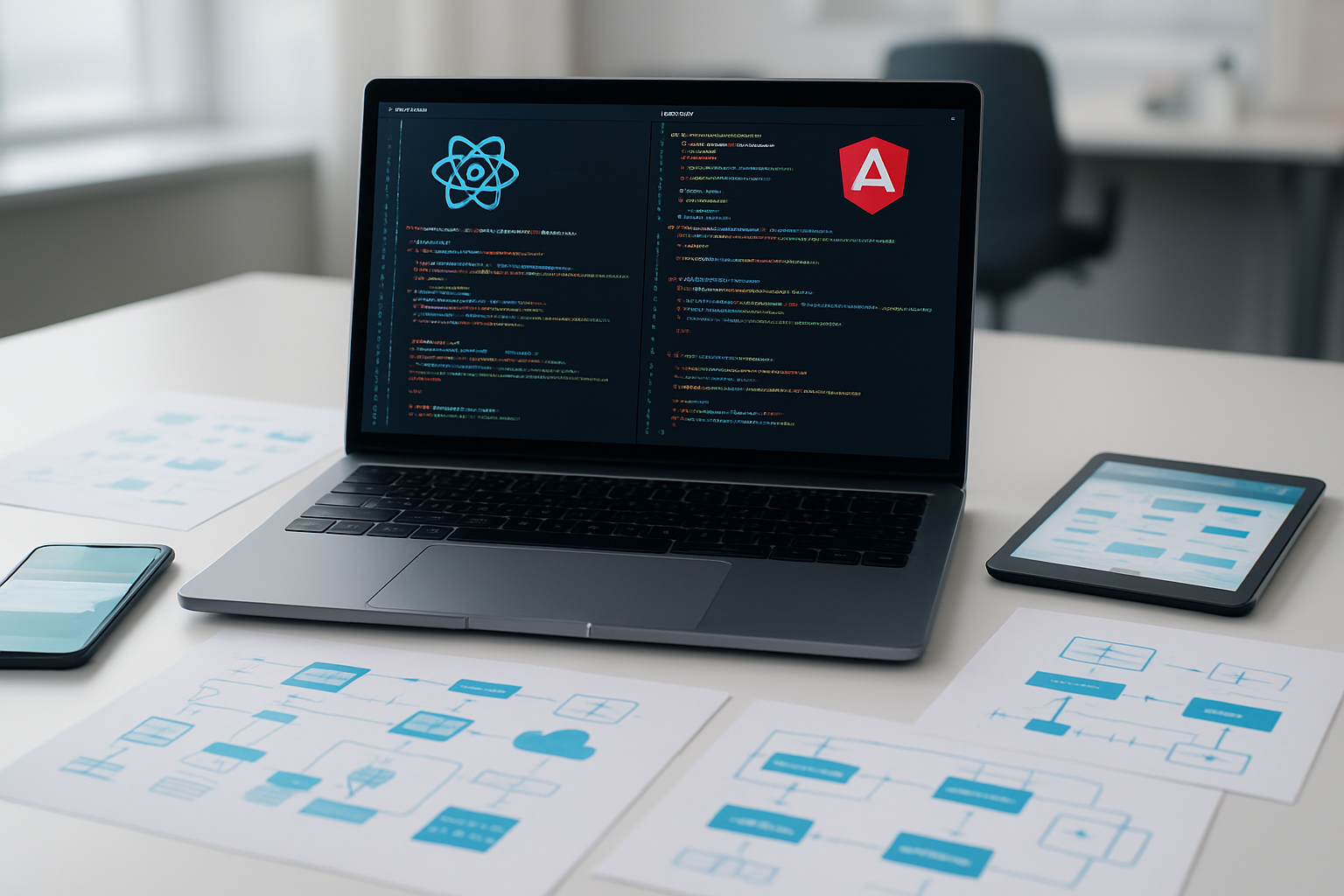
Building effective Backend for Frontend solutions requires understanding your specific frontend needs and designing APIs that truly serve your React or Angular applications. The BFF pattern isn’t just about creating another API layer—it’s about crafting a backend that speaks the same language as your frontend, reducing complexity and improving performance.
Start by analyzing what your frontend actually needs rather than forcing it to work with generic APIs. Focus on security from day one, implement proper authentication flows, and don’t forget about performance optimization. Your users will notice the difference when your app loads faster and feels more responsive. Take the time to plan your implementation strategy carefully, and you’ll save yourself countless hours of debugging and refactoring down the road.









