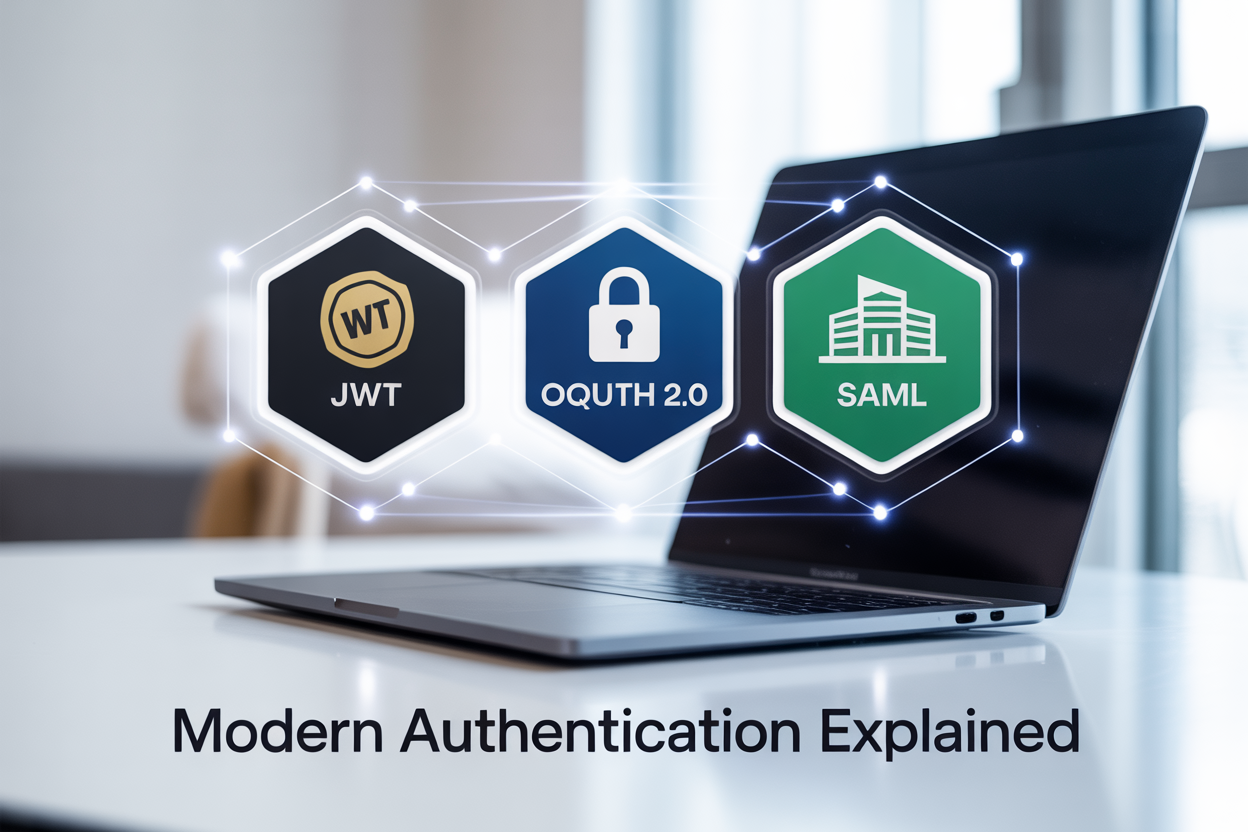
Modern authentication can feel like alphabet soup with JWT, OAuth 2.0, and SAML thrown around constantly. If you’re a developer, security engineer, or tech decision-maker trying to make sense of these authentication protocols, you’ve come to the right place.
This guide breaks down the three most important modern authentication methods you’ll encounter today. We’ll walk through how JWT authentication works as a lightweight token system, explore why OAuth 2.0 has become the go-to authorization framework for APIs, and examine when SAML single sign-on makes the most sense for enterprise environments.
You’ll also get a clear authentication protocols comparison that highlights the key differences between these approaches, plus practical advice on choosing the right authentication method for your specific project needs. No jargon, no assumptions about what you already know – just the essential information you need to make informed decisions about securing your applications.
Understanding JWT: The Stateless Authentication Token

What JWT Is and How It Works
JSON Web Token (JWT) stands as a compact, URL-safe method for representing claims securely between parties. Think of JWT authentication as a digital passport that contains verified information about a user, encoded in a format that both the issuer and recipient can trust without needing to constantly check back with a central authority.
The beauty of JWT lies in its self-contained nature. When a user logs into an application, the server creates a JWT containing the user’s identity and permissions. This token gets passed back to the client and included in subsequent requests. The server can verify the token’s authenticity without storing session data, making JWT perfect for distributed systems and microservices architectures.
The process works through cryptographic signatures. The server signs the token using a secret key or private key, and any service receiving the token can verify its authenticity using the corresponding verification key. This eliminates the need for database lookups on every request, significantly improving performance.
Key Components: Header, Payload, and Signature
A JWT consists of three distinct parts separated by dots (.), each serving a specific purpose in the authentication process.
Header
The header typically contains two pieces of information: the token type (JWT) and the signing algorithm being used, such as HMAC SHA256 or RSA. This section tells the recipient how to properly verify the token.
Payload
The payload carries the actual claims or statements about the user. These claims fall into three categories:
- Registered claims: Predefined claims like issuer (iss), expiration time (exp), and subject (sub)
- Public claims: Custom claims that can be defined by those using JWTs
- Private claims: Custom claims agreed upon between parties
Signature
The signature ensures the token hasn’t been tampered with during transmission. It’s created by encoding the header and payload, then signing the result with the specified algorithm and secret key.
eyJhbGciOiJIUzI1NiIsInR5cCI6IkpXVCJ9.eyJzdWIiOiIxMjM0NTY3ODkwIiwibmFtZSI6IkpvaG4gRG9lIiwiaWF0IjoxNTE2MjM5MDIyfQ.SflKxwRJSMeKKF2QT4fwpMeJf36POk6yJV_adQssw5c
Benefits of Stateless Authentication
Stateless authentication through JWT offers compelling advantages over traditional session-based approaches. The most significant benefit is scalability – since no server-side session storage is required, applications can easily scale horizontally across multiple servers without worrying about session synchronization.
Performance improvements are substantial. Each request carries all necessary authentication information, eliminating database queries for session validation. This reduces server load and response times, especially important for high-traffic applications.
Cross-domain authentication becomes seamless with JWTs. The same token can authenticate requests across different services and domains, making it ideal for single-page applications and mobile apps that interact with multiple APIs.
The self-contained nature of JWTs also supports offline verification scenarios. Services can validate tokens independently without network calls to authentication servers, enabling better resilience and reduced dependencies.
Common Use Cases and Implementation Scenarios
JWT authentication shines in several specific scenarios where its stateless nature provides clear advantages.
Single Page Applications (SPAs)
Modern web applications built with React, Angular, or Vue.js frequently use JWTs for authentication. The token is stored in browser memory or localStorage, included in API requests, and allows seamless user experiences across page refreshes.
Mobile Applications
Mobile apps benefit from JWT’s compact size and offline verification capabilities. Tokens can be stored securely on devices and used for API authentication without requiring constant connectivity to authentication servers.
Microservices Architecture
In distributed systems, JWTs enable each microservice to independently verify user authentication without depending on a central session store. This reduces coupling and improves system resilience.
API Authentication
RESTful APIs commonly use JWTs for securing endpoints. The stateless nature makes them perfect for APIs that serve multiple client applications and need to scale efficiently.
| Use Case | Primary Benefit | Implementation Consideration |
|---|---|---|
| SPAs | Seamless user experience | Token storage security |
| Mobile Apps | Offline capability | Token refresh strategy |
| Microservices | Independent verification | Key management |
| APIs | Scalable authentication | Token expiration handling |
OAuth 2.0: The Authorization Framework

Core Concepts and Authorization Flow
OAuth 2.0 is an authorization framework that allows applications to obtain limited access to user accounts on behalf of the user. Think of it as a digital bouncer that decides what resources an application can access without ever sharing the user’s password.
The framework operates on four main roles: the resource owner (user), client (application requesting access), authorization server (validates user identity), and resource server (hosts protected resources). The OAuth 2.0 authorization framework creates a secure handshake between these parties.
The basic flow starts when a client application redirects users to an authorization server. Users authenticate directly with this server, never sharing credentials with the requesting application. Once authenticated, the authorization server issues an authorization code back to the client, which then exchanges this code for an access token.
This separation of concerns makes OAuth 2.0 incredibly powerful. Users maintain control over their data while applications get the access they need to function. The framework has become the backbone of modern web authentication, powering everything from social media logins to enterprise applications.
Four Grant Types Explained
OAuth 2.0 defines four distinct grant types, each designed for different scenarios and security requirements.
Authorization Code Grant represents the most secure and commonly used flow. Web applications with server-side components typically use this method. The process involves redirecting users to an authorization server, receiving an authorization code, then exchanging that code for tokens on the backend. This keeps sensitive tokens away from browser environments.
Implicit Grant was designed for JavaScript applications running entirely in browsers. The authorization server returns access tokens directly without an intermediate authorization code. However, security concerns have made this grant type largely deprecated in favor of the authorization code flow with PKCE.
Resource Owner Password Credentials Grant allows applications to collect user credentials directly. This grant type should only be used when applications are highly trusted, as it requires users to share their passwords with the client application. Most scenarios should avoid this approach.
Client Credentials Grant enables machine-to-machine communication without user involvement. Applications authenticate using their own credentials to access resources they own or have been granted access to. This works perfectly for backend services that need to communicate with APIs.
Role of Access Tokens and Refresh Tokens
Access tokens serve as the keys that unlock protected resources. These tokens carry information about what the client application can access and for how long. They’re designed to be short-lived, typically expiring within minutes or hours to limit security exposure if compromised.
Access tokens come in two flavors: opaque tokens and self-contained tokens. Opaque tokens are random strings that resource servers must validate against the authorization server. Self-contained tokens, often implemented as JWTs, carry their own validation information, reducing server round trips.
Refresh tokens solve the problem of expired access tokens without forcing users to re-authenticate constantly. These longer-lived tokens allow clients to obtain new access tokens automatically. When an access token expires, the client presents its refresh token to the authorization server and receives a fresh access token.
The token refresh process happens behind the scenes, creating seamless user experiences. Users remain logged in while the application continuously maintains valid access credentials. This balance between security and usability makes OAuth 2.0 practical for real-world applications.
Security Best Practices and Considerations
Proper OAuth 2.0 implementation requires careful attention to security details. Always use HTTPS for all communications to prevent token interception. Authorization codes and tokens transmitted over unencrypted connections become vulnerable to network attacks.
Implement Proof Key for Code Exchange (PKCE) even for confidential clients. This extension prevents authorization code interception attacks by requiring clients to prove they initiated the authorization request. PKCE has become a standard recommendation for all OAuth 2.0 flows.
Validate redirect URIs strictly on the authorization server. Accept only exact matches or carefully vetted patterns to prevent authorization code theft through malicious redirects. Never allow wildcards or overly broad redirect URI patterns.
Store refresh tokens securely and implement proper rotation policies. Treat refresh tokens like passwords – they should be encrypted at rest and transmitted only over secure channels. Consider implementing refresh token rotation, where each token use generates a new refresh token and invalidates the old one.
Scope limitations provide another crucial security layer. Request only the minimum permissions necessary for application functionality. Users can make informed decisions about what access to grant when scopes clearly communicate the requested permissions.
Real-World Applications and Use Cases
Social media platforms pioneered OAuth 2.0 adoption, allowing third-party applications to access user profiles, post content, or read feeds without collecting passwords. Facebook, Google, and Twitter APIs all rely heavily on OAuth 2.0 for secure access control.
Enterprise environments use OAuth 2.0 to connect various business applications. Customer relationship management systems, email platforms, and productivity tools can integrate seamlessly while maintaining security boundaries. Employees sign in once and access multiple connected services without additional authentication steps.
Mobile applications benefit significantly from OAuth 2.0’s design. Apps can integrate with cloud services, social networks, and enterprise systems without embedding sensitive credentials in the application code. The framework’s token-based approach works naturally with mobile operating system security models.
API ecosystems depend on OAuth 2.0 for scalable access control. Payment processors, shipping providers, and data analytics services use OAuth 2.0 to allow controlled access to their platforms. Developers can build applications that leverage multiple APIs while users maintain control over their data sharing preferences.
Microservices architectures often implement OAuth 2.0 for service-to-service communication. Internal APIs can verify calling services’ identities and permissions without sharing database credentials or implementing custom authentication systems across distributed systems.
SAML: Enterprise Single Sign-On Solution

XML-Based Authentication and Authorization
SAML (Security Assertion Markup Language) relies on XML to structure authentication and authorization data between different systems. This XML-based approach provides a standardized way to exchange security information, making it easier for enterprise applications to communicate about user identities and permissions. The XML format includes detailed metadata about users, their attributes, and what they’re allowed to access across different services.
The XML structure includes three main components: assertions, protocols, and bindings. Assertions carry the actual authentication and authorization information, protocols define how SAML messages are constructed and processed, and bindings specify how SAML messages are transported over different communication protocols like HTTP or SOAP.
Identity Provider and Service Provider Roles
SAML operates on a clear division between Identity Providers (IdPs) and Service Providers (SPs). The Identity Provider acts as the central authority that authenticates users and stores their credentials. Think of it as the bouncer at a club who knows everyone and decides who gets in. Common examples include Active Directory Federation Services, Okta, or Azure AD.
Service Providers are the applications and services that users want to access. They trust the Identity Provider to handle authentication and rely on SAML assertions to make authorization decisions. When a user tries to access a Service Provider, it redirects them to the Identity Provider for authentication, then receives a SAML assertion confirming the user’s identity and permissions.
This separation creates a powerful single sign-on experience where users authenticate once with the IdP and gain access to multiple Service Providers without entering credentials again.
SAML Assertion Structure and Security Features
SAML assertions contain three types of statements that provide comprehensive security information. Authentication statements confirm that a user has been verified by the Identity Provider at a specific time using particular methods. Attribute statements carry additional user information like email addresses, department roles, or group memberships. Authorization statements specify what actions a user can perform within applications.
Security features include digital signatures that prevent tampering and encryption to protect sensitive data during transmission. Time-based conditions ensure assertions expire after a set period, reducing security risks if tokens are compromised. The XML structure also supports audience restrictions, limiting which Service Providers can use specific assertions.
Enterprise Integration Benefits
SAML excels in enterprise environments where enterprise SSO solutions need to integrate with existing infrastructure. Large organizations benefit from SAML’s robust attribute exchange capabilities, allowing detailed user information to flow between systems. This enables sophisticated role-based access control and helps maintain consistent user profiles across multiple applications.
The protocol works seamlessly with existing enterprise identity stores like LDAP directories and Active Directory. IT administrators can centrally manage user access, implement company-wide security policies, and maintain detailed audit trails of user activities across all connected systems. SAML’s maturity and widespread vendor support make it a reliable choice for mission-critical business applications.
Key Differences Between JWT, OAuth 2.0, and SAML

Technical Architecture and Data Format Comparison
JWT authentication relies on a compact, self-contained JSON-based token structure that includes three parts: header, payload, and signature. These tokens are stateless and can be verified independently without database queries. The JSON format makes JWTs lightweight and easily parsable across different programming languages and platforms.
OAuth 2.0 operates as an authorization framework rather than a specific token format. It can work with various token types, including JWTs, but also supports opaque tokens and other formats. The framework defines multiple flows (authorization code, client credentials, resource owner password) and relies on HTTP-based communication between clients, authorization servers, and resource servers.
SAML single sign-on uses XML-based assertions that contain detailed authentication and authorization information. These XML documents are significantly larger than JWTs and require more processing power to parse and validate. SAML operates through browser redirects and form posts, making it more complex but also more feature-rich for enterprise scenarios.
| Aspect | JWT | OAuth 2.0 | SAML |
|---|---|---|---|
| Format | JSON | Token-agnostic | XML |
| Size | Compact | Varies | Large |
| Transport | HTTP headers | HTTP/HTTPS | HTTP redirects |
| Parsing | Lightweight | Depends on token | Resource-intensive |
Authentication vs Authorization Focus Areas
JWT serves primarily as an authentication token that verifies user identity and carries claims about the user. While it can include authorization information through custom claims, its main purpose is confirming “who you are” rather than “what you can do.” JWTs excel in scenarios where you need to authenticate users across microservices without constant database lookups.
OAuth 2.0 authorization framework focuses specifically on granting limited access to user resources without sharing credentials. It answers “what can this application access on behalf of the user?” rather than authenticating the user directly. OAuth 2.0 enables third-party applications to access user data with explicit permission, making it perfect for API integrations and modern web applications.
SAML addresses both authentication and authorization in enterprise environments. It provides detailed user attributes, group memberships, and role information within the same assertion. SAML excels at enterprise SSO solutions where organizations need comprehensive user context and strong security controls across multiple internal applications.
Scalability and Performance Considerations
Modern authentication methods vary significantly in their scalability characteristics. JWTs offer excellent horizontal scalability because they’re stateless – any server can validate them without central coordination. This makes JWT authentication ideal for distributed systems and microservices architectures where you need to authenticate users quickly across multiple services.
OAuth 2.0’s scalability depends on the authorization server implementation and token storage strategy. While the framework itself scales well, bottlenecks can occur at the authorization server if not properly designed. Token introspection endpoints can become performance chokepoints in high-traffic scenarios, though this can be mitigated with caching strategies and JWT-based access tokens.
SAML faces scalability challenges due to its XML processing overhead and browser-based redirect flows. Each authentication request requires multiple HTTP redirects and XML parsing operations, creating latency in user experience. However, SAML’s session management capabilities can reduce authentication frequency in enterprise environments, offsetting some performance concerns through longer-lived sessions.
Performance benchmarks consistently show JWTs processing thousands of validations per second with minimal CPU overhead, while SAML assertions require significantly more computational resources per operation.
Choosing the Right Authentication Method for Your Needs

Mobile and API-First Applications: JWT Advantages
Mobile applications and API-centric architectures benefit significantly from JWT authentication due to its stateless nature and compact size. JWTs eliminate the need for server-side session storage, making them perfect for distributed systems where multiple services need to verify user identity without constant database lookups.
The self-contained nature of JSON Web Tokens means mobile apps can store authentication data locally and validate user sessions offline. This proves invaluable for applications that need to function with intermittent connectivity. Unlike traditional session-based authentication, JWTs don’t require maintaining server state, which reduces infrastructure complexity and improves scalability.
For API-first applications, JWTs shine in microservices architectures where different services need to validate user permissions independently. The token carries all necessary user information and permissions, allowing each service to make authorization decisions without cross-service communication.
Key benefits for mobile and API applications include:
- Reduced server load: No session storage requirements
- Cross-domain compatibility: Perfect for single-page applications and mobile backends
- Offline capability: Tokens can be validated without network calls
- Microservices friendly: Each service can independently verify tokens
- Performance optimization: Faster authentication checks without database queries
Third-Party Integration Requirements: OAuth 2.0 Benefits
OAuth 2.0 authorization framework excels when applications need to integrate with third-party services like Google, Facebook, or GitHub. This protocol specifically addresses the challenge of allowing applications to access user data from external providers without exposing user credentials.
The delegation-based approach of OAuth 2.0 creates a secure handoff between your application and third-party services. Users can grant specific permissions to your app while maintaining control over their data access levels. This granular permission system builds user trust and ensures compliance with data protection regulations.
OAuth 2.0’s flexibility accommodates various integration scenarios through different grant types. The authorization code flow works perfectly for web applications, while the client credentials grant serves machine-to-machine communications. Mobile applications benefit from PKCE (Proof Key for Code Exchange) extensions that enhance security for public clients.
Integration advantages include:
- Secure credential handling: Users never share passwords with your application
- Granular permissions: Request only the data access your application needs
- Standard implementation: Well-documented flows supported by major providers
- Token refresh capabilities: Long-term access without repeated user authorization
- Ecosystem compatibility: Works with existing social login and cloud service providers
Enterprise SSO Environments: SAML Strengths
SAML single sign-on dominates enterprise environments where security, compliance, and centralized identity management take priority. Large organizations with complex IT infrastructures rely on SAML’s robust security features and detailed audit capabilities to meet regulatory requirements.
Enterprise identity providers like Active Directory Federation Services integrate seamlessly with SAML, creating a unified authentication experience across multiple business applications. This centralized approach reduces password fatigue for employees while giving IT administrators granular control over user access and permissions.
SAML’s XML-based structure provides extensive metadata and assertion capabilities that enterprises require for compliance reporting. The protocol supports complex attribute sharing, allowing organizations to pass detailed user information like department, role, and security clearance between systems.
Enterprise SSO solutions built on SAML offer several critical advantages:
- Centralized user management: Single source of truth for user identities
- Compliance support: Detailed audit trails and security assertions
- Legacy system compatibility: Works with older enterprise applications
- Advanced security features: Encryption, digital signatures, and assertion validation
- Administrative control: IT teams can manage access policies centrally
Hybrid Approaches and Integration Strategies
Modern authentication protocols comparison reveals that many organizations benefit from combining multiple authentication methods rather than choosing a single approach. Hybrid strategies leverage the strengths of each protocol while addressing their individual limitations.
A common pattern involves using SAML for internal enterprise applications while implementing OAuth 2.0 for customer-facing services and third-party integrations. JWTs often serve as the internal token format within these systems, providing fast authentication checks once users authenticate through SAML or OAuth flows.
API gateways frequently bridge different authentication protocols, translating SAML assertions into JWTs for internal microservices or converting OAuth tokens into proprietary session formats. This approach allows organizations to modernize gradually without disrupting existing authentication infrastructure.
Choosing authentication method strategies often include:
| Scenario | Primary Protocol | Secondary Protocol | Use Case |
|---|---|---|---|
| Enterprise + Mobile | SAML | JWT | Internal SSO with mobile workforce |
| SaaS Platform | OAuth 2.0 | JWT | Customer integration with fast APIs |
| Legacy Modernization | SAML | OAuth 2.0 | Gradual migration to modern protocols |
| Multi-tenant SaaS | JWT | OAuth 2.0 | Performance with third-party integration |
Implementation success depends on careful protocol mapping and maintaining security standards across different authentication flows. Organizations should evaluate their current infrastructure, future growth plans, and integration requirements when designing hybrid authentication strategies.

Understanding the differences between JWT, OAuth 2.0, and SAML can save you countless headaches when building or securing applications. JWT works great for stateless authentication and API communication, making it perfect for modern web apps and microservices. OAuth 2.0 shines when you need to handle third-party authorization, like letting users sign in with their Google or Facebook accounts. SAML remains the go-to choice for enterprise environments where you need robust single sign-on across multiple systems.
The key is matching the right tool to your specific situation. If you’re building a simple API or single-page application, JWT probably makes the most sense. Need to integrate social logins or allow third-party access to your resources? OAuth 2.0 is your friend. Working in a large organization with complex security requirements? SAML might be worth the extra complexity. Don’t feel like you have to pick just one either – many successful systems use a combination of these approaches to cover all their authentication and authorization needs.