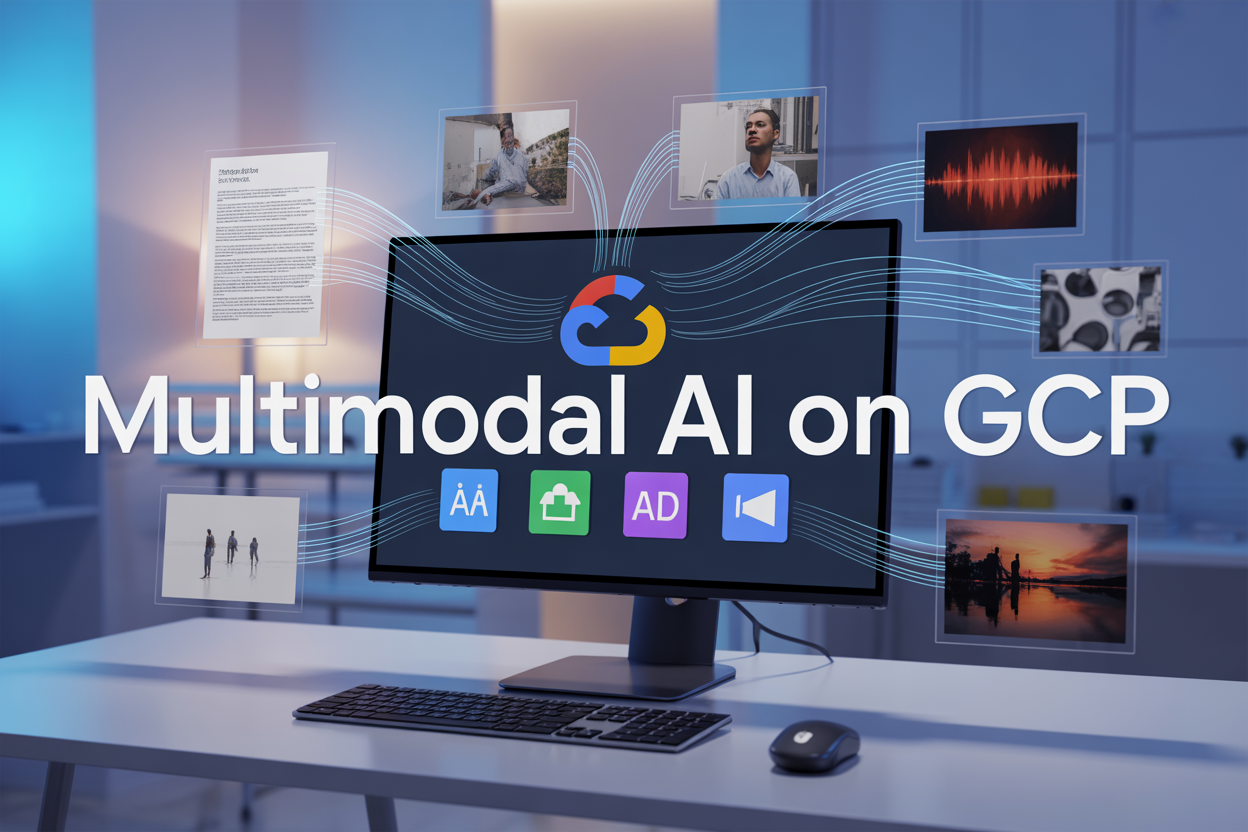
Google Cloud Platform offers powerful multimodal AI services that let you process text, images, audio, and video in one unified environment. This comprehensive guide walks you through implementing GCP multimodal AI solutions using Google Cloud Platform AI services like Vision API, Speech-to-Text, and Video Intelligence API.
Who This Guide Is For:
This tutorial targets developers, data scientists, and AI engineers who want to build multimodal artificial intelligence implementation projects on Google Cloud. You should have basic familiarity with cloud platforms and some programming experience.
What You’ll Learn:
We’ll start by exploring GCP’s multimodal AI ecosystem and setting up your development environment. You’ll discover how to integrate the GCP Vision API for image recognition, implement Google Cloud Speech-to-Text for audio processing, and use the GCP Video Intelligence API for dynamic content analysis.
We’ll also cover creating unified multimodal AI workflows that combine multiple Google Cloud AI platform services, plus practical tips for optimizing performance while managing costs effectively.
By the end, you’ll have hands-on experience building robust GCP AI machine learning solutions that can handle diverse data types in real-world applications.
Understanding GCP’s Multimodal AI Ecosystem

Overview of Google Cloud AI and ML Services
Google Cloud Platform offers a comprehensive suite of AI and machine learning services designed to handle diverse data types and use cases. The platform provides both pre-trained models through APIs and tools for building custom solutions, making it accessible to organizations with varying technical expertise levels.
At the foundation of GCP’s AI ecosystem lies Vertex AI, a unified machine learning platform that serves as the central hub for managing ML workflows. This platform connects seamlessly with specialized APIs including the Vision API for image analysis, Speech-to-Text and Text-to-Speech APIs for audio processing, Video Intelligence API for video content analysis, and Natural Language API for text understanding.
The beauty of GCP’s approach lies in its modular architecture. You can use individual APIs independently or combine them to create sophisticated multimodal AI workflows. For instance, you might process a video file by extracting audio for speech recognition while simultaneously analyzing visual frames for object detection, then correlating the results for comprehensive content understanding.
Google’s AI services are built on the same infrastructure that powers their consumer products like Google Photos and YouTube, ensuring enterprise-grade reliability and performance. The platform supports both REST APIs and client libraries for popular programming languages including Python, Java, and Node.js, making integration straightforward for development teams.
Key Multimodal AI APIs and Their Capabilities
GCP’s multimodal AI capabilities span four primary data modalities, each supported by specialized APIs with distinct strengths and use cases.
Vision API excels at image and document analysis, offering features like:
- Object detection and classification with confidence scores
- Optical Character Recognition (OCR) for text extraction
- Face detection and landmark identification
- Logo and landmark recognition
- Content moderation for inappropriate material detection
Speech-to-Text and Text-to-Speech APIs handle audio processing with remarkable accuracy:
- Real-time and batch speech recognition supporting 125+ languages
- Speaker diarization for multi-participant conversations
- Audio enhancement and noise reduction
- Custom vocabulary and pronunciation training
- Natural-sounding speech synthesis with multiple voice options
Video Intelligence API processes video content at scale:
- Object tracking throughout video sequences
- Scene change detection and shot boundary identification
- Text detection in video frames
- Content moderation across temporal sequences
- Integration with live streaming for real-time analysis
Natural Language API provides sophisticated text analysis:
- Sentiment analysis with entity-level granularity
- Entity recognition and classification
- Syntax analysis and part-of-speech tagging
- Content classification across 700+ categories
- Custom entity extraction for domain-specific terminology
These APIs work together seamlessly. A typical multimodal workflow might involve extracting audio from video content using the Video Intelligence API, converting speech to text with Speech-to-Text, analyzing the resulting text with Natural Language API, while simultaneously processing video frames through Vision API for comprehensive content understanding.
Cost Structure and Pricing Models
GCP AI services follow a pay-per-use pricing model that scales with your actual usage, making it cost-effective for both experimental projects and production deployments. Understanding the pricing structure helps optimize costs while maximizing value.
Most APIs charge based on the volume of data processed:
| Service | Unit | Pricing Tier | Features |
|---|---|---|---|
| Vision API | Per 1,000 images | Tiered pricing | Volume discounts after 1M requests/month |
| Speech-to-Text | Per 15 seconds audio | Different rates by model | Enhanced models cost more than standard |
| Video Intelligence | Per minute | Feature-specific | Object tracking costs more than label detection |
| Natural Language | Per 1,000 characters | Tiered pricing | Sentiment analysis priced separately from entity extraction |
Free tier allocations provide substantial testing capacity:
- Vision API: 1,000 units per month
- Speech-to-Text: 60 minutes per month
- Video Intelligence: 1,000 minutes per month
- Natural Language API: 5,000 units per month
Advanced features typically carry premium pricing. For example, Video Intelligence’s logo recognition costs more than basic label detection, while Speech-to-Text’s enhanced phone call model commands higher rates than the standard model.
Cost optimization strategies include batching requests when possible, selecting appropriate model tiers based on accuracy requirements, and implementing caching for frequently accessed results. Google Cloud’s sustained use discounts automatically apply for consistent usage patterns, providing additional savings for production workloads.
Integration Architecture and Best Practices
Building robust multimodal AI solutions requires careful attention to architecture design, data flow patterns, and integration strategies that ensure scalability and maintainability.
API Integration Patterns
The most effective approach often involves asynchronous processing pipelines that can handle different data types concurrently. Cloud Functions serve as excellent orchestrators for triggering API calls based on Cloud Storage events, while Cloud Run provides scalable compute for more complex processing logic.
For real-time applications, consider using Pub/Sub messaging to decouple different processing stages. This allows your system to handle varying processing times across different modalities without blocking the entire pipeline.
Data Flow Architecture
Structure your data pipeline to maximize parallel processing opportunities:
- Ingestion Layer: Use Cloud Storage triggers to automatically initiate processing when new files arrive
- Processing Layer: Deploy separate functions for each modality to enable independent scaling
- Correlation Layer: Implement logic to combine results from different APIs based on timing, content relationships, or metadata
- Storage Layer: Use Cloud Firestore or BigQuery to store structured results with appropriate indexing
Authentication and Security
Service accounts provide the most secure and manageable approach for API authentication. Create dedicated service accounts for each component with minimal required permissions. Use Identity and Access Management (IAM) roles to control access granularly, and rotate keys regularly.
For applications processing sensitive content, consider using Customer Managed Encryption Keys (CMEK) and ensuring data residency requirements are met through appropriate region selection.
Error Handling and Resilience
Implement exponential backoff for retries, especially when processing large volumes of content. Different APIs have varying rate limits, so design your error handling accordingly. Use Cloud Tasks for reliable task queuing when processing can be delayed, and implement circuit breakers to prevent cascade failures across your multimodal pipeline.
Monitor API quotas and usage patterns through Cloud Monitoring to proactively identify potential bottlenecks or cost overruns before they impact production systems.
Setting Up Your GCP Environment for Multimodal AI

Creating and Configuring Your GCP Project
Setting up a GCP project for multimodal AI implementation starts with creating a new project through the Google Cloud Console. Navigate to the console at console.cloud.google.com and click “New Project” to begin the setup process. Choose a meaningful project name that reflects your multimodal AI initiative, such as “multimodal-ai-platform” or “intelligent-content-analyzer.”
Once your project is created, you’ll need to link it to a billing account to access GCP’s AI services. Google Cloud requires active billing for most AI APIs, even if you’re using free tier quotas. Set up billing by navigating to the Billing section and either creating a new billing account or linking an existing one.
Project organization plays a crucial role in managing multimodal AI resources effectively. Create folders to separate development, staging, and production environments. This structure helps maintain clean separation between different phases of your AI implementation and makes resource management more straightforward.
Configure basic project settings including default compute zone and region. Choose regions that offer the AI services you plan to use – some GCP AI services have limited regional availability. For optimal performance with multimodal AI workflows, select regions geographically close to your users and data sources.
Enabling Required APIs and Services
GCP’s multimodal AI capabilities depend on several key APIs that must be enabled before you can start building intelligent applications. The Google Cloud Natural Language API powers text analysis and understanding features, while the Vision API handles image recognition and computer vision tasks.
Enable the Speech-to-Text API for audio processing capabilities and the Video Intelligence API for video content analysis. Each API provides specialized functionality that contributes to your overall multimodal AI ecosystem. Access the API Library through the GCP Console and search for each service individually, or use the gcloud CLI to enable multiple APIs simultaneously.
Essential APIs for multimodal AI implementation include:
- Cloud Natural Language API – Text analysis, sentiment detection, entity recognition
- Cloud Vision API – Image classification, OCR, object detection
- Cloud Speech-to-Text API – Audio transcription and speech recognition
- Cloud Video Intelligence API – Video content analysis and annotation
- Cloud Translation API – Multi-language text processing
- AutoML APIs – Custom model training and deployment
Don’t forget to enable supporting services like Cloud Storage for data management, Cloud Functions for serverless processing, and BigQuery for data analytics. These services form the backbone of robust multimodal AI workflows.
Monitor API quotas and limits after enabling services. Each API comes with default quotas that may need adjustment based on your expected usage patterns. Request quota increases early in your development process to avoid bottlenecks during implementation.
Setting Up Authentication and Security Credentials
Proper authentication setup ensures secure access to GCP AI services while maintaining the flexibility needed for multimodal AI development. Start by creating a service account dedicated to your AI applications. Service accounts provide a secure way for your applications to authenticate with Google Cloud services without exposing user credentials.
Generate JSON key files for your service accounts through the IAM & Admin section of the GCP Console. Download these credential files and store them securely – they act as the primary authentication mechanism for your multimodal AI applications. Never commit these files to version control systems or expose them in client-side code.
Configure appropriate IAM roles for your service accounts based on the principle of least privilege. For multimodal AI implementations, common roles include:
| Service Account Role | Purpose | Required Permissions |
|---|---|---|
| AI Platform User | Model deployment and prediction | aiplatform.models.predict |
| Storage Object Admin | Data access and management | storage.objects.* |
| BigQuery Data Editor | Analytics and data processing | bigquery.tables.updateData |
Set up Application Default Credentials (ADC) for local development environments. ADC allows your development tools and applications to automatically find and use credentials without hardcoding paths or tokens. Use the gcloud auth application-default login command to configure ADC for your local machine.
Implement credential rotation policies to maintain security over time. Service account keys should be rotated regularly, and you should monitor key usage through Cloud Logging. Consider using workload identity federation for applications running outside GCP to avoid long-lived service account keys.
Create separate service accounts for different environments and components of your multimodal AI system. This separation limits the blast radius of potential security issues and makes it easier to audit access patterns across your AI implementation.
Implementing Text Intelligence Solutions

Natural Language API for Sentiment and Entity Analysis
Google Cloud Natural Language API serves as the foundation for extracting insights from unstructured text data across your applications. This powerful service analyzes text to identify sentiment, extract entities, and classify content without requiring machine learning expertise.
Setting up sentiment analysis begins with authenticating your GCP project and enabling the Natural Language API. The service provides three sentiment metrics: score (ranging from -1.0 to 1.0), magnitude (indicating emotional intensity), and confidence levels. For enterprise applications, you can process documents up to 1MB in size and handle multiple languages automatically.
Entity extraction goes beyond simple keyword identification. The API recognizes people, organizations, locations, events, products, and consumer goods while providing salience scores that indicate each entity’s importance within the text. You can also extract metadata like Wikipedia URLs for identified entities, enabling rich content enhancement.
from google.cloud import language_v1

client = language_v1.LanguageServiceClient()
document = language_v1.Document(content="Your text here", type_=language_v1.Document.Type.PLAIN_TEXT)

# Sentiment Analysis
sentiment = client.analyze_sentiment(request={'document': document}).document_sentiment

# Entity Extraction
entities = client.analyze_entities(request={'document': document}).entities
The API also provides syntax analysis for part-of-speech tagging and dependency parsing, making it valuable for content moderation, customer feedback analysis, and automated content categorization.
Translation API for Multilingual Text Processing
Google Cloud Translation API enables real-time text translation across over 100 languages, making your applications globally accessible. The service offers two versions: Basic Translation API for simple text translation and Advanced Translation API for more sophisticated features.
Basic translation handles up to 30,000 characters per request and automatically detects source languages. You can translate plain text, HTML content, or even entire documents while preserving formatting. The service maintains translation quality through Google’s neural machine translation models, which understand context better than traditional phrase-based systems.
Advanced Translation API adds features like custom glossaries, batch translation for large datasets, and model selection for specific domains. Custom glossaries ensure consistent translation of technical terms, brand names, or industry-specific vocabulary across your content.
| Feature | Basic Translation | Advanced Translation |
|---|---|---|
| Language Detection | ✅ | ✅ |
| Batch Processing | Limited | ✅ |
| Custom Glossaries | ❌ | ✅ |
| Model Selection | ❌ | ✅ |
| AutoML Integration | ❌ | ✅ |
Implementing translation workflows requires careful consideration of content structure and user experience. For dynamic content, cache translated results to reduce API calls and improve response times. Handle translation errors gracefully by providing fallback content in the user’s preferred language.
AutoML Natural Language for Custom Text Models
AutoML Natural Language empowers you to build custom text classification and entity extraction models without deep machine learning expertise. This service proves invaluable when pre-trained models don’t address your specific domain requirements or business use cases.
Creating custom classification models starts with preparing labeled training data. You need at least 10 examples per class, though 100+ examples typically yield better results. The platform supports multi-label classification, enabling documents to belong to multiple categories simultaneously.
The training process involves data upload, model configuration, and automated optimization. AutoML handles feature engineering, hyperparameter tuning, and model architecture selection. Training times vary from one hour for simple models to several hours for complex datasets with numerous classes.
Custom entity extraction models require annotated text where entities are marked with their types and positions. You can define custom entity types specific to your domain, such as product codes, legal citations, or scientific nomenclature.
from google.cloud import automl_v1

# Create dataset
client = automl_v1.AutoMlClient()
project_location = f"projects/{project_id}/locations/us-central1"
dataset = automl_v1.Dataset(
    display_name="Custom Text Classifier",
    text_classification_dataset_metadata=automl_v1.TextClassificationDatasetMetadata(
        classification_type=automl_v1.ClassificationType.MULTICLASS
    ),
)
Model evaluation provides precision, recall, and F1-scores for each class. The platform also generates confusion matrices to help identify misclassification patterns. Deploy trained models to endpoints for real-time prediction or use batch prediction for processing large datasets.
Document AI for Structured Data Extraction
Document AI transforms unstructured documents into structured, actionable data using specialized parsers designed for common document types. This service handles invoices, receipts, forms, contracts, and custom document layouts with high accuracy.
Pre-built parsers cover standard business documents without requiring training data. The Invoice Parser extracts line items, totals, vendor information, and payment terms. Form Parser handles government forms, applications, and surveys by identifying form fields and their values. The Document OCR Parser provides general-purpose text extraction with layout preservation.
Custom document extraction becomes necessary for proprietary forms or industry-specific documents. The training process requires 50-100 annotated documents showing field locations and types. Document AI Workbench provides annotation tools for marking training data efficiently.
Processing workflows typically involve document upload, parser selection, and result extraction. The service returns structured JSON containing extracted fields, confidence scores, and bounding box coordinates for visual verification.
from google.cloud import documentai_v1

client = documentai_v1.DocumentProcessorServiceClient()
name = f"projects/{project_id}/locations/us/processors/{processor_id}"

# Process document
with open("document.pdf", "rb") as image:
    image_content = image.read()

raw_document = documentai_v1.RawDocument(content=image_content, mime_type="application/pdf")
request = documentai_v1.ProcessRequest(name=name, raw_document=raw_document)
result = client.process_document(request=request)
Integration patterns include batch processing for historical document analysis, real-time processing for user uploads, and webhook-based workflows for automated document ingestion. Consider implementing human-in-the-loop validation for critical extractions where accuracy requirements exceed model confidence levels.
Building Image Recognition and Computer Vision Capabilities

Vision API for Object Detection and OCR
Google Cloud’s Vision API serves as the foundation for implementing robust image recognition capabilities in your GCP multimodal AI applications. This powerful service can analyze images in real-time, detecting objects, faces, landmarks, and extracting text through optical character recognition (OCR).
The Vision API excels at identifying thousands of objects within images, from everyday items like cars and animals to complex scenes with multiple elements. You can process images stored in Cloud Storage, submitted via REST API, or analyzed directly from URLs. The service returns confidence scores for each detected object, allowing you to filter results based on your application’s accuracy requirements.
For OCR functionality, the Vision API supports over 50 languages and can extract text from various formats including handwritten notes, street signs, and document images. The API preserves spatial information, providing bounding box coordinates for each text element, making it perfect for document processing workflows.
Key implementation features:
- Batch processing for multiple images
- Real-time analysis through streaming APIs
- Custom confidence thresholds
- Integrated with other Google Cloud AI services
- Support for various image formats (JPEG, PNG, GIF, BMP, WebP, RAW, ICO, PDF, TIFF)
Authentication requires setting up service account credentials, and you can monitor usage through Cloud Monitoring to track API calls and optimize costs based on your processing volume.
AutoML Vision for Custom Image Classification
When pre-trained models don’t meet your specific business requirements, AutoML Vision enables you to create custom image classification models without extensive machine learning expertise. This service democratizes computer vision by providing a user-friendly interface for training models on your proprietary datasets.
The training process begins with uploading your labeled image dataset to Cloud Storage. AutoML Vision requires a minimum of 10 images per label, though 1,000+ images per category typically yield better results. The platform automatically handles data preprocessing, feature extraction, and model architecture selection.
AutoML Vision supports both single-label and multi-label classification scenarios. Single-label classification assigns one category per image, while multi-label classification can identify multiple objects or attributes within a single image. This flexibility makes it suitable for diverse applications like product categorization, quality control, or medical image analysis.
Training optimization strategies:
- Balance your dataset across all labels
- Include diverse lighting conditions and angles
- Use high-quality images (minimum 256×256 pixels)
- Implement data augmentation for smaller datasets
- Regular model evaluation using holdout test sets
The trained models can be deployed as online prediction endpoints for real-time inference or exported for edge deployment using TensorFlow Lite. AutoML Vision integrates seamlessly with your existing GCP AI machine learning pipelines, enabling automated retraining as new data becomes available.
Video Intelligence API for Image Frame Analysis
The Video Intelligence API extends image analysis capabilities to video content, enabling frame-by-frame analysis of dynamic visual content. This service automatically segments videos into shots and analyzes individual frames using the same underlying technology that powers the Vision API.
Frame-level analysis provides detailed insights into video content evolution over time. The API can track object appearances, detect scene changes, and identify when specific elements enter or exit the frame. This temporal analysis proves valuable for content moderation, automated video editing, and surveillance applications.
The service supports various input formats including MP4, MOV, AVI, and FLV files stored in Cloud Storage. Processing occurs asynchronously, with results delivered via webhooks or polling mechanisms. You can specify analysis regions within frames to focus computational resources on areas of interest.
Advanced frame analysis capabilities:
- Shot change detection with confidence scores
- Object tracking across multiple frames
- Face detection and recognition throughout videos
- Text extraction from video frames
- Logo and brand detection in moving content
For large-scale video processing, the API supports batch operations and integrates with Cloud Functions for automated processing workflows. Results include timestamps for each detected element, enabling precise content synchronization and automated highlight generation.
Product Search API for Visual Commerce Applications
The Product Search API revolutionizes e-commerce experiences by enabling visual product discovery and recommendation systems. This specialized computer vision service allows customers to search your product catalog using images instead of traditional text queries.
Building a visual search system starts with creating a product set and uploading reference images for each item in your catalog. The API automatically extracts visual features from product images, creating searchable embeddings that capture color, texture, shape, and style characteristics. These embeddings enable similarity-based matching when customers upload query images.
The service supports various retail categories including apparel, furniture, home goods, and packaged goods. You can configure category-specific optimization to improve search accuracy for your particular product types. The API handles image preprocessing automatically, including cropping, rotation, and lighting normalization.
Implementation considerations for visual commerce:
- High-quality product images from multiple angles
- Consistent background and lighting conditions
- Regular catalog updates and maintenance
- Integration with existing product information management systems
- A/B testing for search result ranking optimization
Search results include similarity scores and bounding box information, allowing you to implement features like “find similar products” or “complete the look” recommendations. The API integrates with Google Analytics for tracking search performance and user engagement metrics, enabling continuous optimization of your visual search experience.
Deploying Audio Processing and Speech Intelligence
Speech-to-Text API for Audio Transcription
Google Cloud Speech-to-Text API transforms spoken language into written text with remarkable accuracy across multiple languages and dialects. This powerful GCP AI service supports real-time streaming transcription and batch processing for pre-recorded audio files.
Start by enabling the Speech-to-Text API in your Google Cloud Console and setting up authentication credentials. The API accepts various audio formats including WAV, FLAC, and MP3, with automatic format detection that simplifies the integration process.
from google.cloud import speech

client = speech.SpeechClient()
audio = speech.RecognitionAudio(uri="gs://your-bucket/audio-file.wav")
config = speech.RecognitionConfig(
    encoding=speech.RecognitionConfig.AudioEncoding.LINEAR16,
    sample_rate_hertz=16000,
    language_code="en-US",
    enable_automatic_punctuation=True,
    enable_speaker_diarization=True
)

response = client.recognize(config=config, audio=audio)
The API offers advanced features like speaker diarization, which identifies different speakers in conversations, and automatic punctuation for cleaner output. You can also enable profanity filtering and word-level confidence scores to enhance transcription quality.
For streaming applications, the API provides real-time transcription capabilities that work exceptionally well for live conversations, meetings, or voice commands. The streaming interface delivers interim results as users speak, creating responsive user experiences.
Text-to-Speech API for Voice Synthesis
Google Cloud Text-to-Speech API converts written text into natural-sounding speech using advanced neural network models. This service supports over 220 voices across 40+ languages, offering both standard and premium WaveNet voices for different quality requirements.
The API provides extensive customization options including speaking rate, pitch adjustments, and voice selection. WaveNet voices deliver human-like speech quality that’s perfect for customer service applications, accessibility features, and content creation workflows.
from google.cloud import texttospeech

client = texttospeech.TextToSpeechClient()
synthesis_input = texttospeech.SynthesisInput(text="Hello, welcome to our service!")

voice = texttospeech.VoiceSelectionParams(
    language_code="en-US",
    name="en-US-Wavenet-D",
    ssml_gender=texttospeech.SsmlVoiceGender.MALE
)

audio_config = texttospeech.AudioConfig(
    audio_encoding=texttospeech.AudioEncoding.MP3,
    speaking_rate=1.2,
    pitch=0.0
)

response = client.synthesize_speech(
    input=synthesis_input, voice=voice, audio_config=audio_config
)
SSML (Speech Synthesis Markup Language) support enables fine-grained control over pronunciation, emphasis, and pauses. You can create more engaging audio experiences by adjusting these parameters for specific use cases like audiobooks, podcasts, or interactive voice responses.
Custom Voice models allow organizations to create brand-specific voices that align with their identity and messaging strategy.
AutoML Tables for Audio Feature Classification
AutoML Tables excels at building custom machine learning models for audio feature classification without requiring deep ML expertise. This Google Cloud AI platform service can analyze audio characteristics like genre, emotion, speaker identification, or environmental sound classification.
Audio preprocessing involves extracting meaningful features from raw audio data. Common features include spectrograms, MFCC (Mel-Frequency Cepstral Coefficients), and temporal patterns that capture the essence of audio content for classification tasks.
| Feature Type | Use Case | Accuracy Range |
|---|---|---|
| Spectrograms | Music genre classification | 85-95% |
| MFCC | Speaker identification | 90-98% |
| Temporal patterns | Emotion detection | 75-85% |
| Frequency analysis | Environmental sounds | 80-92% |
The workflow starts with uploading your labeled audio dataset to Google Cloud Storage, then creating feature tables that AutoML Tables can process. The service automatically handles feature engineering, model selection, and hyperparameter tuning to deliver optimal results.
Training custom audio classification models typically requires thousands of labeled examples for reliable performance. AutoML Tables provides insights into feature importance, helping you understand which audio characteristics drive classification decisions.
Model deployment options include online prediction endpoints for real-time classification and batch prediction jobs for processing large audio datasets. The service integrates seamlessly with other GCP multimodal AI services, enabling comprehensive audio analysis workflows.
Leveraging Video Intelligence for Dynamic Content Analysis

Video Intelligence API for Content Moderation
The GCP Video Intelligence API transforms how organizations handle video content moderation at scale. This powerful service automatically analyzes video files to detect inappropriate content, helping maintain platform safety standards without manual review processes.
Content moderation capabilities include detecting explicit content, violence, and suggestive material across entire video files. The API assigns confidence scores to different content categories, allowing you to set custom thresholds based on your platform’s requirements. For streaming platforms or social media applications, this automated approach processes thousands of hours of content daily while maintaining consistent moderation standards.
Implementation involves uploading videos to Google Cloud Storage and calling the Video Intelligence API with specific moderation features enabled. The service returns timestamped results, pinpointing exactly when inappropriate content appears within videos. This granular approach enables targeted editing or removal of problematic segments rather than blocking entire videos.
The API integrates seamlessly with existing content management workflows through Cloud Functions or App Engine applications. Real-time processing capabilities support live streaming scenarios, where content moderation decisions happen within seconds of upload or broadcast.
Shot Change Detection and Scene Analysis
Shot change detection revolutionizes video editing and content analysis workflows by automatically identifying scene transitions and visual breaks. The GCP Video Intelligence API analyzes frame differences to detect cuts, fades, and other transition types with remarkable accuracy.
Scene analysis goes beyond simple cuts to understand content structure. The API identifies distinct segments based on visual similarity, grouping related frames into cohesive scenes. This capability proves invaluable for video summarization, thumbnail generation, and automated highlight creation.
Practical applications include:
- Video indexing: Creating searchable timestamps for different scenes
- Content organization: Automatically categorizing footage by visual themes
- Editing assistance: Providing editors with pre-segmented content
- Analytics: Understanding viewer engagement patterns across different scenes
The API returns detailed metadata including shot confidence scores, segment durations, and visual characteristics. This information enables sophisticated video processing pipelines that can automatically generate previews, extract key frames, or create chapter markers for long-form content.
Integration with other Google Cloud AI services amplifies these capabilities. Combine shot detection with object recognition to identify scenes containing specific items, or merge with speech analysis to correlate visual cuts with audio transitions.
Celebrity and Landmark Recognition in Video
Celebrity and landmark recognition capabilities within the Video Intelligence API open new possibilities for content enrichment and automated tagging. The service identifies famous people and recognizable locations throughout video content, providing timestamped recognition data with confidence scores.
Celebrity recognition works across various contexts, from red carpet events to casual social media content. The API maintains an extensive database of public figures, automatically detecting and labeling appearances without requiring custom training. Recognition results include bounding boxes around detected faces and biographical information about identified celebrities.
Landmark recognition extends beyond simple object detection to identify specific monuments, buildings, and geographical locations. This feature proves particularly valuable for travel content, documentary footage, and location-based marketing campaigns.
Key implementation patterns include:
| Feature | Use Case | Benefits |
|---|---|---|
| Celebrity Detection | Entertainment Content | Automated talent tracking, rights management |
| Landmark Recognition | Travel Videos | Location-based recommendations, geo-tagging |
| Combined Analysis | Documentary Production | Rich metadata generation, fact-checking |
The recognition data integrates with content management systems to automatically populate metadata fields, generate searchable tags, and create content recommendations based on detected personalities or locations.
Custom Video Classification with AutoML
AutoML Video Intelligence empowers organizations to build domain-specific video classification models without extensive machine learning expertise. This service addresses unique business requirements that standard APIs cannot fulfill, enabling custom recognition of industry-specific objects, actions, or concepts.
The training process begins with uploading labeled video examples that represent different classification categories. AutoML handles the complex neural network architecture decisions, hyperparameter tuning, and model optimization automatically. Organizations can create models that recognize specific products, manufacturing processes, safety violations, or any visual patterns relevant to their operations.
Model training requires careful dataset preparation:
- Balanced examples: Equal representation across classification categories
- Quality annotations: Precise labeling of video segments and objects
- Diverse scenarios: Various lighting conditions, angles, and contexts
- Sufficient volume: Minimum dataset sizes for reliable model performance
Deployment options include real-time prediction endpoints for live video analysis and batch processing for large video libraries. The trained models integrate with existing video processing pipelines through REST APIs or client libraries.
Performance monitoring dashboards track prediction accuracy, processing latency, and usage patterns. These metrics guide model refinement decisions and help optimize prediction thresholds for specific business requirements.
Custom models complement pre-trained APIs, creating comprehensive video analysis solutions. Combine standard object detection with custom action recognition, or merge celebrity identification with proprietary brand recognition models to build sophisticated content intelligence platforms.
Creating Unified Multimodal AI Workflows

Combining Multiple AI Services in Single Applications
Building comprehensive multimodal AI workflows on GCP requires seamlessly integrating multiple AI services to create applications that understand and process various content types. The power of Google Cloud AI platform shines when you combine Vision API with Natural Language processing, Speech-to-Text with Video Intelligence API, and other services in unified solutions.
Start by designing your application architecture around a central orchestrator that coordinates different AI services. For example, a content analysis application might process incoming media by first using GCP Vision API to extract text from images, then passing that text to the Google Cloud Natural Language API for sentiment analysis. Meanwhile, any audio components get processed through Google Cloud Speech-to-Text before joining the analysis pipeline.
Create service wrappers that standardize responses from different APIs. Each AI service returns data in unique formats, so building consistent interfaces helps streamline your workflow logic. Your wrapper classes should handle authentication, rate limiting, and error recovery for each service while presenting uniform methods to your main application.
Consider implementing a microservices architecture where each service handles one specific AI capability. This approach makes your multimodal AI workflows more maintainable and scalable. Deploy these microservices using Cloud Run or Google Kubernetes Engine, allowing them to scale independently based on demand.
Design your data flow to pass enriched results between services. When the Vision API identifies objects in an image, that metadata can inform how the Natural Language API processes related text descriptions. This contextual awareness creates more intelligent applications that understand content relationships across different modalities.
Data Pipeline Orchestration with Cloud Functions
Cloud Functions serves as the perfect orchestration layer for multimodal artificial intelligence implementation pipelines. These serverless functions trigger automatically when new data arrives, coordinate processing across multiple AI services, and manage the flow of enriched data through your workflow.
Structure your pipeline using event-driven triggers. When users upload content to Cloud Storage, a Cloud Function immediately fires to begin the AI processing chain. This function determines the content type and routes it to appropriate AI services. Images go to Vision API, audio files head to Speech-to-Text, and videos get processed through Video Intelligence API.
Build modular functions that each handle specific processing stages. One function might extract metadata and route content, another combines results from multiple AI services, and a third stores enriched data in your target destination. This modular approach makes debugging easier and allows you to optimize individual pipeline stages.
Implement robust error handling and retry logic in your functions. AI services occasionally experience temporary issues or rate limits, so your pipeline should gracefully handle failures. Use Cloud Tasks to queue retry attempts and implement exponential backoff strategies for service calls.
Design your functions to pass processing state between stages. Use Cloud Storage or Firestore to store intermediate results and processing status. This approach prevents data loss if individual functions fail and enables you to resume processing from the last successful stage.
Monitor your pipeline performance using Cloud Monitoring and Cloud Logging. Track processing times, error rates, and throughput for each stage. This visibility helps identify bottlenecks and optimization opportunities in your GCP multimodal AI workflows.
Real-time Processing with Pub/Sub Integration
Pub/Sub transforms your multimodal AI workflows into responsive, real-time systems that process content as it arrives. This messaging service decouples your AI processing components and enables parallel execution across multiple content streams.
Set up topic-based routing for different content types. Create separate topics for images, audio, video, and text content. When content arrives, your ingestion service publishes messages to the appropriate topic, triggering specialized processing workflows for each content type.
Configure subscriber functions that process content in parallel. Multiple Cloud Functions can subscribe to the same topic, automatically distributing the processing load. As your application scales, Pub/Sub automatically manages message delivery to available processing instances.
Implement message ordering for content that requires sequential processing. Some GCP AI machine learning workflows need specific processing sequences, like extracting audio from video before running speech recognition. Use Pub/Sub’s ordering keys to maintain proper sequence while still enabling parallel processing of independent content streams.
Build feedback loops using additional topics for processed results. After AI services complete their analysis, publish enriched results to output topics. Other application components subscribe to these results topics to trigger downstream processing, notifications, or storage operations.
Handle processing failures gracefully with dead letter topics. When AI service calls fail repeatedly, Pub/Sub can route messages to dead letter topics for manual review or alternative processing. This prevents stuck messages from blocking your entire pipeline.
Design your subscription configurations for optimal performance. Adjust acknowledgment deadlines, message retention periods, and subscription settings based on your AI processing requirements. Some computer vision tasks complete quickly, while video analysis might take several minutes.
Use Pub/Sub’s replay capability for workflow testing and debugging. You can replay messages through your pipeline to test changes or recover from processing errors. This feature proves invaluable when refining your multimodal artificial intelligence implementation and optimizing processing logic.
Optimizing Performance and Managing Costs

Batch Processing Strategies for Large-scale Operations
Running multimodal AI workloads efficiently means thinking beyond single requests. When you’re dealing with thousands of images, hours of video content, or massive document collections, GCP multimodal AI services shine through batch processing capabilities.
The Vision API supports batch annotation requests that can process up to 2,000 images in a single call. Instead of making individual API calls for each image, bundle them together using the BatchAnnotateImagesRequest. This approach reduces latency overhead and often qualifies for volume pricing discounts.
For video processing, the GCP Video Intelligence API excels at handling large files asynchronously. Submit your video for analysis and receive results via Cloud Storage or Pub/Sub notifications. This prevents timeout issues and allows your application to handle other tasks while processing occurs in the background.
Audio processing with Google Cloud Speech-to-Text benefits from long-running operations for files over 60 seconds. Upload audio files to Cloud Storage and use the LongRunningRecognize operation to transcribe hours of content without maintaining persistent connections.
| Processing Type | Best Practice | Maximum Capacity |
|---|---|---|
| Images | Batch requests | 2,000 per call |
| Video | Async operations | 2 hours per file |
| Audio | Long-running ops | 480 minutes |
| Text | Bulk analysis | 1MB per request |
Caching and Response Optimization Techniques
Smart caching strategies can dramatically reduce costs and improve response times for your multimodal AI workflows. Cloud CDN works exceptionally well for static analysis results, especially when multiple users request the same content analysis.
Implement Redis or Memorystore to cache frequently requested results. Hash input parameters and store responses with appropriate TTL values. For image analysis, consider caching results for identical image hashes rather than filenames, as users often upload the same content with different names.
Response optimization goes beyond simple caching. Use Cloud Storage regional buckets close to your compute resources to minimize data transfer latency. For the Google Cloud Natural Language API, preprocess text to remove unnecessary whitespace and formatting before analysis to reduce payload sizes.
Implement result pagination for large datasets. Instead of returning thousands of detected objects at once, stream results in smaller chunks. This keeps memory usage low and improves perceived performance for end users.
Monitoring Usage and Implementing Cost Controls
GCP AI machine learning services can accumulate costs quickly without proper monitoring. Set up billing alerts at multiple thresholds – 50%, 75%, and 90% of your monthly budget. This gives you time to investigate unusual spikes before they impact your budget.
Use Cloud Monitoring to track API usage patterns. Create custom dashboards showing requests per minute, error rates, and average processing times for each service. Set up alerts when usage exceeds normal patterns, which often indicates either a bug in your code or unexpected traffic spikes.
Implement quota management through the Cloud Console. Set daily quotas for each API to prevent runaway costs from infinite loops or DDoS attacks. The Google Cloud AI platform allows granular quota controls per service and region.
Cost allocation labels help track expenses across different features or teams. Tag your API calls with labels like feature=image-search or team=marketing to understand which parts of your application drive costs.
// Example cost tracking with labels
const request = {
  image: { content: imageData },
  features: [{ type: 'LABEL_DETECTION' }],
  labels: {
    feature: 'product-categorization',
    environment: 'production'
  }
};
Scaling Considerations for Production Workloads
Production deployments require careful planning around rate limits and geographic distribution. Each GCP Vision API has default quotas that you can increase through support requests. Plan quota increases well ahead of launch dates, as approval can take several business days.
Auto-scaling works best when combined with queue-based processing. Use Cloud Tasks or Pub/Sub to buffer incoming requests during traffic spikes. This prevents overwhelming API quotas and allows your system to process requests at a sustainable rate.
Regional considerations matter for both performance and compliance. Deploy processing closer to your users by using multi-region architectures. The Google Cloud Platform AI services are available in multiple regions, allowing you to serve European users from European data centers to comply with GDPR requirements.
Consider hybrid architectures for cost optimization. Use on-demand processing for real-time requests and scheduled batch jobs for non-urgent analysis. This balance keeps user-facing features responsive while handling bulk operations cost-effectively during off-peak hours.
Load balancing becomes critical when processing mixed workloads. Video analysis consumes more resources than text processing, so separate these into different service pools to prevent resource contention.

GCP’s multimodal AI ecosystem gives you powerful tools to work with text, images, audio, and video all in one place. From setting up your environment to building unified workflows that can handle multiple data types at once, you now have a roadmap for creating intelligent applications that truly understand the world around us. The key is starting with one modality and gradually adding others as your confidence grows.
The real magic happens when you combine these different AI capabilities into seamless workflows that can process speech, analyze images, understand text, and extract insights from video simultaneously. Remember to keep an eye on costs and performance as you scale up your multimodal solutions. Start experimenting with GCP’s pre-built models today and see how multimodal AI can transform your applications and unlock new possibilities for your business.