


AWS databases can eat up a big chunk of your cloud budget, but AWS Database Savings Plans offer a smart way to cut those costs without sacrificing performance. These commitment-based discount programs let you save up to 72% on your database spending by promising to use a certain amount of compute power over one or three years.
This guide is perfect for cloud architects, DevOps engineers, and IT decision-makers who want to optimize their AWS database costs and understand how savings plans work. We’ll walk through the real cost benefits you can expect from AWS RDS savings plans, explain exactly how these plans calculate your savings, and show you the step-by-step application process to get started. You’ll also learn how to choose between different plan options so you can pick the one that fits your database usage patterns and budget goals.
Understanding AWS Database Savings Plans

Definition and core purpose of Database Savings Plans
AWS Database Savings Plans represent Amazon’s commitment-based pricing model specifically designed for database services. These plans offer significant cost reductions for customers willing to commit to consistent database usage over a one or three-year term. Unlike traditional pay-as-you-go pricing, Database Savings Plans require you to pledge a specific dollar amount per hour for your database consumption.
The core purpose centers on helping organizations reduce their AWS database costs while maintaining operational flexibility. When you purchase a Database Savings Plan, you’re essentially prepaying for database usage at discounted rates. Amazon RDS, Aurora, and other qualifying database services automatically receive these savings when your usage matches your commitment level.
These savings plans work across different database engines, instance families, and regions, providing remarkable flexibility compared to older pricing models. You can migrate between database types or resize instances without losing your committed savings, making them particularly attractive for dynamic workloads.
Key differences from traditional on-demand pricing
Traditional on-demand pricing charges you for exactly what you use at standard rates. Every hour your database runs, you pay the full retail price regardless of your usage patterns or long-term commitment to AWS.
Database Savings Plans flip this model by offering substantial discounts in exchange for usage commitments. Here are the main differences:
- Predictable costs: Your committed hourly rate remains fixed throughout the plan duration
- Automatic application: Savings apply automatically to eligible database usage without manual intervention
- Reduced hourly rates: Discounts typically range from 20% to 72% compared to on-demand pricing
- Commitment requirement: You must maintain consistent spending levels to maximize benefits
- Upfront payment options: Choose between no upfront, partial upfront, or all upfront payment structures
The flexibility factor sets Database Savings Plans apart from rigid pricing models. Your databases can scale up or down, change instance types, or even switch between different database engines while still receiving committed savings rates.
Comparison with Reserved Instances and Compute Savings Plans
Reserved Instances (RIs) preceded Database Savings Plans and required customers to reserve specific instance types in particular regions. While RIs offered good savings, they lacked flexibility when business needs changed. Database Savings Plans address these limitations by providing broader coverage across database services.
Key differences between Database Savings Plans and Reserved Instances:
- Flexibility: Database Savings Plans work across instance families, sizes, and database engines
- Regional coverage: Plans can apply to usage across multiple AWS regions
- Management overhead: Less administrative burden compared to managing multiple Reserved Instance purchases
- Modification complexity: Easier to adapt to changing requirements without trading or modifying reservations
Compute Savings Plans cover EC2 instances and Fargate usage but exclude database services. Database Savings Plans specifically target RDS, Aurora, and other database offerings. Organizations often combine both plan types to maximize savings across their entire AWS infrastructure.
The payment structure remains similar across all three options, with no upfront, partial upfront, and all upfront choices. However, Database Savings Plans typically offer more generous discount percentages for database workloads compared to what you might achieve with general Compute Savings Plans applied to database instances.
Database Savings Plans also provide better cost predictability for database-heavy applications since they’re specifically calibrated for database pricing patterns and usage behaviors.
Cost Benefits and Savings Potential

Percentage savings compared to on-demand rates
AWS Database Savings Plans deliver substantial cost reductions that can transform your cloud spending strategy. You’ll typically see savings ranging from 20% to 72% compared to standard on-demand pricing, depending on your commitment level and term length. The one-year term offers moderate savings, while the three-year commitment unlocks maximum discounts.
The savings become even more impressive when you consider the scale of enterprise database workloads. For organizations running multiple RDS instances, Aurora clusters, or DocumentDB deployments, these percentage reductions translate into thousands or even tens of thousands of dollars in annual savings. A company spending $50,000 monthly on database services could potentially save $15,000 to $36,000 per year through strategic savings plan implementation.
What makes these discounts particularly attractive is their consistency across different database engines. Whether you’re running MySQL, PostgreSQL, Oracle, or SQL Server on RDS, the same percentage savings apply, making AWS database cost optimization straightforward across diverse environments.
Flexible coverage across multiple database services
AWS Database Savings Plans break down the traditional silos that often complicate cloud cost management. Your commitment automatically covers Amazon RDS, Amazon Aurora, Amazon DocumentDB, Amazon Neptune, and Amazon ElastiCache without requiring separate purchases for each service.
This flexibility proves invaluable for organizations with dynamic workloads or those planning architectural changes. If you migrate from RDS to Aurora mid-contract, your savings plan seamlessly adjusts to cover the new configuration. Similarly, if you decide to implement a document database solution using DocumentDB, your existing commitment immediately applies.
The cross-service coverage eliminates the guesswork from capacity planning. You don’t need to predict exactly which database services you’ll use throughout the commitment period. Instead, you focus on your overall database spending pattern and let the savings plan optimize across your entire database portfolio.
Automatic application to lowest-cost usage first
The intelligent allocation system behind AWS Database Savings Plans works like having a dedicated cost optimization specialist monitoring your account 24/7. The platform automatically identifies which database instances will benefit most from the discounted rates and applies your commitment accordingly.
This automated optimization means you’ll always maximize your AWS database cost reduction without manual intervention. If you have a mix of instance types and sizes, the system prioritizes coverage based on potential savings impact. Larger, more expensive instances typically receive priority allocation, ensuring you capture the biggest cost benefits first.
The real-time application happens seamlessly in the background. You don’t need to assign savings plans to specific instances or manage complex allocation rules. AWS handles the optimization logic, continuously evaluating your usage patterns and adjusting coverage to deliver maximum value from your commitment.
Long-term budget predictability advantages
AWS Database Savings Plans transform unpredictable database costs into stable, forecasted expenses that finance teams appreciate. Once you commit to a specific hourly spend amount, that portion of your database costs becomes fixed for the entire term, regardless of usage fluctuations or AWS price changes.
This predictability enables more accurate budget planning and helps organizations avoid the month-to-month variations that can complicate financial forecasting. CFOs can confidently project database expenses years in advance, knowing that committed usage won’t spike unexpectedly.
The budget stability becomes particularly valuable during periods of growth or seasonal demand changes. Even if your database usage increases significantly, the savings plan portion maintains consistent pricing. This protection against both usage spikes and potential future price increases provides a financial hedge that traditional on-demand pricing simply cannot match.
For organizations pursuing AWS database pricing optimization as part of broader cost management initiatives, this predictability often justifies the commitment even beyond the immediate percentage savings.
How AWS Database Savings Plans Work
Hourly commitment structure and billing mechanism
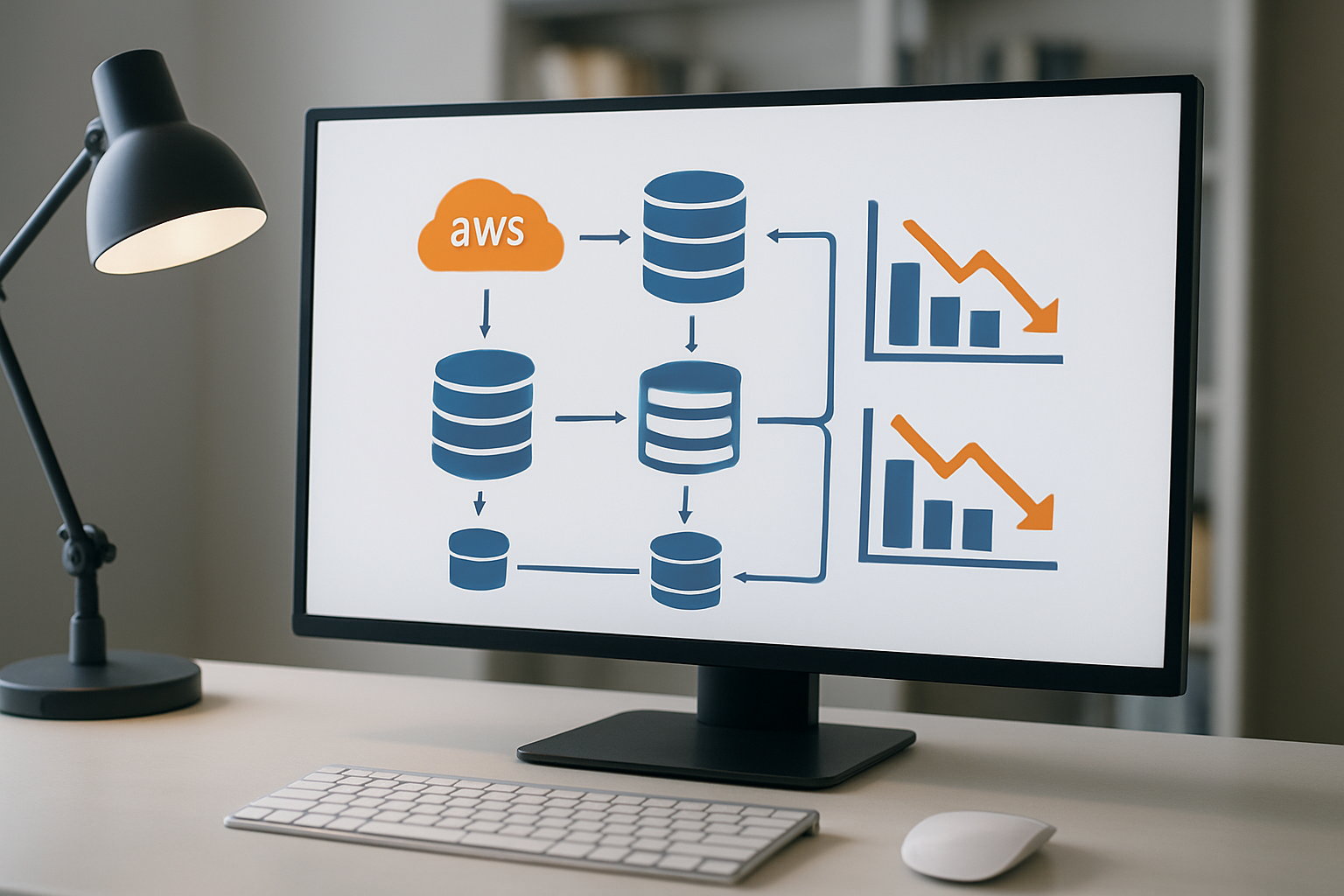
AWS Database Savings Plans work on an hourly commitment model where you pledge to spend a specific dollar amount per hour on eligible database services over a one or three-year period. The billing mechanism operates on a pay-as-you-use structure with automatic discounts applied to your usage.
When you purchase an AWS Database Savings Plan, you’re essentially making a financial commitment rather than committing to specific instance types or sizes. Your hourly commitment gets applied first to your highest discount-eligible usage, maximizing your savings automatically. If your database usage exceeds your hourly commitment, the excess gets charged at standard on-demand rates.
The billing system tracks your usage across all covered services and applies the savings plan discount rate before calculating your final charges. This approach means you don’t need to worry about complex calculations – AWS handles the optimization behind the scenes.
Coverage across RDS, Aurora, Redshift, and DynamoDB
AWS Database Savings Plans provide comprehensive coverage across Amazon’s major database services. The plan covers Amazon RDS instances running MySQL, PostgreSQL, MariaDB, Oracle, and SQL Server engines. Amazon Aurora databases, both MySQL and PostgreSQL compatible versions, also qualify for savings plan discounts.
Amazon Redshift clusters benefit from these savings plans, making data warehousing more cost-effective for analytics workloads. DynamoDB on-demand capacity and provisioned capacity both receive discounts under the savings plan structure.
The cross-service nature of these plans means you can run different database types while still maximizing your cost savings. Your commitment applies across all these services, so shifting workloads between RDS and Aurora, or adding Redshift clusters doesn’t impact your savings potential.
Instance family and size flexibility features
One of the most valuable aspects of AWS Database Savings Plans is their flexibility regarding instance families and sizes. Unlike Reserved Instances, which lock you into specific instance types, savings plans automatically apply discounts regardless of the instance family you choose.
You can switch from db.r5.large instances to db.m5.xlarge instances without losing your savings plan benefits. This flexibility extends to scaling up or down based on performance requirements. If you need to move from smaller development instances to larger production instances, your savings plan discount follows your usage.
The size flexibility means you can optimize your database performance without worrying about losing cost benefits. Whether you’re running multiple small instances or consolidating into fewer large instances, the hourly commitment structure adapts to your choices automatically.
Regional scope and cross-service applicability
AWS Database Savings Plans operate within specific AWS regions, but they offer significant flexibility in how you deploy your database resources within that region. Your savings plan commitment applies to all eligible database usage within your chosen region, regardless of which Availability Zone hosts your databases.
The regional scope allows you to distribute your database workloads across multiple AZs for high availability while maintaining your cost savings. You can also mix different database services within the same region – running RDS instances alongside DynamoDB tables and Redshift clusters – all under the same savings plan umbrella.
Cross-service applicability means your database strategy can evolve without compromising your cost optimization efforts. As your application requirements change, you can shift between different database services while keeping your AWS database cost optimization benefits intact.
Choosing the Right Savings Plan for Your Needs

1-year versus 3-year term comparison
The choice between 1-year and 3-year AWS Database Savings Plans comes down to balancing flexibility with deeper discounts. One-year plans offer savings of up to 35% compared to On-Demand pricing, while 3-year commitments can deliver discounts reaching 69%. This significant difference in savings potential makes the longer commitment attractive for stable workloads.
1-year plans work best when:
- Your database usage patterns are still evolving
- Business growth projections carry uncertainty
- You want to reassess your AWS database cost optimization strategy annually
- Technology changes might affect your database architecture within 2-3 years
3-year plans make sense for:
- Established, predictable database workloads
- Production systems with steady resource requirements
- Organizations with clear long-term AWS commitments
- Scenarios where maximum cost reduction takes priority over flexibility
The sweet spot for many organizations lies in analyzing their historical database usage over the past 12-18 months. If your baseline consumption has remained consistent, a 3-year plan typically provides the best return on investment for your AWS database cost reduction efforts.
No Upfront, Partial Upfront, and All Upfront payment options
AWS Database Savings Plans offer three payment structures, each with different discount levels and cash flow implications. Understanding these options helps optimize both your AWS database pricing strategy and corporate budgeting.
No Upfront requires zero initial payment, with monthly charges throughout the term. This option provides the lowest discount rates but preserves cash flow and reduces financial risk. It’s ideal for startups, companies with tight capital constraints, or when testing savings plan effectiveness.
Partial Upfront combines an initial payment (typically 50% of the total plan cost) with reduced monthly charges. This middle-ground approach offers moderate discounts while maintaining some cash flow flexibility. Most organizations find this option strikes the right balance between savings and liquidity.
All Upfront requires paying the entire commitment upfront but delivers the highest discount rates. This option maximizes your AWS database cost benefits but ties up significant capital. Companies with strong cash positions and predictable database needs often choose this route for maximum savings.
Consider your organization’s cash flow patterns, discount priorities, and risk tolerance when selecting payment options. Many finance teams prefer Partial Upfront as it demonstrates cost optimization commitment while preserving working capital.
Usage pattern analysis and commitment sizing strategies
Effective savings plan sizing requires analyzing your database consumption patterns across multiple dimensions. Start by examining your AWS RDS savings plans potential through detailed usage reports covering at least 12 months of historical data.
Key metrics to analyze:
- Peak vs. average database instance hours
- Seasonal usage variations
- Weekend and holiday consumption patterns
- Application lifecycle impacts on resource needs
- Growth trends across different database engines
Conservative sizing approach:
Base your commitment on 70-80% of your lowest consistent monthly usage. This strategy ensures you’ll always use your committed capacity while leaving room for On-Demand instances during peak periods. This approach reduces risk but may limit total savings potential.
Aggressive sizing strategy:
Commit to 90-95% of your average monthly usage for maximum AWS database cost optimization. This approach works well for predictable workloads but requires careful monitoring to avoid unused commitments.
Hybrid approach:
Many organizations use multiple smaller savings plans rather than one large commitment. This strategy allows for gradual optimization and easier adjustments as usage patterns evolve. You might start with a conservative plan covering 60% of usage, then add additional plans as confidence in usage patterns grows.
Regular quarterly reviews help ensure your choosing AWS savings plans strategy remains aligned with actual consumption patterns and business needs.
Step-by-Step Application Process

Accessing the AWS Cost Management Console
Getting started with AWS Database Savings Plans begins in the AWS Cost Management Console. Log into your AWS Management Console and navigate to the Billing and Cost Management dashboard. From there, click on “Savings Plans” in the left sidebar. This central hub provides everything you need to evaluate, purchase, and manage your AWS database cost optimization efforts.
Before diving into the savings plans interface, make sure you have the appropriate permissions. You’ll need either administrative access or specific IAM permissions for purchasing savings plans. If you’re working within an organization, coordinate with your AWS administrator to ensure proper access levels.
The Cost Management Console also displays your current spending patterns, making it easier to understand where database savings plans could have the most impact. Take a moment to review your historical usage data, as this information becomes crucial for making informed decisions about your AWS database cost reduction strategy.
Analyzing Current Database Usage and Recommendations
Once you’re in the Savings Plans dashboard, AWS provides personalized recommendations based on your actual usage patterns. The recommendations engine analyzes your past 7, 30, or 60 days of database usage to suggest optimal savings plan configurations. These recommendations consider your RDS instances, Aurora clusters, and other database services.
Pay close attention to the coverage percentage shown in these recommendations. AWS calculates potential savings by examining your consistent database usage and identifying workloads that would benefit from commitment-based pricing. The system shows different commitment options – typically 1-year and 3-year terms – along with their respective savings percentages.
Review the “Lookback period” settings to ensure recommendations align with your actual usage patterns. If your database usage varies seasonally, consider using a longer lookback period for more accurate projections. The recommendations also break down savings by service type, helping you understand which databases contribute most to your potential cost reductions.
Don’t rush through this analysis phase. Export the recommendations data to CSV format if you need to review it with your team or run additional calculations. The more thoroughly you understand your current usage patterns, the better equipped you’ll be to choose the right AWS savings plans for your organization.
Purchasing and Configuring Your Savings Plan
Ready to purchase? Click “Purchase Savings Plans” from the recommendations page or navigate directly to the purchase interface. You’ll need to configure several key parameters for your AWS Database Savings Plans.
Start by selecting your commitment amount. This hourly dollar commitment represents what you’re willing to spend consistently on eligible database services. AWS shows you exactly how this commitment maps to your current usage, making it easier to choose an appropriate level. Remember, you’re committing to spend this amount every hour, regardless of whether you actually use the services.
Next, choose your term length. One-year terms offer moderate savings with more flexibility, while three-year commitments provide maximum cost benefits. Consider your organization’s planning horizon and budget cycles when making this decision.
Payment options include “All Upfront,” “Partial Upfront,” and “No Upfront.” All upfront payments typically offer the highest savings percentages, but they require significant capital expenditure. Partial upfront options balance savings with cash flow considerations, while no upfront payments provide maximum flexibility at slightly lower savings rates.
The configuration screen also lets you set scope restrictions. You can apply savings plans to specific AWS accounts within your organization or leave them organization-wide for maximum flexibility. Review these settings carefully, as they affect how your savings plans apply to future database usage.
Monitoring and Tracking Savings Performance
After purchasing your AWS database savings plans, ongoing monitoring ensures you’re maximizing your investment. The Cost Management Console provides detailed utilization reports showing how effectively your savings plans are being used.
The utilization dashboard displays real-time coverage percentages, showing what portion of your eligible database costs are covered by savings plans versus on-demand pricing. High utilization rates indicate you’re getting good value from your commitment, while low rates might suggest you need to adjust your database usage patterns or consider different savings plan configurations.
Set up CloudWatch alerts to notify you when utilization drops below specific thresholds. This proactive approach helps you identify issues before they significantly impact your savings. You can also configure alerts for when your commitment is approaching full utilization, indicating you might benefit from additional savings plans.
The savings performance reports break down your actual dollar savings compared to on-demand pricing. These reports help justify your savings plan investments and provide data for future capacity planning. Download monthly reports to track savings trends over time and identify opportunities for optimization.
Use the Cost Explorer tool alongside your savings plans monitoring to get a complete picture of your database spending. Filter by service type, account, or region to understand where your savings plans are having the most impact on your overall AWS database cost optimization strategy.

AWS Database Savings Plans offer a straightforward way to cut your database costs without sacrificing performance or flexibility. By committing to a consistent spend over one or three years, you can save up to 70% on your database workloads compared to on-demand pricing. The plans automatically apply to various database services like RDS, Aurora, and DynamoDB, making them work seamlessly across your entire infrastructure.
Getting started is simpler than you might think. Take a look at your current database spending patterns, decide on a commitment level that makes sense for your business, and apply through the AWS console. The savings kick in immediately and adjust automatically as your usage changes. Don’t let high database costs eat into your budget when there’s a proven way to reduce them significantly.









