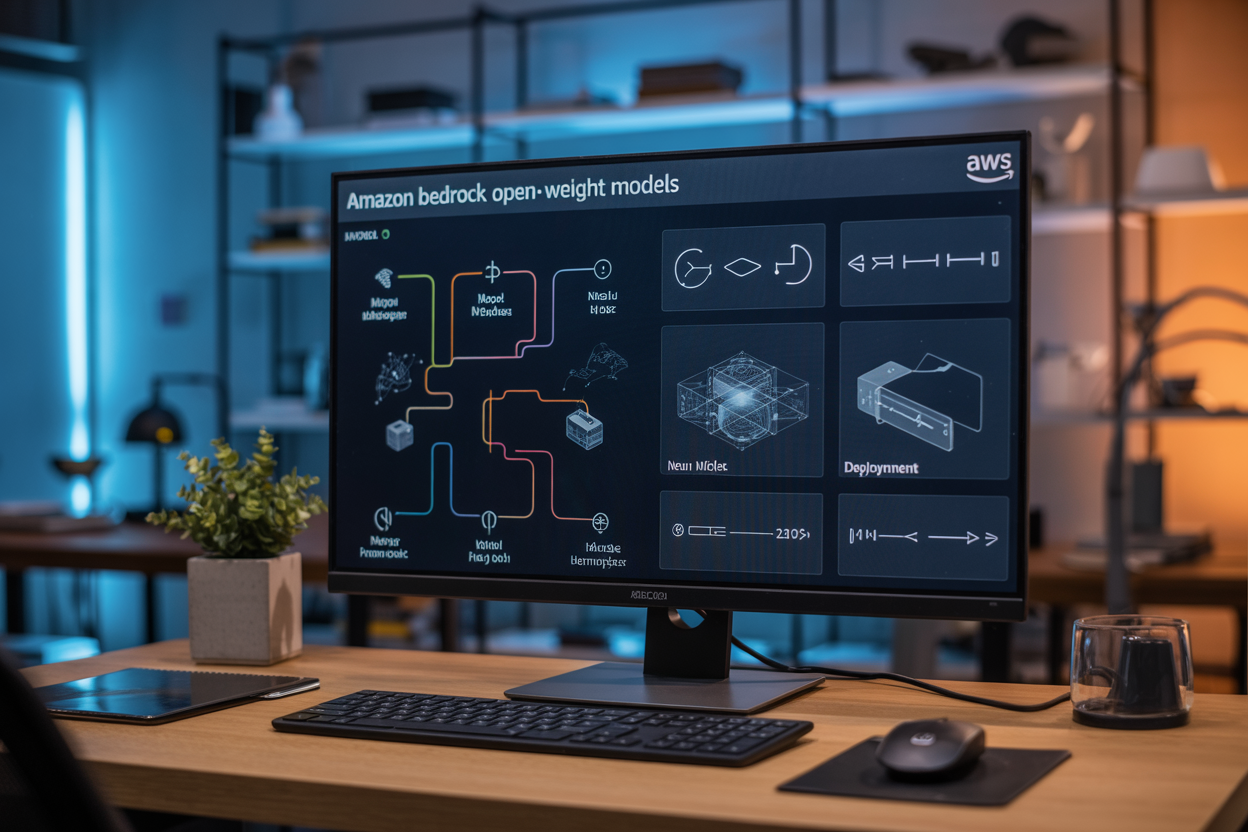
Amazon Bedrock open-weight models are changing how organizations approach AI deployment by offering transparent, customizable alternatives to traditional black-box solutions. These models give you full access to model weights and architecture, making them perfect for businesses that need complete control over their AI systems while staying compliant with strict regulatory requirements.
This guide is designed for AI engineers, data scientists, and technical decision-makers who want to understand how Amazon Bedrock deployment works with open-weight models and why they might be the right choice for your organization. We’ll walk you through everything from the basics of what makes these models different to hands-on implementation strategies.
You’ll discover the strategic advantages that open-weight AI models bring to your tech stack, including cost savings and enhanced security. We’ll also dive deep into the deployment process and best practices, showing you exactly how to get these models running in your environment. Finally, we’ll cover Amazon Bedrock fine-tuning techniques that let you customize models for your specific use cases, plus proven scaling strategies that ensure your AI systems perform reliably as your needs grow.
Understanding Amazon Bedrock Open-Weight Models

Definition and core characteristics of open-weight models
Amazon Bedrock open-weight models represent a significant shift in how organizations access and deploy artificial intelligence. These models make their trained weights publicly available, allowing developers to inspect, modify, and customize the underlying neural network parameters. Unlike traditional machine learning models where the architecture and weights remain hidden, open-weight models provide complete transparency into their internal workings.
The core characteristics of these models include full parameter accessibility, transparent training methodologies, and community-driven development. When you download an open-weight model from Amazon Bedrock, you receive the complete model architecture along with all trained weights and biases. This transparency enables deep customization and helps organizations understand exactly how their AI systems make decisions.
Open-weight models on Amazon Bedrock come with comprehensive documentation detailing their training data, optimization techniques, and performance benchmarks. This level of detail allows teams to make informed decisions about which models best suit their specific use cases and compliance requirements.
How they differ from proprietary foundation models
The fundamental difference between Amazon Bedrock open-weight models and proprietary alternatives lies in accessibility and control. Proprietary foundation models operate as black boxes where users interact through APIs without accessing the underlying weights or architecture. You send requests and receive responses, but the internal decision-making process remains opaque.
Open-weight models flip this dynamic entirely. You can download the complete model, examine its structure, and modify its behavior at the most granular level. This access enables organizations to conduct thorough security audits, implement custom fine-tuning strategies, and ensure their AI systems align with specific business requirements.
Proprietary models typically require ongoing subscription fees and API calls, creating dependency relationships with model providers. Open-weight models eliminate this dependency by allowing organizations to host and run models on their own infrastructure. While Amazon Bedrock provides managed hosting options, you maintain the freedom to deploy these models wherever your technical and compliance requirements dictate.
The development lifecycle also differs significantly. Proprietary models receive updates from their creators on predetermined schedules, often without detailed changelogs. Open-weight models enable organizations to control their update cycles, test changes in isolated environments, and maintain stable production versions indefinitely.
Key advantages over closed-source alternatives
Open-weight models offer compelling advantages that make them attractive for enterprise deployments. Cost predictability ranks among the top benefits, as organizations can eliminate per-token pricing models that characterize many proprietary AI services. Once you deploy an open-weight model on Amazon Bedrock, your costs become predictable based on infrastructure usage rather than API consumption.
Data sovereignty and security concerns find resolution through open-weight models. Organizations handling sensitive information can process data entirely within their controlled environments without transmitting it to external AI providers. This capability proves essential for industries with strict regulatory requirements like healthcare, finance, and government sectors.
Customization flexibility reaches unprecedented levels with open-weight models. Teams can fine-tune models on proprietary datasets, adjust architectures for specific performance requirements, and implement specialized inference optimizations. This level of control enables organizations to create truly differentiated AI solutions rather than relying on generic, one-size-fits-all alternatives.
Performance optimization becomes achievable through direct access to model weights. Organizations can implement quantization, pruning, and other compression techniques to optimize models for their specific hardware configurations. These optimizations often result in faster inference times and reduced computational costs compared to proprietary alternatives that must accommodate diverse use cases.
The transparency inherent in open-weight models facilitates better AI governance and explainability. Organizations can trace decision-making processes, implement bias detection mechanisms, and provide detailed explanations for AI-generated outputs. This transparency becomes increasingly important as AI regulations and ethical AI practices gain prominence across industries.
Available Open-Weight Models on Amazon Bedrock

Meta’s Llama Model Family and Capabilities
Meta’s Llama models represent some of the most powerful Amazon Bedrock open-weight models available today. The Llama 2 family offers three main variants: 7B, 13B, and 70B parameters, each designed for different computational requirements and use cases. The 7B model works perfectly for lightweight applications like chatbots and content generation, while the 70B version handles complex reasoning tasks and multi-turn conversations with remarkable accuracy.
Code Llama, built on the Llama 2 foundation, specializes in programming tasks. It excels at code completion, bug detection, and generating documentation across multiple programming languages including Python, JavaScript, C++, and Java. The model supports up to 16,000 tokens of context, making it ideal for analyzing large codebases and maintaining context across extended programming sessions.
Llama models support fine-tuning through Amazon Bedrock fine-tuning capabilities, allowing organizations to customize performance for domain-specific tasks. The models demonstrate strong performance in:
- Natural language understanding and generation
- Code analysis and generation
- Multilingual text processing
- Mathematical reasoning
- Creative writing and content creation
Mistral AI’s Model Offerings and Use Cases
Mistral AI brings cutting-edge European AI innovation to Amazon Bedrock through their highly efficient model architecture. Mistral 7B delivers exceptional performance-to-size ratio, making it perfect for resource-constrained environments while maintaining high-quality outputs. The model excels at instruction following and demonstrates remarkable capability in few-shot learning scenarios.
Mixtral 8x7B represents Mistral’s mixture-of-experts approach, activating only 12.9B parameters for each token while maintaining the knowledge capacity of a much larger model. This architecture provides:
- Superior computational efficiency
- Reduced inference costs
- Excellent multilingual capabilities across French, German, Spanish, and Italian
- Strong performance in mathematical and coding tasks
Mistral models integrate seamlessly with AWS machine learning models infrastructure, supporting both real-time inference and batch processing workloads. Organizations frequently deploy these models for customer service automation, content localization, and technical documentation generation.
Code-Focused Models for Development Tasks
Amazon Bedrock hosts several specialized models designed specifically for software development workflows. CodeT5+ offers advanced code understanding and generation capabilities, supporting over 20 programming languages with exceptional accuracy in code translation between languages.
StarCoder models provide comprehensive coding assistance through:
- Intelligent code completion
- Automated test generation
- Code refactoring suggestions
- Documentation generation
- Vulnerability detection
These open-weight AI models integrate directly with popular development environments and CI/CD pipelines. Organizations use them to accelerate development cycles, improve code quality, and reduce technical debt. The models understand context from comments, variable names, and existing code patterns to generate relevant, production-ready code snippets.
SantaCoder focuses on Python, JavaScript, and Java development, offering specialized capabilities for web development frameworks and data science libraries. It provides accurate API usage suggestions and helps developers navigate complex library ecosystems.
Specialized Models for Specific Industries
Amazon Bedrock’s ecosystem includes domain-specific models tailored for particular industry requirements. BioGPT specializes in biomedical text processing, understanding medical terminology, drug interactions, and clinical documentation with remarkable precision. Healthcare organizations leverage this model for:
- Medical record analysis
- Drug discovery research
- Clinical trial documentation
- Regulatory compliance documentation
FinBERT and similar financial models understand market terminology, regulatory language, and financial concepts. These models excel at risk assessment, compliance monitoring, and financial document analysis.
Legal-specific models process contract language, case law, and regulatory documents with deep understanding of legal precedents and terminology. They support contract review, legal research, and compliance documentation tasks.
Manufacturing-focused models understand technical specifications, quality standards, and operational procedures. They help with equipment manuals, safety documentation, and process optimization analysis.
Each specialized model supports bedrock model scaling for enterprise deployments while maintaining domain expertise and accuracy across industry-specific use cases.
Strategic Benefits for Organizations

Cost Reduction Through Transparent Pricing Models
Amazon Bedrock open-weight models deliver significant cost advantages through their transparent pricing structure. Unlike proprietary models with hidden licensing fees and unpredictable scaling costs, open-weight models on Amazon Bedrock operate on a clear pay-per-use basis. Organizations can accurately forecast expenses based on actual inference requests and compute resources consumed.
The absence of licensing fees for open-weight model architectures means businesses avoid hefty upfront costs that typically accompany proprietary AI solutions. Companies can redirect these savings toward infrastructure optimization, additional compute resources, or other strategic initiatives. Real-time cost monitoring through AWS billing dashboards provides granular visibility into spending patterns, enabling precise budget control and resource allocation.
Cost efficiency extends beyond initial deployment. Open-weight models allow organizations to optimize resource usage by choosing appropriate instance types for specific workloads. Development teams can experiment with different model configurations without incurring excessive charges, accelerating innovation while maintaining fiscal responsibility.
Enhanced Customization and Control Capabilities
Open-weight models grant organizations unprecedented control over their AI infrastructure. Unlike black-box proprietary solutions, these models provide complete transparency into architecture, weights, and training methodologies. Development teams can modify model parameters, adjust inference pipelines, and customize deployment configurations to meet specific business requirements.
Amazon Bedrock fine-tuning capabilities enable organizations to adapt open-weight models using proprietary datasets. Companies can enhance model performance for domain-specific tasks without sharing sensitive data with external vendors. This approach maintains competitive advantages while leveraging state-of-the-art AI capabilities.
Technical teams gain flexibility in deployment strategies, choosing between real-time inference endpoints, batch processing workflows, or hybrid approaches. Custom preprocessing and postprocessing pipelines integrate seamlessly with existing business systems. Organizations can implement specialized tokenization schemes, custom evaluation metrics, and tailored output formatting without vendor restrictions.
Improved Security and Compliance Advantages
Open-weight models on Amazon Bedrock provide enhanced security through complete code transparency and infrastructure control. Organizations can audit model architectures, validate training processes, and ensure compliance with industry-specific regulations. This transparency eliminates concerns about hidden backdoors or undisclosed data collection practices common in proprietary solutions.
Data sovereignty remains under organizational control throughout the entire AI lifecycle. Training data, fine-tuning datasets, and inference requests never leave designated AWS regions or authorized compute environments. Companies can implement additional encryption layers, custom access controls, and audit logging without vendor interference.
Compliance frameworks benefit from open-weight model transparency. Financial institutions can validate models against regulatory requirements, healthcare organizations can ensure HIPAA compliance, and government agencies can meet security clearance standards. Documentation and auditability features support compliance reporting and regulatory inquiries.
Vendor Lock-in Mitigation Strategies
Open-weight models provide a strategic hedge against vendor dependency by maintaining model portability across cloud providers and deployment environments. Organizations can migrate AI workloads between AWS, on-premises infrastructure, or alternative cloud platforms without losing model functionality or requiring extensive redevelopment.
Model weights and configurations remain accessible for export, ensuring business continuity even if vendor relationships change. Development teams can maintain local copies of trained models, enabling offline deployment scenarios and reducing dependency on external API services. This flexibility proves valuable during contract negotiations and strategic planning processes.
Amazon Bedrock deployment strategies can incorporate multi-cloud architectures, distributing AI workloads across multiple providers to minimize single points of failure. Organizations can gradually transition between vendors while maintaining operational continuity. Open-weight models support standardized deployment frameworks, reducing migration complexity and preserving engineering investments across platform transitions.
Deployment Process and Best Practices

Setting up your AWS environment for Bedrock
Getting your AWS environment ready for Amazon Bedrock open-weight models requires proper preparation and configuration. Start by creating an AWS account if you don’t have one, then request access to Amazon Bedrock through the AWS console. Access isn’t automatic – you’ll need to submit a request and wait for approval, which typically takes a few business days.
Once approved, configure your IAM roles and policies correctly. Create specific service roles that grant Bedrock the necessary permissions to access model artifacts and perform inference operations. Your IAM policy should include permissions for bedrock:*, s3:GetObject for model storage buckets, and CloudWatch logging capabilities. Don’t forget to attach these policies to the appropriate users or roles in your organization.
Set up your VPC configuration if you plan to use Bedrock within a private network. This involves configuring VPC endpoints, security groups, and network ACLs to ensure secure communication between your applications and Bedrock services. Pay special attention to outbound internet access requirements, as some models may need to download additional components during initialization.
Install and configure the AWS CLI and SDKs for your preferred programming languages. The Python boto3 SDK is particularly well-supported for Bedrock operations. Test your connection by running basic API calls to ensure everything works before proceeding with model deployment.
Model selection based on performance requirements
Choosing the right Amazon Bedrock open-weight model depends heavily on your specific use case and performance needs. Start by evaluating your application’s latency requirements – some models excel at real-time inference while others are better suited for batch processing scenarios.
Consider the model size and computational requirements. Larger models like Llama 2 70B provide superior accuracy but require more resources and have higher latency compared to smaller variants like Llama 2 7B. If your application needs quick responses for customer-facing features, opt for smaller, faster models. For complex reasoning tasks where accuracy matters more than speed, larger models are worth the trade-off.
Evaluate the specific capabilities each model offers. Some open-weight models on Bedrock are optimized for code generation, others excel at natural language understanding, and some are designed for multilingual applications. Match these strengths to your project requirements rather than defaulting to the largest available model.
Test multiple models with your actual data before making a final decision. Use Bedrock’s model evaluation features to compare performance metrics like response quality, processing time, and cost per inference. This real-world testing often reveals surprising differences that specifications alone don’t capture.
Infrastructure configuration and optimization
Proper infrastructure setup significantly impacts your Amazon Bedrock deployment’s performance and cost efficiency. Start by selecting the appropriate AWS region based on your users’ geographic location and data residency requirements. Some Bedrock models aren’t available in all regions, so verify availability before committing to a specific location.
Configure your compute resources thoughtfully. While Bedrock is serverless and handles the underlying infrastructure, you still need to optimize your application’s architecture. Implement connection pooling for your Bedrock API calls to reduce overhead and improve response times. Set up appropriate retry logic with exponential backoff to handle temporary service limits or network issues gracefully.
Design your data pipeline efficiently. Pre-process your input data to minimize token usage and reduce costs. Implement caching mechanisms for frequently requested inferences – this can dramatically reduce both latency and expenses. Consider using Amazon ElastiCache or DynamoDB for storing common responses.
Monitor your resource usage patterns and adjust your architecture accordingly. Bedrock charges based on input and output tokens, so optimizing your prompts and responses directly impacts costs. Use CloudWatch metrics to track your usage patterns and identify opportunities for optimization. Set up billing alerts to avoid unexpected charges during development and testing phases.
Integration with existing AWS services
Amazon Bedrock integrates seamlessly with the broader AWS ecosystem, enabling you to build comprehensive AI-powered applications. Connect Bedrock with Amazon S3 for storing training data, model artifacts, and inference results. This integration is particularly valuable for batch processing scenarios where you need to process large datasets.
Leverage Amazon Lambda for serverless inference workflows. Create Lambda functions that call Bedrock models and trigger them through API Gateway, EventBridge, or other AWS services. This approach works well for event-driven applications and helps keep costs low by only paying for actual usage.
Integrate with Amazon DynamoDB for storing conversation history, user preferences, and model outputs. This combination enables you to build stateful applications that remember previous interactions and provide personalized experiences. Use DynamoDB Streams to trigger additional processing when new data arrives.
Set up comprehensive logging and monitoring using CloudWatch, AWS X-Ray, and CloudTrail. These services help you track model performance, debug issues, and maintain compliance requirements. Create custom dashboards that monitor key metrics like inference latency, error rates, and token consumption.
Connect Bedrock with Amazon SageMaker for advanced model management and experimentation. While Bedrock handles the infrastructure, SageMaker provides additional tools for model comparison, A/B testing, and performance analysis. This combination gives you the best of both worlds – managed inference and advanced MLOps capabilities.
Fine-Tuning Techniques and Implementation

Custom dataset preparation and formatting
Creating high-quality datasets forms the backbone of successful Amazon Bedrock fine-tuning projects. Your data needs to match the specific format requirements for each open-weight model you’re working with. Start by collecting relevant examples that reflect your target use cases – whether that’s customer service conversations, technical documentation, or domain-specific content.
Clean your data thoroughly by removing duplicates, fixing encoding issues, and standardizing text formats. Most Amazon Bedrock open-weight models expect JSON Lines format with clear input-output pairs. For conversational models, structure your data with “messages” arrays containing role-based exchanges. For completion tasks, use simple “prompt” and “completion” fields.
Split your dataset into training (80%), validation (15%), and test (5%) sets. The validation set helps monitor training progress, while the test set provides unbiased performance evaluation. Consider data balancing to avoid model bias toward overrepresented categories or response patterns.
Upload your formatted datasets to Amazon S3 with appropriate permissions for Bedrock access. Use consistent naming conventions and organize files in logical directory structures to simplify batch processing and version control.
Parameter-efficient fine-tuning methods
Amazon Bedrock supports several parameter-efficient approaches that dramatically reduce computational requirements while maintaining model performance. Low-Rank Adaptation (LoRA) stands out as the most popular technique, updating only small matrices that approximate full parameter changes.
LoRA works by decomposing weight updates into low-rank matrices, typically reducing trainable parameters by 90% or more. Configure rank values between 8-64 depending on your task complexity and available compute budget. Higher ranks capture more nuanced patterns but require additional resources.
Prefix tuning offers another efficient approach by learning soft prompts that guide model behavior without modifying core weights. This method works particularly well for tasks where you want to maintain the model’s general capabilities while adding specific domain knowledge.
Choose your fine-tuning scope carefully. Full fine-tuning updates all parameters but demands significant resources. Layer-wise fine-tuning targets specific transformer layers, balancing customization with efficiency. Start with LoRA for most applications, then explore other methods based on initial results.
Training job configuration and monitoring
Setting up training jobs in Amazon Bedrock requires careful attention to hyperparameters and resource allocation. Begin with conservative learning rates (typically 1e-5 to 5e-5) to prevent catastrophic forgetting of pre-trained knowledge. Batch sizes should balance training stability with memory constraints – start with 4-8 samples per batch for most open-weight models.
Configure early stopping based on validation loss to prevent overfitting. Set patience values around 3-5 epochs, allowing the model enough time to improve while stopping before performance degrades. Monitor training curves through CloudWatch metrics to spot issues like exploding gradients or learning rate problems.
Use gradient checkpointing to reduce memory usage during training, especially important for larger open-weight models. This trades computation time for memory efficiency, enabling training on smaller instance types. Enable mixed precision training when supported to speed up convergence while maintaining numerical stability.
Set up automated alerts for training anomalies like loss spikes, memory errors, or unexpected job terminations. Create CloudWatch dashboards showing key metrics like loss curves, learning rate schedules, and resource utilization patterns.
Performance evaluation and validation
Comprehensive evaluation goes beyond simple accuracy metrics to assess real-world performance across multiple dimensions. Create evaluation datasets that mirror your production use cases, including edge cases and potential failure modes. Use holdout test sets that the model never sees during training or hyperparameter tuning.
Implement both automatic and human evaluation approaches. Automatic metrics like BLEU, ROUGE, or perplexity provide quick feedback during training, while human evaluators assess quality dimensions like relevance, coherence, and factual accuracy. Set up evaluation pipelines that run after each training checkpoint.
Compare your fine-tuned model against the base open-weight model and relevant benchmarks. Look for improvements in task-specific performance while checking that general capabilities remain intact. Test for potential biases or unwanted behaviors that fine-tuning might have introduced.
Create A/B testing frameworks to validate improvements in production environments. Deploy both baseline and fine-tuned models to compare performance on real user interactions. Track business metrics like user satisfaction, task completion rates, and response quality scores to measure practical impact beyond technical benchmarks.
Scaling Strategies for Production Environments

Auto-scaling configurations for variable workloads
Setting up auto-scaling for Amazon Bedrock open-weight models requires careful planning around your workload patterns. The key lies in configuring CloudWatch metrics that accurately reflect your actual usage, not just basic CPU or memory metrics. For bedrock model scaling, focus on request latency, queue depth, and token processing rates as primary indicators.
Create scaling policies that respond to both rapid spikes and gradual increases in demand. Set your scale-out threshold conservatively to avoid unnecessary costs, but ensure scale-in policies include cooldown periods to prevent thrashing. Most organizations find success with target tracking policies based on average CPU utilization around 60-70% for sustained workloads.
Consider implementing predictive scaling for workloads with known patterns. If your AI applications experience regular daily or weekly traffic cycles, AWS Auto Scaling can learn these patterns and pre-scale resources before demand actually hits. This approach significantly reduces cold start times for your open-weight models.
Multi-region deployment for global availability
Deploying Amazon Bedrock deployment across multiple regions ensures your AI applications remain available even during regional outages. Start by identifying regions closest to your user base to minimize latency while ensuring each region supports your chosen open-weight models.
Create identical infrastructure stacks using AWS CloudFormation or Terraform across your target regions. This includes not just the compute resources but also networking, security groups, and monitoring configurations. Keep your model artifacts synchronized using S3 cross-region replication to ensure consistency.
Implement health checks that go beyond basic ping tests. Your health checks should validate that models are actually responding correctly to inference requests, not just that the endpoints are reachable. Set up Route 53 health checks to automatically route traffic away from unhealthy regions.
Data residency requirements often dictate regional deployment strategies. Some organizations must keep certain data within specific geographic boundaries, which affects how you route requests and where you store model training data and inference logs.
Load balancing and traffic management
Application Load Balancers work exceptionally well for Amazon Bedrock open-weight models because they can route requests based on content. You can direct different model requests to specialized instances or distribute load based on request complexity.
Implement sticky sessions carefully when dealing with conversational AI models that maintain context. While stateless operations scale more easily, some use cases require maintaining conversation state. Use consistent hashing or session affinity to ensure users reach the same backend consistently.
Configure your load balancer health checks to test actual model functionality rather than just endpoint availability. A simple HTTP 200 response doesn’t guarantee your model is functioning correctly. Design health check endpoints that perform lightweight inference operations to validate model readiness.
Traffic splitting becomes powerful when testing new model versions or comparing different open-weight models. Start with small percentages of traffic routed to new configurations, gradually increasing as confidence grows. This approach minimizes risk while gathering real-world performance data.
Cost optimization through resource planning
Right-sizing your instances starts with understanding your actual workload characteristics. Many teams over-provision initially because they don’t have baseline performance data. Start with mid-range instances and monitor actual utilization patterns over several weeks before making sizing decisions.
Spot instances can dramatically reduce costs for batch inference workloads or development environments. While they’re not suitable for real-time production inference due to potential interruptions, they work perfectly for model training, fine-tuning, and large-scale batch processing jobs.
Reserved instances make sense once you understand your baseline capacity requirements. After running production workloads for a few months, you’ll identify the minimum capacity you consistently need. Reserve this baseline capacity while using on-demand or spot instances for variable demand.
Implement automated cost monitoring with custom CloudWatch metrics that track cost per inference request or cost per user session. Set up alerts when costs exceed expected thresholds, which often indicates either increased usage or inefficient resource utilization. Regular cost reviews help identify optimization opportunities as your usage patterns evolve.
Storage costs accumulate quickly with model artifacts, training data, and inference logs. Implement lifecycle policies that automatically transition older data to cheaper storage tiers or archive infrequently accessed content. Most organizations find they can safely archive training data older than six months while keeping recent model versions readily accessible.
Performance Optimization and Monitoring

Latency Reduction Techniques and Caching Strategies
Optimizing response times for Amazon Bedrock open-weight models starts with implementing strategic caching layers. Model response caching stores frequently requested outputs, dramatically reducing the need for repeated inference calls. Set up Redis or Amazon ElastiCache to cache common queries, especially for applications with predictable usage patterns.
Connection pooling significantly impacts performance by maintaining persistent connections to Bedrock endpoints. Instead of establishing new connections for each request, pools reuse existing connections, cutting down handshake overhead. Configure your connection pools with appropriate timeouts and maximum connection limits based on your expected traffic.
Batch processing transforms individual requests into grouped operations, maximizing throughput while minimizing per-request overhead. When your application can tolerate slight delays, collect multiple requests and process them simultaneously. This approach works particularly well for data analysis tasks or content generation workflows.
Regional deployment strategy affects latency more than most realize. Deploy your applications in AWS regions closest to your users and ensure your Bedrock models operate in the same region. Cross-region calls add unnecessary network hops that compound latency issues.
Asynchronous processing patterns prevent blocking operations from slowing down user experiences. Implement message queues using Amazon SQS to handle time-intensive model operations in the background while immediately responding to users with status updates or provisional responses.
Real-time Monitoring and Alerting Setup
Effective bedrock model optimization requires comprehensive monitoring that tracks both AWS-level metrics and application-specific performance indicators. CloudWatch provides essential baseline metrics including request latency, error rates, and throttling events across your Amazon Bedrock deployment.
Custom metrics give deeper insights into your specific use cases. Track token consumption rates, model response quality scores, and user satisfaction metrics through CloudWatch custom metrics or third-party monitoring solutions like DataDog or New Relic.
Alert configuration should balance responsiveness with noise reduction. Set up tiered alerting where warning thresholds trigger team notifications while critical thresholds initiate automated responses or escalation procedures. For example, configure alerts when average response times exceed 5 seconds or error rates climb above 2%.
Dashboard creation centralizes monitoring efforts across teams. Build executive dashboards showing high-level KPIs alongside technical dashboards displaying granular performance metrics. Include cost tracking dashboards to monitor your AWS machine learning models spending against budgets.
Automated health checks verify model availability and performance continuously. Implement synthetic transactions that exercise your most critical model endpoints, ensuring early detection of degraded performance before users experience issues.
Resource Utilization Tracking and Analysis
Resource tracking for open-weight AI models involves monitoring compute utilization patterns alongside cost optimization opportunities. Amazon Bedrock provides detailed usage metrics through CloudWatch, showing request volumes, processing times, and resource consumption across different model types.
Cost analysis becomes critical as usage scales. Track spending patterns by model, application, and user segment to identify optimization opportunities. Use AWS Cost Explorer to analyze trends and set up budget alerts before expenses exceed planned thresholds.
Performance baselines establish expected behavior patterns for your bedrock model scaling efforts. Document normal operating ranges for key metrics during different load conditions, seasonal variations, and feature releases. These baselines help distinguish between normal fluctuations and genuine performance issues.
Capacity planning relies on historical usage data to predict future resource needs. Analyze traffic patterns, peak usage periods, and growth trajectories to ensure adequate provisioning without over-spending on unused capacity. Consider implementing auto-scaling policies that adjust resources based on demand.
Usage optimization identifies inefficient patterns in your AI model deployment AWS infrastructure. Regular analysis might reveal opportunities to consolidate similar requests, optimize model selection for specific tasks, or implement more efficient data preprocessing workflows that reduce overall resource consumption.

Amazon Bedrock’s open-weight models represent a game-changing approach to AI implementation, offering organizations the flexibility and control they need without the hefty infrastructure costs. These models give you the power to customize AI solutions for your specific business needs while benefiting from Amazon’s robust cloud infrastructure. The combination of cost-effectiveness, transparency, and scalability makes them an attractive choice for companies looking to integrate AI without breaking the bank or compromising on performance.
Ready to take the plunge? Start small with one of the available models, experiment with the deployment process, and gradually scale up as your confidence and requirements grow. The key is to begin with clear objectives, monitor your results closely, and don’t be afraid to fine-tune along the way. With the right strategy and Amazon Bedrock’s powerful platform backing you up, you’ll be well-positioned to harness the full potential of open-weight models for your organization’s AI journey.