


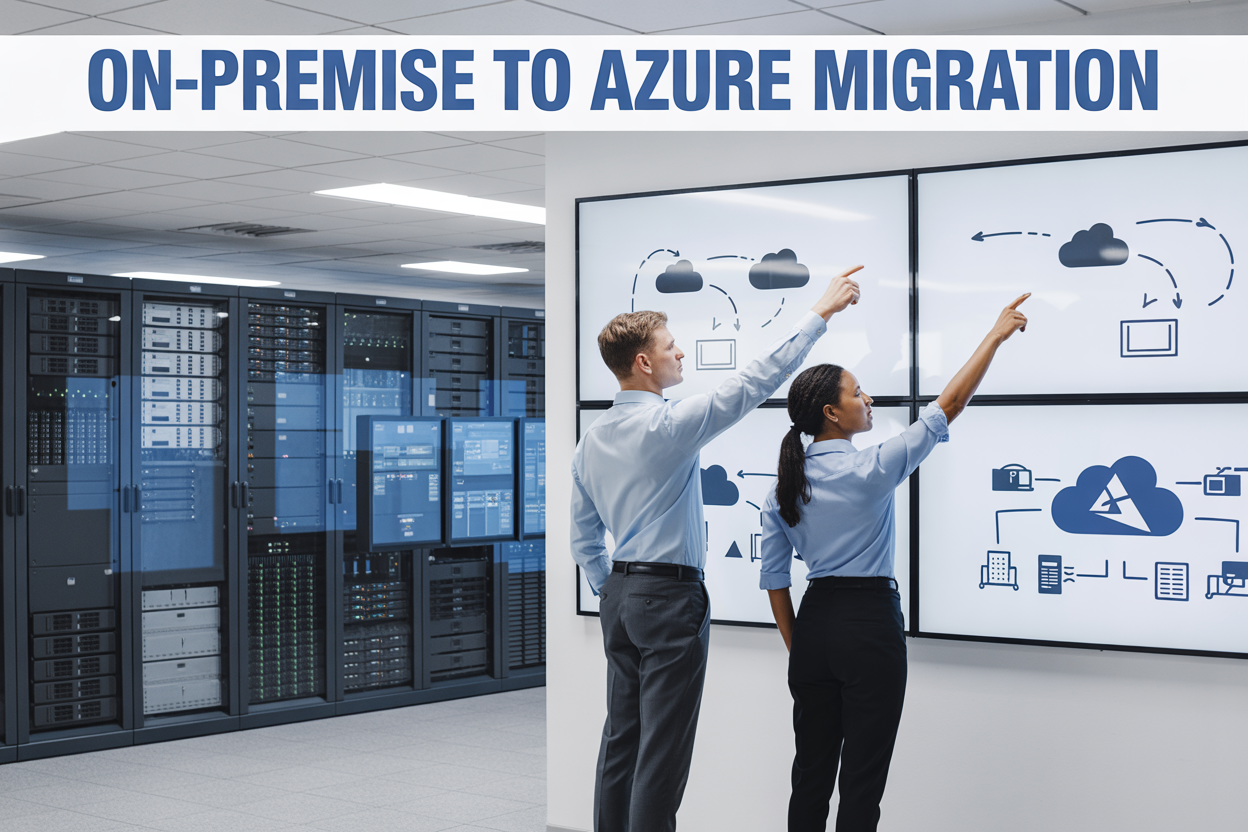
On-Premise to Azure Migration: Modern Cloud Architecture for Enterprises
Moving your business from on-premise servers to Azure can transform how your company operates and scales. This comprehensive guide is designed for IT directors, cloud architects, and business leaders who need to plan and execute a successful on-premise to azure migration.
The shift to cloud isn’t just about moving data—it’s about reimagining your entire technology foundation. With the right azure migration planning approach, enterprises can cut infrastructure costs by 20-40% while gaining flexibility that traditional servers simply can’t match.
We’ll walk you through the essential steps of enterprise digital transformation, starting with choosing the right azure migration strategy that fits your business needs. You’ll also learn how to create a realistic azure migration timeline that minimizes disruption to daily operations. Finally, we’ll cover azure cost optimization techniques that help you maximize your cloud investment while maintaining peak performance.
Ready to move beyond the limitations of legacy infrastructure? Let’s explore how modern cloud architecture can give your enterprise the competitive edge it needs.
Understanding Your Current On-Premise Infrastructure

Assess existing hardware and software dependencies
Starting your on-premise to azure migration begins with creating a detailed inventory of your current technology stack. Map out every server, storage device, network component, and endpoint to understand what you’re working with. Document operating systems, application versions, database systems, and middleware configurations across your environment.
Pay special attention to legacy applications that might have specific hardware requirements or use proprietary protocols. Some older systems run on specialized servers or require particular network configurations that could affect your azure migration planning. Create dependency maps showing how applications connect to each other, which databases they rely on, and what external services they integrate with.
Don’t overlook licensing agreements and support contracts for existing software. Many enterprise applications have complex licensing models that change when moving to cloud environments. Review vendor agreements to understand migration rights, potential cost implications, and whether cloud-compatible versions exist.
Network topology deserves special focus during this assessment phase. Document bandwidth requirements, latency-sensitive applications, and security zones. Understanding your current network architecture helps design the right hybrid cloud architecture approach and identifies which workloads need direct connections versus those suitable for internet-based connectivity.
Identify performance bottlenecks and scalability limitations
Current performance metrics reveal critical insights for successful cloud infrastructure modernization. Monitor CPU utilization, memory consumption, disk I/O patterns, and network throughput across your infrastructure over several weeks. This baseline data helps size Azure resources appropriately and avoid over or under-provisioning.
Look beyond average performance numbers to identify peak usage patterns and seasonal variations. Many enterprises discover their on-premise systems struggle during month-end processing, quarterly reporting, or holiday traffic spikes. These patterns influence your azure migration strategy and help determine which workloads benefit most from cloud elasticity.
Storage performance often becomes a major constraint in aging on-premise environments. Examine IOPS requirements, storage latency, and backup windows that impact business operations. Legacy storage arrays might limit application performance in ways that become obvious only when planning migration to modern cloud storage solutions.
Application response times and user experience metrics provide another crucial perspective. Slow database queries, inefficient batch processes, or resource contention issues that users have learned to tolerate might disappear with proper cloud architecture design. Document these pain points as opportunities for improvement during migration.
Evaluate current security protocols and compliance requirements
Security assessment forms the foundation of enterprise digital transformation planning. Review your existing access controls, authentication systems, and authorization frameworks to understand how they’ll translate to Azure environments. Many organizations discover their on-premise Active Directory implementations need updates before integrating with Azure Active Directory.
Audit your current compliance posture against industry standards like SOC 2, HIPAA, PCI DSS, or GDPR requirements. Cloud migration often improves compliance capabilities, but you need clear documentation of existing controls and audit trails. Some compliance requirements might influence which Azure regions you can use or require specific security configurations.
Network security policies require careful evaluation during migration planning. Document firewall rules, network segmentation policies, and intrusion detection systems currently protecting your environment. Cloud security models differ significantly from traditional perimeter-based approaches, requiring updated policies and potentially new tools.
Data classification and encryption practices need thorough review. Identify which data requires encryption at rest, in transit, or both. Some legacy systems might use outdated encryption methods that need upgrading during migration. Understanding current data protection measures helps design appropriate security architectures in Azure.
Calculate total cost of ownership for legacy systems
Comprehensive cost analysis drives informed migration decisions and sets realistic expectations for cloud transformation ROI. Calculate hardware acquisition costs, including servers, storage, networking equipment, and facilities infrastructure over the past three years. Include depreciation schedules and planned hardware refresh cycles to understand avoided future investments.
Operational expenses often exceed hardware costs in enterprise environments. Factor in electricity, cooling, physical security, and facility costs for data center space. Add staffing costs for system administrators, network engineers, and security specialists dedicated to maintaining on-premise infrastructure. Don’t forget indirect costs like training, certifications, and overtime during outages.
Software licensing represents another significant expense category. Document current licensing costs for operating systems, databases, middleware, and applications. Include support contracts, maintenance fees, and upgrade costs. Many software vendors offer cloud-specific licensing that might reduce overall costs or provide additional features.
Risk-related costs deserve consideration in your total cost analysis. Calculate recent downtime incidents, their business impact, and recovery costs. Include security incident response expenses and potential compliance penalties. Cloud environments often reduce these risk-related costs through improved redundancy, automated backups, and enhanced security capabilities.
Benefits of Migrating to Azure Cloud Architecture

Reduce infrastructure costs and eliminate hardware maintenance
Moving from on-premise to Azure cloud migration brings immediate relief from the heavy financial burden of hardware investments. Traditional data centers require significant upfront capital for servers, storage systems, networking equipment, and cooling infrastructure. Azure’s pay-as-you-use model transforms these massive capital expenses into predictable operational costs.
Your IT team can finally break free from the endless cycle of hardware procurement, installation, and maintenance. No more emergency purchases when servers fail or storage runs low. Azure handles all the underlying infrastructure, including regular hardware updates, security patches, and facility maintenance. This shift allows your technical staff to focus on strategic initiatives rather than keeping the lights on in the server room.
Real-world case studies show enterprises typically save 20-40% on infrastructure costs during their first year after migration. These savings compound over time as you avoid costly hardware refresh cycles that occur every 3-5 years in traditional environments.
Scale resources dynamically based on business demands
Azure’s elastic scaling capabilities revolutionize how enterprises handle fluctuating workloads. Unlike on-premise systems that require over-provisioning for peak capacity, Azure automatically adjusts resources based on actual demand patterns.
During busy periods like Black Friday or quarterly reporting, your applications can instantly access additional computing power and storage. When demand drops, resources scale down automatically, ensuring you only pay for what you actually use. This dynamic scaling extends beyond just compute resources:
- Storage expansion happens seamlessly without downtime
- Database performance adjusts to query loads automatically
- Network bandwidth scales with traffic spikes
- Memory allocation increases during intensive processing
Your enterprise cloud architecture becomes truly responsive to business needs rather than being constrained by physical hardware limitations. Development teams can spin up testing environments in minutes instead of waiting weeks for hardware procurement.
Enhance security with enterprise-grade protection and compliance
Azure provides security capabilities that most enterprises cannot achieve independently. Microsoft invests over $1 billion annually in cybersecurity research and employs thousands of security experts to protect the platform. This level of security infrastructure would be impossible for individual organizations to replicate.
The platform offers advanced threat detection, real-time monitoring, and automated response systems that operate 24/7. Azure’s Security Center continuously scans for vulnerabilities and provides actionable recommendations to strengthen your security posture.
Compliance becomes significantly easier with Azure’s extensive certification portfolio:
- SOC 2 Type II for service organization controls
- ISO 27001 for information security management
- HIPAA for healthcare data protection
- PCI DSS for payment card industry standards
- FedRAMP for government cloud requirements
Built-in encryption protects data both at rest and in transit, while multi-factor authentication and conditional access policies ensure only authorized users can access sensitive resources.
Improve disaster recovery and business continuity capabilities
Traditional disaster recovery solutions require duplicate infrastructure investments and complex replication processes. Azure transforms disaster recovery from a costly insurance policy into an accessible, automated capability.
Azure Site Recovery provides automated failover and failback capabilities across multiple geographic regions. Your critical applications can be replicated to secondary Azure regions with minimal effort and cost. During an outage, workloads automatically switch to backup locations, ensuring business operations continue with minimal disruption.
Recovery time objectives (RTO) that previously required hours or days can now be achieved in minutes. Recovery point objectives (RPO) can be set to near-zero data loss scenarios through continuous replication. This level of business continuity protection was previously available only to the largest enterprises with substantial budgets.
Access cutting-edge AI and analytics services
Azure migration planning should include evaluation of advanced AI and analytics capabilities that become available once your data resides in the cloud. These services were previously accessible only to technology giants with massive research budgets.
Azure Cognitive Services brings pre-built AI models for vision, speech, language, and decision-making directly into your applications. Machine learning capabilities can analyze patterns in your business data to predict customer behavior, optimize supply chains, and identify operational inefficiencies.
Real-time analytics through Azure Stream Analytics processes millions of events per second, enabling immediate responses to changing business conditions. Power BI integration provides self-service analytics that empowers business users to create their own reports and dashboards without IT intervention.
These AI and analytics tools transform raw business data into actionable insights, creating competitive advantages that were previously impossible with on-premise infrastructure limitations.
Choosing the Right Azure Migration Strategy

Rehost Applications with Minimal Changes for Quick Wins
The “lift and shift” approach represents the most straightforward path for on-premise to azure migration, allowing organizations to move existing workloads to Azure virtual machines with virtually no code modifications. This azure migration strategy delivers immediate benefits like reduced hardware maintenance costs and improved disaster recovery capabilities without requiring extensive application redesigns.
Virtual machine migrations typically complete faster than other migration approaches, making them ideal for organizations facing urgent datacenter lease expirations or hardware refresh cycles. You can migrate Windows and Linux servers directly to Azure VMs, maintaining existing configurations and dependencies while gaining cloud scalability.
Key scenarios for rehosting include:
- Legacy applications with complex dependencies that would be costly to modernize
- Time-sensitive migrations requiring quick datacenter exits
- Applications approaching end-of-life that don’t justify refactoring investments
- Proof-of-concept migrations to demonstrate cloud value before larger transformation initiatives
Azure Site Recovery simplifies the rehosting process by providing automated replication and failover capabilities. This tool reduces migration complexity while ensuring business continuity throughout the transition period.
Refactor Applications to Leverage Cloud-Native Features
Refactoring takes your existing applications and modifies them to better utilize Azure’s platform services without completely rebuilding the architecture. This azure cloud migration strategy strikes a balance between migration speed and cloud optimization, delivering meaningful improvements in performance, scalability, and operational efficiency.
Database migrations exemplify effective refactoring opportunities. Moving SQL Server databases to Azure SQL Database or Azure SQL Managed Instance provides automatic scaling, built-in high availability, and advanced security features while maintaining application compatibility. Similarly, replacing on-premises file servers with Azure Files or Azure Blob Storage reduces infrastructure overhead.
Application modernization through refactoring might involve:
- Implementing Azure App Service for web applications to gain automatic scaling and integrated DevOps pipelines
- Adopting Azure Functions for specific application components to achieve serverless cost efficiency
- Integrating Azure Active Directory for enhanced security and single sign-on capabilities
- Leveraging Azure Application Insights for comprehensive application monitoring and performance optimization
The refactoring approach typically requires moderate development effort but delivers substantial long-term value through reduced operational complexity and improved application resilience. Organizations often see 20-40% cost reductions compared to direct VM migrations while maintaining familiar application interfaces for end users.
Rearchitect Systems for Maximum Cloud Optimization
Complete system rearchitecting represents the most transformative azure migration strategy, redesigning applications from the ground up to fully embrace cloud-native principles. This approach delivers maximum cloud benefits but requires significant planning, development resources, and organizational change management.
Microservices architecture becomes the foundation for rearchitected systems, breaking monolithic applications into independently deployable services that can scale individually based on demand. Azure Container Instances and Azure Kubernetes Service provide the orchestration platforms needed to manage these distributed architectures effectively.
Modern enterprise cloud architecture patterns include:
- Event-driven architectures using Azure Event Grid and Azure Service Bus for loose coupling between services
- API-first designs with Azure API Management for consistent service interfaces and governance
- Data lake implementations using Azure Data Lake Storage for analytics and machine learning workloads
- Serverless computing with Azure Functions and Logic Apps for event processing and workflow automation
Rearchitecting enables advanced capabilities like auto-scaling based on business metrics, global distribution for low-latency user experiences, and integration with artificial intelligence services. Organizations pursuing digital transformation often choose this path to fundamentally change how they deliver software and services to customers.
The investment in rearchitecting pays dividends through dramatically improved agility, reduced operational costs, and the ability to rapidly deploy new features that differentiate the business in competitive markets.
Replace Legacy Systems with Azure-Managed Services
System replacement represents the most radical migration approach, completely retiring existing applications in favor of Azure-managed services or Software-as-a-Service solutions. This strategy eliminates technical debt while providing immediate access to enterprise-grade capabilities without ongoing maintenance responsibilities.
Email systems present classic replacement opportunities. Migrating from on-premises Exchange servers to Microsoft 365 eliminates server management overhead while providing enhanced collaboration tools, advanced security features, and global accessibility. Similarly, replacing custom-built content management systems with SharePoint Online delivers modern document collaboration without custom application maintenance.
Enterprise resource planning (ERP) and customer relationship management (CRM) systems often benefit from replacement strategies. Azure marketplace solutions provide industry-specific functionality that would take years to develop internally, while cloud vendors handle security updates, compliance certifications, and feature enhancements.
Strategic replacement considerations include:
- Evaluating Software-as-a-Service alternatives that eliminate infrastructure management entirely
- Assessing Azure Platform-as-a-Service offerings that provide managed runtime environments
- Planning data migration strategies to preserve historical information during system transitions
- Designing integration approaches to connect new cloud services with retained on-premises systems
The replacement strategy requires careful change management since users must adapt to new interfaces and workflows. However, organizations typically achieve the fastest time-to-value and lowest total cost of ownership through this approach, especially for non-differentiating business functions.
Planning Your Azure Migration Timeline

Conduct Comprehensive Application Dependency Mapping
Understanding how your applications connect and depend on each other is like creating a roadmap before a long journey. Your azure migration planning starts with a detailed inventory of every system, database, and service in your current environment. Document which applications talk to which databases, what network connections exist between services, and how data flows through your infrastructure.
Modern dependency mapping tools can automatically discover these relationships, but don’t rely solely on automated scanning. Interview your development teams, database administrators, and business users to capture hidden dependencies that tools might miss. Pay special attention to:
- Database connections and replication relationships
- File share dependencies and network storage requirements
- Authentication and authorization integrations
- Batch jobs and scheduled processes
- Third-party vendor connections and APIs
- Compliance and regulatory data flows
This mapping becomes your foundation for making smart migration decisions. Applications with minimal dependencies make excellent candidates for early migration waves, while tightly coupled systems might need to move together as a group.
Prioritize Workloads Based on Business Impact and Complexity
Not all applications are created equal, and your azure migration timeline should reflect that reality. Create a scoring matrix that weighs business criticality against technical complexity. Low-risk, high-value applications often make the best starting points for your migration journey.
Consider these factors when ranking your workloads:
Business Impact Assessment:
- Revenue generation potential
- Customer-facing visibility
- Regulatory compliance requirements
- Business continuity importance
- User base size and dependency
Technical Complexity Evaluation:
- Application architecture age and complexity
- Database size and structure
- Integration touchpoints
- Custom code modifications needed
- Performance and latency requirements
Applications serving development or testing environments typically offer safe starting points with immediate cost benefits. Legacy systems running on outdated hardware might seem like obvious migration candidates, but their complexity often requires more preparation time than expected.
Design Phased Migration Approach to Minimize Disruptions
Breaking your migration into digestible phases protects your business from major disruptions while building confidence in your enterprise cloud architecture transformation. Start with pilot projects that demonstrate quick wins and validate your migration processes.
Wave 1: Foundation and Quick Wins
- Non-production environments
- Development and testing systems
- Standalone applications with minimal dependencies
- File storage and backup systems
Wave 2: Business Applications
- Customer relationship management systems
- Human resources platforms
- Financial reporting tools
- Internal productivity applications
Wave 3: Mission-Critical Systems
- Core business applications
- Primary databases and data warehouses
- Real-time processing systems
- Customer-facing web applications
Each wave should include proper testing periods, user training, and performance validation before moving to the next phase. Schedule migrations during low-traffic periods and maintain parallel systems during transition periods when possible.
Establish Rollback Procedures for Risk Mitigation
Even the best-planned migrations can hit unexpected snags, so preparing rollback procedures before you need them is non-negotiable. Your azure migration best practices must include clear criteria for when to activate rollback plans and detailed steps for returning to your original state.
Document rollback triggers such as:
- Performance degradation beyond acceptable thresholds
- Data integrity issues or synchronization problems
- Critical functionality failures
- Security or compliance violations
- User adoption resistance beyond planned change management
Create automated rollback scripts where possible, especially for database migrations and configuration changes. Test these procedures in non-production environments to verify they work as expected. Assign specific team members to monitor key performance indicators during migration windows and empower them to initiate rollback procedures without lengthy approval processes.
Maintain detailed communication plans for rollback scenarios, including stakeholder notification procedures and user communication templates. Your rollback strategy should get you back to a stable state within defined recovery time objectives, even if it means temporarily accepting reduced functionality or manual workarounds.
Implementing Modern Cloud Architecture Patterns
Adopt Microservices Architecture for Improved Scalability
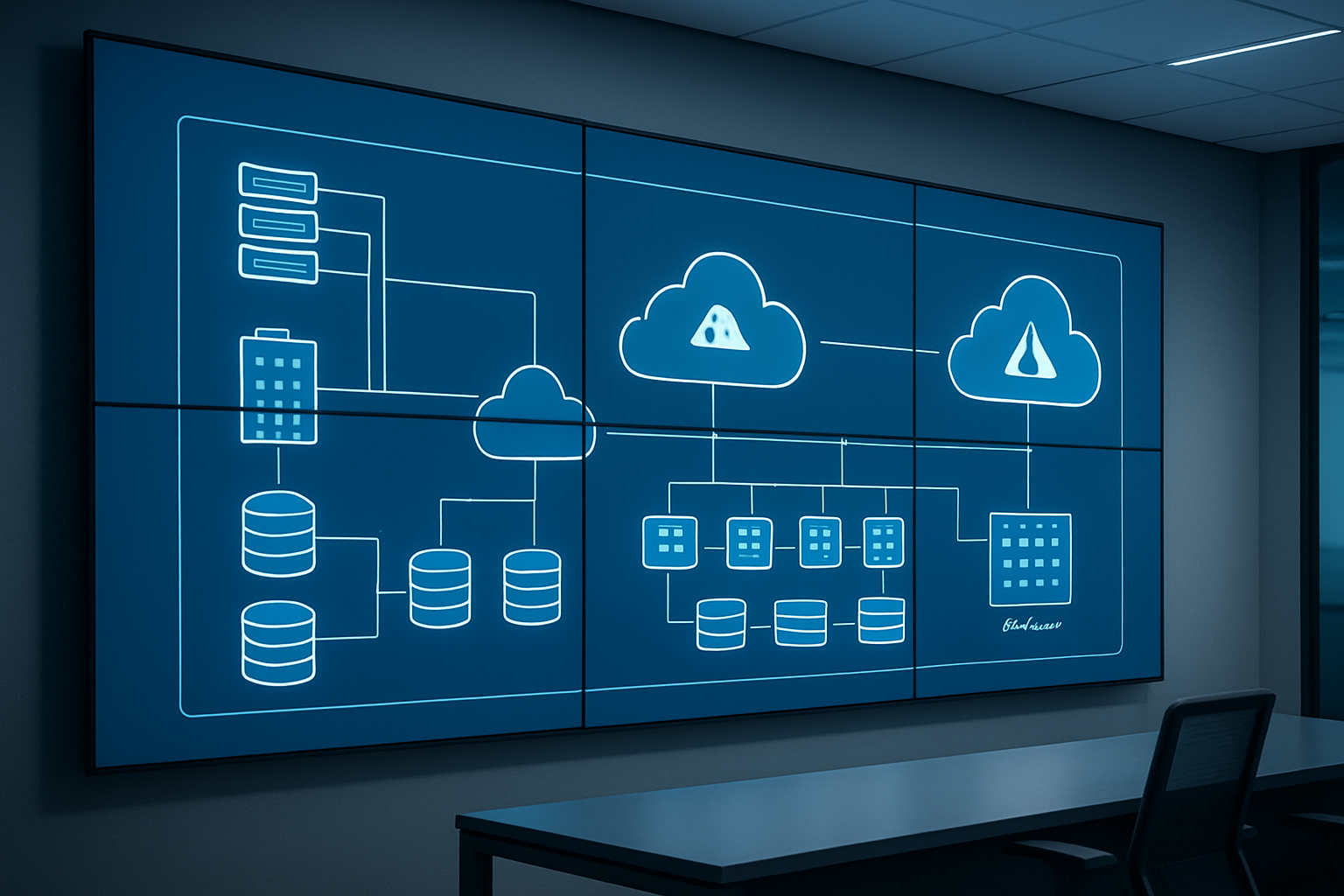
Moving from monolithic applications to microservices architecture transforms how your organization builds and deploys software. This approach breaks down large applications into smaller, independent services that communicate through APIs. Each service handles specific business functions and can be developed, deployed, and scaled independently.
During your on-premise to azure migration, microservices architecture delivers significant advantages. Teams can work on different services simultaneously without stepping on each other’s toes. When traffic spikes hit one part of your application, you can scale just that service instead of the entire system. This targeted scaling saves money and improves performance.
Azure provides robust support for microservices through Azure Service Fabric and Azure Container Instances. These services handle the complexity of service discovery, load balancing, and health monitoring. Your development teams can focus on building features instead of managing infrastructure.
The transition requires careful planning. Start by identifying logical boundaries within your existing applications. Look for components that change frequently or have different scaling requirements. These make excellent candidates for your first microservices.
Leverage Containerization with Azure Kubernetes Service
Containers package your applications with all their dependencies, making them portable across different environments. Azure Kubernetes Service (AKS) manages these containers at scale, handling deployment, scaling, and maintenance automatically.
AKS integrates seamlessly with Azure’s ecosystem. You can connect to Azure Active Directory for authentication, use Azure Monitor for observability, and leverage Azure Container Registry for storing container images. This integration simplifies operations and reduces the learning curve for your teams.
When planning your azure cloud migration strategy, consider containerizing applications gradually. Start with stateless applications that don’t require complex data persistence. These applications adapt easily to container environments and provide quick wins for your migration project.
Container orchestration through AKS eliminates many operational headaches. The platform automatically restarts failed containers, distributes traffic across healthy instances, and scales resources based on demand. Your applications become more resilient while reducing manual intervention.
Implement Serverless Computing for Cost-Effective Operations
Serverless computing with Azure Functions eliminates server management entirely. You write code that responds to events, and Azure handles everything else – provisioning, scaling, and maintenance. This model works exceptionally well for event-driven workloads and periodic tasks.
The cost benefits are compelling. You pay only for actual execution time, measured in milliseconds. Functions that run infrequently cost almost nothing, making serverless ideal for background processing, data transformation, and integration scenarios.
Azure Logic Apps extends serverless capabilities to workflow automation. These visual designers help non-developers create sophisticated business processes without writing code. Your enterprise cloud architecture becomes more agile when business users can modify workflows independently.
Consider serverless for microservices endpoints, scheduled tasks, and event processing. These use cases benefit most from the automatic scaling and pay-per-use pricing model. Traditional web applications might not fit as well due to cold start delays and execution time limits.
Design Multi-Region Deployments for Global Reach
Multi-region deployments distribute your applications across multiple geographic locations. This strategy reduces latency for global users, provides disaster recovery capabilities, and meets data residency requirements in different countries.
Azure’s global network spans over 60 regions worldwide. Each region contains multiple data centers for redundancy. You can deploy identical application instances in different regions or use specialized services for global distribution.
Azure Traffic Manager intelligently routes users to the closest healthy endpoint. When one region experiences issues, traffic automatically redirects to alternate locations. Your users experience minimal downtime even during major outages.
Data synchronization across regions requires careful planning. Azure Cosmos DB offers global distribution with configurable consistency levels. For relational databases, consider Azure SQL Database with geo-replication or implement application-level data synchronization.
Load balancing becomes more complex in multi-region scenarios. Azure Front Door provides global load balancing with web application firewall capabilities. This service optimizes performance while protecting against common web vulnerabilities.
Plan your multi-region architecture during the initial migration phase. Retrofitting global distribution later adds complexity and potential downtime. Consider compliance requirements, data sovereignty laws, and user distribution patterns when selecting regions for deployment.
Optimizing Performance and Cost Management

Right-size resources using Azure monitoring tools
Getting your resource sizing right after your on-premise to azure migration makes the difference between a successful cloud transformation and budget overruns. Azure’s monitoring suite gives you the data you need to make smart decisions about your infrastructure.
Azure Monitor sits at the heart of performance tracking, collecting metrics from virtual machines, databases, and applications. CPU usage, memory consumption, and network throughput tell the real story of how your workloads behave in the cloud. The Azure Advisor tool analyzes this data and provides specific recommendations for downsizing underused resources or upgrading overloaded ones.
Memory and CPU metrics reveal when you’re paying for more compute power than needed. Many enterprises discover their migrated workloads run efficiently on smaller VM sizes than originally provisioned. Azure’s detailed billing analytics show exactly what each resource costs, making it easy to identify the biggest cost drivers.
Application Insights tracks application performance and user behavior, highlighting bottlenecks that might require different resource configurations. Database performance metrics help determine when to scale up storage or switch to different service tiers.
The key is setting up custom dashboards that display the metrics that matter most to your business. Alert rules notify teams when resources hit utilization thresholds, enabling proactive adjustments before performance degrades or costs spiral.
Implement automated scaling policies for peak efficiency
Automated scaling transforms how your azure cloud migration strategy handles traffic fluctuations. Instead of manually adjusting resources or over-provisioning to handle peak loads, intelligent scaling policies respond to real-time demand.
Azure Autoscale monitors performance metrics like CPU usage, memory consumption, and queue length to trigger scaling events. When traffic increases during business hours or seasonal peaks, the system automatically adds instances. When demand drops, it scales down to minimize costs.
Horizontal scaling adds or removes virtual machine instances based on predefined rules. Setting up scale-out rules when CPU usage exceeds 70% and scale-in rules when it drops below 30% keeps performance steady while controlling expenses. Custom metrics from your applications can also trigger scaling actions.
Vertical scaling adjusts the size of individual resources, perfect for databases or applications that benefit from more powerful hardware rather than additional instances. Azure SQL Database elastic pools automatically scale storage and compute based on actual usage patterns.
Application Gateway and Load Balancer work with autoscaling groups to distribute traffic efficiently across new instances. Health probes ensure only healthy instances receive traffic during scaling operations.
Predictive scaling uses machine learning to anticipate demand patterns, scaling resources before traffic spikes hit. This proactive approach eliminates the lag time between demand increases and resource availability.
Use reserved instances and spot pricing for cost savings
Smart pricing strategies can cut your azure cost optimization efforts dramatically. Reserved instances and spot pricing offer substantial discounts for workloads that fit specific usage patterns.
Reserved instances provide up to 72% savings compared to pay-as-you-go pricing when you commit to one or three-year terms. These work best for steady-state workloads like web servers, databases, and always-on applications. The savings increase with longer commitment periods and upfront payments.
Azure Hybrid Benefit lets you use existing Windows Server and SQL Server licenses in the cloud, stacking additional savings on top of reserved instance discounts. This combination often delivers the lowest possible compute costs for enterprise workloads.
Spot instances offer up to 90% discounts for interruptible workloads. Batch processing, development environments, and fault-tolerant applications work well with spot pricing. Azure gives 30 seconds notice before evicting spot instances, allowing graceful shutdowns.
Mixing pricing models across your environment maximizes savings. Production databases run on reserved instances for predictable costs, while development workloads use spot instances for massive savings. Auto-scaling groups can combine both pricing models, using reserved instances as the baseline capacity and spot instances for burst capacity.
Azure Cost Management provides detailed analysis of your spending patterns and recommends the optimal mix of pricing options. The service identifies opportunities to convert existing workloads to reserved instances based on historical usage data.
Regular reviews of your pricing strategy ensure you’re taking advantage of new discount opportunities as your cloud footprint evolves.

Moving from on-premise infrastructure to Azure represents more than just a technology upgrade—it’s a complete transformation of how your enterprise operates. The journey involves understanding your existing systems, recognizing the substantial benefits Azure offers, selecting the right migration approach, and carefully planning your timeline. Success depends on implementing modern cloud architecture patterns that enhance scalability, security, and operational efficiency.
The migration process requires thoughtful preparation and ongoing optimization to maximize your investment. By focusing on performance monitoring and cost management from day one, you’ll ensure your new Azure environment delivers the agility and cost savings your business needs. Start by assessing your current infrastructure today, and take the first step toward a more flexible, efficient cloud-native future that positions your enterprise for long-term growth and innovation.









