


Managing Azure multi-account deployment across development, staging, and production environments becomes complex when you need to maintain security while deploying from a single GitHub repository. This guide is designed for DevOps engineers, cloud architects, and development teams who want to streamline their Azure deployment automation without compromising on security or governance.
You’ll learn how to build secure GitHub Actions workflows that can safely deploy to multiple Azure environments while maintaining proper access controls and compliance standards. We’ll walk through setting up a robust multi-environment Azure infrastructure that scales with your organization’s needs, and show you how to implement environment-specific deployment strategies that prevent configuration drift and reduce deployment risks.
By the end of this guide, you’ll have a production-ready CI/CD Azure best practices framework that automates deployments across your Azure environments while maintaining the security and reliability your business demands.
Set Up Multi-Environment Azure Infrastructure Architecture
Design separate Azure subscriptions for development, staging, and production
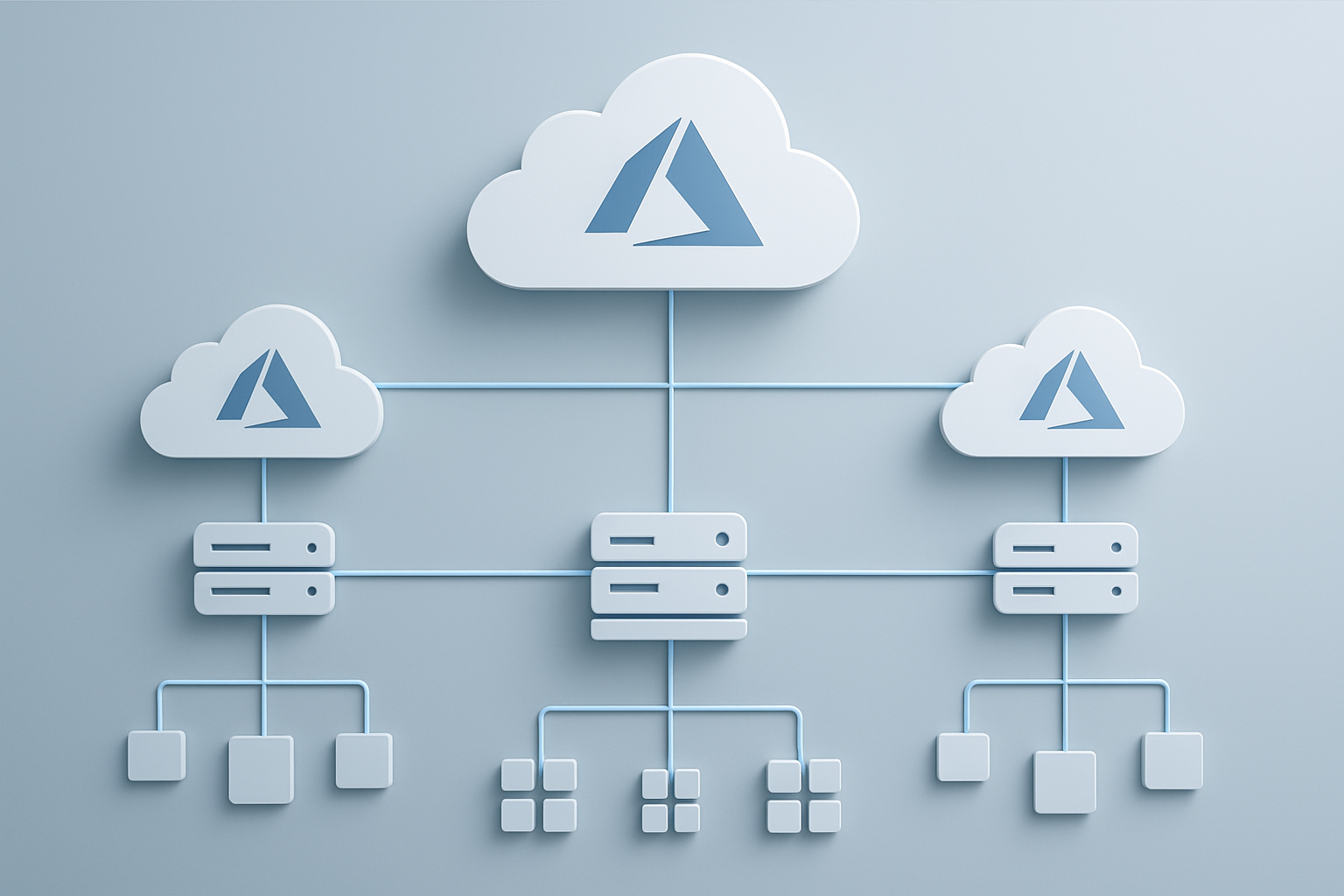
Creating distinct Azure subscriptions for each environment forms the foundation of a secure multi-environment Azure infrastructure. Each subscription acts as a hard boundary that prevents accidental resource access between environments while enabling granular billing and governance controls.
Your development subscription should focus on experimentation and rapid iteration. Here, developers can spin up resources quickly without impacting other environments. Configure cost management alerts to prevent runaway charges from forgotten resources. The staging subscription mirrors production configurations but uses smaller resource tiers to validate deployments before they reach live users.
Production subscriptions require the highest security standards and monitoring capabilities. Enable Azure Security Center and implement strict access policies. Consider using separate subscriptions for different business units or geographic regions to maintain compliance with data residency requirements.
| Environment | Subscription Purpose | Resource Sizing | Security Level |
|---|---|---|---|
| Development | Experimentation, feature development | Small/burstable | Standard |
| Staging | Pre-production validation | Production-like | High |
| Production | Live workloads | Full scale | Maximum |
Configure resource groups and naming conventions for environment isolation
Consistent naming conventions prevent configuration drift and make automated deployments more reliable. Establish a naming pattern that includes environment identifiers, application names, and resource types. For example: rg-myapp-dev-eastus for a development resource group hosting your application in East US.
Organize resource groups by application lifecycle rather than resource type. Group resources that share the same deployment cadence and management requirements. This approach simplifies GitHub Actions Azure deployment workflows and makes it easier to manage permissions across environments.
Resource tagging complements naming conventions by adding metadata for cost tracking and automation. Implement mandatory tags for environment, owner, project code, and cost center. Azure Policy can enforce these standards across all subscriptions.
# Example resource group structure
- rg-webapp-dev-eastus
- rg-webapp-staging-eastus
- rg-webapp-prod-eastus
- rg-webapp-prod-westus
Establish Azure service principals with least privilege access
Service principals enable GitHub Actions workflow security by providing programmatic access without exposing personal credentials. Create separate service principals for each environment to limit blast radius if credentials become compromised.
Start with minimal permissions and gradually add rights as needed. Development service principals might need contributor access to their resource groups, while production principals should have specific roles like “Web Plan Contributor” or “Storage Account Contributor” rather than broad permissions.
Configure service principal credentials with short expiration periods and implement automated rotation. Store these credentials as GitHub repository secrets with environment-specific naming like AZURE_DEV_CREDENTIALS and AZURE_PROD_CREDENTIALS.
Use Azure AD Privileged Identity Management (PIM) for emergency access scenarios. This provides time-limited elevated permissions when team members need to troubleshoot production issues manually.
Create environment-specific configuration files and parameters
Parameter files drive environment-specific configurations without requiring code changes. Structure these files to support your CI/CD Azure best practices while maintaining security for sensitive values.
Create a parameters directory with files for each environment: parameters/dev.json, parameters/staging.json, and parameters/prod.json. These files should contain non-sensitive configuration like resource SKUs, scaling parameters, and feature flags.
{
  "webAppSku": "S1",
  "databaseTier": "Basic",
  "enableLogging": true,
  "replicaCount": 1,
  "environment": "development"
}
Sensitive parameters like connection strings and API keys belong in Azure Key Vault, not in configuration files. Reference these secrets in your parameter files using Key Vault references, ensuring they’re retrieved securely during deployment.
Implement parameter validation in your Azure Resource Manager templates or Bicep files to catch configuration errors early. This prevents deployment failures and reduces debugging time across your multi-environment Azure infrastructure.
Version control your parameter files alongside your infrastructure code to maintain consistency between application and infrastructure changes. This approach supports infrastructure as code principles while enabling environment-specific customizations.
Configure GitHub Repository for Multi-Account Deployments
Structure your codebase with environment-specific folders and templates
Organizing your GitHub repository for Azure multi-account deployment starts with creating a logical folder structure that separates environment-specific configurations while maintaining code reusability. The most effective approach involves establishing dedicated directories for each environment (development, staging, production) alongside shared templates and common resources.
Create a repository structure like this:
├── environments/
│   ├── dev/
│   │   ├── terraform.tfvars
│   │   ├── main.tf
│   │   └── variables.tf
│   ├── staging/
│   │   ├── terraform.tfvars
│   │   ├── main.tf
│   │   └── variables.tf
│   └── production/
│       ├── terraform.tfvars
│       ├── main.tf
│       └── variables.tf
├── modules/
│   ├── networking/
│   ├── storage/
│   └── compute/
├── shared/
│   ├── templates/
│   └── scripts/
└── .github/
    └── workflows/
Each environment folder contains specific configuration files that reference shared modules and templates. This approach eliminates code duplication while allowing customization for different Azure accounts and resource requirements. The modules directory houses reusable infrastructure components, while shared templates contain common deployment patterns that work across all environments.
Environment-specific variables should be clearly documented and consistently named across all deployment targets. This makes it easier for team members to understand the configuration differences between environments and reduces deployment errors.
Set up GitHub secrets for Azure credentials and environment variables
Securing Azure credentials and environment-specific variables requires careful management of GitHub secrets at both repository and environment levels. GitHub Actions Azure deployment workflows need access to service principal credentials, subscription IDs, and resource group names without exposing sensitive information in your codebase.
Start by creating environment-specific secrets in your repository settings. Navigate to Settings > Secrets and variables > Actions, then create environment-specific secret groups:
| Secret Name | Description | Environment |
|---|---|---|
DEV_AZURE_CLIENT_ID |
Service Principal App ID | Development |
DEV_AZURE_CLIENT_SECRET |
Service Principal Secret | Development |
DEV_AZURE_SUBSCRIPTION_ID |
Azure Subscription ID | Development |
STAGING_AZURE_CLIENT_ID |
Service Principal App ID | Staging |
STAGING_AZURE_CLIENT_SECRET |
Service Principal Secret | Staging |
PROD_AZURE_CLIENT_ID |
Service Principal App ID | Production |
PROD_AZURE_CLIENT_SECRET |
Service Principal Secret | Production |
Create separate Azure service principals for each environment with minimal required permissions. This follows the principle of least privilege and ensures that a compromise in one environment doesn’t affect others. Each service principal should only have access to its specific Azure subscription or resource group.
Environment variables like resource group names, storage account names, and region settings should also be stored as secrets even if they’re not strictly confidential. This approach centralizes configuration management and makes it easier to update values without modifying workflow files.
Create reusable workflow templates for consistent deployments
Building reusable workflow templates for GitHub Actions Azure deployment ensures consistency across multiple environments while reducing maintenance overhead. Template workflows should be parameterized to accept environment-specific inputs while maintaining the same deployment logic.
Create a base workflow template in .github/workflows/deploy-template.yml:
name: Azure Deployment Template

on:
  workflow_call:
    inputs:
      environment:
        required: true
        type: string
      azure_resource_group:
        required: true
        type: string
    secrets:
      AZURE_CLIENT_ID:
        required: true
      AZURE_CLIENT_SECRET:
        required: true
      AZURE_SUBSCRIPTION_ID:
        required: true

jobs:
  deploy:
    runs-on: ubuntu-latest
    environment: ${{ inputs.environment }}

    steps:
      - uses: actions/checkout@v4

      - name: Azure Login
        uses: azure/login@v1
        with:
          creds: ${{ format('{"clientId":"{0}","clientSecret":"{1}","subscriptionId":"{2}","tenantId":"{3}"}', secrets.AZURE_CLIENT_ID, secrets.Azure_CLIENT_SECRET, secrets.AZURE_SUBSCRIPTION_ID, secrets.AZURE_TENANT_ID) }}
Environment-specific workflows then call this template with appropriate parameters. This pattern ensures all deployments follow the same security practices and deployment steps while allowing customization for different Azure accounts and resource configurations.
The template approach also makes it easier to implement security best practices consistently, such as proper authentication, resource validation, and deployment approvals. Changes to deployment logic only need to be made in one place, reducing the risk of configuration drift between environments.
Implement branch protection rules for production environment safety
Branch protection rules serve as the final safety net for your Azure infrastructure as code deployments, preventing unauthorized changes from reaching production environments. GitHub Actions environment management becomes more secure when combined with proper branch protection policies that enforce code review and testing requirements.
Configure protection rules for your main branch that require:
- Pull request reviews: Require at least two reviewers for production deployments
- Status checks: Ensure all CI tests pass before merging
- Up-to-date branches: Force branches to be current with main before merging
- Conversation resolution: Require all review comments to be resolved
For production deployments, implement additional safeguards by creating environment protection rules in GitHub. Navigate to Settings > Environments > Production and configure:
- Required reviewers: Specify team members who can approve production deployments
- Wait timer: Add a mandatory delay before deployments execute
- Deployment branches: Restrict deployments to specific branches only
Environment-specific deployment restrictions ensure that only tested, reviewed code reaches your production Azure accounts. This approach prevents accidental deployments while maintaining development velocity for non-production environments.
Consider implementing path-based restrictions where changes to critical infrastructure components require additional approvals. This granular control helps balance security requirements with development efficiency, ensuring that routine updates can proceed quickly while protecting critical Azure resources from unauthorized modifications.
Build Secure GitHub Actions Workflows

Design parameterized workflows that adapt to different Azure accounts
Creating flexible GitHub Actions workflows starts with building smart parameterization that can handle multiple Azure accounts seamlessly. Your workflow needs to accept environment variables and inputs that determine which Azure subscription, resource group, and configuration files to use during deployment.
Start by defining workflow inputs that capture essential environment details:
on:
  workflow_call:
    inputs:
      environment:
        required: true
        type: string
      azure_subscription_id:
        required: true
        type: string
      resource_group_name:
        required: true
        type: string
Build your Azure multi-account deployment strategy around environment-specific configuration files. Store these configurations in separate directories like environments/dev/, environments/staging/, and environments/prod/. Each directory should contain Terraform variables, ARM templates, or Bicep parameters tailored to that specific environment’s Azure subscription.
Use GitHub Actions matrix strategy to define your target environments dynamically:
strategy:
  matrix:
    include:
      - environment: dev
        subscription: "dev-subscription-id"
        resource_group: "rg-app-dev"
      - environment: prod
        subscription: "prod-subscription-id"
        resource_group: "rg-app-prod"
Your parameterized workflow should dynamically load the correct configuration based on the target environment, making your CI/CD Azure best practices both maintainable and scalable across multiple Azure tenants.
Implement proper secret management and credential rotation
GitHub Actions workflow security depends heavily on how you manage Azure credentials and sensitive information. Never hardcode service principal credentials or connection strings directly in your workflow files. Instead, leverage GitHub repository secrets and Azure Key Vault integration for robust secret management.
Set up Azure service principals with minimal required permissions for each environment. Create separate service principals for development, staging, and production environments to maintain proper isolation. Store these credentials as GitHub secrets with descriptive naming conventions:
| Secret Name | Purpose | Environment |
|---|---|---|
AZURE_CLIENT_ID_DEV |
Service Principal ID | Development |
AZURE_CLIENT_SECRET_DEV |
Service Principal Secret | Development |
AZURE_CLIENT_ID_PROD |
Service Principal ID | Production |
AZURE_CLIENT_SECRET_PROD |
Service Principal Secret | Production |
Implement automatic credential rotation by creating Azure Functions or Logic Apps that update service principal secrets on a scheduled basis. Your workflow should retrieve these rotated credentials from Azure Key Vault during deployment:
- name: Get secrets from Key Vault
  uses: Azure/get-keyvault-secrets@v1
  with:
    keyvault: ${{ vars.KEY_VAULT_NAME }}
    secrets: 'database-connection-string, api-key'
  id: key-vault-secrets
Use Azure RBAC to grant your service principals only the necessary permissions for their specific environments. Development service principals should have contributor access only to development resource groups, while production credentials require more restrictive permissions with additional approval workflows.
Add approval gates for production deployments
Production deployments need human oversight to prevent costly mistakes and ensure compliance with organizational policies. GitHub environments provide built-in approval gates that pause deployments until designated reviewers approve the changes.
Configure environment protection rules in your repository settings to require manual approval for production deployments. Set up multiple reviewers to ensure no single person can accidentally approve a problematic deployment:
jobs:
  deploy-production:
    runs-on: ubuntu-latest
    environment: production
    steps:
      - name: Deploy to Production
        run: |
          echo "Deploying to production environment"
          # Your deployment steps here
Create different approval requirements based on deployment scope and risk level. Infrastructure changes might require approval from both DevOps and security teams, while application updates might only need DevOps approval. Use GitHub’s required reviewers feature to enforce these policies automatically.
Implement conditional approval gates that trigger based on deployment characteristics. Large-scale changes affecting multiple services should require additional approvals compared to minor configuration updates. You can achieve this by analyzing changed files or deployment parameters in your workflow:
- name: Check deployment scope
  id: scope-check
  run: |
    if [[ "${{ github.event.inputs.deployment_type }}" == "infrastructure" ]]; then
      echo "requires_security_approval=true" >> $GITHUB_OUTPUT
    fi
Set up notification systems that alert relevant stakeholders when approvals are pending. Integration with Slack, Microsoft Teams, or email ensures approvers receive timely notifications without constantly monitoring GitHub.
Configure matrix builds for parallel multi-environment deployments
Matrix builds enable simultaneous deployments across multiple Azure environments, dramatically reducing deployment time for your multi-environment Azure infrastructure. This approach is particularly valuable when deploying identical application versions to multiple development or testing environments.
Design your matrix strategy to balance parallelism with resource constraints. While deploying to all environments simultaneously saves time, it can overwhelm Azure quotas or GitHub Actions runners:
strategy:
  matrix:
    environment: [dev, staging, qa, integration]
  max-parallel: 2
  fail-fast: false
Configure environment-specific variables within your matrix definition to handle the unique requirements of each Azure account. Each matrix job should know its target subscription, resource group, and configuration parameters without hardcoding these values:
strategy:
  matrix:
    include:
      - environment: dev
        subscription: $V_SUBSCRIPTION_ID }}
        region: eastus
        sku: Standard_B1s
      - environment: staging
        subscription: ${{ vars.STAGING_SUBSCRIPTION_ID }}
        region: westus2
        sku: Standard_B2s
Implement proper error handling and dependency management in your matrix builds. Some environments might depend on others completing successfully, especially when dealing with shared resources or network configurations. Use job dependencies and conditional execution to handle these scenarios:
jobs:
  deploy-shared-infrastructure:
    runs-on: ubuntu-latest
    # Deploy shared resources first

  deploy-environments:
    needs: deploy-shared-infrastructure
    runs-on: ubuntu-latest
    strategy:
      matrix:
        environment: [dev, staging, qa]
Monitor your parallel deployments carefully to identify potential conflicts or resource contention issues. Azure deployment automation works best when environments are properly isolated, but shared resources like Key Vaults or network components might create bottlenecks during parallel deployments.
Implement Environment-Specific Deployment Strategies

Create conditional logic for environment-based resource configurations
Building smart conditional logic for your Azure multi-account deployment requires strategic thinking about how different environments should behave. Your GitHub Actions workflows need to make intelligent decisions based on the target environment, adjusting everything from resource sizing to security configurations.
Start by creating environment variable matrices that define the unique characteristics of each deployment target. Development environments typically need smaller VM sizes, reduced storage capacity, and relaxed security policies, while production demands enterprise-grade configurations with high availability and stringent access controls.
strategy:
  matrix:
    include:
      - environment: dev
        vm_size: Standard_B2s
        storage_tier: Standard_LRS
        backup_enabled: false
      - environment: prod
        vm_size: Standard_D4s_v3
        storage_tier: Premium_LRS
        backup_enabled: true
Your conditional deployment logic should extend beyond basic resource sizing. Network configurations, monitoring settings, and compliance requirements often differ dramatically between environments. Use GitHub Actions expressions to dynamically select ARM template parameters or Terraform variables based on the deployment context.
Resource naming conventions become critical when managing multiple Azure subscriptions. Implement conditional naming strategies that include environment prefixes, region codes, and application identifiers to prevent conflicts and enable clear resource identification across your multi-tenant Azure architecture.
Set up automated testing and validation steps for each environment
Automated testing forms the backbone of reliable Azure infrastructure deployment pipelines. Each environment in your multi-account setup requires tailored validation approaches that match the specific risks and requirements of that deployment stage.
Pre-deployment validation should include infrastructure template syntax checking, security policy compliance verification, and resource quota validation. Tools like ARM Template Toolkit (arm-ttk) and Checkov can automatically scan your infrastructure as code for common misconfigurations before deployment begins.
- name: Validate ARM Templates
  run: |
    Test-AzResourceGroupDeployment \
      -ResourceGroupName ${{ env.RESOURCE_GROUP }} \
      -TemplateFile ./templates/main.json \
      -TemplateParameterObject $parameters
Post-deployment verification ensures your Azure resources are functioning correctly and meet environment-specific requirements. Development environments might only need basic connectivity tests, while staging and production require comprehensive health checks, performance validation, and security scanning.
Create environment-specific test suites that verify critical functionality without impacting other environments. Use Azure CLI commands and PowerShell scripts to validate resource states, network connectivity, and service availability. Implement smoke tests that quickly identify major deployment issues and comprehensive integration tests for production-bound releases.
Your GitHub Actions workflow security should include vulnerability scanning and compliance checking as part of the automated testing pipeline. Tools like Trivy or Snyk can scan container images and infrastructure configurations for known security issues before they reach production environments.
Configure rollback mechanisms for failed deployments
Rollback capabilities protect your Azure deployment automation from catastrophic failures and provide confidence when deploying to production environments. Design your deployment strategy with rollback as a first-class feature, not an afterthought.
Azure Resource Manager provides natural rollback capabilities through deployment history and template versioning. Configure your GitHub Actions workflows to automatically trigger rollback procedures when deployment validation fails or post-deployment health checks detect issues.
- name: Deploy with Rollback Protection
  id: deploy
  continue-on-error: true
  run: |
    az deployment group create \
      --resource-group ${{ env.RESOURCE_GROUP }} \
      --template-file ./templates/main.json \
      --parameters @parameters.json

- name: Rollback on Failure
  if: steps.deploy.outcome == 'failure'
  run: |
    az deployment group create \
      --resource-group ${{ env.RESOURCE_GROUP }} \
      --template-file ./templates/rollback.json
Blue-green deployment patterns work exceptionally well for multi-environment Azure infrastructure where you maintain parallel resource stacks. This approach lets you switch traffic between environments instantly and provides immediate rollback capabilities by simply redirecting traffic back to the previous version.
Database rollbacks require special consideration in your CI/CD Azure best practices. Implement database migration scripts with corresponding rollback scripts, and test these procedures regularly in non-production environments. Consider using Azure Database Migration Service features or custom scripts that can safely revert schema changes.
Monitor deployment success rates and rollback frequency across your environments to identify patterns and improve your deployment reliability. Failed deployments often indicate issues with your testing strategy or environment configuration that you can address proactively.
Monitor and Maintain Your Multi-Account Setup

Implement logging and monitoring across all Azure environments
Building visibility into your Azure multi-account deployment setup requires comprehensive logging and monitoring strategies that span all environments. Start by configuring Azure Monitor workspaces for each subscription to collect telemetry data from your applications, infrastructure, and GitHub Actions workflow runs.
Deploy Azure Log Analytics workspaces in each environment with standardized naming conventions and resource tagging. Configure diagnostic settings to capture Azure Resource Manager operations, Key Vault access logs, and App Service application logs. Set up Application Insights for each deployed application to track performance metrics, exception handling, and user interactions across development, staging, and production accounts.
Create centralized dashboards using Azure Workbooks or Power BI to aggregate monitoring data from multiple subscriptions. Build custom queries using KQL (Kusto Query Language) to correlate deployment events with application performance metrics. Track GitHub Actions deployment durations, success rates, and failure patterns to identify bottlenecks in your CI/CD pipeline.
Configure Azure alerts for critical infrastructure metrics like compute utilization, storage capacity, and network latency. Set up action groups to notify teams via email, SMS, or integration with tools like Microsoft Teams or Slack when issues arise in any environment.
Set up automated security scanning and compliance checks
Automated security scanning protects your multi-environment Azure infrastructure from vulnerabilities and ensures compliance with organizational policies. Integrate Microsoft Defender for Cloud across all Azure subscriptions to continuously assess security posture and identify misconfigurations.
Configure Azure Policy assignments to enforce governance standards consistently across environments. Create custom policy definitions that align with your organization’s security requirements, such as mandatory encryption, network security group rules, and resource tagging policies. Use policy initiatives to group related policies and apply them at the subscription or management group level.
Implement Dependabot in your GitHub repository to automatically scan dependencies for known vulnerabilities. Configure GitHub Advanced Security features including CodeQL analysis to detect security issues in your Infrastructure as Code templates and application code before deployment.
Set up Azure Security Center’s regulatory compliance dashboard to track adherence to standards like ISO 27001, SOC 2, or industry-specific regulations. Schedule regular vulnerability assessments using Azure Security Center’s integrated Qualys scanner for virtual machines and container images.
Create security scanning workflows in GitHub Actions that run before deployments to production environments. Include tools like Checkov or TFSec to scan Terraform templates, and Microsoft Security DevOps extension to integrate security analysis directly into your CI/CD pipeline.
Create dashboard views for deployment status across accounts
Effective dashboard creation provides real-time visibility into deployment status and health across your Azure multi-account setup. Build comprehensive monitoring views that give teams instant insight into the current state of all environments.
Design Azure Dashboard layouts that display deployment pipeline status, resource health indicators, and performance metrics for each environment on a single screen. Use color-coded visualizations to quickly identify issues and successful deployments across development, staging, and production accounts.
Configure GitHub repository insights to track deployment frequency, lead time for changes, and mean time to recovery across all environments. Create custom GitHub Actions that post deployment status updates to dedicated Slack channels or Microsoft Teams, providing immediate notification of successful deployments or failures.
Build Power BI reports that combine data from Azure Monitor, GitHub Actions API, and Azure Resource Manager to create executive-level dashboards showing deployment velocity, infrastructure costs, and security compliance status across all accounts.
Implement Azure Resource Graph queries to generate inventory reports of resources deployed across multiple subscriptions. Create automated reports that track resource drift, cost optimization opportunities, and compliance status for management review.
Establish maintenance schedules for credential updates and testing
Regular maintenance schedules ensure your multi-account Azure deployment automation remains secure and functional over time. Plan systematic approaches to credential rotation, testing, and infrastructure updates across all environments.
Create quarterly rotation schedules for service principal credentials used in GitHub Actions workflows. Document the process for updating Azure service principal secrets in GitHub repository settings and test the rotation process in non-production environments first. Set up Azure Key Vault access policies that automatically expire and require renewal to enforce regular credential updates.
Schedule monthly disaster recovery testing to validate that GitHub Actions workflows can successfully deploy to backup regions or secondary Azure subscriptions. Test failover scenarios and document recovery procedures to ensure business continuity.
Establish bi-weekly testing cycles for GitHub Actions workflows in isolated test environments to catch breaking changes in Azure APIs or GitHub Actions runner updates before they affect production deployments. Create synthetic test deployments that validate the entire pipeline without impacting live applications.
Plan quarterly reviews of Azure Policy assignments and security configurations to ensure they remain aligned with evolving security requirements. Schedule regular updates to GitHub Actions runner images and dependencies to incorporate the latest security patches and feature improvements.
Set up automated testing for Infrastructure as Code templates using tools like Terratest or Azure Resource Manager template validation. Create test suites that verify template functionality across different Azure regions and subscription types to catch compatibility issues early.

Managing multiple Azure environments from a single GitHub repository doesn’t have to be overwhelming. By setting up proper infrastructure architecture, configuring your repository with clear environment separation, and building secure workflows, you create a deployment pipeline that scales with your organization. The key lies in treating each environment as its own entity while maintaining consistency through shared code and standardized processes.
Start with one environment and gradually expand your setup as you become comfortable with the workflow patterns. Focus on security first – proper secret management and access controls will save you headaches down the road. Remember to set up monitoring early so you can catch issues before they impact your users. With the right foundation in place, you’ll have a robust system that makes deploying to multiple Azure accounts feel effortless.









