


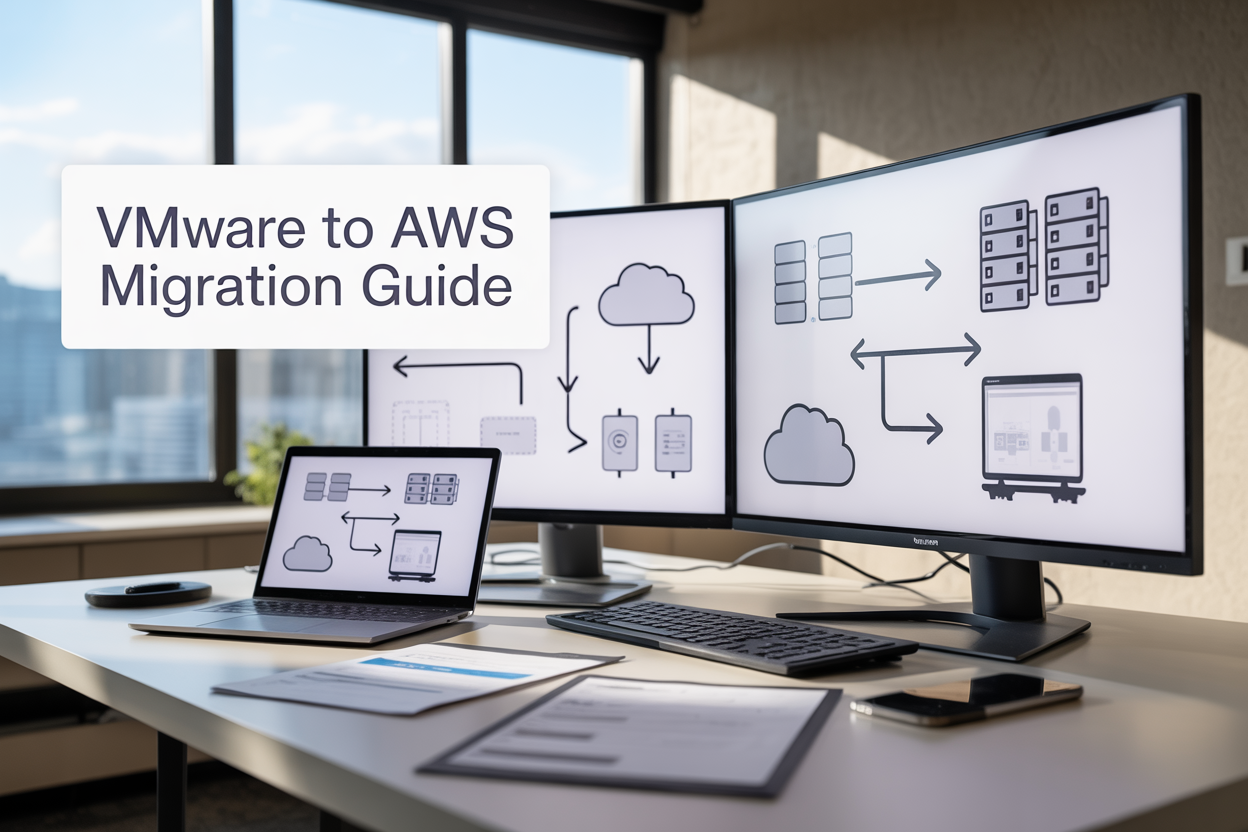
Moving your VMware workloads to AWS doesn’t have to be overwhelming. This VMware to AWS migration guide is designed for IT leaders, cloud architects, and DevOps teams who need a clear roadmap for enterprise cloud migration without the usual headaches.
Many organizations stick with on-premises VMware environments because they’re worried about security risks, downtime, or spiraling costs during migration. The good news? With the right AWS migration strategy and proper planning, you can move your workloads safely while setting up a robust hybrid cloud modernization approach.
This guide walks you through the complete process, from assessing your current VMware setup to building a secure AWS landing zone that meets enterprise standards. We’ll cover proven VMware to AWS best practices for planning your migration strategy and show you how to execute VMware workload migration with minimal business disruption. You’ll also learn how to optimize costs and maintain cloud migration security standards that keep your compliance teams happy.
By the end, you’ll have a practical framework for transforming your infrastructure while keeping everything running smoothly.
Assess Your VMware Environment for Migration Readiness

Inventory Existing VMware Infrastructure and Workloads
Building a complete picture of your VMware environment forms the foundation of any successful AWS migration guide. Start by cataloging every virtual machine, including operating systems, installed applications, storage requirements, and network configurations. Document your vSphere clusters, ESXi hosts, vCenter servers, and storage arrays to understand the full scope of your VMware infrastructure.
Pay special attention to legacy applications that might require specialized migration approaches during your VMware to AWS migration. Create detailed spreadsheets or use automated discovery tools like AWS Application Discovery Service to capture CPU specifications, memory allocation, storage IOPS, and network bandwidth usage for each workload.
Don’t overlook ancillary components like backup systems, monitoring tools, and security appliances that support your primary workloads. These often represent hidden dependencies that can derail migration timelines if discovered late in the process.
Identify Dependencies Between Applications and Services
Mapping application dependencies proves critical for planning your VMware cloud migration strategy. Modern enterprise applications rarely exist in isolation – they connect to databases, authentication services, file shares, and external APIs that create complex webs of interdependence.
Use network monitoring tools and application performance management solutions to trace communication patterns between systems. Document which applications communicate with each other, the protocols they use, and the frequency of data exchange. This dependency mapping helps you group related workloads into migration waves and avoid breaking critical business processes.
Database connections deserve particular scrutiny since they often represent the most challenging dependencies to recreate in AWS. Map out which applications connect to specific database instances, the nature of those connections, and any custom database configurations that might affect migration planning.
Evaluate Current Performance Metrics and Resource Utilization
Accurate performance baseline measurements prevent over-provisioning resources in AWS while ensuring migrated workloads maintain acceptable performance levels. Collect at least 30 days of performance data covering CPU utilization, memory consumption, storage IOPS, and network throughput across your VMware environment.
Look beyond average utilization numbers to understand peak demand patterns and seasonal variations that could affect your AWS migration strategy. Applications that spike during month-end processing or holiday seasons require different sizing considerations than steady-state workloads.
Storage performance analysis reveals opportunities for optimization during migration. Traditional SAN storage might benefit from migration to AWS EBS gp3 volumes or high-performance NVMe instance storage, depending on IOPS requirements and access patterns.
Network utilization patterns help determine appropriate AWS instance types and placement strategies. Applications with high inter-VM communication might benefit from placement groups or enhanced networking features available in specific AWS regions.
Determine Compliance and Security Requirements
Security and compliance requirements significantly influence your hybrid cloud modernization approach and AWS landing zone design. Start by identifying which workloads handle regulated data such as PCI, HIPAA, SOX, or GDPR-covered information, as these applications may require specific AWS services and configurations.
Document current security controls including firewall rules, antivirus configurations, encryption standards, and access management policies. Understanding your existing security posture helps maintain protection levels during migration while identifying opportunities for improvement through AWS native security services.
Compliance frameworks often mandate specific logging, monitoring, and audit capabilities that must be replicated or enhanced in AWS. Map out current compliance reporting processes and identify which AWS services like CloudTrail, Config, or Security Hub can support ongoing compliance requirements.
Data residency requirements might restrict which AWS regions you can use for certain workloads. Some organizations must keep sensitive data within specific geographic boundaries, while others face restrictions on cross-border data transfer that affect migration planning and ongoing operations.
Choose the Right AWS Migration Strategy

Lift and Shift Approach with EC2 Instances
The lift and shift approach represents the most straightforward path for VMware to AWS migration, allowing you to move existing virtual machines directly to Amazon EC2 instances with minimal modifications. This AWS migration strategy works by converting your VMware virtual disks (VMDKs) to Amazon Machine Images (AMIs) and launching them on EC2.
AWS Server Migration Service (SMS) and CloudEndure Migration automate much of this process, capturing your VMware VMs and replicating them to AWS with continuous data synchronization. You can migrate entire server fleets while maintaining their existing configurations, operating systems, and applications.
The biggest advantage? Speed and reduced complexity. Your teams don’t need to redesign applications or learn new deployment patterns immediately. This approach typically reduces migration timelines by 50-70% compared to complete re-architecting.
However, you’re essentially running the same workloads on different infrastructure. While you gain AWS’s reliability and global reach, you won’t immediately benefit from cloud-native features like auto-scaling, managed databases, or serverless computing. Cost optimization may also be limited since you’re not leveraging AWS’s consumption-based pricing models effectively.
Best candidates for lift and shift include legacy applications with complex dependencies, systems requiring minimal downtime, and workloads where application teams lack cloud expertise for immediate modernization.
Re-platforming with AWS Managed Services
Re-platforming strikes a balance between migration speed and cloud optimization by selectively replacing infrastructure components with AWS managed services while keeping application code largely intact. This VMware workload migration approach modernizes your architecture without complete application rewrites.
Common re-platforming scenarios include migrating SQL Server databases to Amazon RDS, moving file shares to Amazon EFS, or replacing load balancers with Application Load Balancers. You might also containerize stateless applications using Amazon ECS or EKS while keeping databases on managed services.
The process typically involves:
- Database Migration: Replace self-managed databases with RDS, Aurora, or DynamoDB
- Storage Modernization: Move from traditional storage to S3, EFS, or FSx
- Networking Updates: Implement VPC, security groups, and AWS native load balancing
- Monitoring Integration: Replace VMware monitoring with CloudWatch and X-Ray
Re-platforming delivers immediate operational benefits. You eliminate database patching overhead, gain automated backups, and access built-in high availability. Many organizations see 20-40% cost reductions through rightsizing and managed service efficiencies.
The trade-off is increased complexity during migration. You’ll need to test application compatibility with new services, update connection strings, and potentially modify deployment scripts. Timeline typically extends 30-50% beyond pure lift and shift, but the long-term operational gains often justify the investment.
Hybrid Cloud Deployment with VMware Cloud on AWS
VMware Cloud on AWS delivers a unique hybrid cloud modernization solution by running native VMware vSphere environments directly on AWS infrastructure. This approach eliminates the complexity of converting VMware workloads while providing seamless integration between on-premises and cloud environments.
The service runs VMware ESXi hypervisors on dedicated AWS bare-metal instances, giving you identical tooling, policies, and operational procedures across both environments. Your teams use the same vCenter interface, maintain existing security policies, and leverage familiar backup and disaster recovery processes.
Key capabilities include:
- Seamless Workload Mobility: Live migrate VMs between on-premises and AWS without downtime
- Consistent Operations: Use existing VMware tools, skills, and processes
- Native AWS Integration: Access S3, RDS, and other AWS services from VMware workloads
- Elastic Scaling: Add or remove hosts based on demand with hourly billing
This AWS migration strategy excels for organizations with significant VMware investments, complex compliance requirements, or tight migration timelines. You can move workloads immediately while gradually modernizing applications to use AWS-native services.
Cost considerations vary significantly. While you pay premium pricing for dedicated hardware, you eliminate VMware licensing costs on AWS and can scale capacity dynamically. Many enterprises find the operational consistency and reduced risk justify the investment, especially for mission-critical workloads requiring minimal changes during migration.
The hybrid approach also enables gradual modernization, letting you refactor applications at your own pace while maintaining operational stability.
Design Your Secure AWS Landing Zone

Configure multi-account structure with AWS Organizations
Setting up your AWS landing zone starts with creating a robust multi-account architecture using AWS Organizations. This approach provides essential isolation between different workloads, environments, and business units during your VMware to AWS migration.
Create separate accounts for production, development, testing, and shared services like logging and security. Your shared services account should house centralized resources like AWS CloudTrail, AWS Config, and security monitoring tools. Consider establishing dedicated accounts for sandbox environments where teams can experiment without affecting production workloads.
Use Service Control Policies (SCPs) to enforce guardrails across your organization. These policies act as safety nets, preventing accidental resource creation in wrong regions or blocking services that don’t meet your compliance requirements. Set up billing alerts and cost allocation tags early to track spending across different migration phases.
Implement AWS Control Tower for automated account provisioning and governance. This service creates a secure, well-architected landing zone foundation with pre-configured security policies and compliance rules that align with AWS best practices.
Implement network segmentation and VPC design
Network design plays a crucial role in your hybrid cloud modernization strategy. Create a hub-and-spoke architecture using AWS Transit Gateway to simplify connectivity between multiple VPCs and your on-premises VMware environment.
Design your VPC structure with clear separation between public and private subnets. Place web-facing resources in public subnets while keeping application servers and databases in private subnets. Use multiple Availability Zones for high availability and distribute your subnets accordingly.
Establish dedicated VPCs for different environments and workload types. Your production VPC should remain isolated from development environments, while shared services can reside in a central VPC connected through Transit Gateway. This design supports your VMware workload migration by providing familiar network isolation patterns.
Configure VPC endpoints for AWS services to keep traffic within the AWS network backbone. This approach improves security and reduces data transfer costs, especially important when migrating large VMware workloads.
Set up proper routing tables and network ACLs as additional security layers. Create custom route tables for different subnet types and implement least-privilege routing principles.
Establish identity and access management policies
Identity management forms the backbone of your AWS migration security strategy. Start by integrating your existing Active Directory with AWS Single Sign-On (AWS SSO) or AWS Directory Service to maintain familiar authentication patterns for your teams.
Create role-based access policies that follow the principle of least privilege. Design separate roles for different functions: migration engineers need broader permissions during the transition phase, while application teams require more restricted access focused on their specific resources.
Implement cross-account roles for centralized management while maintaining account isolation. Your security team should have read-only access across all accounts, with break-glass procedures for emergency access when needed.
Use AWS Identity Center (successor to AWS SSO) to centralize access management across your multi-account structure. This approach simplifies user provisioning and provides consistent access patterns as teams adapt to the cloud environment.
Set up just-in-time access for privileged operations using tools like AWS Systems Manager Session Manager. This eliminates the need for SSH keys or RDP connections, improving security while providing audit trails for all administrative access.
Set up monitoring and logging infrastructure
Comprehensive monitoring becomes essential during your VMware to AWS migration to track application performance, identify issues, and maintain operational visibility.
Deploy AWS CloudWatch across all accounts with custom metrics for your migrated applications. Create dashboards that mirror the monitoring you had in your VMware environment, helping teams maintain familiar operational procedures during the transition.
Centralize log collection using Amazon CloudWatch Logs with cross-account log destinations. Forward logs from all accounts to a central logging account where your security and operations teams can analyze patterns and detect anomalies.
Implement AWS CloudTrail organization-wide to track all API calls across your AWS environment. Store these audit logs in a dedicated security account with restricted access and long-term retention policies.
Set up AWS Config to monitor resource configuration changes and compliance drift. Create custom rules that enforce your organization’s security and operational standards, automatically flagging resources that don’t meet your requirements.
Use Amazon GuardDuty for threat detection and AWS Security Hub for centralized security findings management. These services provide the security visibility your teams need as you migrate critical workloads from your controlled VMware environment to AWS.
Deploy backup and disaster recovery solutions
Your disaster recovery strategy needs careful planning to maintain business continuity during and after your VMware to AWS migration. AWS offers multiple services that can improve your recovery capabilities compared to traditional VMware-based solutions.
Implement AWS Backup for centralized backup management across multiple services. Create backup policies that match or exceed your current VMware backup requirements, with automated scheduling and lifecycle management to control costs.
Design your disaster recovery architecture using multiple AWS regions. Your primary region should handle normal operations, while a secondary region provides recovery capabilities. Use AWS services like Amazon Route 53 for DNS failover and Application Load Balancers for traffic distribution during recovery scenarios.
Set up cross-region replication for critical data using services like Amazon S3 Cross-Region Replication or Amazon RDS automated backups. This approach provides geographic separation that many VMware environments lack.
Consider AWS Elastic Disaster Recovery (AWS DRS) for replicating your remaining on-premises VMware workloads. This service provides continuous block-level replication with recovery point objectives measured in minutes rather than hours.
Test your recovery procedures regularly using AWS services like AWS Fault Injection Simulator to validate your disaster recovery plans. Document recovery procedures and train your teams on cloud-native recovery processes that differ from traditional VMware restore operations.
Execute Your VMware to AWS Migration

Migrate Non-Critical Workloads First as Proof of Concept
Starting your VMware to AWS migration with non-critical workloads provides an essential learning opportunity without risking mission-critical operations. Development environments, test systems, and legacy applications serve as perfect candidates for this initial phase. These workloads typically have more flexible downtime windows and fewer dependencies, allowing your team to experiment with migration processes and identify potential challenges.
Choose workloads that represent different tiers of your application stack – web servers, application servers, and databases. This diversity helps you understand how various components behave during migration and validates your overall VMware workload migration approach. Document everything during these pilot migrations, including performance baselines, migration times, and any unexpected issues that arise.
Success metrics for your proof of concept should include application functionality, performance benchmarks, and data integrity validation. This phase builds confidence among stakeholders and provides valuable insights for scaling your migration efforts to production workloads.
Use AWS Application Migration Service for Seamless Transfers
AWS Application Migration Service (MGN) simplifies the VMware to AWS migration process by providing continuous replication of your source servers. This service creates lightweight replication agents that capture block-level changes from your VMware environment and continuously sync them to AWS staging areas.
The service supports various operating systems and automatically handles the conversion process from VMware virtual machines to native AWS instances. You can perform non-disruptive testing by launching test instances in AWS while your source servers continue running in VMware, allowing you to validate functionality before the final cutover.
Key advantages include:
- Minimal impact on source systems during replication
- Automated conversion handling for different instance types
- Point-in-time recovery capabilities
- Built-in network and security configuration management
Configure MGN by installing agents on your source servers, setting up replication settings, and defining your target AWS infrastructure. The service provides detailed monitoring and progress tracking throughout the migration process.
Implement Data Synchronization and Validation Processes
Data integrity remains paramount during any enterprise cloud migration. Establish robust synchronization mechanisms that ensure your data remains consistent between source and target environments throughout the migration window. Create checksum validations, database consistency checks, and file system comparisons to verify successful data transfers.
Design your synchronization strategy based on your data types and change rates. Database migrations may require transaction log shipping or real-time replication, while file systems might use rsync or AWS DataSync for efficient transfers. Plan for delta synchronization to capture changes occurring during the migration window.
Validation processes should include:
- Automated data integrity checks comparing source and target systems
- Application-level testing to ensure functionality remains intact
- Performance validation against established benchmarks
- Security configuration verification
Document your validation procedures and create automated scripts where possible. This standardization ensures consistent quality across all migrated workloads and provides audit trails for compliance requirements.
Schedule Production Workload Migrations with Minimal Downtime
Production workload migrations require careful orchestration to minimize business impact. Create detailed migration windows that align with your organization’s maintenance schedules and business cycles. Coordinate with application owners, network teams, and security groups to ensure all dependencies are addressed.
Develop a migration runbook for each production workload that includes pre-migration tasks, cutover procedures, rollback plans, and post-migration validation steps. Test these procedures thoroughly using your proof of concept environments to identify timing estimates and potential bottlenecks.
Consider implementing blue-green deployment patterns where possible, maintaining both old and new environments during the transition period. This approach enables rapid rollback if issues arise and provides additional validation time for critical systems.
Communication plays a vital role in production migrations. Establish clear escalation paths, regular status updates, and decision-making protocols. Your AWS migration strategy should include stakeholder notification procedures and success criteria that trigger the final cutover from VMware to AWS environments.
Optimize Performance and Costs Post-Migration

Right-size EC2 instances based on actual usage patterns
After completing your VMware to AWS migration, you’ll quickly discover that the instance sizes you initially chose might not match your actual workload demands. Many organizations start with oversized instances as a safety net, but this approach can drain your budget fast.
Start by analyzing your CloudWatch metrics over at least two weeks to understand real usage patterns. Look at CPU utilization, memory consumption, network I/O, and storage performance. If your instances consistently run below 40% CPU utilization, you’re likely paying for resources you don’t need.
AWS provides several tools to help with this analysis. The AWS Compute Optimizer automatically recommends optimal instance types based on your usage history. For workloads migrated from VMware, pay special attention to memory-optimized instances versus compute-optimized ones, as VMware environments often have different resource allocation patterns.
Don’t resize everything at once. Pick your least critical applications first to test the waters. Document the performance before and after each change, and establish rollback procedures. Remember that downsizing instances requires a stop/start cycle, so plan these changes during maintenance windows.
Implement auto-scaling for dynamic workload management
Auto-scaling transforms how you handle variable workloads that were challenging to manage in traditional VMware environments. Instead of provisioning for peak capacity year-round, you can automatically adjust your infrastructure based on actual demand.
Set up Application Load Balancers first, as they work hand-in-hand with Auto Scaling Groups. Create scaling policies based on multiple metrics – not just CPU utilization. Consider memory usage, network throughput, and custom application metrics that better reflect your business logic.
Configure predictive scaling for workloads with known patterns. If your application sees traffic spikes every Monday morning or during month-end processing, predictive scaling can pre-provision instances before demand hits. This proactive approach prevents the lag time that reactive scaling sometimes creates.
Test your scaling policies thoroughly in non-production environments. Start conservative with longer cooldown periods, then fine-tune based on your application’s startup time and performance characteristics. Some applications need several minutes to warm up, while others can handle traffic immediately.
Leverage Reserved Instances and Savings Plans for cost reduction
Smart purchasing strategies can cut your AWS costs by up to 70% compared to on-demand pricing. After your VMware to AWS migration stabilizes and you understand your baseline capacity requirements, commit to Reserved Instances for predictable workloads.
Standard Reserved Instances offer the deepest discounts but lock you into specific instance types and availability zones. Convertible Reserved Instances cost slightly more but let you change instance families as your needs evolve. For most post-migration scenarios, convertible RIs provide the best balance of savings and flexibility.
Savings Plans offer even more flexibility than Reserved Instances. EC2 Instance Savings Plans apply to any instance family within a region, while Compute Savings Plans cover EC2, Lambda, and Fargate usage. Start with a conservative commitment level – around 60-70% of your baseline usage – and increase your commitment as your usage patterns become clearer.
Mix and match these purchasing options strategically. Use Reserved Instances for your most predictable workloads, Savings Plans for moderate flexibility, and keep some capacity as on-demand for truly variable needs. Monitor your coverage regularly through the AWS Cost Explorer to identify new opportunities for commitment-based discounts.
Monitor and tune application performance continuously
Performance monitoring takes on new dimensions in AWS compared to your previous VMware environment. Cloud-native monitoring provides deeper insights but requires different approaches and tools.
CloudWatch provides fundamental infrastructure metrics, but don’t stop there. Implement Application Performance Monitoring (APM) tools like AWS X-Ray to trace requests across distributed services. Many applications that ran monolithically in VMware become distributed when migrated to AWS, making end-to-end tracing essential.
Set up custom dashboards that reflect your business KPIs, not just technical metrics. Monitor database connection pools, API response times, and user experience metrics alongside traditional infrastructure monitoring. Create alerts that escalate appropriately – too many alerts lead to alert fatigue, while too few can miss critical issues.
Establish performance baselines within your first month post-migration. Document normal operating ranges for key metrics, as AWS performance characteristics often differ from on-premises VMware deployments. Use these baselines to identify gradual performance degradation that might not trigger sudden alerts but impacts user experience over time.
Regular performance reviews should include cost analysis alongside performance metrics. Sometimes slightly higher-performing instance types deliver better price-to-performance ratios than cheaper alternatives.
Maintain Security and Compliance in Your Hybrid Environment
Implement continuous security monitoring across both environments
Your VMware to AWS migration creates a complex hybrid landscape that demands vigilant security oversight. Deploy unified monitoring tools that span both your on-premises VMware infrastructure and AWS cloud resources to maintain comprehensive visibility across your entire environment.
AWS CloudTrail provides detailed logging of API calls and user activities within your AWS environment, while AWS Config tracks resource configurations and compliance status. For your VMware environment, integrate tools like vRealize Log Insight or third-party SIEM solutions to capture events from vCenter, ESXi hosts, and virtual machines.
Create centralized dashboards that correlate security events from both environments. This unified view helps you spot potential threats that might span multiple platforms or identify suspicious activities that could indicate lateral movement between your VMware and AWS infrastructures.
Set up automated alerts for critical security events such as:
- Unauthorized access attempts across both platforms
- Configuration changes to critical resources
- Unusual network traffic patterns between environments
- Privilege escalation activities
- Failed authentication events
Consider implementing AWS Security Hub as your central security findings aggregator, which can ingest security data from multiple AWS services and third-party tools monitoring your VMware environment. This approach creates a single pane of glass for security operations teams to monitor your hybrid cloud security posture effectively.
Establish consistent backup and recovery procedures
Your hybrid cloud modernization strategy requires backup and recovery procedures that work seamlessly across both VMware and AWS environments. Design a unified approach that protects your data regardless of where it resides while ensuring consistent recovery point objectives (RPOs) and recovery time objectives (RTOs).
For AWS workloads, leverage AWS Backup to create centralized backup policies across multiple services including EC2, RDS, DynamoDB, and EFS. Configure automated backup schedules that align with your business requirements and regulatory compliance needs.
For your remaining VMware infrastructure, maintain existing backup solutions like Veeam or implement AWS-compatible backup tools that can protect both environments. Many modern backup solutions now offer hybrid capabilities, allowing you to backup VMware workloads directly to AWS storage services like S3 or use AWS Storage Gateway for seamless integration.
| Environment | Primary Tool | Backup Destination | RPO Target |
|---|---|---|---|
| AWS | AWS Backup | S3/Cross-region | 4 hours |
| VMware | Veeam/Native | Local + AWS S3 | 6 hours |
| Hybrid | Third-party | Multi-destination | Variable |
Test your recovery procedures regularly across both environments. Create runbooks that detail step-by-step recovery processes for different failure scenarios, including partial outages, complete site failures, and cross-platform recoveries where you might need to restore VMware workloads to AWS or vice versa.
Maintain audit trails and compliance reporting capabilities
Regulatory compliance doesn’t pause during your VMware to AWS migration journey. Establish comprehensive audit trails that capture activities across your entire hybrid infrastructure to satisfy compliance requirements for frameworks like SOC 2, PCI DSS, HIPAA, or GDPR.
AWS provides native compliance tools including AWS CloudTrail for API logging, AWS Config for configuration compliance, and AWS Security Hub for security findings aggregation. These services automatically generate compliance reports and maintain detailed audit trails of all activities within your AWS environment.
For your VMware infrastructure, configure detailed logging within vCenter and ESXi hosts. Enable audit logging for administrative actions, configuration changes, and access events. Store these logs in centralized locations where they can be easily accessed for compliance reporting and forensic analysis.
Create automated compliance reporting workflows that pull data from both environments. Use AWS Lambda functions to process log data and generate compliance reports that span your hybrid infrastructure. This automation ensures consistent reporting formats and reduces the manual effort required to demonstrate compliance.
Document your data handling procedures clearly, especially for workloads that process sensitive information. Map data flows between your VMware and AWS environments to ensure you can demonstrate proper data governance and protection measures to auditors and regulatory bodies.
Implement log retention policies that meet your longest compliance requirements. Store audit logs in tamper-proof storage solutions like AWS S3 with Object Lock or use dedicated compliance management platforms that can aggregate logs from both VMware and AWS environments while ensuring their integrity and availability for the required retention periods.

Moving your VMware workloads to AWS doesn’t have to be overwhelming when you break it down into clear steps. Start by understanding what you currently have, pick the migration approach that makes sense for your business, and set up a solid foundation in AWS. The actual move becomes much smoother when you’ve done the groundwork right.
Once you’re running on AWS, the real work begins with fine-tuning performance and keeping costs under control. Don’t forget that security and compliance need constant attention, especially if you’re running a hybrid setup. Take your time with each phase, and remember that a successful migration isn’t just about moving systems – it’s about setting your organization up for long-term success in the cloud.









