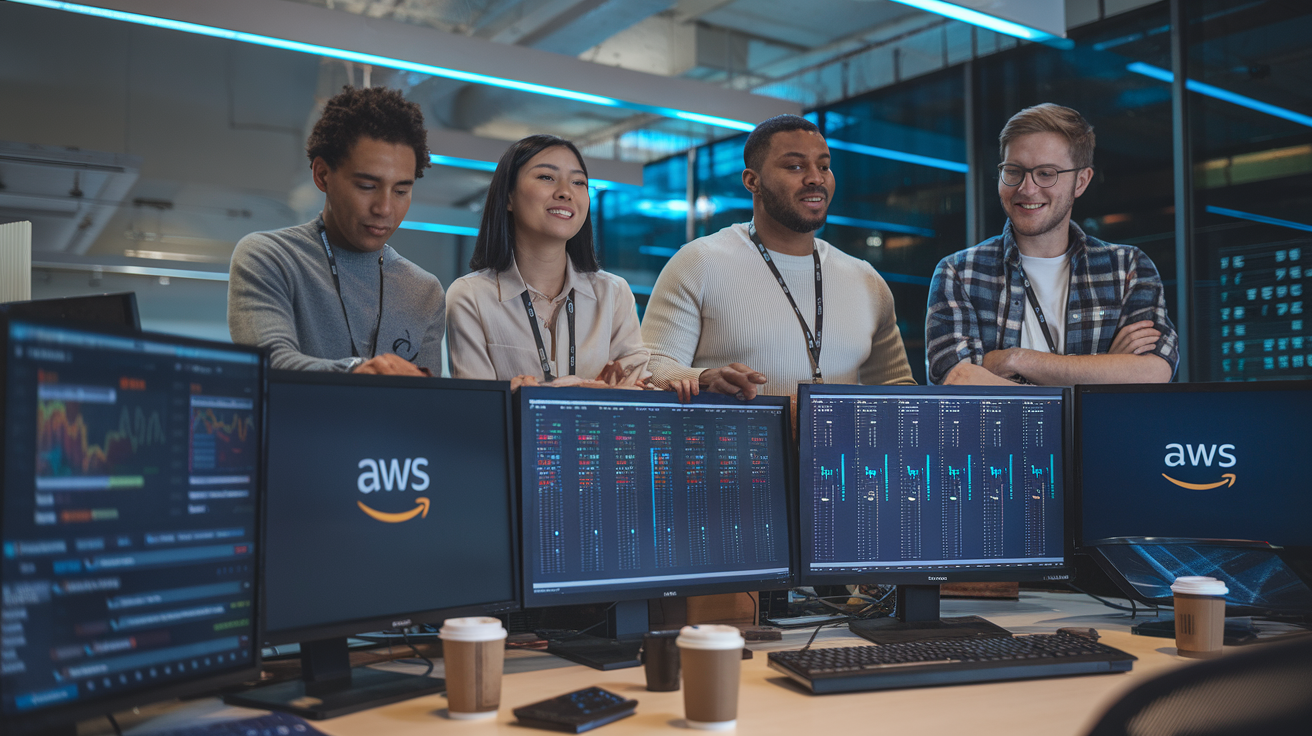
Moving your web applications to AWS doesn’t have to feel like climbing Mount Everest. This complete guide walks you through AWS web application modernization using proven DevOps migration strategy techniques that actually work in the real world.
Who this guide helps: Development teams, DevOps engineers, and IT leaders ready to transform legacy web applications into scalable, cloud-native solutions on AWS.
You’ll discover how to build bulletproof CI/CD pipeline development workflows that automate deployments and catch issues before they hit production. We’ll also dive deep into Infrastructure as Code AWS implementation, showing you how to manage your entire infrastructure through version-controlled templates that your team can collaborate on.
Plus, you’ll learn essential AWS monitoring and optimization strategies to keep your applications running smoothly while controlling costs – because nobody wants surprise bills at the end of the month.
Understanding AWS Platform Services for Web Application Transformation
Differentiating PaaS and SaaS Solutions on AWS
AWS offers distinct Platform-as-a-Service and Software-as-a-Service options that transform how developers build and deploy web applications. PaaS solutions like AWS Elastic Beanstalk and AWS App Runner handle infrastructure management automatically, letting developers focus purely on code while the platform manages servers, load balancing, and scaling. SaaS offerings such as Amazon WorkSpaces and Amazon Connect provide ready-to-use applications without any infrastructure concerns. The key difference lies in control levels – PaaS gives you application deployment flexibility with managed infrastructure, while SaaS delivers complete solutions requiring minimal configuration.
Core AWS Services for Modern Web Development
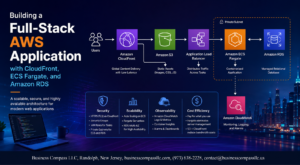
Modern AWS web application modernization relies on several foundational services that work together seamlessly. Amazon EC2 provides scalable compute power, while Amazon RDS handles database management with automated backups and patches. AWS Lambda enables serverless computing for event-driven functions, reducing operational overhead significantly. Amazon S3 stores static assets with global content delivery through CloudFront CDN. API Gateway manages RESTful APIs with built-in security and throttling. These services integrate naturally, creating robust architectures that support rapid development cycles and automatic scaling based on demand patterns.
Cost Benefits of Cloud-Native Architecture
Moving to cloud-native architecture on AWS delivers immediate cost advantages through pay-as-you-use pricing models. Traditional infrastructure requires upfront hardware investments and fixed monthly costs regardless of actual usage. AWS charges only for consumed resources, making seasonal traffic spikes economically manageable. Reserved instances provide up to 75% savings for predictable workloads, while spot instances offer even deeper discounts for flexible applications. Auto-scaling eliminates over-provisioning waste by adjusting capacity automatically. Storage tiering moves infrequently accessed data to cheaper tiers, and serverless functions charge per execution millisecond rather than idle server time.
Scalability Advantages Over Traditional Infrastructure
AWS provides horizontal and vertical scaling capabilities that traditional infrastructure simply cannot match without massive capital investment. Auto Scaling Groups automatically add or remove instances based on CPU, memory, or custom metrics, handling traffic surges within minutes. Load balancers distribute requests across multiple availability zones for fault tolerance and performance. Database read replicas scale read operations globally while maintaining data consistency. Traditional setups require weeks of procurement and setup for capacity increases, often leading to over-provisioning. AWS scaling happens instantly through APIs, supporting everything from startup growth to enterprise-level traffic patterns without manual intervention or downtime.
DevOps Strategy Planning for AWS Migration
Assessing Current Application Architecture
Successful AWS web application modernization starts with a thorough evaluation of your existing system. Document current dependencies, database connections, third-party integrations, and performance bottlenecks. Map out data flow patterns, security protocols, and user authentication mechanisms. Identify monolithic components that need breaking down into microservices. This comprehensive audit reveals which elements can migrate as-is and which require refactoring for optimal cloud performance.
Defining Migration Roadmap and Timeline
Create a phased migration approach that minimizes business disruption while maximizing cloud benefits. Prioritize applications based on complexity, business impact, and technical dependencies. Start with stateless components and less critical systems to build team confidence. Plan for parallel environments during transition periods. Set realistic milestones for each migration wave, accounting for testing phases, rollback procedures, and stakeholder training. Your DevOps migration strategy should include buffer time for unexpected challenges and integration complexities.
Team Structure and Skill Requirements
AWS cloud transformation demands specific expertise across development, operations, and security domains. Assess current team capabilities against required AWS services knowledge including EC2, RDS, Lambda, and ECS. Identify skill gaps in containerization, Infrastructure as Code tools like Terraform or CloudFormation, and CI/CD pipeline development. Consider hiring cloud architects, DevOps engineers, and security specialists. Invest in AWS certification training for existing staff. Establish clear roles for migration phases, ongoing operations, and incident response to ensure smooth cloud application deployment and maintenance.
Infrastructure as Code Implementation
Terraform Configuration for AWS Resources
Terraform transforms AWS web application modernization by enabling declarative Infrastructure as Code AWS practices. Define EC2 instances, RDS databases, load balancers, and VPC networks through reusable modules. Terraform’s state management tracks resource dependencies, while providers like AWS, enabling seamless multi-cloud deployments. Use data sources to reference existing infrastructure, implement resource tagging strategies, and leverage workspaces for environment separation. Module composition promotes code reusability across projects, reducing deployment complexity and maintenance overhead.
CloudFormation Templates for Automated Deployments
CloudFormation templates accelerate cloud application deployment through native AWS integration and comprehensive service coverage. Stack templates define entire application architectures using YAML or JSON, supporting parameters, conditions, and outputs for flexible configurations. Nested stacks break complex deployments into manageable components, while StackSets enable multi-account deployments. Cross-stack references link dependent resources, and custom resources extend functionality beyond native AWS services. Template validation catches errors early, ensuring reliable automated deployments.
Version Control Best Practices for Infrastructure
Git workflows for infrastructure code mirror application development practices, treating infrastructure changes with equal rigor. Branch protection rules enforce peer reviews for Terraform and CloudFormation modifications. Semantic versioning tags infrastructure releases, enabling rollback capabilities and change tracking. Pre-commit hooks validate syntax and security policies before commits. Separate repositories for different environments prevent accidental cross-contamination while maintaining deployment consistency through shared modules and templates.
Environment Management and Configuration
Environment-specific configurations separate development, staging, and production deployments while maintaining consistency. Terraform workspaces or separate state files isolate environment resources, preventing accidental modifications. Parameter stores and AWS Secrets Manager inject environment-specific values into templates without hardcoding sensitive data. Naming conventions distinguish resources across environments, while resource tagging enables cost allocation and governance. Blue-green deployment strategies minimize downtime during infrastructure updates, supporting continuous delivery practices.
Security and Compliance Integration
Security scanning integrates directly into Infrastructure as Code AWS workflows, catching misconfigurations before deployment. Tools like Checkov, Terrascan, and AWS Config Rules validate templates against security benchmarks. IAM policies follow least-privilege principles through policy templates and condition blocks. Encryption at rest and in transit becomes default configuration through secure baseline templates. Compliance frameworks like SOC2 and PCI DSS requirements embed into infrastructure code, ensuring consistent security posture across all environments and deployments.
CI/CD Pipeline Development on AWS
CodePipeline Setup for Automated Workflows
AWS CodePipeline creates automated CI/CD pipeline development workflows that streamline your web application modernization process. Configure source stages connecting to GitHub, CodeCommit, or S3 buckets, then add build and deploy stages that automatically trigger when code changes occur. Set up approval gates for production deployments and integrate with CloudWatch for real-time monitoring. Pipeline artifacts flow seamlessly between stages, enabling consistent deployments across multiple environments while maintaining full audit trails for compliance requirements.
CodeBuild Integration for Testing and Compilation
CodeBuild handles containerized build environments that scale automatically based on your project needs. Create buildspec.yml files defining custom build commands, environment variables, and artifact outputs for your specific technology stack. Configure parallel test execution across multiple compute types, from ARM-based instances to GPU-enabled environments. Cache dependencies between builds to reduce execution time, and integrate with SonarQube or other code quality tools. Build logs stream directly to CloudWatch, providing detailed insights into compilation errors and test failures.
Container Orchestration with ECS and EKS
Amazon ECS provides managed container orchestration perfect for traditional web applications requiring minimal Kubernetes complexity. Deploy applications using Fargate for serverless containers or EC2 instances for greater control over underlying infrastructure. EKS offers full Kubernetes compatibility when you need advanced orchestration features like custom operators, service mesh integration, or complex networking configurations. Both services integrate with Application Load Balancers for traffic distribution and support auto-scaling based on CPU, memory, or custom CloudWatch metrics.
Blue-Green Deployment Strategies
Blue-green deployments eliminate downtime during AWS web application modernization by maintaining parallel production environments. CodeDeploy automates traffic shifting between environments, starting with small percentages and gradually increasing based on health checks and custom metrics. Configure automatic rollback triggers that activate when error rates exceed thresholds or response times degrade. Use Route 53 weighted routing or Application Load Balancer target groups to control traffic distribution. This approach provides instant rollback capabilities and reduces risk during major application updates or infrastructure changes.
Monitoring and Performance Optimization
CloudWatch Implementation for Application Metrics
CloudWatch serves as your central monitoring hub for AWS web application modernization efforts. Set up custom metrics to track application performance indicators like response times, error rates, and throughput. Configure dashboards that visualize real-time data across your microservices architecture. Create automated alarms that trigger when thresholds are breached, enabling proactive issue resolution. CloudWatch Insights provides powerful query capabilities for deep-dive analysis of application behavior patterns.
Log Aggregation and Analysis Setup
Centralized logging becomes critical during DevOps migration strategy implementation. Configure CloudWatch Logs to collect application logs, system logs, and custom events from multiple sources. Use log streams to organize data by environment and service type. Set up log retention policies that balance storage costs with compliance requirements. Implement structured logging formats like JSON to enable efficient searching and filtering across distributed systems.
Performance Tuning for Cloud-Native Applications
Cloud-native applications require different optimization approaches compared to traditional deployments. Monitor database connection pooling, caching layer effectiveness, and API gateway performance metrics. Use AWS X-Ray to trace requests across microservices and identify bottlenecks in your service mesh. Implement auto-scaling policies based on custom metrics rather than basic CPU utilization. Right-size your containers and serverless functions based on actual usage patterns rather than peak capacity estimates.
Cost Optimization Through Resource Monitoring
AWS monitoring and optimization efforts directly impact your bottom line. Track resource utilization patterns to identify over-provisioned instances and underutilized services. Use AWS Cost Explorer alongside CloudWatch metrics to correlate performance with spending. Set up budget alerts that notify teams when costs exceed predetermined thresholds. Implement automated policies that shut down non-production environments during off-hours. Monitor Reserved Instance utilization rates and adjust purchasing strategies based on actual consumption data.
Security and Governance Framework
IAM Roles and Permissions Configuration
Creating a robust IAM structure forms the backbone of your AWS web application modernization security strategy. Start by implementing the principle of least privilege, where users and services receive only the minimum permissions needed for their specific functions. Design role-based access control (RBAC) hierarchies that align with your organization’s structure, creating separate roles for developers, operations teams, and automated services. Use IAM policies to define granular permissions for each AWS resource, avoiding wildcard permissions that could expose your application to unnecessary risks. Cross-account roles become essential when managing multiple AWS environments, allowing secure access between development, staging, and production accounts. Service-linked roles automatically grant AWS services the permissions they need to interact with other AWS resources on your behalf. Regular access reviews and automated permission auditing help maintain security hygiene as your DevOps migration strategy evolves and team members change roles or leave the organization.
Data Encryption and Protection Strategies
Data protection in your cloud application deployment requires implementing encryption at multiple layers throughout your infrastructure. Enable encryption at rest using AWS Key Management Service (KMS) for all storage services including RDS databases, S3 buckets, and EBS volumes. Configure customer-managed keys when you need full control over encryption key rotation and access policies. Implement encryption in transit using TLS 1.2 or higher for all API communications, load balancer connections, and database connections. AWS Certificate Manager simplifies SSL/TLS certificate management by automatically renewing certificates before expiration. Database-level encryption protects sensitive application data, while application-level encryption adds another security layer for highly sensitive information like payment data or personal identifiers. Configure AWS Secrets Manager to store and rotate database credentials, API keys, and other sensitive configuration data. Field-level encryption protects specific data elements during processing, particularly useful for PCI DSS compliance requirements. Regular encryption key rotation policies and backup strategies ensure long-term data protection and recovery capabilities.
Compliance Requirements and Auditing
Building a comprehensive compliance framework starts with understanding which regulations apply to your specific industry and geographic locations where your application operates. AWS provides compliance certifications for SOC 2, ISO 27001, HIPAA, PCI DSS, and GDPR, but you must configure your cloud security governance framework to maintain compliance within your applications. CloudTrail logging captures all API calls across your AWS environment, creating an audit trail that compliance auditors require for verification processes. Configure AWS Config to continuously monitor resource configurations and automatically detect deviations from compliance baselines. Set up CloudWatch alarms to notify your team when compliance violations occur, enabling rapid response to security incidents. AWS Security Hub aggregates security findings from multiple AWS security services, providing a centralized dashboard for compliance monitoring. Document your data handling procedures, incident response plans, and employee access controls to satisfy auditor requirements. Regular vulnerability assessments using AWS Inspector and third-party security scanning tools help identify potential compliance gaps before they become violations. Automated compliance reporting reduces manual effort while ensuring consistent documentation for regulatory reviews and internal security assessments.
Transforming your web applications on AWS requires a solid plan that covers everything from choosing the right platform services to setting up strong security measures. The journey involves careful DevOps strategy planning, smart use of Infrastructure as Code, and building robust CI/CD pipelines that keep your development team moving fast. Getting your monitoring and performance optimization right from the start will save you countless headaches down the road, while a proper security and governance framework protects your business and keeps you compliant.
The shift to PaaS and SaaS solutions on AWS isn’t just about moving to the cloud – it’s about reimagining how your team builds, deploys, and maintains applications. Start with a clear migration strategy, invest time in automating your infrastructure, and don’t skip the monitoring setup. Your future self will thank you when your applications are running smoothly, scaling automatically, and your team can focus on building features instead of fighting fires. Take it one step at a time, and you’ll end up with a modern, efficient web application that’s ready for whatever comes next.